一、项目介绍
本系统前端框架采用了比较流行的渐进式JavaScript框架Vue.js。使用Vue-Router实现动态路由,Ajax实现前后端通信,Element-plus组件库使页面快速成型。后端部分:采用SpringBoot作为开发框架,同时集成MyBatis、Redis、阿里云oss对象存储等相关技术。
社团管理系统,可前后端分离
运行环境:idea
技术栈:springboot,vue,mybatis,redis,elementplus
jwt令牌技术,不登录无法访问内容页面,换浏览器也不可以
二、系统功能
分为管理员,社团管理员,用户三种系统
管理员可以进行账号管理,社团管理,社团分类管理,社团成员管理 ,通知信息管理,入团申请管理,个人信息管理
社团管理员可以查询社团成员列表 ,进行入团申请的审批,个人信息管理
用户可以查看社团列表,社团分类,进行入团申请,个人信息管理
三、系统实现
登陆界面

个人资料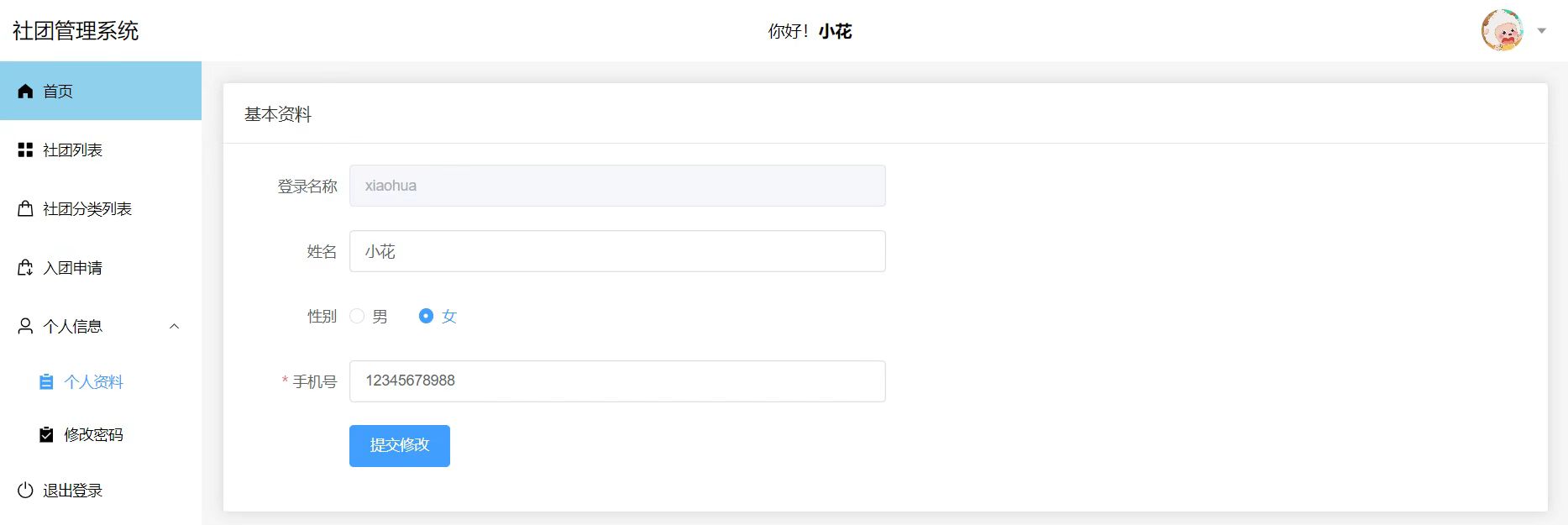
社团列表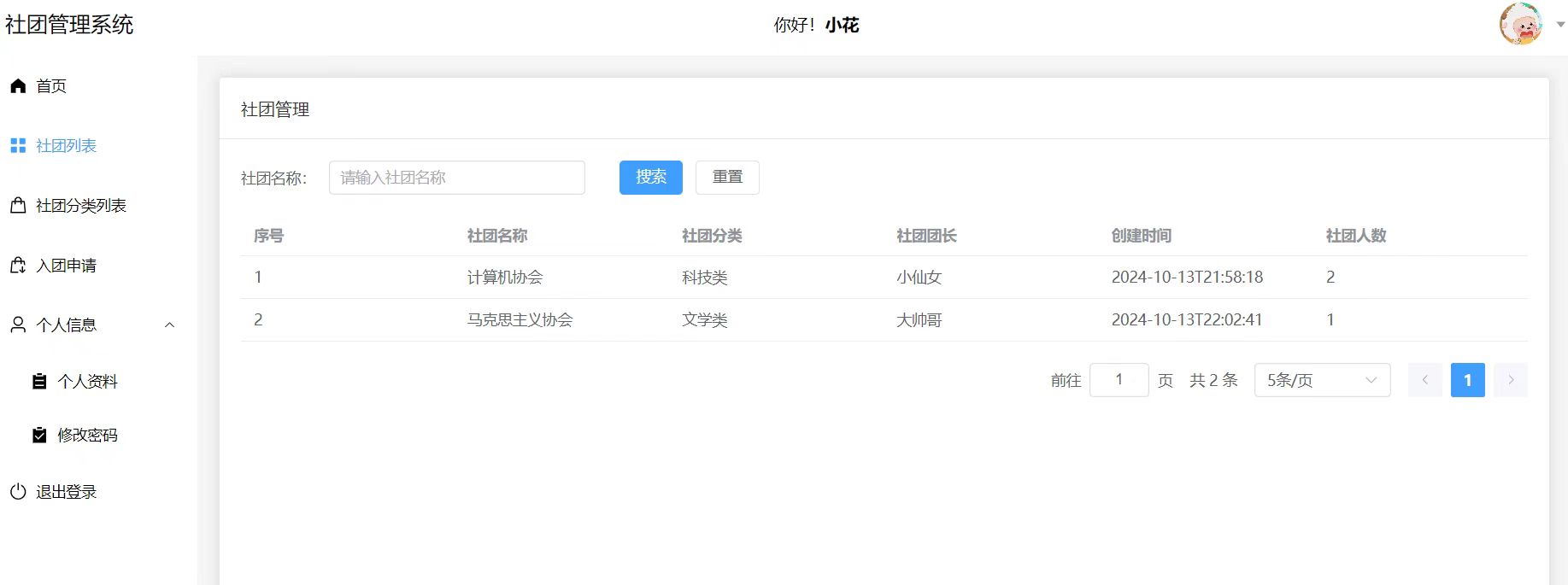
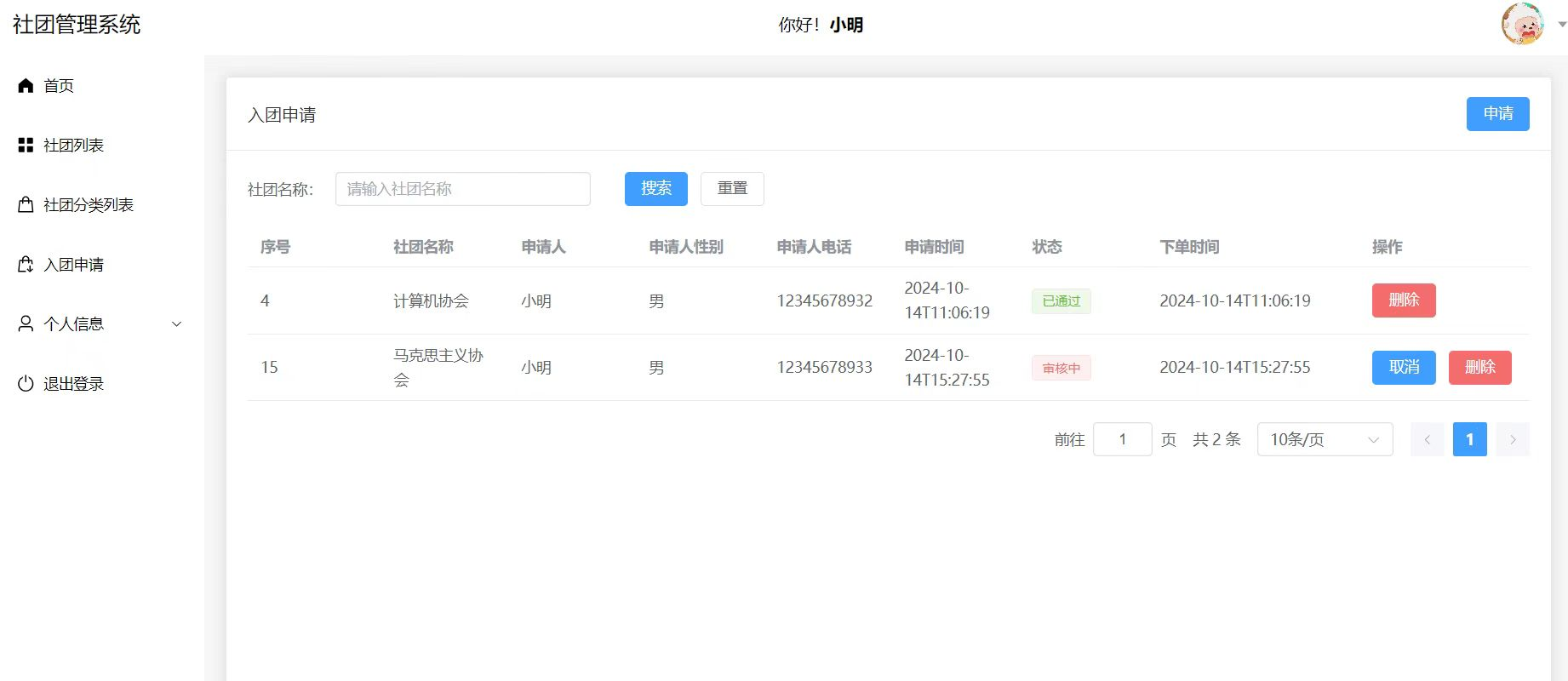
社团管理员端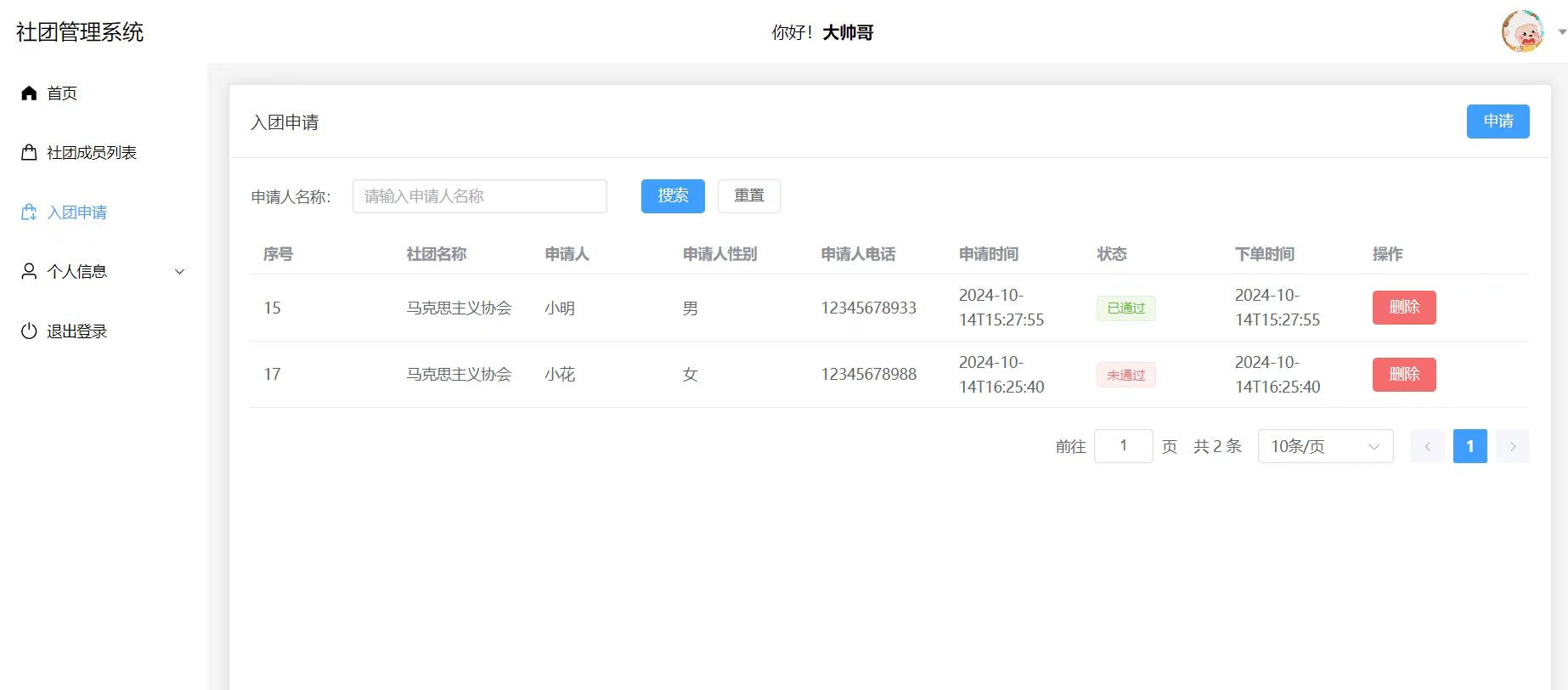
管理员端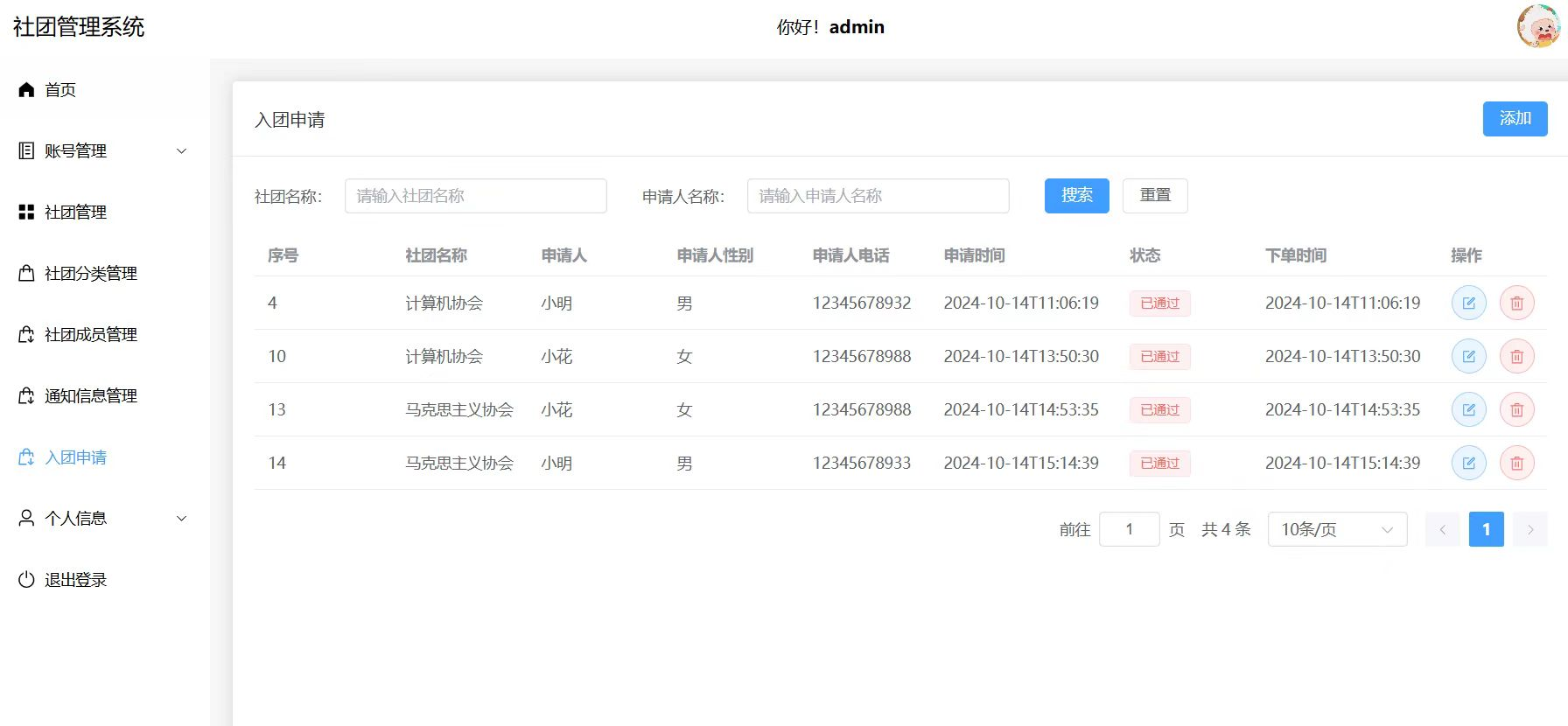
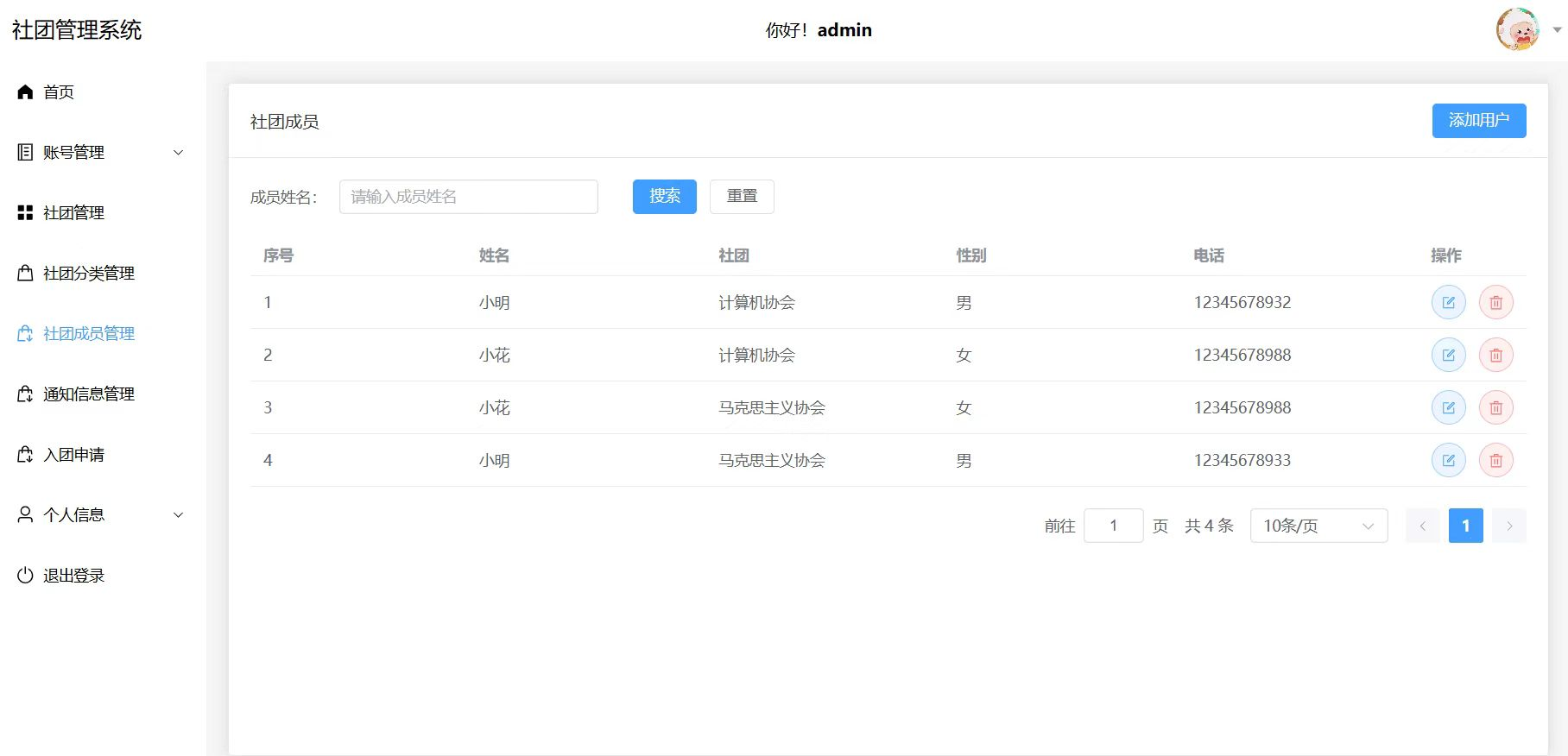
四、实现代码
package com.example.demo.Controller;

import com.example.demo.Service.CategoryService;

import com.example.demo.entity.Pojo.Category;
import com.example.demo.entity.Pojo.Flower;
import com.example.demo.entity.Result.PageBean;
import com.example.demo.entity.Result.Result;
import org.springframework.beans.factory.annotation.Autowired;
import org.springframework.web.bind.annotation.*;

import java.util.List;

@RestController
@RequestMapping("/category")
public class CategoryController {
    @Autowired
    private CategoryService categoryService;

    //获取分类列表
    @GetMapping
    public Result<List<Category>> getMessage(){
        List<Category> cs= categoryService.list();
        return Result.success(cs);
    }

    //新增商品分类
    @PostMapping
    public Result add(@RequestBody Category category){
        categoryService.add(category);
        return Result.success();
    }

    //获取商品分类详情
    @GetMapping("/detail")
    public Result<Category> detail(Integer id){
        Category c= categoryService.findById(id);
        return Result.success(c);
    }

    //更新商品分类
    @PutMapping
    public Result update(@RequestBody Category category){
        categoryService.update(category);
        return  Result.success();
    }

    // 删除商品分类
    @DeleteMapping
    public Result delete(Integer id){
        categoryService.delete(id);
        return Result.success();
    }

    //分页查询分类
    @GetMapping("/page")
    public Result<PageBean<Category>> page(Integer pageNum, Integer pageSize, String agriculturalName){
        PageBean<Category> pageBean= categoryService.page(pageNum, pageSize, agriculturalName);
        return Result.success(pageBean);
    }

    //根据分类查询
    @GetMapping("/flower")
    public Result<PageBean<Flower>> listByCategory(Integer pageNum, Integer pageSize, String categoryName){
        PageBean<Flower> pageBean= categoryService.getByCategoryId(pageNum, pageSize, categoryName);
        return Result.success(pageBean);
    }
}
联系方式👇
