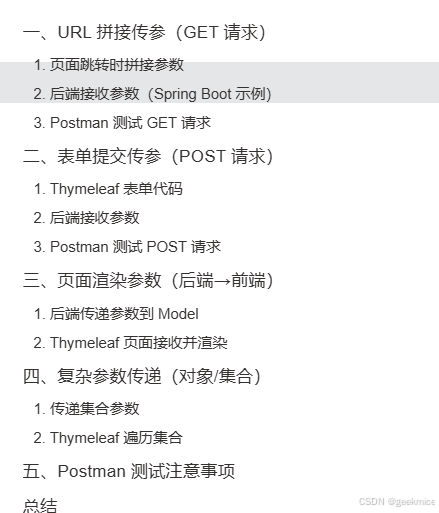
Thymeleaf 处理参数传递主要涉及页面跳转传参 、表单提交传参 、URL 拼接传参 等场景,结合效果图和 Postman 测试能更直观理解参数传递与接收流程。以下分场景详细说明:
一、URL 拼接传参(GET 请求)
1. 页面跳转时拼接参数
Thymeleaf 页面代码:
html
<!-- 拼接参数:name=张三&age=20 -->
<a th:href="@{/user/detail(name='张三', age=20)}">查看用户详情</a>
效果图 :
页面显示超链接,点击后 URL 为:http://localhost:8080/user/detail?name=张三&age=20
2. 后端接收参数(Spring Boot 示例)
java
@GetMapping("/user/detail")
public String userDetail(@RequestParam String name, @RequestParam Integer age, Model model) {
    model.addAttribute("name", name);
    model.addAttribute("age", age);
    return "userDetail"; // 跳转到userDetail.html
}
3. Postman 测试 GET 请求
- 请求地址 :
http://localhost:8080/user/detail - 请求参数 :Params 中添加
name=张三、age=20 - 响应:返回渲染后的页面,显示参数值。
二、表单提交传参(POST 请求)
1. Thymeleaf 表单代码
html
<form th:action="@{/user/save}" method="post">
    <input type="text" name="username" placeholder="用户名">
    <input type="password" name="password" placeholder="密码">
    <button type="submit">提交</button>
</form>
效果图 :
页面显示表单输入框,提交后参数通过 POST 请求传递。
2. 后端接收参数
java
@PostMapping("/user/save")
public String saveUser(User user, Model model) {
    model.addAttribute("user", user);
    return "userResult"; // 显示提交结果
}

// User实体类
public class User {
    private String username;
    private String password;
    // getter/setter
}
3. Postman 测试 POST 请求
- 请求地址 :
http://localhost:8080/user/save - 请求体 :form-data 中添加
username=test、password=123456 - 响应:返回包含用户信息的页面。
三、页面渲染参数(后端→前端)
1. 后端传递参数到 Model
java
@GetMapping("/index")
public String index(Model model) {
    model.addAttribute("message", "Hello Thymeleaf!");
    model.addAttribute("user", new User("李四", "654321"));
    return "index";
}
2. Thymeleaf 页面接收并渲染
html
<h1 th:text="${message}">默认消息</h1>
<p>用户名:<span th:text="${user.username}"></span></p>
<p>密码:<span th:text="${user.password}"></span></p>
效果图 :
页面显示:
Hello Thymeleaf!
用户名:李四
密码:654321
四、复杂参数传递(对象/集合)
1. 传递集合参数
java
@GetMapping("/list")
public String userList(Model model) {
    List<User> userList = Arrays.asList(
        new User("张三", "123"),
        new User("李四", "456")
    );
    model.addAttribute("users", userList);
    return "userList";
}
2. Thymeleaf 遍历集合
html
<table>
    <tr th:each="user : ${users}">
        <td th:text="${user.username}"></td>
        <td th:text="${user.password}"></td>
    </tr>
</table>
效果图 :
表格显示两行用户数据。
五、Postman 测试注意事项
- GET 请求:参数放在 Params 或直接拼接在 URL。
- POST 请求:表单参数用 form-data,JSON 参数用 raw → JSON。
- 响应类型 :若返回页面,Postman 显示 HTML;若返回 JSON,需用
@ResponseBody。
总结
Thymeleaf 通过 @{} 处理 URL 参数,${} 渲染后端数据;结合 Postman 可快速验证参数传递是否正确,重点关注请求方式、参数格式和后端接收逻辑。