异常 Exceptions
Your Dart code can throw and catch exceptions. Exceptions are errors indicating that something unexpected happened. If the exception isn't caught, the isolate that raised the exception is suspended, and typically the isolate and its program are terminated.
In contrast to Java, all of Dart's exceptions are unchecked exceptions. Methods don't declare which exceptions they might throw, and you aren't required to catch any exceptions.
Dart provides Exception and Error types, as well as numerous predefined subtypes. You can, of course, define your own exceptions. However, Dart programs can throw any non-null object---not just Exception and Error objects---as an exception.
译文:你的Dart代码可以抛出和捕获异常。异常是指发生了意外的错误。如果没有捕获异常,抛出异常的isolate将被挂起,通常情况下,isolate及其程序将终止。
与Java不同,Dart的所有异常都是未检异常。方法不声明它们可能抛出哪些异常,你也不需要捕获任何异常。
Dart提供了异常和错误类型,以及许多预定义的子类型。当然,您可以定义自己的异常。然而,Dart程序可以抛出任何非空对象作为异常,而不仅仅是Exception和Error对象。
1、Dart中方法不需要声明可能导致的异常,(如java中file的IOException),所以你也不需要在调用任何函数时必须 捕获异常。
2、未捕获的异常将导致isolate挂起,isolate是新概念,我们后面再去了解
3、dart中可以抛出任意非空对象,而不仅仅是Exception和Error
Throw
语法和java雷同
基础用法
dart
void main() {
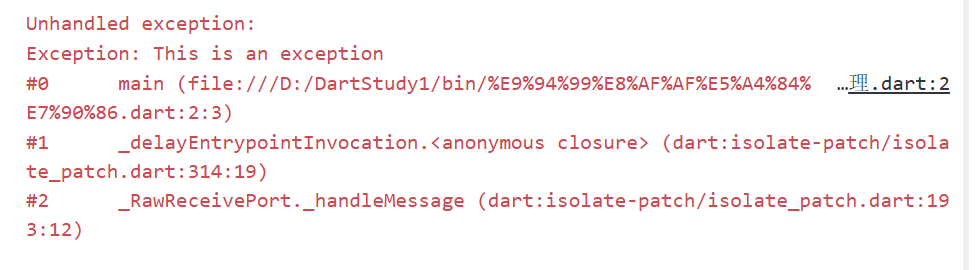
  throw Exception('This is an exception');
}
运行后的日志:
抛出任意非空对象
接下来我们尝试一下抛出任意非空对象,在下面的例子中,我自定义了一个类,并将throw使用record包裹
dart
void main() {
  // throw Exception('This is an exception');
  throw ("这是一个records", MyException("这是我自定义的对象"));
}

class MyException{
  final String message;
  MyException(this.message);
}
运行日志如下:
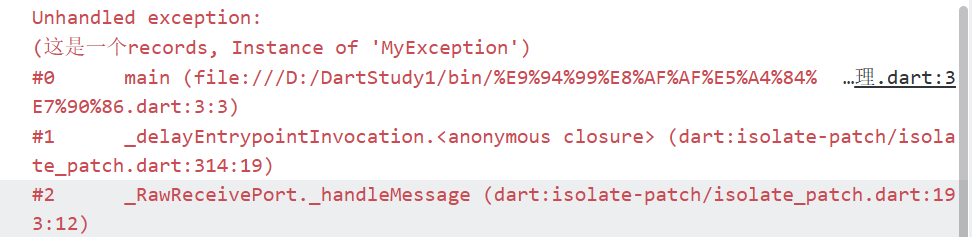
抛出非常的人性化,但是官方任然建议我们抛出继承自Exception或者Error的类型

表达式支持
抛出语法同样支持表达式
dart
void main() =>
    // throw Exception('This is an exception');
    throw ("这是一个records", MyException("这是我自定义的对象"));
那么这样自定义的抛出该如何捕获呢?下面我们带着疑问继续学习。
Catch
关键字也和java一致。
基础用法
下面是catch的基础用法
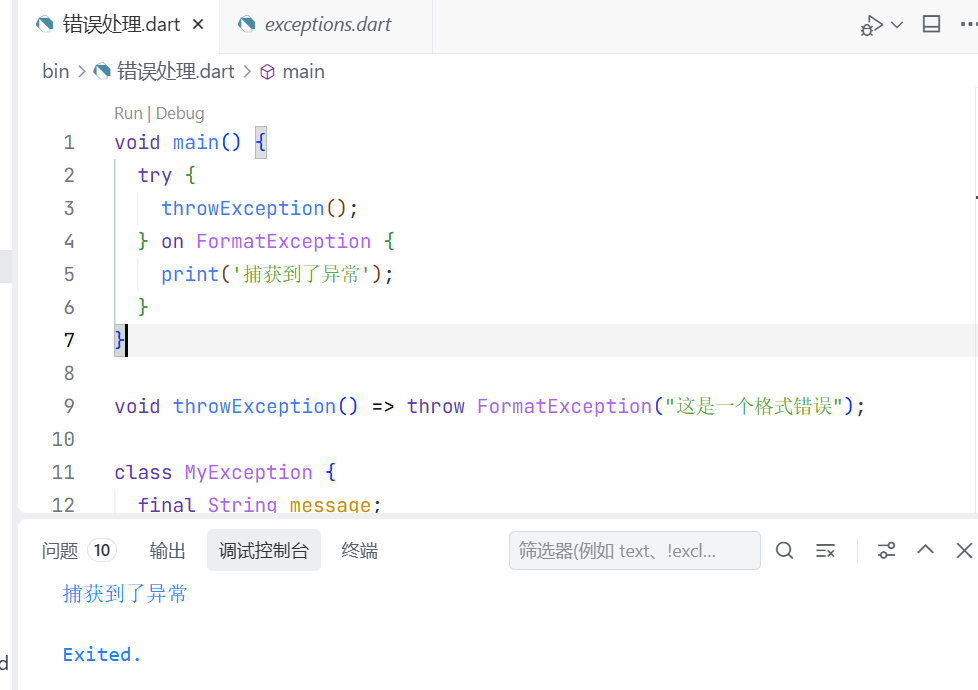
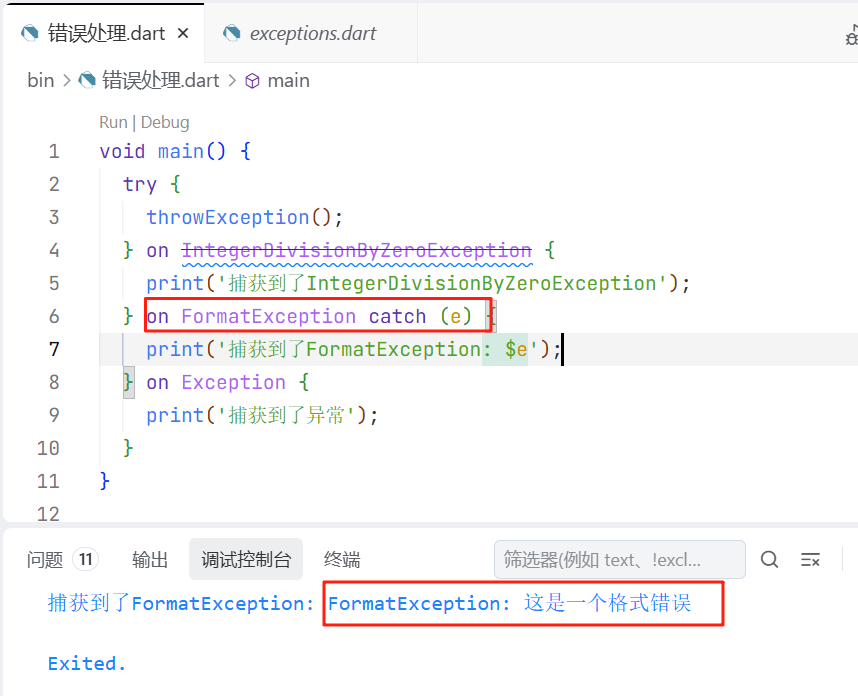
可以看大和java的语法结构大致相同,关键字略有区别
多类型捕获
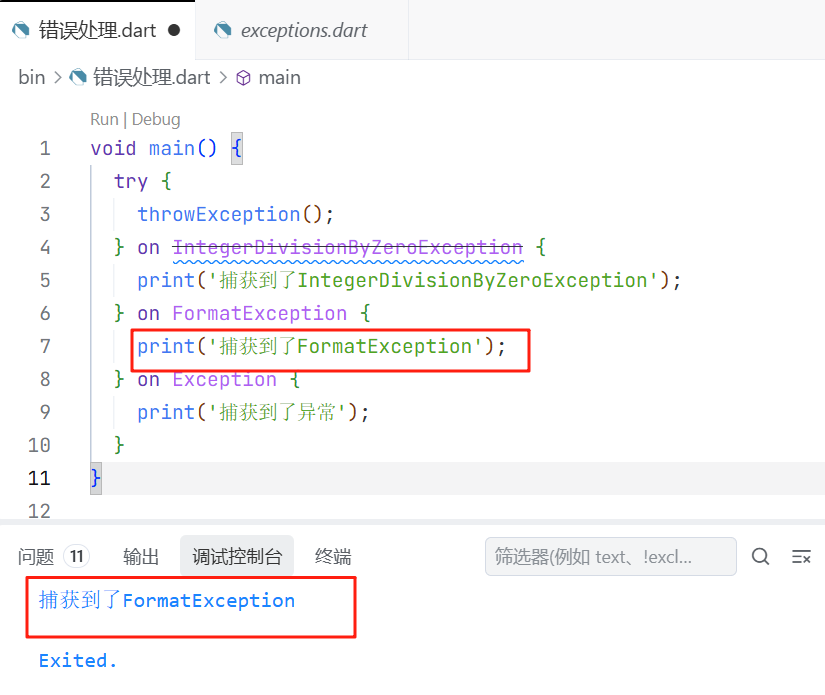
同样支持,同时捕获多个可能的异常,但只会执行第一个满足条件的on子句。
获取捕获对象
在上面的例子中我们使用catch关键字,获取到了捕获到的对象。
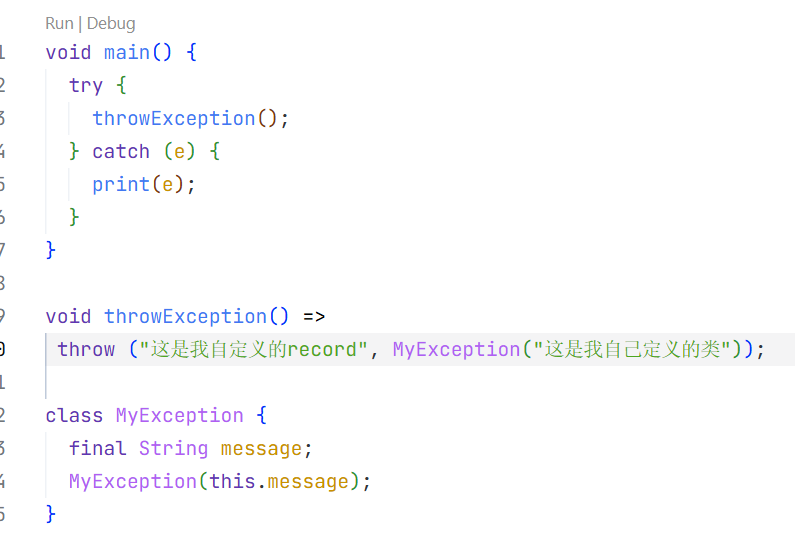
输出如下
dart
(这是我自定义的record, Instance of 'MyException')当我们并不确定可能抛出的对象类型时,可以直接使用catch捕获所有类型。
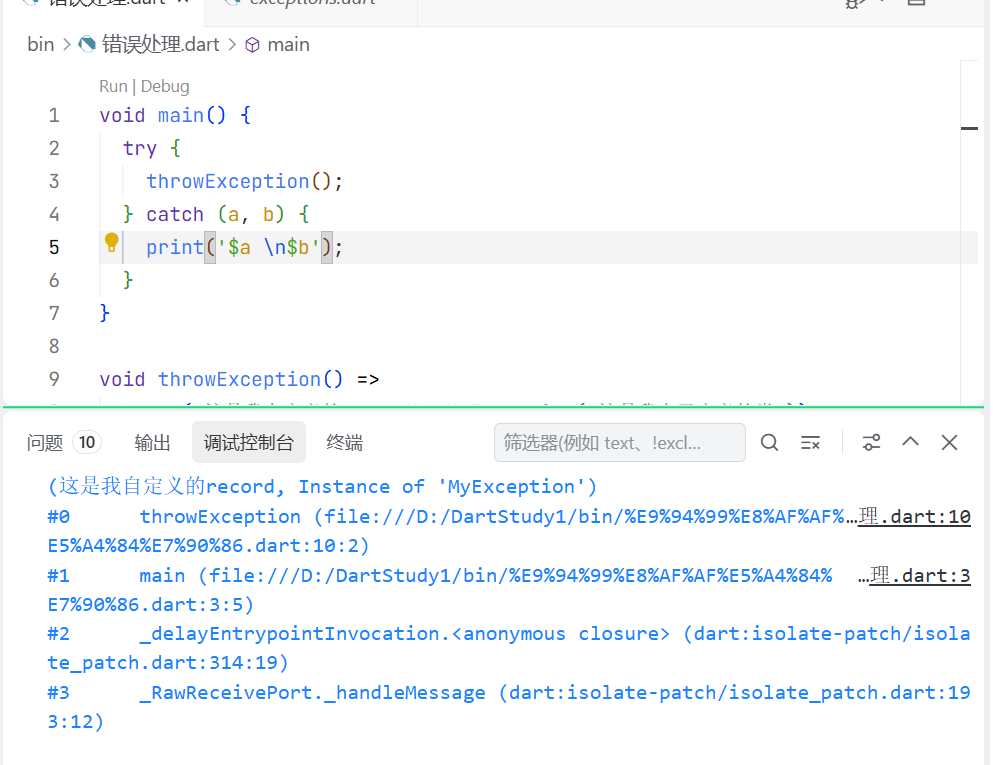
catch支持两个参数,第一个捕获对象,第二个是堆栈记录。
捕获后不处理继续抛出
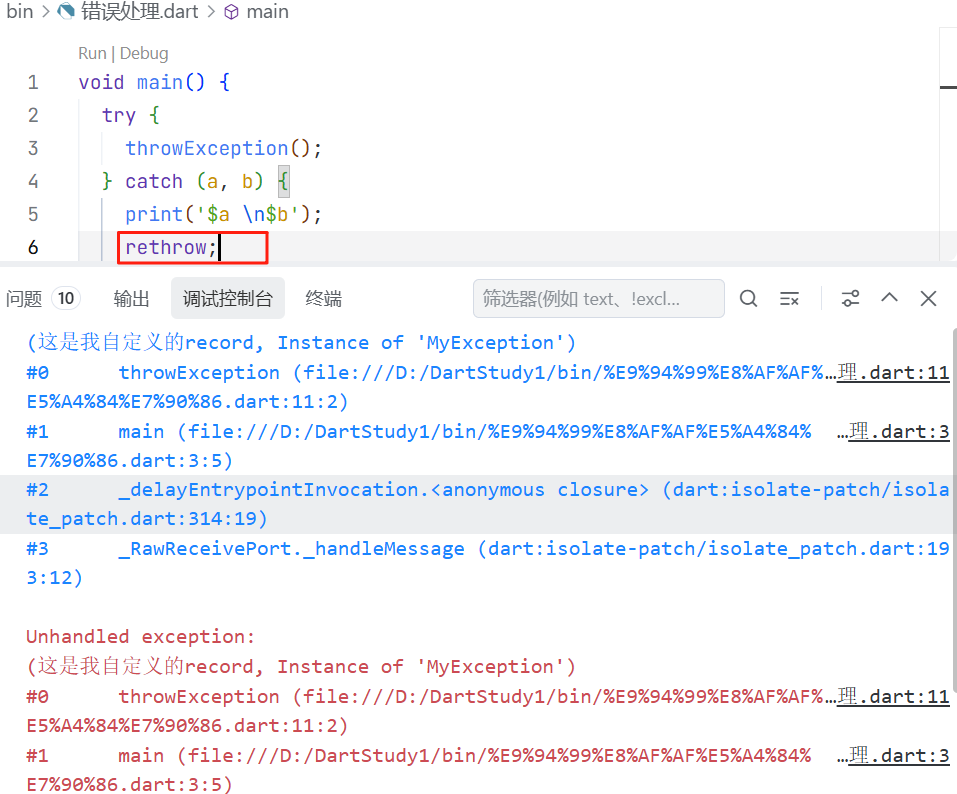
在上面的例子中,捕获异常后我们可以通过rethrow关键字选择继续向上抛出。
Finally
和java一样,如果希望一段代码不管是否发生异常都会执行,可以使用finally关键字
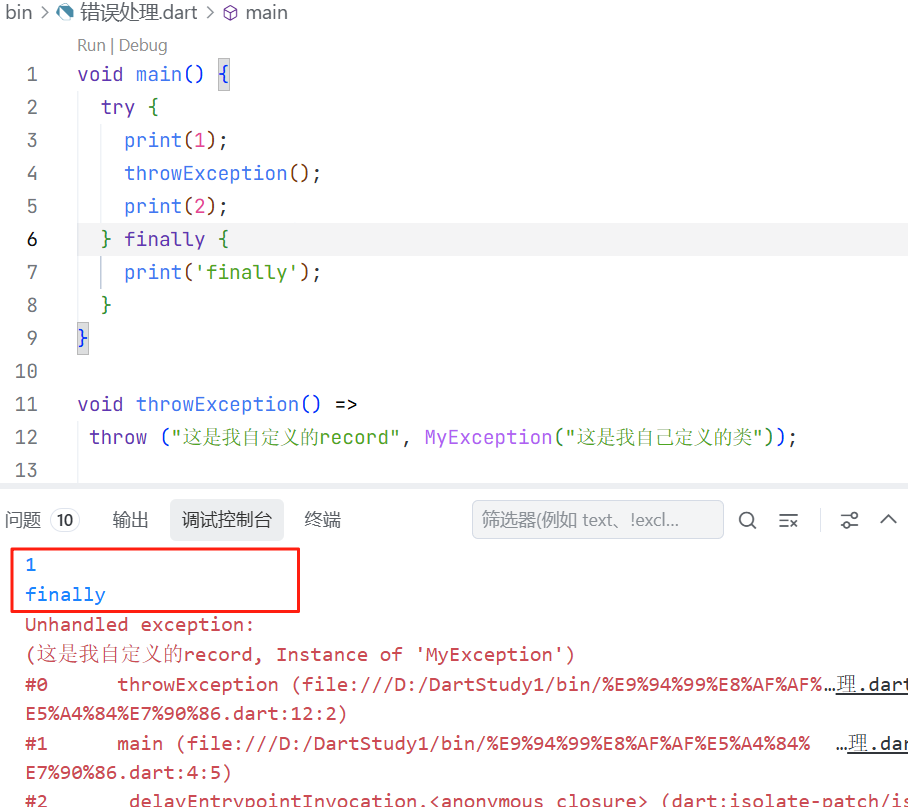
在上面的代码中,虽然在throwException就抛出了异常,但finally任执行在异常之前。
而在有符合类型的catch语句时,finally执行在catch语句之后,案例如下
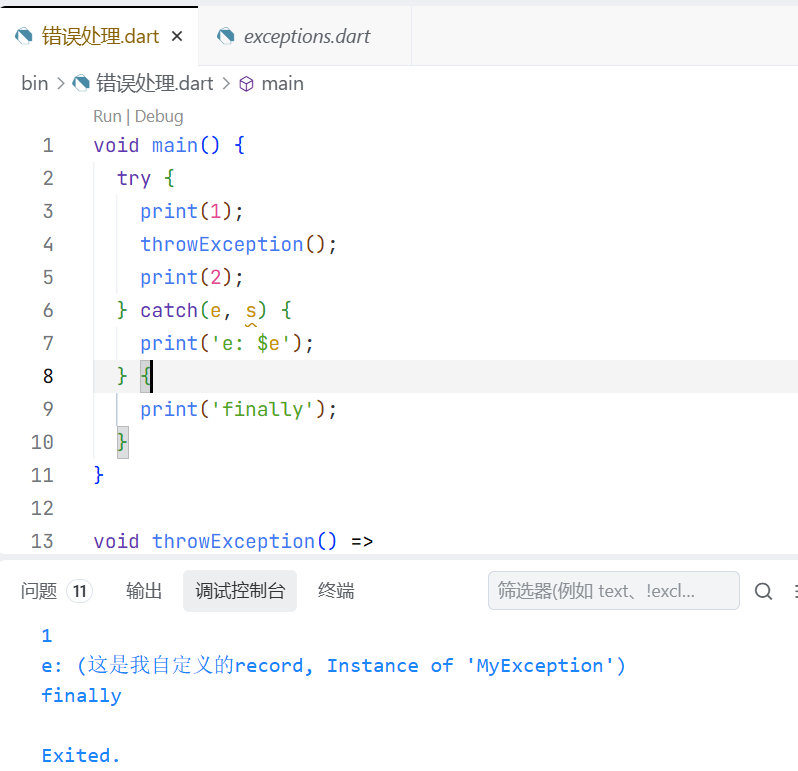
Assert
断言,也是很熟悉的东西。用法也相同
dart
var a = 10;
void main() {
  assert(a == 0);
  print("a == 0");
  }
执行结果如下
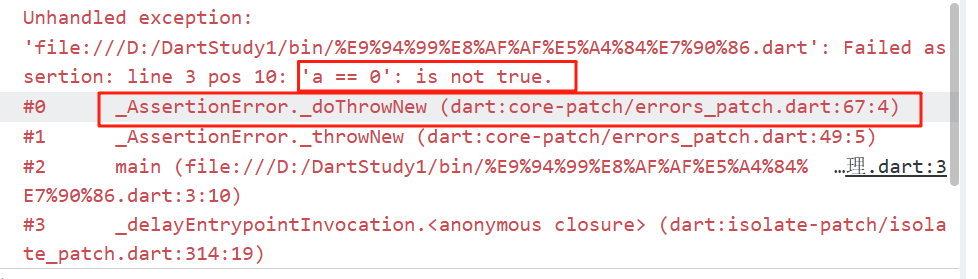
当断言结果未false时,会抛出异常,中断程序执行。
同时可以为断言,添加附加消息
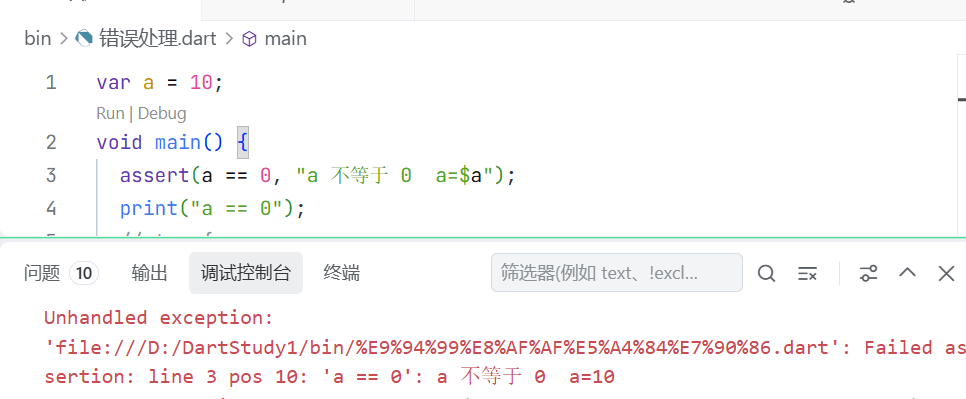
下面时文档中对于断言的描述,需要注意在生产环境断言无效。
When exactly do assertions work? That depends on the tools and framework you're using:
Flutter enables assertions in debug mode.
Development-only tools such as webdev serve typically enable assertions by default.
Some tools, such as dart run and dart compile js support assertions through a command-line flag: --enable-asserts.
In production code, assertions are ignored, and the arguments to assert aren't evaluated.
译文:断言到底什么时候起作用?这取决于你使用的工具和框架:
Flutter在调试模式下启用断言。
仅用于开发的工具(如webdev)通常默认启用断言。
有些工具,如dart run和dart compile js,通过命令行标志支持断言:
在生产代码中,断言会被忽略,断言的参数也不会被求值。
最后来个骚操作,我们使用我们刚刚学到的catch来捕获下断言的error
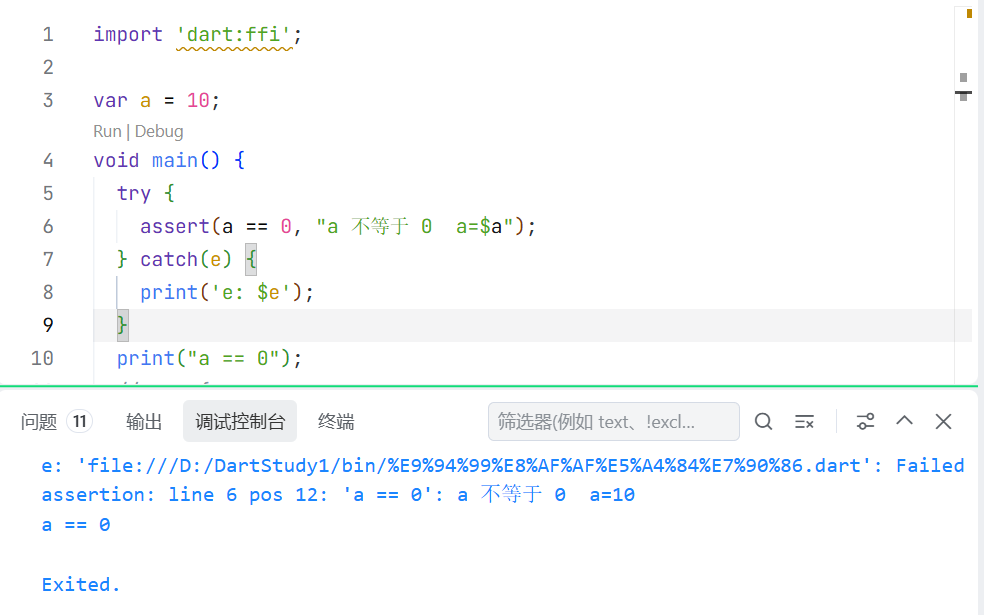
所以如果你在调式模式下断言无效,可以考虑下他是不是被捕获了。