1. 引言
1.1 CI/CD的重要性
在当今快节奏的软件开发环境中,持续集成(CI)和持续交付/部署(CD)已经成为现代开发流程中不可或缺的一部分。CI/CD通过自动化构建、测试和部署过程,帮助开发团队更快地交付高质量的软件,同时减少手动错误和提高开发效率。
1.2 GitHub Actions的崛起
GitHub Actions是GitHub推出的一项强大的CI/CD服务,它允许开发者直接在GitHub仓库中配置和运行自动化工作流。自2018年推出以来,GitHub Actions已经迅速成为最受欢迎的CI/CD工具之一,其主要优势包括:
- 与GitHub无缝集成
- 支持多种编程语言和平台
- 丰富的市场生态系统
- 灵活的工作流配置
- 强大的并行执行能力
- 支持自托管运行器
1.3 本文目标
本文将深入探讨如何使用GitHub Actions配置高效、可靠的CI/CD流水线。我们将从基础概念开始,逐步构建复杂的工作流,并分享最佳实践和常见问题解决方案。通过本文的学习,读者将能够:
- 理解GitHub Actions的核心概念和工作原理
- 设计和实现适合自己项目的CI/CD流水线
- 利用GitHub Actions的高级功能优化流水线
- 遵循最佳实践确保流水线的可靠性和安全性
2. GitHub Actions基础
2.1 核心概念
在开始使用GitHub Actions之前,我们需要理解几个核心概念:
2.1.1 工作流(Workflow)
工作流是GitHub Actions的核心组件,它是一个可配置的自动化流程,由一个或多个作业组成。工作流定义在仓库的.github/workflows目录中的YAML文件中。
2.1.2 事件(Event)
事件是触发工作流运行的条件,例如推送代码、创建拉取请求、发布版本等。GitHub Actions支持多种事件类型,可以根据项目需求灵活配置。
2.1.3 作业(Job)
作业是工作流中的一个独立单元,由一系列步骤组成。作业可以在不同的运行器上并行执行,也可以按顺序执行。
2.1.4 步骤(Step)
步骤是作业中的一个命令或动作,可以是运行脚本、使用GitHub Actions市场中的动作,或者设置环境变量等。
2.1.5 动作(Action)
动作是可重用的代码单元,用于执行特定的任务。GitHub Actions市场提供了大量的预构建动作,开发者也可以创建自己的动作。
2.1.6 运行器(Runner)
运行器是执行工作流的服务器,可以是GitHub托管的运行器,也可以是自托管的运行器。GitHub托管的运行器支持多种操作系统和环境,而自托管运行器允许开发者在自己的基础设施上执行工作流。
2.2 工作流文件结构
一个典型的GitHub Actions工作流文件包含以下几个部分:
- 名称:工作流的名称
- 触发条件:定义触发工作流运行的事件
- 环境变量:工作流级别的环境变量
- 作业:定义工作流中的作业
- 矩阵构建:用于在多个环境中并行运行作业
- 缓存:用于缓存依赖和构建产物
- 输出:定义作业的输出
2.3 工作流执行流程
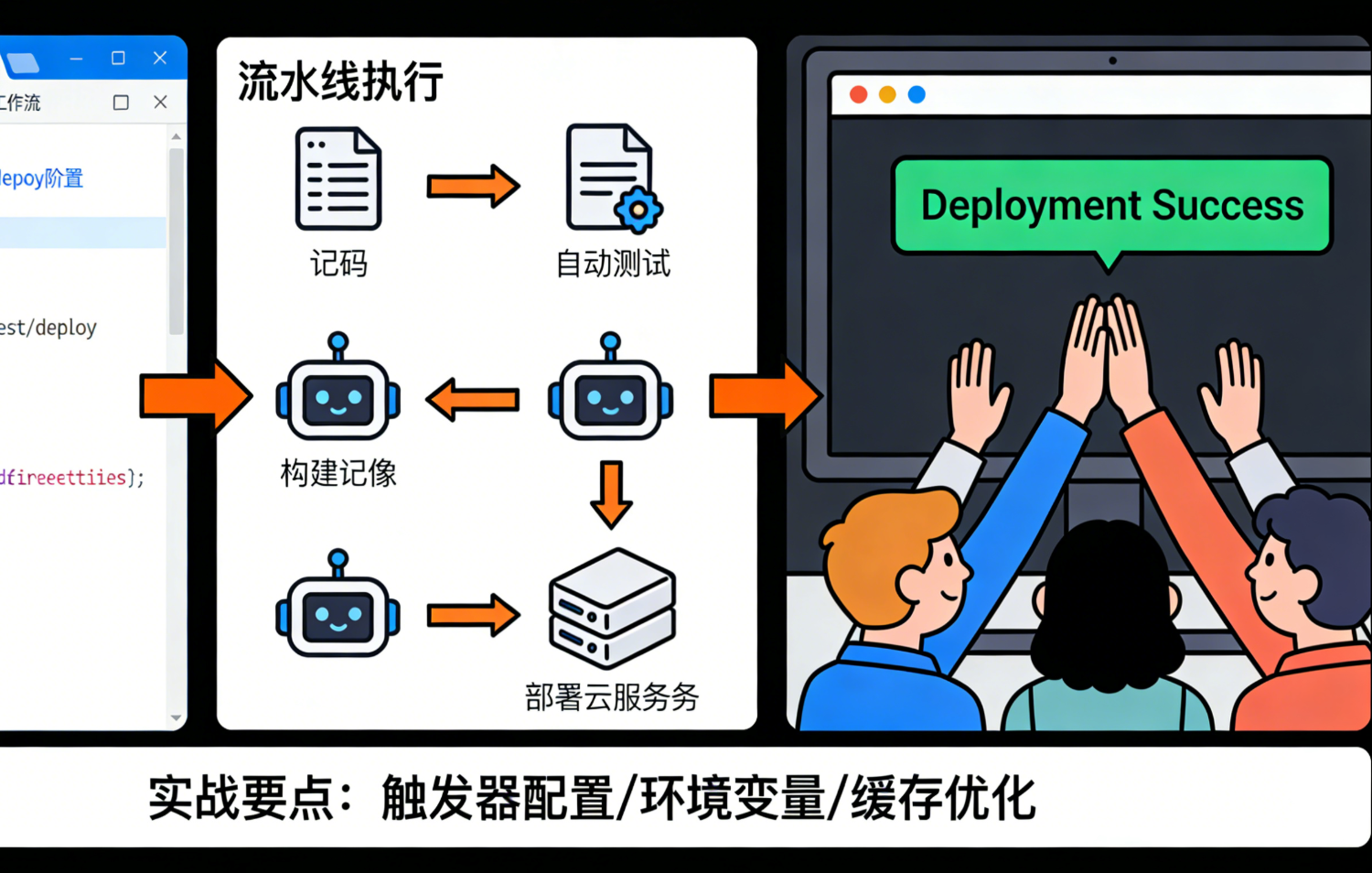
当触发条件满足时,GitHub Actions会执行以下流程:
- 创建工作流运行:根据触发事件创建一个新的工作流运行
- 分配运行器:为每个作业分配一个运行器
- 执行作业:在运行器上执行作业中的步骤
- 收集结果:收集作业的执行结果和输出
- 通知:根据配置发送通知
3. 环境准备
3.1 项目设置
在开始配置GitHub Actions之前,我们需要准备一个项目。本文将以一个基于Flask的计算器API项目为例,演示如何配置CI/CD流水线。
3.1.1 项目结构
我们的项目结构如下:
├── .github/
│   └── workflows/
│       └── main.yml
├── app/
│   ├── __init__.py
│   ├── app.py
│   └── calculator.py
├── tests/
│   ├── __init__.py
│   ├── test_api.py
│   └── test_calculator.py
├── .gitignore
├── Dockerfile
├── README.md
├── requirements.txt
└── setup.py
3.1.2 核心功能
我们的项目实现了一个简单的计算器API,支持以下功能:
- 加法运算
- 减法运算
- 乘法运算
- 除法运算
- 健康检查端点
3.2 GitHub仓库配置
在GitHub上创建一个新的仓库,并将我们的项目推送到仓库中。然后,我们需要配置以下内容:
3.2.1 分支保护规则
为了确保代码质量,我们应该为main和develop分支配置保护规则,要求所有拉取请求必须通过CI/CD流水线的检查才能合并。
3.2.2 Secrets管理
对于敏感信息,如API密钥、数据库密码等,我们应该使用GitHub Secrets进行管理。在仓库的"Settings" -> "Secrets and variables" -> "Actions"中可以添加Secrets。
3.2.3 自托管运行器配置(可选)
如果需要使用自托管运行器,我们可以在仓库的"Settings" -> "Actions" -> "Runners"中添加自托管运行器。
4. 编写第一个CI/CD流水线
4.1 基础流水线
我们将从一个简单的流水线开始,逐步构建更复杂的流水线。首先,我们创建一个基础的流水线,用于测试代码。
4.1.1 工作流文件
创建一个名为.github/workflows/main.yml的文件,内容如下:
yaml
name: CI/CD Pipeline

on:
  push:
    branches:
      - main
      - develop
  pull_request:
    branches:
      - main
      - develop

jobs:
  test:
    name: Test
    runs-on: ubuntu-latest
    steps:
      - name: Checkout code
        uses: actions/checkout@v4

      - name: Set up Python
        uses: actions/setup-python@v5
        with:
          python-version: '3.9'

      - name: Install dependencies
        run: |
          python -m pip install --upgrade pip
          pip install -r requirements.txt

      - name: Run tests
        run: python -m pytest tests/ -v
4.1.2 工作流解析
这个工作流包含以下部分:
- 名称:CI/CD Pipeline
- 触发条件:推送到main或develop分支,或创建/更新到main或develop分支的拉取请求
- 作业:test作业,在ubuntu-latest运行器上执行
- 步骤 :
- 检出代码
- 设置Python环境
- 安装依赖
- 运行测试
4.2 多平台测试
为了确保代码在不同平台上都能正常工作,我们可以使用矩阵构建功能,在多个平台上并行运行测试。
4.2.1 工作流文件
更新.github/workflows/main.yml文件,添加矩阵构建:
yaml
name: CI/CD Pipeline

on:
  push:
    branches:
      - main
      - develop
  pull_request:
    branches:
      - main
      - develop

jobs:
  test:
    name: Test on ${{ matrix.os }}
    runs-on: ${{ matrix.os }}
    strategy:
      matrix:
        os: [ubuntu-latest, windows-latest, macos-latest]
    steps:
      - name: Checkout code
        uses: actions/checkout@v4

      - name: Set up Python
        uses: actions/setup-python@v5
        with:
          python-version: '3.9'

      - name: Install dependencies
        run: |
          python -m pip install --upgrade pip
          pip install -r requirements.txt

      - name: Run tests
        run: python -m pytest tests/ -v
4.2.2 矩阵构建解析
通过使用strategy.matrix,我们可以在多个操作系统上并行运行测试:
- ubuntu-latest
- windows-latest
- macos-latest
4.3 添加构建和部署阶段
现在,我们将添加构建和部署阶段,完善CI/CD流水线。
4.3.1 工作流文件
更新.github/workflows/main.yml文件,添加构建和部署阶段:
yaml
name: CI/CD Pipeline

on:
  push:
    branches:
      - main
      - develop
    tags:
      - 'v*.*.*'
  pull_request:
    branches:
      - main
      - develop

jobs:
  test:
    name: Test on ${{ matrix.os }}
    runs-on: ${{ matrix.os }}
    strategy:
      matrix:
        os: [ubuntu-latest, windows-latest, macos-latest]
    steps:
      - name: Checkout code
        uses: actions/checkout@v4

      - name: Set up Python
        uses: actions/setup-python@v5
        with:
          python-version: '3.9'

      - name: Install dependencies
        run: |
          python -m pip install --upgrade pip
          pip install -r requirements.txt

      - name: Run tests
        run: python -m pytest tests/ -v

  build:
    name: Build
    runs-on: ubuntu-latest
    needs: test
    if: ${{ github.event_name == 'push' && (github.ref == 'refs/heads/main' || startsWith(github.ref, 'refs/tags/')) }}
    steps:
      - name: Checkout code
        uses: actions/checkout@v4

      - name: Set up Python
        uses: actions/setup-python@v5
        with:
          python-version: '3.9'

      - name: Install build dependencies
        run: |
          python -m pip install --upgrade pip
          pip install wheel setuptools

      - name: Build wheel package
        run: python setup.py bdist_wheel

      - name: Upload build artifact
        uses: actions/upload-artifact@v4
        with:
          name: python-package
          path: dist/

  deploy-test:
    name: Deploy to Test
    runs-on: ubuntu-latest
    needs: test
    if: ${{ github.event_name == 'push' && github.ref == 'refs/heads/develop' }}
    steps:
      - name: Checkout code
        uses: actions/checkout@v4

      - name: Deploy to test environment
        run: |
          echo "Deploying to test environment..."
          # 实际部署命令

  deploy-prod:
    name: Deploy to Production
    runs-on: ubuntu-latest
    needs: [test, build]
    if: ${{ github.event_name == 'push' && (github.ref == 'refs/heads/main' || startsWith(github.ref, 'refs/tags/')) }}
    environment:
      name: production
      url: https://example.com
    steps:
      - name: Checkout code
        uses: actions/checkout@v4

      - name: Deploy to production environment
        run: |
          echo "Deploying to production environment..."
          # 实际部署命令
4.3.2 工作流解析
这个工作流包含以下阶段:
- 测试阶段:在多个平台上运行测试
- 构建阶段:构建Python wheel包,仅在推送到main分支或创建标签时执行
- 部署到测试环境:部署到测试环境,仅在推送到develop分支时执行
- 部署到生产环境:部署到生产环境,仅在推送到main分支或创建标签时执行,需要手动审批
5. 高级功能
5.1 缓存依赖
为了提高构建速度,我们可以缓存依赖,避免每次构建都重新安装依赖。
5.1.1 工作流文件
更新.github/workflows/main.yml文件,添加依赖缓存:
yaml
name: CI/CD Pipeline

on:
  push:
    branches:
      - main
      - develop
    tags:
      - 'v*.*.*'
  pull_request:
    branches:
      - main
      - develop

jobs:
  test:
    name: Test on ${{ matrix.os }}
    runs-on: ${{ matrix.os }}
    strategy:
      matrix:
        os: [ubuntu-latest, windows-latest, macos-latest]
    steps:
      - name: Checkout code
        uses: actions/checkout@v4

      - name: Set up Python
        uses: actions/setup-python@v5
        with:
          python-version: '3.9'

      - name: Cache dependencies
        uses: actions/cache@v4
        with:
          path: ~/.cache/pip
          key: ${{ runner.os }}-pip-${{ hashFiles('requirements.txt') }}
          restore-keys: |
            ${{ runner.os }}-pip-

      - name: Install dependencies
        run: |
          python -m pip install --upgrade pip
          pip install -r requirements.txt

      - name: Run tests
        run: python -m pytest tests/ -v

  # 其他作业...
5.1.2 缓存解析
通过使用actions/cache动作,我们可以缓存pip依赖:
- path:缓存的路径
- key:缓存的唯一标识符,包含操作系统和requirements.txt的哈希值
- restore-keys:用于恢复缓存的前缀
5.2 使用环境变量和Secrets
对于敏感信息,如API密钥、数据库密码等,我们应该使用GitHub Secrets进行管理。
5.2.1 工作流文件
更新.github/workflows/main.yml文件,使用环境变量和Secrets:
yaml
name: CI/CD Pipeline

on:
  push:
    branches:
      - main
      - develop
    tags:
      - 'v*.*.*'
  pull_request:
    branches:
      - main
      - develop

env:
  ENVIRONMENT: production

jobs:
  test:
    # 测试作业...

  build:
    # 构建作业...

  deploy-prod:
    name: Deploy to Production
    runs-on: ubuntu-latest
    needs: [test, build]
    if: ${{ github.event_name == 'push' && (github.ref == 'refs/heads/main' || startsWith(github.ref, 'refs/tags/')) }}
    environment:
      name: production
      url: https://example.com
    env:
      API_KEY: ${{ secrets.API_KEY }}
      DATABASE_URL: ${{ secrets.DATABASE_URL }}
    steps:
      - name: Checkout code
        uses: actions/checkout@v4

      - name: Deploy to production environment
        run: |
          echo "Deploying to production environment..."
          echo "Environment: ${{ env.ENVIRONMENT }}"
          echo "API Key: ${{ secrets.API_KEY }}"
          echo "Database URL: ${{ secrets.DATABASE_URL }}"
          # 实际部署命令
5.2.2 环境变量和Secrets解析
- 工作流级环境变量:在工作流级别定义,所有作业都可以访问
- 作业级环境变量:在作业级别定义,仅该作业可以访问
- Secrets :通过
${``{ secrets.SECRET_NAME }}访问,GitHub会自动替换为实际值
5.3 矩阵构建高级配置
我们可以进一步配置矩阵构建,例如添加不同的Python版本和依赖版本。
5.3.1 工作流文件
更新.github/workflows/main.yml文件,配置高级矩阵构建:
yaml
name: CI/CD Pipeline

on:
  push:
    branches:
      - main
      - develop
    tags:
      - 'v*.*.*'
  pull_request:
    branches:
      - main
      - develop

jobs:
  test:
    name: Test on ${{ matrix.os }} with Python ${{ matrix.python-version }}
    runs-on: ${{ matrix.os }}
    strategy:
      matrix:
        os: [ubuntu-latest, windows-latest, macos-latest]
        python-version: ['3.8', '3.9', '3.10']
        exclude:
          - os: windows-latest
            python-version: '3.8'
        include:
          - os: ubuntu-latest
            python-version: '3.10'
            additional-deps: pytest-cov
    steps:
      - name: Checkout code
        uses: actions/checkout@v4

      - name: Set up Python
        uses: actions/setup-python@v5
        with:
          python-version: ${{ matrix.python-version }}

      - name: Cache dependencies
        uses: actions/cache@v4
        with:
          path: ~/.cache/pip
          key: ${{ runner.os }}-pip-${{ matrix.python-version }}-${{ hashFiles('requirements.txt') }}
          restore-keys: |
            ${{ runner.os }}-pip-${{ matrix.python-version }}-
            ${{ runner.os }}-pip-

      - name: Install dependencies
        run: |
          python -m pip install --upgrade pip
          pip install -r requirements.txt
          if [ -n "${{ matrix.additional-deps }}" ]; then pip install ${{ matrix.additional-deps }}; fi

      - name: Run tests
        run: |
          if [ -n "${{ matrix.additional-deps }}" ]; then
            python -m pytest tests/ -v --cov=app --cov-report=xml
          else
            python -m pytest tests/ -v
          fi

  # 其他作业...
5.3.2 高级矩阵构建解析
通过使用高级矩阵构建,我们可以:
- 在多个Python版本上运行测试
- 排除特定的组合(例如,排除Windows上的Python 3.8)
- 为特定组合添加额外的依赖
5.4 使用自托管运行器
对于需要特殊硬件或环境的作业,我们可以使用自托管运行器。
5.4.1 工作流文件
更新.github/workflows/main.yml文件,使用自托管运行器:
yaml
name: CI/CD Pipeline

on:
  push:
    branches:
      - main
      - develop
    tags:
      - 'v*.*.*'
  pull_request:
    branches:
      - main
      - develop

jobs:
  test:
    # 测试作业...

  test-gpu:
    name: Test with GPU
    runs-on: [self-hosted, gpu]
    if: ${{ github.event_name == 'push' && github.ref == 'refs/heads/main' }}
    steps:
      - name: Checkout code
        uses: actions/checkout@v4

      - name: Set up Python
        uses: actions/setup-python@v5
        with:
          python-version: '3.9'

      - name: Install GPU dependencies
        run: |
          python -m pip install --upgrade pip
          pip install torch torchvision torchaudio --index-url https://download.pytorch.org/whl/cu118

      - name: Run GPU tests
        run: python -m pytest tests/test_gpu.py -v

  # 其他作业...
5.4.2 自托管运行器解析
通过使用runs-on: [self-hosted, gpu],我们可以指定作业在具有gpu标签的自托管运行器上执行。
6. 部署策略
6.1 蓝绿部署
蓝绿部署是一种零停机部署策略,通过维护两个环境(蓝色和绿色)来实现。
6.1.1 工作流文件
更新.github/workflows/main.yml文件,实现蓝绿部署:
yaml
name: CI/CD Pipeline

on:
  push:
    branches:
      - main
      - develop
    tags:
      - 'v*.*.*'
  pull_request:
    branches:
      - main
      - develop

jobs:
  test:
    # 测试作业...

  build:
    # 构建作业...

  deploy-blue-green:
    name: Deploy with Blue-Green Strategy
    runs-on: ubuntu-latest
    needs: [test, build]
    if: ${{ github.event_name == 'push' && github.ref == 'refs/heads/main' }}
    steps:
      - name: Checkout code
        uses: actions/checkout@v4

      - name: Deploy to staging environment
        run: |
          echo "Deploying to staging environment..."
          # 部署到暂存环境的命令

      - name: Run smoke tests
        run: |
          echo "Running smoke tests..."
          # 运行冒烟测试的命令

      - name: Switch traffic to new environment
        run: |
          echo "Switching traffic to new environment..."
          # 切换流量的命令

      - name: Clean up old environment
        run: |
          echo "Cleaning up old environment..."
          # 清理旧环境的命令
6.1.2 蓝绿部署解析
蓝绿部署的步骤如下:
- 部署到暂存环境:将新版本部署到暂存环境(绿色)
- 运行冒烟测试:在暂存环境上运行冒烟测试,确保服务正常
- 切换流量:将流量从旧环境(蓝色)切换到新环境(绿色)
- 清理旧环境:清理旧环境(蓝色)
6.2 滚动部署
滚动部署是一种逐步更新服务的部署策略,通过逐步替换旧实例来实现。
6.2.1 工作流文件
更新.github/workflows/main.yml文件,实现滚动部署:
yaml
name: CI/CD Pipeline

on:
  push:
    branches:
      - main
      - develop
    tags:
      - 'v*.*.*'
  pull_request:
    branches:
      - main
      - develop

jobs:
  test:
    # 测试作业...

  build:
    # 构建作业...

  deploy-rolling:
    name: Deploy with Rolling Strategy
    runs-on: ubuntu-latest
    needs: [test, build]
    if: ${{ github.event_name == 'push' && github.ref == 'refs/heads/main' }}
    steps:
      - name: Checkout code
        uses: actions/checkout@v4

      - name: Deploy with rolling strategy
        run: |
          echo "Deploying with rolling strategy..."
          # 滚动部署命令,例如:
          # kubectl rollout restart deployment my-app

      - name: Wait for deployment to complete
        run: |
          echo "Waiting for deployment to complete..."
          # 等待部署完成的命令,例如:
          # kubectl rollout status deployment my-app

      - name: Verify deployment
        run: |
          echo "Verifying deployment..."
          # 验证部署的命令,例如:
          # curl -s -o /dev/null -w "%{http_code}" https://example.com/health | grep -q 200 || exit 1
6.2.2 滚动部署解析
滚动部署的步骤如下:
- 执行滚动部署:逐步替换旧实例
- 等待部署完成:等待所有实例更新完成
- 验证部署:验证服务是否正常运行
6.3 金丝雀部署
金丝雀部署是一种逐步扩大新功能影响范围的部署策略,通过将少量流量引导到新版本来实现。
6.3.1 工作流文件
更新.github/workflows/main.yml文件,实现金丝雀部署:
yaml
name: CI/CD Pipeline

on:
  push:
    branches:
      - main
      - develop
    tags:
      - 'v*.*.*'
  pull_request:
    branches:
      - main
      - develop

jobs:
  test:
    # 测试作业...

  build:
    # 构建作业...

  deploy-canary:
    name: Deploy with Canary Strategy
    runs-on: ubuntu-latest
    needs: [test, build]
    if: ${{ github.event_name == 'push' && github.ref == 'refs/heads/main' }}
    steps:
      - name: Checkout code
        uses: actions/checkout@v4

      - name: Deploy canary release
        run: |
          echo "Deploying canary release..."
          # 部署金丝雀版本的命令,例如:
          # kubectl apply -f canary-deployment.yaml

      - name: Monitor canary release
        run: |
          echo "Monitoring canary release..."
          # 监控金丝雀版本的命令,例如:
          # kubectl logs deployment/my-app-canary

      - name: Gradually increase traffic
        run: |
          echo "Gradually increasing traffic to canary..."
          # 逐步增加流量到金丝雀版本的命令,例如:
          # kubectl apply -f canary-traffic-25.yaml
          sleep 300
          # kubectl apply -f canary-traffic-50.yaml
          sleep 300
          # kubectl apply -f canary-traffic-100.yaml

      - name: Promote canary to production
        run: |
          echo "Promoting canary to production..."
          # 将金丝雀版本提升为正式版本的命令,例如:
          # kubectl apply -f production-deployment.yaml

      - name: Clean up canary resources
        run: |
          echo "Cleaning up canary resources..."
          # 清理金丝雀资源的命令,例如:
          # kubectl delete -f canary-deployment.yaml
6.3.2 金丝雀部署解析
金丝雀部署的步骤如下:
- 部署金丝雀版本:部署新的金丝雀版本
- 监控金丝雀版本:监控金丝雀版本的运行情况
- 逐步增加流量:逐步增加流向金丝雀版本的流量
- 提升金丝雀版本:将金丝雀版本提升为正式版本
- 清理金丝雀资源:清理金丝雀相关的资源
7. 监控和告警
7.1 流水线监控
GitHub Actions提供了内置的监控功能,可以查看工作流的运行状态和日志。
7.1.1 查看工作流运行
- 登录GitHub
- 进入项目仓库
- 点击"Actions"标签
- 选择相应的工作流运行
- 查看详细的运行状态和日志
7.1.2 设置通知
我们可以设置通知,以便在工作流运行完成或失败时收到通知。
7.1.2.1 邮件通知
GitHub Actions默认会向仓库所有者发送邮件通知。
7.1.2.2 Slack通知
我们可以使用GitHub Actions市场中的动作来发送Slack通知。
yaml
name: CI/CD Pipeline

on:
  push:
    branches:
      - main
      - develop
    tags:
      - 'v*.*.*'
  pull_request:
    branches:
      - main
      - develop

jobs:
  test:
    # 测试作业...

  # 其他作业...

  notify:
    name: Notify
    runs-on: ubuntu-latest
    needs: [test, build, deploy-prod]
    if: always()
    steps:
      - name: Send Slack notification
        uses: 8398a7/action-slack@v3
        with:
          status: ${{ job.status }}
          fields: repo,message,commit,author,action,eventName,ref,workflow,job,took
        env:
          SLACK_WEBHOOK_URL: ${{ secrets.SLACK_WEBHOOK_URL }}
        if: ${{ github.event_name == 'push' && github.ref == 'refs/heads/main' }}
7.1.3 自定义监控
我们还可以使用第三方工具来监控GitHub Actions工作流,例如:
- Prometheus + Grafana
- Datadog
- New Relic
- Splunk
7.2 服务监控
部署完成后,我们需要监控服务的运行状态和性能。
7.2.1 健康检查
我们可以在部署后添加健康检查步骤,确保服务正常运行。
yaml
name: CI/CD Pipeline

on:
  push:
    branches:
      - main
      - develop
    tags:
      - 'v*.*.*'
  pull_request:
    branches:
      - main
      - develop

jobs:
  test:
    # 测试作业...

  build:
    # 构建作业...

  deploy-prod:
    name: Deploy to Production
    runs-on: ubuntu-latest
    needs: [test, build]
    if: ${{ github.event_name == 'push' && github.ref == 'refs/heads/main' }}
    steps:
      - name: Checkout code
        uses: actions/checkout@v4

      - name: Deploy to production
        run: |
          echo "Deploying to production..."
          # 部署命令

      - name: Health check
        run: |
          echo "Performing health check..."
          for i in {1..10}; do
            if curl -s -o /dev/null -w "%{http_code}" https://example.com/health | grep -q 200; then
              echo "Health check passed!"
              exit 0
            fi
            echo "Health check failed, retrying in 5 seconds..."
            sleep 5
          done
          echo "Health check failed after 10 attempts!"
          exit 1
7.2.2 性能监控
我们可以使用各种监控工具来监控服务的性能,例如:
- Prometheus + Grafana
- Datadog
- New Relic
- Splunk
8. 最佳实践
8.1 代码组织
- 模块化设计:将工作流分解为多个作业,每个作业负责一个特定的任务
- 使用矩阵构建:在多个环境中并行运行测试,确保代码的跨平台兼容性
- 使用缓存:缓存依赖和构建产物,提高构建速度
- 使用动作:使用GitHub Actions市场中的动作,避免重复编写代码
- 版本控制:使用特定版本的动作,避免意外的变更
8.2 安全
- 使用Secrets管理敏感信息:避免在代码中硬编码敏感信息
- 最小权限原则:为自托管运行器设置最小权限
- 定期更新依赖:定期更新依赖,修复安全漏洞
- 使用环境保护规则:为生产环境设置保护规则,需要手动审批
- 扫描代码和依赖:使用GitHub Code Scanning和Dependabot来扫描代码和依赖中的安全漏洞
8.3 性能优化
- 使用缓存:缓存依赖和构建产物,提高构建速度
- 并行运行作业:使用矩阵构建和并行作业,提高构建速度
- 使用自托管运行器:对于需要特殊硬件或环境的作业,使用自托管运行器
- 优化测试:使用测试选择器和测试缓存,提高测试速度
- 使用增量构建:只构建变更的部分,减少构建时间
8.4 可维护性
- 使用清晰的命名:为工作流、作业和步骤使用清晰的命名
- 添加注释:为复杂的工作流添加注释,解释设计思路
- 使用模板:使用工作流模板,提高复用性
- 定期清理:定期清理旧的工作流运行和构建产物
- 文档化:编写详细的文档,解释工作流的设计和使用方法
9. 案例分析
9.1 基于Flask的API项目
我们将以本文中的Flask计算器API项目为例,演示如何配置完整的CI/CD流水线。
9.1.1 项目结构
├── .github/
│   └── workflows/
│       ├── main.yml
│       └── train.yml
├── app/
│   ├── __init__.py
│   ├── app.py
│   └── calculator.py
├── tests/
│   ├── __init__.py
│   ├── test_api.py
│   └── test_calculator.py
├── .gitignore
├── .gitlab-ci.yml
├── Dockerfile
├── README.md
├── requirements.txt
└── setup.py
9.1.2 完整的工作流配置
.github/workflows/main.yml:
yaml
name: GitLab CI/CD Demo - Actions

on:
  push:
    branches:
      - main
      - develop
    tags:
      - 'v*.*.*'
  pull_request:
    branches:
      - main
      - develop

jobs:
  test:
    name: Test on ${{ matrix.os }}
    runs-on: ${{ matrix.os }}
    strategy:
      matrix:
        os: [ubuntu-latest, windows-latest, macos-latest]
    steps:
      - name: Checkout code
        uses: actions/checkout@v4

      - name: Set up Python
        uses: actions/setup-python@v5
        with:
          python-version: '3.9'

      - name: Cache pip dependencies
        uses: actions/cache@v4
        with:
          path: ~/.cache/pip
          key: ${{ runner.os }}-pip-${{ hashFiles('requirements.txt') }}
          restore-keys: |
            ${{ runner.os }}-pip-

      - name: Install dependencies
        run: |
          python -m pip install --upgrade pip
          pip install -r requirements.txt
          pip install pytest-cov

      - name: Run tests with coverage
        run: python -m pytest tests/ -v --cov=app --cov-report=xml --cov-report=html

      - name: Upload coverage to Codecov
        uses: codecov/codecov-action@v4
        with:
          file: ./coverage.xml
          flags: unittests
          name: codecov-umbrella
          fail_ci_if_error: true

      - name: Upload HTML coverage report
        uses: actions/upload-artifact@v4
        with:
          name: coverage-report-${{ matrix.os }}
          path: htmlcov/

  build:
    name: Build Python Package
    runs-on: ubuntu-latest
    needs: test
    if: ${{ github.event_name == 'push' && (github.ref == 'refs/heads/main' || startsWith(github.ref, 'refs/tags/')) }}
    steps:
      - name: Checkout code
        uses: actions/checkout@v4

      - name: Set up Python
        uses: actions/setup-python@v5
        with:
          python-version: '3.9'

      - name: Install build dependencies
        run: |
          python -m pip install --upgrade pip
          pip install wheel setuptools

      - name: Build wheel package
        run: python setup.py bdist_wheel

      - name: Upload build artifact
        uses: actions/upload-artifact@v4
        with:
          name: python-package
          path: dist/

  deploy-test:
    name: Deploy to Test Environment
    runs-on: ubuntu-latest
    needs: test
    if: ${{ github.event_name == 'push' && github.ref == 'refs/heads/develop' }}
    steps:
      - name: Checkout code
        uses: actions/checkout@v4

      - name: Set up Python
        uses: actions/setup-python@v5
        with:
          python-version: '3.9'

      - name: Deploy to test environment
        run: |
          chmod +x deploy.sh
          ./deploy.sh test

      - name: Health check
        run: |
          sleep 5
          curl -s -o /dev/null -w "%{http_code}" http://test.example.com/health | grep -q 200 || exit 1

  deploy-prod:
    name: Deploy to Production Environment
    runs-on: ubuntu-latest
    needs: [test, build]
    if: ${{ github.event_name == 'push' && (github.ref == 'refs/heads/main' || startsWith(github.ref, 'refs/tags/')) }}
    environment:
      name: production
      url: http://prod.example.com
    steps:
      - name: Checkout code
        uses: actions/checkout@v4

      - name: Set up Python
        uses: actions/setup-python@v5
        with:
          python-version: '3.9'

      - name: Deploy to production environment
        run: |
          chmod +x deploy.sh
          ./deploy.sh prod

      - name: Health check
        run: |
          sleep 5
          curl -s -o /dev/null -w "%{http_code}" http://prod.example.com/health | grep -q 200 || exit 1

  deploy-gpu:
    name: Deploy to GPU Server
    runs-on: ubuntu-latest
    needs: [test, build]
    if: ${{ github.event_name == 'push' && github.ref == 'refs/heads/main' }}
    steps:
      - name: Checkout code
        uses: actions/checkout@v4

      - name: Set up Python
        uses: actions/setup-python@v5
        with:
          python-version: '3.9'

      - name: Deploy to GPU server
        run: |
          chmod +x deploy.sh
          ./deploy.sh gpu

      - name: GPU health check
        run: |
          sleep 5
curl -s -o /dev/null -w "%{http_code}" http://gpu.example.com/health | grep -q 200 || exit 1.github/workflows/train.yml:
yaml
name: GPU Training Pipeline

on:
  push:
    branches:
      - main
    paths:
      - 'train/**'
      - 'requirements-train.txt'
  workflow_dispatch:
    inputs:
      epochs:
        description: '训练轮数'
        required: true
        default: '10'
      batch_size:
        description: '批次大小'
        required: true
        default: '32'
      learning_rate:
        description: '学习率'
        required: true
        default: '0.001'
      gpu_count:
        description: '使用的GPU数量'
        required: true
        default: '1'

jobs:
  train:
    name: GPU Training
    runs-on: [self-hosted, gpu]
    env:
      EPOCHS: ${{ github.event.inputs.epochs || '10' }}
      BATCH_SIZE: ${{ github.event.inputs.batch_size || '32' }}
      LEARNING_RATE: ${{ github.event.inputs.learning_rate || '0.001' }}
      GPU_COUNT: ${{ github.event.inputs.gpu_count || '1' }}
      OUTPUT_DIR: ./results
    steps:
      - name: Checkout code
        uses: actions/checkout@v4

      - name: Set up Python
        uses: actions/setup-python@v5
        with:
          python-version: '3.9'

      - name: Cache pip dependencies
        uses: actions/cache@v4
        with:
          path: ~/.cache/pip
          key: ${{ runner.os }}-pip-${{ hashFiles('requirements-train.txt') }}
          restore-keys: |
            ${{ runner.os }}-pip-

      - name: Install dependencies
        run: |
          python -m pip install --upgrade pip
          pip install torch torchvision torchaudio --index-url https://download.pytorch.org/whl/cu118
          pip install -r requirements-train.txt

      - name: Create output directory
        run: mkdir -p ${{ env.OUTPUT_DIR }}

      - name: Run training
        run: |
          python train.py \
            --epochs ${{ env.EPOCHS }} \
            --batch-size ${{ env.BATCH_SIZE }} \
            --learning-rate ${{ env.LEARNING_RATE }} \
            --gpu-count ${{ env.GPU_COUNT }} \
            --output-dir ${{ env.OUTPUT_DIR }}

      - name: Upload training results
        uses: actions/upload-artifact@v4
        with:
          name: training-results
          path: ${{ env.OUTPUT_DIR }}/
          retention-days: 30
9.1.3 工作流解析
-
main.yml:
- 测试阶段:在多个平台上运行测试,生成代码覆盖率报告
- 构建阶段:构建Python wheel包
- 部署阶段:
- 测试环境:推送到develop分支自动部署
- 生产环境:推送到main分支或创建标签时手动部署
- GPU环境:推送到main分支时手动部署
-
train.yml:
- GPU训练阶段:在自托管的GPU运行器上执行训练
- 支持手动触发和自动触发
- 支持自定义训练参数
- 自动保存训练结果
9.2 基于React的前端项目
我们将以一个基于React的前端项目为例,演示如何配置CI/CD流水线。
9.2.1 项目结构
├── .github/
│   └── workflows/
│       └── main.yml
├── public/
├── src/
├── .gitignore
├── package.json
└── README.md
9.2.2 工作流文件
yaml
name: CI/CD Pipeline for React App

on:
  push:
    branches:
      - main
      - develop
    tags:
      - 'v*.*.*'
  pull_request:
    branches:
      - main
      - develop

jobs:
  test:
    name: Test
    runs-on: ubuntu-latest
    steps:
      - name: Checkout code
        uses: actions/checkout@v4

      - name: Set up Node.js
        uses: actions/setup-node@v4
        with:
          node-version: '18'

      - name: Cache dependencies
        uses: actions/cache@v4
        with:
          path: ~/.npm
          key: ${{ runner.os }}-node-${{ hashFiles('**/package-lock.json') }}
          restore-keys: |
            ${{ runner.os }}-node-

      - name: Install dependencies
        run: npm ci

      - name: Run lint
        run: npm run lint

      - name: Run tests
        run: npm test -- --watchAll=false

  build:
    name: Build
    runs-on: ubuntu-latest
    needs: test
    if: ${{ github.event_name == 'push' && (github.ref == 'refs/heads/main' || github.ref == 'refs/heads/develop' || startsWith(github.ref, 'refs/tags/')) }}
    steps:
      - name: Checkout code
        uses: actions/checkout@v4

      - name: Set up Node.js
        uses: actions/setup-node@v4
        with:
          node-version: '18'

      - name: Cache dependencies
        uses: actions/cache@v4
        with:
          path: ~/.npm
          key: ${{ runner.os }}-node-${{ hashFiles('**/package-lock.json') }}
          restore-keys: |
            ${{ runner.os }}-node-

      - name: Install dependencies
        run: npm ci

      - name: Build
        run: npm run build

      - name: Upload build artifact
        uses: actions/upload-artifact@v4
        with:
          name: build
          path: build/

  deploy-staging:
    name: Deploy to Staging
    runs-on: ubuntu-latest
    needs: build
    if: ${{ github.event_name == 'push' && github.ref == 'refs/heads/develop' }}
    steps:
      - name: Checkout code
        uses: actions/checkout@v4

      - name: Download build artifact
        uses: actions/download-artifact@v4
        with:
          name: build
          path: build/

      - name: Deploy to staging
        run: |
          echo "Deploying to staging..."
          # 部署到暂存环境的命令

  deploy-prod:
    name: Deploy to Production
    runs-on: ubuntu-latest
    needs: build
    if: ${{ github.event_name == 'push' && (github.ref == 'refs/heads/main' || startsWith(github.ref, 'refs/tags/')) }}
    environment:
      name: production
      url: https://example.com
    steps:
      - name: Checkout code
        uses: actions/checkout@v4

      - name: Download build artifact
        uses: actions/download-artifact@v4
        with:
          name: build
          path: build/

      - name: Deploy to production
        run: |
          echo "Deploying to production..."
          # 部署到生产环境的命令
9.2.3 工作流解析
- 测试阶段:运行lint和测试
- 构建阶段:构建React应用
- 部署阶段 :
- 暂存环境:推送到develop分支自动部署
- 生产环境:推送到main分支或创建标签时手动部署
10. 常见问题和解决方案
10.1 工作流运行失败
-
问题 :工作流运行失败,显示"Error: Process completed with exit code 1"
解决方案:查看详细的日志,找到失败的步骤和错误信息,修复问题后重新运行工作流 -
问题 :依赖安装失败
解决方案:检查requirements.txt或package.json文件,确保依赖版本正确,尝试清理缓存后重新运行 -
问题 :测试失败
解决方案:查看测试失败的详细信息,修复代码中的问题后重新运行工作流
10.2 构建速度慢
-
问题 :构建速度慢
解决方案:使用缓存,缓存依赖和构建产物,提高构建速度 -
问题 :测试运行时间长
解决方案:使用测试选择器和测试缓存,提高测试速度,考虑并行运行测试
10.3 权限问题
-
问题 :部署失败,显示权限不足
解决方案:检查部署脚本的权限,确保具有足够的权限,使用Secrets管理敏感信息 -
问题 :自托管运行器无法访问仓库
解决方案:检查自托管运行器的网络连接和权限,确保可以访问GitHub
10.4 环境配置问题
-
问题 :在不同环境中行为不一致
解决方案:使用环境变量和配置文件管理不同环境的配置,确保环境配置一致 -
问题 :环境变量无法访问
解决方案:检查环境变量的名称和语法,确保正确设置和访问
11. 未来趋势
11.1 GitHub Actions的发展方向
- 增强自托管运行器:提供更多的自托管运行器选项和功能
- 改进矩阵构建:提供更灵活的矩阵构建配置
- 增强安全性:提供更多的安全功能,如Secret Scanning和Code Scanning
- 改进性能:提高工作流的执行速度和可靠性
- 增强集成:与更多的工具和服务集成
11.2 CI/CD的发展趋势
- GitOps:使用Git作为单一事实来源,自动化基础设施和应用部署
- DevSecOps:将安全集成到整个开发流程中
- AI辅助开发:使用AI辅助编写和优化CI/CD流水线
- Serverless CI/CD:使用Serverless架构来运行CI/CD流水线
- 边缘部署:将应用部署到边缘节点,提高性能和可靠性
12. 总结
GitHub Actions是一个强大的CI/CD工具,提供了丰富的功能和灵活的配置选项。通过合理配置GitHub Actions,我们可以构建高效、可靠的CI/CD流水线,提高开发效率和代码质量。
本文介绍了GitHub Actions的核心概念、工作原理和配置方法,演示了如何从简单到复杂构建CI/CD流水线,包括测试、构建和部署阶段。我们还介绍了GitHub Actions的高级功能,如矩阵构建、缓存、环境变量和Secrets管理,以及不同的部署策略。
通过遵循最佳实践,我们可以构建安全、高效、可维护的CI/CD流水线,为项目的成功提供保障。
参考文献
- GitHub Actions Documentation
- GitHub Actions Marketplace
- GitHub Actions Best Practices
- CI/CD Best Practices
- Blue-Green Deployment
- Canary Release
- Rolling Deployment
附录
附录A:常用动作列表
- checkout:检出代码
- setup-python:设置Python环境
- setup-node:设置Node.js环境
- cache:缓存依赖和构建产物
- upload-artifact:上传构建产物
- download-artifact:下载构建产物
- codecov:上传代码覆盖率报告
- slack-notify:发送Slack通知
- docker/build-push-action:构建和推送Docker镜像
- aws-actions/aws-cli-action:使用AWS CLI
附录B:常用触发事件
- push:推送到分支或标签
- pull_request:创建或更新拉取请求
- release:创建或更新发布
- schedule:定时触发
- workflow_dispatch:手动触发
- repository_dispatch:通过API触发
- issue_comment:在Issue或拉取请求上发表评论
附录C:常用表达式
- ${{ github.ref }}:当前分支或标签
- ${{ github.sha }}:当前提交的SHA
- ${{ github.event_name }}:触发事件的名称
- ${{ matrix.os }}:矩阵构建中的操作系统
- ${{ job.status }}:作业的状态
- ${{ secrets.SECRET_NAME }}:Secret的值
- ${{ env.ENV_VAR }}:环境变量的值
- ${{ steps.step_id.outputs.output_name }}:步骤的输出
附录D:常用命令
- 运行测试 :
python -m pytest tests/ -v - 构建Python包 :
python setup.py bdist_wheel - 安装依赖 :
pip install -r requirements.txt - 运行lint :
flake8 src/ - 生成代码覆盖率报告 :
python -m pytest tests/ --cov=app --cov-report=html - 构建Docker镜像 :
docker build -t my-image . - 推送Docker镜像 :
docker push my-image - 运行Docker容器 :
docker run -p 8000:8000 my-image