【算法介绍】
基于YOLO11的无人机检测系统是一项前沿技术,结合了YOLO11深度学习模型的强大目标检测能力与无人机的灵活性。YOLO11作为YOLO系列的新版本,在检测精度和速度上均有显著提升,特别适用于复杂和高动态的场景。
该系统通过捕获实时视频流,利用YOLO11模型对图像中的目标进行快速、准确的检测无人机。它可以识别出无人机并实时输出检测结果,包括目标的位置、类别和置信度等信息。
在无人机视觉导航、交通监控、搜索与救援、安全巡逻等领域,基于YOLO11的无人机检测系统展现了巨大的应用潜力。它能够实时捕捉并处理高分辨率图像,提高监测效率和准确性,为各种复杂任务提供有力支持。
此外,该系统还具备灵活性和可扩展性,可以根据具体需求进行定制和优化,以适应不同的应用场景和环境条件。随着技术的不断进步,基于YOLO11的无人机检测系统将在更多领域发挥重要作用,为现代社会带来更多便利和安全。
【效果展示】
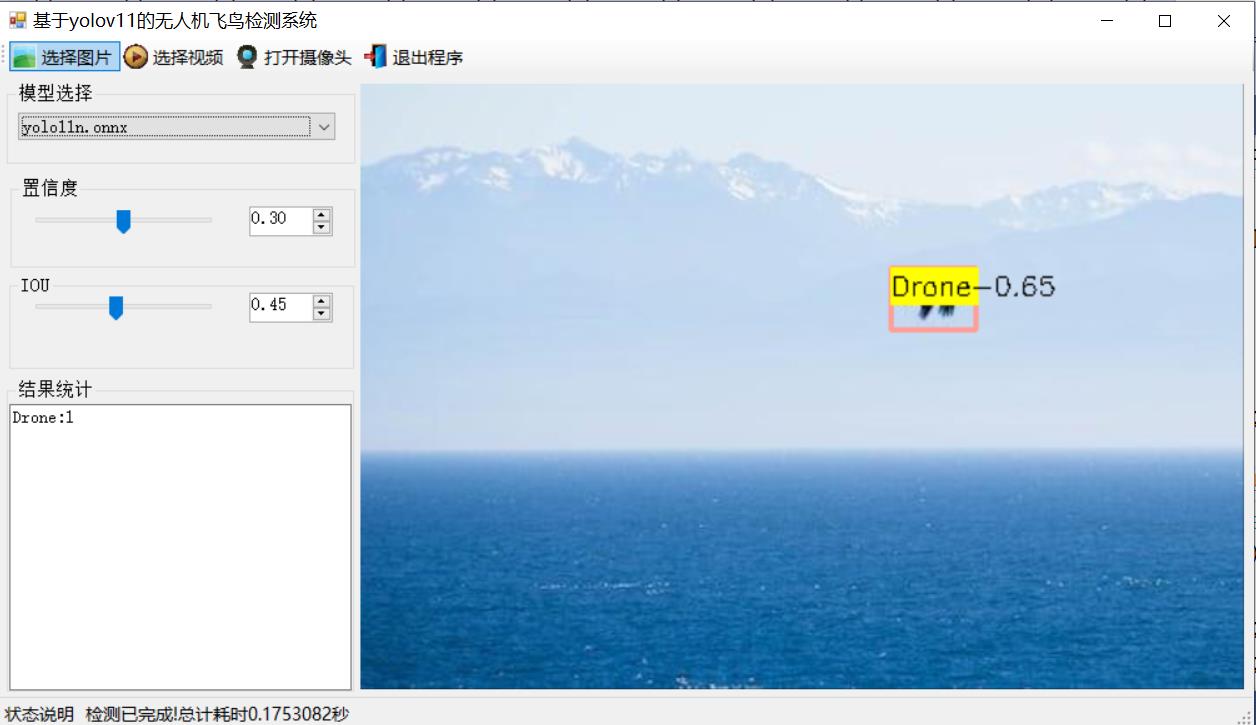
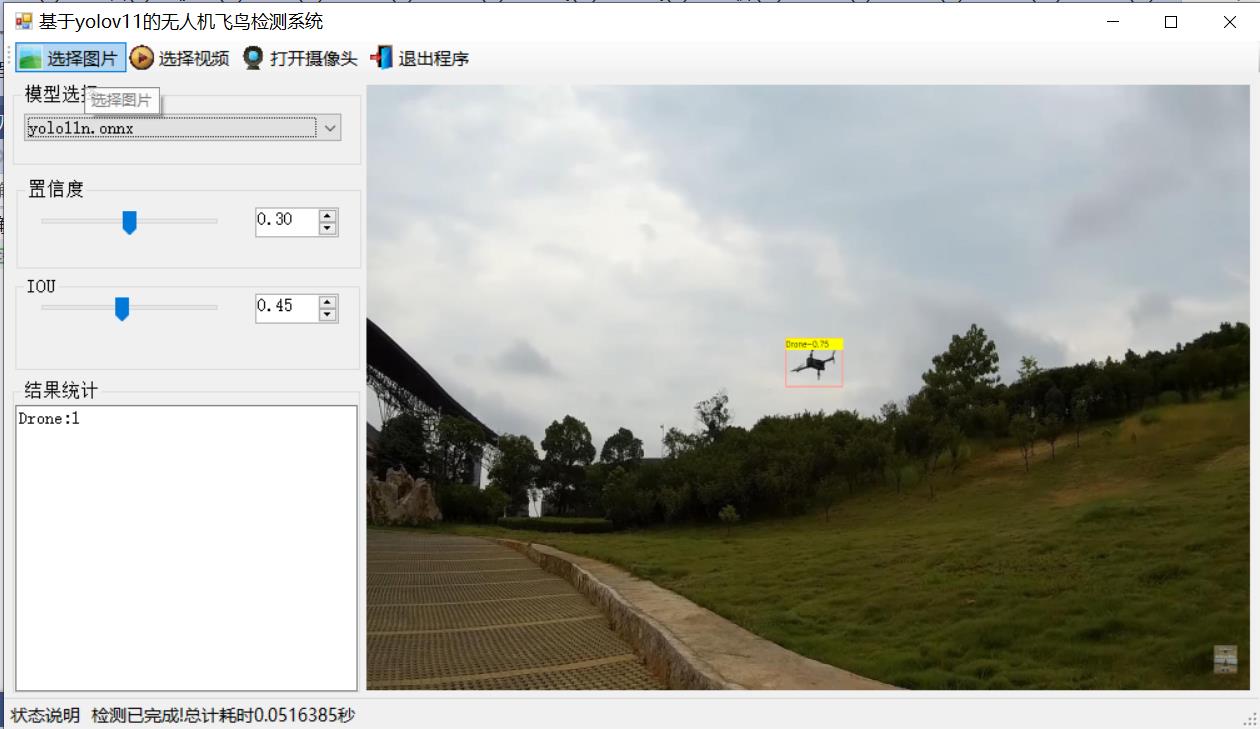
【测试环境】
windows10 x64系统
VS2019
netframework4.7.2
opencvsharp4.9.0
onnxruntime1.22.0
【模型可以检测出类别】
Bird,Drone
【训练信息】
|-----------------|-------|
| 参数 | 值 |
| 训练集图片数 | 5418 |
| 验证集图片数 | 1547 |
| 训练map | 97.9% |
| 训练精度(Precision) | 97.6% |
| 训练召回率(Recall) | 96.3% |
|-------|------------------------------------|
| Class | Average Precision by Class (mAP50) |
| all | 98 |
| Bird | 97 |
| Drone | 99 |
【训练数据集介绍】
数据集格式:YOLO格式(不包含分割路径的txt文件,仅仅包含jpg图片以及对应的yolo格式txt文件)
图片数量(jpg文件个数):7395
标注数量(txt文件个数):7395
训练集数量:5165
验证集数量:1487
测试集数量:743
标注类别数:2
所在github仓库:firc-dataset
标注类别名称(注意yolo格式类别顺序不和这个对应,而以labels文件夹classes.txt为准):'Bird','Drone'
每个类别标注的框数:
Bird 框数=3044
Drone 框数=4571
总框数=7615
使用标注工具:labelImg
标注规则:对类别进行画矩形框
重要说明:暂无
特别声明:本数据集不对训练的模型或者权重文件精度作任何保证
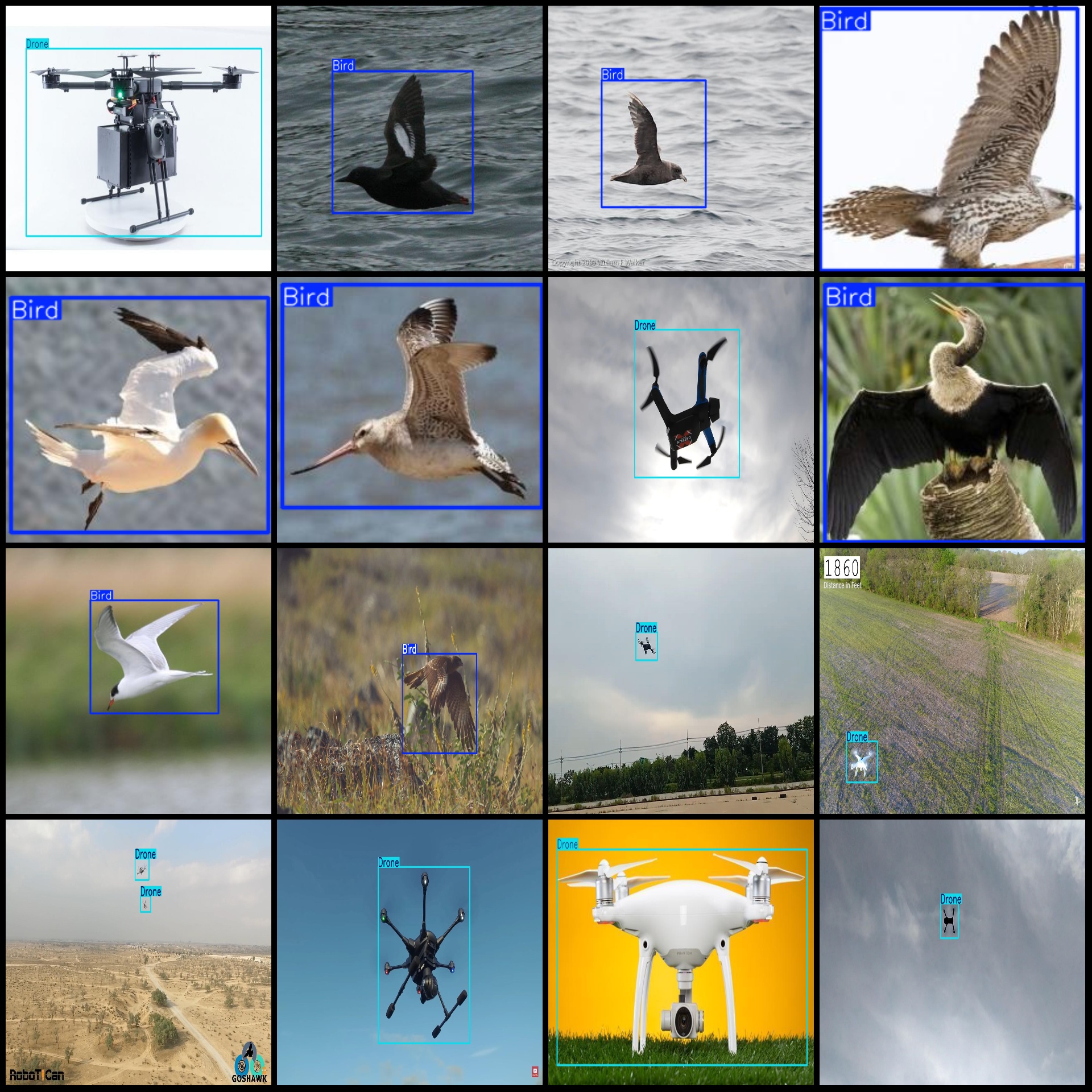
图片预览:
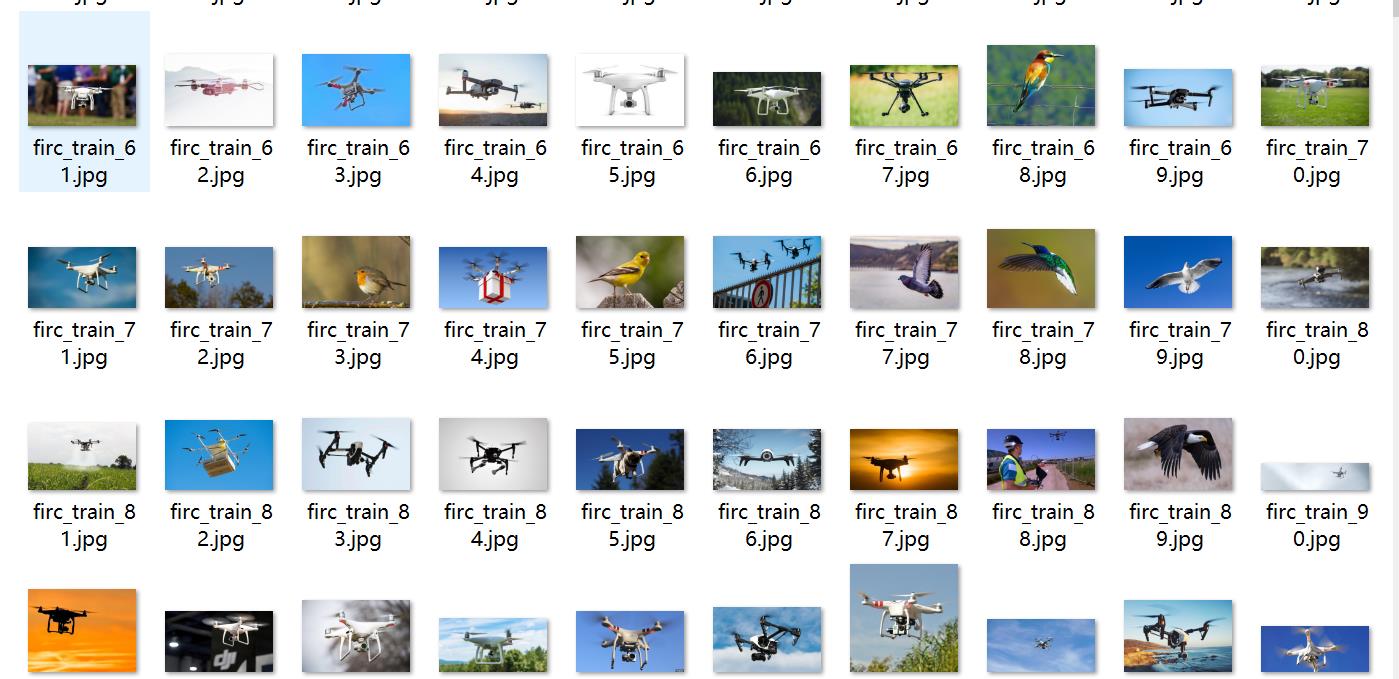
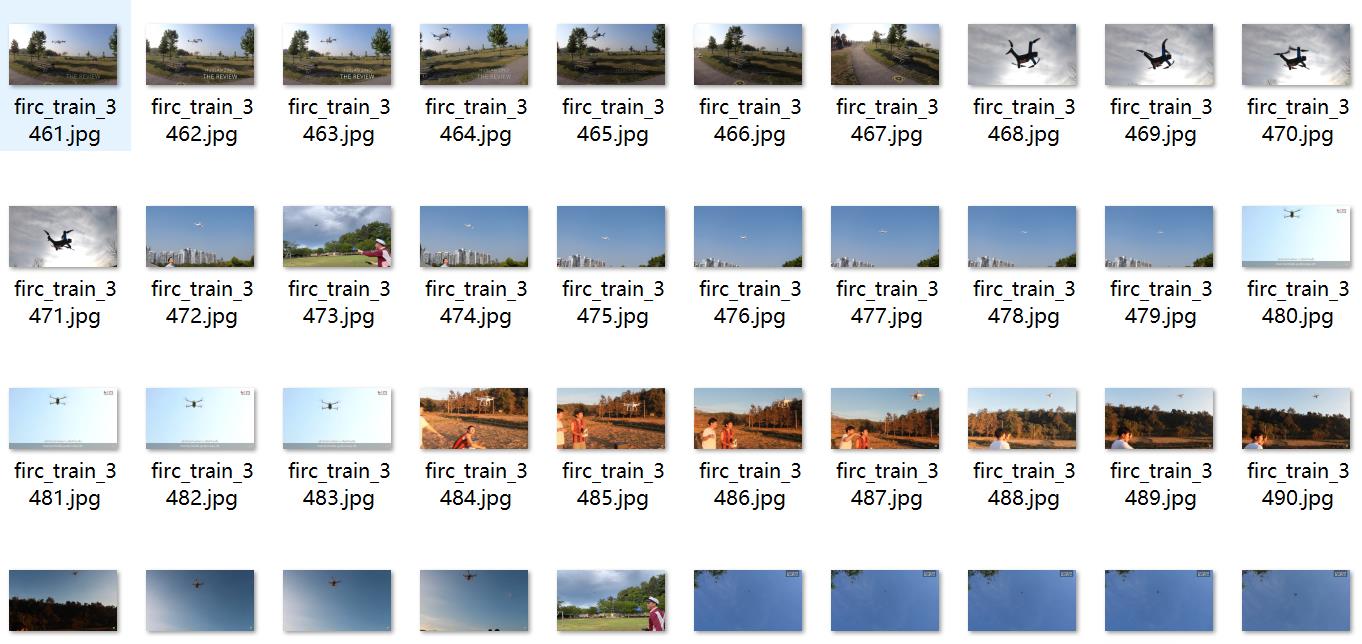
标注例子:
【界面设计】
using DeploySharp.Data;
using OpenCvSharp;
using System;
using System.Collections.Generic;
using System.ComponentModel;
using System.Data;
using System.Diagnostics;
using System.Drawing;
using System.IO;
using System.Linq;
using System.Text;
using System.Threading;
using System.Threading.Tasks;
using System.Windows.Forms;

namespace FIRC
{
    public partial class Form1 : Form
    {

        public bool videoStart = false;//视频停止标志
        string weightsPath = Application.StartupPath + "\\weights";//模型目录
        YoloDetector detetor = new YoloDetector();//推理引擎
        public Form1()
        {
            InitializeComponent();
            CheckForIllegalCrossThreadCalls = false;//线程更新控件不报错
        }
        private void LoadWeightsFromDir()
        {
            var di = new DirectoryInfo(weightsPath);
            foreach(var fi in di.GetFiles("*.onnx"))
            {
                comboBox1.Items.Add(fi.Name);
            }
            if(comboBox1.Items.Count>0)
            {
                comboBox1.SelectedIndex = 0;
            }
            else
            {
                tssl_show.Text = "未找到模型,请关闭程序,放入模型到weights文件夹!";
                tsb_pic.Enabled = false;
                tsb_video.Enabled = false;
                tsb_camera.Enabled = false;
            }
        }
        private void Form1_Load(object sender, EventArgs e)
        {
            LoadWeightsFromDir();//从目录加载模型

        }
        public string GetResultString(DetResult[] result)
        {
            Dictionary<string, int> resultDict = new Dictionary<string, int>();
            for (int i = 0; i < result.Length; i++)
            {
                if(resultDict.ContainsKey( result[i].Category) )
                {
                    resultDict[result[i].Category]++;
                }
                else
                {
                    resultDict[result[i].Category] =1;
                }
            }

            var resultStr = "";
            foreach(var item in resultDict)
            {
                resultStr += string.Format("{0}:{1}\r\n",item.Key,item.Value);
            }
            return resultStr;
        }
        private void tsb_pic_Click(object sender, EventArgs e)
        {
            OpenFileDialog ofd = new OpenFileDialog();
            ofd.Filter = "*.*|*.bmp;*.jpg;*.jpeg;*.tiff;*.tiff;*.png";
            if (ofd.ShowDialog() != DialogResult.OK) return;
            tssl_show.Text = "正在检测中...";
            Task.Run(() => {
                var sw = new Stopwatch();
                sw.Start();
                Mat image = Cv2.ImRead(ofd.FileName);
                detetor.SetParams(Convert.ToSingle(numericUpDown1.Value), Convert.ToSingle(numericUpDown2.Value));
                var results=detetor.Inference(image);

                var resultImage = detetor.DrawImage(image, results);

                sw.Stop();
                pb_show.Image = OpenCvSharp.Extensions.BitmapConverter.ToBitmap(resultImage);
                tb_res.Text = GetResultString(results);
                tssl_show.Text = "检测已完成!总计耗时"+sw.Elapsed.TotalSeconds+"秒";
            });


        }

        public void VideoProcess(string videoPath)
        {
            Task.Run(() => {

                detetor.SetParams(Convert.ToSingle(numericUpDown1.Value), Convert.ToSingle(numericUpDown2.Value));
                VideoCapture capture = new VideoCapture(videoPath);
                if (!capture.IsOpened())
                {
                    tssl_show.Text="视频打开失败!";
                    return;
                }
                Mat frame = new Mat();
                var sw = new Stopwatch();
                int fps = 0;
                while (videoStart)
                {

                    capture.Read(frame);
                    if (frame.Empty())
                    {
                        Console.WriteLine("data is empty!");
                        break;
                    }
                    sw.Start();
                    var results = detetor.Inference(frame);
                    var resultImg = detetor.DrawImage(frame,results);
                    sw.Stop();
                    fps = Convert.ToInt32(1 / sw.Elapsed.TotalSeconds);
                    sw.Reset();
                    Cv2.PutText(resultImg, "FPS=" + fps, new OpenCvSharp.Point(30, 30), HersheyFonts.HersheyComplex, 1.0, new Scalar(255, 0, 0), 3);
                    //显示结果
                    pb_show.Image = OpenCvSharp.Extensions.BitmapConverter.ToBitmap(resultImg);
                    tb_res.Text = GetResultString(results);
                    Thread.Sleep(5);


                }

                capture.Release();

                pb_show.Image = null;
                tssl_show.Text = "视频已停止!";
                tsb_video.Text = "选择视频";

            });
        }
        public void CameraProcess(int cameraIndex=0)
        {
            Task.Run(() => {

                detetor.SetParams(Convert.ToSingle(numericUpDown1.Value), Convert.ToSingle(numericUpDown2.Value));
                VideoCapture capture = new VideoCapture(cameraIndex);
                if (!capture.IsOpened())
                {
                    tssl_show.Text = "摄像头打开失败!";
                    return;
                }
                Mat frame = new Mat();
                var sw = new Stopwatch();
                int fps = 0;
                while (videoStart)
                {

                    capture.Read(frame);
                    if (frame.Empty())
                    {
                        Console.WriteLine("data is empty!");
                        break;
                    }
                    sw.Start();
                    var results = detetor.Inference(frame);
                    var resultImg = detetor.DrawImage(frame, results);
                    sw.Stop();
                    fps = Convert.ToInt32(1 / sw.Elapsed.TotalSeconds);
                    sw.Reset();
                    Cv2.PutText(resultImg, "FPS=" + fps, new OpenCvSharp.Point(30, 30), HersheyFonts.HersheyComplex, 1.0, new Scalar(255, 0, 0), 3);
                    //显示结果
                    pb_show.Image = OpenCvSharp.Extensions.BitmapConverter.ToBitmap(resultImg);
                    tb_res.Text = GetResultString(results);
                    Thread.Sleep(5);


                }

                capture.Release();

                pb_show.Image = null;
                tssl_show.Text = "摄像头已停止!";
                tsb_camera.Text = "打开摄像头";

            });
        }
        private void tsb_video_Click(object sender, EventArgs e)
        {
            if(tsb_video.Text=="选择视频")
            {
                OpenFileDialog ofd = new OpenFileDialog();
                ofd.Filter = "视频文件(*.*)|*.mp4;*.avi";
                if (ofd.ShowDialog() != DialogResult.OK) return;
                videoStart = true;
                VideoProcess(ofd.FileName);
                tsb_video.Text = "停止";
                tssl_show.Text = "视频正在检测中...";

            }
            else
            {
                videoStart = false;

            }
        }

        private void tsb_camera_Click(object sender, EventArgs e)
        {
            if (tsb_camera.Text == "打开摄像头")
            {
                videoStart = true;
                CameraProcess(0);
                tsb_camera.Text = "停止";
                tssl_show.Text = "摄像头正在检测中...";

            }
            else
            {
                videoStart = false;

            }
        }

        private void tsb_exit_Click(object sender, EventArgs e)
        {
            videoStart = false;
            this.Close();
        }

        private void trackBar1_Scroll(object sender, EventArgs e)
        {
            numericUpDown1.Value = Convert.ToDecimal(trackBar1.Value / 100.0f);
        }

        private void trackBar2_Scroll(object sender, EventArgs e)
        {
            numericUpDown2.Value = Convert.ToDecimal(trackBar2.Value / 100.0f);
        }

        private void numericUpDown1_ValueChanged(object sender, EventArgs e)
        {
            trackBar1.Value = (int)(Convert.ToSingle(numericUpDown1.Value) * 100);
        }

        private void numericUpDown2_ValueChanged(object sender, EventArgs e)
        {
            trackBar2.Value = (int)(Convert.ToSingle(numericUpDown2.Value) * 100);
        }

        private void comboBox1_SelectedIndexChanged(object sender, EventArgs e)
        {
            tssl_show.Text="加载模型:"+comboBox1.Text;
            detetor.LoadWeights(weightsPath+"\\"+comboBox1.Text);
            tssl_show.Text = "模型加载已完成!";
        }
    }
}
【常用评估参数介绍】
在目标检测任务中,评估模型的性能是至关重要的。你提到的几个术语是评估模型性能的常用指标。下面是对这些术语的详细解释:
Class:
这通常指的是模型被设计用来检测的目标类别。例如,一个模型可能被训练来检测车辆、行人或动物等不同类别的对象。
Images:
表示验证集中的图片数量。验证集是用来评估模型性能的数据集,与训练集分开,以确保评估结果的公正性。
Instances:
在所有图片中目标对象的总数。这包括了所有类别对象的总和,例如,如果验证集包含100张图片,每张图片平均有5个目标对象,则Instances为500。
P(精确度Precision):
精确度是模型预测为正样本的实例中,真正为正样本的比例。计算公式为:Precision = TP / (TP + FP),其中TP表示真正例(True Positives),FP表示假正例(False Positives)。
R(召回率Recall):
召回率是所有真正的正样本中被模型正确预测为正样本的比例。计算公式为:Recall = TP / (TP + FN),其中FN表示假负例(False Negatives)。
mAP50:
表示在IoU(交并比)阈值为0.5时的平均精度(mean Average Precision)。IoU是衡量预测框和真实框重叠程度的指标。mAP是一个综合指标,考虑了精确度和召回率,用于评估模型在不同召回率水平上的性能。在IoU=0.5时,如果预测框与真实框的重叠程度达到或超过50%,则认为该预测是正确的。
mAP50-95:
表示在IoU从0.5到0.95(间隔0.05)的范围内,模型的平均精度。这是一个更严格的评估标准,要求预测框与真实框的重叠程度更高。在目标检测任务中,更高的IoU阈值意味着模型需要更准确地定位目标对象。mAP50-95的计算考虑了从宽松到严格的多个IoU阈值,因此能够更全面地评估模型的性能。
这些指标共同构成了评估目标检测模型性能的重要框架。通过比较不同模型在这些指标上的表现,可以判断哪个模型在实际应用中可能更有效。
【使用步骤】
使用步骤:
(1)首先根据官方框架ultralytics安装教程安装好yolov8环境,并根据官方export命令将自己pt模型转成onnx模型,然后去github仓库futureflsl/firc-csharp-projects找到源码
(2)使用vs2019打开sln项目,选择x64 release并且修改一些必要的参数,比如输入shape等,点击运行即可查看最后效果
特别注意如果运行报错了,请参考我的博文进行重新引用我源码的DLL:C#opencvsharp报错System.Memory,Version=4.0.1.2,Culture=neutral,PublicKeyToken=cc7b13fcd2ddd51"版本高于所引_未能加载文件或程序集"system.memory, version=4.0.1.2, culture-CSDN博客
【提供文件】
C#源码
yolo11n.onnx模型(不提供pytorch模型)
训练的map,P,R曲线图(在weights\results.png)
测试图片(在test_img文件夹下面)
特别注意这里提供训练数据集