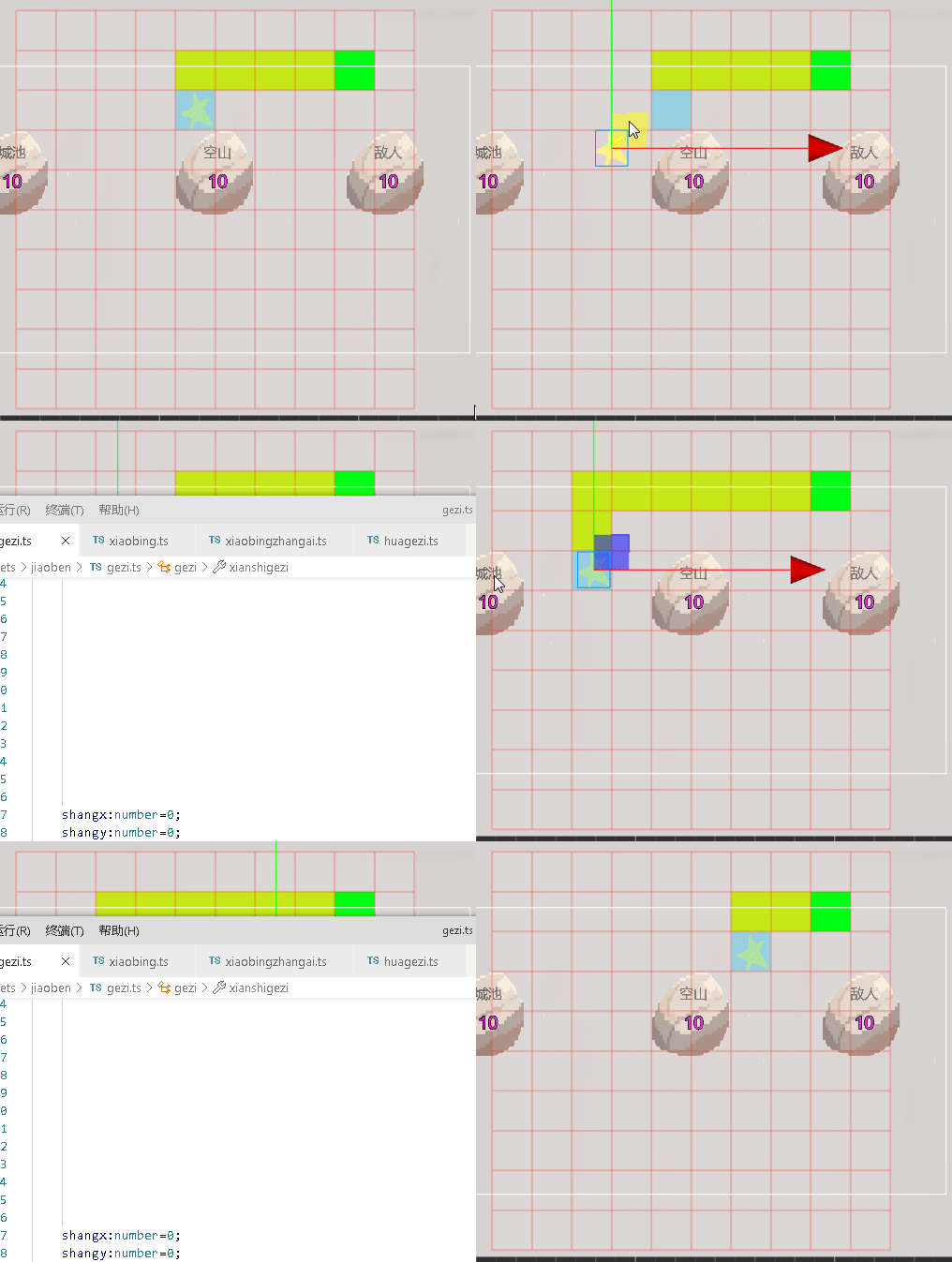
go
const ng=g+1;
    this.shangx=qidianx;
    this.shangy=qidiany-1;
    this.zuox=qidianx-1;


    this.zuoy=qidiany;
    this.youx=qidianx+1;
    this.youy=qidiany;
    this.xiax=qidianx;

    this.xiay=qidiany+1;
都用ng是因为不用算起点的g 所以就算是第一次传过来的是起点g=0 还是得加1是正确的还是啥
好问题!你的理解非常关键!
答案是:✅ 完全正确!必须用ng!
让我解释为什么:
起点G值的正确计算流程:
你的正确理解:
TEXT
第0步:站在起点(3,8),传入g=0 // g=起点自己的累计G值(0)
ng = g + 1 = 0 + 1 = 1 // 走到邻居的代价
邻居格子G值计算:
上(3,7): G = 1 (从起点走一步的代价)
左(2,8): G = 1
右(4,8): G = 1
下(3,9): G = 1
这才是正确的A!* 因为:
当前格子自己的G值 = 已走的总代价
邻居格子的G值 = 当前G + 走到邻居的代价(1)
相比上次的没多大变化 在角色脚本
h
uoqushangxiazuoyou(qidianx:number,qidiany:number,g:number){这个函数加三个形参 const ng=g+1;创建ng变量 作为走几步的g
this.huoqushangxiazuoyou(this.juesex,this.juesey,0); 初次调用是格子将数组地图传给角色脚本 所以g是0
在这个函数最后做个判断
go
if(zuixiaof>0&&(zuixiaofangxiangx!==this.mubiaox||zuixiaofangxiangy!==this.mubiaoy)){
            this.huoqushangxiazuoyou(zuixiaofangxiangx,zuixiaofangxiangy,ng);
        }
如果最小f不是0 证明还没到目的地 如果最小格子xy 也就是下一步的xy不是目的地格子的xy 开始递归 调用自己
将ng传给自己
虾片开始做障碍寻路跟 寻路时对数组地图边界处理
go
import { _decorator, Collider2D, Component, Contact2DType, director, IPhysics2DContact, math, Node } from 'cc';
const { ccclass, property,executeInEditMode } = _decorator;

@ccclass('xiaobing')

@executeInEditMode
export class xiaobing extends Component {
    juesex:number=null;
    juesey:number=null;
    mubiaox:number=null;
    mubiaoy:number=null;
    shangf:number=0;
    shangg:number=0;

    shangh:number=0;


    zuof:number=0;
    zuoh:number=0;
    zuog:number=0;
    youf:number=0;
    youh:number=0;
    youg:number=0;
    xiaf:number=0;
    xiah:number=0;
    xiag:number=0;
    shangx:number=0;
    shangy:number=0;
    zuox:number=0;
    zuoy:number=0;
    youx:number=0;
    youy:number=0;
    xiax:number=0;
    xiay:number=0;
    nextx:number=0;
    nexty:number=0;
    nextg:number=0;
    onLoad(){

        // 监听碰撞事件

      const collider = this.getComponent(Collider2D);

      if (collider) {
          collider.on(Contact2DType.BEGIN_CONTACT, this.onBeginContact, this);


      }
      director.on('gezi_ditu_xiaobing', this.huoquditu, this);

    }


    // 碰撞回调
    onBeginContact(selfCollider: Collider2D, otherCollider: Collider2D, contact: IPhysics2DContact | null) {
        if(otherCollider.node.name.includes("shantou")){
            this.scheduleOnce(()=>{

                selfCollider.node.destroy();
            },0.7);
        }
    }
    start() {

        director.emit('xiaobing_position_gezi', this.node.worldPosition);
    }

    update(deltaTime: number) {

    }


    huoquditu(ditu:[][]){
       let len=ditu.length;
       console.log(len+"=");

       for(let y=0;y<len;y++){
        for(let x=0;x<ditu[y].length;x++){
            console.log(ditu[y][x]);
            if(ditu[y][x]==1){
                this.mubiaox=x;

                this.mubiaoy=y;

                console.log("/"+this.mubiaox,this.mubiaoy)
            }else if(ditu[y][x]==7){
                this.juesex=x;
                this.juesey=y;
                console.log("/"+this.juesex,this.juesey);
            }

        }

       }
       //this.jisuanf(this.juesex,this.juesey);
       this.huoqushangxiazuoyou(this.juesex,this.juesey,0);
    }

    jisuannext(x:number,y:number,f:number,g:number){


        if(f>0){

            //g=g+1;
            this.huoqushangxiazuoyou(x,y,(g+1));
        }


    }

    huoqushangxiazuoyou(qidianx:number,qidiany:number,g:number){


        this.shangx=qidianx;
        this.shangy=qidiany-1;
        this.zuox=qidianx-1;


        this.zuoy=qidiany;
        this.youx=qidianx+1;
        this.youy=qidiany;
        this.xiax=qidianx;

        this.xiay=qidiany+1;
        this.shangg=ng;
        this.shangh=Math.abs(this.shangx-this.mubiaox)+Math.abs(this.shangy-this.mubiaoy);
        this.shangf=this.shangg+this.shangh;
        const ng=g+1;
        this.zuog=ng;
        this.zuoh=Math.abs(this.zuox-this.mubiaox)+Math.abs(this.zuoy-this.mubiaoy);

        this.zuof=this.zuog+this.zuoh;
        this.youg=ng;
        this.youh=Math.abs(this.youx-this.mubiaox)+Math.abs(this.youy-this.mubiaoy);
        this.youf=this.youg+this.youh;


        this.xiag=ng;
        this.xiah=Math.abs(this.xiax-this.mubiaox)+Math.abs(this.xiay-this.mubiaoy);
        this.xiaf=this.xiag+this.xiah;

        const suoyouf=[this.shangf,this.zuof,this.youf,this.xiaf];
        let zuixiaof=suoyouf[0];
        let fangxiang=0; // 0/shang 1/zuo 2/you 3/xia
        let zuixiaog=0;
        for(let i=1;i<suoyouf.length;i++){
            if(suoyouf[i]<zuixiaof){
                zuixiaof=suoyouf[i];
                fangxiang=i;
            }
        }
        let zuixiaofangxiangx=0;
        let zuixiaofangxiangy=0;
        if(fangxiang==0){
            zuixiaofangxiangx=this.shangx;
            zuixiaofangxiangy=this.shangy;
        }else if(fangxiang==1){
            zuixiaofangxiangx=this.zuox;
            zuixiaofangxiangy=this.zuoy;
        }else if(fangxiang==2){
            zuixiaofangxiangx=this.youx;
            zuixiaofangxiangy=this.youy;
        }else if(fangxiang==3){
            zuixiaofangxiangx=this.xiax;
            zuixiaofangxiangy=this.xiay;
        }
        const directionData = {
            shangf: this.shangf,  // 上方向状态或坐标x
            xiaf: this.xiaf,      // 下
            zuof: this.zuof,      // 左
            youf: this.youf,      // 右
            shangx: this.shangx, // 上方向x坐标
            shangy: this.shangy, // 上方向y坐标
            zuox: this.zuox,     // 左方向x坐标
            zuoy: this.zuoy,     // 左方向y坐标
            youx: this.youx,     // 右方向x坐标
            youy: this.youy,     // 右方向y坐标(如果有)
            xiax: this.xiax,     // 下方向x坐标(如果有)
            xiay: this.xiay,     // 下方向y坐标(如果有)
            zuixiaof:zuixiaof,
            zuixiaofangxiangx:zuixiaofangxiangx,
            zuixiaofangxiangy:zuixiaofangxiangy,
            mubiaox:this.mubiaox,
            mubiaoy:this.mubiaoy,
            juesex:this.juesex,
            juesey:this.juesey
        };

        console.log("s"+this.shangf+"z"+this.zuof+"y"+this.youf+"x"+this.xiaf+"f"+zuixiaof+"fang"+fangxiang);
        director.emit('xiaobing_sxzy_gezi', directionData);
        //this.nextx=zuixiaofangxiangx;
        //this.nexty=zuixiaofangxiangy;
        if(zuixiaof>0&&(zuixiaofangxiangx!==this.mubiaox||zuixiaofangxiangy!==this.mubiaoy)){
            this.huoqushangxiazuoyou(zuixiaofangxiangx,zuixiaofangxiangy,ng);
        }

    }
}
格子脚本分成数组地图 存储角色起点跟目的地 显示路径数组 用来显示路径
go
import { _decorator, Color, Component, director, Graphics, Node, Vec3 } from 'cc';
const { ccclass, property,executeInEditMode} = _decorator;

@ccclass('gezi')

@executeInEditMode
export class gezi extends Component {
    @property
    gridWidth: number = 10;  // 水平格子数

    @property
    gridHeight: number = 10; // 垂直格子数

    @property
    cellSize: number = 100;   // 每个格子的大小(像素)

    @property
    lineWidth: number = 2;   // 线宽

    @property

    lineColor: Color = Color.GRAY;  // 线颜色


    @property
    targetColor: Color = new Color(1, 27, 3);  // 线颜色
    @property
    jueseColor: Color = new Color(1, 27, 3);  // 线颜色
    @property
    fillColor: Color = new Color(240, 240, 240);  // 填充颜色(浅灰)
    @property
    xiaColor: Color = new Color(240, 240, 240);  // 填充颜色(浅灰)
    @property
    zuixiaoColor: Color = new Color(240, 240, 240);  // 填充颜色(浅灰)
    @property
    zhangaiColor: Color = new Color(240, 240, 240);  // 填充颜色(浅灰)
    @property(Node)
    xiaobing:Node=null;
    private graphics: Graphics | null = null;

    gezi=[[0,0,0,0,0,0,0,0,0,0],
          [0,0,0,0,0,0,0,0,1,0],
          [0,0,0,0,0,0,0,0,0,0],
          [0,0,0,0,0,0,11,0,0,0],
          [0,0,0,0,0,0,0,0,0,0],
          [0,0,0,0,0,0,0,0,0,0],
          [0,0,0,0,0,0,0,0,0,0],
          [0,0,0,0,0,0,0,0,0,0],
          [0,0,0,0,0,0,0,0,0,0],
          [0,0,0,0,0,0,0,0,0,0],

        ];


    shangx:number=0;
    shangy:number=0;
    shangf:number=0;

    xianshigezi=[[0,0,0,0,0,0,0,0,0,0],
          [0,0,0,0,0,0,0,0,1,0],
          [0,0,0,0,0,0,0,0,0,0],
          [0,0,0,0,0,0,11,0,0,0],
          [0,0,0,0,0,0,0,0,0,0],
          [0,0,0,0,0,0,0,0,0,0],
          [0,0,0,0,0,0,0,0,0,0],
          [0,0,0,0,0,0,0,0,0,0],
          [0,0,0,0,0,0,0,0,0,0],
          [0,0,0,0,0,0,0,0,0,0],

        ];
    onLoad() {
        director.on('xiaobing_sxzy_gezi', this.huasxzy, this);
        // 1. 创建并获取 Graphics 组件
        this.graphics = this.node.getComponent(Graphics);
        if (!this.graphics) {
            this.graphics = this.node.addComponent(Graphics);
        }

        // 2. 绘制网格

        director.on('xiaobing_position_gezi', this.xiaobingposition, this);
        // 获取角色位置并标记
    const worldPos = this.xiaobing.getWorldPosition();
    const gridPos = this.worldPositionToGrid(worldPos);


    console.log("转换结果:", gridPos);

    // 关键修正:检查边界并更新数组
    if (this.isInGrid(gridPos.x, gridPos.y)) {
        // 注意:你的数组是 gezi[y][x] 结构!所以要 [gridPos.y][gridPos.x]
        this.gezi[gridPos.y][gridPos.x] = 7;

        this.xianshigezi[gridPos.y][gridPos.x] = 7;
    } else {
        console.warn("角色在网格外!位置:", gridPos);
    }

    this.drawGrid(this.gezi);
    director.emit('gezi_ditu_xiaobing', this.gezi);

}

// 添加边界检查方法
private isInGrid(x: number, y: number): boolean {
    return x >= 0 && x < this.gridWidth && y >= 0 && y < this.gridHeight;

    }

    // 在gezi.ts中添加一个**可靠的**坐标转换方法
public worldPositionToGrid(worldPos: Vec3): { x: number, y: number } {
    const gridWorldPos = this.node.getWorldPosition();
    const offsetX = worldPos.x - gridWorldPos.x;
    const offsetY = worldPos.y - gridWorldPos.y;

    // DEBUG: 打印调试信息

    //console.log("=== 坐标转换调试 ===");
    //console.log("1. 网格中心:", gridWorldPos);

    //console.log("2. 角色位置:", worldPos);
    //console.log("3. 偏移量 offsetX=", offsetX, "offsetY=", offsetY);


    // 网格半宽/半高 (注意:这里有坐标轴方向问题)
    const halfWidth = (this.gridWidth * this.cellSize) / 2;
    const halfHeight = (this.gridHeight * this.cellSize) / 2;


    // Cocos Y轴向上为正,但数组通常是左下角为(0,0)
    // 所以需要调整Y轴方向
    const gridX = Math.floor((offsetX + halfWidth) / this.cellSize);
    const gridY = Math.floor((offsetY + halfHeight) / this.cellSize);

    // Y轴翻转(因为屏幕上方是正Y,但数组从上到下索引)
    const flippedY = (this.gridHeight - 1) - gridY;

    //console.log(`4. 计算:gridX=${gridX} (${offsetX}+${halfWidth})/${this.cellSize}`);
    //console.log(`5. 计算:gridY=${gridY} (${offsetY}+${halfHeight})/${this.cellSize}`);


    //console.log(`6. 翻转后:gridX=${gridX}, flippedY=${flippedY}`);
    //console.log(`7. 结果:[${this.gezi[flippedY][gridX]}]`);


    // 使用 flippedY 因为数组是从上到下存储
    return { x: gridX, y: flippedY };
}
huoquditu(){
    return this.gezi;
}


huasxzy(data:any){

    //console.log("....");
    //console.log("/"+data.shangf+"z"+data.zuof+"y"+data.youf+"x"+data.xiaf);
    let xiaof=0;
    //this.hua(data.shangx,data.shangy);
    //this.hua(data.zuox,data.zuoy);
    //this.hua(data.youx,data.youy);

    //this.hua(data.xiax,data.xiay);
    this.huazuixiaof(data.zuixiaofangxiangx,data.zuixiaofangxiangy,data.mubiaox,data.mubiaoy,data.juesex,data.juesey);
    this.drawGrid(this.xianshigezi);

}
hua(x:number,y:number){


    this.xianshigezi[y][x]=4;


}

huazuixiaof(x:number,y:number,mubiaox:number,mubiaoy:number,juesex:number,juesey:number){

    //let mubiaox=0;
    //let mubiaoy=0;

    if(this.gezi[y][x]==11){

        console.log("no");
        return;

    }

    // 判断是否是目标点
    const isTargetPoint = (x === mubiaox && y === mubiaoy);

    if(isTargetPoint) {
        console.log(`⭐ 这是目标点[${x},${y}],保持为1`);
        // 保持目标标记不变,或者标记为其他区分色
        this.xianshigezi[y][x] = 1; // 保持原目标值
    } else {
        // 普通路径点
        console.log(`📝 标记路径点[${x},${y}]为9`);
        this.xianshigezi[y][x] = 9;
    }


}


public gridToWorldPosition(gridX: number, gridY: number): Vec3 {
    const gridWorldPos = this.node.getWorldPosition();


    // 计算世界坐标(格子中心点)

    const worldX = gridWorldPos.x + (gridX - this.gridWidth / 2 + 0.5) * this.cellSize;

    const worldY = gridWorldPos.y +
                  (gridY - this.gridHeight / 2 + 0.5) * this.cellSize;

    return new Vec3(worldX, worldY, 0);
}

    xiaobingposition(position:Vec3){
        console.log("xiaobing",position);
    }

    drawGrid(g:number[][]) {
        if (!this.graphics) return;

        // 清空之前的绘制
        this.graphics.clear();

        // 设置线条样式
        this.graphics.lineWidth = this.lineWidth;
        this.graphics.strokeColor = this.lineColor;

        // 首先填充背景色
        this.graphics.fillColor = this.fillColor;

        // 计算网格的总宽高(用于居中显示)
        const totalWidth = this.gridWidth * this.cellSize;
        const totalHeight = this.gridHeight * this.cellSize;

        // 设置绘制原点在节点中心(Cocos默认)
        // 也可以从左上角开始画,看个人习惯

        // 绘制每个格子的填充背景
        for (let x = 0; x < this.gridWidth; x++) {
            for (let y = 0; y < this.gridHeight; y++) {
                let huoqugezi=g[y][x];
                // 然后反转Y坐标,让第一行显示在最上面
                const screenY = this.gridHeight - 1 - y;

                const posX = (x - this.gridWidth/2) * this.cellSize;
                //const posY = (y - this.gridWidth/2) * this.cellSize;
                const posY = (screenY - this.gridHeight/2) * this.cellSize;
                if(huoqugezi==1){
                    this.graphics.fillColor = this.targetColor;
                    //this.graphics.rect(posX, posY, this.cellSize, this.cellSize);

                    //console.log(huoqugezi+"shi");
                }else if(huoqugezi==7){
                    this.graphics.fillColor = this.jueseColor;
                    //this.graphics.rect(posX, posY, this.cellSize, this.cellSize);

                    //console.log(huoqugezi+"shi");
                }else if(huoqugezi==4){
                    this.graphics.fillColor = this.xiaColor;
                }else if(huoqugezi==9){
                    this.graphics.fillColor = this.zuixiaoColor;
                }
                else if(huoqugezi==11){
                    this.graphics.fillColor = this.zhangaiColor;
                }
                else{
                    this.graphics.fillColor = this.fillColor;
                }


                this.graphics.rect(posX, posY, this.cellSize, this.cellSize);
                    //console.log(huoqugezi);
                    this.graphics.fill();
            }

        }


        // 绘制垂直线
        for (let x = 0; x <= this.gridWidth; x++) {
            const lineX = (x - this.gridWidth/2) * this.cellSize;
            const startY = (-this.gridHeight/2) * this.cellSize;
            const endY = (this.gridHeight/2) * this.cellSize;

            this.graphics.moveTo(lineX, startY);
            this.graphics.lineTo(lineX, endY);
        }

        // 绘制水平线
        for (let y = 0; y <= this.gridHeight; y++) {
            const lineY = (y - this.gridHeight/2) * this.cellSize;
            const startX = (-this.gridWidth/2) * this.cellSize;
            const endX = (this.gridWidth/2) * this.cellSize;

            this.graphics.moveTo(startX, lineY);
            this.graphics.lineTo(endX, lineY);
        }

        // 描边完成绘制
        this.graphics.stroke();

        // 可选:绘制坐标标签(调试用)
        this.drawCoordinates();
    }

    // 绘制坐标标签(可选,调试用)
    private drawCoordinates() {
        const font = '14px Arial';
        for (let x = 0; x < this.gridWidth; x++) {
            for (let y = 0; y < this.gridHeight; y++) {
                const centerX = (x - this.gridWidth/2) * this.cellSize + this.cellSize/2;
                const centerY = (y - this.gridHeight/2) * this.cellSize + this.cellSize/2;

                // Graphics 不支持文字,可以用Label或另想办法
                // 这里先注释,下文有改进方法
            }
        }
    }

    // 获取格子中心的世界坐标(有用!)
    public getCellCenterPosition(gridX: number, gridY: number): { x: number, y: number } {
        const worldX = this.node.position.x +
                      (gridX - this.gridWidth/2) * this.cellSize +
                      this.cellSize/2;
        const worldY = this.node.position.y +
                      (gridY - this.gridHeight/2) * this.cellSize +
                      this.cellSize/2;
        return { x: worldX, y: worldY };
    }

    // 世界坐标转格子坐标(有用!)
    public worldToGrid(worldX: number, worldY: number): { x: number, y: number } {
        const localX = worldX - this.node.position.x;
        const localY = worldY - this.node.position.y;

        const gridX = Math.floor((localX + this.gridWidth * this.cellSize / 2) / this.cellSize);
        const gridY = Math.floor((localY + this.gridHeight * this.cellSize / 2) / this.cellSize);

        return { x: gridX, y: gridY };
    }

    // 绘制带颜色的格子(用于标记障碍、起点、终点等)
    public drawColoredCell(gridX: number, gridY: number, color: Color) {
        if (!this.graphics) return;

        const posX = (gridX - this.gridWidth/2) * this.cellSize;
        const posY = (gridY - this.gridHeight/2) * this.cellSize;

        this.graphics.fillColor = color;
        this.graphics.rect(posX, posY, this.cellSize, this.cellSize);
        this.graphics.fill();
    }


}