unsetunset前言:unsetunset
在 Elasticsearch 的开发中,官方的 RestHighLevelClient虽然强大,但代码冗余度高,构建复杂查询如同"拼积木"。
干货 | Elasticsearch Java 客户端演进历史和选型指南
Easy-ES(简称 EE)作为 ES 界的"MyBatis-Plus",凭借其强大的 ORM 能力和简洁的 API,正在成为许多 Java 开发者的首选。
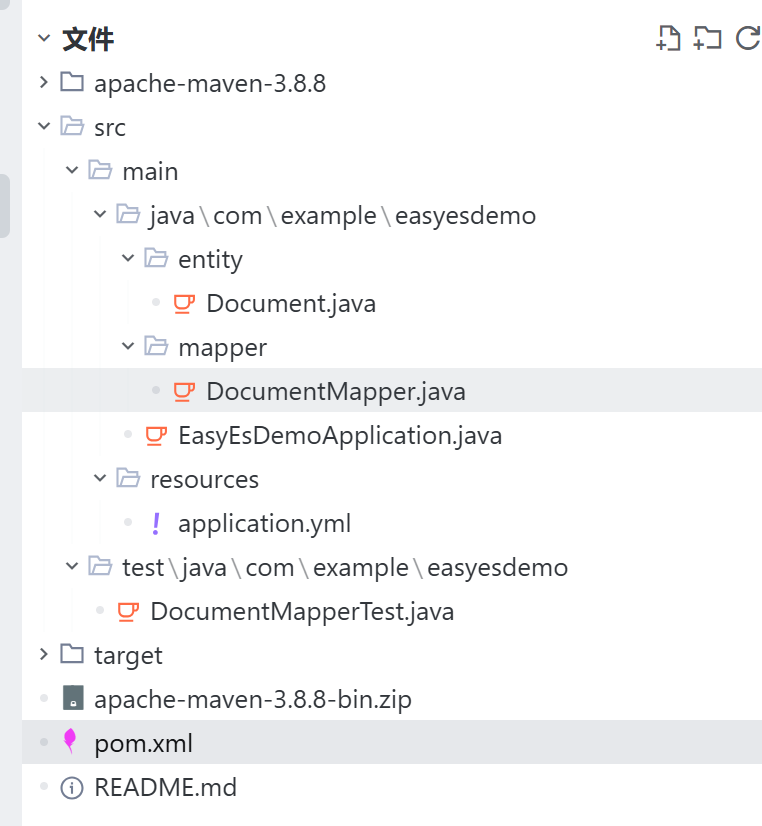
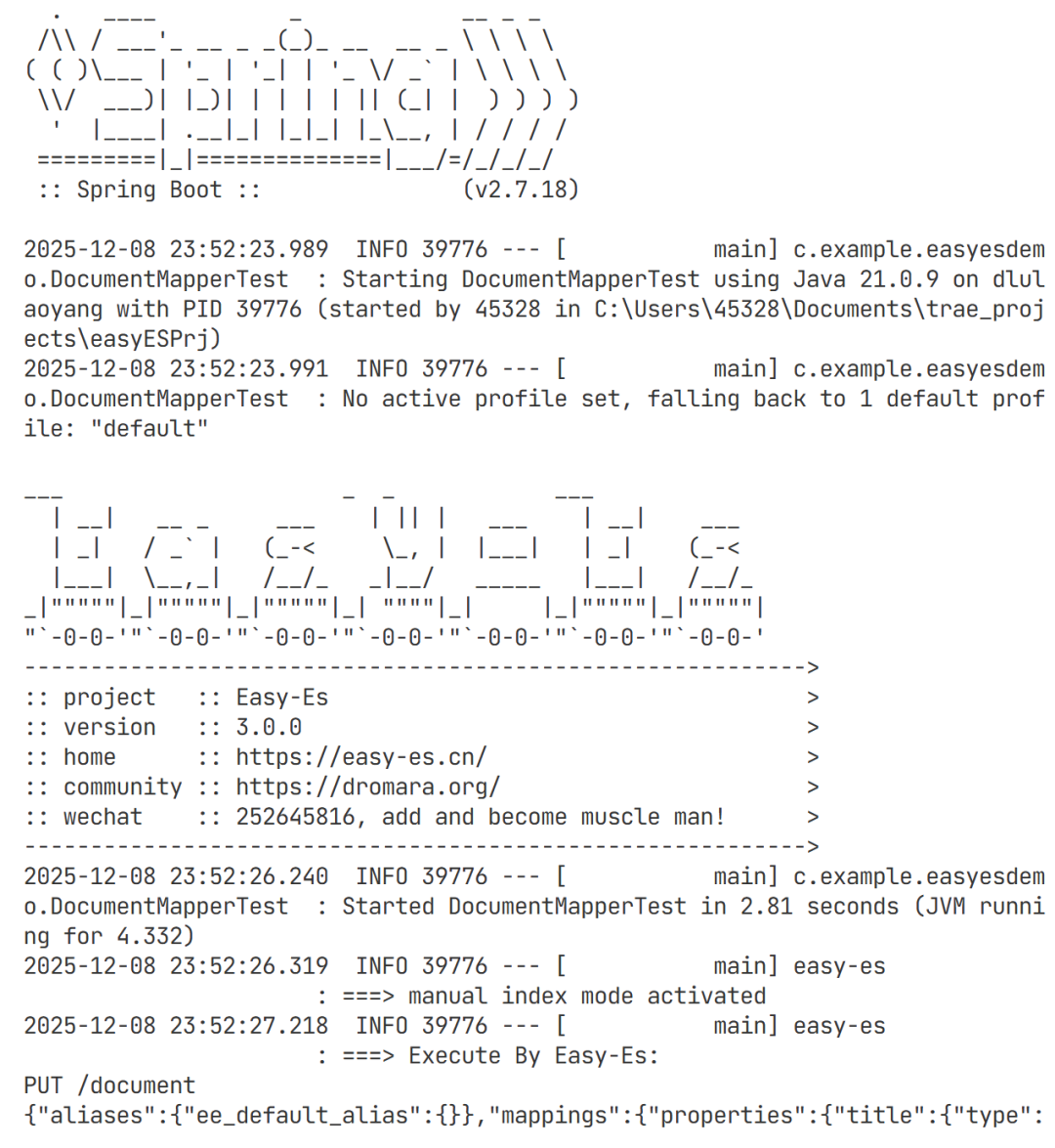
昨晚用 Trae 编译器生成了一个 Demo,跑通是跑通了,但过程并非一帆风顺。
今天这篇文章,不讲虚的,直接复盘一套完整的 Spring Boot + Easy-ES 3.0 实战 ,并重点拆解开发过程中遇到的 Top 3 核心坑点。
建议收藏,关键时刻能用得上。
unsetunset一、 环境准备:拒绝"依赖地狱"unsetunset
很多同学在接入 ES 时,第一步就倒在了 Maven 依赖冲突上。Easy-ES 3.0.0 虽然简化了配置,但对 ES 客户端版本的兼容性依然有要求。
1.1 技术栈清单
-
JDK: 8+ / 11 / 17 (推荐 17+),我用的 21版本。

-
Spring Boot: 2.7.18
-
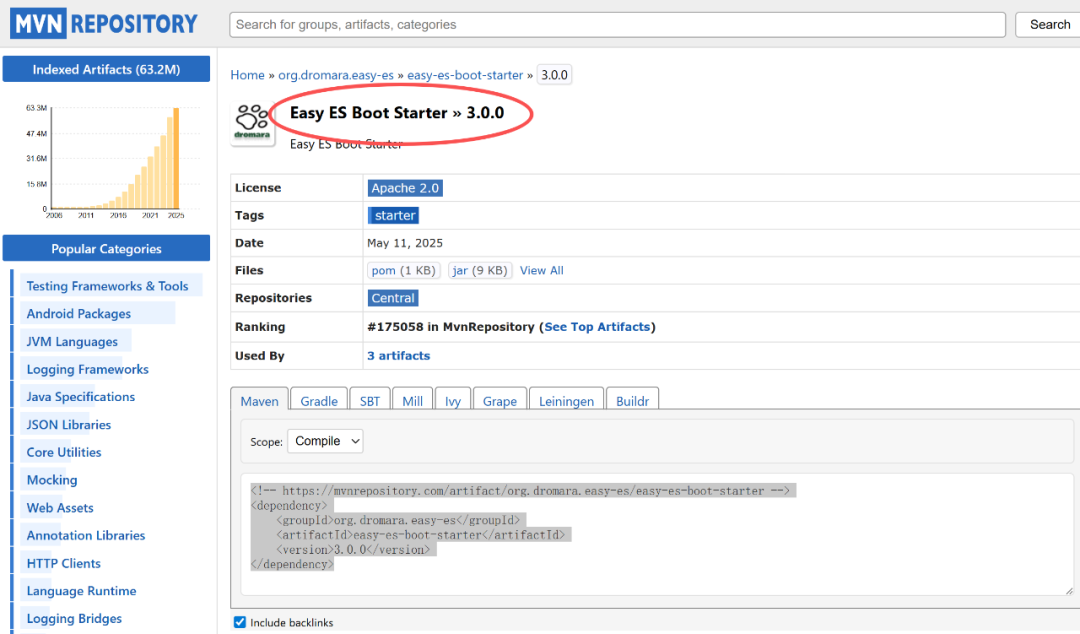
Easy-ES: 3.0.0 (Dromara 社区出品)
-
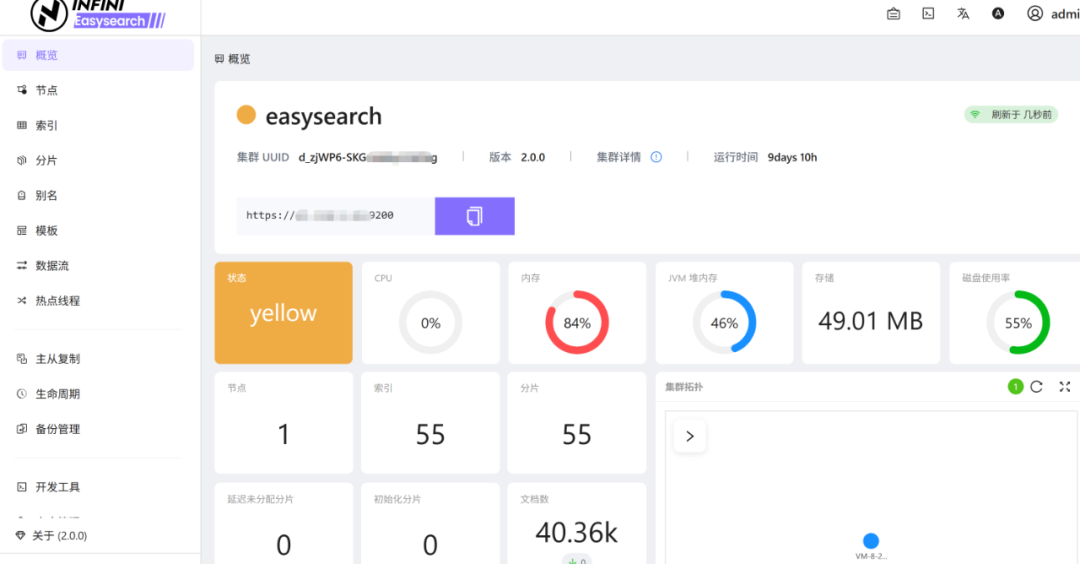
Easyesarch: 2.0.0 (Easy-ES 3.0 也支持 8.x)
1.2 核心 POM 配置(关键!)
避坑提示 :不要只引入 easy-es-boot-starter 就觉得万事大吉了。如果你的 ES 服务端是 7.X,务必显式锁定 elasticsearch 和 elasticsearch-rest-high-level-client 的版本,否则 Spring Boot 的默认版本可能会把你坑死。Easysearch 也可以兼容并使用如下的配置。
go
<dependencies>
    <dependency>
        <groupId>org.dromara.easy-es</groupId>
        <artifactId>easy-es-boot-starter</artifactId>
        <version>3.0.0</version>
    </dependency>

    <dependency>
        <groupId>org.springframework.boot</groupId>
        <artifactId>spring-boot-starter-test</artifactId>
        <scope>test</scope>
    </dependency>

    <dependency>
        <groupId>org.elasticsearch.client</groupId>
        <artifactId>elasticsearch-rest-high-level-client</artifactId>
        <version>7.17.28</version>
    </dependency>
    <dependency>
        <groupId>org.elasticsearch</groupId>
        <artifactId>elasticsearch</artifactId>
        <version>7.17.28</version>
    </dependency>
</dependencies>
1.3 application.yml 极简配置
go
easy-es:
  enable:true
address:你的IP:9200
# 如果是生产环境,建议开启账号密码
username:admin
password:your_password
# 默认为 http,如果是 https 需显式声明
schema:https
# 全局配置,生产环境建议关闭控制台打印 DSL,避免日志爆炸
global-config:
    print-dsl:true
unsetunset二、 极速 CRUD:像用 MyBatis-Plus 一样简单unsetunset
Easy-ES 最迷人的地方就在于此:零侵入,全注解。
2.1 实体类定义
注意 @IndexName 注解,它定义了索引名称。EE 会自动处理驼峰转下划线。
go
@Data
@IndexName("document_v1") // 建议加上版本号,方便后续通过别名迁移
public class Document {
    /**
     * ES 主键,推荐 String 类型
     */
    private String id;

    /**
     * 文档标题,analyzer 指定分词器(如 ik_max_word)
     */
    @IndexField(fieldType = FieldType.TEXT, analyzer = "ik_max_word")
    private String title;

    /**
     * 文档内容
     */
    @IndexField(fieldType = FieldType.TEXT, analyzer = "ik_max_word")
    private String content;
}
2.2 Mapper 接口
只需继承 BaseEsMapper,无需写 XML,无需写实现类。
go
public interface DocumentMapper extends BaseEsMapper<Document> {
    // 你的自定义方法
}
unsetunset三、 实战避坑:踩过的 Top 3 深坑unsetunset
代码写完了,一运行测试用例,往往才是噩梦的开始。以下是三个最典型的错误场景及其原理分析。
3.1 坑点一:resource_already_exists_exception
-
现象 :单元测试第一次跑全是绿的,第二次跑直接红灯,报错
index [...] already exists。 -
原理 :ES 的索引(Index)相当于 MySQL 的表。MySQL 建表时如果不加
IF NOT EXISTS也会报错。EE 提供了自动创建索引的功能,但测试环境往往需要"空杯心态"。 -
解决方案 :在
@BeforeEach或测试开始前,先判断,后删除,再创建。
go
@Test
@Order(1)
public void testCreateIndex() {
    String indexName = "document_v1";
    // 幂等性处理:存在则删,确保测试环境纯净
    if (documentMapper.existsIndex(indexName)) {
        documentMapper.deleteIndex(indexName);
    }
    boolean success = documentMapper.createIndex(indexName);
    Assertions.assertTrue(success);
}
3.2 坑点二:数据刚插入,查出来却是 Null?(核心!)
-
现象 :执行
insert成功,马上执行select,结果查不到数据。 -
原理(重点) :ES 是近实时(Near Real-Time)搜索引擎,不是实时数据库。
-
-
数据写入 ES 后,先进入 Memory Buffer,默认每隔 1秒(refresh_interval)才会刷写到 File System Cache 变为可被搜索(Searchable)。
-
这就是为什么你插入成功了,但立刻查不到。
-
-
解决方案:
-
-
测试环境 :强制刷新。调用
mapper.refresh()。 -
生产环境 :严禁 频繁调用
refresh()!这会导致产生大量的小 Segment 文件,严重拖慢写入性能并增加 Merge 压力。生产环境应容忍这 1 秒的延迟,或者通过业务逻辑规避(如先写库,UI 层做假反馈)。
-
go
@Test
@Order(2)
public void testInsertAndGet() {
    Document doc = new Document();
    doc.setTitle("Easy-ES实战");
    doc.setContent("铭毅天下风格博文");

    documentMapper.insert(doc);

    // 【关键一步】测试环境下,强制刷新索引,让数据立即可见
    documentMapper.refresh();

    // 此时才能查到
    Document result = documentMapper.selectById(doc.getId());
    Assertions.assertNotNull(result);
}
3.3 坑点三:中文乱码与各种控制台红字
-
现象:Windows PowerShell 下跑 Maven 测试,日志里的中文全是乱码,根本看不懂报错信息。
-
原因:Windows 终端默认 GBK,而 Maven 和 Java 都在用 UTF-8,编码不一致导致"鸡同鸭讲"。
-
解决方案:不要改系统配置,直接让 Maven 听话。
在 pom.xml 中强行指定 Surefire 插件编码:
go
<plugin>
    <groupId>org.apache.maven.plugins</groupId>
    <artifactId>maven-surefire-plugin</artifactId>
    <configuration>
        <argLine>-Dfile.encoding=UTF-8</argLine>
    </configuration>
</plugin>
unsetunset四、 完整实战代码(复制即用)unsetunset
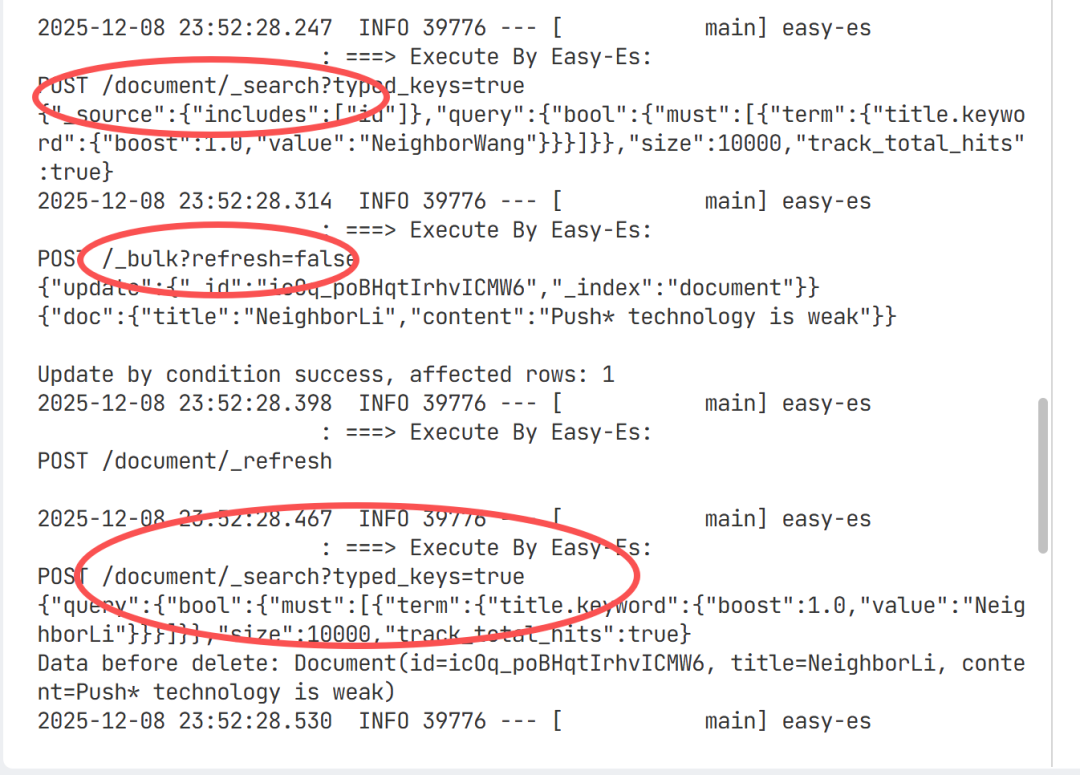
为了让大家能直接上手,这里提供一份集成了 CRUD 和上述修复方案的完整测试用例。采用 JUnit 5 的 @Order 确保执行顺序。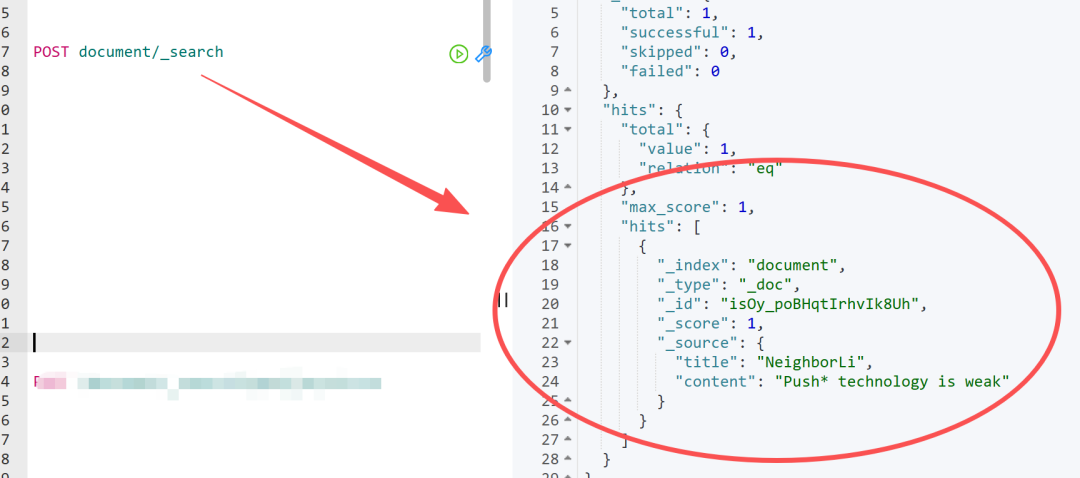
go
@SpringBootTest
@TestMethodOrder(MethodOrderer.OrderAnnotation.class)
public class DocumentEsTest {

    @Autowired
    private DocumentMapper documentMapper;

    /**
     * 1. 初始化索引
     */
    @Test
    @Order(1)
    public void initIndex() {
        String indexName = "document_v1";
        documentMapper.deleteIndex(indexName); // 暴力重置,仅限测试
        documentMapper.createIndex(indexName);
    }

    /**
     * 2. 插入与查询
     */
    @Test
    @Order(2)
    public void testInsert() {
        Document doc = new Document();
        doc.setTitle("Java性能优化");
        doc.setContent("深入理解JVM与垃圾回收");

        int success = documentMapper.insert(doc);
        Assertions.assertEquals(1, success);

        // 避坑:手动刷新
        documentMapper.refresh();

        // 链式查询体验
        Document found = EsWrappers.lambdaChainQuery(documentMapper)
                .eq(Document::getTitle, "Java性能优化")
                .one();

        System.out.println("查询结果:" + found);
        Assertions.assertNotNull(found);
    }

    /**
     * 3. 更新操作
     */
    @Test
    @Order(3)
    public void testUpdate() {
        // 构建更新条件
        LambdaEsUpdateWrapper<Document> wrapper = new LambdaEsUpdateWrapper<>();
        wrapper.eq(Document::getTitle, "Java性能优化")
               .set(Document::getContent, "内容已被更新:JVM实战");

        documentMapper.update(null, wrapper);
        documentMapper.refresh(); // 再次刷新

        Document updated = EsWrappers.lambdaChainQuery(documentMapper)
                .eq(Document::getTitle, "Java性能优化")
                .one();

        Assertions.assertEquals("内容已被更新:JVM实战", updated.getContent());
    }

    /**
     * 4. 删除操作
     */
    @Test
    @Order(4)
    public void testDelete() {
        LambdaEsQueryWrapper<Document> wrapper = new LambdaEsQueryWrapper<>();
        wrapper.eq(Document::getTitle, "Java性能优化");

        documentMapper.delete(wrapper);
        documentMapper.refresh();

        Long count = documentMapper.selectCount(wrapper);
        Assertions.assertEquals(0L, count);
    }
}
unsetunset五、 总结与最佳实践unsetunset
Spring Boot 结合 Easy-ES 确实能极大地提升开发效率,把原本几百行的 ES 客户端代码缩减到寥寥数行。但在享受便利的同时,千万不要忽略了 Easysearch 本身的特性。
给开发者的 3 条建议:
-
版本匹配是红线:Easy-ES、Spring Boot、Easysearch 三者版本必须由 Pom 严格管控,切勿随意升级其中之一。
-
理解 Refresh 机制 :不要在生产代码里滥用
.refresh(),这无异于杀鸡取卵。如果业务对实时性要求极高(毫秒级),请反思 ES 是否是正确的存储选型,或者考虑 ID 查询。 -
拥抱 Wrapper:尽量使用 LambdaWrapper 构造查询,它能避免硬编码字段名(Magic String),在重构时非常安全。
下一篇::
如果大家对 Easy-ES 的**聚合查询(Aggregation)**等实现感兴趣,欢迎在评论区留言,下一篇我们继续深挖!
unsetunset参考unsetunset
1Easy-ES 官方网站:
2 Easyearch 官网:
3Easy-Es 3.0.0 maven 地址: https://mvnrepository.com/artifact/org.dromara.easy-es/easy-es-boot-starter/3.0.0