先上导出的图
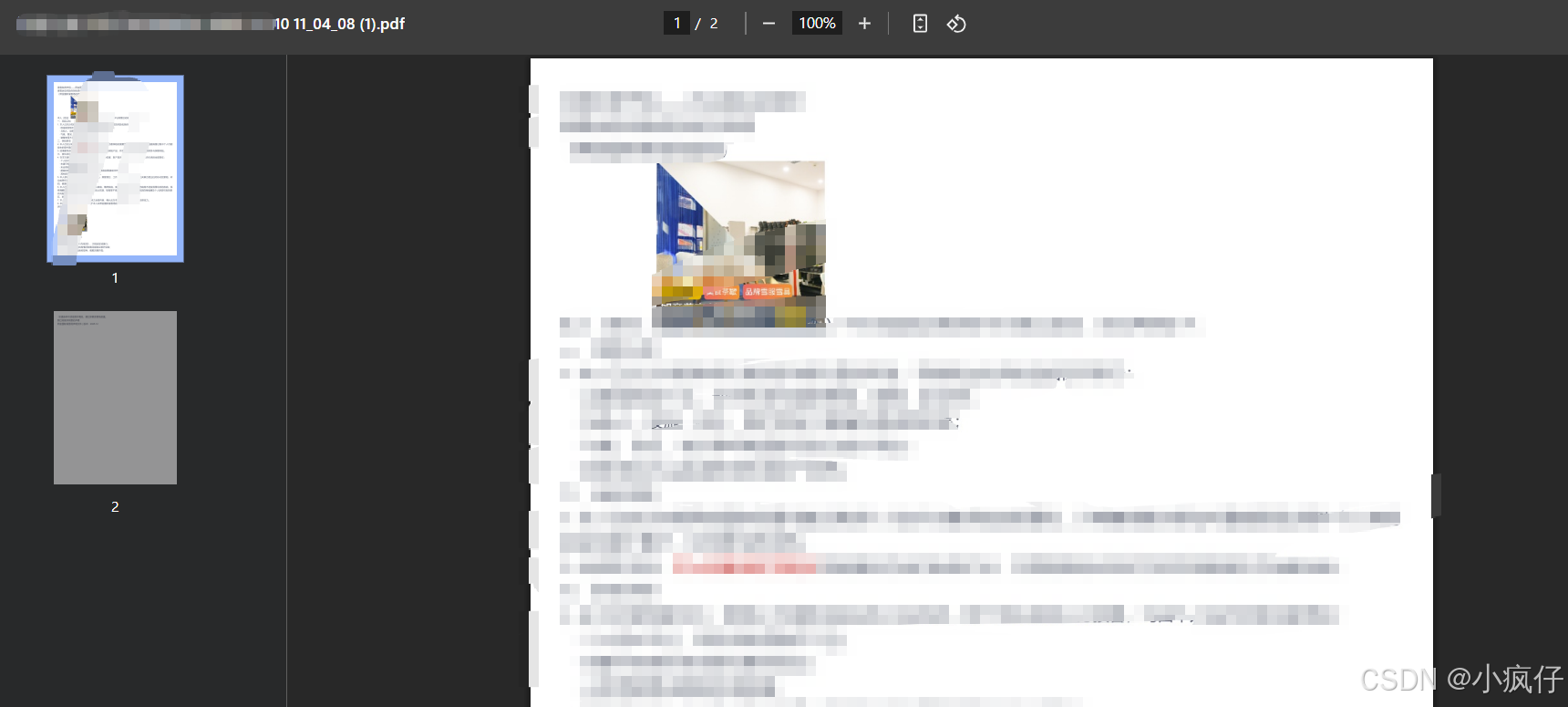
报错信息

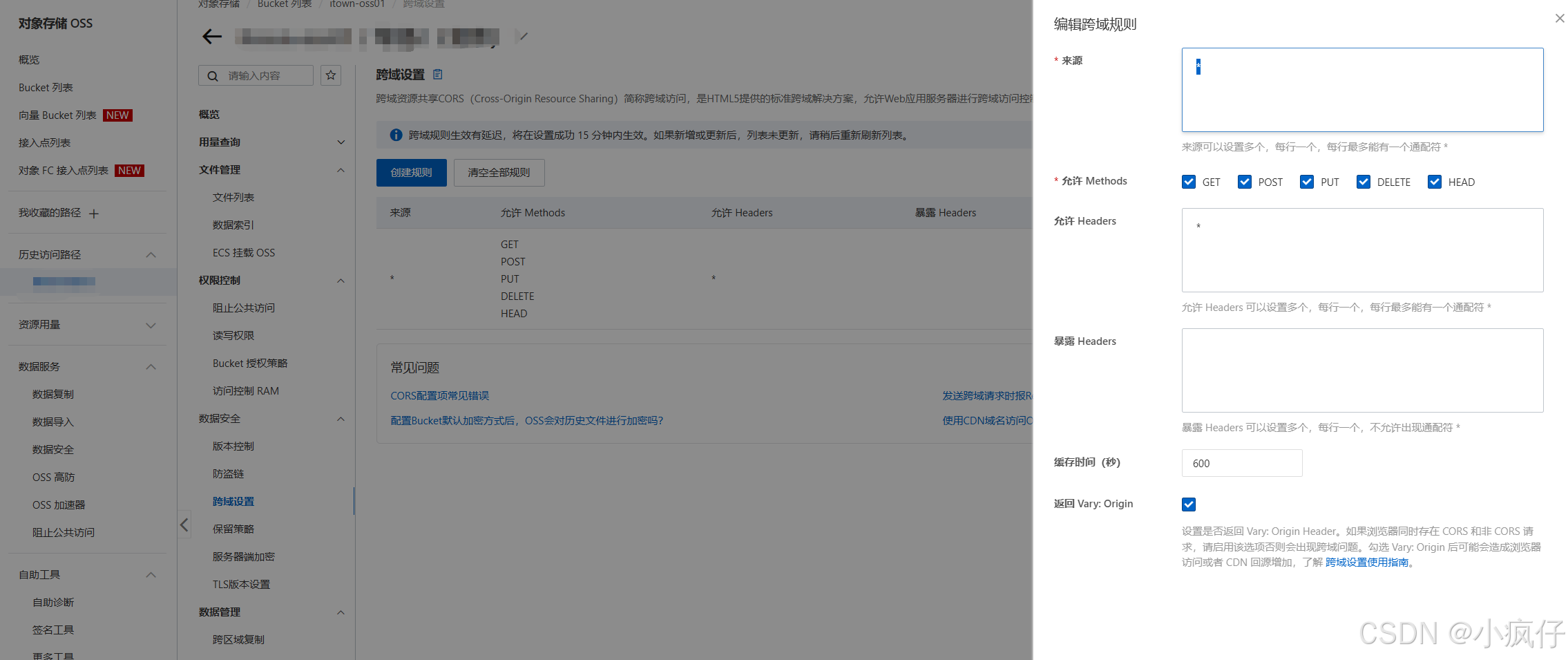
然后进入阿里oss控制台,配置好跨域就行了
操作步骤
1.进入 OSS 管理控制台 界面。
2.在左侧存储空间列表中,单击目标存储空间名称,打开该存储空间概览页面。
3.单击 基础设置 页签,找到 跨域设置 区域,然后单击 设置。
4.单击 创建规则,打开 设定跨域规则 对话框。
5.设置跨域规则。
1.来源:指定允许的跨域请求的来源。允许多条匹配规则,以回车为间隔。每个匹配规则允许使用最多一个""通配符。
2.允许 Methods:指定允许的跨域请求方法。
3.允许 Headers:指定允许的跨域请求 header。允许多条匹配规则,以回车为间隔。每个匹配规则使用最多一个" "通配符。
4.暴露 Headers:指定允许用户从应用程序中访问的响应头(例如一个 Javascript 的 XMLHttpRequest 对象)。
5.缓存时间:指定浏览器对特定资源的预取(OPTIONS)请求返回结果的缓存时间。
说明: 每个存储空间最多可以配置 10 条规则。
6.单击 确定。
贴出代码
javascript
downloadPDF2(ele, pdfName) {
      window.scrollTo(0, 0)
      const eleW = ele.offsetWidth // 获得该容器的宽
      const eleH = ele.offsetHeight // 获得该容器的高
      const eleOffsetTop = ele.offsetTop // 获得该容器到文档顶部的距离
      const eleOffsetLeft = ele.offsetLeft // 获得该容器到文档最左的距离

      var canvas = document.createElement('canvas')
      var abs = 0

      const win_in = document.documentElement.clientWidth || document.body.clientWidth

      // 获得当前可视窗口的宽度(不包含滚动条)
      const win_out = window.innerWidth // 获得当前窗口的宽度(包含滚动条)

      if (win_out > win_in) {
        abs = (win_out - win_in) / 2 // 获得滚动条宽度的一半
      }

      canvas.width = eleW * 2 // 将画布宽&&高放大两倍
      canvas.height = eleH * 2

      var context = canvas.getContext('2d')
      context.scale(2, 2)
      context.translate(-eleOffsetLeft - abs, -eleOffsetTop)

      html2canvas(ele, {
        scale: 2,
        useCORS: true,
      }).then((canvas) => {
        const imgData = canvas.toDataURL('image/jpeg', 0.95);
        const pdf = new jsPDF('p', 'pt', 'a4');

        const pdfWidth = 595.28;   // A4 宽度
        const pdfHeight = 841.89;  // A4 高度
        const marginLeft = 20;
        const marginRight = 20;
        const marginTop = 20;
        const marginBottom = 20;

        const usableWidth = pdfWidth - marginLeft - marginRight;
        const usableHeight = pdfHeight - marginTop - marginBottom;

        // 计算缩放比例:让 canvas 宽度适配可用宽度
        const ratio = usableWidth / canvas.width;
        let currentHeight = canvas.height * ratio;

        // 单页情况
        if (currentHeight <= usableHeight) {
          pdf.addImage(
            imgData,
            'JPEG',
            marginLeft,
            marginTop,
            usableWidth,
            currentHeight
          );
        } else {
          // 多页分页:逐页截取 canvas 区域
          let position = 0;
          while (position < canvas.height) {
            // 创建临时 canvas 片段
            const pageCanvas = document.createElement('canvas');
            const pageCtx = pageCanvas.getContext('2d');

            // 设置页面片段高度(按比例)
            const pageCanvasHeight = Math.min(
              canvas.height - position,
              usableHeight / ratio
            );

            pageCanvas.width = canvas.width;
            pageCanvas.height = pageCanvasHeight;

            // 从原 canvas 截取片段
            pageCtx.drawImage(
              canvas,
              0, position,
              canvas.width, pageCanvasHeight,
              0, 0,
              canvas.width, pageCanvasHeight
            );

            const pageImg = pageCanvas.toDataURL('image/jpeg', 0.95);
            const pageImgHeight = pageCanvasHeight * ratio;

            pdf.addImage(
              pageImg,
              'JPEG',
              marginLeft,
              marginTop,
              usableWidth,
              pageImgHeight
            );
            position += pageCanvasHeight;
            if (position < canvas.height) {
              pdf.addPage();
            }
          }
        }
        pdf.save(pdfName)
      })
    }
使用方法
javascript
<div id="codeBox">
xxxxxxxx
<img style="width: 20%" :src="url" />
</div>
 <Button type="error" icon="md-checkmark"  @click="downloadPDF">下载PDF</Button>


    downloadPDF() {
      this.loading = true
      let ele = document.getElementById('codeBox')
      this.downloadPDF2(ele, `pdf文件名.pdf`)
    },
我看网上有人在img标签里加 crossorigin="anonymous" 我发现不能解决跨域的问题,后来各种找,才知道是oss的得去oss管理后台配置跨域才行,希望能帮到各位