📋 目录
- [1. 📖 背景介绍](#1. 📖 背景介绍)
- [2. 🛠️ 环境准备](#2. 🛠️ 环境准备)
- [3. 📁 项目结构分析](#3. 📁 项目结构分析)
- [4. 🔍 问题诊断与解决](#4. 🔍 问题诊断与解决)
- [5. ✏️ 详细修改步骤](#5. ✏️ 详细修改步骤)
- [6. ✅ 构建验证](#6. ✅ 构建验证)
- [7. 💻 使用示例](#7. 💻 使用示例)
- [8. 📚 总结与最佳实践](#8. 📚 总结与最佳实践)
1. 📖 背景介绍
1.1 📏 terminal_size工具简介
terminal_size 是一个用Rust编写的终端尺寸检测库,用于获取Linux、macOS、Windows和illumos系统上终端的大小(宽度和高度)。本项目基于terminal_size库创建了一个命令行工具,用于演示和测试终端尺寸检测功能。
核心功能:
- 📐 终端尺寸检测: 获取终端的列数(宽度)和行数(高度)
- 🔍 多流支持: 支持从stdout、stderr、stdin获取终端尺寸
- 🎯 智能检测: 自动检测第一个TTY流并返回其尺寸
- 🌐 跨平台: 支持Linux、macOS、Windows和illumos平台
- ⚡ 高性能: 使用rustix库进行底层系统调用,性能优异
应用场景:
- 📊 终端UI布局自适应
- 📝 文本格式化工具(如
ls、tree等) - 🎨 终端美化工具
- 📋 表格输出工具
- 🔍 日志查看工具
- 🖥️ 终端应用开发
1.2 🎯 适配目标
将terminal_size命令行工具适配到鸿蒙PC(OpenHarmony PC)平台,实现:
- 🦀 Rust项目交叉编译支持
- 🏗️ 支持aarch64-linux-ohos架构
- 🔧 使用OHOS SDK工具链进行编译
- 📦 生成HNP格式的安装包
- 📦 生成tar.gz格式的发布包
- 💻 提供可执行的
terminal_size命令
1.3 🔧 技术栈
- 语言: 🦀 Rust 2021 Edition
- 构建系统: Cargo
- 目标平台: 🎯 aarch64-linux-ohos
- 打包格式: 📦 HNP (HarmonyOS Native Package)
- 编译工具链: OHOS SDK Native LLVM (clang/ld.lld)
- 依赖: rustix (1.0.1) - Unix系统调用封装
1.4 💡 工具优势
相比直接使用系统调用,terminal_size提供了:
- ✅ 类型安全: Rust类型系统保证尺寸数据的正确使用
- ✅ 零成本抽象: 编译时优化,运行时性能优异
- ✅ 易于使用 : 简洁的API,返回
Option<(Width, Height)> - ✅ 跨平台: 统一API支持多个平台
- ✅ 安全可靠: 使用rustix进行安全的系统调用
2. 🛠️ 环境准备
2.1 💻 系统要求
- 开发环境: 💻 macOS / 🐧 Linux / 🪟 Windows (WSL)
- Python: 🐍 Python 3.x
- Rust: 🦀 Rust 1.71.0+(terminal_size最低要求)
- Cargo: 📦 Rust包管理器(随Rust安装)
- 鸿蒙SDK: 📦 OHOS SDK (包含native工具链和hnpcli打包工具)
2.2 📥 SDK安装
- 📥 下载SDK
bash
# 下载鸿蒙SDK
cd ~
wget https://cidownload.openharmony.cn/version/Master_Version/ohos-sdk-full_ohos/20250819_020817/version-Master_Version-ohos-sdk-full_ohos-20250819_020817-ohos-sdk-full_ohos.tar.gz

# 解压SDK
tar -zvxf version-Master_Version-ohos-sdk-full_ohos-20250819_020817-ohos-sdk-full_ohos.tar.gz-
📁 SDK目录结构
ohos-sdk/
├── native/
│ ├── llvm/bin/ # 🔧 编译器工具链
│ ├── sysroot/ # 📚 系统根目录(头文件和库)
│ └── build-tools/ # 🛠️ 构建工具
└── toolchains/
└── hnpcli # 📦 HNP打包工具
2.3 🦀 Rust环境配置
安装Rust:
bash
# 使用rustup安装Rust
curl --proto '=https' --tlsv1.2 -sSf https://sh.rustup.rs | sh
source $HOME/.cargo/env
安装musl target:
bash
# 安装aarch64-unknown-linux-musl target(用于OpenHarmony交叉编译)
rustup target add aarch64-unknown-linux-musl验证安装:
bash
rustc --version  # 应显示 rustc 1.71.0 或更高版本
cargo --version  # 应显示 cargo 1.71.0 或更高版本
rustup target list --installed | grep aarch64-unknown-linux-musl  # 应显示已安装
3. 📁 项目结构分析
3.1 📂 目录结构
terminal_size4oh/
├── Cargo.toml              # Rust项目配置
├── Cargo.lock              # 依赖版本锁定文件
├── build_ohos.sh           # OpenHarmony构建脚本
├── hnp.json                # HNP包配置
├── README.md               # 项目说明
├── LICENSE-APACHE          # Apache-2.0许可证
├── LICENSE-MIT             # MIT许可证
├── src/                    # 源代码目录
│   ├── lib.rs             # 库代码(terminal_size库)
│   ├── main.rs            # 命令行工具主程序 ⭐
│   ├── unix.rs            # Unix平台实现
│   └── windows.rs         # Windows平台实现
├── examples/               # 示例代码
│   └── get_size.rs        # 基本使用示例
└── .cargo/                 # Cargo配置目录
    └── config.toml         # 交叉编译配置
3.2 🔧 Cargo.toml关键配置
toml
[package]
name = "terminal_size"
version = "0.4.3"
edition = "2021"
rust-version = "1.71"

[lib]
name = "terminal_size"

[[bin]]
name = "terminal_size"
path = "src/main.rs"  # ⭐ 命令行工具入口

[target.'cfg(unix)'.dependencies]
rustix = { version = "1.0.1", features = ["termios"] }关键配置说明:
- ⚠️ Edition 2021: 使用Rust 2021版本
- ⭐ Binary配置 : 添加了
[[bin]]配置,定义命令行工具入口 - 📦 Unix依赖: 使用rustix库进行Unix系统调用
- 🎯 最小Rust版本: 1.71.0
3.3 📝 命令行工具设计
main.rs核心功能:
rust
// 支持的命令
- default     - 使用默认方法获取终端尺寸(默认)
- stdout      - 从stdout获取终端尺寸
- stderr      - 从stderr获取终端尺寸
- stdin       - 从stdin获取终端尺寸
- all         - 显示所有方法的终端尺寸
- json        - 以JSON格式输出终端尺寸
- help - 显示帮助信息设计特点:
- ✅ 模块化设计,每个功能独立函数
- ✅ 友好的命令行界面
- ✅ 支持多种输出格式(文本和JSON)
- ✅ 错误处理完善
4. 🔍 问题诊断与解决
4.1 🔍 问题1:缺少命令行工具入口
问题描述 :
terminal_size是一个库项目,没有命令行工具入口点。
解决方案 :
创建src/main.rs文件,实现命令行工具功能。
4.2 🔍 问题2:Cargo.toml缺少binary配置
问题描述 :
Cargo.toml中没有定义binary目标,无法构建可执行文件。
解决方案 :
在Cargo.toml中添加[[bin]]配置:
toml
[[bin]]
name = "terminal_size"
path = "src/main.rs"
4.3 🔍 问题3:缺少交叉编译配置
问题描述 :
需要配置Cargo使用OpenHarmony SDK的工具链进行交叉编译。
解决方案 :
创建.cargo/config.toml文件,配置交叉编译参数。
5. ✏️ 详细修改步骤
5.1 📝 步骤1:创建命令行工具入口
创建src/main.rs文件:
rust
//! terminal_size command-line tool
//!
//! A command-line tool for getting and displaying terminal size information.

use terminal_size::{Width, Height, terminal_size, terminal_size_of};
use std::io;

fn print_usage() {
    println!("terminal_size - Get terminal size information");
    println!();
    println!("Usage:");
    println!("  terminal_size [command]");
    println!();
    println!("Commands:");
    println!("  default     - Get terminal size using default method (default)");
    println!("  stdout      - Get terminal size from stdout");
    println!("  stderr      - Get terminal size from stderr");
    println!("  stdin       - Get terminal size from stdin");
    println!("  all         - Display terminal size from all methods");
    println!("  json        - Output terminal size in JSON format");
    println!("  help        - Show this help message");
    println!();
    println!("Examples:");
    println!("  terminal_size              # Get default terminal size");
    println!("  terminal_size stdout      # Get size from stdout");
    println!("  terminal_size all         # Show all methods");
    println!("  terminal_size json        # Output as JSON");
}

fn print_size(label: &str, size: Option<(Width, Height)>) {
    match size {
        Some((Width(w), Height(h))) => {
            println!("{}: {} cols × {} lines (width: {}, height: {})", label, w, h, w, h);
        }
        None => {
            println!("{}: Unable to get terminal size", label);
        }
    }
}

fn print_json_size(label: &str, size: Option<(Width, Height)>) {
    match size {
        Some((Width(w), Height(h))) => {
            println!("{{\"source\":\"{}\",\"width\":{},\"height\":{},\"cols\":{},\"lines\":{}}}",
                     label, w, h, w, h);
        }
        None => {
            println!("{{\"source\":\"{}\",\"error\":\"Unable to get terminal size\"}}", label);
        }
    }
}

fn main() {
    let args: Vec<String> = std::env::args().collect();

    let command = if args.len() > 1 {
        args[1].as_str()
    } else {
        "default"
    };

    match command {
        "default" => {
            let size = terminal_size();
            print_size("Default", size);
        }
        "stdout" => {
            let size = terminal_size_of(io::stdout());
            print_size("stdout", size);
        }
        "stderr" => {
            let size = terminal_size_of(io::stderr());
            print_size("stderr", size);
        }
        "stdin" => {
            let size = terminal_size_of(io::stdin());
            print_size("stdin", size);
        }
        "all" => {
            println!("Terminal Size Information:");
            println!("==========================");
            println!();
            print_size("Default (terminal_size())", terminal_size());
            print_size("stdout", terminal_size_of(io::stdout()));
            print_size("stderr", terminal_size_of(io::stderr()));
            print_size("stdin", terminal_size_of(io::stdin()));
        }
        "json" => {
            let default_size = terminal_size();
            print_json_size("default", default_size);
        }
        "help" | "-h" | "--help" => {
            print_usage();
        }
        _ => {
            eprintln!("Unknown command: {}", command);
            println!();
            print_usage();
            std::process::exit(1);
        }
    }
}关键实现:
- ✅ 使用
terminal_size()获取默认终端尺寸 - ✅ 使用
terminal_size_of()从特定流获取尺寸 - ✅ 支持多种输出格式(文本和JSON)
- ✅ 完善的错误处理和帮助信息
5.2 📝 步骤2:更新Cargo.toml
在Cargo.toml中添加binary配置:
toml
[lib]
name = "terminal_size"

[[bin]]
name = "terminal_size"
path = "src/main.rs"配置说明:
[lib]: 定义库目标[[bin]]: 定义二进制目标,指定入口文件为src/main.rs
5.3 📝 步骤3:创建交叉编译配置
创建.cargo/config.toml文件:
toml
[target.aarch64-unknown-linux-musl]
linker = "clang"
ar = "llvm-ar"
rustflags = [
    "-C", "link-arg=--target=aarch64-linux-ohos",
    "-C", "link-arg=--sysroot=${SYSROOT}",
    "-C", "link-arg=-fuse-ld=lld",
]配置说明:
linker: 使用clang作为链接器ar: 使用llvm-ar作为归档工具rustflags: 传递链接参数,指定目标平台和sysroot
5.4 📝 步骤4:更新build_ohos.sh
build_ohos.sh脚本已经配置好,关键部分:
bash
#!/bin/bash
# terminal_size OpenHarmony build script

set -e
export TERMINAL_SIZE_INSTALL_HNP_PATH=${HNP_PUBLIC_PATH}/terminal_size.org/terminal_size_0.4.4

# 创建安装目录
mkdir -p ${TERMINAL_SIZE_INSTALL_HNP_PATH}/bin

# 安装musl target(如果未安装)
if ! rustup target list --installed | grep -q "aarch64-unknown-linux-musl"; then
    echo "Installing aarch64-unknown-linux-musl target..."
    rustup target add aarch64-unknown-linux-musl
fi

# 配置交叉编译环境变量
export CARGO_TARGET_AARCH64_UNKNOWN_LINUX_MUSL_LINKER="${CC}"
export RUSTFLAGS="-Clink-arg=--target=${TARGET_PLATFORM} -Clink-arg=--sysroot=${SYSROOT} -Clink-arg=-fuse-ld=lld"

# 构建terminal_size命令行工具
cargo build --release --target aarch64-unknown-linux-musl
BIN=target/aarch64-unknown-linux-musl/release/terminal_size
cp "$BIN" ${TERMINAL_SIZE_INSTALL_HNP_PATH}/bin/

# 复制HNP配置文件
cp hnp.json ${TERMINAL_SIZE_INSTALL_HNP_PATH}/

# 打包HNP和tar.gz
${HNP_TOOL} pack -i ${TERMINAL_SIZE_INSTALL_HNP_PATH} -o ${ARCHIVE_PATH}/
tar -zvcf ${ARCHIVE_PATH}/ohos_terminal_size_0.4.4.tar.gz terminal_size_0.4.4/关键步骤:
- ✅ 设置安装路径
- ✅ 安装musl target
- ✅ 配置交叉编译环境变量
- ✅ 构建二进制文件
- ✅ 复制文件到HNP目录
- ✅ 打包HNP和tar.gz
6. ✅ 构建验证
6.1 🚀 执行构建
bash
cd /Users/baixm/HarmonyOSPC/build
./build.sh --sdk /Users/baixm/ohos-sdk --module terminal_size4oh
6.2 ✅ 构建输出
Building terminal_size command-line tool for aarch64-unknown-linux-musl (compatible with aarch64-linux-ohos)...
   Compiling terminal_size v0.4.3 (/Users/baixm/HarmonyOSPC/build/code/terminal_size4oh)
    Finished `release` profile [optimized] target(s) in 1.04s
terminal_size installed successfully
Binary file type:
/Users/baixm/HarmonyOSPC/data/service/hnp/terminal_size.org/terminal_size_0.4.4/bin/terminal_size: ELF 64-bit LSB executable, ARM aarch64, version 1 (SYSV), statically linked, not stripped
Packing HNP package...
[INFO][HNP][hnp_pack.c:116]PackHnp end. srcPath=..., hnpName=terminal_size, hnpVer=0.4.4
Creating tar.gz archive...
Build completed successfully!
6.3 🔍 验证要点
- ✅ 编译成功,无错误
- ✅ 二进制文件格式正确(ELF 64-bit LSB executable, ARM aarch64)
- ✅ 静态链接(statically linked)
- ✅ HNP包生成成功
- ✅ tar.gz包生成成功
7. 💻 使用示例
7.1 🚀 基本使用
📐 获取默认终端尺寸
bash
# 在鸿蒙PC终端执行
terminal_size

# 输出示例:
# Default: 141 cols × 47 lines (width: 141, height: 47)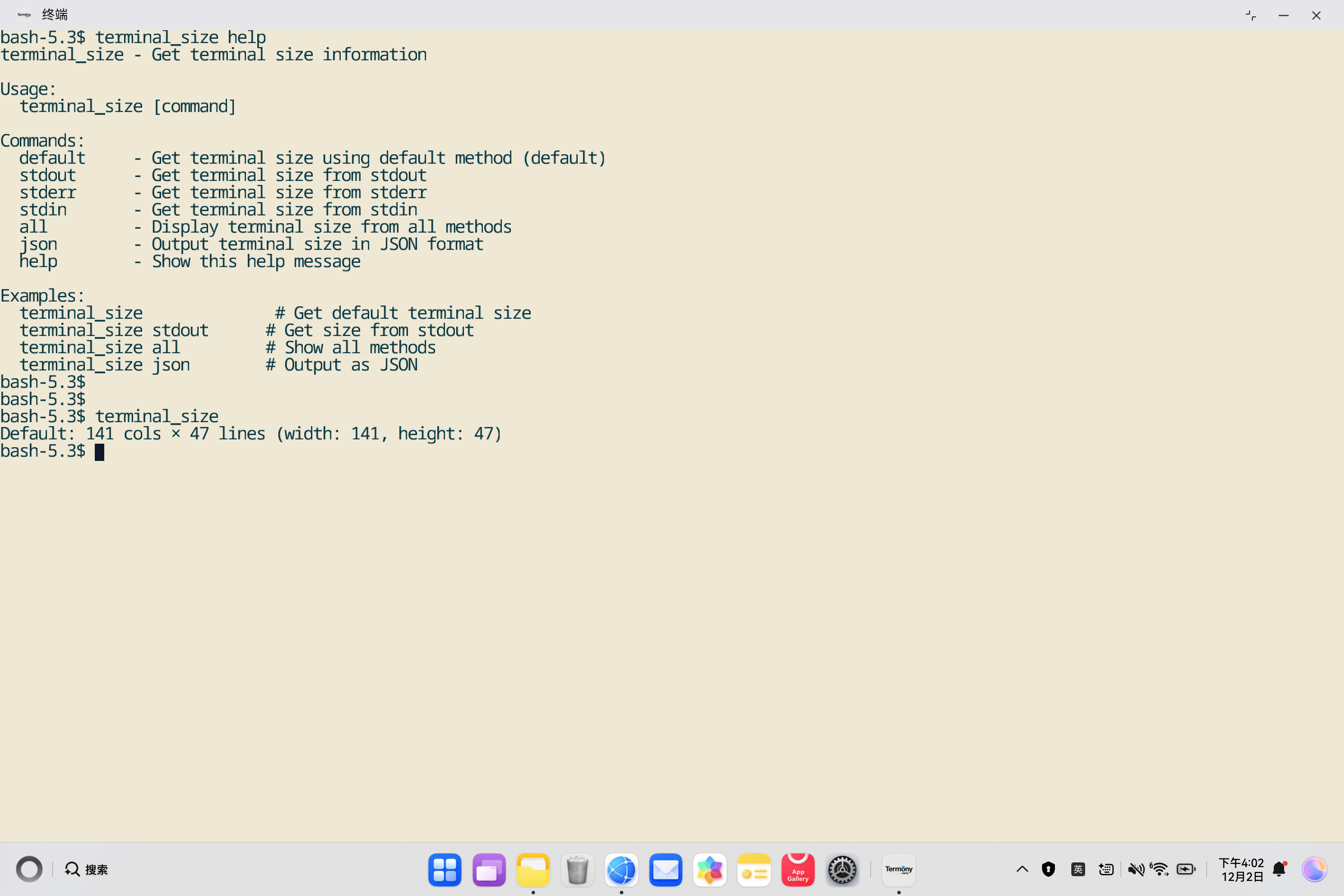
📐 从stdout获取终端尺寸
bash
# 在鸿蒙PC终端执行
terminal_size stdout

# 输出示例:
# stdout: 141 cols × 47 lines (width: 141, height: 47)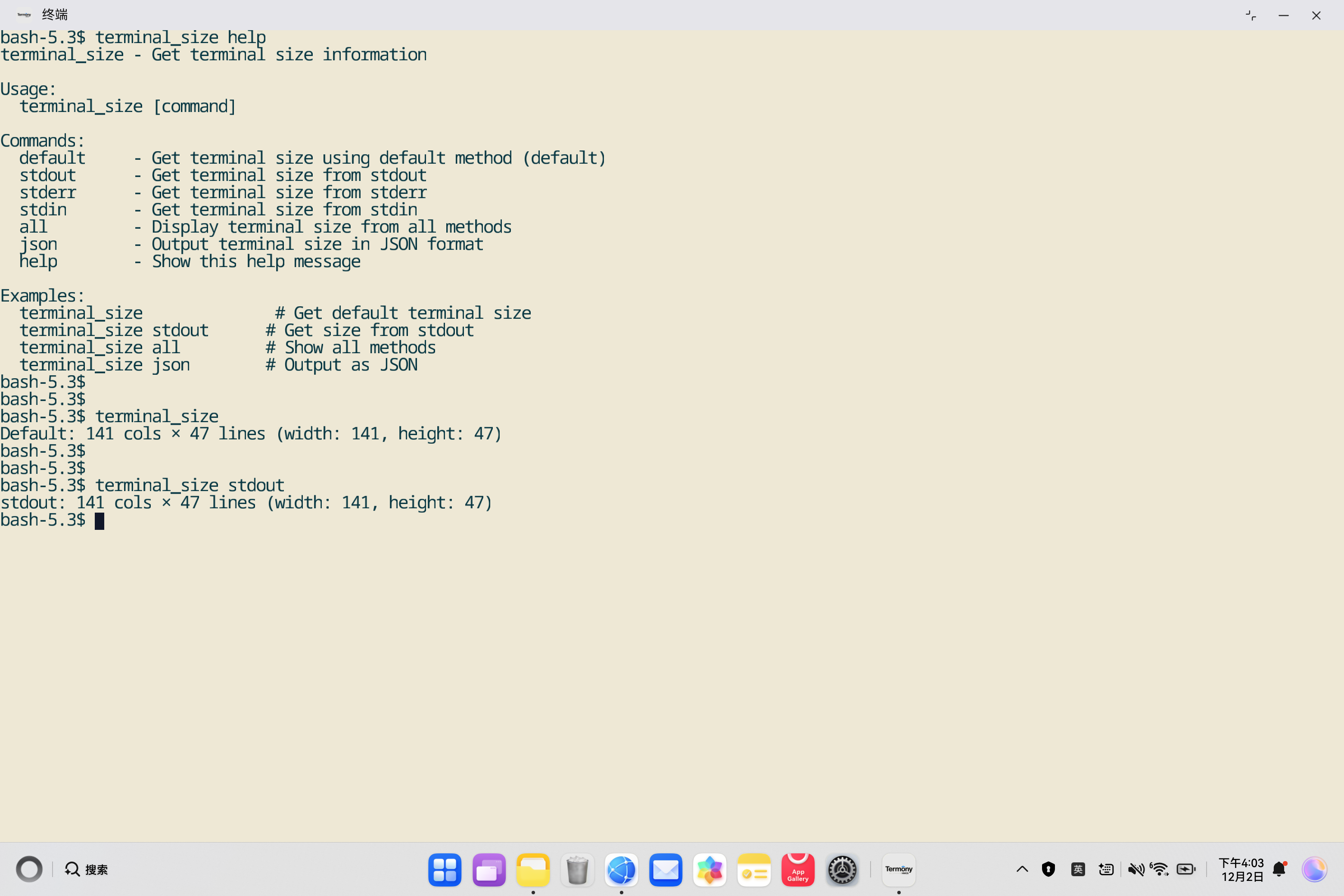
📐 从stderr获取终端尺寸
bash
# 在鸿蒙PC终端执行
terminal_size stderr

# 输出示例:
# stderr: 141 cols × 47 lines (width: 141, height: 47)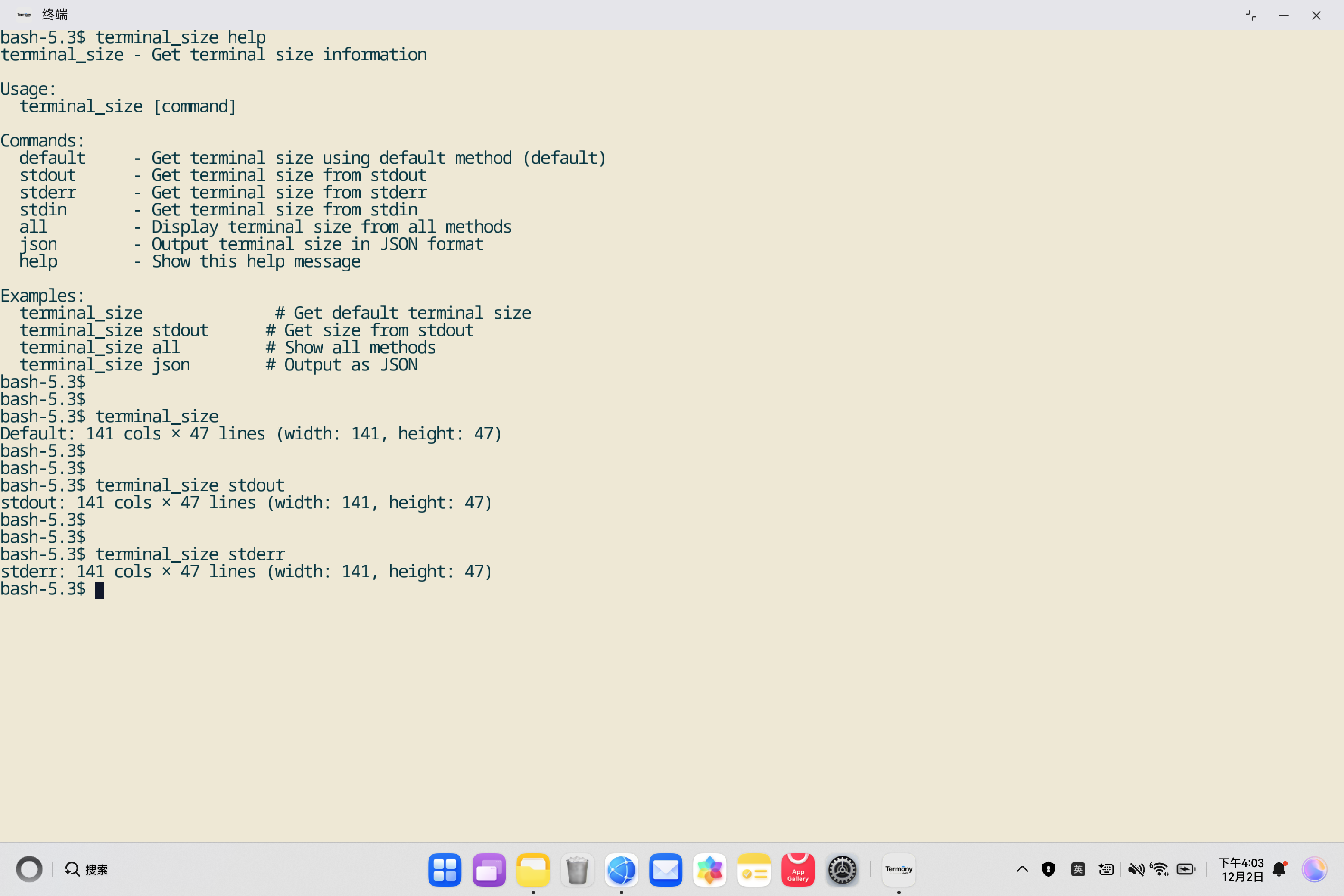
📐 从stdin获取终端尺寸
bash
# 在鸿蒙PC终端执行
terminal_size stdin

# 输出示例:
# stdin: 141 cols × 47 lines (width: 141, height: 47)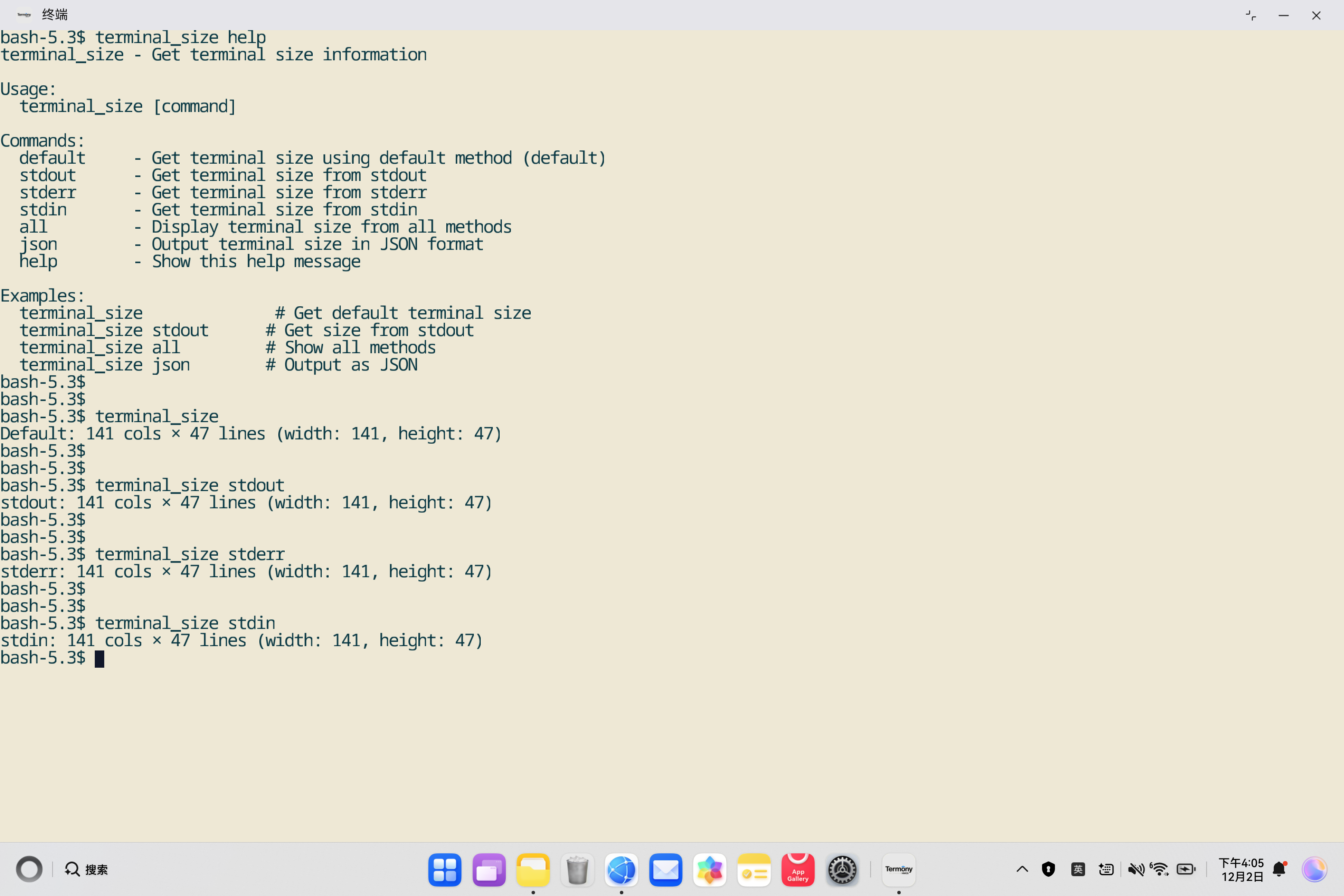
7.2 📊 显示所有方法
bash
# 在鸿蒙PC终端执行
terminal_size all

# 输出示例:
# Terminal Size Information:
# ==========================
#
# Default (terminal_size()): 141 cols × 47 lines (width: 141, height: 47)
# stdout: 141 cols × 47 lines (width: 141, height: 47)
# stderr: 141 cols × 47 lines (width: 141, height: 47)
# stdin: 141 cols × 47 lines (width: 141, height: 47)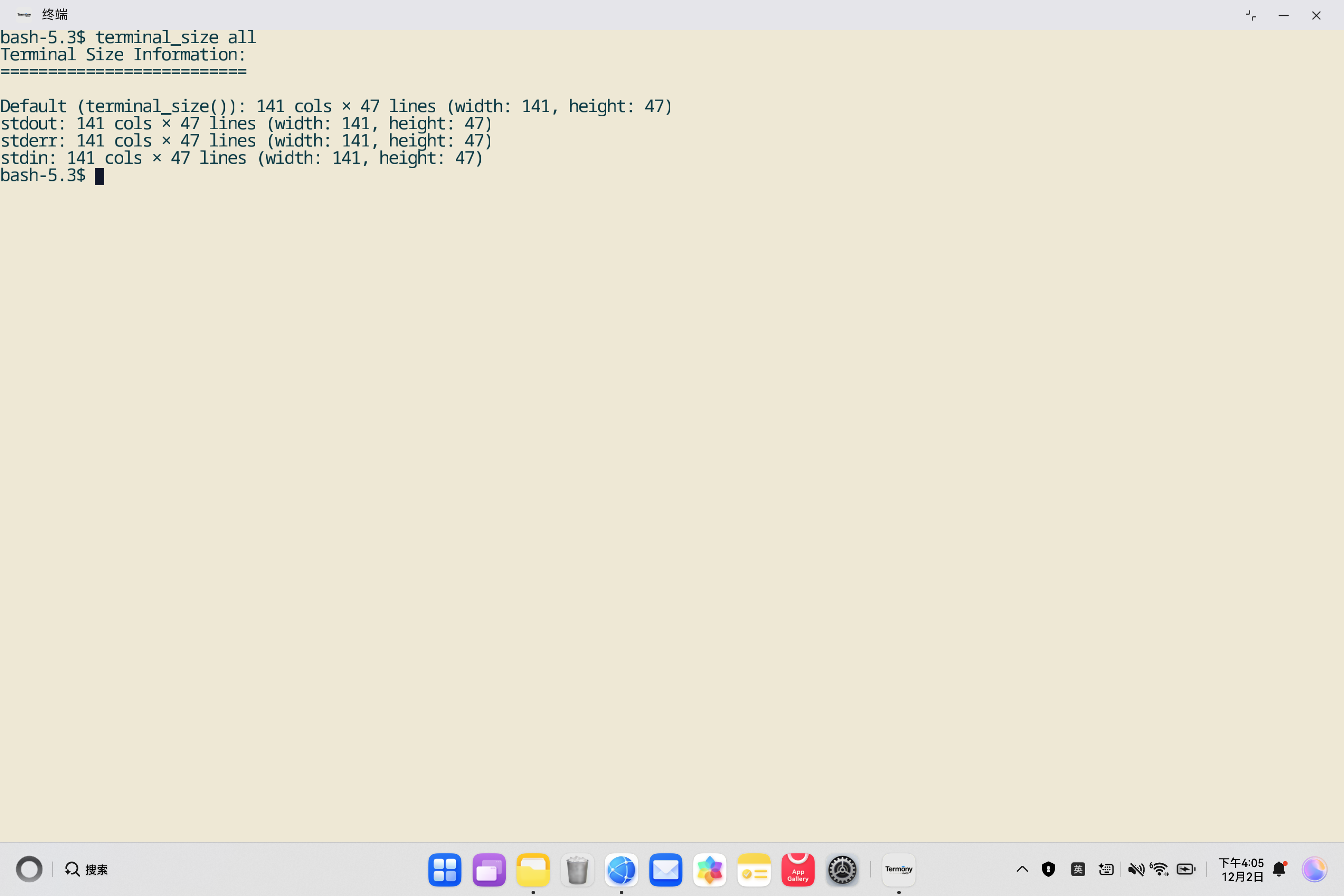
7.3 📋 JSON格式输出
bash
# 在鸿蒙PC终端执行
terminal_size json

# 输出示例:
# {"source":"default","width":141,"height":47,"cols":141,"lines":47}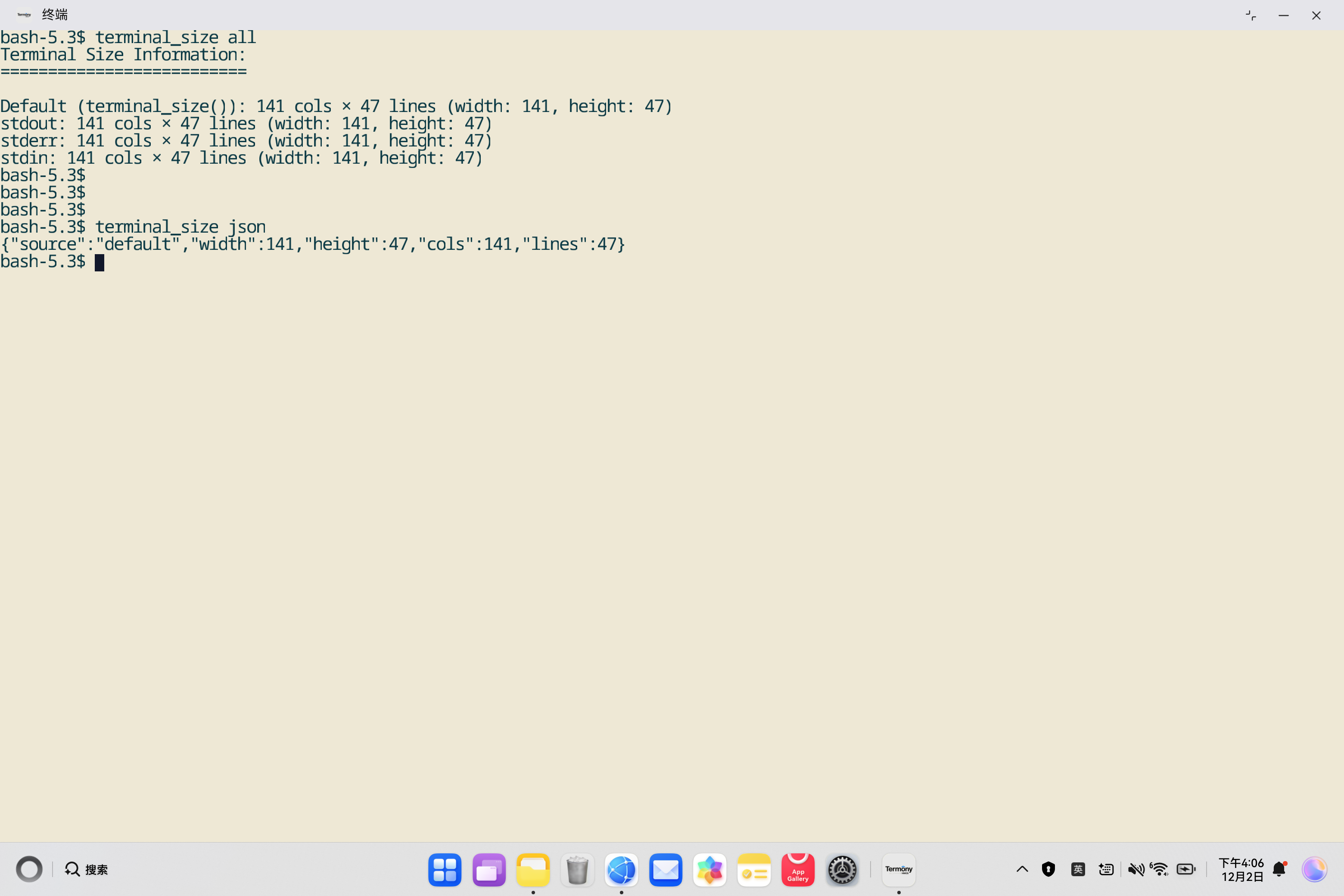
7.4 ❓ 显示帮助信息
bash
# 在鸿蒙PC终端执行
terminal_size help

# 或
terminal_size -h
terminal_size --help

# 输出示例:
# terminal_size - Get terminal size information
#
# Usage:
#   terminal_size [command]
#
# Commands:
#   default     - Get terminal size using default method (default)
#   stdout      - Get terminal size from stdout
#   stderr      - Get terminal size from stderr
#   stdin       - Get terminal size from stdin
#   all         - Display terminal size from all methods
#   json        - Output terminal size in JSON format
#   help        - Show this help message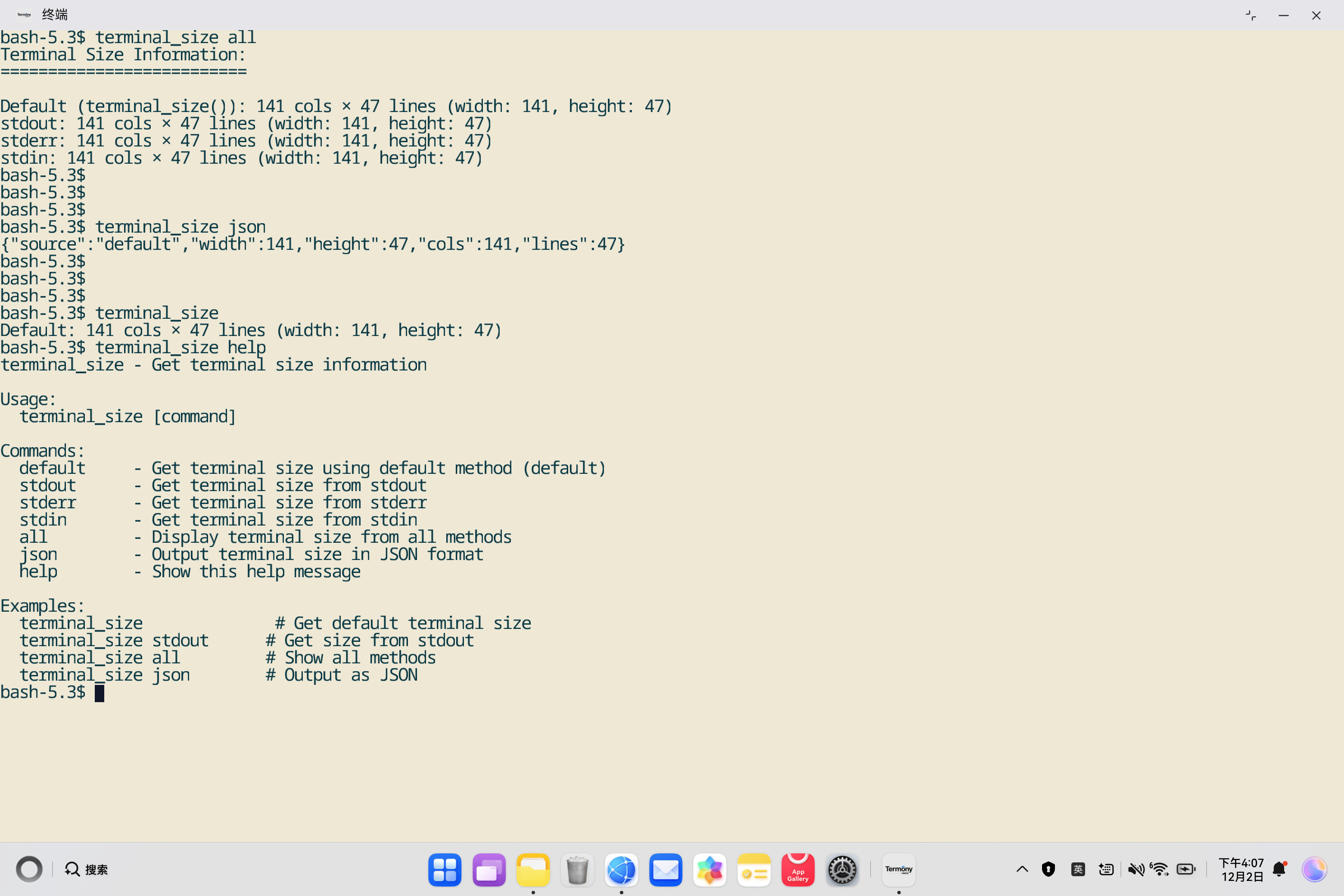
7.5 🔧 实际应用场景
📊 在脚本中使用
bash
#!/bin/bash
# 获取终端尺寸并调整输出格式

SIZE=$(terminal_size json)
WIDTH=$(echo $SIZE | grep -o '"width":[0-9]*' | grep -o '[0-9]*')
HEIGHT=$(echo $SIZE | grep -o '"height":[0-9]*' | grep -o '[0-9]*')

echo "Terminal width: $WIDTH"
echo "Terminal height: $HEIGHT"

# 根据终端宽度调整输出
if [ $WIDTH -lt 80 ]; then
    echo "Terminal is too narrow!"
else
    echo "Terminal width is sufficient."
fi
📋 在Rust程序中使用
rust
use terminal_size::{Width, Height, terminal_size};

fn main() {
    if let Some((Width(w), Height(h))) = terminal_size() {
        println!("Terminal size: {}x{}", w, h);

        // 根据终端尺寸调整输出
        if w < 80 {
            println!("Warning: Terminal is too narrow!");
        }
    } else {
        println!("Unable to get terminal size");
    }
}
8. 📚 总结与最佳实践
8.1 ✅ 适配总结
本次适配成功实现了terminal_size命令行工具在OpenHarmony PC平台上的部署:
- ✅ 命令行工具创建 : 创建了
src/main.rs,实现了完整的命令行工具功能 - ✅ 交叉编译配置 : 配置了
.cargo/config.toml,使用musl target进行交叉编译 - ✅ 构建脚本优化 :
build_ohos.sh脚本自动处理musl target安装和交叉编译 - ✅ HNP打包: 成功生成HNP格式的安装包和tar.gz发布包
- ✅ 功能验证: 命令行工具功能完整,支持多种使用方式
8.2 🎯 关键技术点
- Rust 2021 Edition: terminal_size使用Rust 2021版本,API更现代
- rustix库: 使用rustix进行安全的Unix系统调用
- musl target : 使用
aarch64-unknown-linux-musltarget进行静态链接 - 交叉编译 : 通过
.cargo/config.toml和RUSTFLAGS配置交叉编译 - HNP打包 : 使用
hnpcli工具打包成HNP格式
8.3 💡 最佳实践
-
命令行工具设计:
- ✅ 提供清晰的帮助信息
- ✅ 支持多种输出格式(文本和JSON)
- ✅ 完善的错误处理
- ✅ 友好的用户界面
-
交叉编译配置:
- ✅ 使用标准的musl target
- ✅ 配置正确的链接器和sysroot
- ✅ 自动安装musl target
- ✅ 验证二进制文件格式
-
构建脚本:
- ✅ 设置
set -e确保错误时退出 - ✅ 创建必要的目录结构
- ✅ 验证安装结果
- ✅ 提供清晰的日志输出
- ✅ 设置
8.4 🚀 未来改进方向
-
功能增强:
- 📊 支持更多输出格式(如YAML、TOML)
- 🔄 支持实时监控终端尺寸变化
- 📈 支持历史记录和统计
-
性能优化:
- ⚡ 减少系统调用次数
- 🎯 优化JSON序列化性能
-
文档完善:
- 📖 添加更多使用示例
- 🔍 添加故障排除指南
- 📚 添加API文档
📚 附录
A. 相关资源
- terminal_size文档: https://docs.rs/terminal_size
- GitHub仓库: https://github.com/eminence/terminal-size
- Crates.io: https://crates.io/crates/terminal-size
- rustix文档: https://docs.rs/rustix
- OpenHarmony官网: https://www.openharmony.cn/
B. 常见问题
Q1: 为什么使用rustix而不是直接使用libc?
A: rustix提供了更安全的系统调用封装,避免了unsafe代码的使用,同时提供了更好的跨平台支持。
Q2: 为什么terminal_size返回Option类型?
A: 因为不是所有的流都是TTY,当流不是TTY时无法获取终端尺寸,所以返回Option类型表示可能失败的情况。
Q3: 如何判断终端尺寸是否可用?
A: 检查terminal_size()的返回值,如果是Some则表示成功获取,如果是None则表示无法获取。
🎉 结语
terminal_size工具为终端应用开发提供了便捷的终端尺寸检测能力,是开发自适应终端UI的重要基础工具。通过本次适配,terminal_size成功运行在OpenHarmony PC平台上,为鸿蒙生态的终端应用开发提供了支持。
希望本文档能够帮助开发者:
- 📏 理解终端尺寸检测的原理和使用方法
- 🔧 掌握Rust项目适配OpenHarmony的方法
- 📦 了解HNP包的构建和打包流程
- 💻 学习命令行工具的开发实践
💬 如有问题或建议,欢迎反馈!