app.py伪代码:
RTSP_URL = rtsp://*.*.*.*:*/video
video_capture = None

def init_video_stream():
    """初始化视频流"""
    global video_capture
    try:
        video_capture = cv2.VideoCapture(RTSP_URL)
        video_capture.set(cv2.CAP_PROP_BUFFERSIZE, 1)
        print("RTSP流初始化成功")
    except Exception as e:
        print(f"RTSP流初始化失败: {e}")

def generate_frames():
    """生成视频帧"""
    while True:
        try:
            if video_capture is None:
                init_video_stream()
                time.sleep(1)
                continue

            success, frame = video_capture.read()
            if not success:
                print("读取视频帧失败,尝试重新连接...")
                video_capture.release()
                init_video_stream()
                time.sleep(1)
                continue

            # 调整帧大小以提高性能
            frame = cv2.resize(frame, (640, 480))

            # 编码为JPEG格式
            ret, buffer = cv2.imencode('.jpg', frame, [cv2.IMWRITE_JPEG_QUALITY, 80])
            if not ret:
                continue

            frame_bytes = buffer.tobytes()
            yield (b'--frame\r\n'
                   b'Content-Type: image/jpeg\r\n\r\n' + frame_bytes + b'\r\n')

        except Exception as e:
            print(f"生成视频帧错误: {e}")
            time.sleep(1)

@app.route('/video_feed')
def video_feed():
    """视频流路由"""
    print("------------------------------视频流已加载---------------------------------------")
    return Response(generate_frames(),
                    mimetype='multipart/x-mixed-replace; boundary=frame')


@app.route('/api/set-mode', methods=['POST'])
def set_mode():
    data = request.get_json()
    mode = data.get('mode')
    print(f"视频模式设置为: {mode}")
    return jsonify({'status': 'ok', 'mode': mode})
html页面伪代码:
<div class="video-container">
<img src = "" alt = "实时监控" id = "video-stream" style="display: none;"></div>


<div class="display-controls">
    <div class="display-option">
        <input type="radio" id="show-image" name="display-option" checked>
        <label for="show-image">显示图像</label>
    </div>
    <div class="display-option">
        <input type="radio" id="hide-image" name="display-option">
        <label for="hide-image">隐藏图像</label>
    </div>
</div>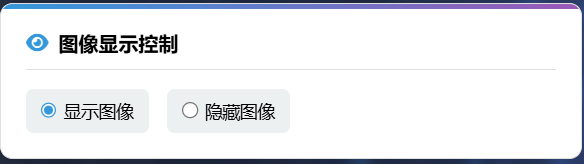
javasrcipt伪代码:
const video = document.getElementById('video-stream');
let videoStarted = false;

function startVideo(){
    if(!videoStarted){
        video.src = "/video_feed";
        video.style.display = "block";  //显示元素
        videoStarted = true;
    }
    fetch('/api/set-mode',{
        method: 'POST',
        headers: {'Content-Type': 'application/json'},
        body: JSON.stringify({mode: 'show'})
    });
}


function stopVideo() {
    video.style.display = 'none';

    // 发送到后端
    fetch('/api/set-mode', {
        method: 'POST',
        headers: {'Content-Type': 'application/json'},
        body: JSON.stringify({mode: 'hide'})
    });
}


// 页面加载完成后初始化
document.addEventListener('DOMContentLoaded', function() {
    // 初始化图表
    initTrendChart();
    if(document.getElementById('show-image').checked){
        startVideo();
    }
});