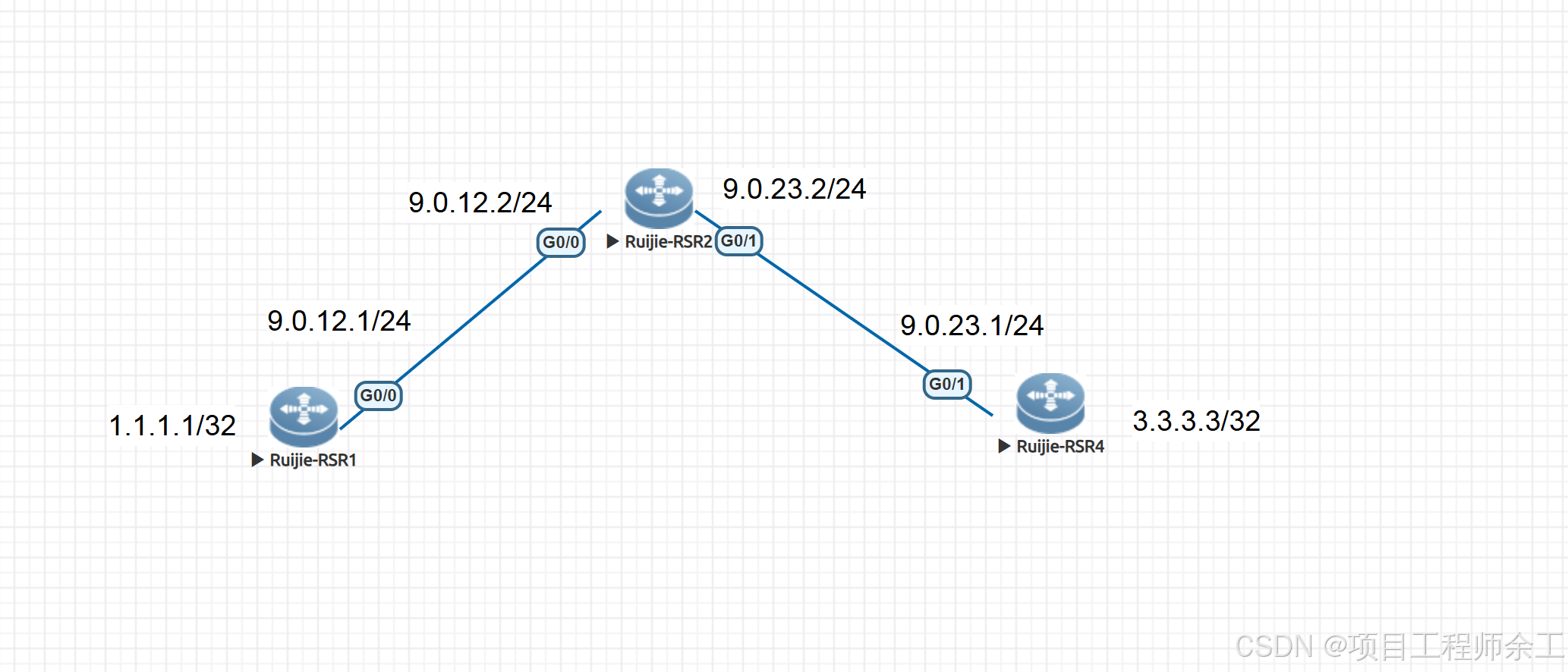
网络规划设计
1、先建用tunnel口建立GRE vpn隧道
2、再用ospf打通两边
3、对公网地址进行esp加密ipese vpn
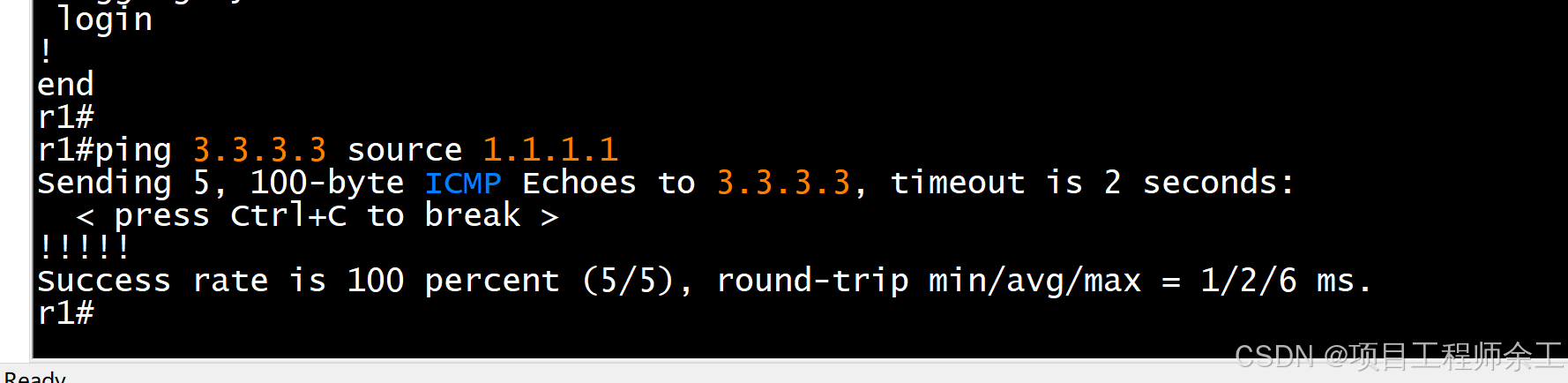
4、最后保证两边1.1.1.1和3.3.3.3互通
R1配置
ip access-list extended 100 //配置感兴趣流为公网地址,因为tunnel里面用的源目地址为公网地址
10 permit gre host 9.0.12.1 host 9.0.23.3
!
crypto isakmp policy 1 //isa安全提仪
authentication pre-share
!
crypto isakmp key 0 ruijie address 9.0.23.3 //预共享密钥ruijie
crypto ipsec transform-set admin esp-des //加密方式
mode transport
!
crypto map admin 1 ipsec-isakmp
set peer 9.0.23.3
set transform-set admin
match address 100 //调用acl
!
interface GigabitEthernet 0/0
ip address 9.0.12.1 255.255.255.0
crypto map admin //接口调用
!
interface Loopback 0
ip address 1.1.1.1 255.255.255.255
!
interface Tunnel 0
ip address 10.0.0.1 255.255.255.0
tunnel source 9.0.12.1 //使用公网建立GRE
tunnel destination 9.0.23.3
!
router ospf 1
graceful-restart
network 1.1.1.1 0.0.0.0 area 0 //发布私网IP
network 10.0.0.0 0.0.0.255 area 0 //建立ospf
!
ip route 0.0.0.0 0.0.0.0 9.0.12.2 //默认路由
R2配置
interface GigabitEthernet 0/0
ip address 9.0.12.2 255.255.255.0
!
interface GigabitEthernet 0/1
ip address 9.0.23.2 255.255.255.0
R3配置
ip access-list extended 100
10 permit gre host 9.0.23.3 host 9.0.12.1
!
crypto isakmp policy 1
authentication pre-share
!
crypto isakmp key 7 1235101b400424 address 9.0.12.1
crypto ipsec transform-set admin esp-des
mode transport
!
crypto map admin 1 ipsec-isakmp
set peer 9.0.12.1
set transform-set admin
match address 100
!
interface GigabitEthernet 0/1
ip address 9.0.23.3 255.255.255.0
crypto map admin
!
interface Loopback 0
ip address 3.3.3.3 255.255.255.255
!
interface Tunnel 0
ip address 10.0.0.3 255.255.255.0
tunnel source 9.0.23.3
tunnel destination 9.0.12.1
!
router ospf 1
graceful-restart
network 3.3.3.3 0.0.0.0 area 0
network 10.0.0.0 0.0.0.255 area 0
!
ip route 0.0.0.0 0.0.0.0 9.0.23.2
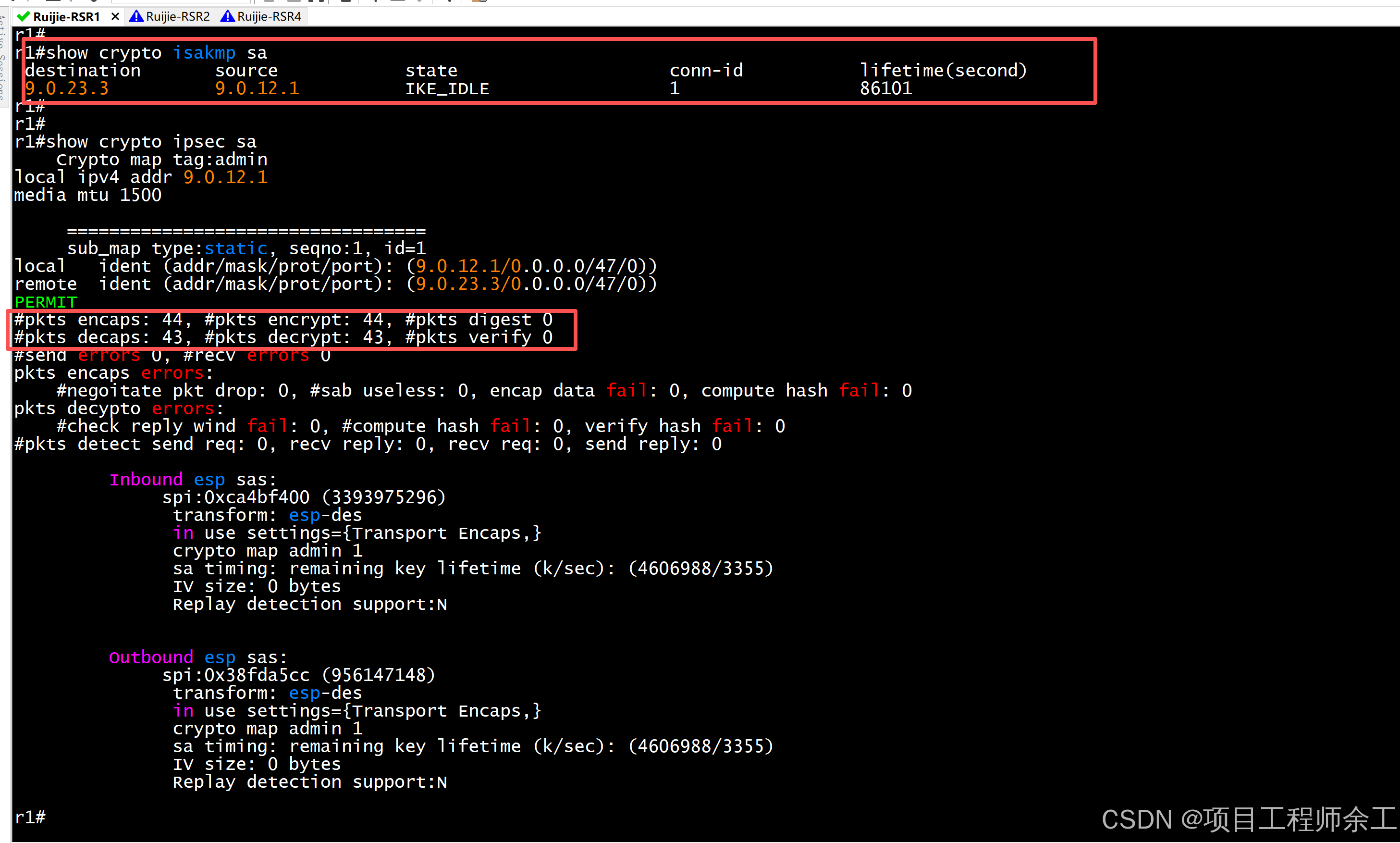
隧道建立情况
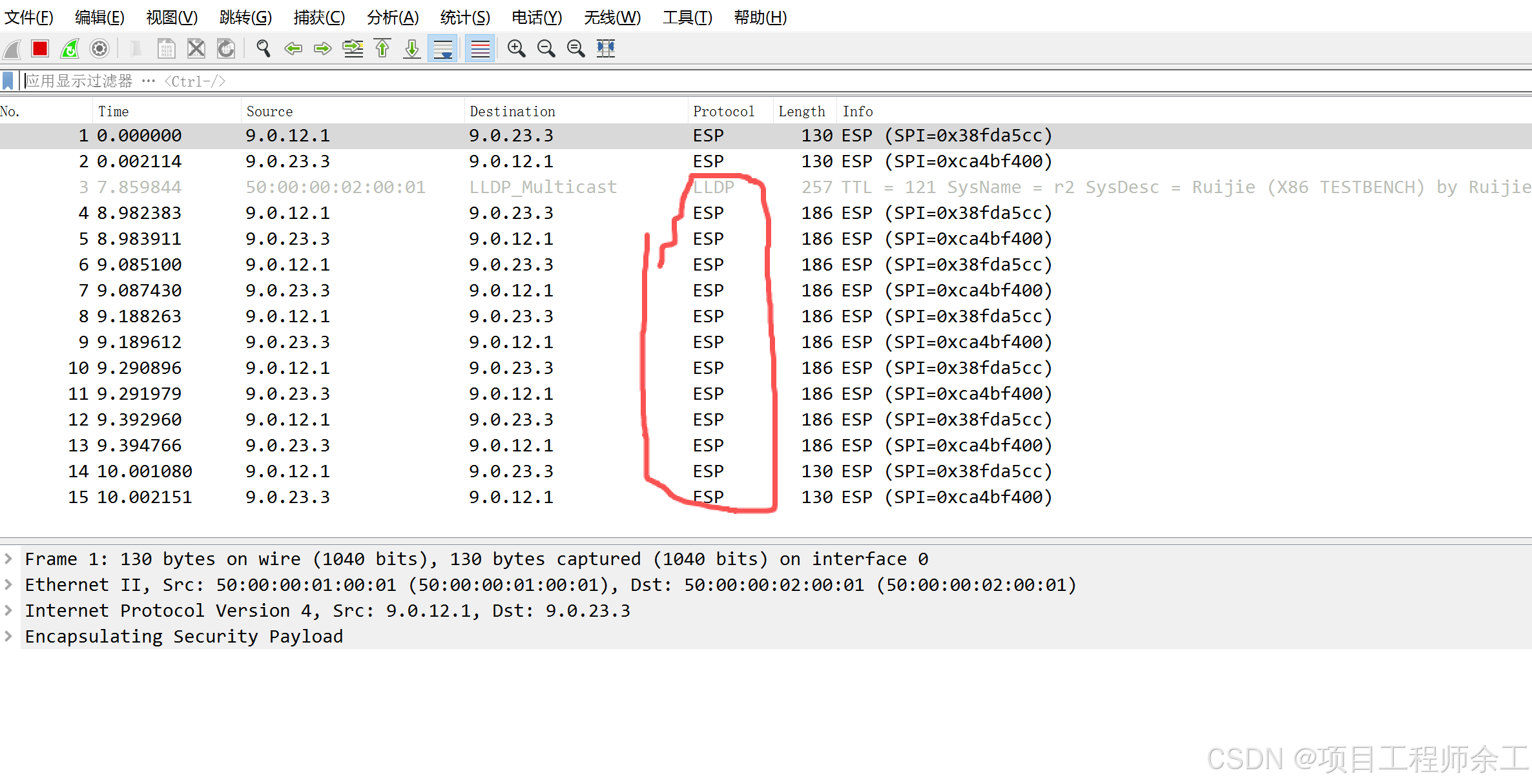
捉包查看加密情况
联通性测试