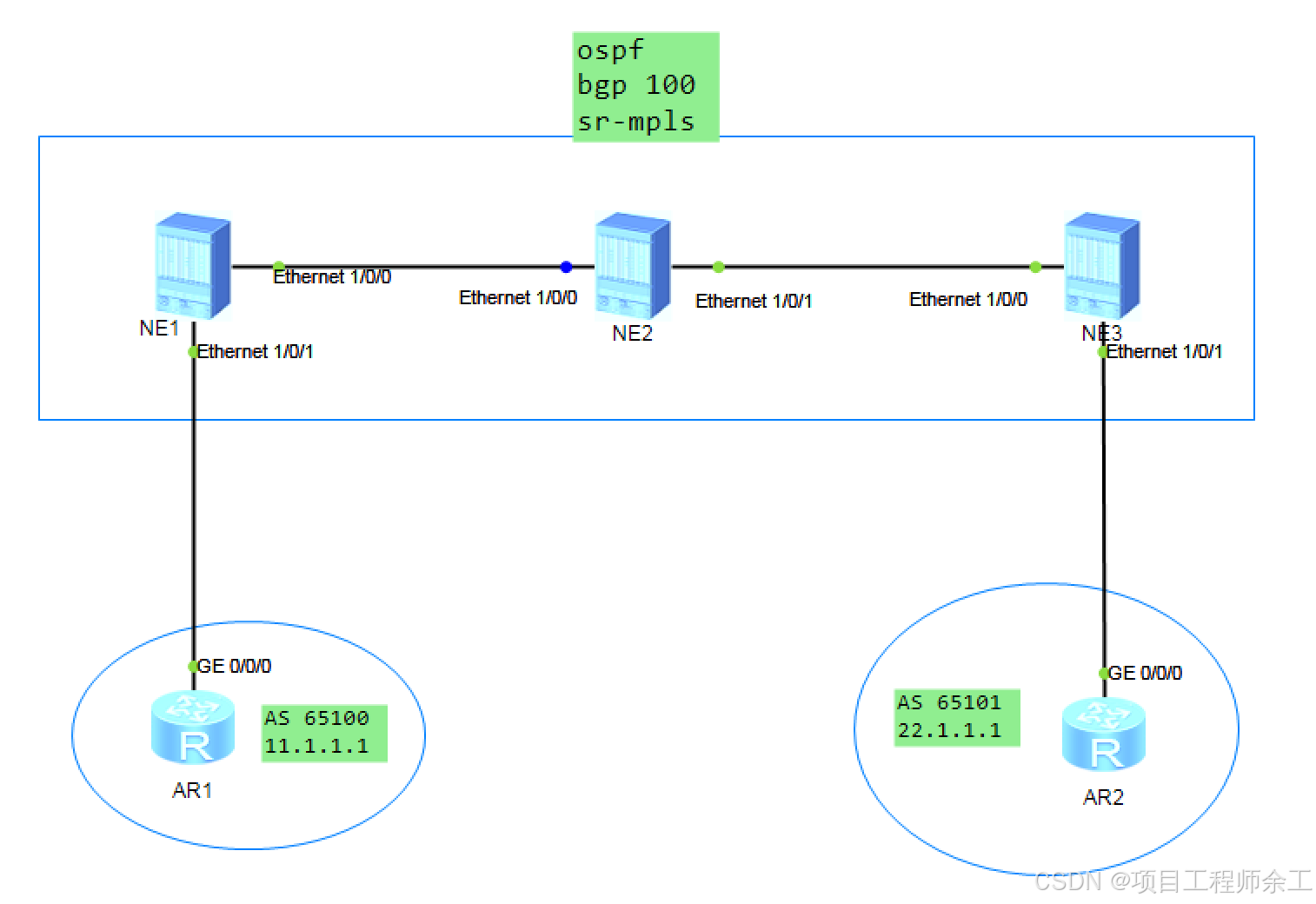
网络规划设计
1、不开ldp协议,只开mpls
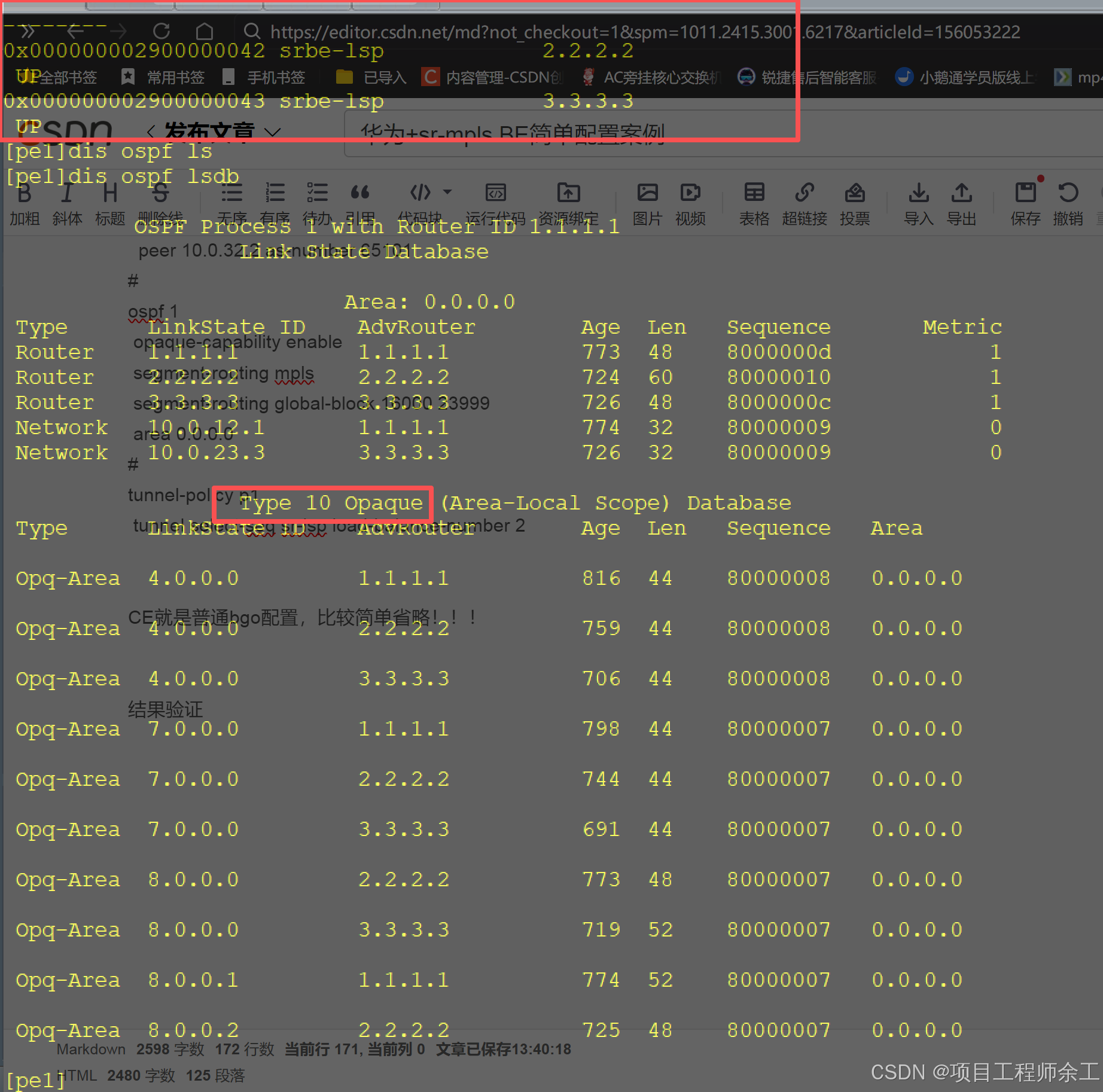
2、使用ospf 10类lsa传递
3、私网互通
NE1配置
pe1dis current-configuration
sysname pe1
ip vpn-instance a
ipv4-family
route-distinguisher 1:1
tnl-policy p1 //调用隧道策略,让本实例走这个隧道策略
vpn-target 1:1 export-extcommunity
vpn-target 1:1 import-extcommunity
mpls lsr-id 1.1.1.1
mpls //只开mpls不开ldp
segment-routing //开段路由功能
interface Ethernet1/0/0
undo shutdown
ip address 10.0.12.1 255.255.255.0
ospf enable 1 area 0.0.0.0
undo dcn
undo dcn mode vlan
interface Ethernet1/0/1
undo shutdown
ip binding vpn-instance a
ip address 10.0.11.1 255.255.255.0
undo dcn
undo dcn mode vlan
interface LoopBack0
ip address 1.1.1.1 255.255.255.255
ospf enable 1 area 0.0.0.0
ospf prefix-sid index 1 //SID偏移值,每台设备都不能一样
interface NULL0
bgp 100
peer 3.3.3.3 as-number 100
peer 3.3.3.3 connect-interface LoopBack0
ipv4-family unicast
undo synchronization
peer 3.3.3.3 enable
ipv4-family vpnv4
policy vpn-target
peer 3.3.3.3 enable //建立vpnv4邻居
ipv4-family vpn-instance a
peer 10.0.11.2 as-number 65100 //和ce设备建立 实例bgp
ospf 1
opaque-capability enable //开10类lsa功能
segment-routing mpls //支持段路由mpls
segment-routing global-block 16000 23999 //SRGB范围设置,所设备最好是一样,通过这个加上偏移值进行区分
area 0.0.0.0
tunnel-policy p1 //定义隧道策略强制使用sr-lsp,并设置ecmp负载
tunnel select-seq sr-lsp load-balance-number 2
NE2配置
sysname p
mpls lsr-id 2.2.2.2
mpls
segment-routing
interface Ethernet1/0/0
undo shutdown
ip address 10.0.12.2 255.255.255.0
ospf enable 1 area 0.0.0.0
undo dcn
undo dcn mode vlan
interface Ethernet1/0/1
undo shutdown
ip address 10.0.23.2 255.255.255.0
ospf enable 1 area 0.0.0.0
undo dcn
undo dcn mode vlan
interface LoopBack0
ip address 2.2.2.2 255.255.255.255
ospf enable 1 area 0.0.0.0
ospf prefix-sid index 2
interface NULL0
ospf 1
opaque-capability enable
segment-routing mpls
segment-routing global-block 16000 23999
area 0.0.0.0
NE3配置
pe2dis current-configuration
sysname pe2
ip vpn-instance a
ipv4-family
route-distinguisher 2:1
tnl-policy p1
vpn-target 1:1 export-extcommunity
vpn-target 1:1 import-extcommunity
segment-routing
interface Ethernet1/0/0
undo shutdown
ip address 10.0.23.3 255.255.255.0
ospf enable 1 area 0.0.0.0
undo dcn
undo dcn mode vlan
interface Ethernet1/0/1
undo shutdown
ip binding vpn-instance a
ip address 10.0.32.3 255.255.255.0
undo dcn
undo dcn mode vlan
interface LoopBack0
ip address 3.3.3.3 255.255.255.255
ospf enable 1 area 0.0.0.0
ospf prefix-sid index 3
interface NULL0
bgp 100
peer 1.1.1.1 as-number 100
peer 1.1.1.1 connect-interface LoopBack0
ipv4-family unicast
undo synchronization
peer 1.1.1.1 enable
ipv4-family vpnv4
policy vpn-target
peer 1.1.1.1 enable
ipv4-family vpn-instance a
peer 10.0.32.2 as-number 65101
ospf 1
opaque-capability enable
segment-routing mpls
segment-routing global-block 16000 23999
area 0.0.0.0
tunnel-policy p1
tunnel select-seq sr-lsp load-balance-number 2
CE就是普通bgo配置,比较简单省略!!!
结果验证
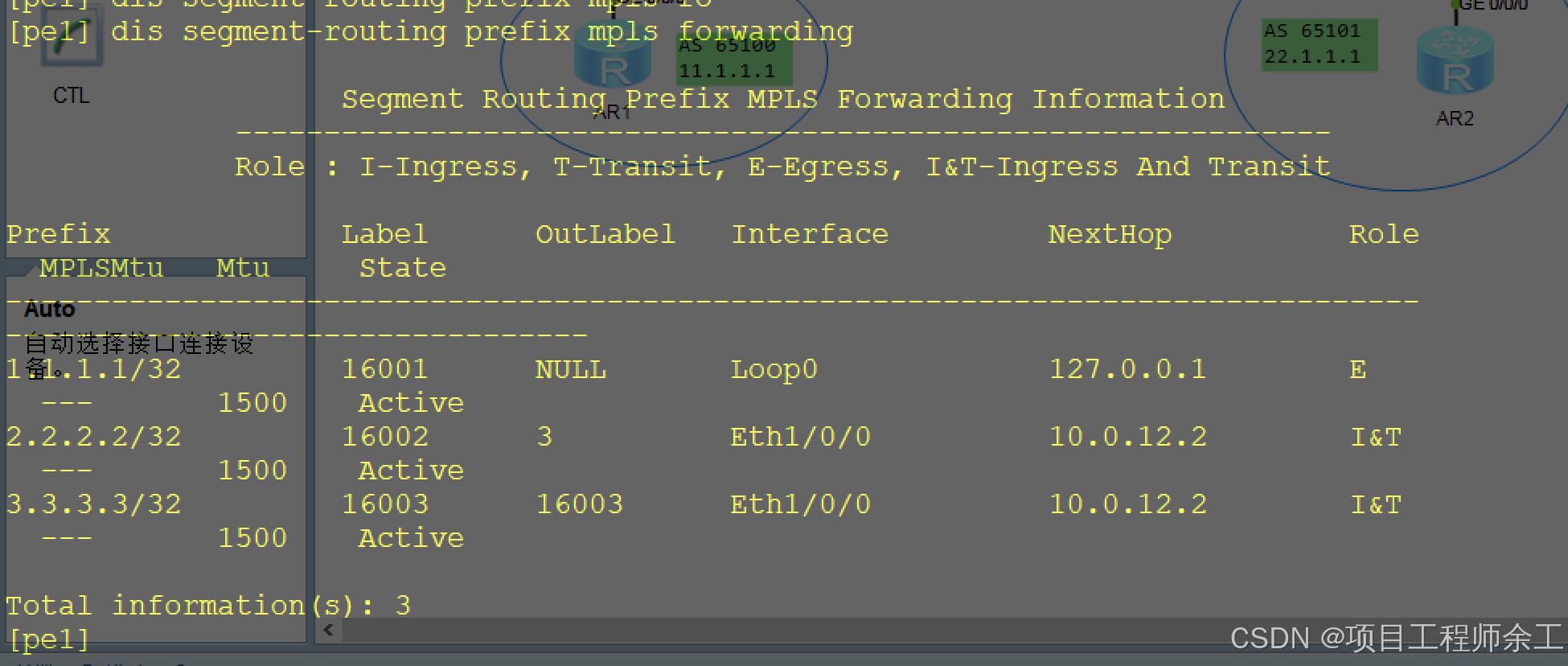
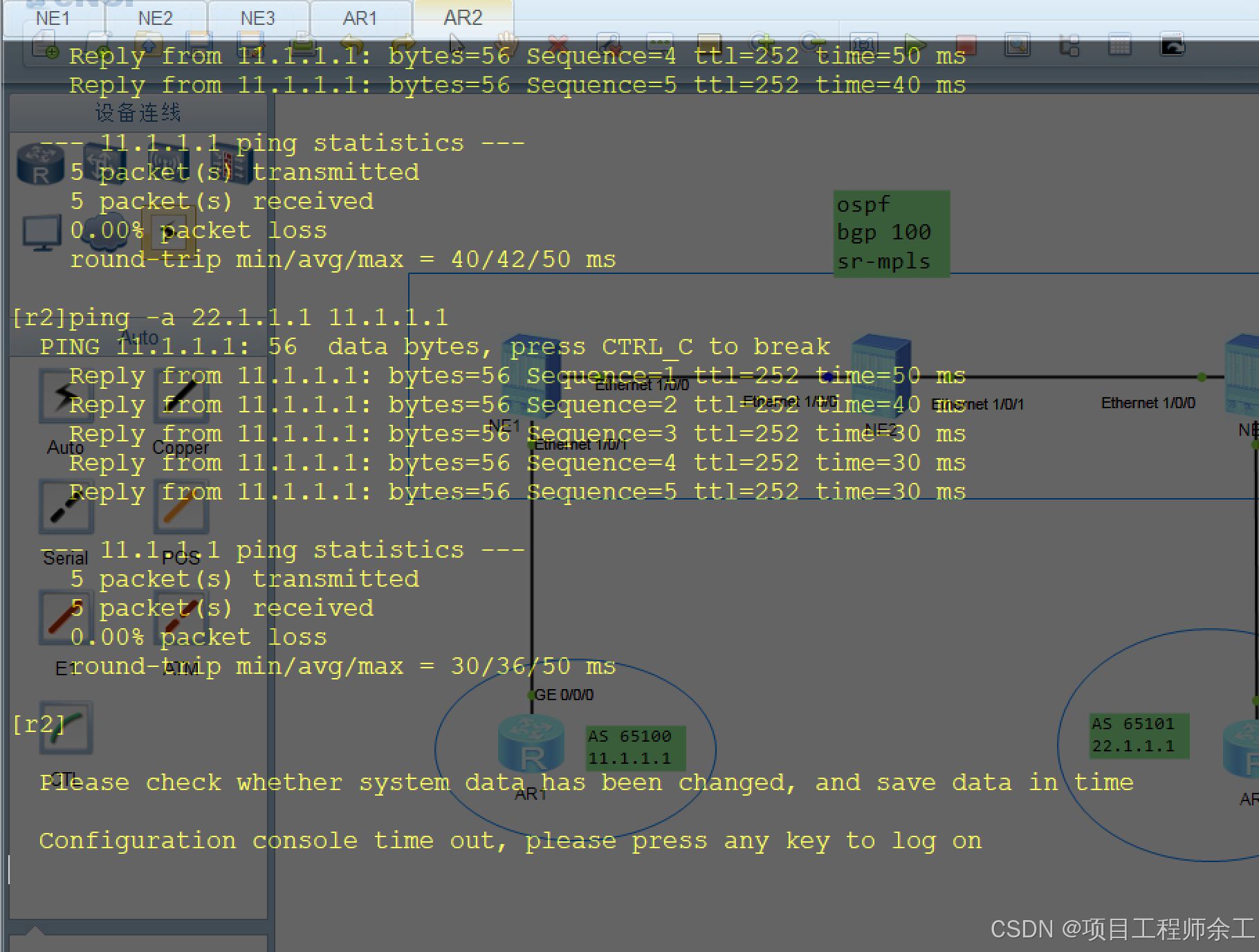
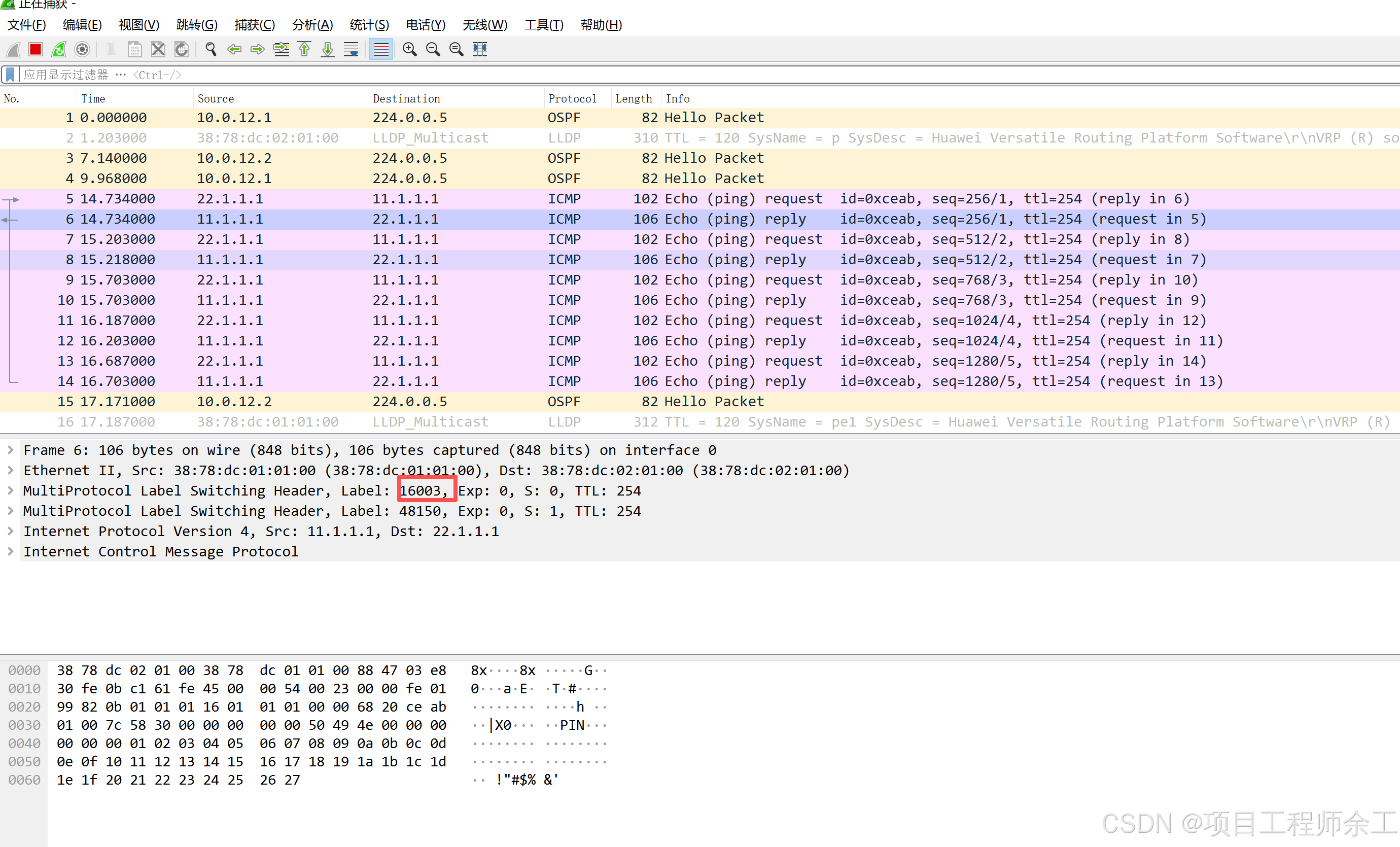
互通测试