ClaudeCode安装记录
ClaudeCode目前目前支持配置AutoGLM和Kimi;Mac版本会相对简单一点,AutoGLM配了自动化的部署脚本,Windows会稍微复杂一点,需要自己配置环境变量
1-参考网址
- 尚硅谷ClaudeCode使用教程:https://www.bilibili.com/video/BV1vG8QzcE5X
- MAC设置本地代理参考:https://zhuanlan.zhihu.com/p/1891348757653717263
- 解决国家不能访问:https://blog.csdn.net/qq_35376047/article/details/150064785
- AutoGLM直接修改-支持访问(Windows直接参考这个):https://docs.bigmodel.cn/cn/guide/develop/claude
- Claude的命令行使用参考:https://cloud.tencent.com/developer/article/2547347
- KIMI申请API_KEY:https://platform.moonshot.cn/console/api-keys
2-Windows安装
- 配置环境变量
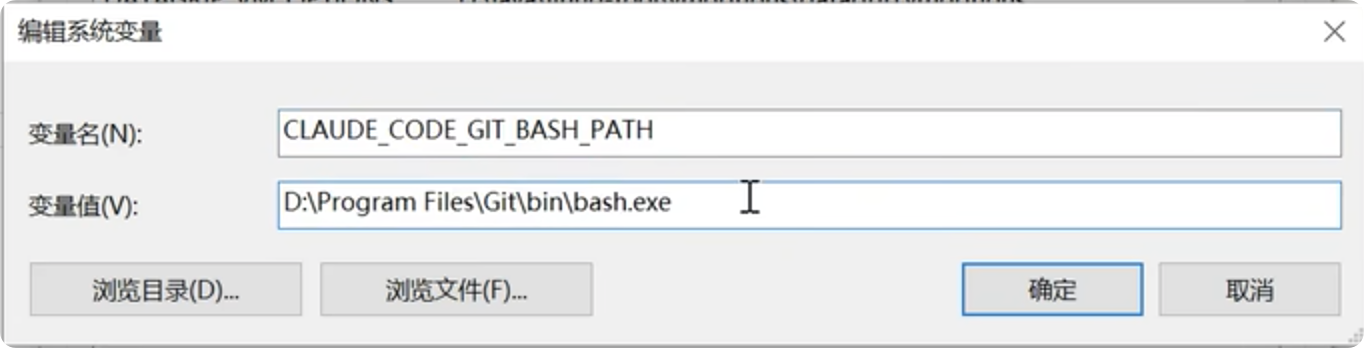
CLAUDE_CODE_GIT_BASH_PATH=git的路径:D:\TT_INSTALL+\GIT\bin\bash.exe
ANTHROPIC_API_KEY:XXXXXXXXXXXXXXXXXXXXXXX
ANTHROPIC_BASE_URL:https://api.moonshot.cn/anthropic-
安装claude-code
npm install -g @anthropic-ai/claude-code
-
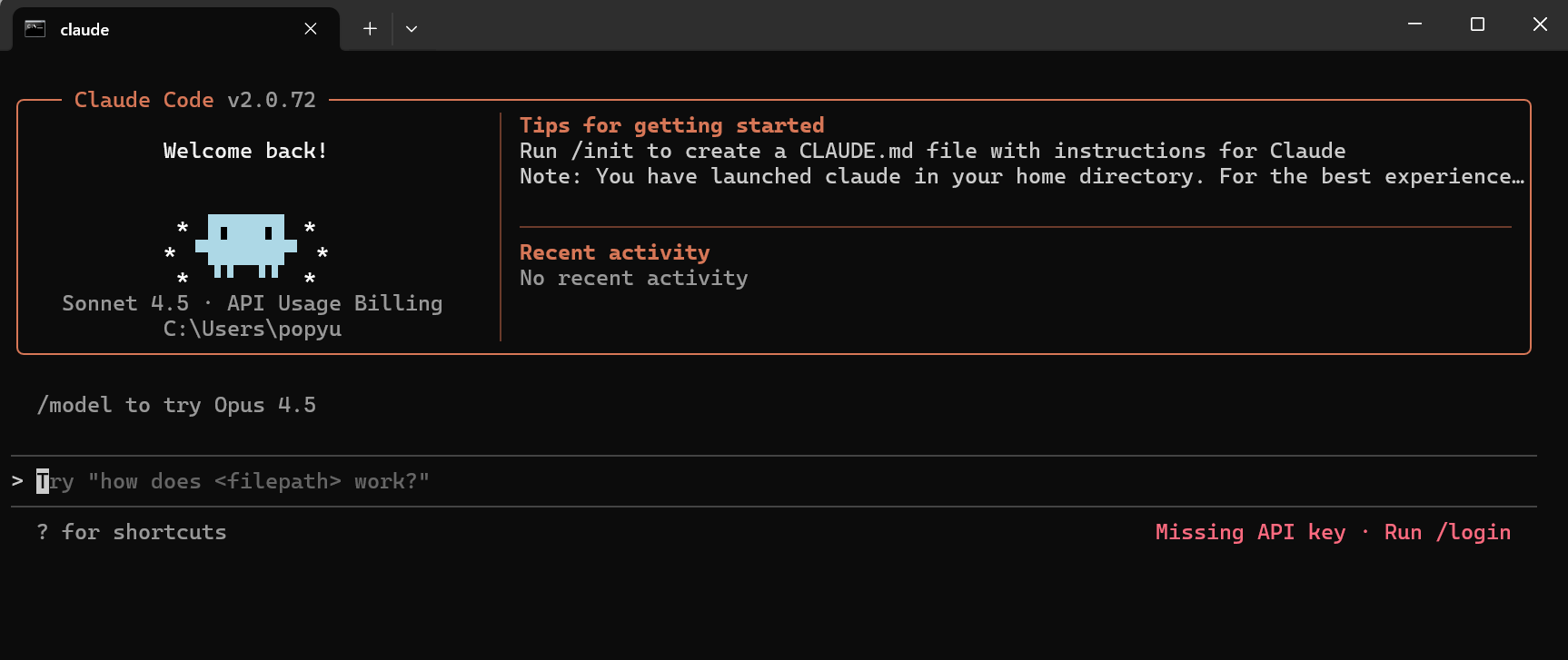
编辑C:\Users\popyu.claude.json
当前在代码中添加hasCompletedOnboarding=true之后就可以进行使用了,参考网址:https://blog.csdn.net/qq_35376047/article/details/150064785
json
{
  "installMethod": "npm-global",
  "cachedStatsigGates": {
    "tengu_disable_bypass_permissions_mode": false,
    "tengu_thinkback": false,
    "tengu_sumi": false,
    "tengu_prompt_suggestion": false
  },
  "mcpServers": {},
  "firstStartTime": "2025-12-18T11:31:06.602Z",
  "sonnet45MigrationComplete": true,
  "opus45MigrationComplete": true,
  "thinkingMigrationComplete": true,
  "hasCompletedOnboarding": true
}
3-Mac安装
- 使用AutoGLM的脚本直接就安装了:https://docs.bigmodel.cn/cn/guide/develop/claude
shell
#!/bin/bash

set -euo pipefail

# ========================
#       常量定义
# ========================
SCRIPT_NAME=$(basename "$0")
NODE_MIN_VERSION=18
NODE_INSTALL_VERSION=22
NVM_VERSION="v0.40.3"
CLAUDE_PACKAGE="@anthropic-ai/claude-code"
CONFIG_DIR="$HOME/.claude"
CONFIG_FILE="$CONFIG_DIR/settings.json"
API_BASE_URL="https://open.bigmodel.cn/api/anthropic"
API_KEY="XXXXXXXXXXXXXXXXXXXXXXXXXXXXXXXXXXXXXXXXXXXXXXXX"
API_TIMEOUT_MS=3000000

# ========================
#       工具函数
# ========================

log_info() {
    echo "🔹 $*"
}

log_success() {
    echo "✅ $*"
}

log_error() {
    echo "❌ $*" >&2
}

ensure_dir_exists() {
    local dir="$1"
    if [ ! -d "$dir" ]; then
        mkdir -p "$dir" || {
            log_error "Failed to create directory: $dir"
            exit 1
        }
    fi
}

# ========================
#     Node.js 安装函数
# ========================

install_nodejs() {
    local platform=$(uname -s)

    case "$platform" in
        Linux|Darwin)
            log_info "Installing Node.js on $platform..."

            # 安装 nvm
            log_info "Installing nvm ($NVM_VERSION)..."
            curl -s https://raw.githubusercontent.com/nvm-sh/nvm/"$NVM_VERSION"/install.sh | bash

            # 加载 nvm
            log_info "Loading nvm environment..."
            \. "$HOME/.nvm/nvm.sh"

            # 安装 Node.js
            log_info "Installing Node.js $NODE_INSTALL_VERSION..."
            nvm install "$NODE_INSTALL_VERSION"

            # 验证安装
            node -v &>/dev/null || {
                log_error "Node.js installation failed"
                exit 1
            }
            log_success "Node.js installed: $(node -v)"
            log_success "npm version: $(npm -v)"
            ;;
        *)
            log_error "Unsupported platform: $platform"
            exit 1
            ;;
    esac
}

# ========================
#     Node.js 检查函数
# ========================

check_nodejs() {
    if command -v node &>/dev/null; then
        current_version=$(node -v | sed 's/v//')
        major_version=$(echo "$current_version" | cut -d. -f1)

        if [ "$major_version" -ge "$NODE_MIN_VERSION" ]; then
            log_success "Node.js is already installed: v$current_version"
            return 0
        else
            log_info "Node.js v$current_version is installed but version < $NODE_MIN_VERSION. Upgrading..."
            install_nodejs
        fi
    else
        log_info "Node.js not found. Installing..."
        install_nodejs
    fi
}

# ========================
#     Claude Code 安装
# ========================

install_claude_code() {
    if command -v claude &>/dev/null; then
        log_success "Claude Code is already installed: $(claude --version)"
    else
        log_info "Installing Claude Code..."
        npm install -g "$CLAUDE_PACKAGE" || {
            log_error "Failed to install claude-code"
            exit 1
        }
        log_success "Claude Code installed successfully"
    fi
}

configure_claude_json(){
  node --eval '
      const os = require("os");
      const fs = require("fs");
      const path = require("path");

      const homeDir = os.homedir();
      const filePath = path.join(homeDir, ".claude.json");
      if (fs.existsSync(filePath)) {
          const content = JSON.parse(fs.readFileSync(filePath, "utf-8"));
          fs.writeFileSync(filePath, JSON.stringify({ ...content, hasCompletedOnboarding: true }, null, 2), "utf-8");
      } else {
          fs.writeFileSync(filePath, JSON.stringify({ hasCompletedOnboarding: true }, null, 2), "utf-8");
      }'
}

# ========================
#     API Key 配置
# ========================

configure_claude() {
    log_info "Configuring Claude Code..."
    ensure_dir_exists "$CONFIG_DIR"

    # 写入配置文件
    node --eval '
        const os = require("os");
        const fs = require("fs");
        const path = require("path");

        const homeDir = os.homedir();
        const filePath = path.join(homeDir, ".claude", "settings.json");
        const apiKey = "'"$API_KEY"'";

        const content = fs.existsSync(filePath)
            ? JSON.parse(fs.readFileSync(filePath, "utf-8"))
            : {};

        fs.writeFileSync(filePath, JSON.stringify({
            ...content,
            env: {
                ANTHROPIC_AUTH_TOKEN: apiKey,
                ANTHROPIC_BASE_URL: "'"$API_BASE_URL"'",
                API_TIMEOUT_MS: "'"$API_TIMEOUT_MS"'",
                CLAUDE_CODE_DISABLE_NONESSENTIAL_TRAFFIC: 1
            }
        }, null, 2), "utf-8");
    ' || {
        log_error "Failed to write settings.json"
        exit 1
    }

    log_success "Claude Code configured successfully"
}

# ========================
#        主流程
# ========================

main() {
    echo "🚀 Starting $SCRIPT_NAME"

    check_nodejs
    install_claude_code
    configure_claude_json
    configure_claude

    echo ""
    log_success "🎉 Installation completed successfully!"
    echo ""
    echo "🚀 You can now start using Claude Code with:"
    echo "   claude"
}

main "$@"-
配置环境配置环境变量(如果使用脚本可以跳过该步骤)
echo 'export ANTHROPIC_API_KEY="XXXXXXXXXXXXX"' >> ~/.zshrc
echo 'export https_proxy="https://api.moonshot.cn/anthropic"' >> ~/.zshrc
source ~/.zshrcecho 'export ANTHROPIC_API_KEY="XXXXXXXXXXXXX"' >> ~/.bash_profile
echo 'export https_proxy="https://api.moonshot.cn/anthropic"' >> ~/.bash_profile
source ~/.bash_profile
4-网络代理设置
echo 'export http_proxy="http://127.0.0.1:7890"' >> ~/.zshrc
echo 'export https_proxy="http://127.0.0.1:7890"' >> ~/.zshrc
source ~/.zshrc


echo 'export http_proxy="http://127.0.0.1:7890"' >> ~/.bash_profile
echo 'export https_proxy="http://127.0.0.1:7890"' >> ~/.bash_profile
source ~/.bash_profile
5-原版备份
cat ~/.claude/settings.json 在env中添加ANTHROPIC_API_KEY和ANTHROPIC_BASE_URL配置
{
  "$schema": "https://json.schemastore.org/claude-code-settings.json",
  "env": {
    "DISABLE_TELEMETRY": "1",
    "DISABLE_ERROR_REPORTING": "1",
    "CLAUDE_CODE_DISABLE_NONESSENTIAL_TRAFFIC": "1",
    "MCP_TIMEOUT": "60000"
  },
  "includeCoAuthoredBy": false,
  "permissions": {
    "allow": [
      "Bash",
      "BashOutput",
      "Edit",
      "Glob",
      "Grep",
      "KillShell",
      "NotebookEdit",
      "Read",
      "SlashCommand",
      "Task",
      "TodoWrite",
      "WebFetch",
      "WebSearch",
      "Write",
      "mcp__ide",
      "mcp__exa",
      "mcp__context7",
      "mcp__mcp-deepwiki",
      "mcp__Playwright",
      "mcp__spec-workflow",
      "mcp__open-websearch",
      "mcp__serena"
    ],
    "deny": []
  },
  "hooks": {},
  "outputStyle": "engineer-professional"
}
6-配置中文展示
-
工作目录创建.claude 文件夹,内部创建一个setting.json文件(核心是language_preferences配置)
-
vim ./.claude/settings.json
{
"model": "claude-3-5-sonnet-20241022",
"max_tokens": 4000,
"temperature": 0.7,
"auto_approve": false,
"git_integration": true,
"excluded_files": [
"node_modules/",
".git/",
"*.log",
"dist/**"
],
"language_preferences": {
"documentation": "zh-CN",
"code_comments": "zh-CN"
}
}