index.html
<html>
    <head>
        <title>js</title>
        <meta http-equiv="Content-Type" content="text/html; charset=UTF-8"/>
    </head>
    <body>
        <div>
            我是显示内容
        </div>
        <div>
            <input type="file" name="myFile" class="file_class"/>
            <button class="ajax_btn">原生ajax</button>
        </div>

    </body>
    <script src="https://apps.bdimg.com/libs/jquery/2.1.4/jquery.min.js"></script>
    <script type="text/javascript" src="./index.js">
    </script>
</html>
index.js
$(function(){
$(".ajax_btn").click(function(){
        var xhr = new XMLHttpRequest();
        xhr.open("post","http://localhost",true);
        xhr.onreadystatechange = function(e)
        {
            if(xhr.readyState == 4 && xhr.status == 200)
            {
                console.log(JSON.parse(xhr.responseText));
            }
        }
        var file = $(".file_class")[0].files[0];
        var fd = new FormData();
        fd.append("info","zlx");
        fd.append("fileInfo",file);
        xhr.send(fd);
    });
})
index.php
<?php
if($_FILES['fileInfo'])
{
    move_uploaded_file($_FILES['fileInfo']['tmp_name'],"./".$_FILES['fileInfo']['name']);
}
$result = array("code"=>200,"msg"=>$_POST["info"]."上传了图片");
print_r(json_encode($result));
?>
注:
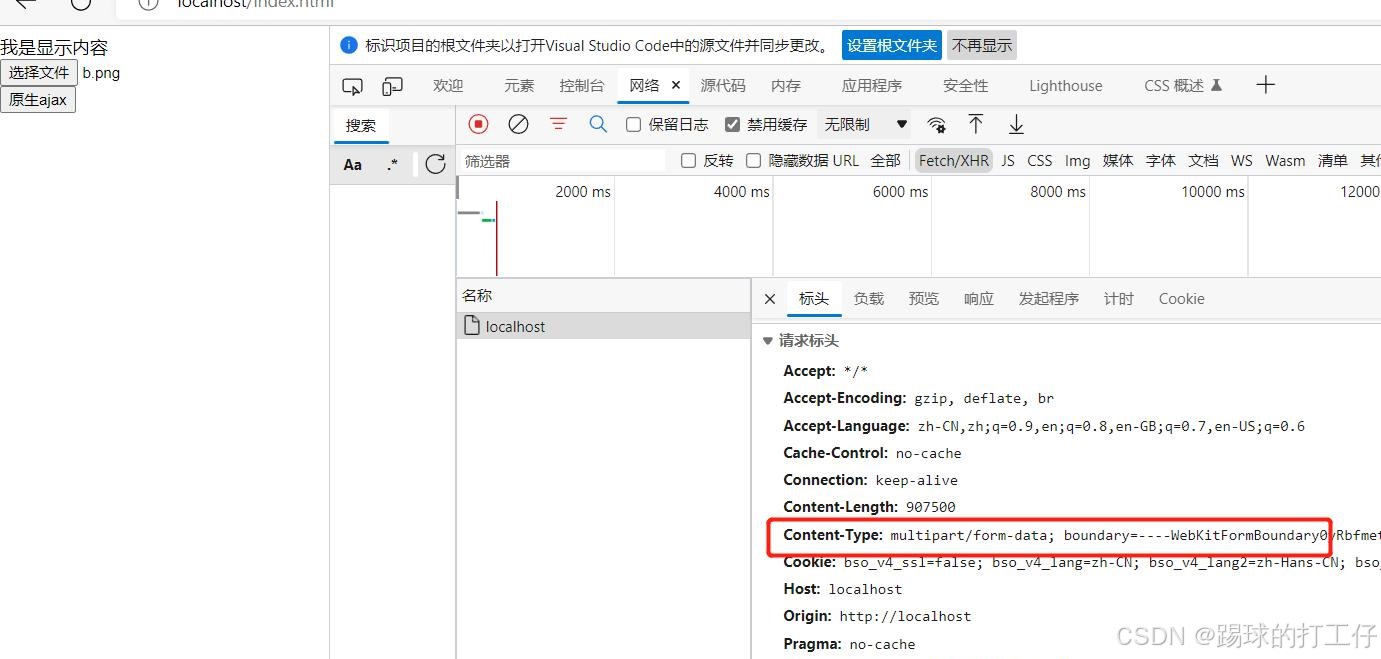
ajax使用FormData对象时,不用再去设置表头Content-type,FormData可以用js来实现form表单上传的对象,通过append来添加传递给后台的值,如,我们这里传了info,值为 zlx,fileInfo,值为一个文件对象,(".file_class")\[0\].files\[0\]用来获取file对象,就是我们选择的文件,需要在PHP中使用_FILES'fileInfo'来获取。
通过浏览器调试模式看到请求头,
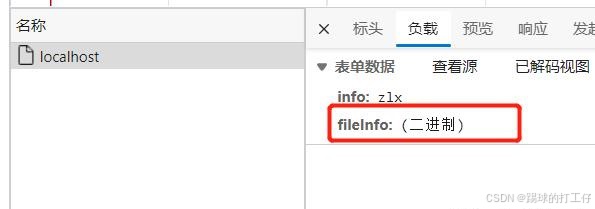
这个fileInfo是一个二进制的文件。
通过move_uploaded_file来把上传来的缓存文件放到我们希望保存的地方。