文章目录
- Demo1:自定义打印机效果
-
- [1. 理论](#1. 理论)
-
- [1.1 baseline定义](#1.1 baseline定义)
- [1.2 声明自定义视图(View)的属性(attributes)](#1.2 声明自定义视图(View)的属性(attributes))
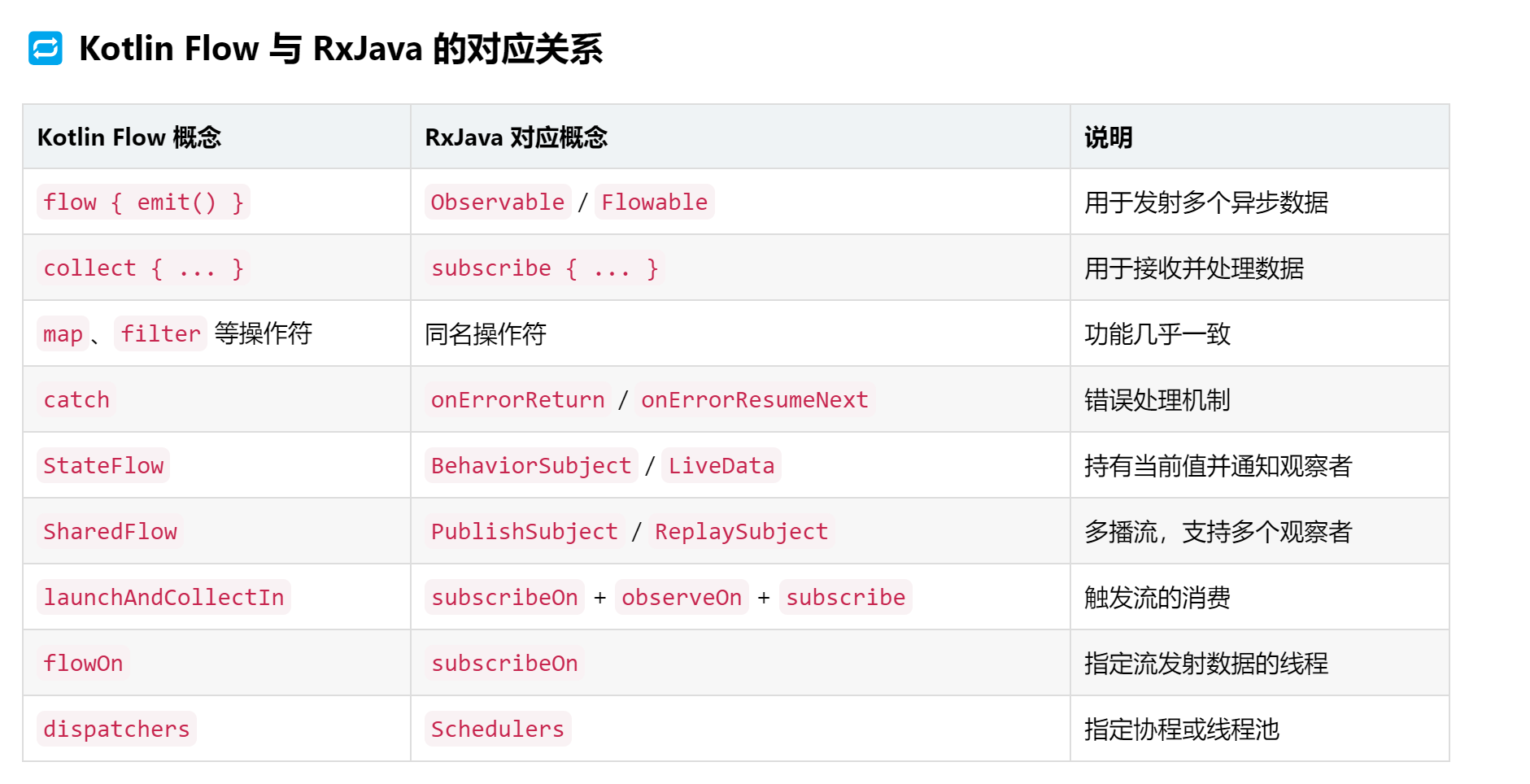
- [1.3 Flow和Collect](#1.3 Flow和Collect)
Demo1:自定义打印机效果
1. 理论
1.1 baseline定义
在 Android 布局中,baseline(基线) 是指文本绘制时所依据的一条虚拟水平线。它是字体设计中的一个概念,用于确保不同字体、不同大小的文本在垂直方向上能够对齐得当。
baseline 的作用:
在 Android 中,baseline 主要用于对齐 TextView 或其他文本控件。
当多个文本控件并排显示时,系统会默认以它们的 基线对齐(baseline alignment)
1.2 声明自定义视图(View)的属性(attributes)
xml
<?xml version="1.0" encoding="utf-8"?>
<resources>
    <declare-styleable name="TypewriterTextView">
        <attr name="typingSpeed" format="integer" />
        <attr name="cursorBlinkSpeed" format="integer" />
        <attr name="showCursor" format="boolean" />
        <attr name="typewriterText" format="string" />
    </declare-styleable>
</resources>- xml中引用
xml
<com.example.view.TypewriterTextView
    android:layout_width="wrap_content"
    android:layout_height="wrap_content"
    app:typingSpeed="100"
    app:cursorBlinkSpeed="500"
    app:showCursor="true"
app:typewriterText="Hello, this is a typewriter effect!" />- Java/Kotlin中使用
kotlin
    init {
        attrs?.let {
            val typedArray = context.obtainStyledAttributes(it, R.styleable.TypewriterTextView)
            val typingSpeed = typedArray.getInt(R.styleable.TypewriterTextView_typingSpeed, 500)
            val cursorBlinkSpeed = typedArray.getInt(R.styleable.TypewriterTextView_cursorBlinkSpeed, 500)
            val showCursor = typedArray.getBoolean(R.styleable.TypewriterTextView_showCursor, true)
            val typewriterText = typedArray.getString(R.styleable.TypewriterTextView_typewriterText)

            // 使用这些值初始化打字机逻辑...

            typedArray.recycle()
        }
    }
1.3 Flow和Collect