1、实验环境
需要准备三台服务器充当:git、jenkins、web
2、准备git仓库
bash
[root@git ~]# useradd git
[root@git ~]# echo "123" | passwd --stdin git
[root@git ~]# su - git
上一次登录:三 8月 23 20:41:53 CST 2023pts/0 上
[git@git ~]$ mkdir php.git
[git@git ~]$ cd php.git
#--bare:创建一个裸仓库。裸仓库是一种特殊的Git仓库,它不包含工作目录(没有文件的检出和编辑空间),主要用于共享,是作为远程仓#库被其他仓库推送(push)和拉取(pull)的中心存储库。
[git@git php.git]$ git --bare init
#初始化空的 Git 版本库于 /home/git/php.git/
[git@git php.git]$ exit
#登出
3、上传代码到仓库
bash
[root@git ~]# git clone git@192.168.166.9:/home/git/php.git
正克隆到 'php'...
git@192.168.200.111's password:
warning: 您似乎克隆了一个空版本库。
[root@git ~]# cd php/
[root@git php]# cat << EOF > index.php
<?php
phpinfo();
?>
EOF
[root@git php]# git add .
[root@git php]# git commit -m "all"
[master(根提交) 4ec0ba3] all
 1 file changed, 3 insertions(+)
 create mode 100644 index.php
[root@git php]# git push origin master
git@192.168.166.9's password:
Counting objects: 3, done.
Writing objects: 100% (3/3), 218 bytes | 0 bytes/s, done.
Total 3 (delta 0), reused 0 (delta 0)
To git@192.168.166.9:/home/git/php.git
* [new branch]      master -> master
4、部署web主机环境
bash
yum install -y nginx php php-mysqlnd mysql-server php-fpm
cd /etc/nginx/
mv nginx.conf nginx.conf.back
cp nginx.conf.default nginx.conf
vim nginx.conf
http {
...
include       conf.d/*.conf;
...
server {
...
        location ~ \.php$ {
            fastcgi_split_path_info ^(.+\.php)(/.+)$;
            root           html;
            fastcgi_pass   php-fpm;
            fastcgi_index  index.php;
            #fastcgi_param  SCRIPT_FILENAME  /scripts$fastcgi_script_name;
            include        fastcgi.conf;
        }
...
}
}
systemctl start  php-fpm mysqld nginx
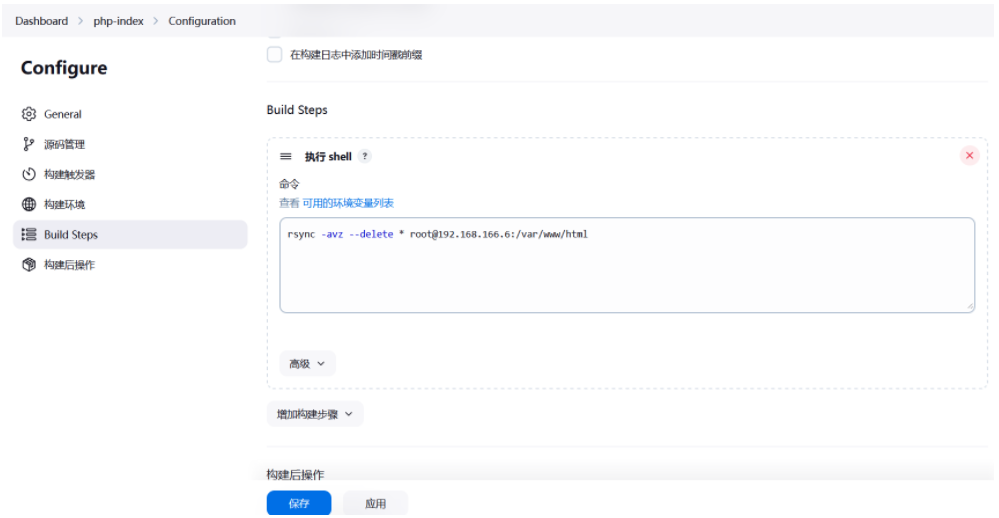
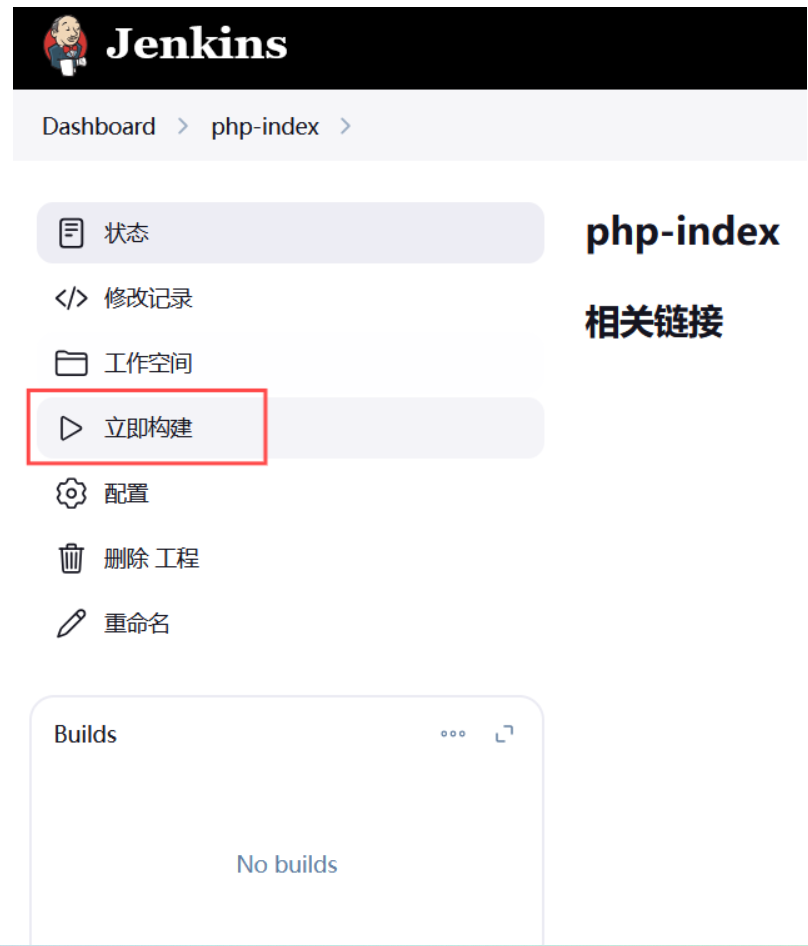
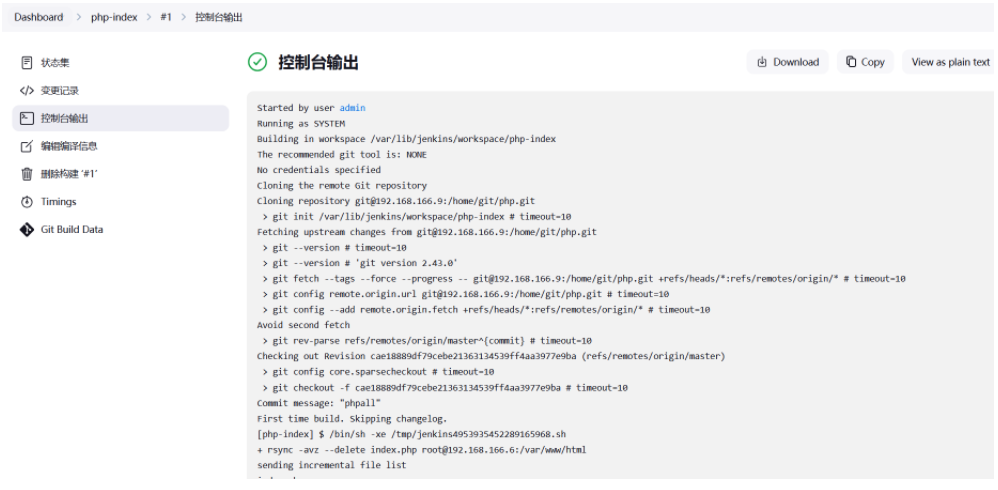
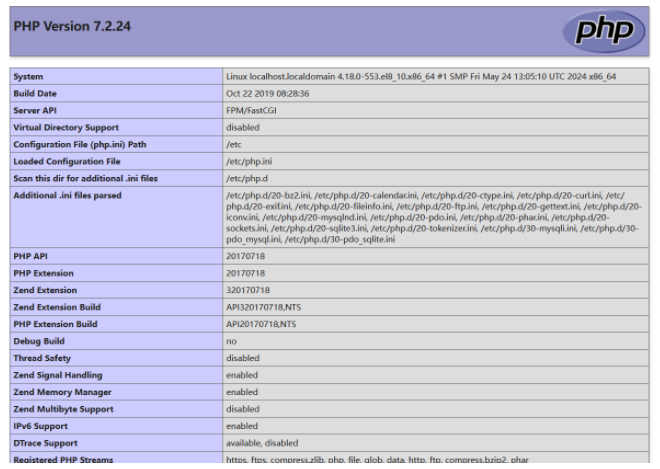
6、基于rsync部署
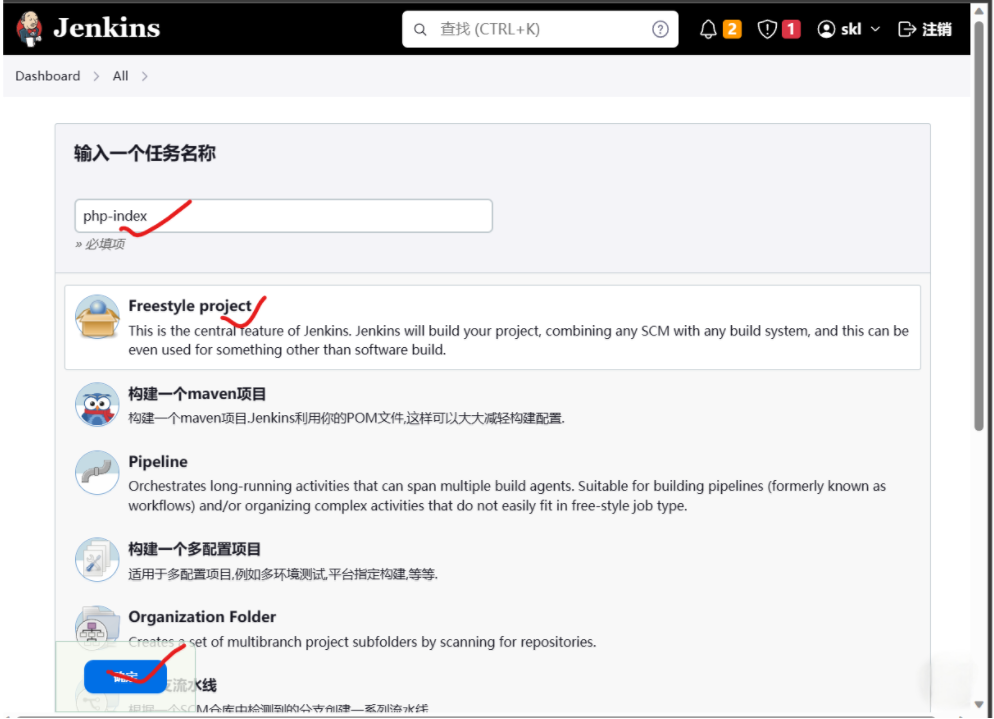
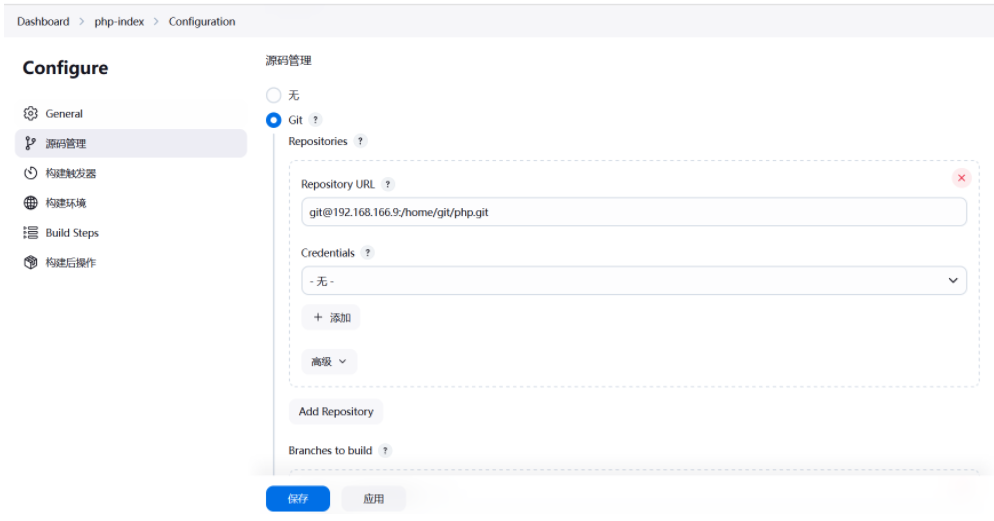
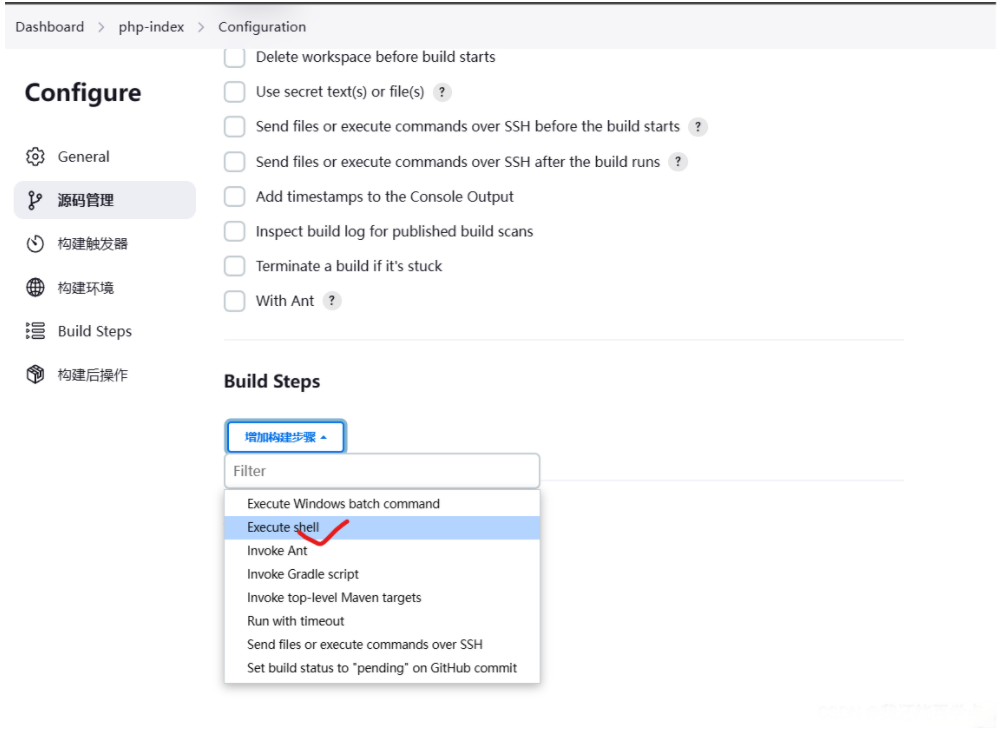
创建一个Freestyle project
7、 基于ansible部署
bash
[root@jenkins ~]# rpm -ivh epel-release-latest-7.noarch.rpm
[root@jenkins ~]# yum -y install ansible
[root@jenkins ~]# vim /etc/ansible/hosts
[webserver]
192.168.166.6
修改jenkins运行用户
bash
[root@jenkins ~]# vim /usr/lib/systemd/system/jenkins.service
User=root
Group=root
[root@jenkins ~]# systemctl daemon-reload
[root@jenkins ~]# systemctl restart jenkins
 ###设置SSH的免密登录
[root@jenkins ~]#  ssh-keygen -N '' -f ~/.ssh/id_rsa
[root@jenkins ~]#  ssh-copy-id root@192.168.158.5
[root@jenkins ~]# ssh-copy-id git@192.168.158.4
添加Ansible插件
bash
[root@web ~]# cat /etc/nginx/nginx.conf
	server {
        listen       80;
        listen       [::]:80;
        server_name  _;
        root         /usr/share/nginx/html/php-ansible;
        index index.html index.php;

        # Load configuration files for the default server block.
        include /etc/nginx/default.d/*.conf;
      	.....
[root@web ~]# systemctl restart nginx