|------------------------------------------------------------------------------------------------------------------|
| 课 程 推 荐 |
| 我 的 个 人 主 页:👉👉 失心疯的个人主页 👈👈 |
| 入 门 教 程 推 荐 :👉👉 Python零基础入门教程合集 👈👈 |
| 虚 拟 环 境 搭 建 :👉👉 Python项目虚拟环境(超详细讲解) 👈👈 |
| PyQt5 系 列 教 程:👉👉 Python GUI(PyQt5)教程合集 👈👈 |
| Oracle数据库教程:👉👉 Oracle数据库教程合集 👈👈 |
| MySQL数据库教程:👉👉 MySQL数据库教程合集 👈👈 |
| 优 质 资 源 下 载 :👉👉 资源下载合集 👈👈 |
| 优 质 教 程 推 荐:👉👉 Python爬虫从入门到入狱系列 合集 👈👈 |
| . |

这里写目录标题
PyCharm打开Terminal终端无法进入项目虚拟环境
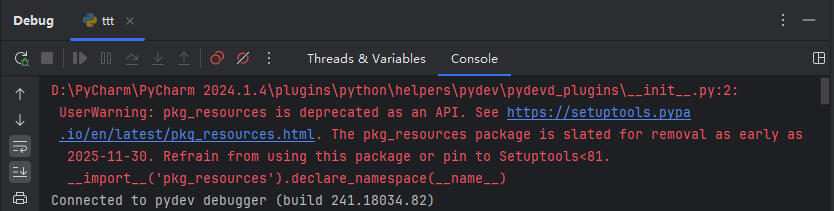
- 最近因PyCharm模块升级,项目使用Debug调试时报错,所以更换了PyCharm 2025.3.1版
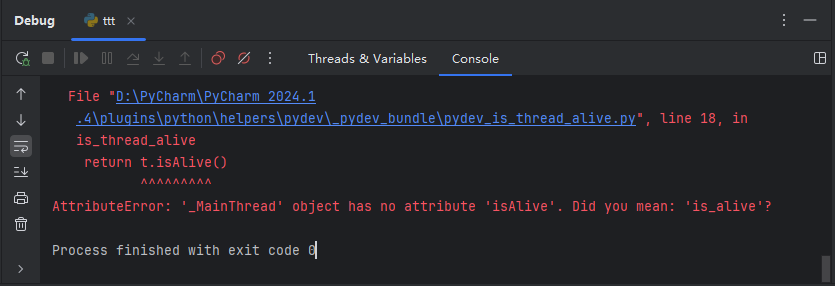
安装完后Terminal提示模块升级
-
安装完PyCharm 2025.3.1之后,Terminal会提示
PSReadLine模块版本(2.0.0)已过时,这可能会导致终端屏幕上出现黑色横线的问题python[PyCharm] Your PSReadLine module version (2.0.0) is outdated, which may cause the problem with black lines across the terminal screen: https://learn.microsoft.com/windows/terminal/troubleshooting#black-lines-in-powershell-51-6x-70 Install the latest version by running: 'Install-Module PSReadLine -MinimumVersion 2.0.3 -Scope CurrentUser -Force' After the installation, open a new terminal tab. -
解决方法
python# Terminal终端执行: Install-Module PSReadLine -MinimumVersion 2.0.3 -Scope CurrentUser -Force
Terminal终端无法进入项目虚拟环境
-
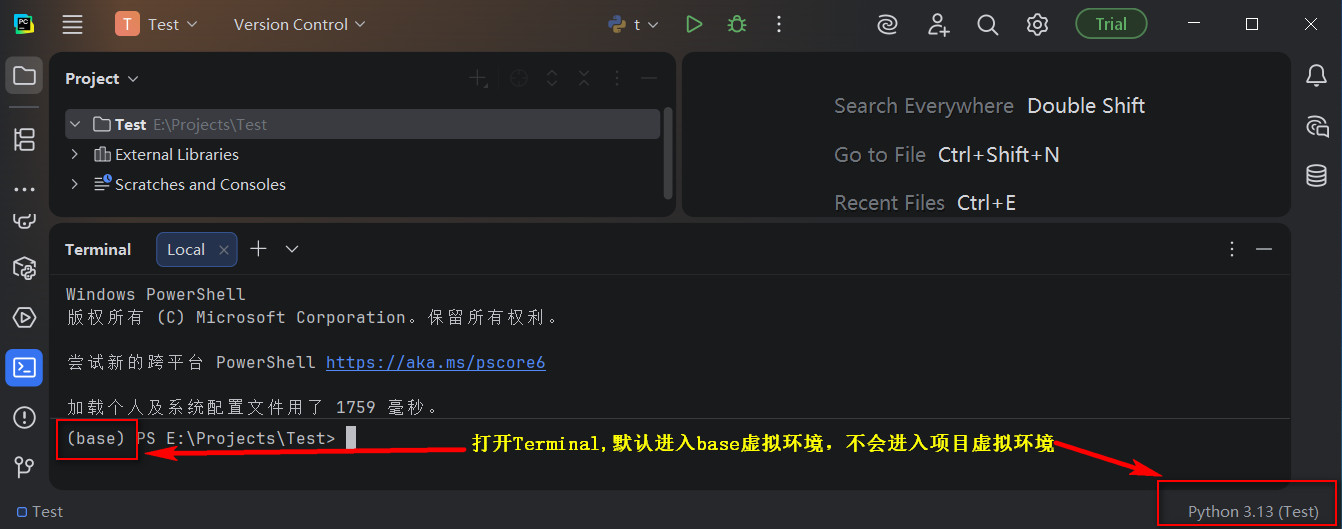
PyCharm软件给项目设置好虚拟环境之后,Terminal终端默认进入bas虚拟环境,无法直接进入项目对应虚拟环境
-
在网上找了很多资料,大部分都是说使用命令禁止
base虚拟环境自启动pythonconda config --set auto_activate_base: false -
测试之后,虽然打开
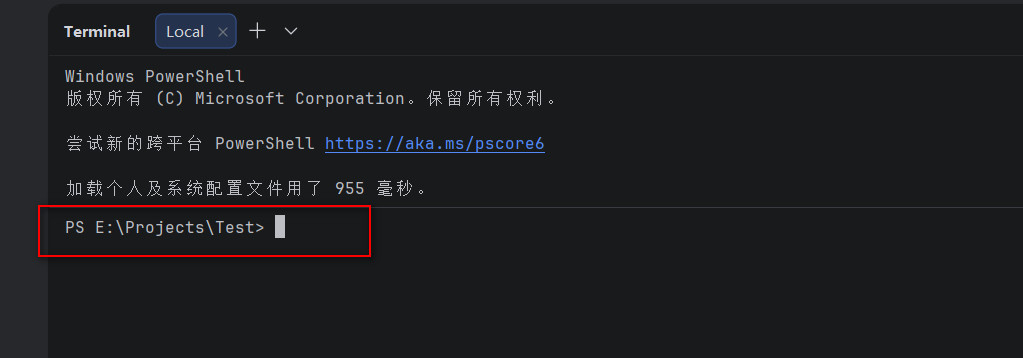
Terminal不会进入base虚拟环境了,但是也不会进入到项目设置的虚拟环境 -
解决方法
-
无需使用命令禁止
base虚拟环境自启动,只需要在给项目配置虚拟环境的时候选择conda即可 -
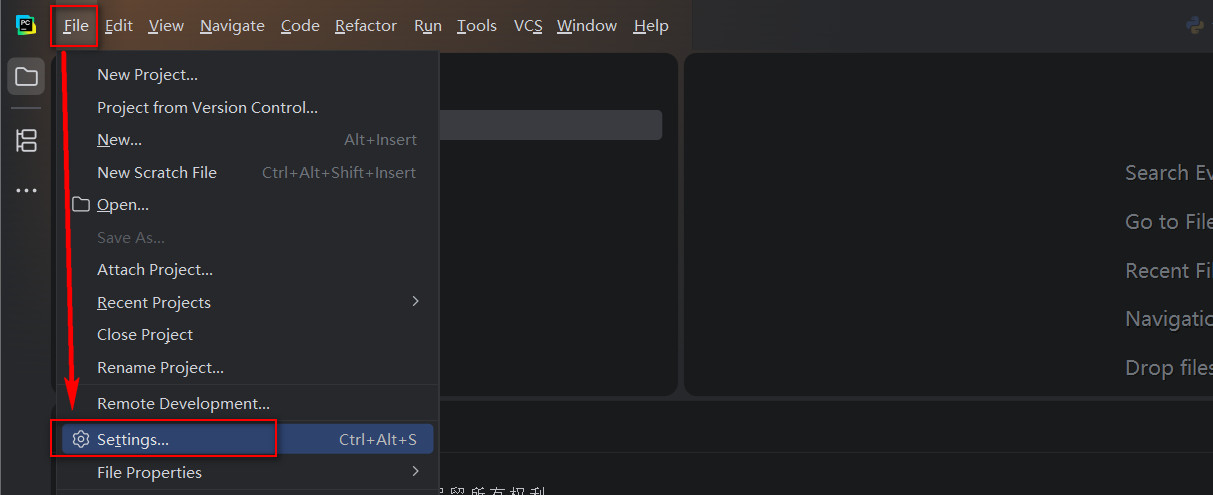
配置项目虚拟环境:
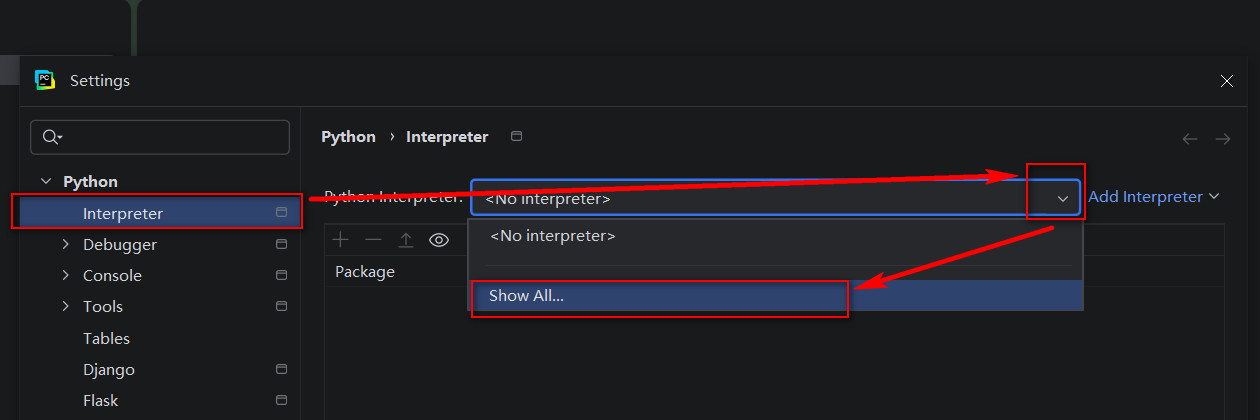
File ------ Setting ------ Python ------ Interpreter -
点击右侧
Python Interpreter选择框的下拉箭头,点击Show All... -
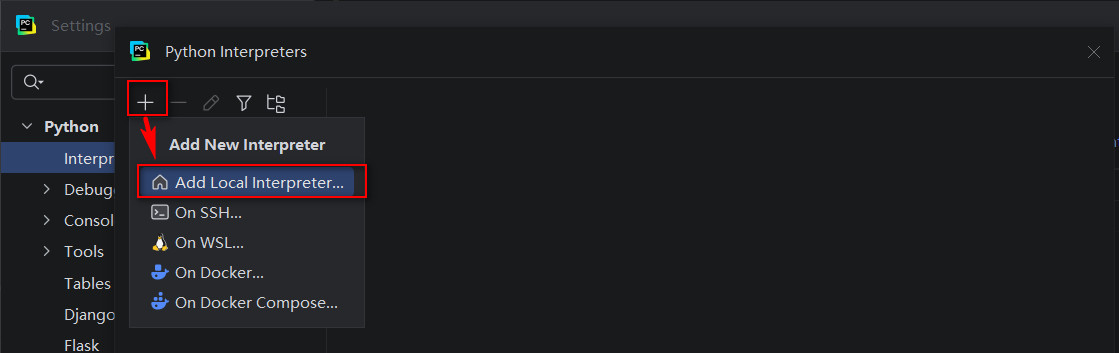
弹出窗口,点击"+" ------
Add Local Interpreter...添加本地解释器 -
弹窗窗口
Environment项勾选Select existingType下拉项选择condaPath to conda项选择conda安装目录:..\Anaconda3\Scripts\conda.exeEnvironment下拉选项选择当前项目的虚拟环境(如果虚拟环境没出来,则点击Reload environments重新加载环境)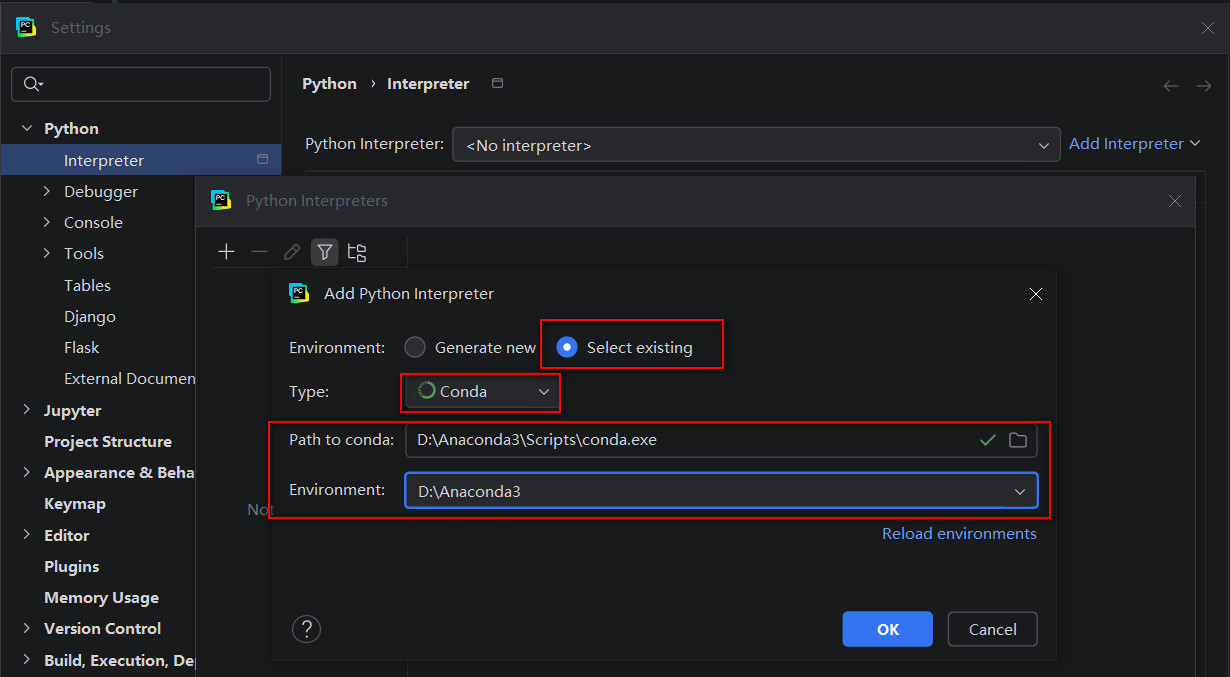
-
问题:如果以上选择都设置好之后,OK按钮是灰色,则需要修改
Path to conda项..\Anaconda3\Library\bin\conda.bat
-
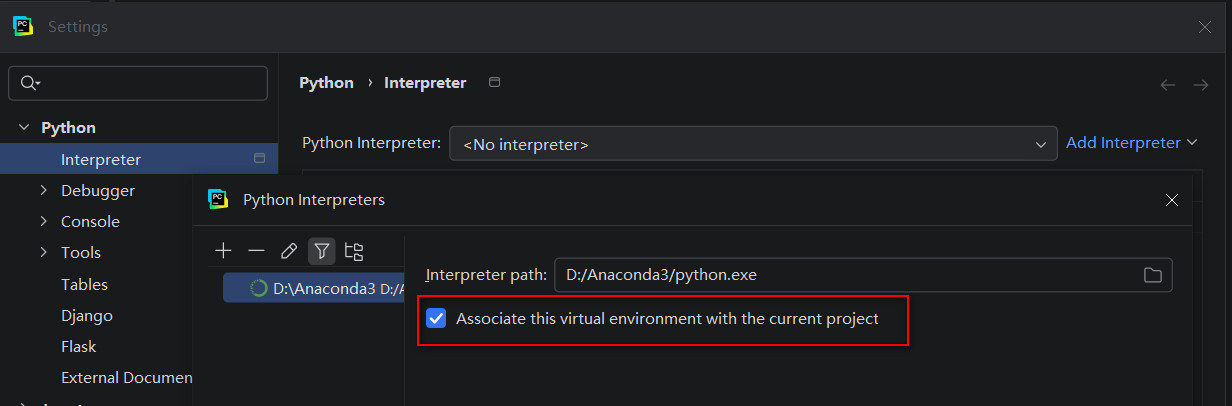
点击OK,在界面中勾选
Associate this virtual environment with the current project,将此虚拟环境与当前项目关联 -
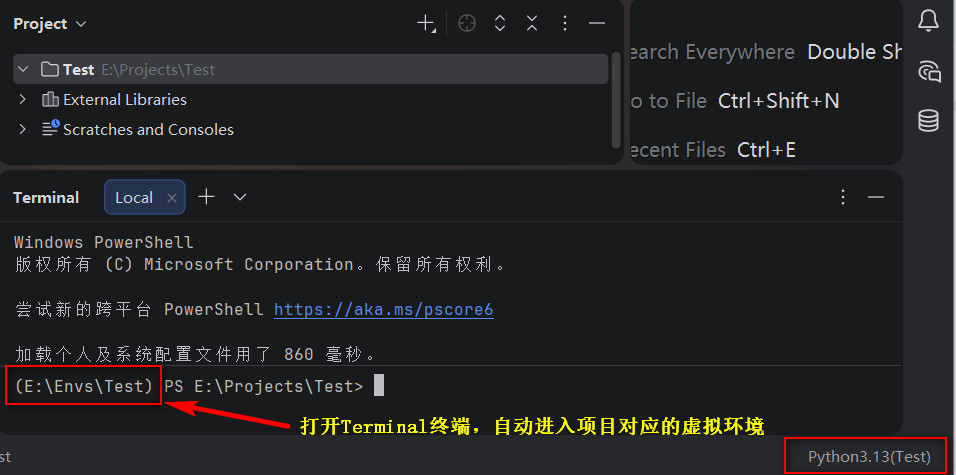
设置完成,此时重新打开Terminal终端则会自动进入项目对应的虚拟环境了