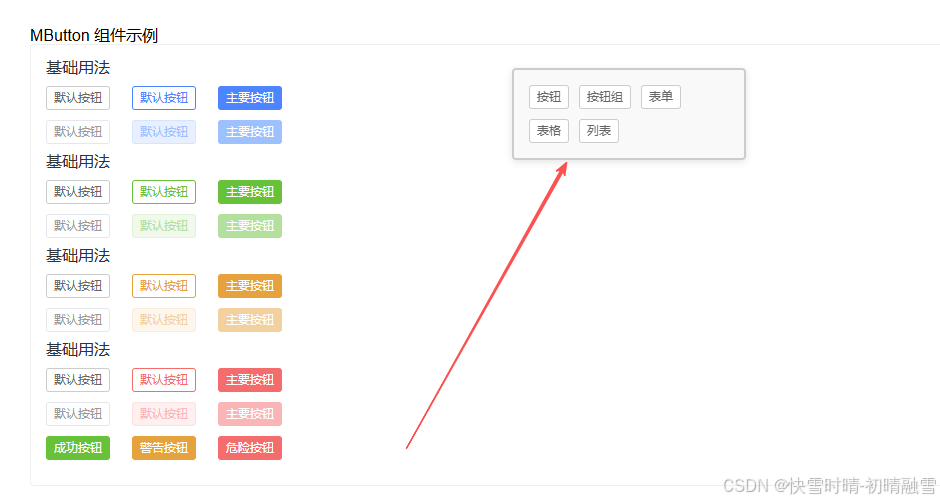
<template>
  <div class="contents">
    <div
      class="contents--menu"
      :style="style"
      @mousedown="startDrag"
      @touchstart="startDrag"
      @mousemove="onDrag"
      @touchmove="onDrag"
      @mouseup="stopDrag"
      @touchend="stopDrag"
    >
      <m-button v-for="(item, index) in list" :key="index" @click="changeComponent(item)">{{item.name}}</m-button>
    </div>
    <component :is="activeComponent"></component>
  </div>
</template>
<script setup lang="ts">
  // const itemsButton = defineAsyncComponent(() => import('../items/button/index.vue'))
import itemsButton from '../items/button/index.vue'
import modulesButtons from '../modules/buttons/index.vue'
import modulesForm from '../modules/form/index.vue'
import modulesTable from '../modules/table/index.vue'
import pagesList from '../pages/list/index.vue'
const list = [
  { name: '按钮', component: itemsButton },
  { name: '按钮组', component: modulesButtons },
  { name: '表单', component: modulesForm },
  { name: '表格', component: modulesTable },
  { name: '列表', component: pagesList },
]
let activeComponent = ref(list[0].component)
const changeComponent = (item: any) => {
  activeComponent.value = item.component
}


const isDragging = ref(false);
const initialPosition = ref({ x: 0, y: 0 });
const currentPosition = ref({ x: 100, y: 100 }); // 初始位置

const style = computed(() => ({
  position: 'fixed' as const,
  left: `${currentPosition.value.x}px`,
  top: `${currentPosition.value.y}px`,
  cursor: isDragging.value ? 'grabbing' : 'grab',
  userSelect: 'none' as const,
}));

const startDrag = (e: MouseEvent | TouchEvent) => {
  e.preventDefault();
  isDragging.value = true;

  // 获取鼠标或触摸位置
  const clientX = e instanceof MouseEvent ? e.clientX : e.touches[0].clientX;
  const clientY = e instanceof MouseEvent ? e.clientY : e.touches[0].clientY;

  // 计算鼠标位置与元素左上角的偏移量
  initialPosition.value = {
    x: clientX - currentPosition.value.x,
    y: clientY - currentPosition.value.y
  };
};

const onDrag = (e: MouseEvent | TouchEvent) => {
  if (!isDragging.value) return;

  e.preventDefault();

  // 获取当前鼠标或触摸位置
  const clientX = e instanceof MouseEvent ? e.clientX : e.changedTouches[0].clientX;
  const clientY = e instanceof MouseEvent ? e.clientY : e.changedTouches[0].clientY;

  // 计算新位置
  currentPosition.value = {
    x: clientX - initialPosition.value.x,
    y: clientY - initialPosition.value.y
  };
};

const stopDrag = () => {
  isDragging.value = false;
};
</script>
<style scoped lang="scss">
.contents{
  &--menu{
    z-index: 20;
    border-radius: 8px;
    width: 200px;
    border: 2px solid #ccc;
    padding: 15px;
    background-color: #f9f9f9;
    border-radius: 4px;
    box-shadow: 0 2px 8px rgba(0, 0, 0, 0.1);
    transition: box-shadow 0.2s;
    display: flex;
    flex-wrap: wrap;
    gap: 10px;

    &:hover {
      box-shadow: 0 4px 12px rgba(0, 0, 0, 0.15);
    }

    &.dragging {
      z-index: 9999;
    }
    .el-button+.el-button{
      margin: 0;
    }
  }
}
</style>