DevOps概念
软件开发生命周期(SDLC)
- 定义:即 Software Development Life Cycle,是包含计划、开发、测试、部署全流程的集合。
- 核心阶段及作用:
- 需求分析:明确项目需求,评估可行性与实施范围;
- 设计:确定系统架构、功能形态,制定项目推进计划;
- 实现:开发人员按设计目标编写代码;
- 测试:执行功能、代码、压力等多维度测试;
- 进化:依据用户反馈优化功能、修复问题,持续维护产品。
软件开发瀑布模型
-
本质:线性的传统开发流程,按 "需求分析→设计→实现→测试→部署→维护" 依次推进。
-
优缺点总结:
优点 缺点 流程简单易理解 阶段划分固定,文档工作量大 阶段清晰,便于项目检查 用户需等到流程末期才能看到成果,开发风险高 - 无法适配需求的动态变化
敏捷开发
- 核心逻辑:以 "迭代开发 + 增量开发" 为核心,将大型项目拆分为多个短周期(小迭代),每个迭代交付可用功能。
- 迭代开发:把 "长周期大开发" 拆分为多次 "短周期小开发",快速试错优化;
- 增量开发:每个版本新增完整可用功能,按功能模块划分迭代。
- 核心流程:初始规划→需求分析→设计编码→测试→部署→评估,循环迭代。
- 优势:
- 早期交付:快速产出可用功能,降低项目成本;
- 降低风险:及时获取用户反馈,避免全量开发后才发现问题。
持续集成(CI)
- 定义:频繁(一天多次)将代码集成到主干,是 DevOps 的核心实践之一。
- 核心流程:代码提交→第一轮测试→构建→第二轮测试→部署(测试 / 预生产环境)→回滚(若出现问题)。
- 组成要素:版本控制工具(如 SVN)、持续集成服务器(如 Jenkins)等。
- 价值:降低集成风险、减少重复工作、持续提供可用版本、增强团队协作信心。
与 DevOps 的关联
这些内容是 DevOps 的基础:瀑布模型的 "协作割裂、交付低效" 痛点,推动了敏捷与 DevOps 的诞生;敏捷的 "迭代 / 增量" 理念是 DevOps 文化的核心;持续集成则是 DevOps 自动化实践的关键环节,助力实现高效协同与快速交付。
CICD持续性交付集成
前置虚拟环境
bash
主机名		  	  所需软件
gitlab			gitlab
Jenkins			jdk1.8,maven,docker,Jenkins
web 			docker
Windows系统	   jdk1.8,maven-3.8.4,idea2019.3.1,gitlab
Gitlub服务
虚拟机内操作
虚拟机ip192.168.100.90
bash
[root@gitlab ~]# yum -y install policycoreutils openssh-server openssh-clients postfix

[root@gitlab ~]# ls
anaconda-ks.cfg  Documents  gitlab-ce-12.4.2-ce.0.el6.x86_64.rpm  Music     Public     Videos
Desktop          Downloads  initial-setup-ks.cfg                  Pictures  Templates


[root@gitlab ~]# systemctl enable sshd --now
[root@gitlab ~]# systemctl enable postfix --now

[root@gitlab ~]# systemctl disable firewalld.service --now
Removed symlink /etc/systemd/system/multi-user.target.wants/firewalld.service.
Removed symlink /etc/systemd/system/dbus-org.fedoraproject.FirewallD1.service.


#安装gitlab包
[root@gitlab ~]# rpm -ivh gitlab-ce-12.4.2-ce.0.el6.x86_64.rpm
warning: gitlab-ce-12.4.2-ce.0.el6.x86_64.rpm: Header V4 RSA/SHA1 Signature, key ID f27eab47: NOKEY
Preparing...                          ################################# [100%]
Updating / installing...
   1:gitlab-ce-12.4.2-ce.0.el6        ################################# [100%]
It looks like GitLab has not been configured yet; skipping the upgrade script.

       *.                  *.
      ***                 ***
     *****               *****
    .******             *******
    ********            ********
   ,,,,,,,,,***********,,,,,,,,,
  ,,,,,,,,,,,*********,,,,,,,,,,,
  .,,,,,,,,,,,*******,,,,,,,,,,,,
      ,,,,,,,,,*****,,,,,,,,,.
         ,,,,,,,****,,,,,,
            .,,,***,,,,
                ,*,.


     _______ __  __          __
    / ____(_) /_/ /   ____ _/ /_
   / / __/ / __/ /   / __ `/ __ \
  / /_/ / / /_/ /___/ /_/ / /_/ /
  \____/_/\__/_____/\__,_/_.___/


Thank you for installing GitLab!
GitLab was unable to detect a valid hostname for your instance.
Please configure a URL for your GitLab instance by setting `external_url`
configuration in /etc/gitlab/gitlab.rb file.
Then, you can start your GitLab instance by running the following command:
  sudo gitlab-ctl reconfigure

For a comprehensive list of configuration options please see the Omnibus GitLab readme
https://gitlab.com/gitlab-org/omnibus-gitlab/blob/master/README.md


#修改配置文件
[root@gitlab ~]# vim /etc/gitlab/gitlab.rb
//23行
external_url 'http://192.168.100.90:82'
//1112行
nginx['listen_port'] = 82


#重载配置并启动gitlab
[root@gitlab ~]# gitlab-ctl reconfigure
[root@gitlab ~]# gitlab-ctl restart
ok: run: alertmanager: (pid 5166) 0s
ok: run: gitaly: (pid 5182) 0s
ok: run: gitlab-exporter: (pid 5200) 1s
ok: run: gitlab-workhorse: (pid 5206) 0s
ok: run: grafana: (pid 5229) 0s
ok: run: logrotate: (pid 5248) 1s
ok: run: nginx: (pid 5255) 0s
ok: run: node-exporter: (pid 5265) 1s
ok: run: postgres-exporter: (pid 5348) 0s
ok: run: postgresql: (pid 5359) 1s
ok: run: prometheus: (pid 5368) 0s
ok: run: redis: (pid 5383) 0s
ok: run: redis-exporter: (pid 5388) 1s
ok: run: sidekiq: (pid 5406) 0s
ok: run: unicorn: (pid 5417) 0s


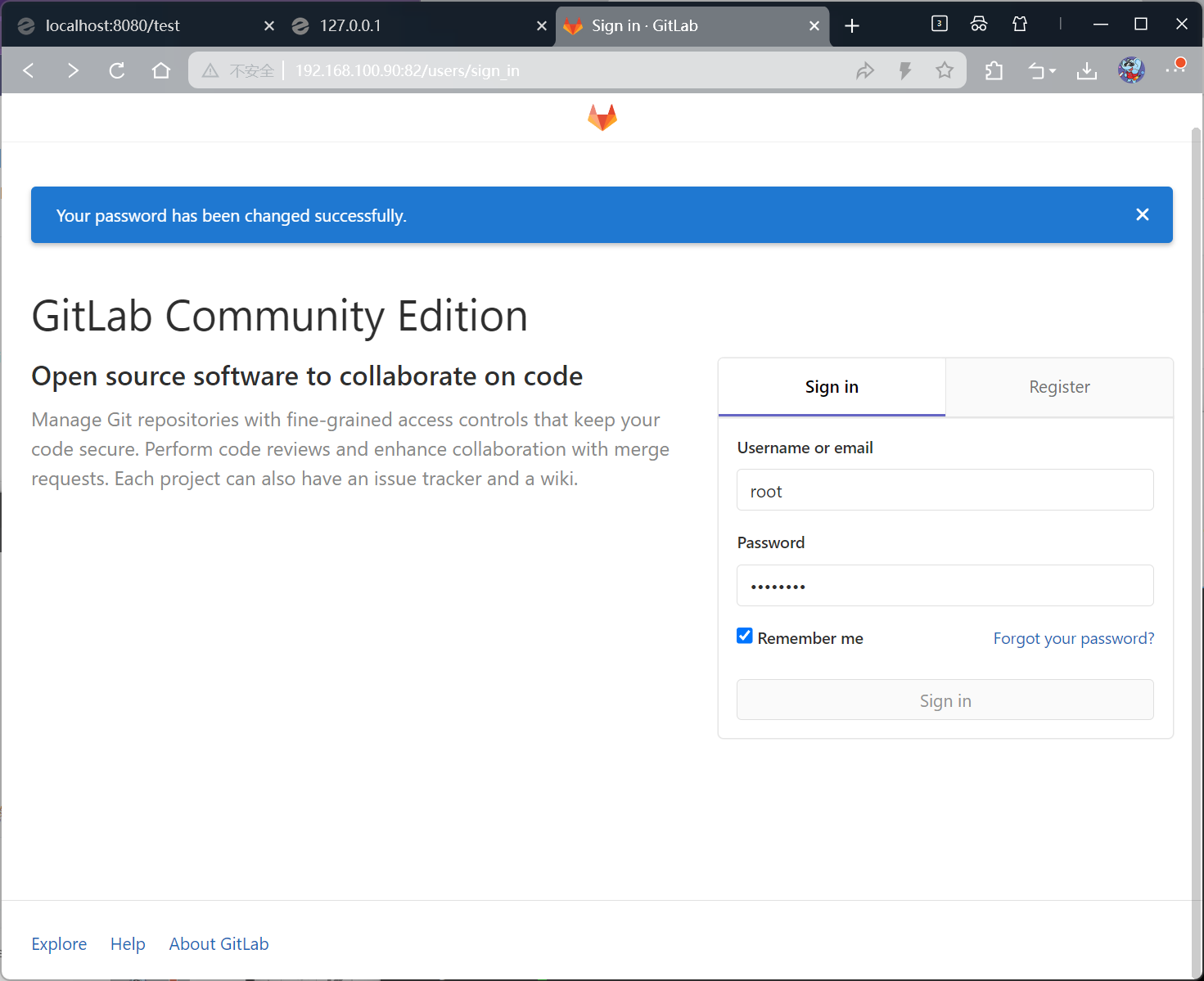
#启动成功后,看到以下修改管理员root密码的页面,修改密码abcd1234后,然后登录
进入页面后先设置密码才能看到下面的页面,密码为abcd1234
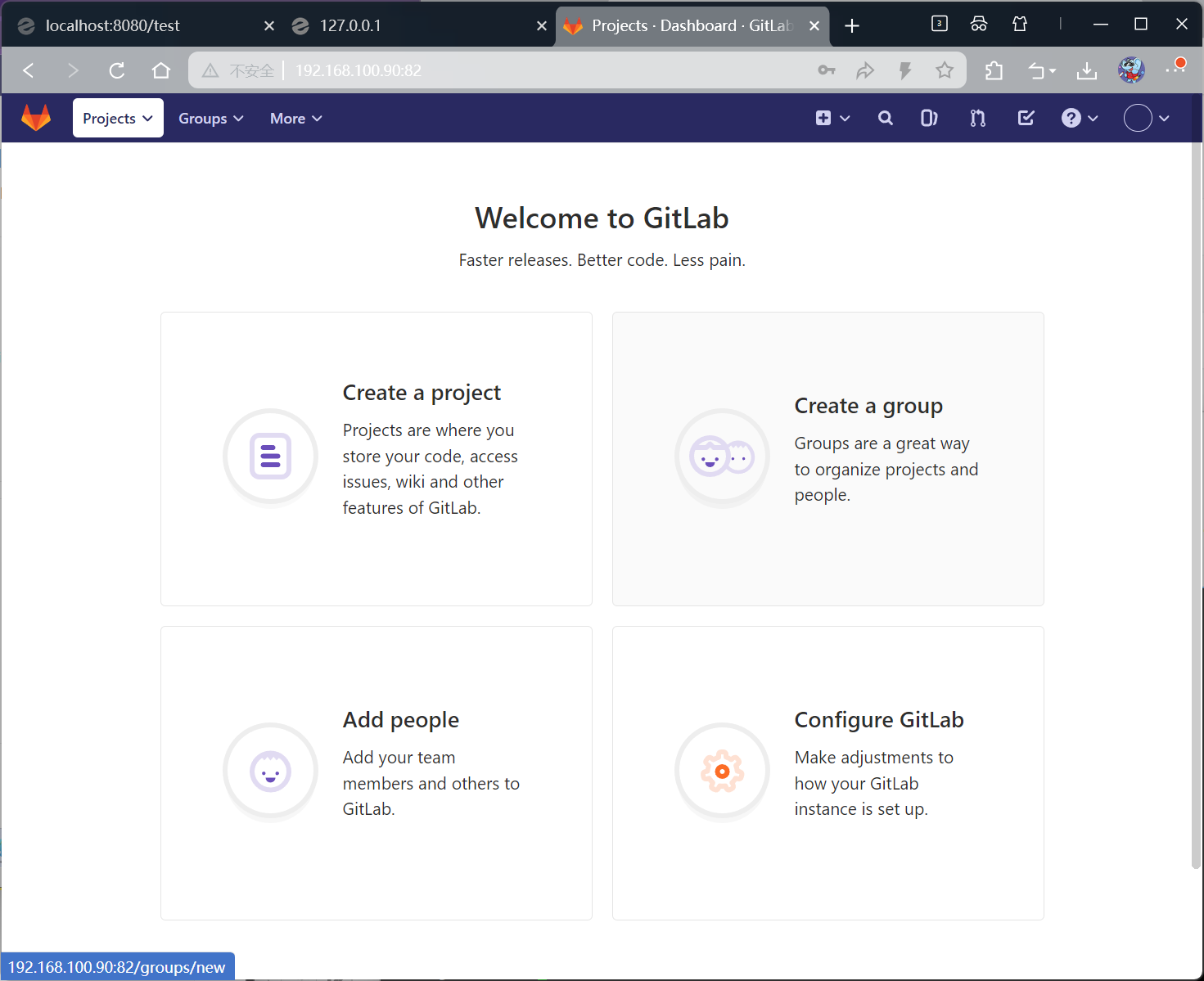
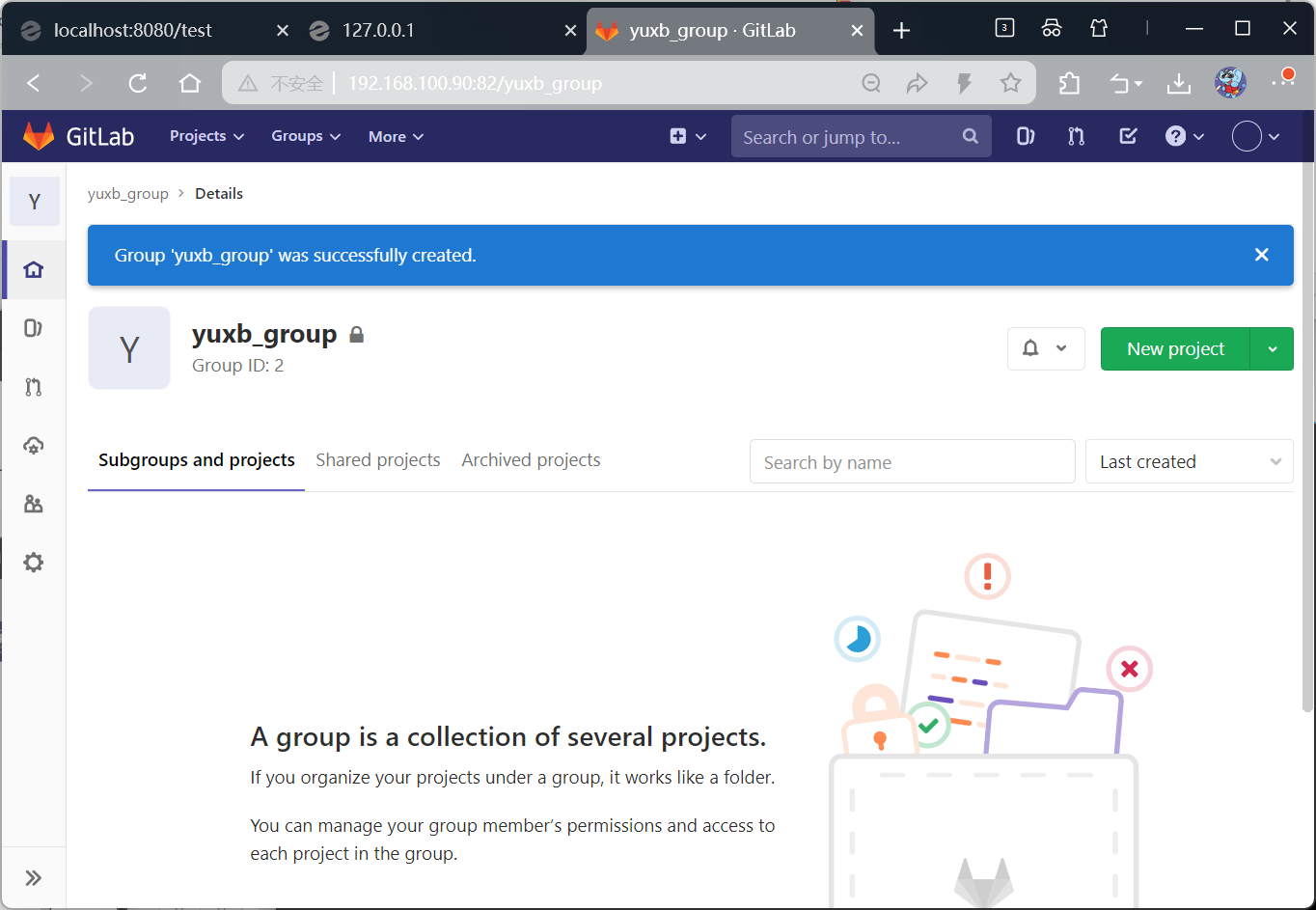
创建组

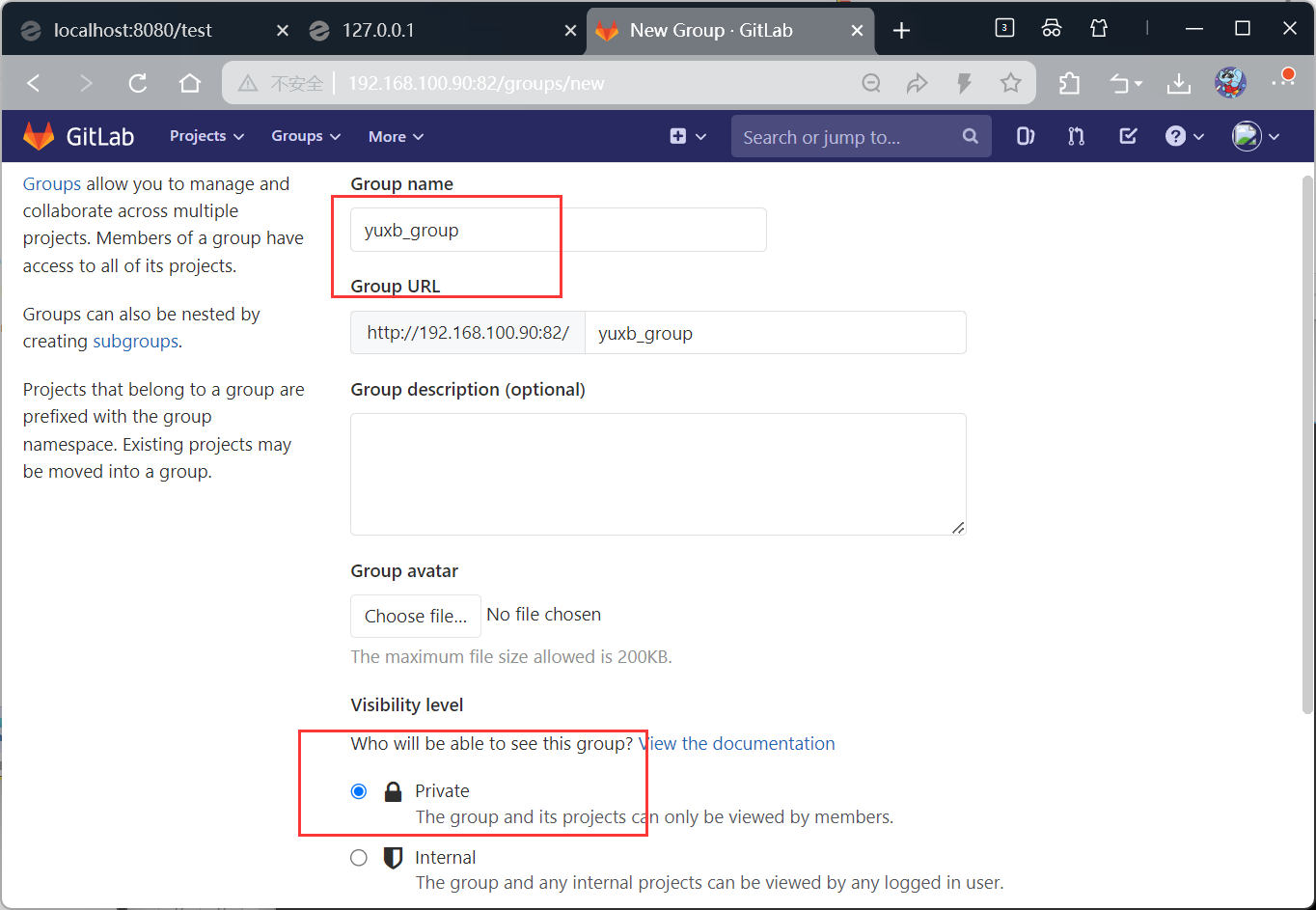
添加完成
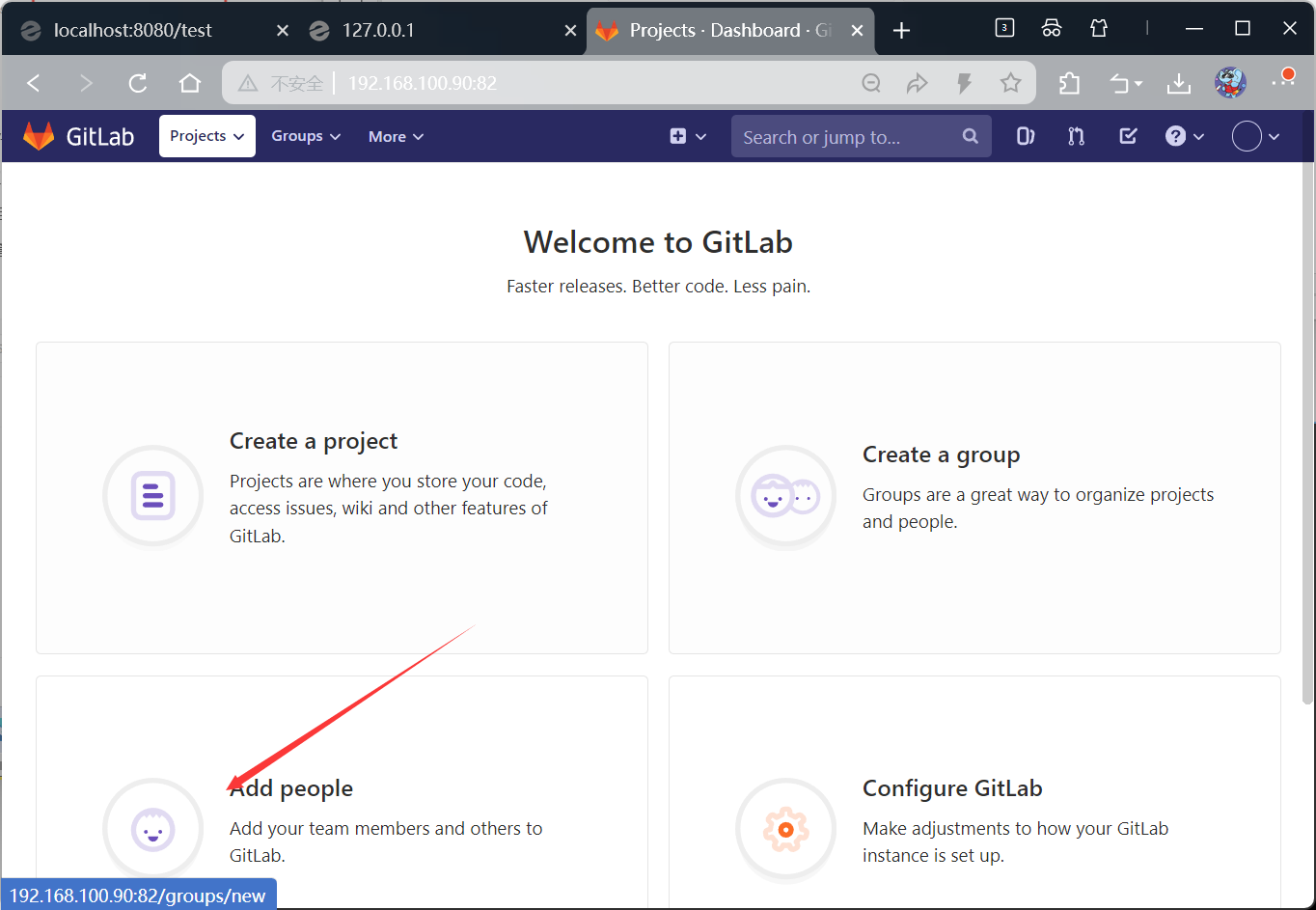
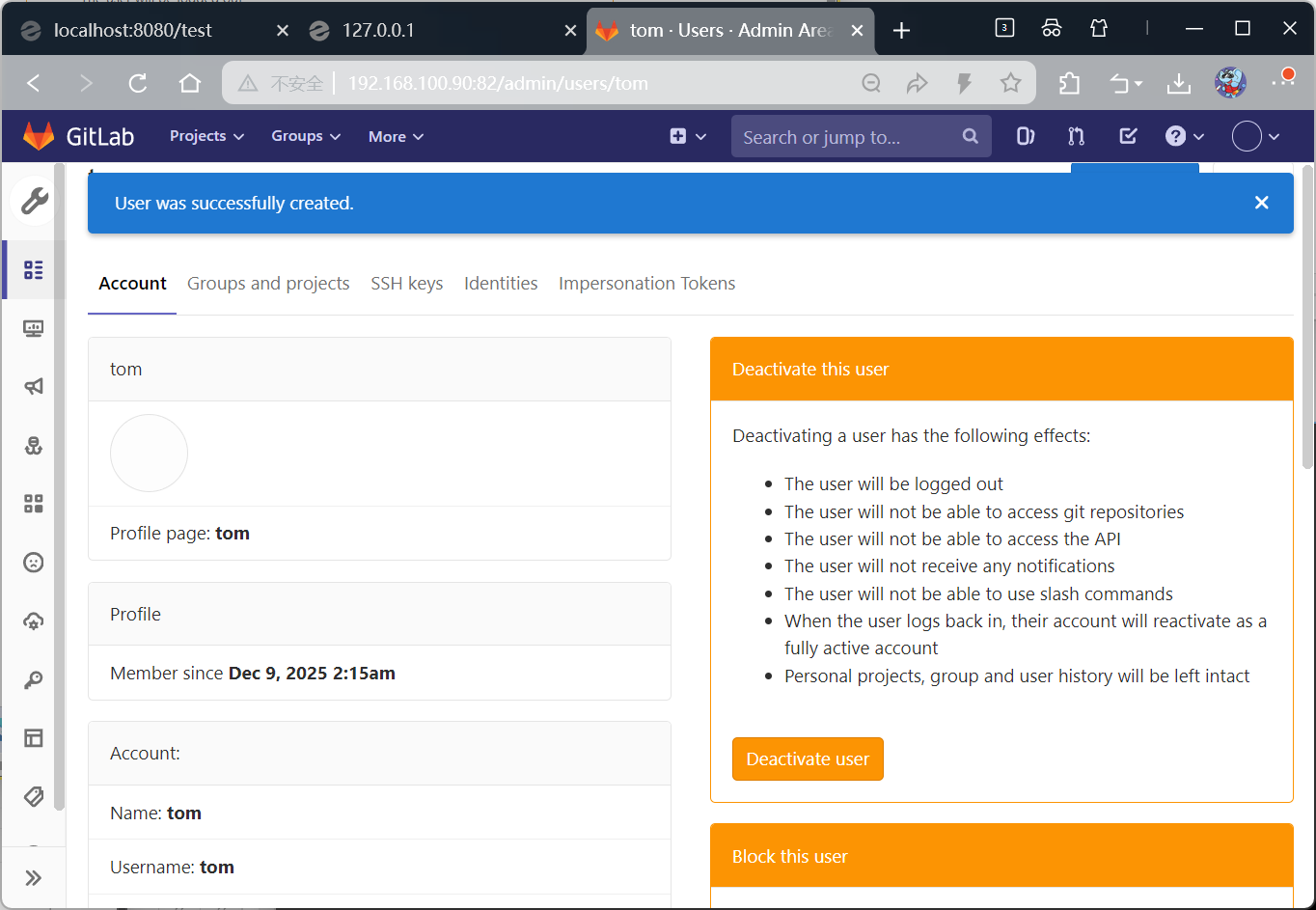
添加用户
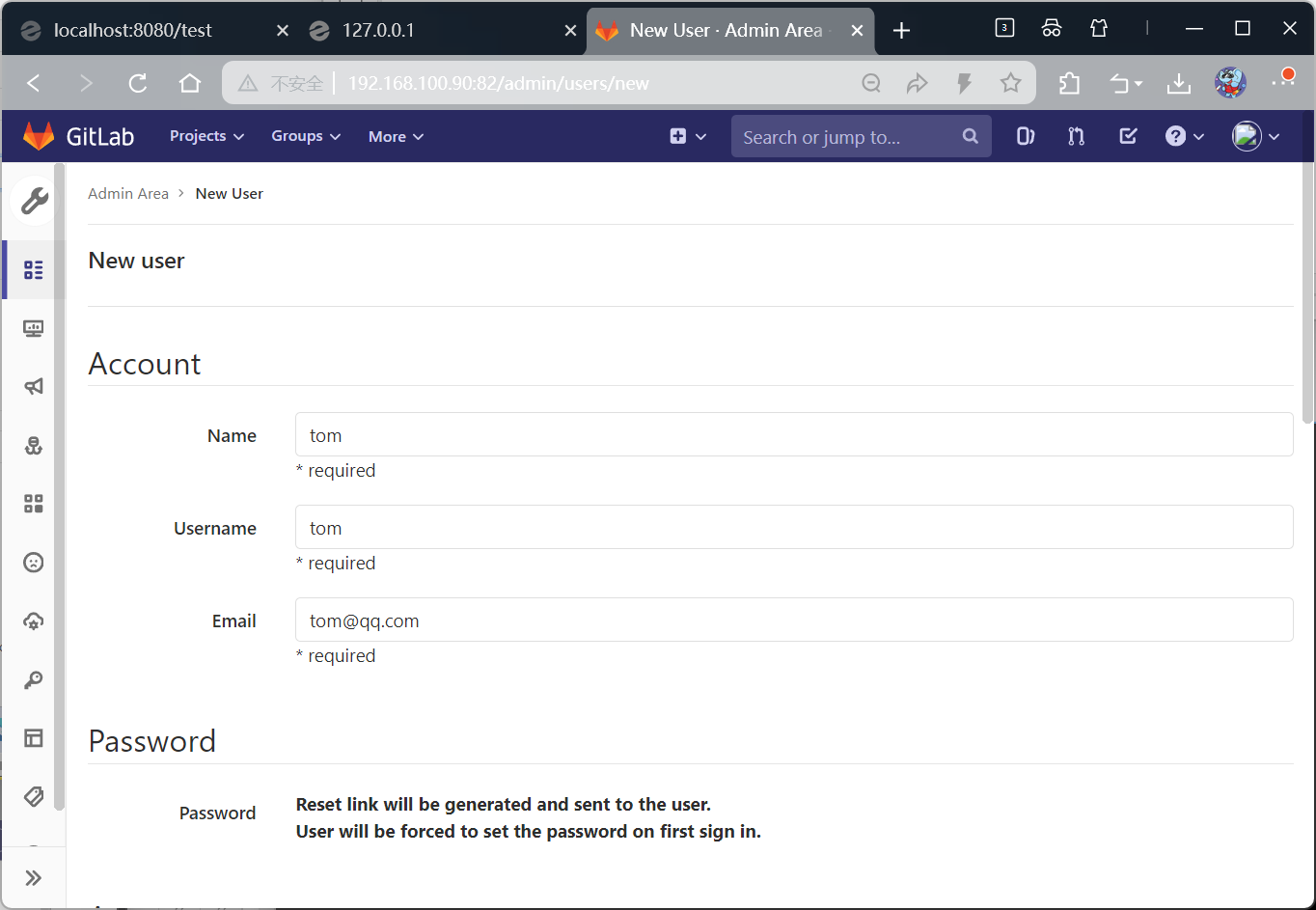
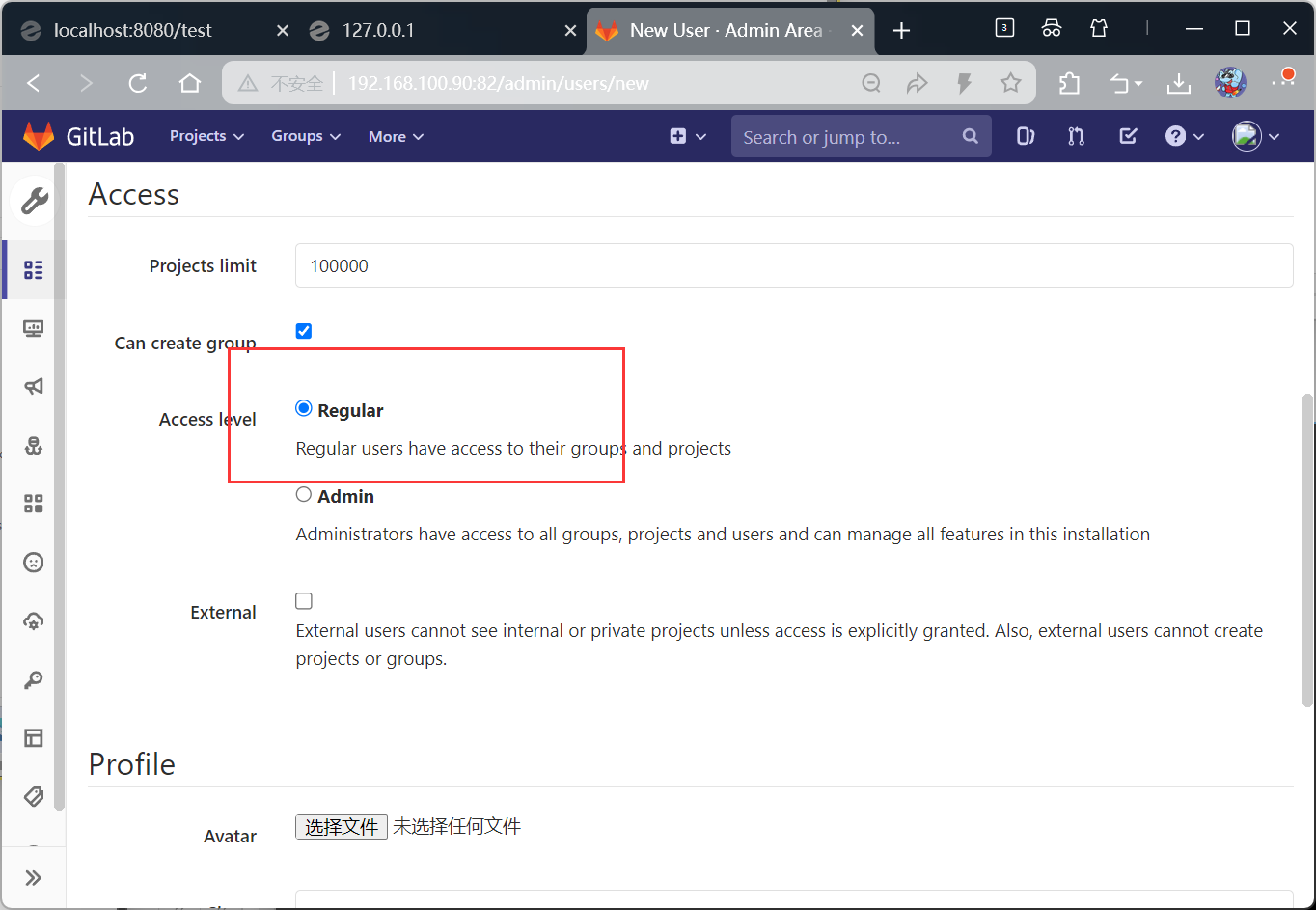
创建完成
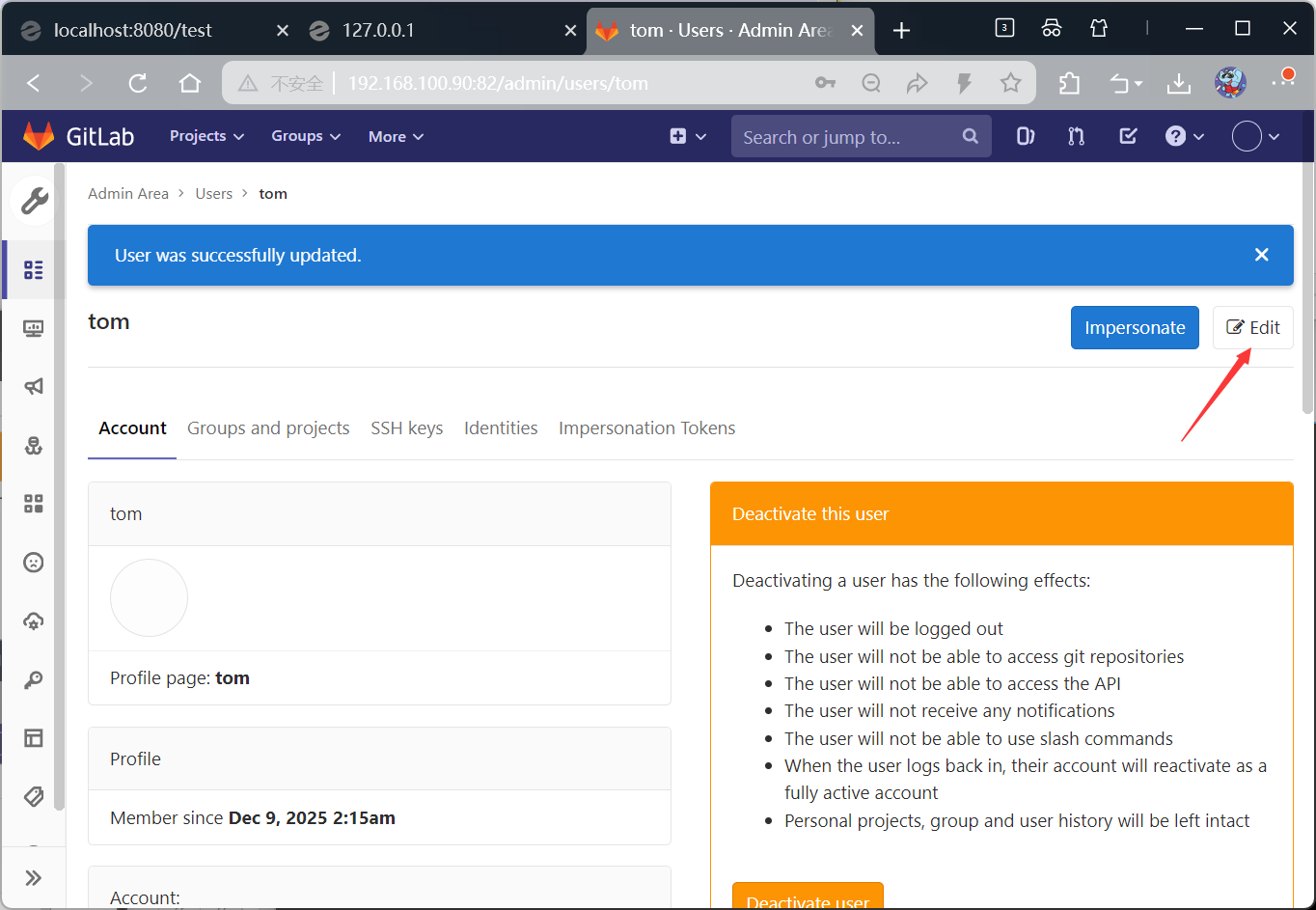
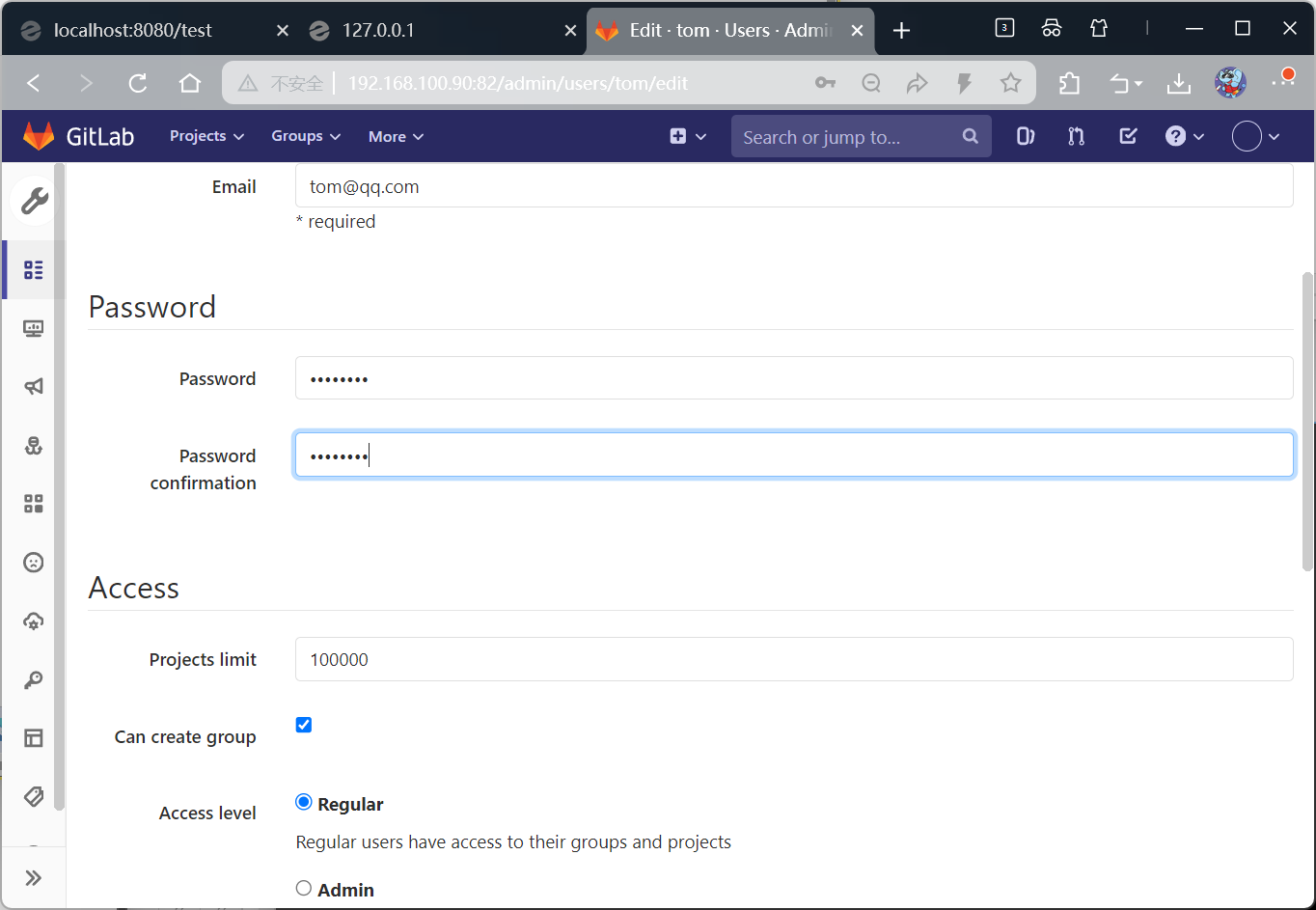
设置密码
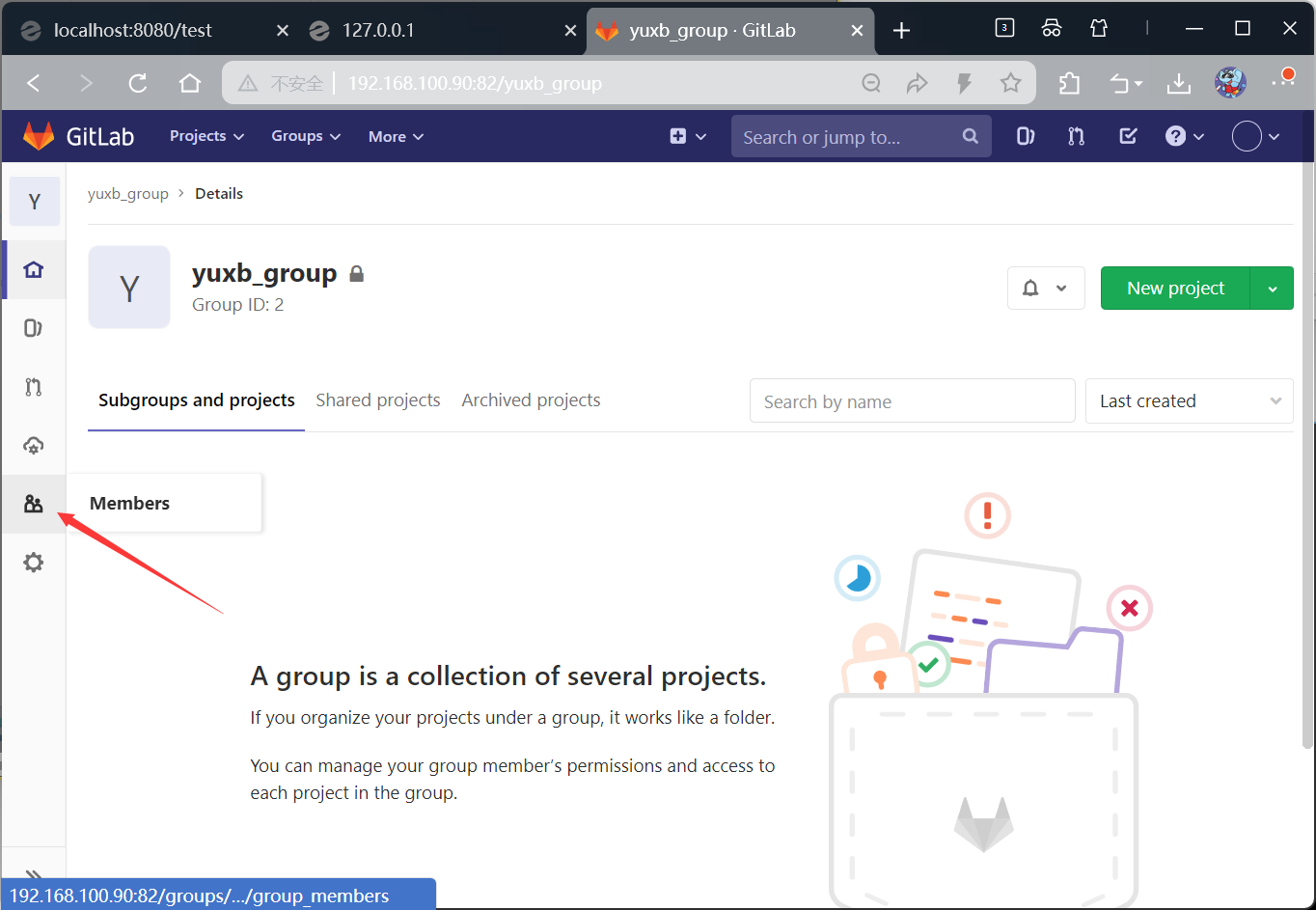
添加到组
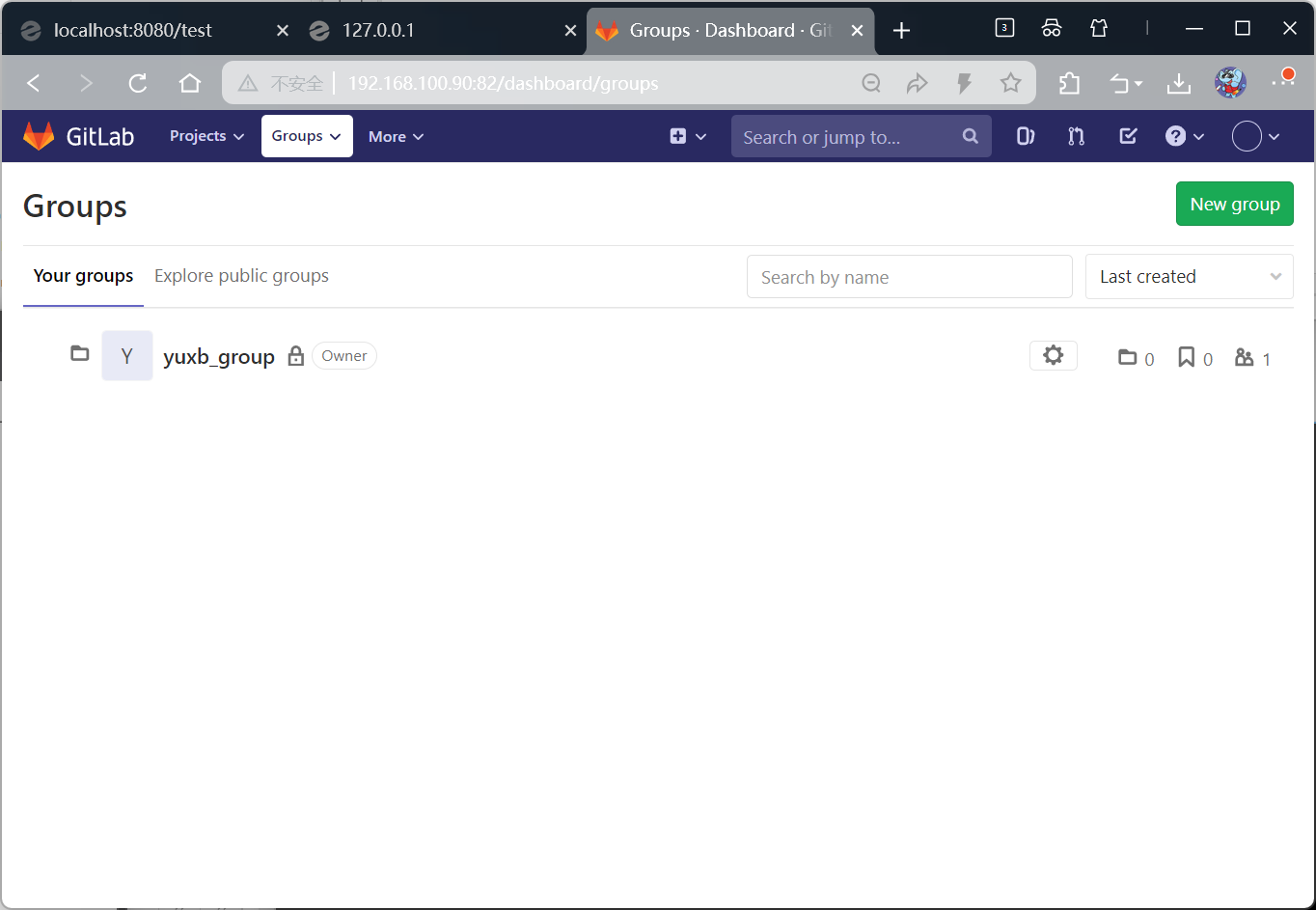
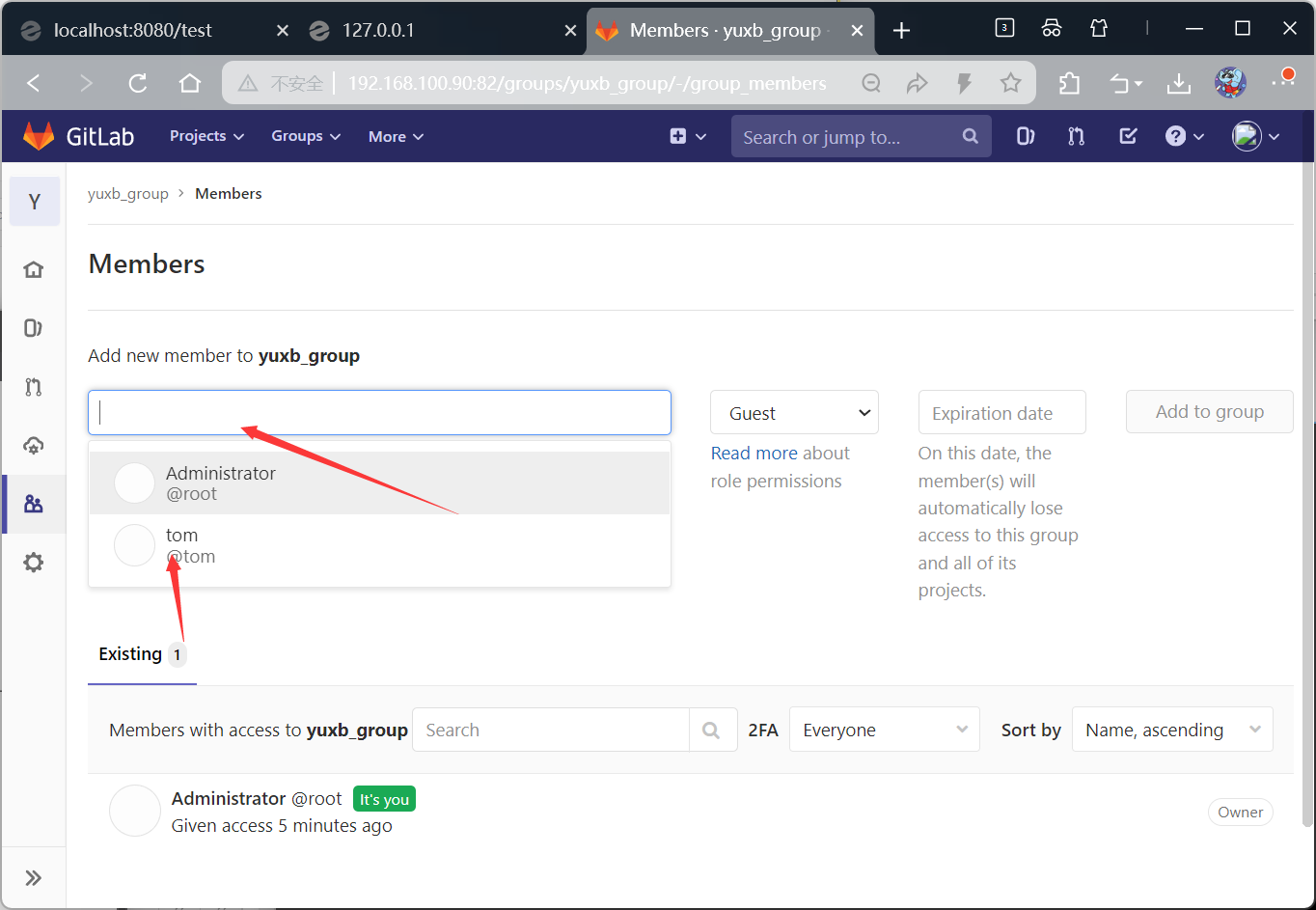
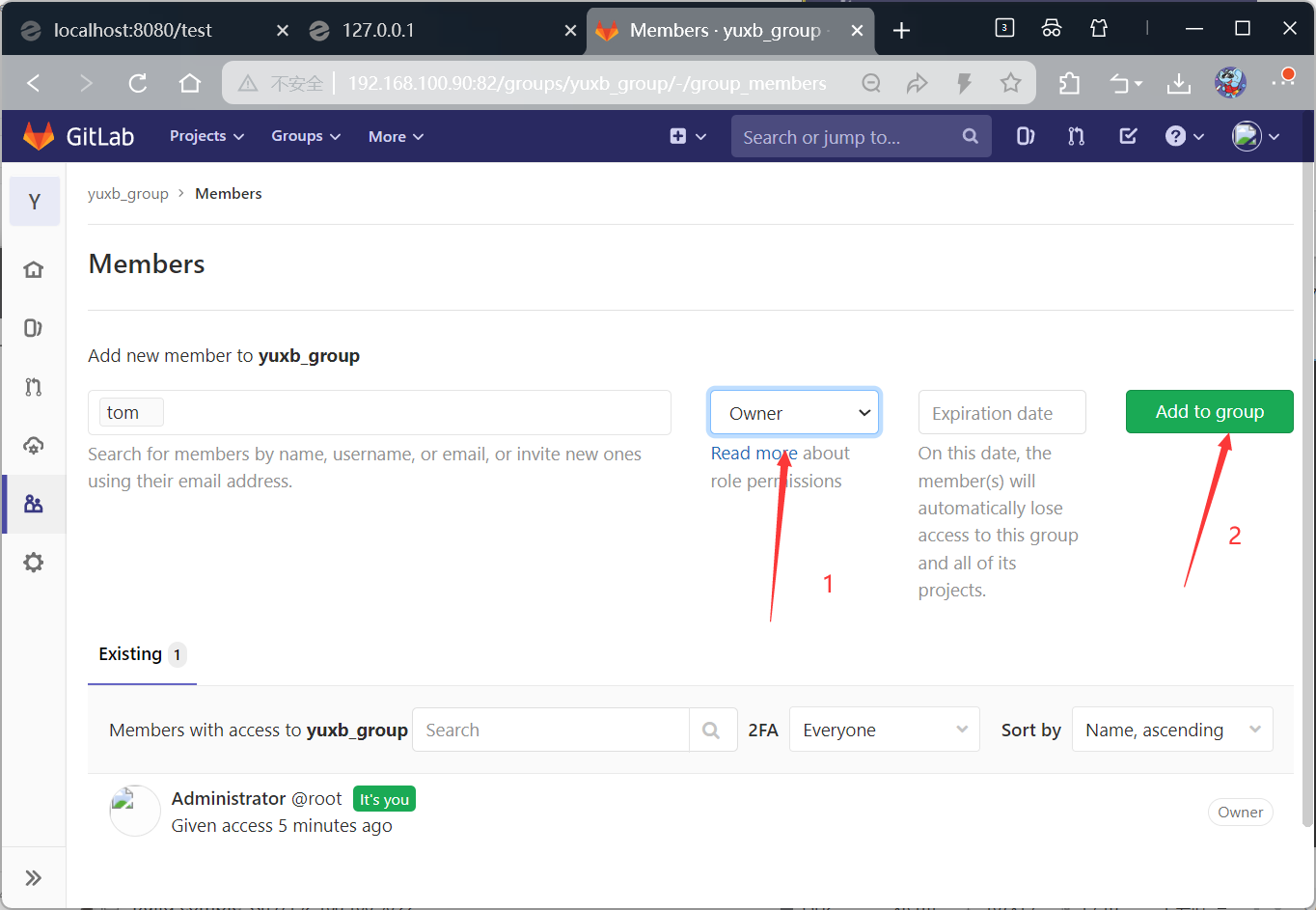
给他设置角色,设置为所有者
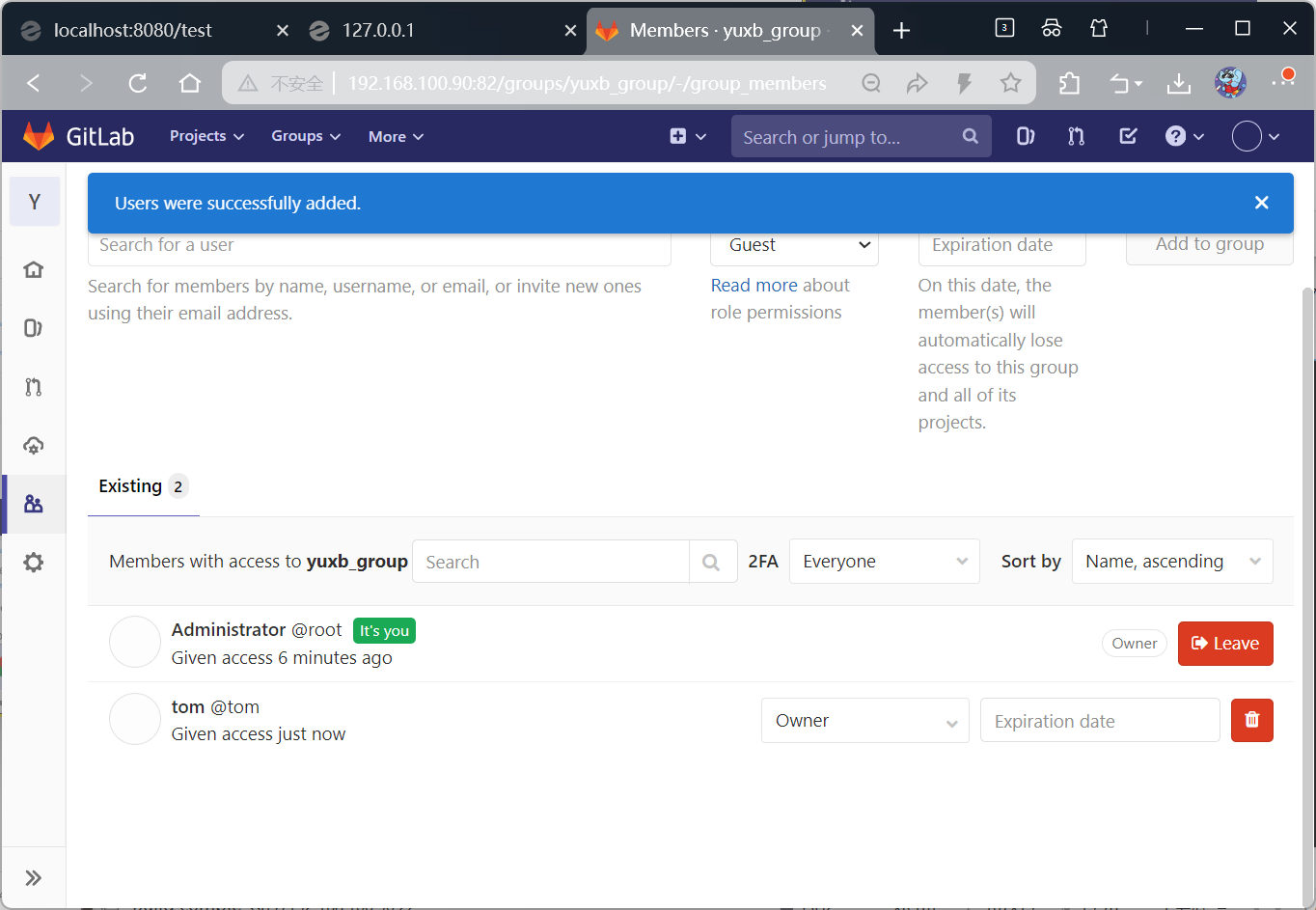
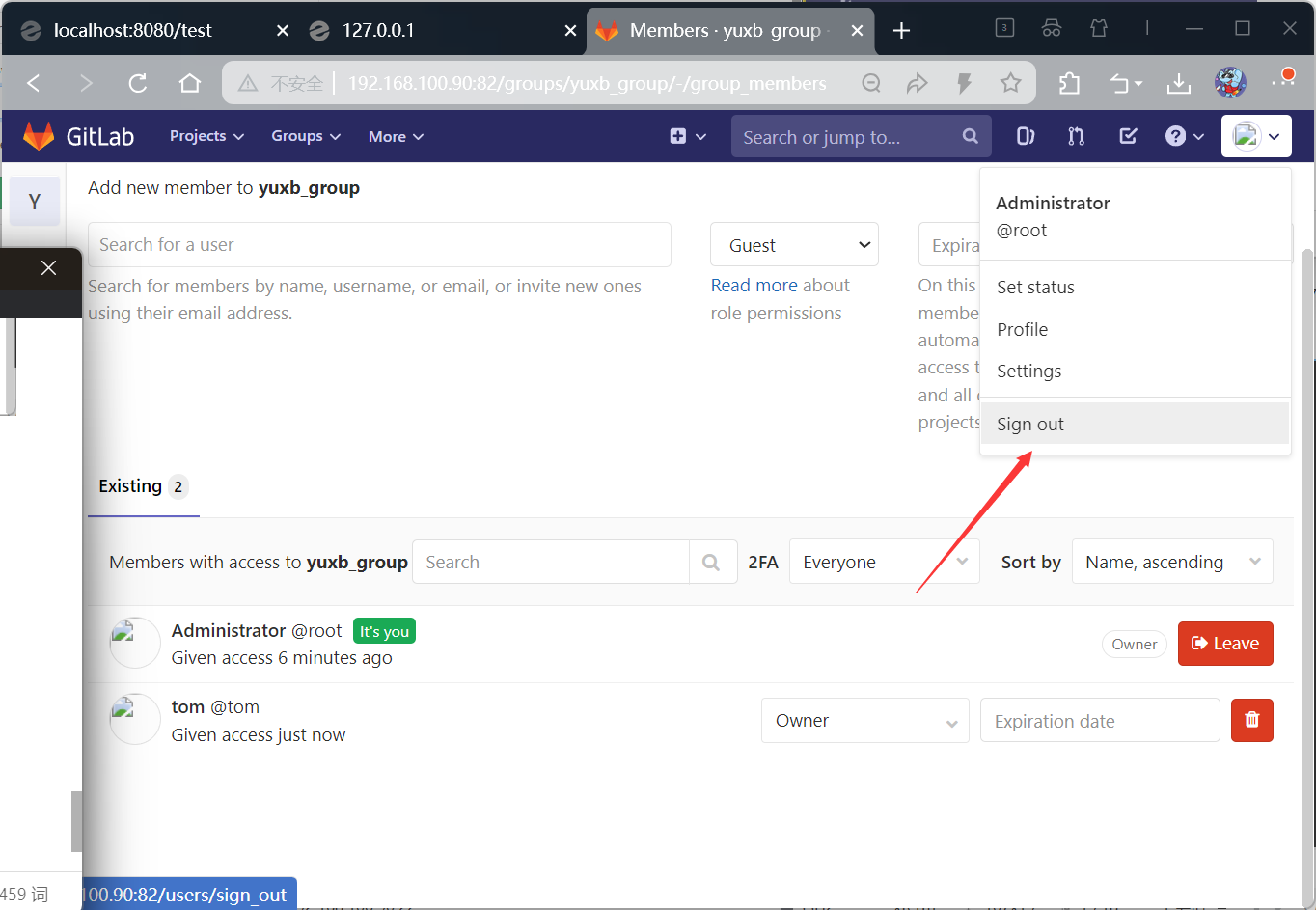
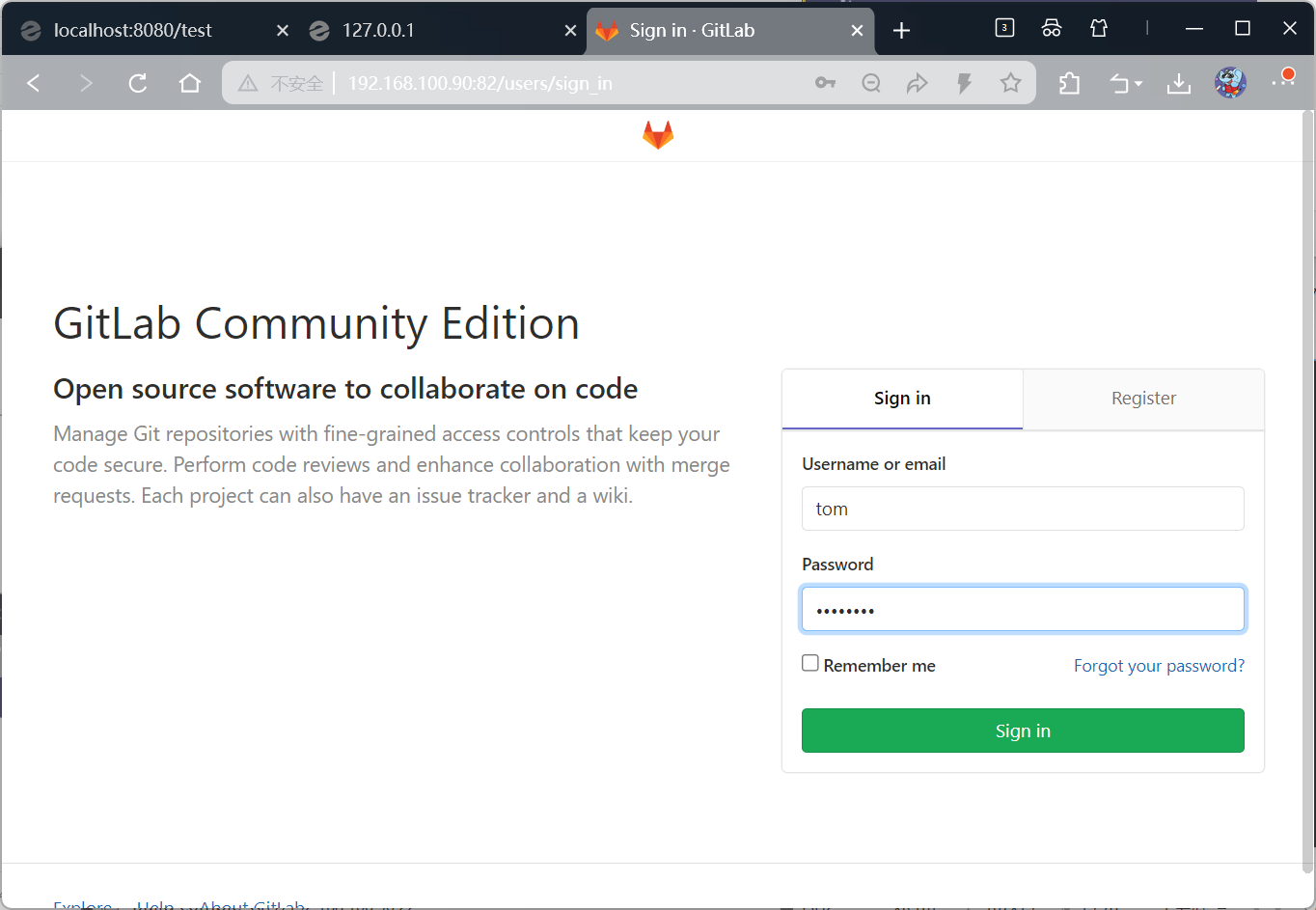
检验是否可以登录
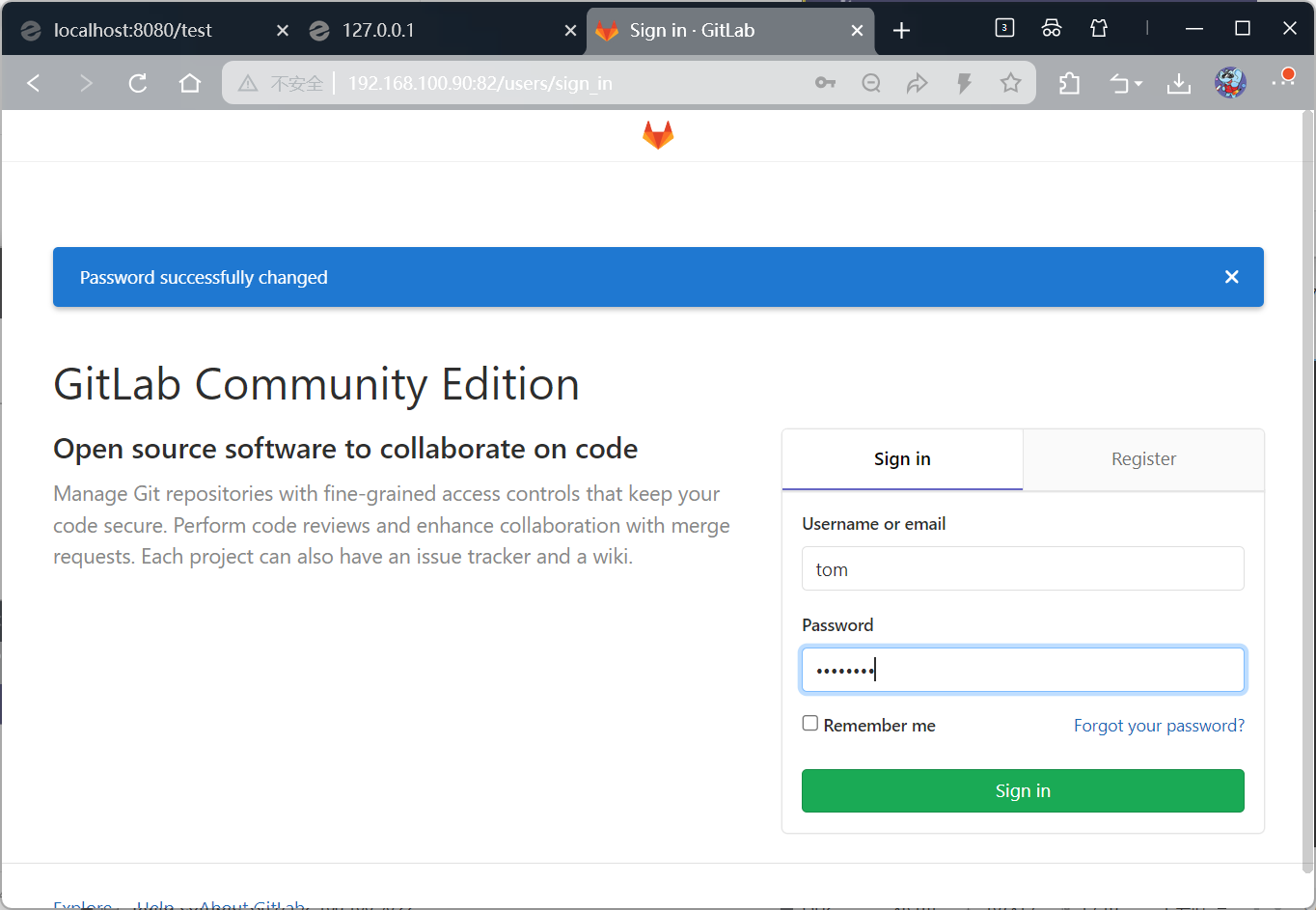
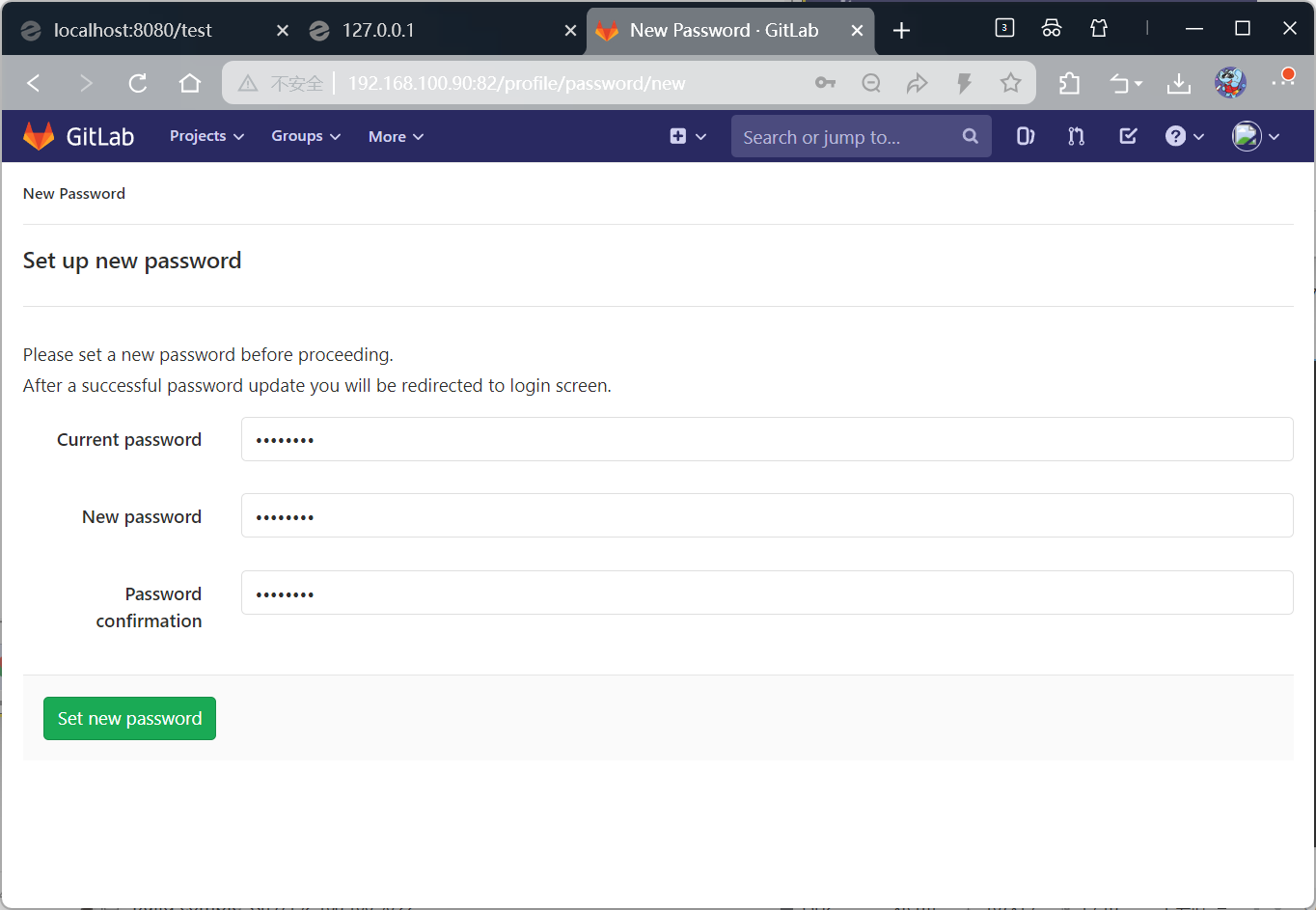
第一次登陆需要更新密码
原密码:abcd1234
更新后:tom12345
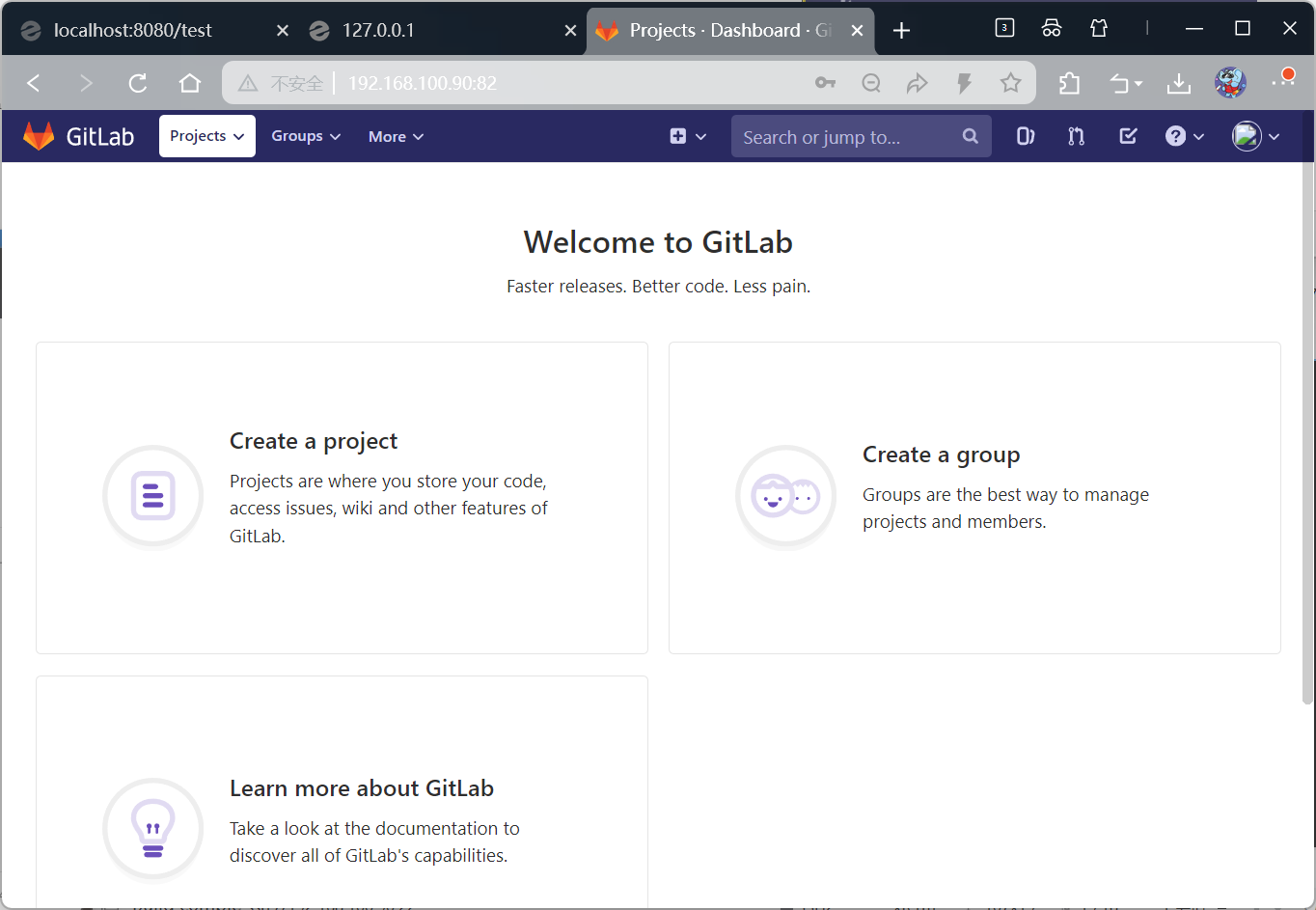
创建项目
在组中创建
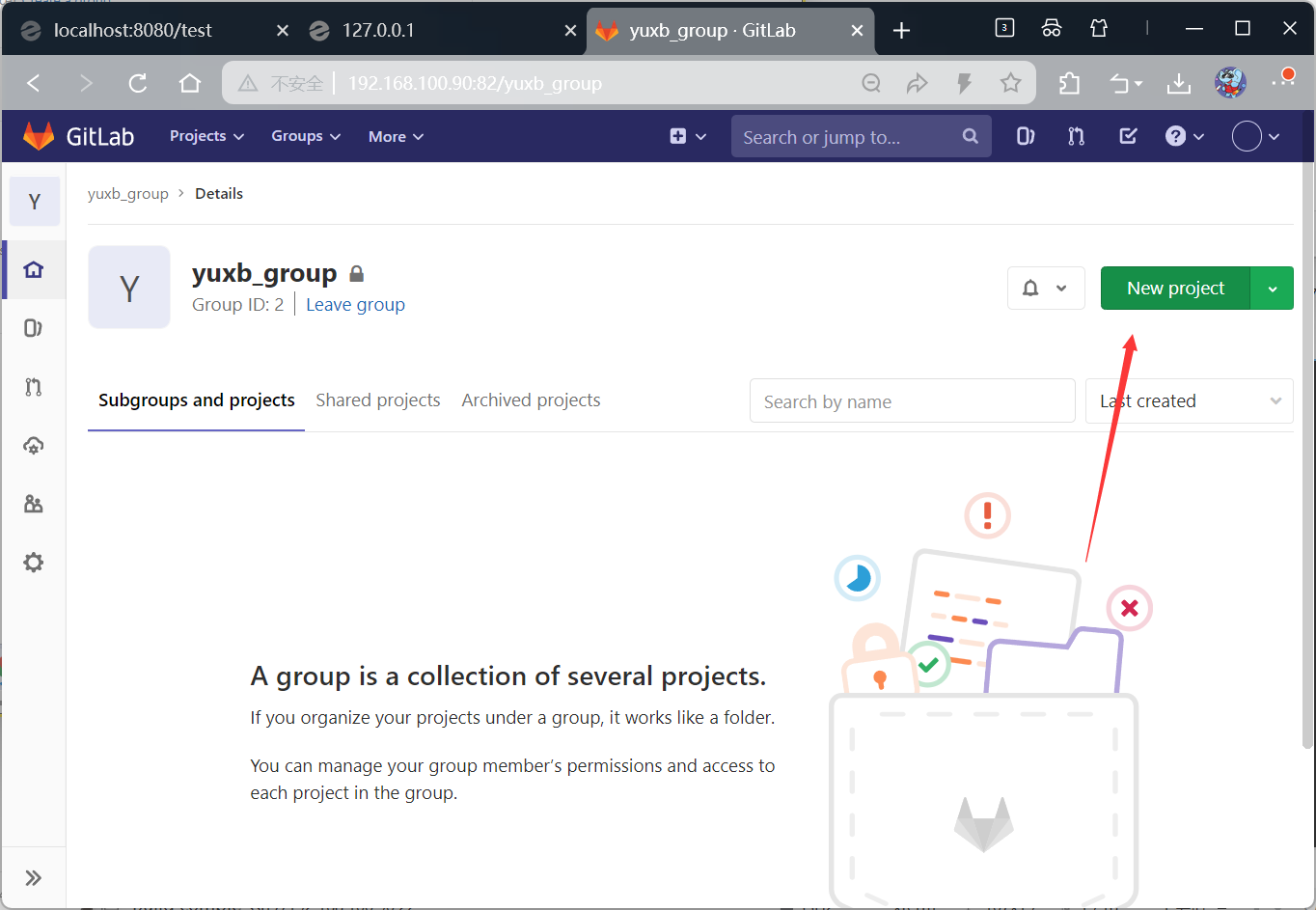
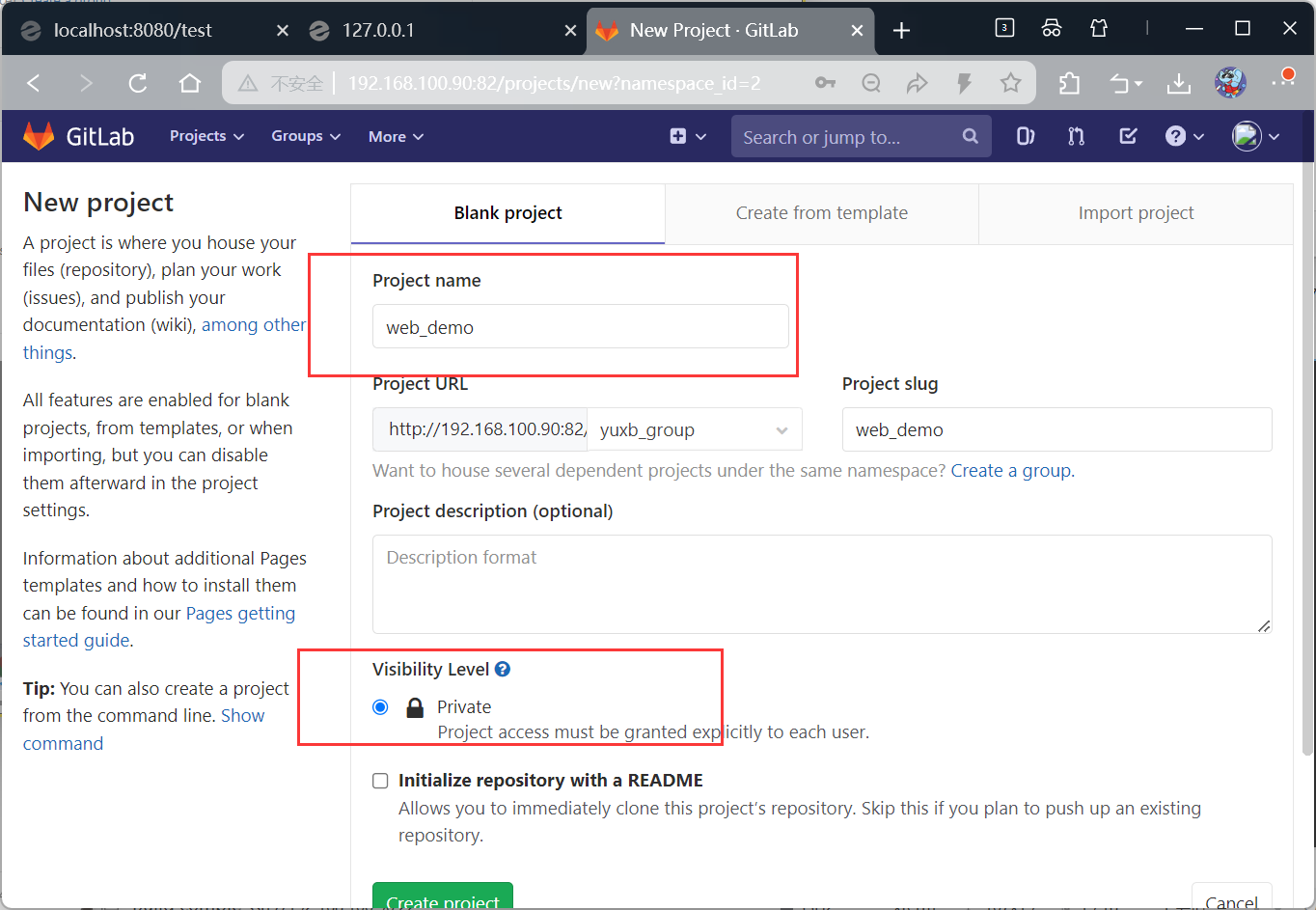
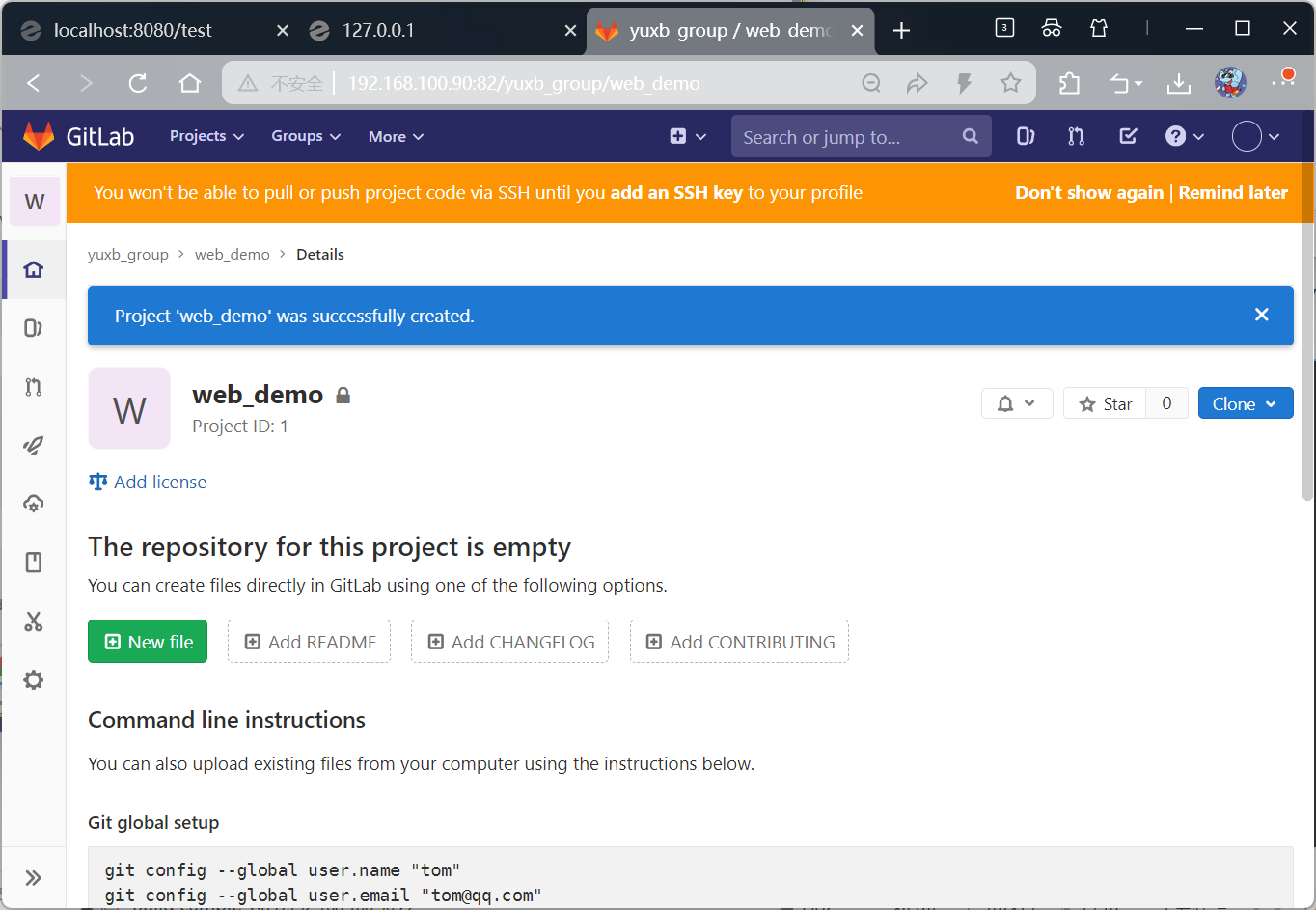
源码上传到Gitlab仓库
在Windows系统本地安装gitlab
默认路径,一直next,安装完成后的finish界面全部取消勾选即可
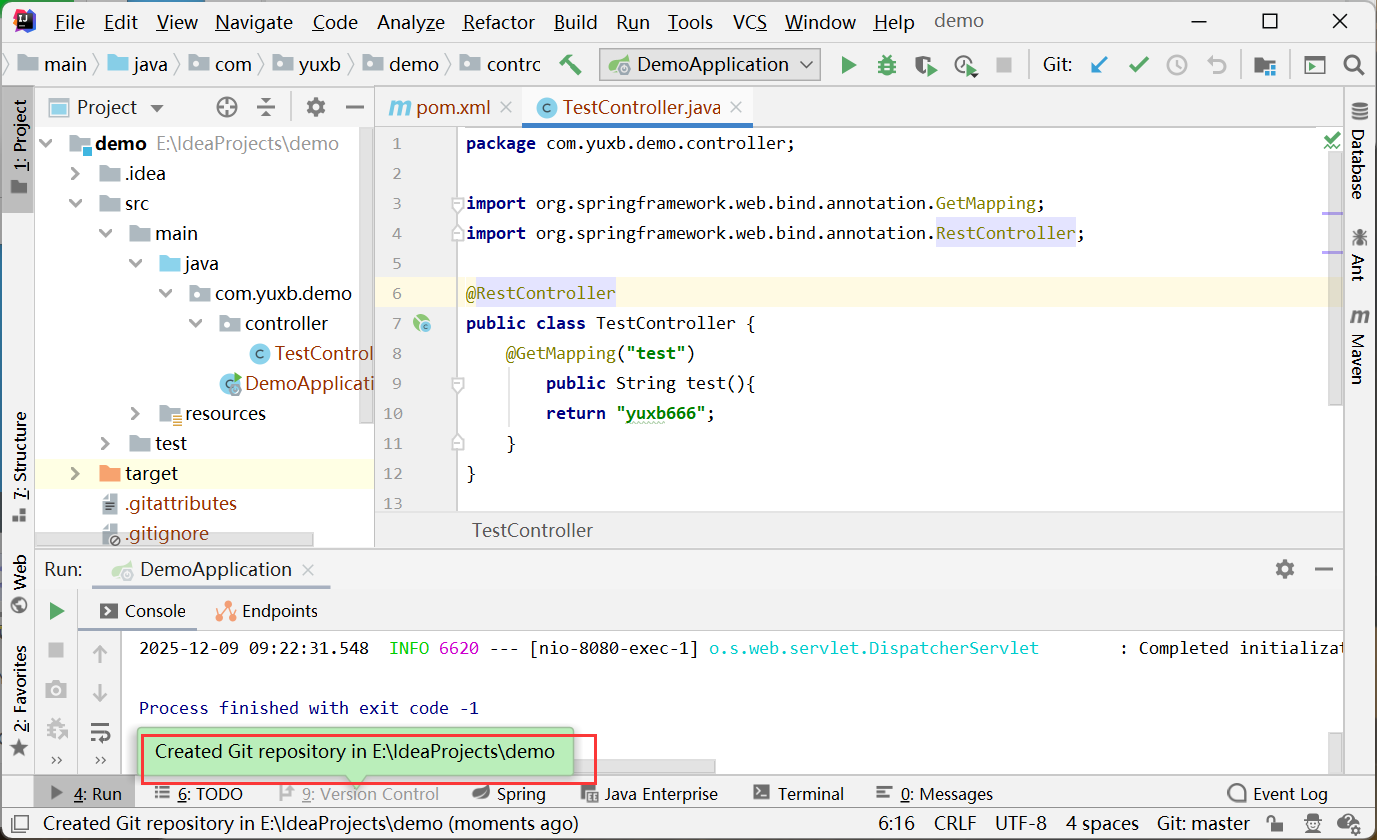
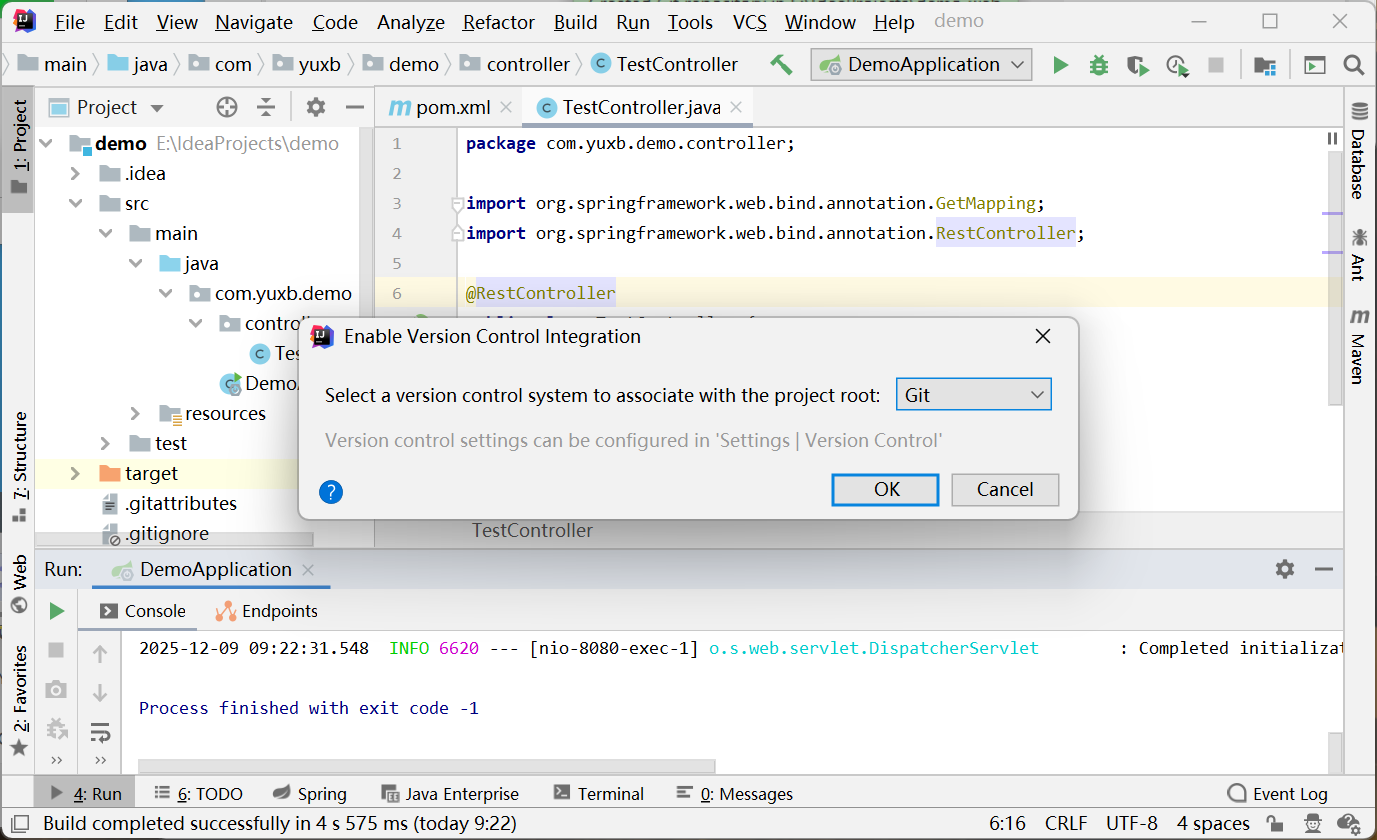
idea中添加Git

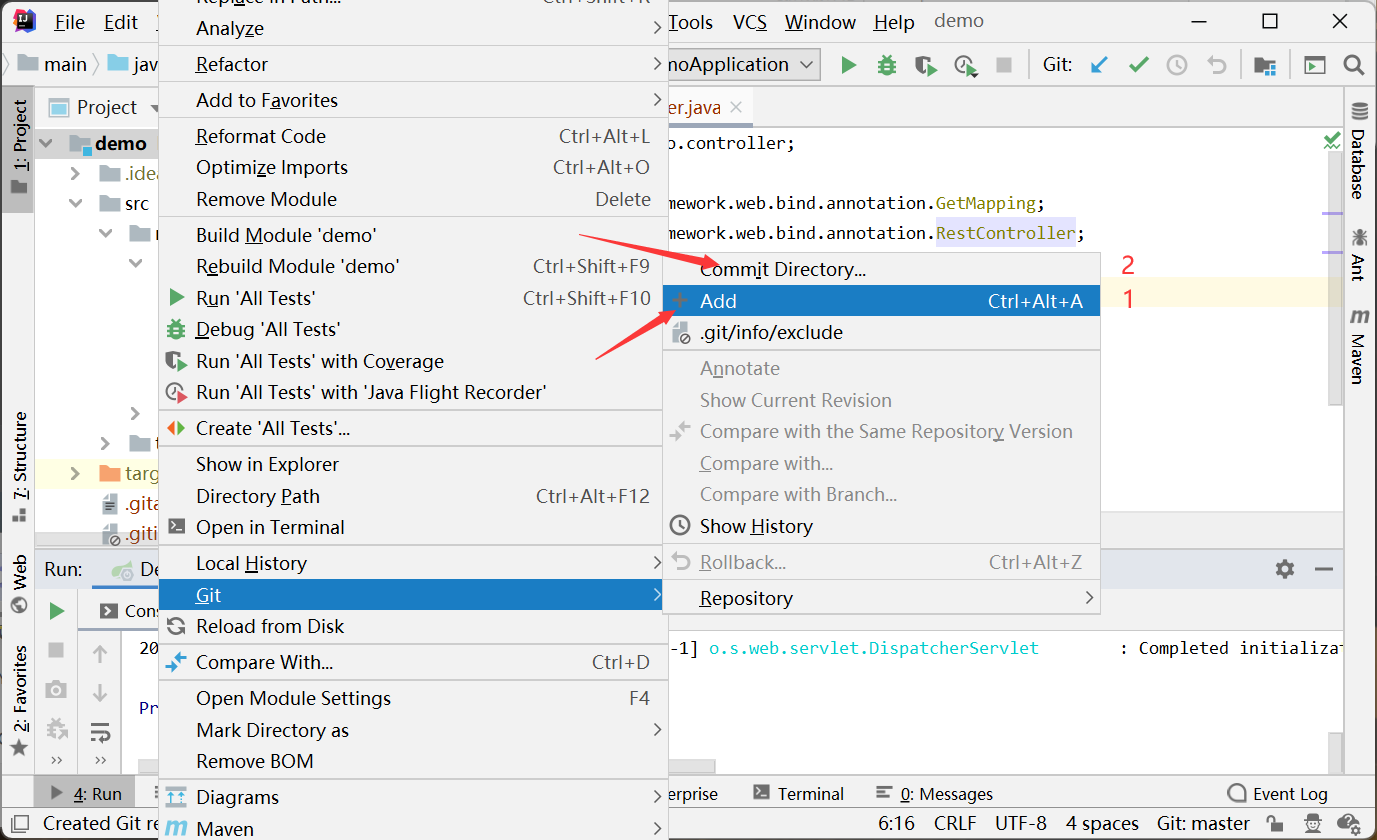
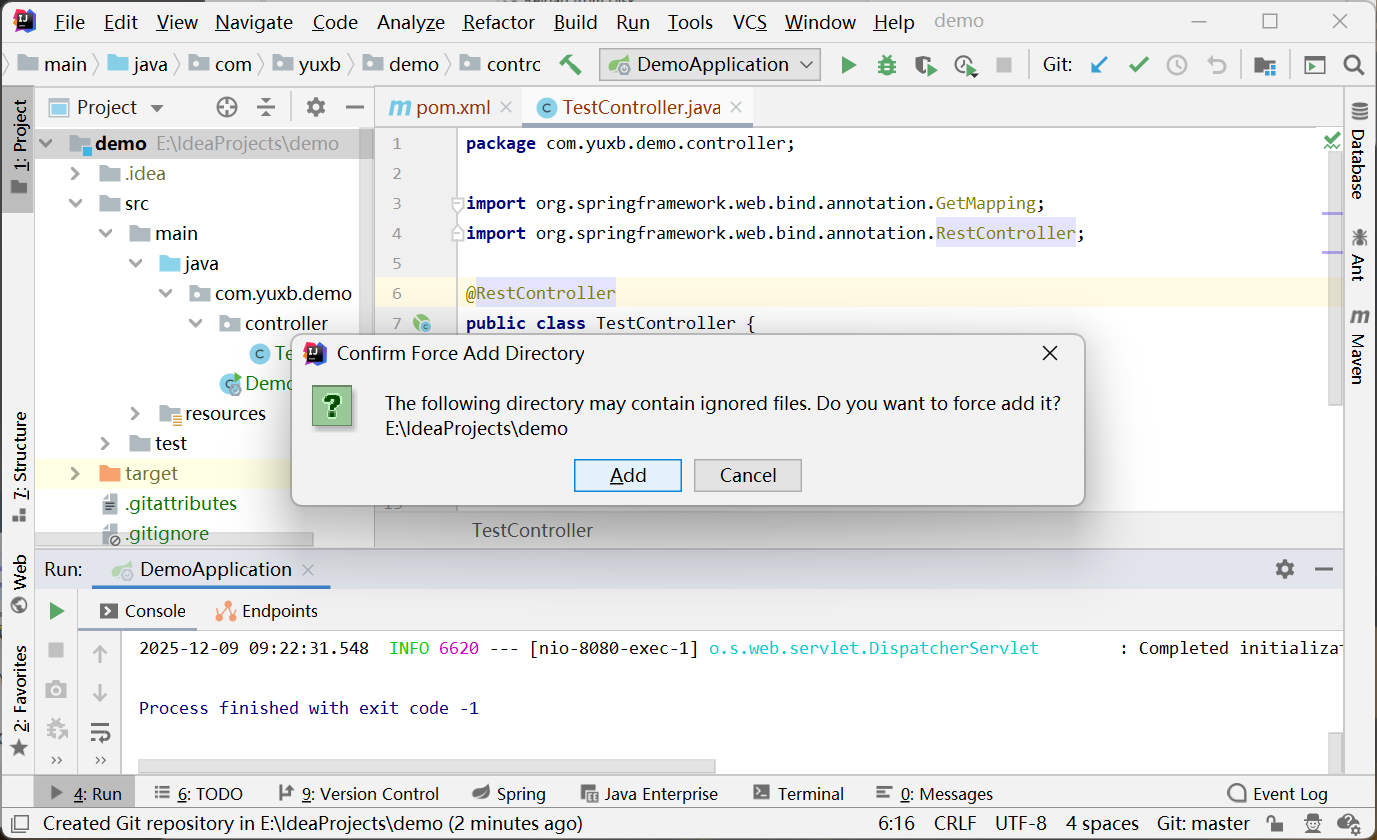
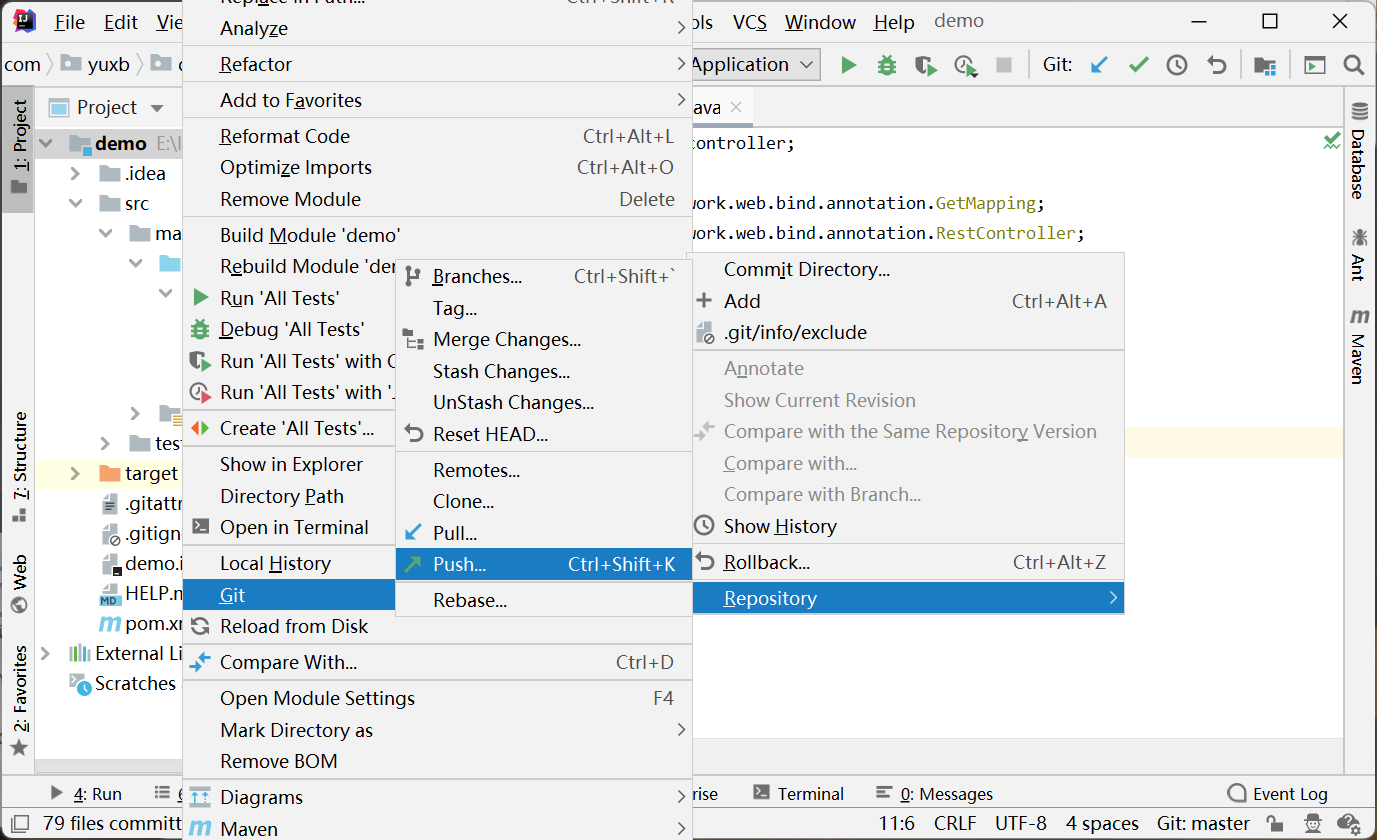
选择整个项目,右击就会出现Git选项,先+Add加入缓存,再提交commit directory本地git
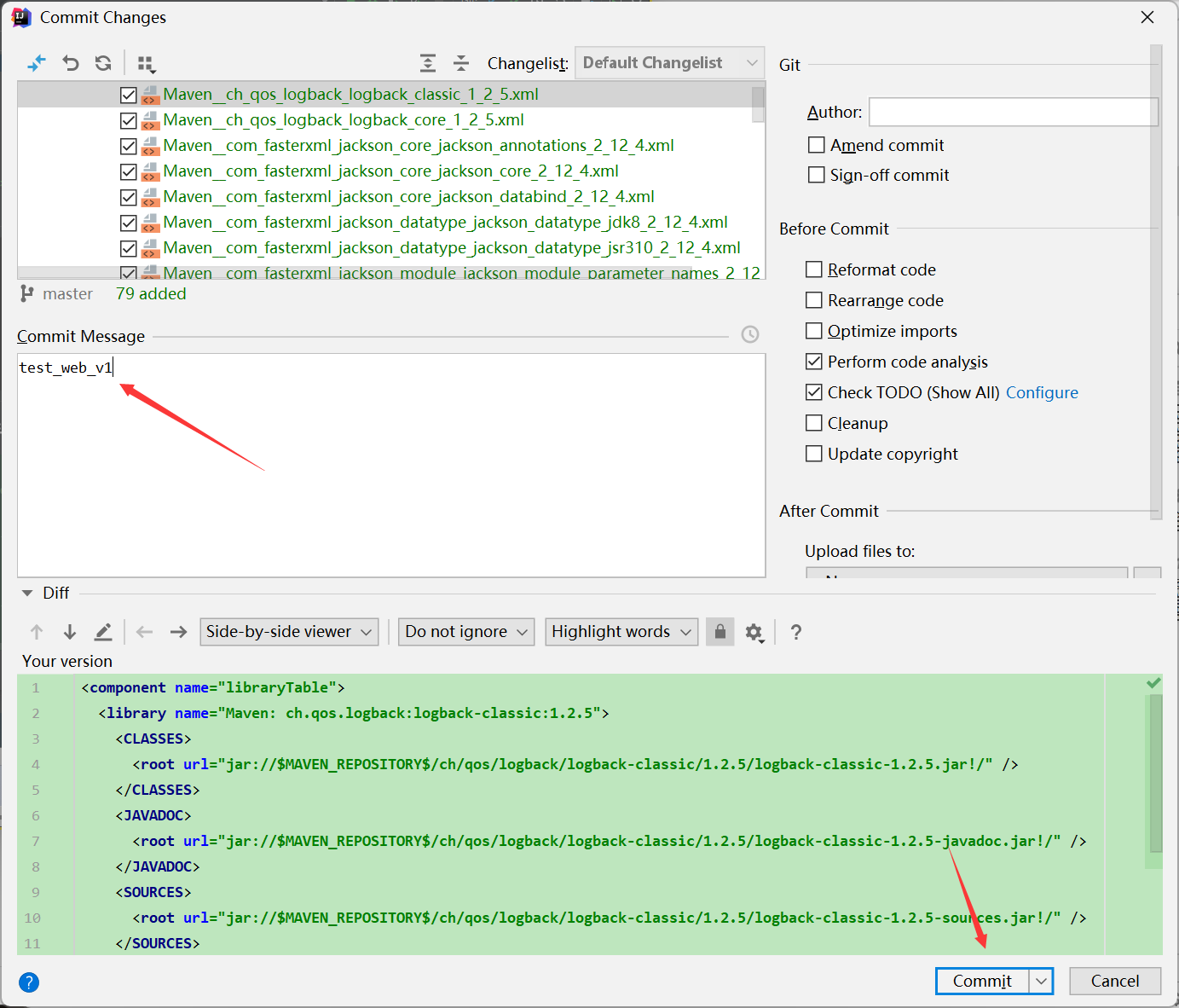
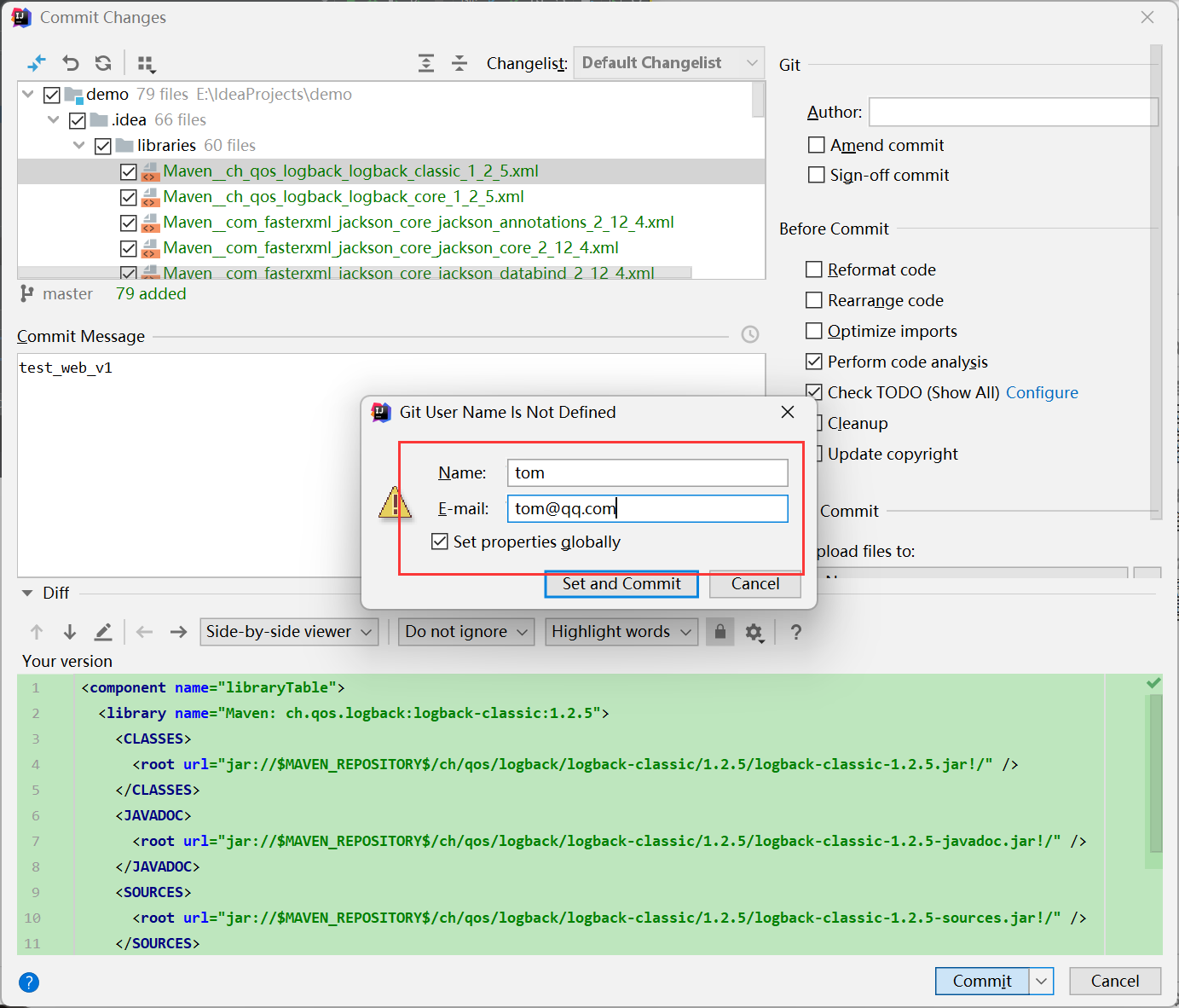
填写邮箱再提交
提交到远程的gitlab上
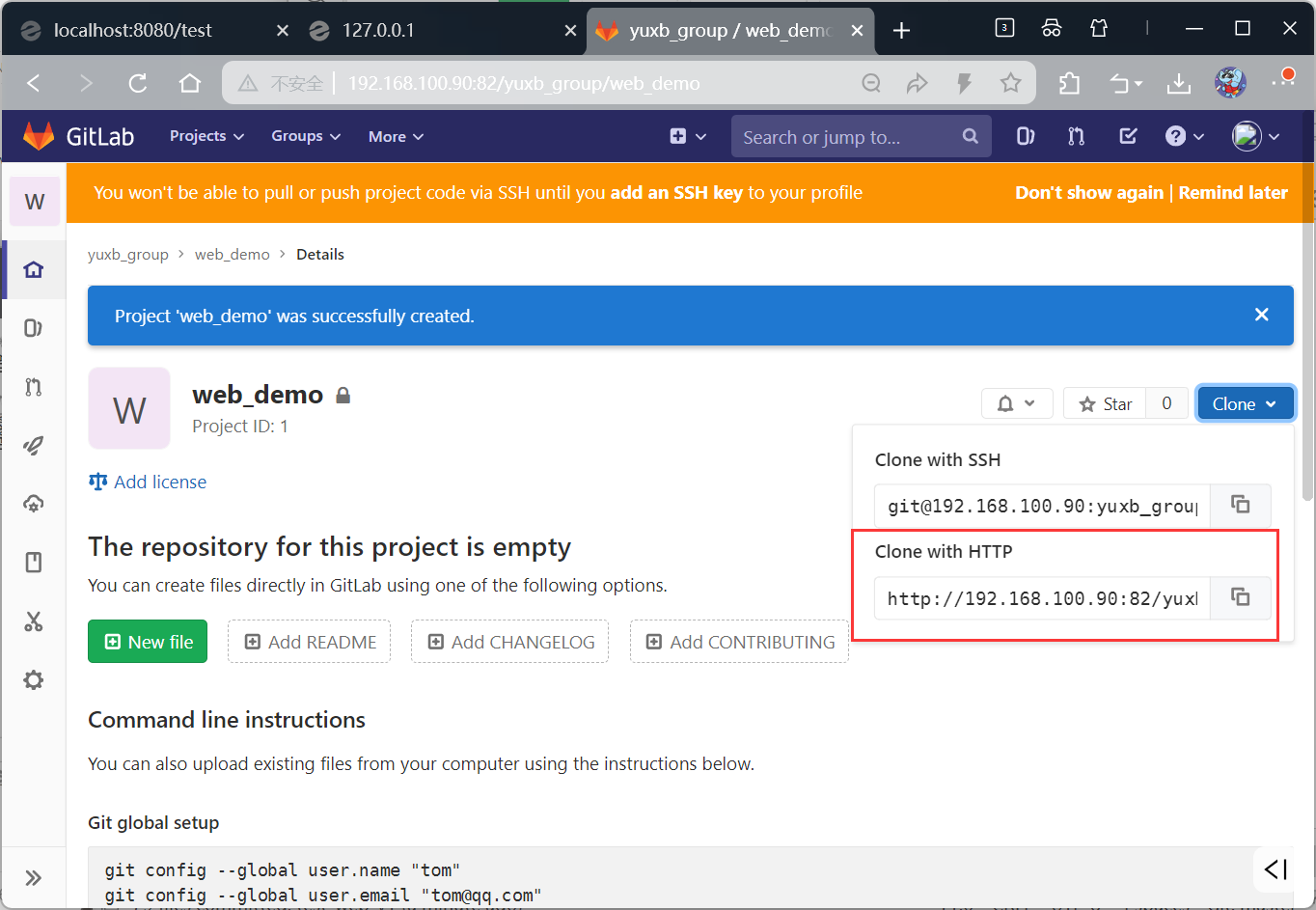
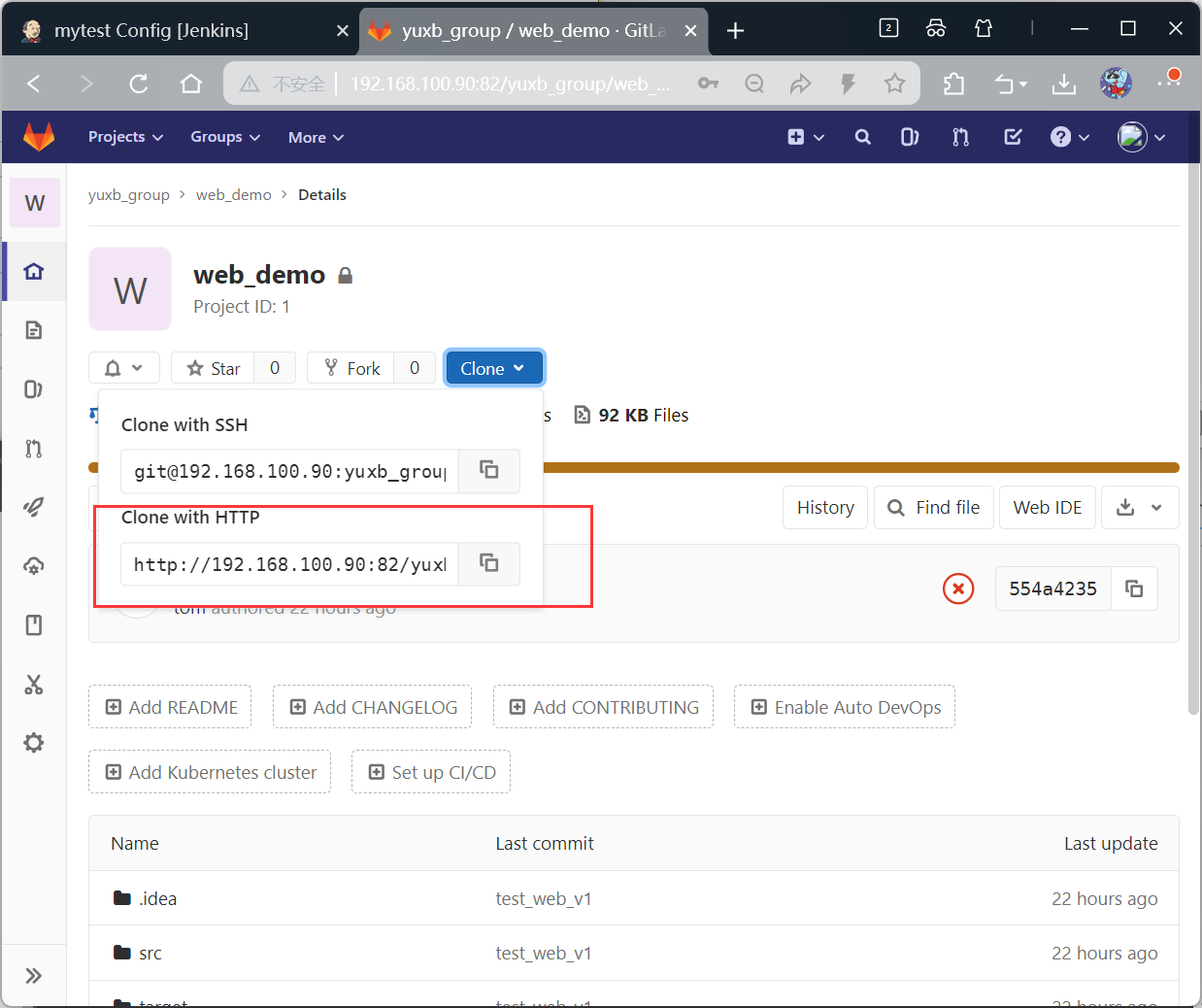
到gitlab网页对应的项目下复制连接:http://192.168.100.90:82/yuxb_group/web_demo.git
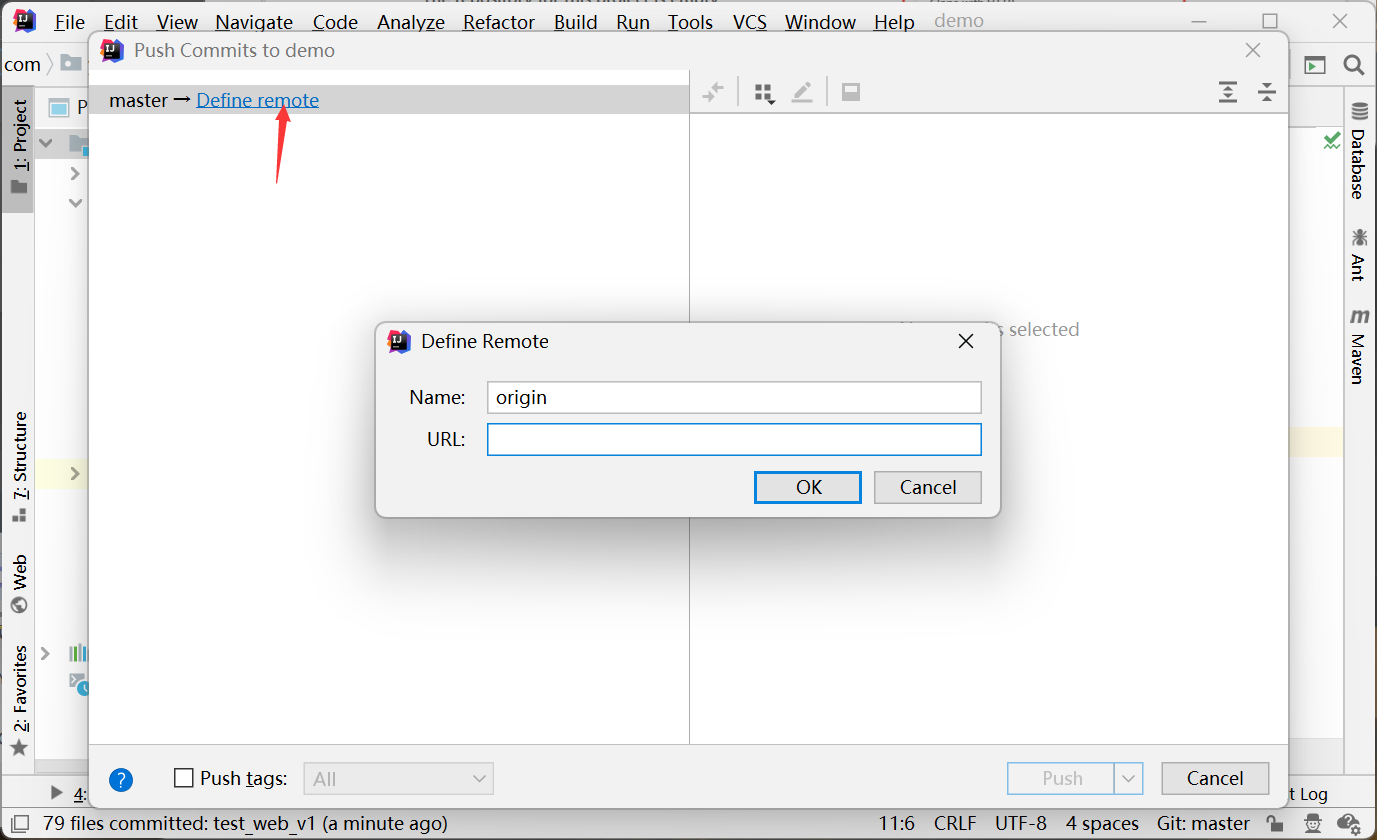
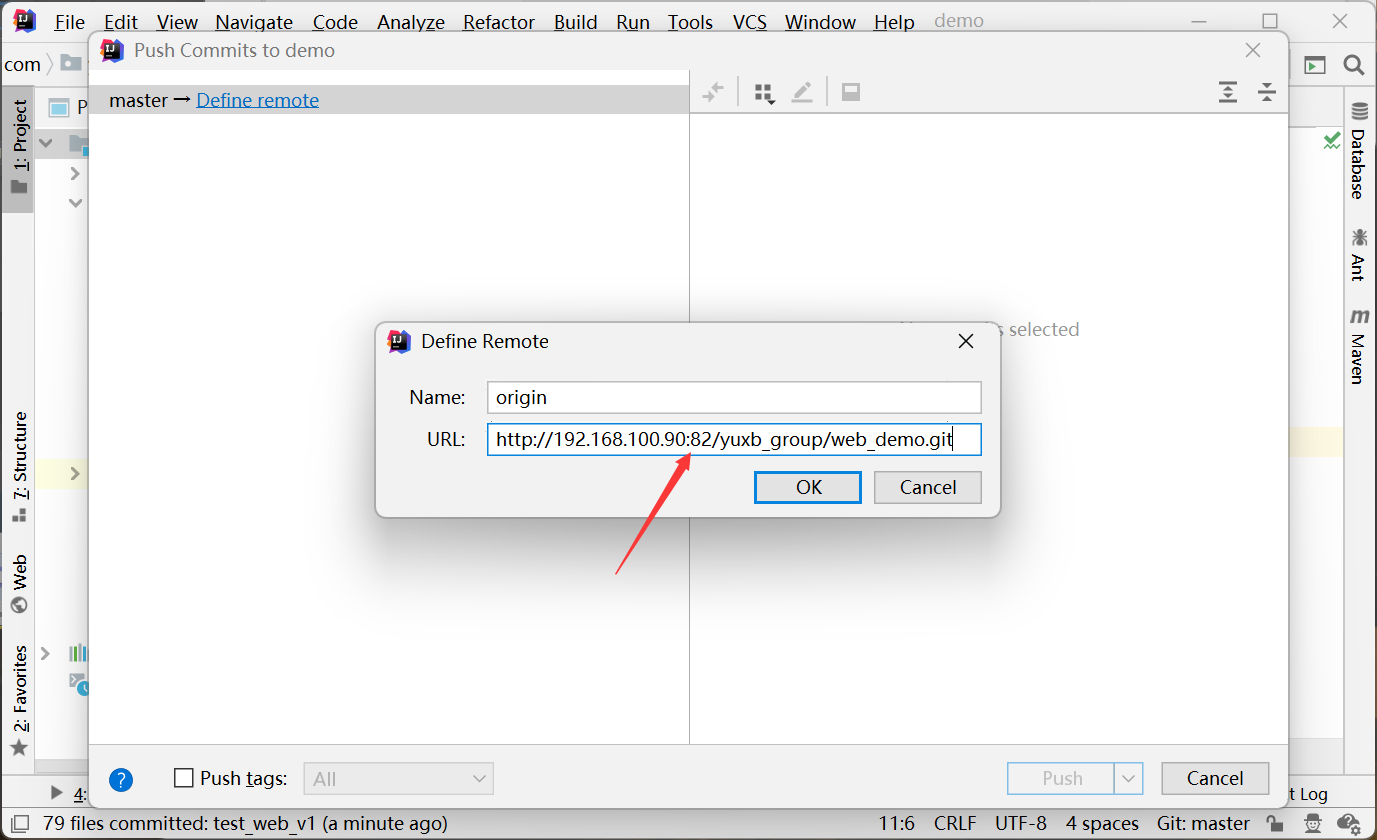
输入gitlab上的用户身份验证
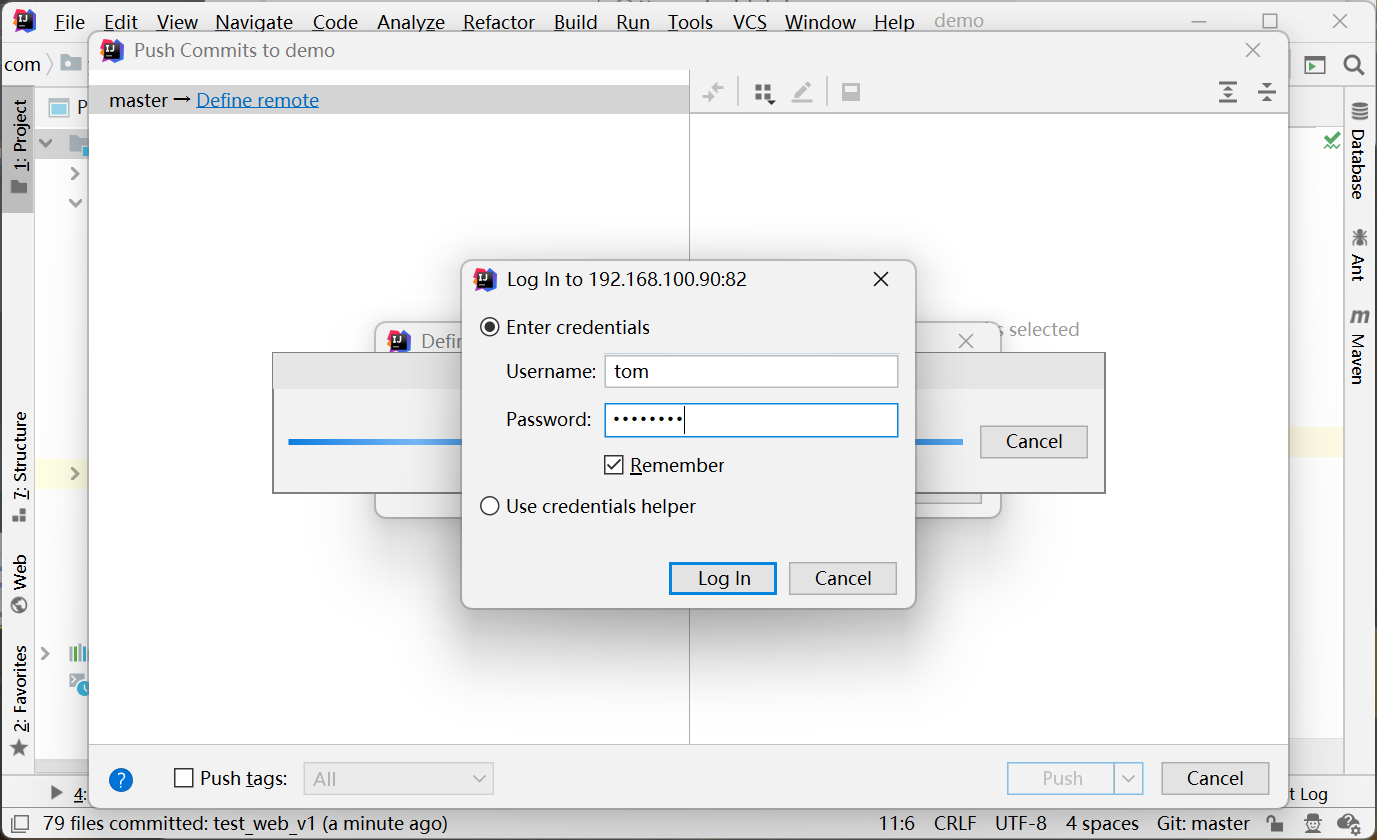
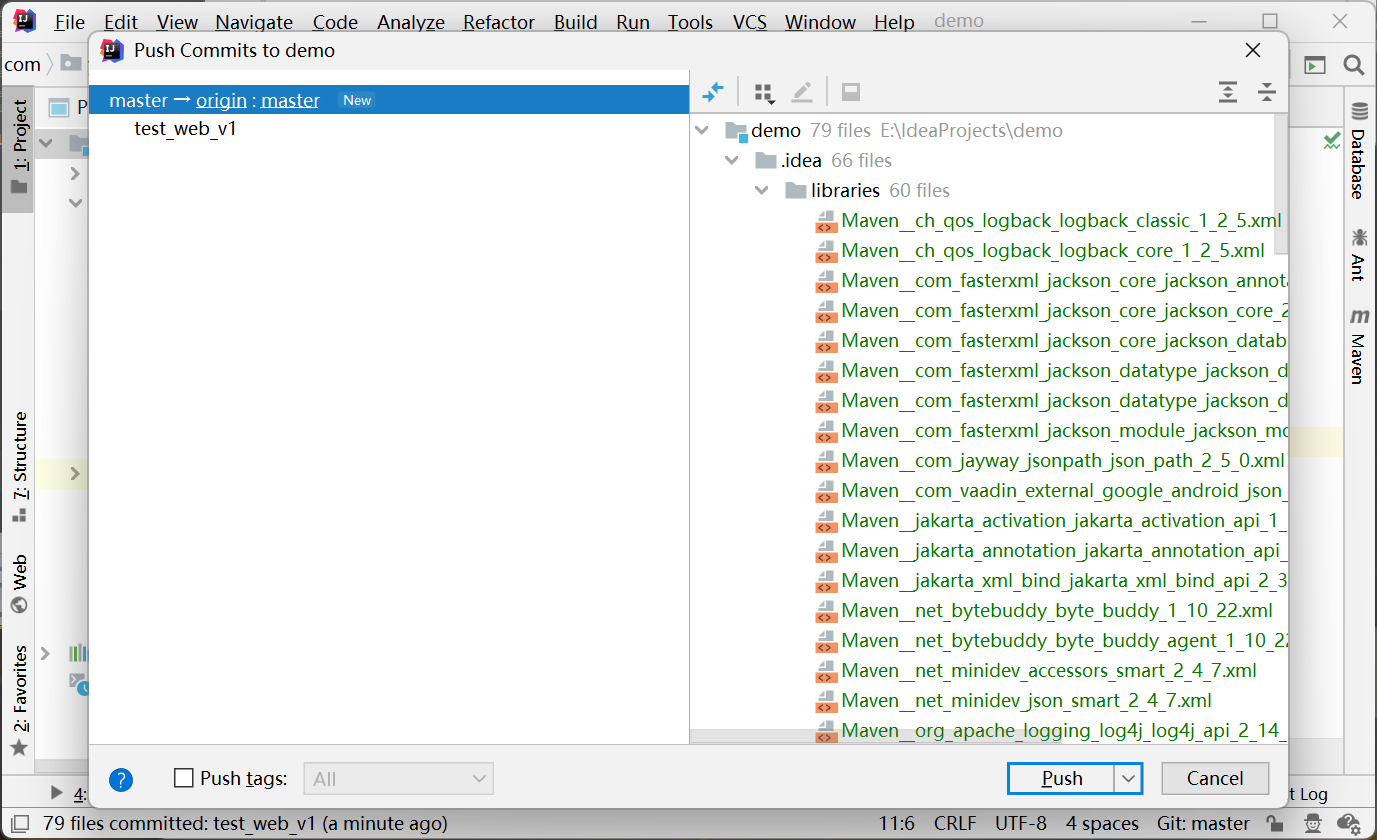
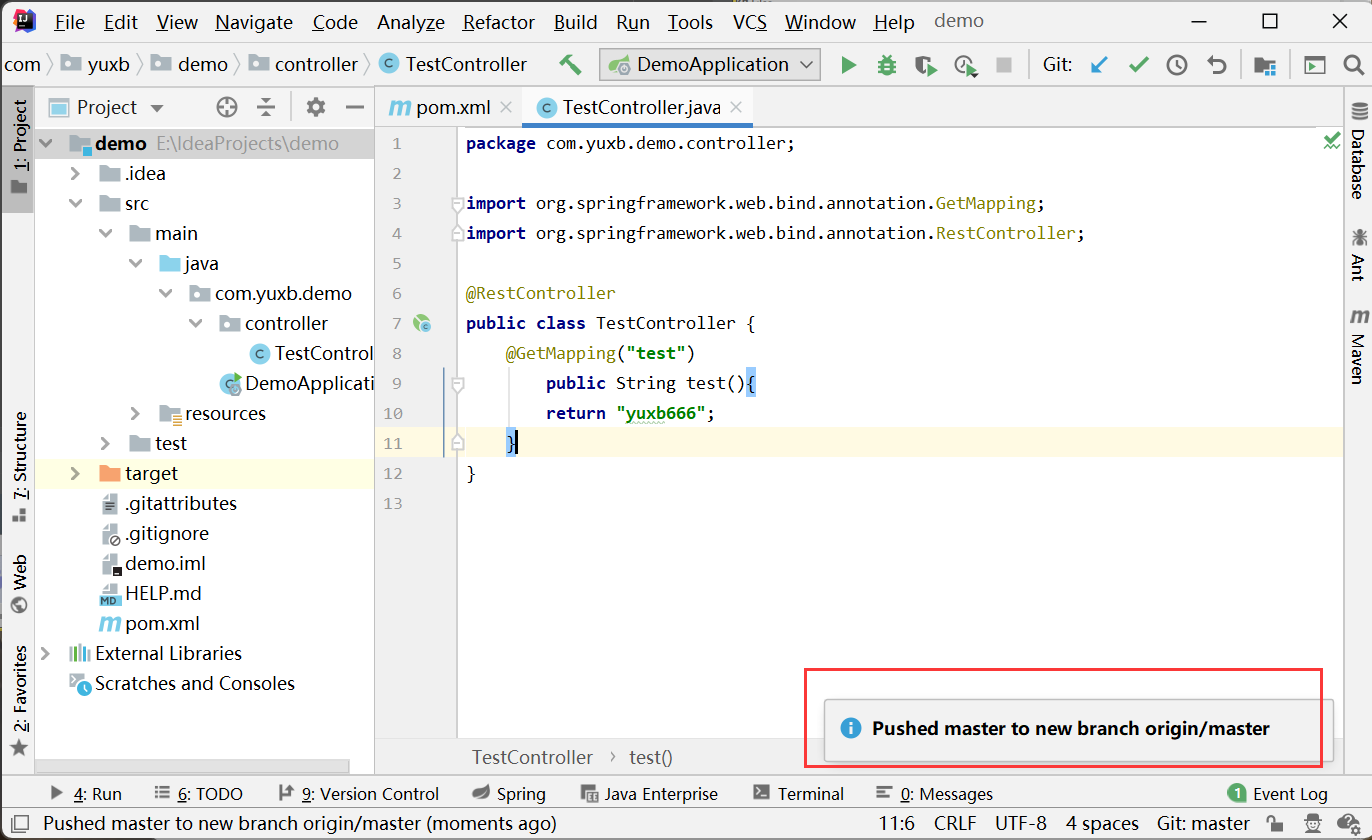
验证成功后,直接push提交
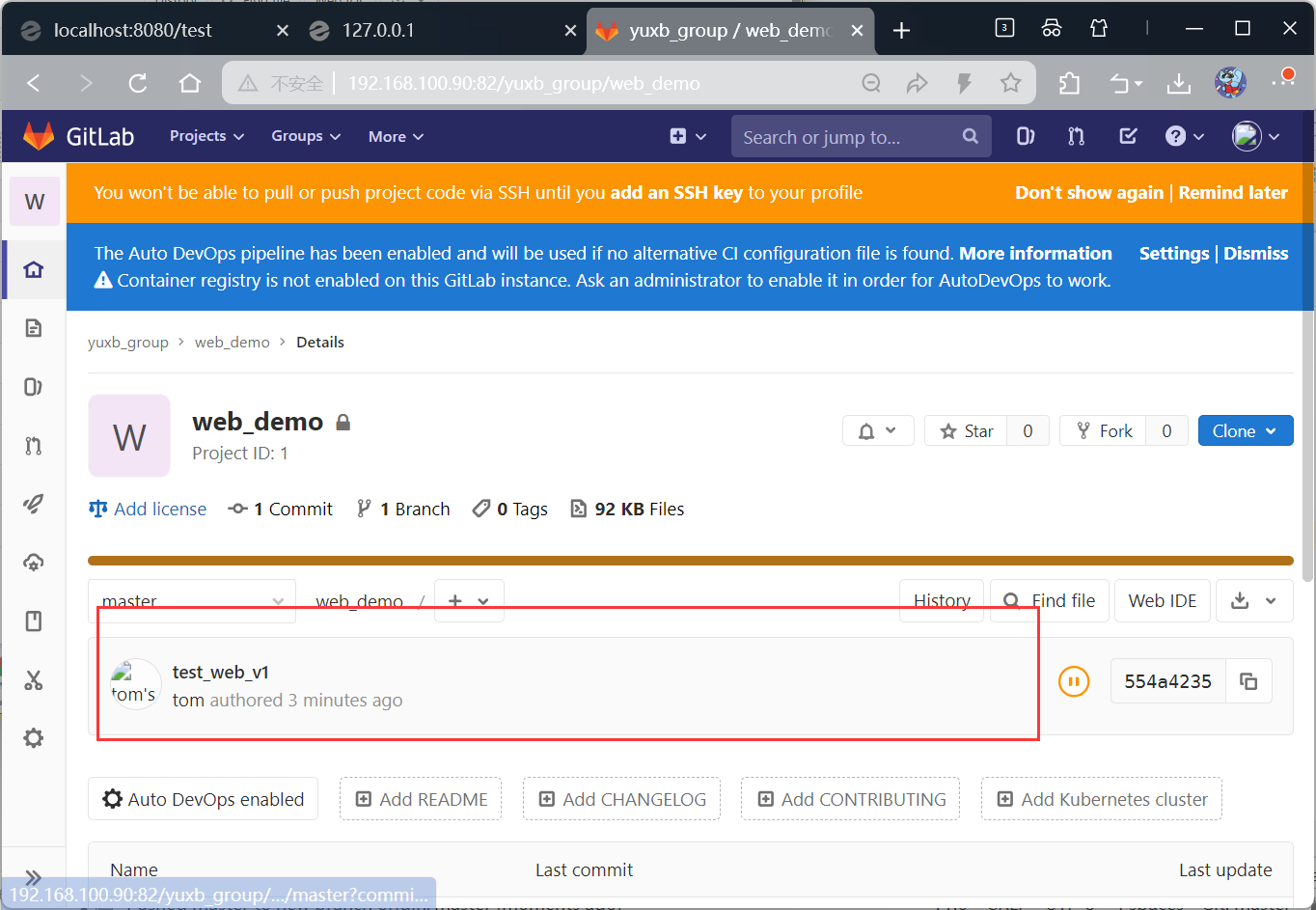
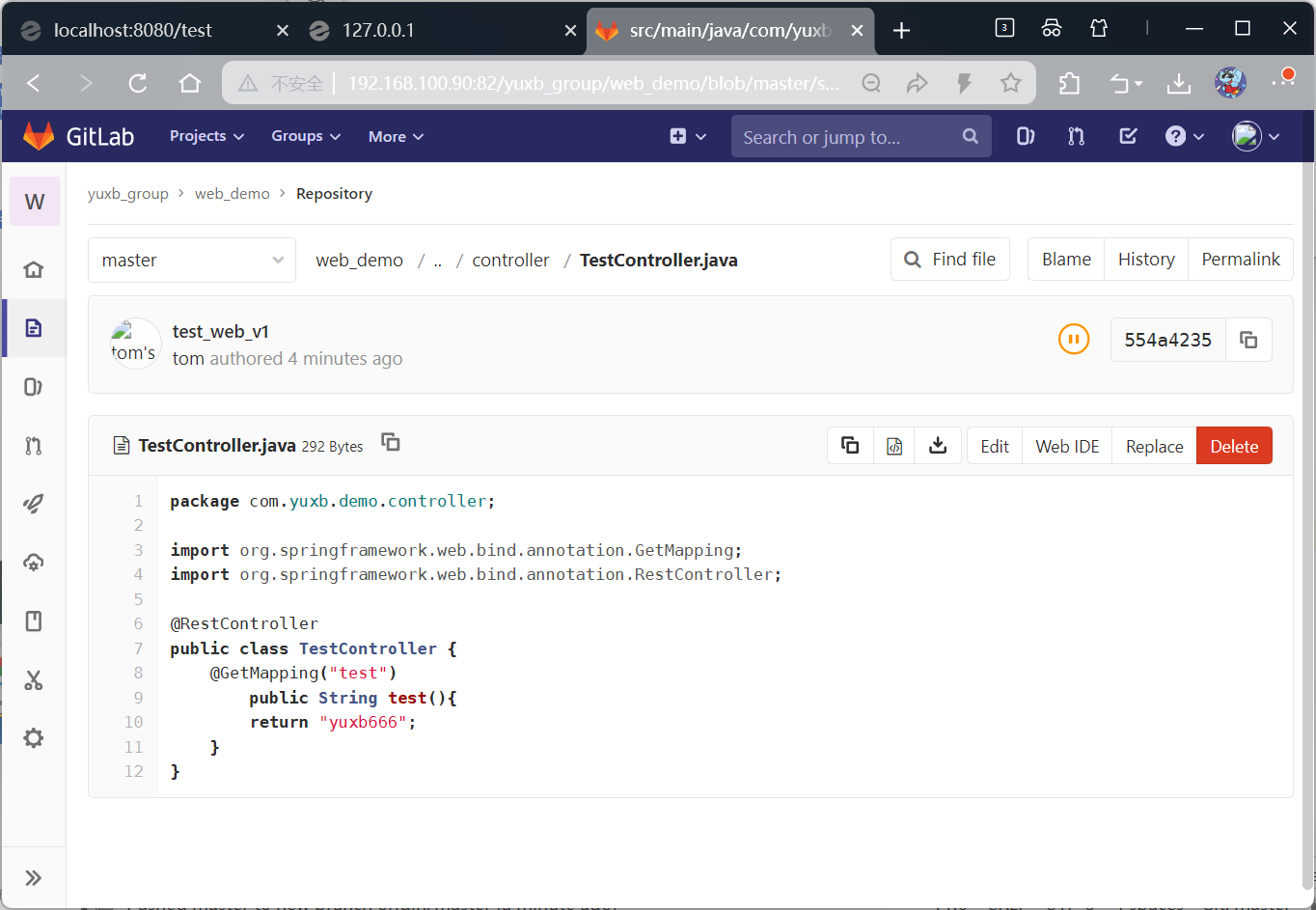
回到gitlab服务器,web_demo项目下查看提交内容,刷新页面
Jenkins服务
介绍
Jenkins 是实现持续集成(CI)、持续交付 / 部署(CD)的关键工具,是 DevOps 工具链的核心组成部分
核心工作原理:Pipeline(流水线)
Pipeline 是 Jenkins 的核心机制,它将软件交付流程抽象为多阶段(Stage)的链式流程,每个阶段包含若干执行步骤(Step):
- 典型阶段:覆盖从 "检出代码→编译构建→单元测试→集成测试→代码质量分析→构建部署→预生产验证→生产部署(CD)" 的完整交付链路。
- 实现方式 :通过
Jenkinsfile(文本文件)定义 Pipeline 并存储于代码仓库,实现 "Pipeline as Code",便于版本管理与团队协作。
Jenkins 的核心特点
- 开源免费:拥有庞大的用户与开发者社区,生态活跃。
- 高度可扩展:依托超 1800 个插件覆盖多类功能场景,包括:
- 源代码管理(Git、SVN 等);
- 构建工具(Maven、Gradle 等);
- 测试框架(JUnit、Selenium 等);
- 代码质量分析(SonarQube 等);
- 部署工具(Docker、Kubernetes 等);
- 通知工具(Email、Slack 等);
- 可视化工具(Blue Ocean 等)。
- 分布式构建:将任务分发至多台执行器(Jenkins Agent/Node),提升构建效率与资源利用率,主节点负责管理调度。
- 易部署配置:支持 WAR 包、Docker 镜像、系统安装包(RPM、DEB 等)多种部署方式。
- 功能完善:提供 Web 管理界面、REST API(支持自动化集成),且社区文档与支持资源充足。
典型应用场景
- 自动构建:代码提交后自动触发编译、打包流程;
- 自动化测试:构建完成后自动执行单元、集成、端到端测试;
- 代码质量门禁:集成质量分析工具,质量不达标时阻止后续流程;
- 自动化部署:将产物自动发布至测试、预生产或生产环境;
- 定时任务:执行周期性构建、备份、报告生成等操作;
- 监控外部作业:运行脚本 / 程序并监控其执行结果。
主要组件
- Jenkins Server/Controller:主节点,提供 Web UI、管理配置、调度构建作业;
- Jenkins Agent/Node:执行器节点,实际运行构建任务的计算资源(物理机、虚拟机、容器等);
- Project/Job:定义构建任务的具体内容与步骤;
- Pipeline:多阶段交付流程,通过 Jenkinsfile 定义;
- Artifact:构建产生的输出物(如 JAR 包、Docker 镜像等);
- Plugin:扩展 Jenkins 功能的核心载体,支撑其生态扩展性。
maven部署
bash
[root@jenkins ~]# ls
anaconda-ks.cfg                Documents             jdk-8u171-linux-x64.tar.gz  Public
apache-maven-3.6.2-bin.tar.gz  Downloads             Music                       Templates
Desktop                        initial-setup-ks.cfg  Pictures                    Videos


[root@jenkins ~]# tar zxvf jdk-8u171-linux-x64.tar.gz -C /usr/local/
[root@jenkins ~]# ls /usr/local/
bin  etc  games  include  jdk1.8.0_171  lib  lib64  libexec  sbin  share  src

[root@jenkins ~]# tar zxvf apache-maven-3.6.2-bin.tar.gz -C /usr/local/
[root@jenkins ~]# ls /usr/local/
apache-maven-3.6.2  bin  etc  games  include  jdk1.8.0_171  lib  lib64  libexec  sbin  share  src


#重命名
[root@jenkins ~]# cd /usr/local/
[root@jenkins local]#
[root@jenkins local]# mv apache-maven-3.6.2/ maven
[root@jenkins local]# mv jdk1.8.0_171/ jdk
[root@jenkins local]# ls
bin  etc  games  include  jdk  lib  lib64  libexec  maven  sbin  share  src


[root@jenkins maven]# pwd
/usr/local/maven
[root@jenkins jdk]# pwd
/usr/local/jdk

#配置maven阿里云仓库地址
[root@jenkins local]# cd maven/
[root@jenkins maven]# cd conf/
[root@jenkins conf]# vim settings.xml
[root@jenkins conf]# cat settings.xml
<?xml version="1.0" encoding="UTF-8"?>

<!--
Licensed to the Apache Software Foundation (ASF) under one
or more contributor license agreements.  See the NOTICE file
distributed with this work for additional information
regarding copyright ownership.  The ASF licenses this file
to you under the Apache License, Version 2.0 (the
"License"); you may not use this file except in compliance
with the License.  You may obtain a copy of the License at

    http://www.apache.org/licenses/LICENSE-2.0

Unless required by applicable law or agreed to in writing,
software distributed under the License is distributed on an
"AS IS" BASIS, WITHOUT WARRANTIES OR CONDITIONS OF ANY
KIND, either express or implied.  See the License for the
specific language governing permissions and limitations
under the License.
-->

<!--
 | This is the configuration file for Maven. It can be specified at two levels:
 |
 |  1. User Level. This settings.xml file provides configuration for a single user,
 |                 and is normally provided in ${user.home}/.m2/settings.xml.
 |
 |                 NOTE: This location can be overridden with the CLI option:
 |
 |                 -s /path/to/user/settings.xml
 |
 |  2. Global Level. This settings.xml file provides configuration for all Maven
 |                 users on a machine (assuming they're all using the same Maven
 |                 installation). It's normally provided in
 |                 ${maven.conf}/settings.xml.
 |
 |                 NOTE: This location can be overridden with the CLI option:
 |
 |                 -gs /path/to/global/settings.xml
 |
 | The sections in this sample file are intended to give you a running start at
 | getting the most out of your Maven installation. Where appropriate, the default
 | values (values used when the setting is not specified) are provided.
 |
 |-->
<settings xmlns="http://maven.apache.org/SETTINGS/1.0.0"
          xmlns:xsi="http://www.w3.org/2001/XMLSchema-instance"
          xsi:schemaLocation="http://maven.apache.org/SETTINGS/1.0.0 http://maven.apache.org/xsd/settings-1.0.0.xsd">
  <!-- localRepository
   | The path to the local repository maven will use to store artifacts.
   |
   | Default: ${user.home}/.m2/repository
  <localRepository>/path/to/local/repo</localRepository>
  -->

  <!-- interactiveMode
   | This will determine whether maven prompts you when it needs input. If set to false,
   | maven will use a sensible default value, perhaps based on some other setting, for
   | the parameter in question.
   |
   | Default: true
  <interactiveMode>true</interactiveMode>
  -->

  <!-- offline
   | Determines whether maven should attempt to connect to the network when executing a build.
   | This will have an effect on artifact downloads, artifact deployment, and others.
   |
   | Default: false
  <offline>false</offline>
  -->

  <!-- pluginGroups
   | This is a list of additional group identifiers that will be searched when resolving plugins by their prefix, i.e.
   | when invoking a command line like "mvn prefix:goal". Maven will automatically add the group identifiers
   | "org.apache.maven.plugins" and "org.codehaus.mojo" if these are not already contained in the list.
   |-->
  <pluginGroups>
    <!-- pluginGroup
     | Specifies a further group identifier to use for plugin lookup.
    <pluginGroup>com.your.plugins</pluginGroup>
    -->
  </pluginGroups>

  <!-- proxies
   | This is a list of proxies which can be used on this machine to connect to the network.
   | Unless otherwise specified (by system property or command-line switch), the first proxy
   | specification in this list marked as active will be used.
   |-->
  <proxies>
    <!-- proxy
     | Specification for one proxy, to be used in connecting to the network.
     |
    <proxy>
      <id>optional</id>
      <active>true</active>
      <protocol>http</protocol>
      <username>proxyuser</username>
      <password>proxypass</password>
      <host>proxy.host.net</host>
      <port>80</port>
      <nonProxyHosts>local.net|some.host.com</nonProxyHosts>
    </proxy>
    -->
  </proxies>

  <!-- servers
   | This is a list of authentication profiles, keyed by the server-id used within the system.
   | Authentication profiles can be used whenever maven must make a connection to a remote server.
   |-->
  <servers>
    <!-- server
     | Specifies the authentication information to use when connecting to a particular server, identified by
     | a unique name within the system (referred to by the 'id' attribute below).
     |
     | NOTE: You should either specify username/password OR privateKey/passphrase, since these pairings are
     |       used together.
     |
    <server>
      <id>deploymentRepo</id>
      <username>repouser</username>
      <password>repopwd</password>
    </server>
    -->

    <!-- Another sample, using keys to authenticate.
    <server>
      <id>siteServer</id>
      <privateKey>/path/to/private/key</privateKey>
      <passphrase>optional; leave empty if not used.</passphrase>
    </server>
    -->
  </servers>

  <!-- mirrors
   | This is a list of mirrors to be used in downloading artifacts from remote repositories.
   |
   | It works like this: a POM may declare a repository to use in resolving certain artifacts.
   | However, this repository may have problems with heavy traffic at times, so people have mirrored
   | it to several places.
   |
   | That repository definition will have a unique id, so we can create a mirror reference for that
   | repository, to be used as an alternate download site. The mirror site will be the preferred
   | server for that repository.
   |-->
  <mirrors>
    <!-- mirror
     | Specifies a repository mirror site to use instead of a given repository. The repository that
     | this mirror serves has an ID that matches the mirrorOf element of this mirror. IDs are used
     | for inheritance and direct lookup purposes, and must be unique across the set of mirrors.
     |
    <mirror>
      <id>mirrorId</id>
      <mirrorOf>repositoryId</mirrorOf>
      <name>Human Readable Name for this Mirror.</name>
      <url>http://my.repository.com/repo/path</url>
    </mirror>
     -->
  <mirror>
      <id>aliyunmaven</id>
      <mirrorOf>*</mirrorOf>
      <name>阿里云公共仓库</name>
      <url>https://maven.aliyun.com/repository/public</url>
  </mirror>
  </mirrors>

  <!-- profiles
   | This is a list of profiles which can be activated in a variety of ways, and which can modify
   | the build process. Profiles provided in the settings.xml are intended to provide local machine-
   | specific paths and repository locations which allow the build to work in the local environment.
   |
   | For example, if you have an integration testing plugin - like cactus - that needs to know where
   | your Tomcat instance is installed, you can provide a variable here such that the variable is
   | dereferenced during the build process to configure the cactus plugin.
   |
   | As noted above, profiles can be activated in a variety of ways. One way - the activeProfiles
   | section of this document (settings.xml) - will be discussed later. Another way essentially
   | relies on the detection of a system property, either matching a particular value for the property,
   | or merely testing its existence. Profiles can also be activated by JDK version prefix, where a
   | value of '1.4' might activate a profile when the build is executed on a JDK version of '1.4.2_07'.
   | Finally, the list of active profiles can be specified directly from the command line.
   |
   | NOTE: For profiles defined in the settings.xml, you are restricted to specifying only artifact
   |       repositories, plugin repositories, and free-form properties to be used as configuration
   |       variables for plugins in the POM.
   |
   |-->
  <profiles>
    <!-- profile
     | Specifies a set of introductions to the build process, to be activated using one or more of the
     | mechanisms described above. For inheritance purposes, and to activate profiles via <activatedProfiles/>
     | or the command line, profiles have to have an ID that is unique.
     |
     | An encouraged best practice for profile identification is to use a consistent naming convention
     | for profiles, such as 'env-dev', 'env-test', 'env-production', 'user-jdcasey', 'user-brett', etc.
     | This will make it more intuitive to understand what the set of introduced profiles is attempting
     | to accomplish, particularly when you only have a list of profile id's for debug.
     |
     | This profile example uses the JDK version to trigger activation, and provides a JDK-specific repo.
    <profile>
      <id>jdk-1.4</id>

      <activation>
        <jdk>1.4</jdk>
      </activation>

      <repositories>
        <repository>
          <id>jdk14</id>
          <name>Repository for JDK 1.4 builds</name>
          <url>http://www.myhost.com/maven/jdk14</url>
          <layout>default</layout>
          <snapshotPolicy>always</snapshotPolicy>
        </repository>
      </repositories>
    </profile>
    -->

    <!--
     | Here is another profile, activated by the system property 'target-env' with a value of 'dev',
     | which provides a specific path to the Tomcat instance. To use this, your plugin configuration
     | might hypothetically look like:
     |
     | ...
     | <plugin>
     |   <groupId>org.myco.myplugins</groupId>
     |   <artifactId>myplugin</artifactId>
     |
     |   <configuration>
     |     <tomcatLocation>${tomcatPath}</tomcatLocation>
     |   </configuration>
     | </plugin>
     | ...
     |
     | NOTE: If you just wanted to inject this configuration whenever someone set 'target-env' to
     |       anything, you could just leave off the <value/> inside the activation-property.
     |
    <profile>
      <id>env-dev</id>

      <activation>
        <property>
          <name>target-env</name>
          <value>dev</value>
        </property>
      </activation>

      <properties>
        <tomcatPath>/path/to/tomcat/instance</tomcatPath>
      </properties>
    </profile>
    -->
  <profile>
       <id>jdk8</id>
       <activation>
          <activeByDefault>true</activeByDefault>
          <jdk>1.8</jdk>
       </activation>
       <properties>
          <maven.compiler.source>1.8</maven.compiler.source>
          <maven.compiler.target>1.8</maven.compiler.target>
          <maven.compiler.compilerVersion>1.8</maven.compiler.compilerVersion>
       </properties>
  </profiles>

  <!-- activeProfiles
   | List of profiles that are active for all builds.
   |
  <activeProfiles>
    <activeProfile>alwaysActiveProfile</activeProfile>
    <activeProfile>anotherAlwaysActiveProfile</activeProfile>
  </activeProfiles>
  -->
  <activeProfiles>
      <activeProfile>jdk8</activeProfile>
  </activeProfiles>
</settings>
docker部署
bash
[root@jenkins conf]# yum install -y yum-utils device-mapper-persistent-data lvm2


[root@jenkins ~]# wget -O /etc/yum.repos.d/docker-ce.repo https://mirrors.huaweicloud.com/docker-ce/linux/centos/docker-ce.repo
--2025-12-09 14:14:13--  https://mirrors.huaweicloud.com/docker-ce/linux/centos/docker-ce.repo
Resolving mirrors.huaweicloud.com (mirrors.huaweicloud.com)... 123.249.118.101, 120.46.63.139, 120.46.2.67, ...
Connecting to mirrors.huaweicloud.com (mirrors.huaweicloud.com)|123.249.118.101|:443... connected.
HTTP request sent, awaiting response... 200 OK
Length: 811 [application/octet-stream]
Saving to: '/etc/yum.repos.d/docker-ce.repo'

100%[=================================================================>] 811         --.-K/s   in 0s

2025-12-09 14:14:14 (362 MB/s) - '/etc/yum.repos.d/docker-ce.repo' saved [811/811]

[root@jenkins ~]# sed -i 's+download.docker.com+mirrors.huaweicloud.com/docker-ce+' /etc/yum.repos.d/docker-ce.repo

[root@jenkins ~]# yum makecache fast

[root@jenkins ~]# yum install -y docker-ce

#设置开机自启
[root@jenkins ~]# systemctl enable docker --now
Created symlink from /etc/systemd/system/multi-user.target.wants/docker.service to /usr/lib/systemd/system/docker.service.


#设置镜像加速
[root@jenkins ~]# tee /etc/docker/daemon.json <<-'EOF'
> {
>   "registry-mirrors": [
>     "https://09def58152000fc00ff0c00057bad7e0.mirror.swr.myhuaweicloud.com",
>     "https://do.nark.eu.org",
>     "https://dc.j8.work",
>     "https://docker.m.daocloud.io",
>     "https://dockerproxy.com",
>     "https://docker.mirrors.ustc.edu.cn",
>     "https://docker.nju.edu.cn",
>     "https://registry.docker-cn.com",
>     "https://hub-mirror.c.163.com",
>     "https://hub.uuuadc.top",
>     "https://docker.anyhub.us.kg",
>     "https://dockerhub.jobcher.com",
>     "https://dockerhub.icu",
>     "https://docker.ckyl.me",
>     "https://docker.awsl9527.cn",
>     "https://mirror.baidubce.com",
>     "https://docker.1panel.live"
>   ]
> }
> EOF
{
  "registry-mirrors": [
    "https://09def58152000fc00ff0c00057bad7e0.mirror.swr.myhuaweicloud.com",
    "https://do.nark.eu.org",
    "https://dc.j8.work",
    "https://docker.m.daocloud.io",
    "https://dockerproxy.com",
    "https://docker.mirrors.ustc.edu.cn",
    "https://docker.nju.edu.cn",
    "https://registry.docker-cn.com",
    "https://hub-mirror.c.163.com",
    "https://hub.uuuadc.top",
    "https://docker.anyhub.us.kg",
    "https://dockerhub.jobcher.com",
    "https://dockerhub.icu",
    "https://docker.ckyl.me",
    "https://docker.awsl9527.cn",
    "https://mirror.baidubce.com",
    "https://docker.1panel.live"
  ]
}

#重启服务
[root@jenkins ~]# systemctl daemon-reload
[root@jenkins ~]# systemctl restart docker
Jenkins部署
bash
#下载Jenkins镜像
[root@jenkins docker]# docker pull jenkins/jenkins:2.346.3-lts-jdk8
2.346.3-lts-jdk8: Pulling from jenkins/jenkins
e756f3fdd6a3: Pull complete
80b5900228b4: Pull complete
58be507237f7: Pull complete
84f860a41f02: Pull complete
0caa4a226e13: Pull complete
7b764a30a6a0: Pull complete
d013943ce50c: Pull complete
316260bdd5f5: Pull complete
ce830e7521c3: Pull complete
7709eacd6466: Pull complete
4dac1fc12e21: Pull complete
3ebcd2f43a55: Pull complete
abe2501332fb: Pull complete
15075db01459: Pull complete
Digest: sha256:d7b467ee8223fac2e915b0150487074667361f4c28696dfb10650599167e56fe
Status: Downloaded newer image for jenkins/jenkins:2.346.3-lts-jdk8
docker.io/jenkins/jenkins:2.346.3-lts-jdk8


[root@jenkins docker]# docker images
REPOSITORY        TAG                IMAGE ID       CREATED       SIZE
jenkins/jenkins   2.346.3-lts-jdk8   d2378ff7630c   3 years ago   570MB


#docker-compose工具
[root@jenkins ~]# ls
anaconda-ks.cfg                docker-compose  initial-setup-ks.cfg        Pictures   Videos
apache-maven-3.6.2-bin.tar.gz  Documents       jdk-8u171-linux-x64.tar.gz  Public
Desktop                        Downloads       Music                       Templates
[root@jenkins ~]# chmod +x docker-compose
[root@jenkins ~]# mv docker-compose /usr/local/bin/
[root@jenkins ~]# ls /usr/local/bin/
docker-compose
[root@jenkins ~]# docker-compose -v
docker-compose version 1.21.1, build 5a3f1a3


#创建docker资源目录
[root@jenkins ~]# mkdir -p /usr/local/docker/jenkins_docker

#创建资源脚本
[root@jenkins ~]# cd /usr/local/docker/jenkins_docker/
[root@jenkins jenkins_docker]# vim docker-compose.yml
[root@jenkins jenkins_docker]# cat docker-compose.yml
version: "3.1"
services:
  jenkins:
    image: jenkins/jenkins:2.346.3-lts-jdk8
    container_name: jenkins
    ports:
      - 8080:8080
      - 50000:50000
    volumes:
      - ./data/:/var/jenkins_home/

#第一次启动失败查看日志需要添加权限
[root@jenkins jenkins_docker]# docker-compose up -d
Creating network "jenkins_docker_default" with the default driver
Creating jenkins ... done
[root@jenkins jenkins_docker]# docker logs -f jenkins
touch: cannot touch '/var/jenkins_home/copy_reference_file.log': Permission denied
Can not write to /var/jenkins_home/copy_reference_file.log. Wrong volume permissions?


#添加权限后重新启动
[root@jenkins jenkins_docker]# chmod 777 data/
[root@jenkins jenkins_docker]# docker-compose restart
Restarting jenkins ... done


#查看日志
[root@jenkins jenkins_docker]# docker logs -f jenkins
......
2025-12-09 06:33:58.303+0000 [id=47]	INFO	hudson.util.Retrier#start: Attempt #1 to do the action check updates server
2025-12-09 06:33:58.901+0000 [id=32]	INFO	jenkins.install.SetupWizard#init:

*************************************************************
*************************************************************
*************************************************************

Jenkins initial setup is required. An admin user has been created and a password generated.
Please use the following password to proceed to installation:

d2a8c4f0bf174ff38bfbc7abf1e6c22b   #需要登陆的时候使用,通用密码

This may also be found at: /var/jenkins_home/secrets/initialAdminPassword

*************************************************************
*************************************************************
*************************************************************
......


#下面输入框输入密码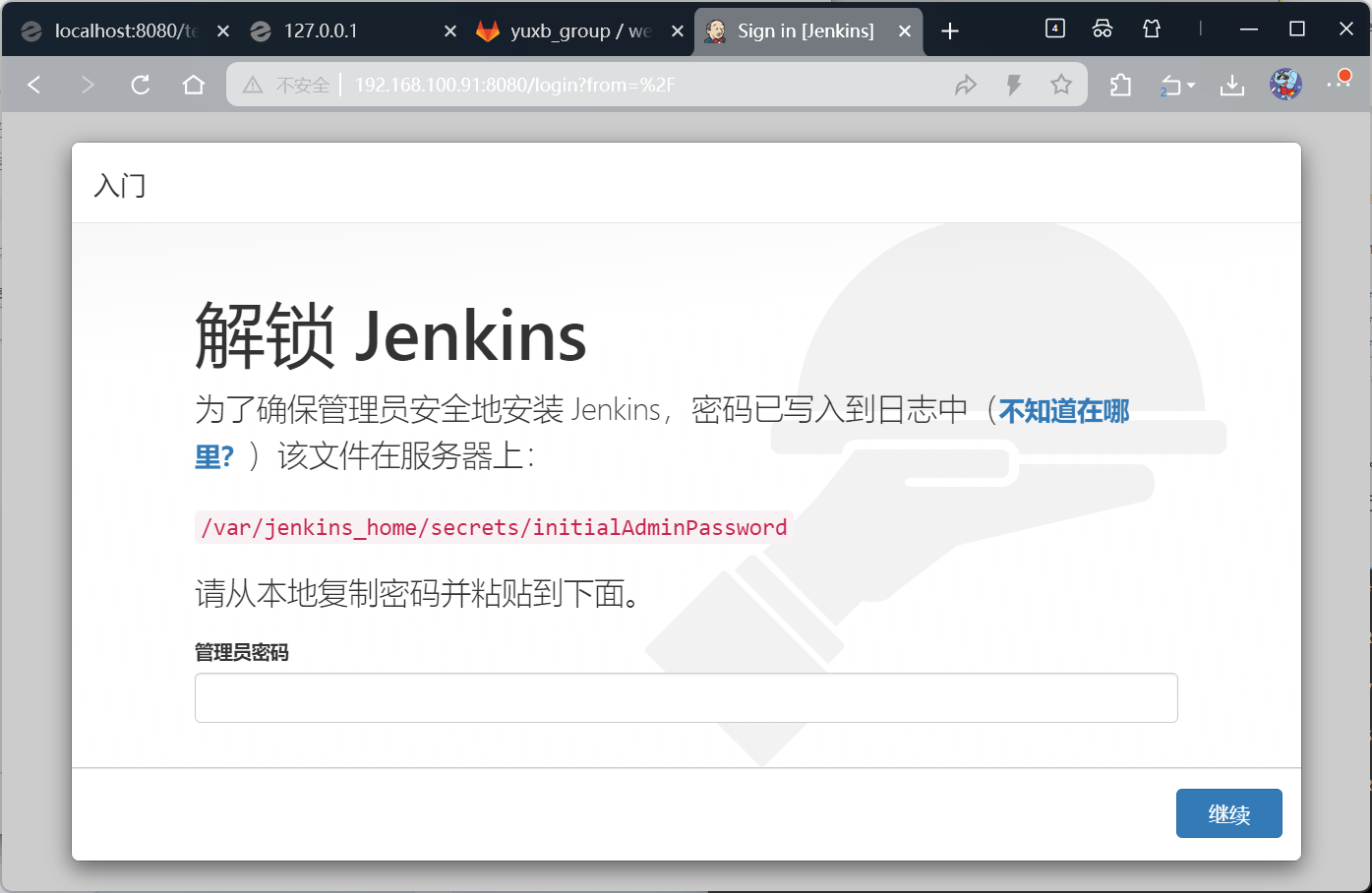
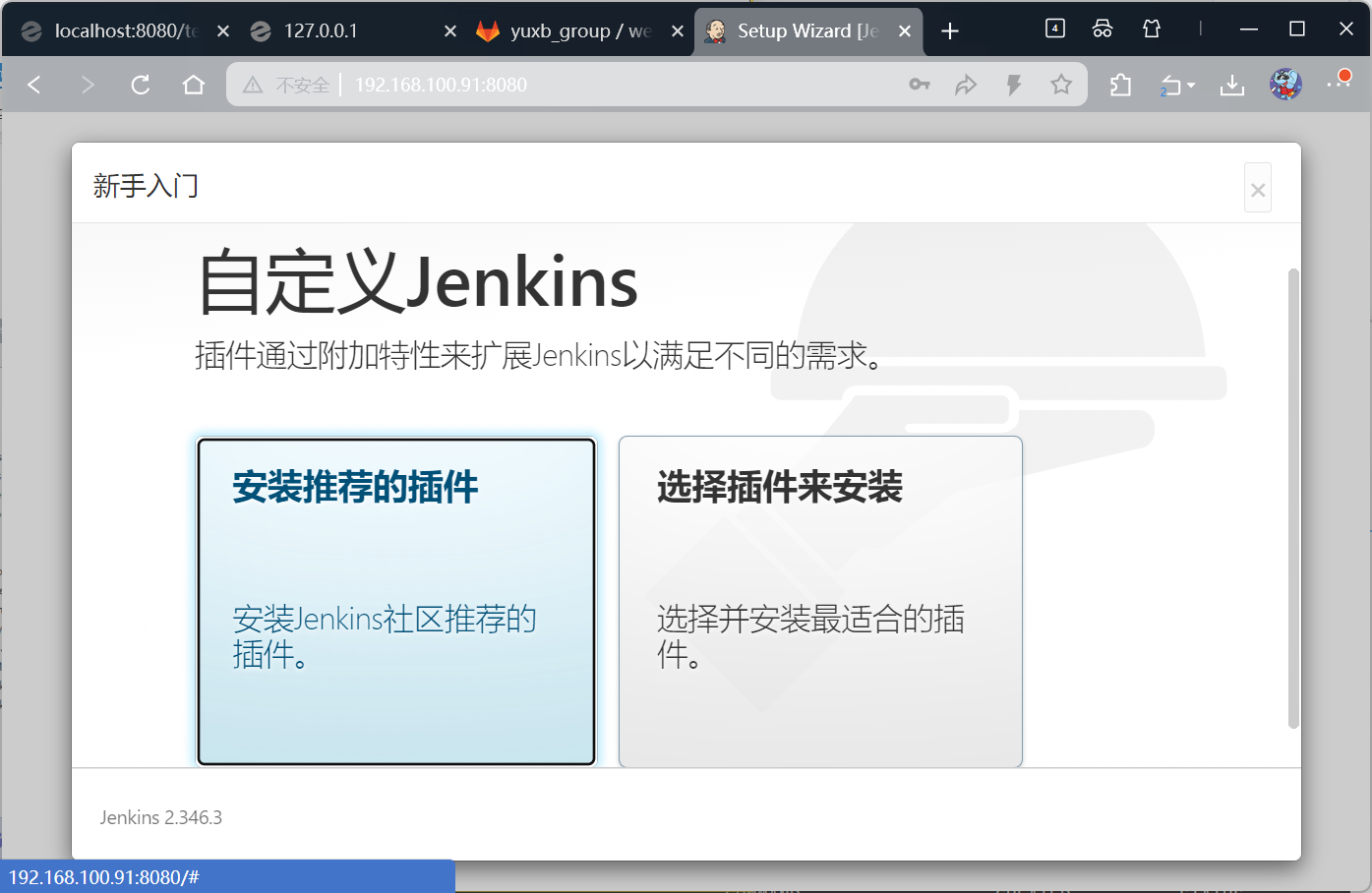
bash
[root@jenkins data]# chown -R yuxb:yuxb plugins/

[root@jenkins data]# mv hudson.model.UpdateCenter.xml hudson.model.UpdateCenter.xml.bk
[root@jenkins data]# cp -p hudson.model.UpdateCenter.xml.bk hudson.model.UpdateCenter.xml


[root@jenkins data]# vim hudson.model.UpdateCenter.xml
[root@jenkins data]# cat hudson.model.UpdateCenter.xml
<?xml version='1.1' encoding='UTF-8'?>
<sites>
  <site>
    <id>default</id>
    <url>https://mirrors.tuna.tsinghua.edu.cn/jenkins/updates/updatecenter.json</url>
  </site>
</sites>


[root@jenkins data]# docker-compose restart
Restarting jenkins ... done


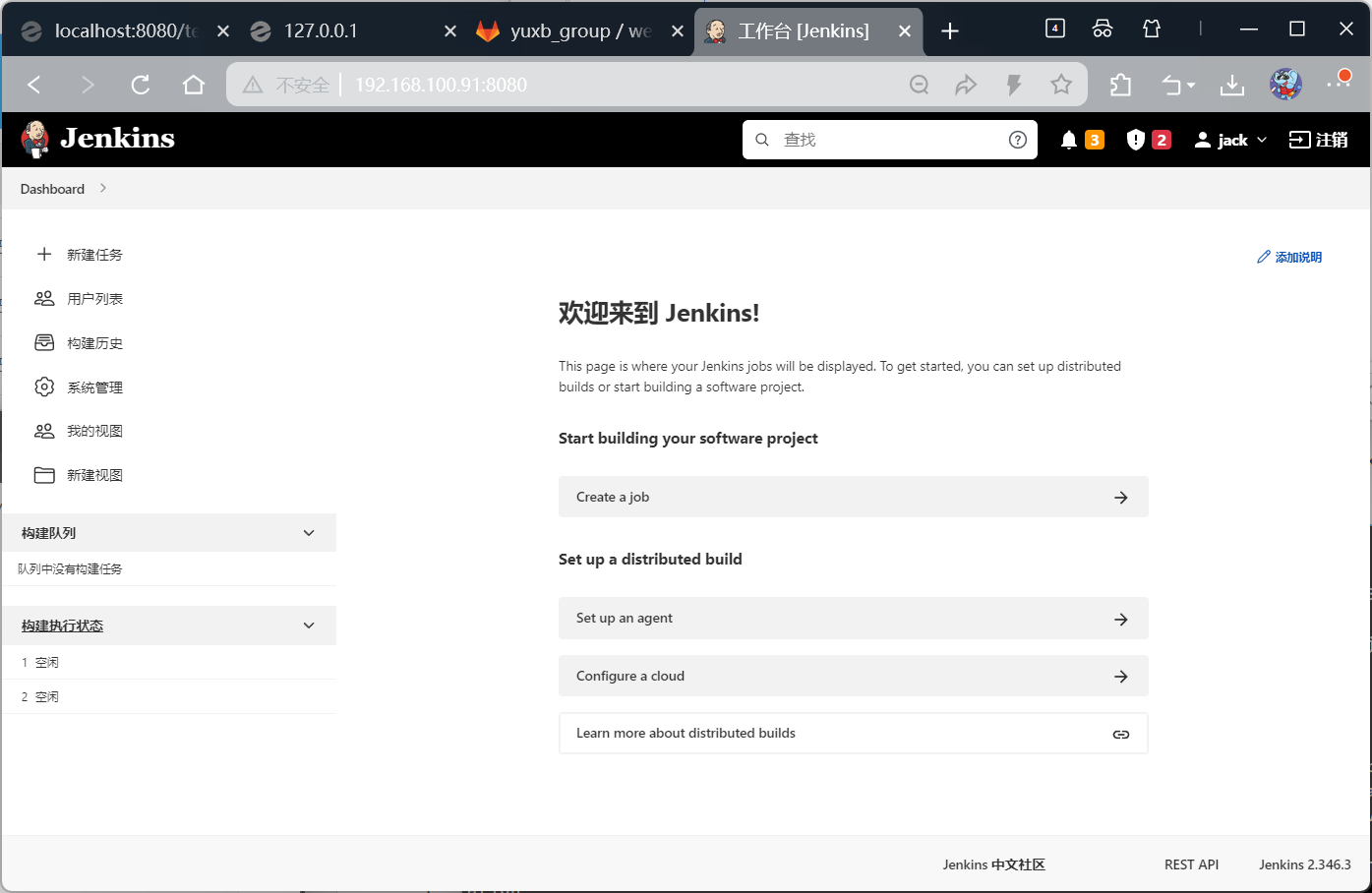
#去浏览器访问
#如下图
创建用户:
jack
jack123
jack@qq.com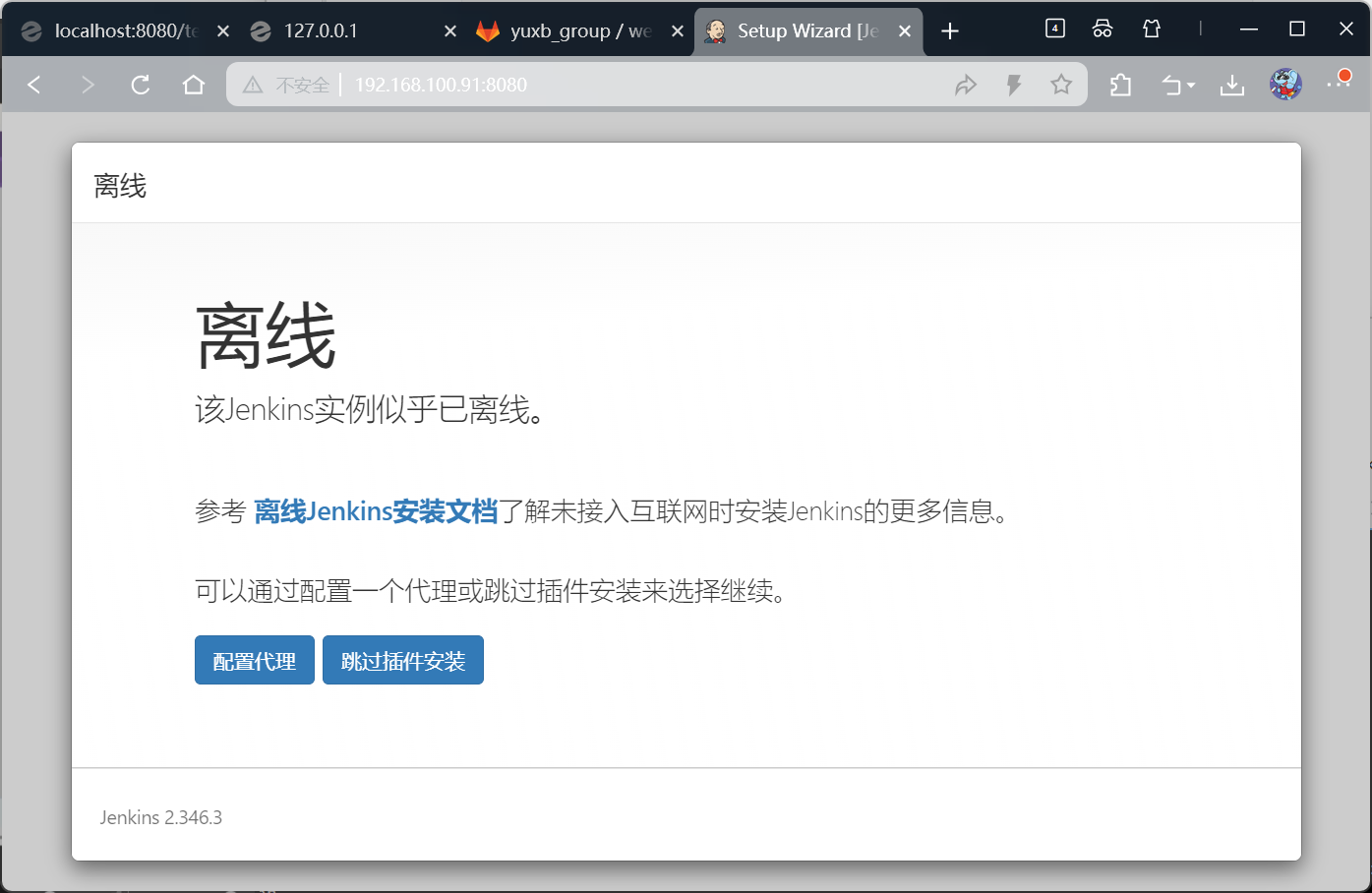

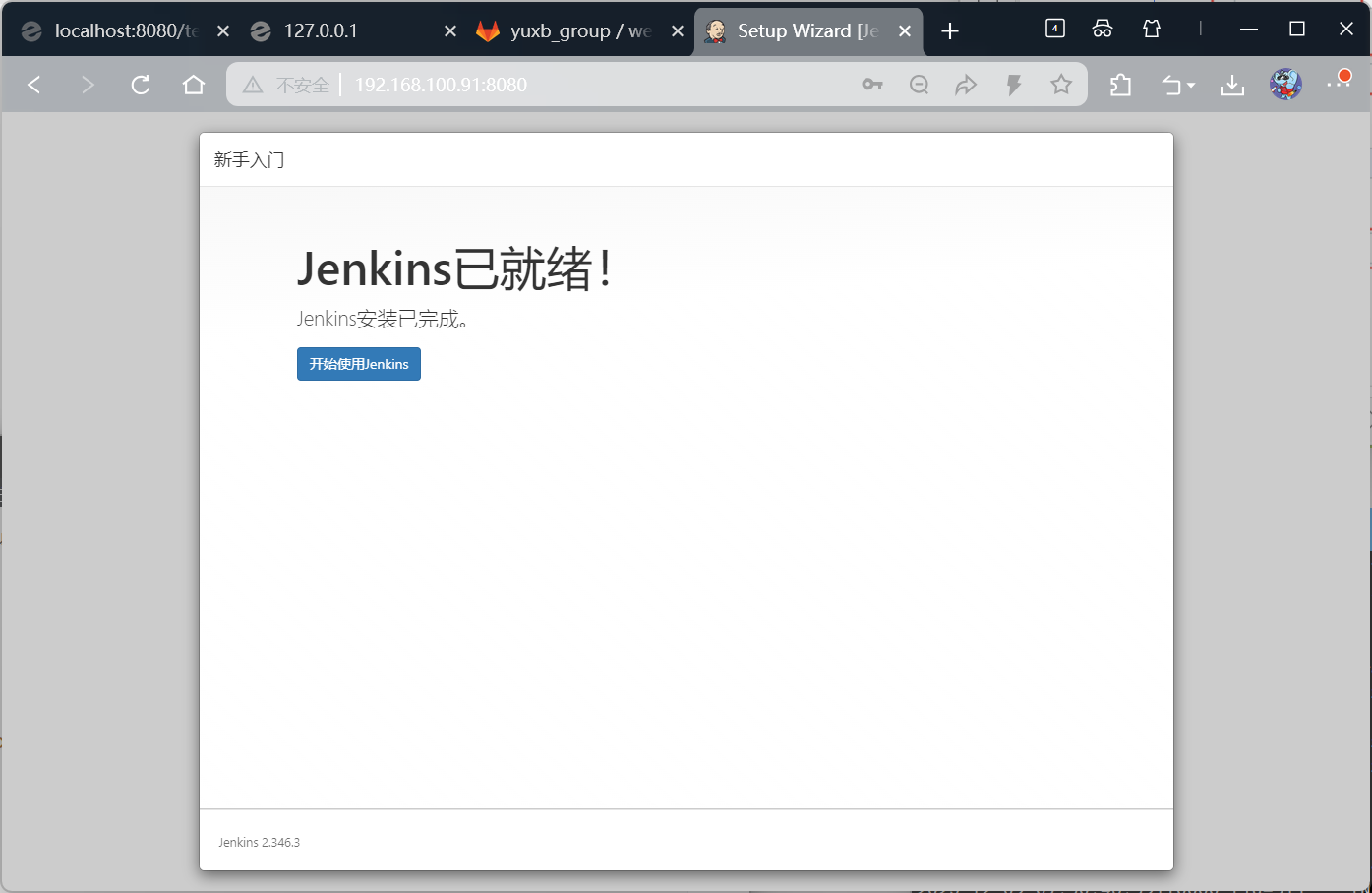
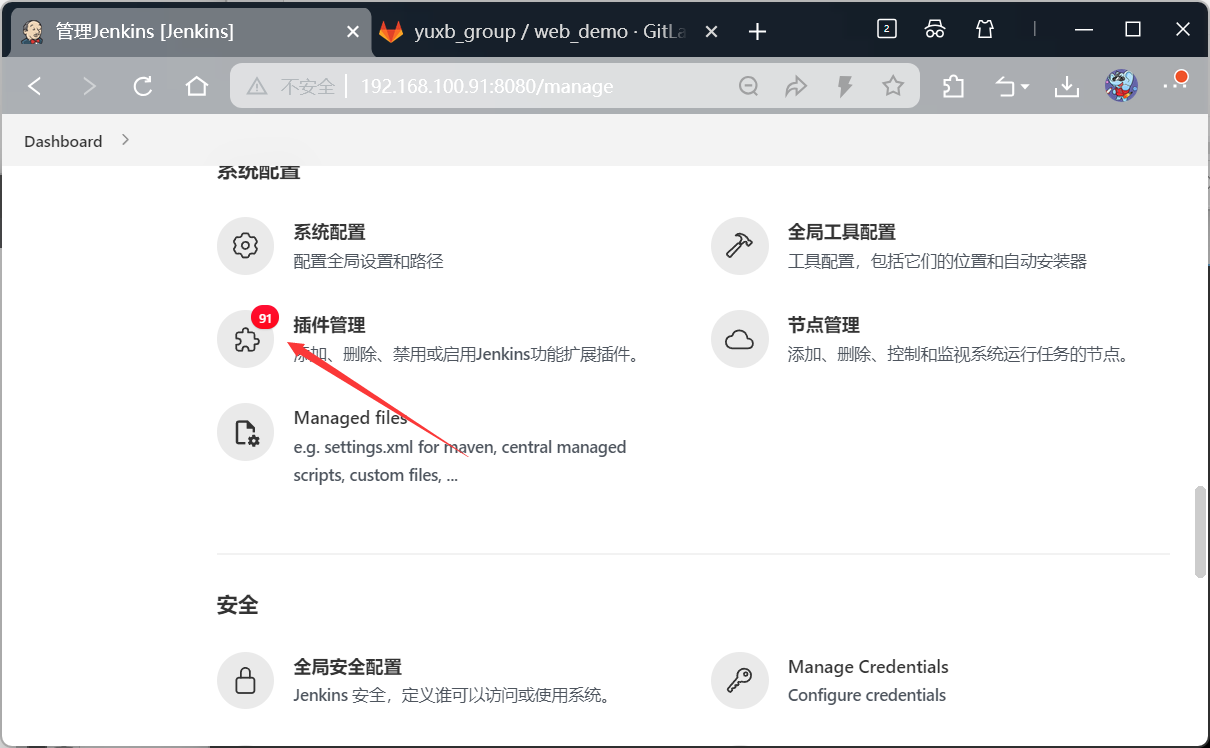
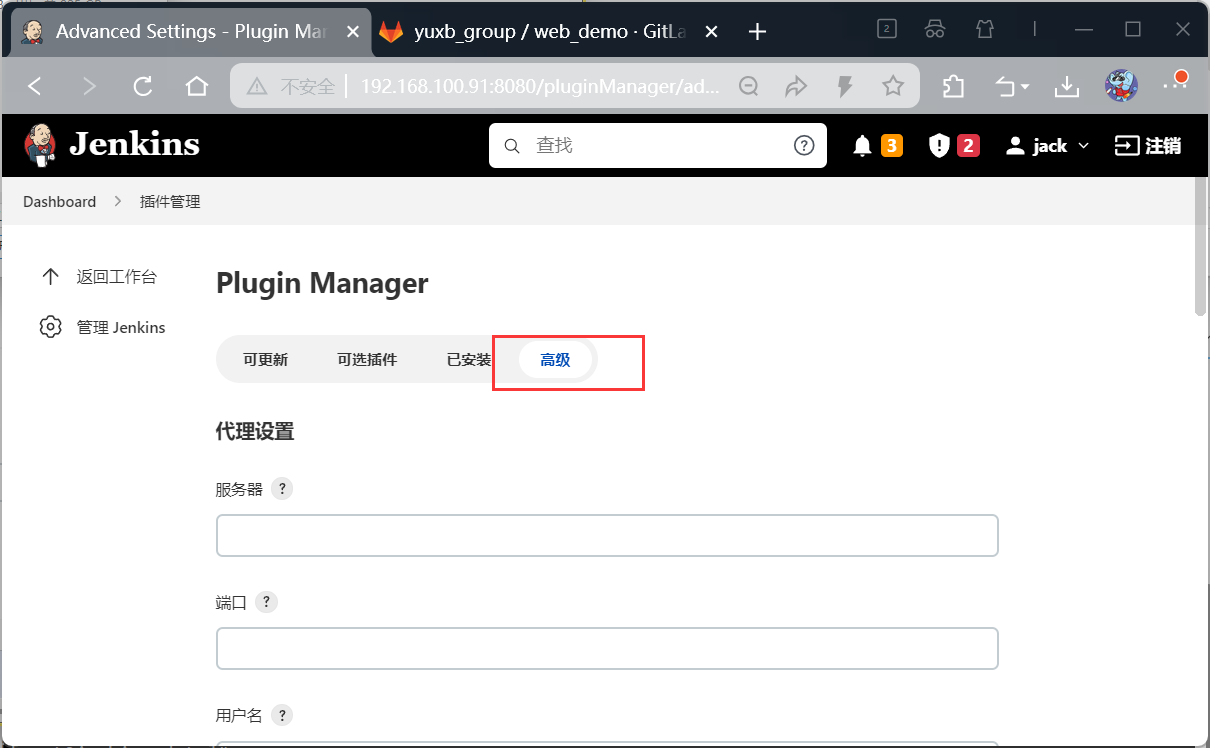
插件管理
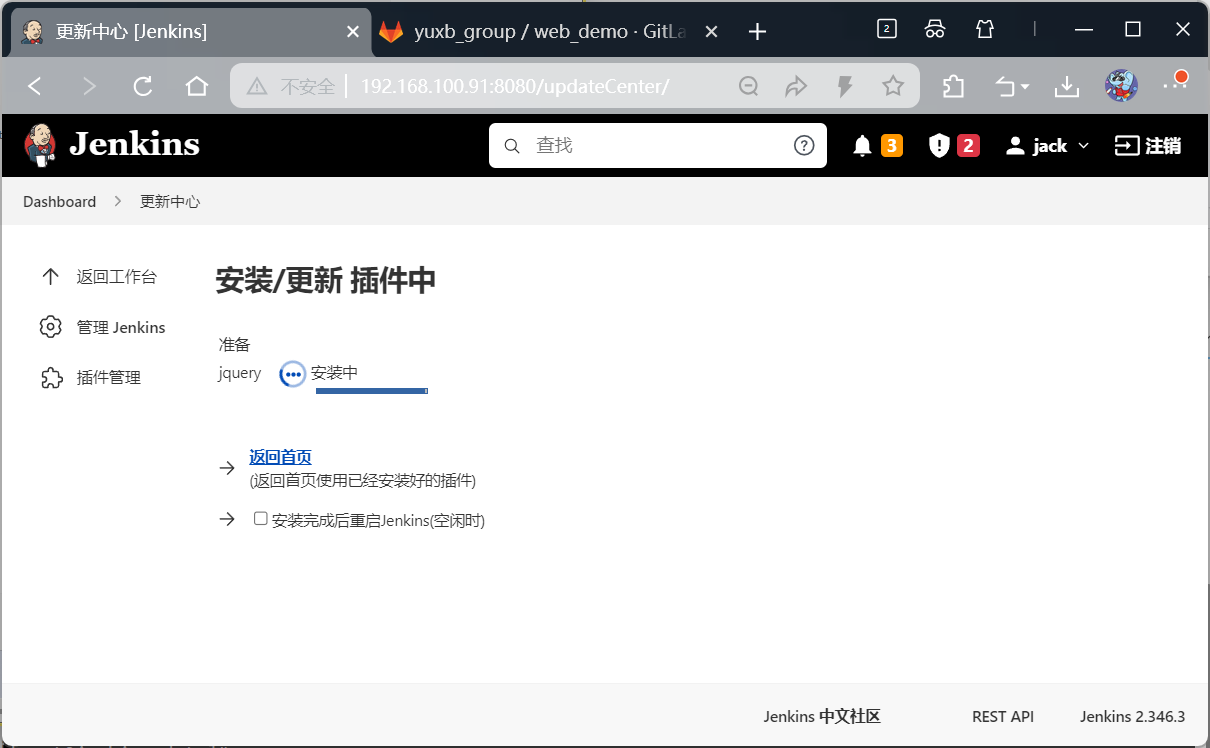
安装插件,先安装jquery插件

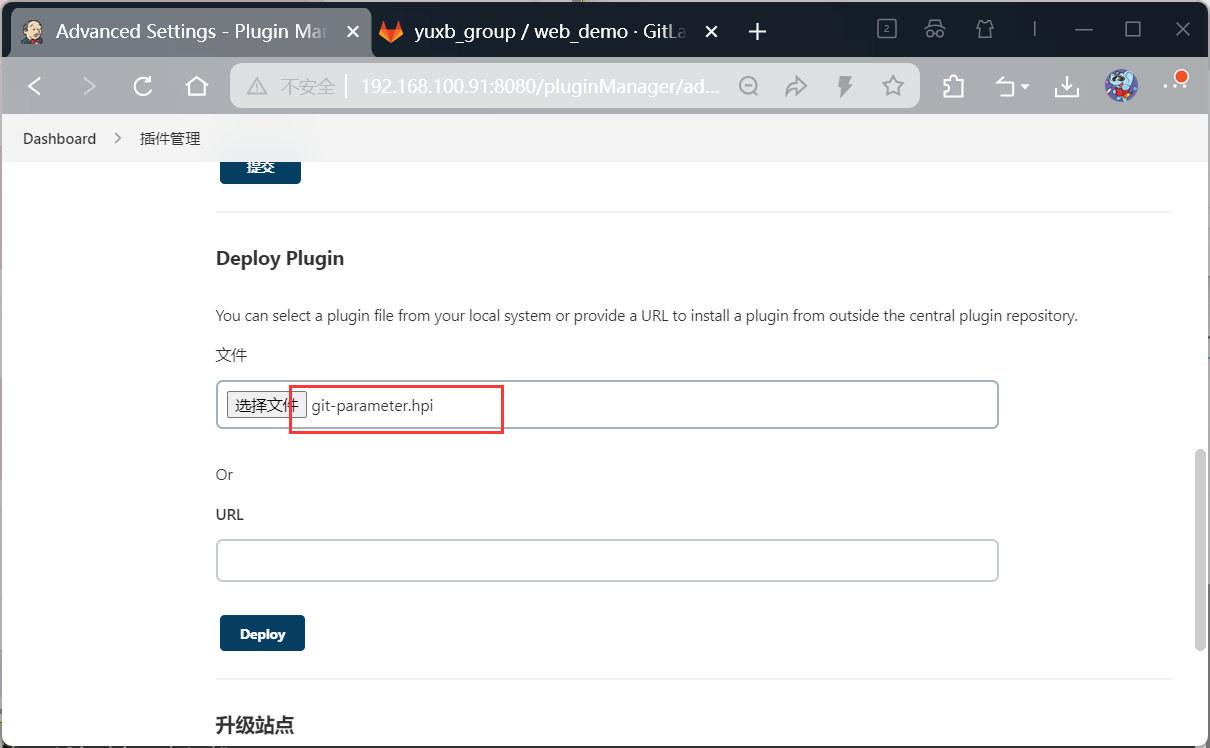
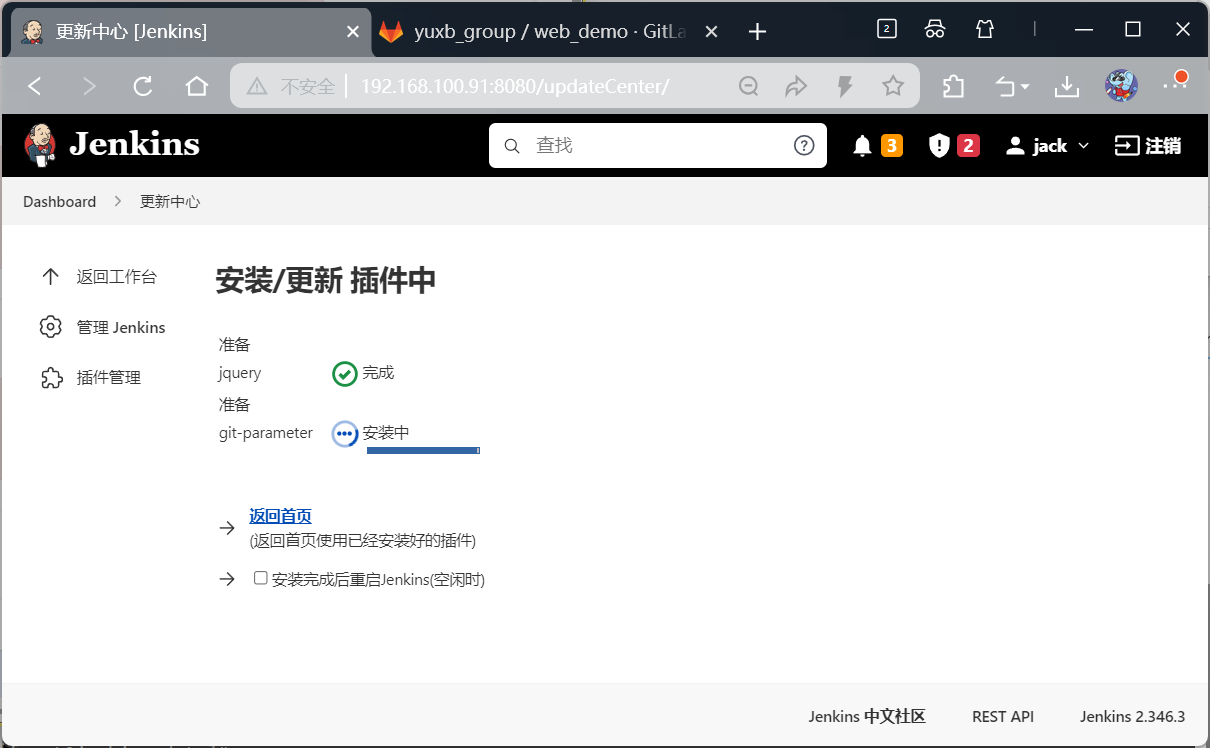
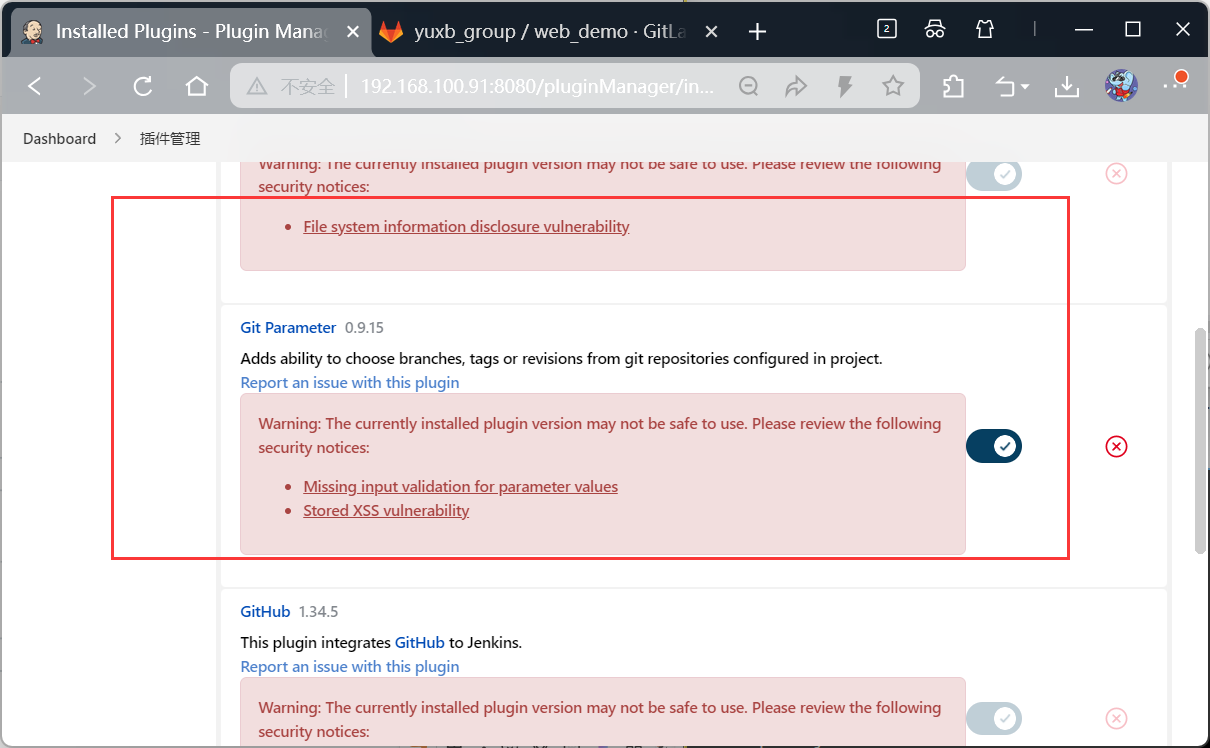
jdk和maven设置
用来拉取gitlab中的项目
把jdk放到Jenkins工作目录下
bash
[root@jenkins data]# pwd
/usr/local/docker/jenkins_docker/data
[root@jenkins data]# mv /usr/local/jdk/ ./
[root@jenkins data]# mv /usr/local/maven/ ./
查看全局配置的路径
bash
#jenkins的路径
[root@jenkins data]# docker ps -a
CONTAINER ID   IMAGE                              COMMAND                  CREATED        STATUS          PORTS                                                                                      NAMES
37fef0de20f3   jenkins/jenkins:2.346.3-lts-jdk8   "/usr/bin/tini -- /u..."   19 hours ago   Up 23 minutes   0.0.0.0:8080->8080/tcp, :::8080->8080/tcp, 0.0.0.0:50000->50000/tcp, :::50000->50000/tcp   jenkins
[root@jenkins data]# ls
config.xml                                      maven
copy_reference_file.log                         nodeMonitors.xml
hudson.model.UpdateCenter.xml                   nodes
hudson.model.UpdateCenter.xml.bk                plugins
hudson.plugins.git.GitTool.xml                  queue.xml.bak
identity.key.enc                                secret.key
jdk                                             secret.key.not-so-secret
jenkins.install.InstallUtil.lastExecVersion     secrets
jenkins.install.UpgradeWizard.state             updates
jenkins.model.JenkinsLocationConfiguration.xml  userContent
jenkins.telemetry.Correlator.xml                users
jobs                                            war

#容器的路径
[root@jenkins data]# docker exec -it 37fef0de20f3 /bin/sh
$ pwd
/
$ ls
bin  boot  dev	etc  home  lib	lib64  media  mnt  opt	proc  root  run  sbin  srv  sys  tmp  usr  var
$ cd /var
$ ls
backups  cache	jenkins_home  lib  local  lock	log  mail  opt	run  spool  tmp
$ cd jenkins_home
$ ls
config.xml					maven
copy_reference_file.log				nodeMonitors.xml
hudson.model.UpdateCenter.xml			nodes
hudson.model.UpdateCenter.xml.bk		plugins
hudson.plugins.git.GitTool.xml			queue.xml.bak
identity.key.enc				secret.key
jdk						secret.key.not-so-secret
jenkins.install.InstallUtil.lastExecVersion	secrets
jenkins.install.UpgradeWizard.state		updates
jenkins.model.JenkinsLocationConfiguration.xml	userContent
jenkins.telemetry.Correlator.xml		users
jobs						war
$
进入全局配置,配置jdk和maven
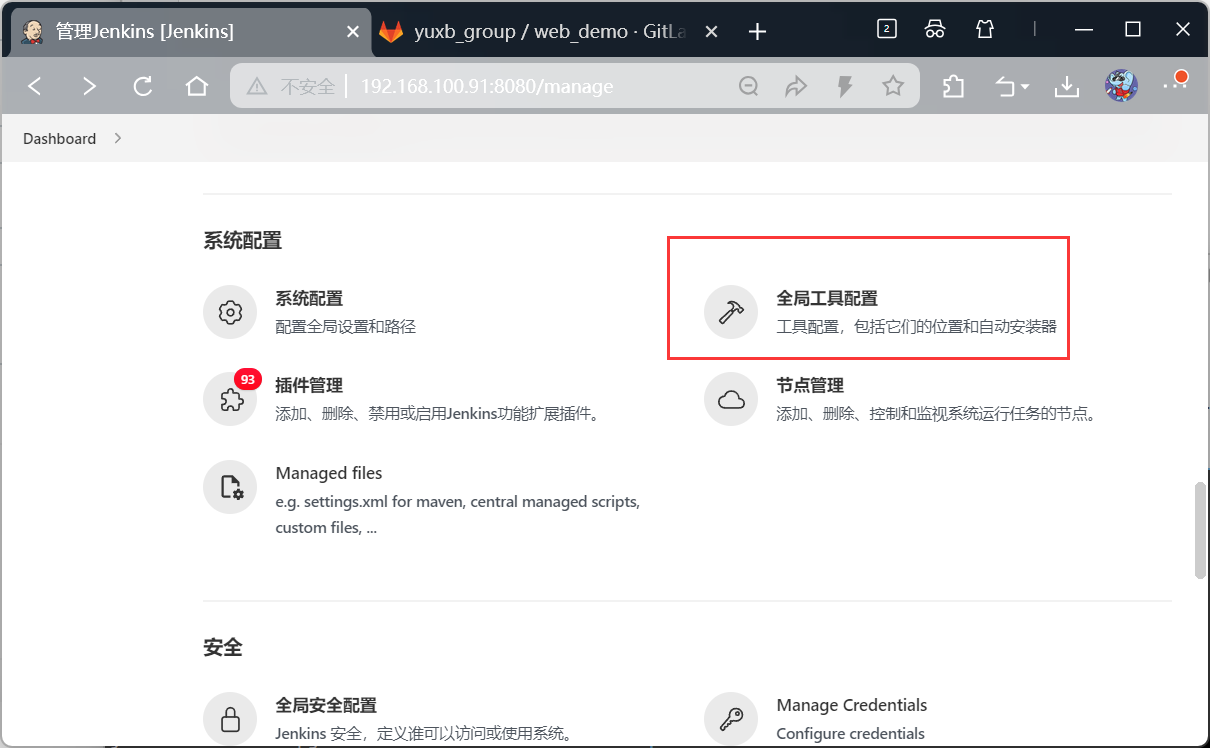
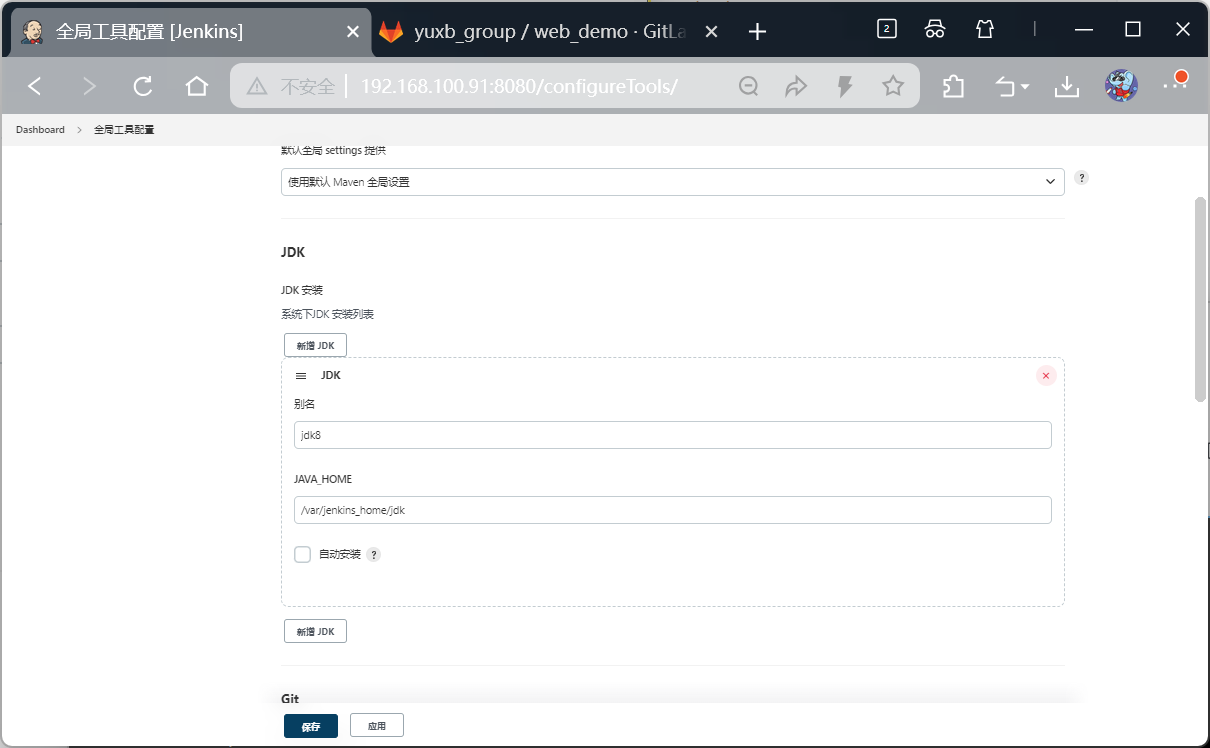
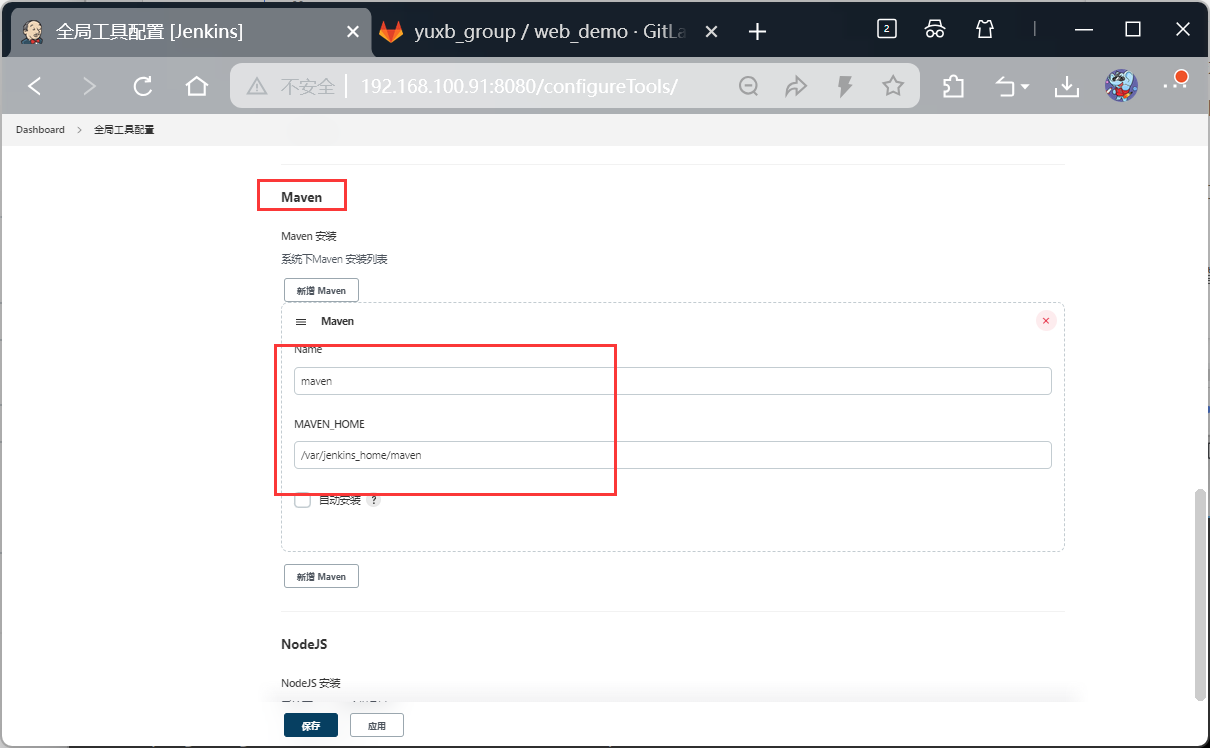
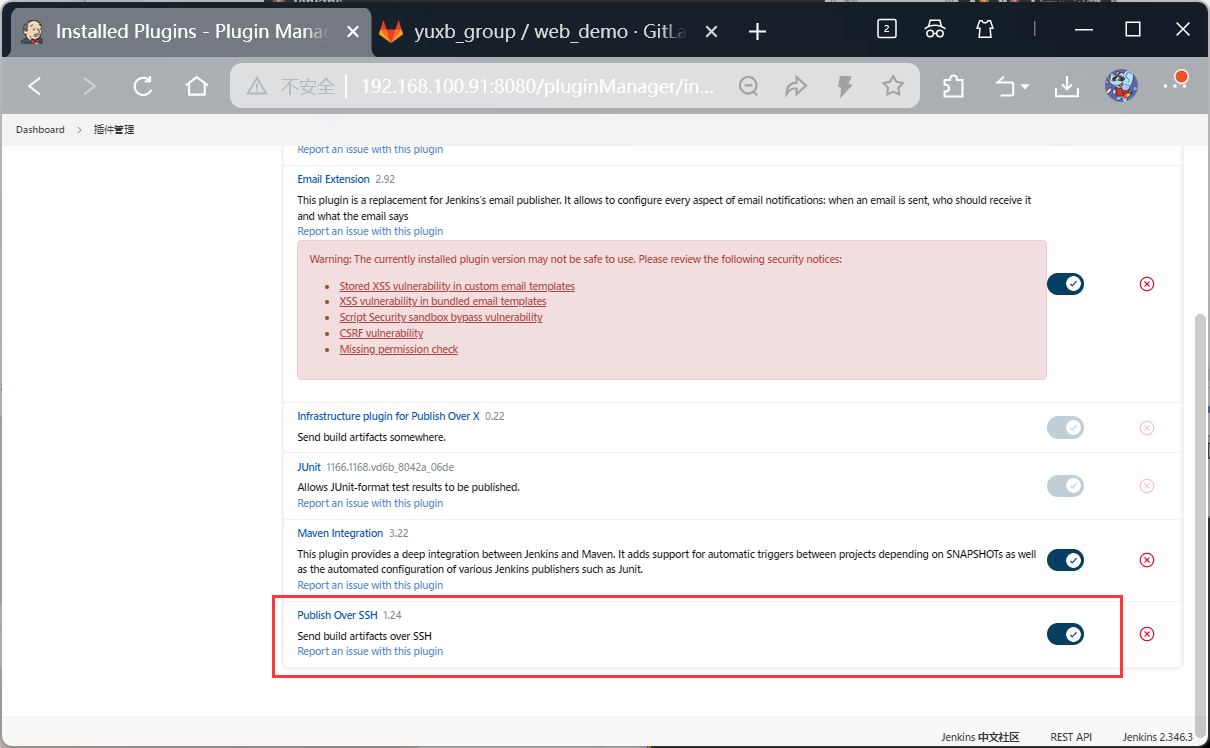
安装Publish over SSH插件
用于推送到目标web服务器
默认已安装
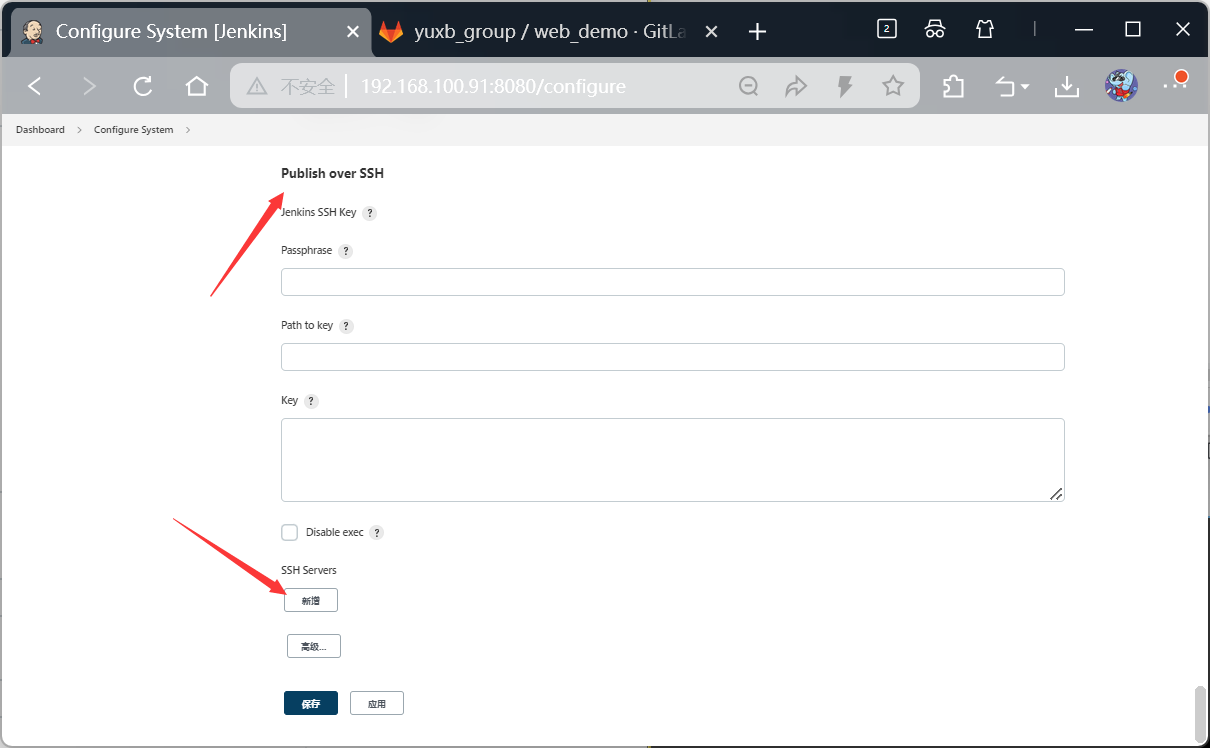
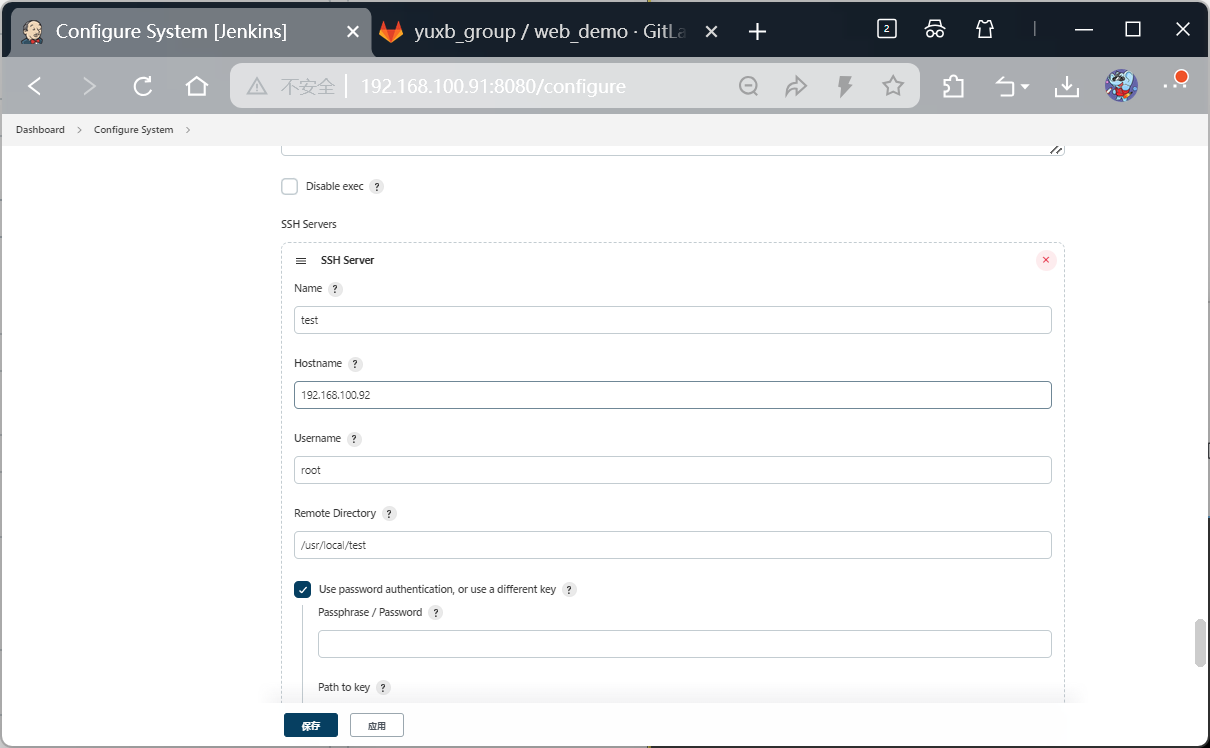
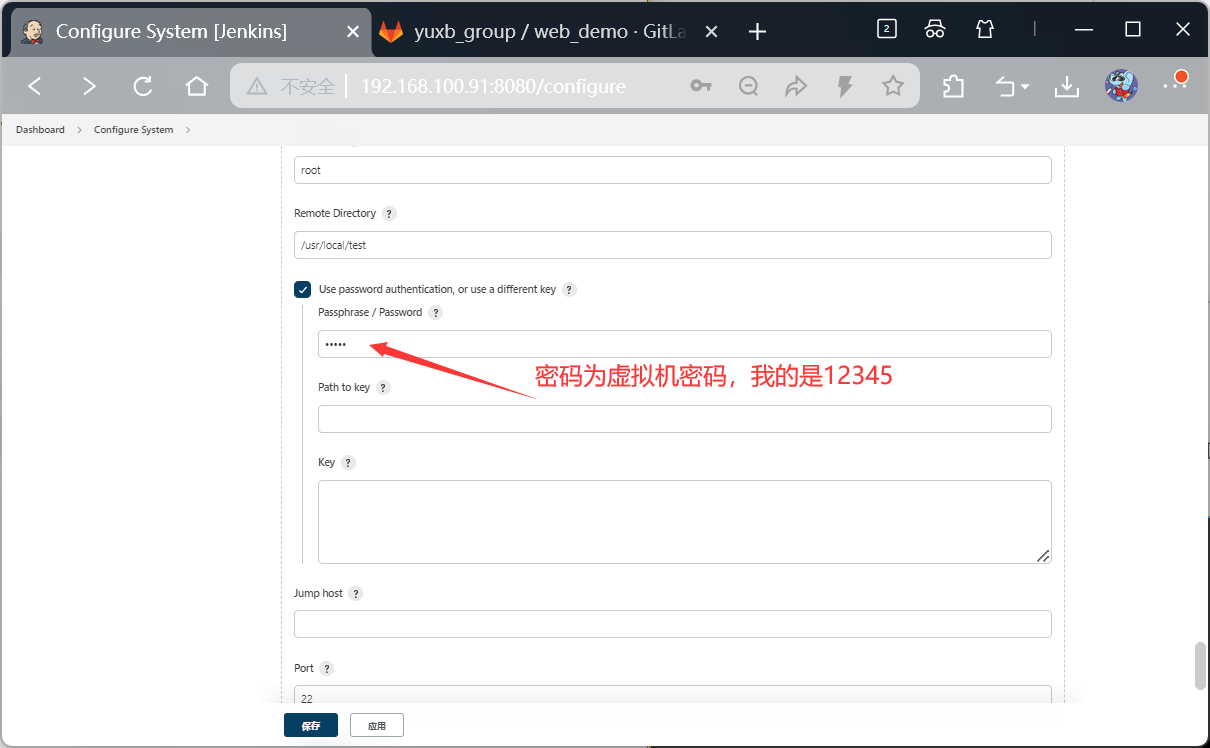
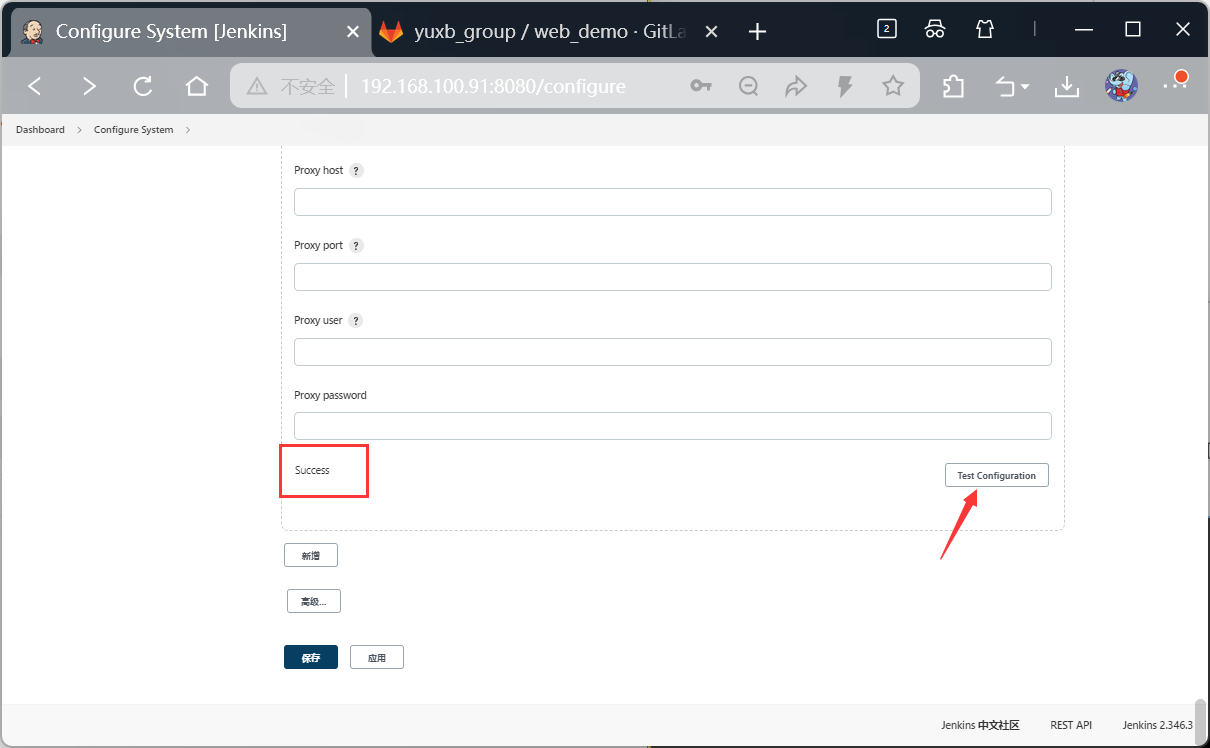
配置SSH目标服务器信息
bash
#新创一台虚拟机,用作目标服务器
[root@web ~]# cd /usr/local/
[root@web local]# mkdir test
[root@web local]#
[root@web local]# ls
bin  etc  games  include  lib  lib64  libexec  sbin  share  src  test

密码12345,为虚拟机的密码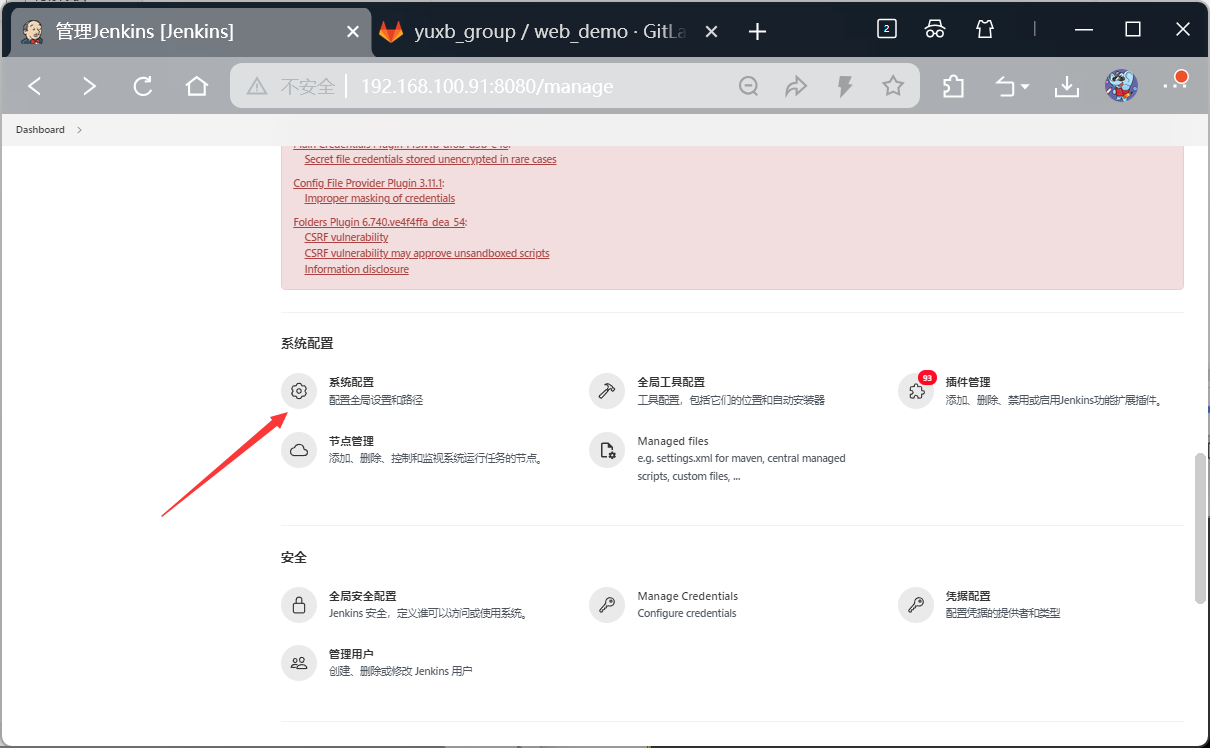
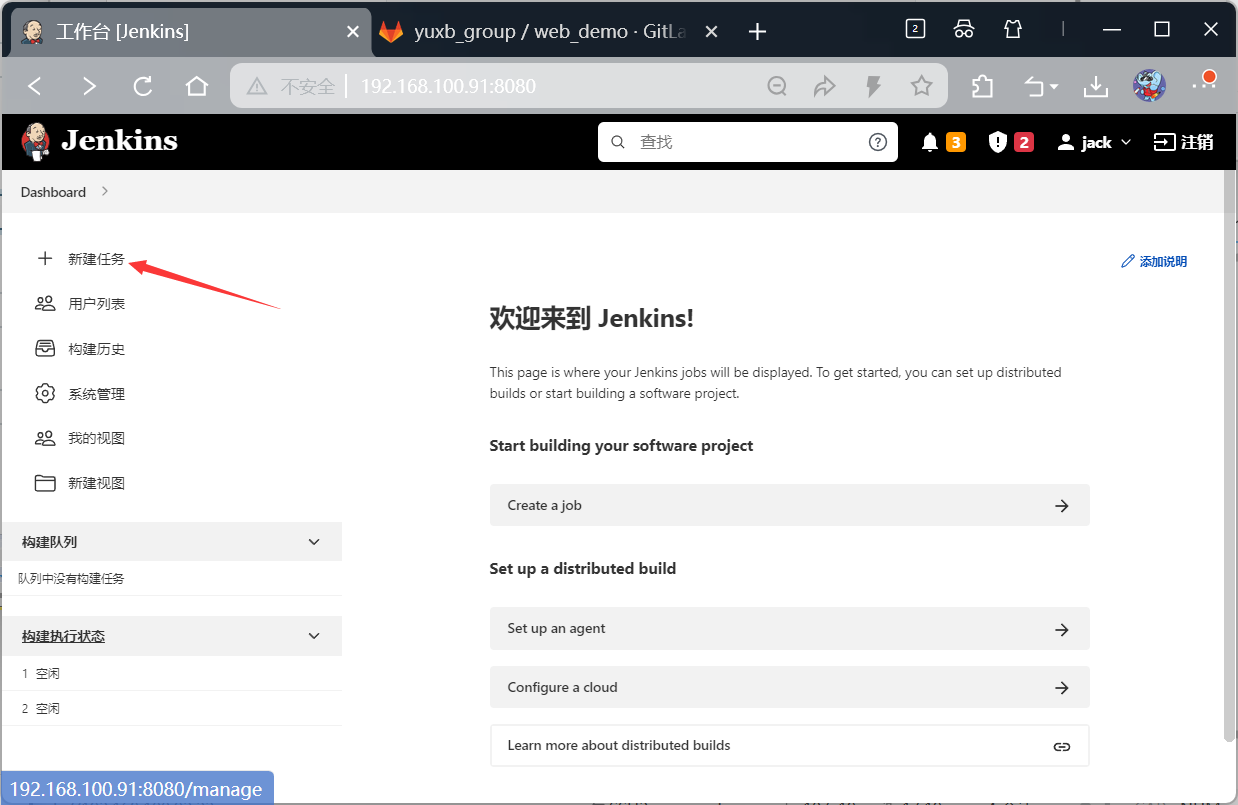
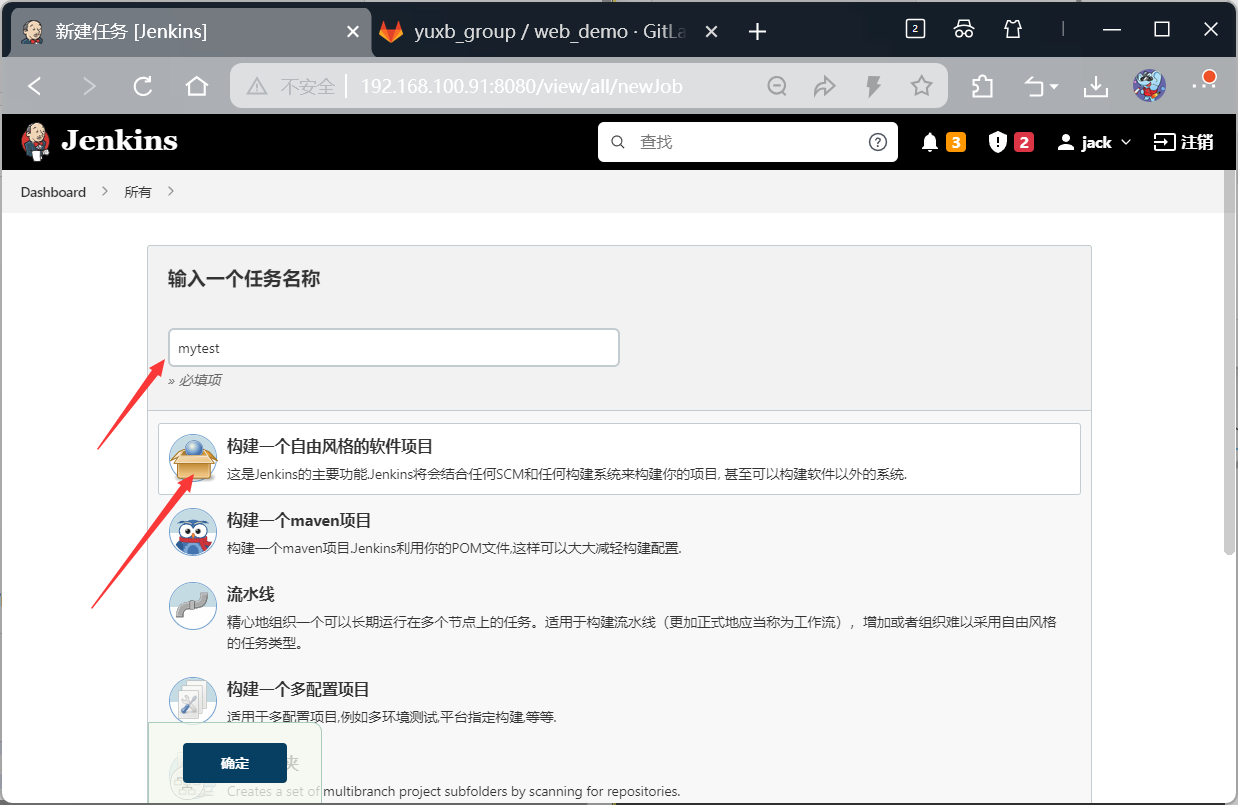
创建任务
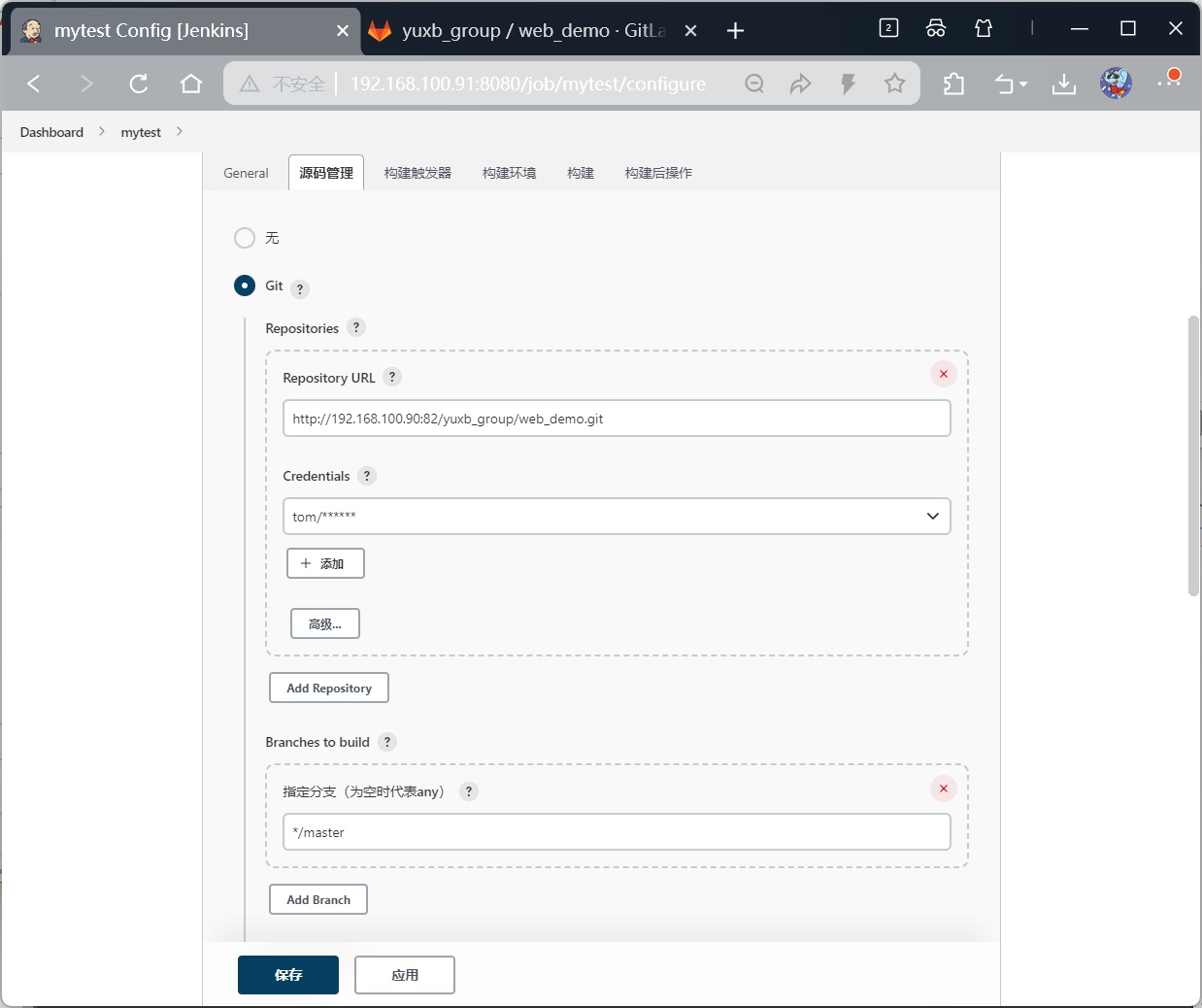
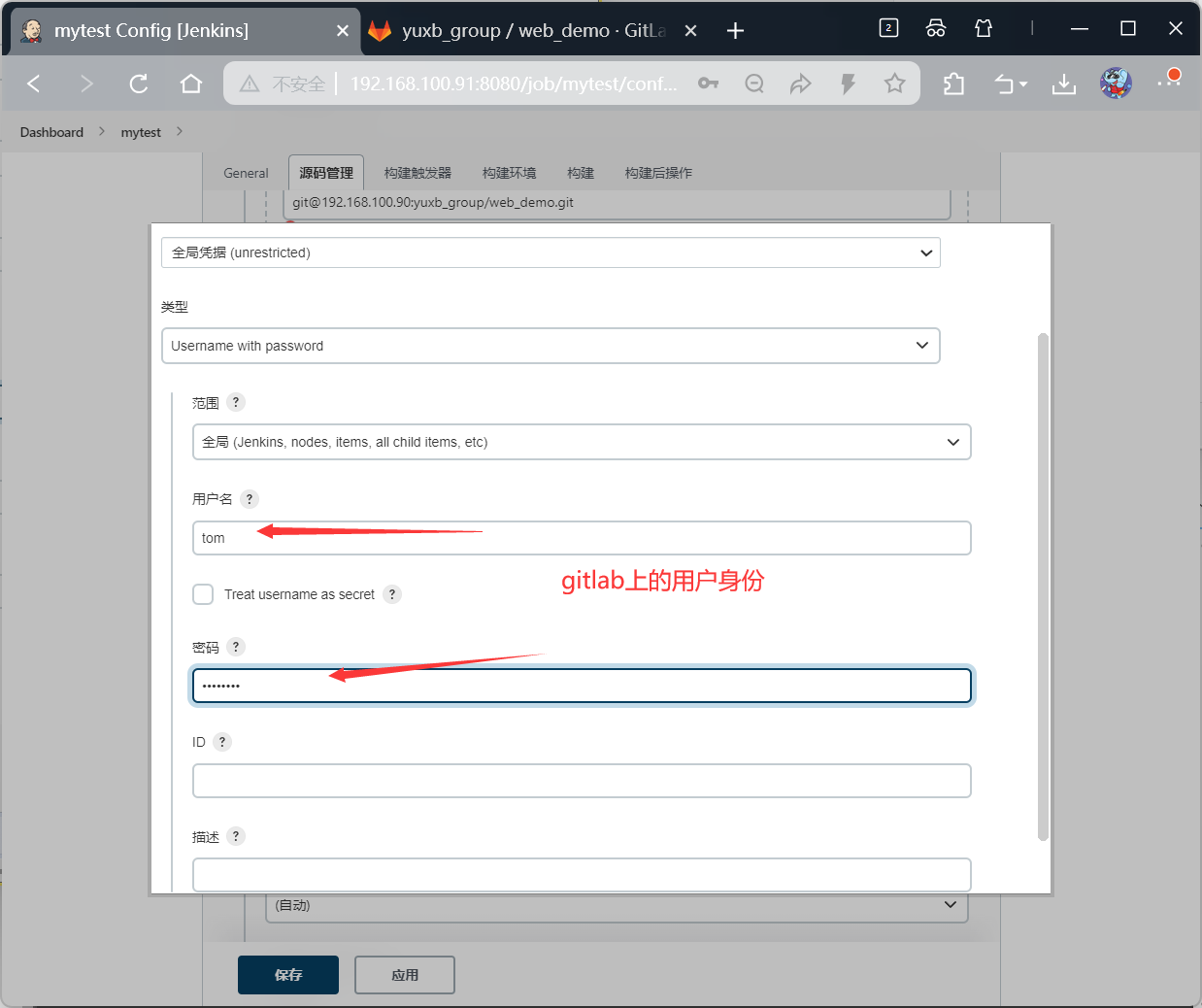
添加用户凭证

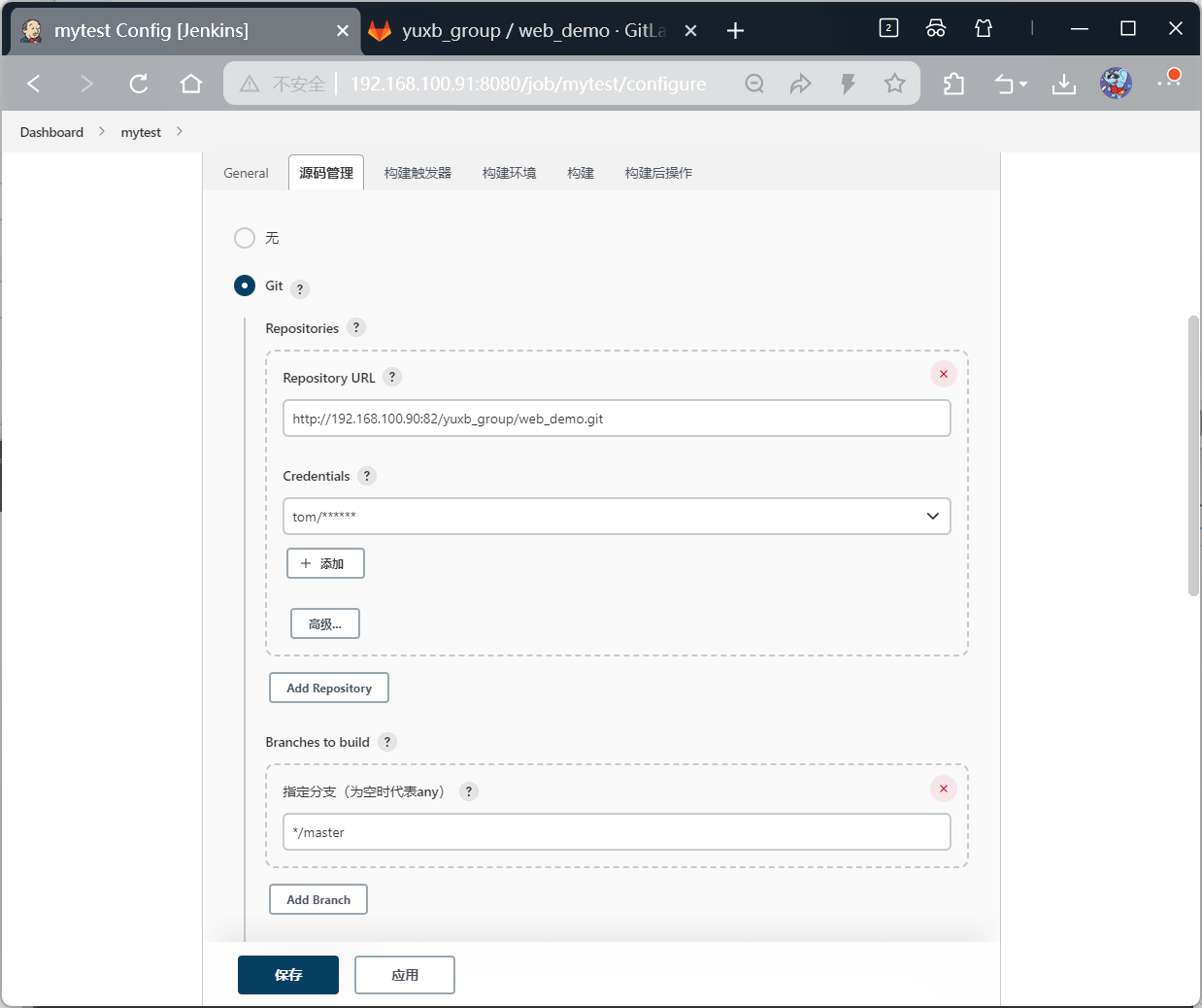
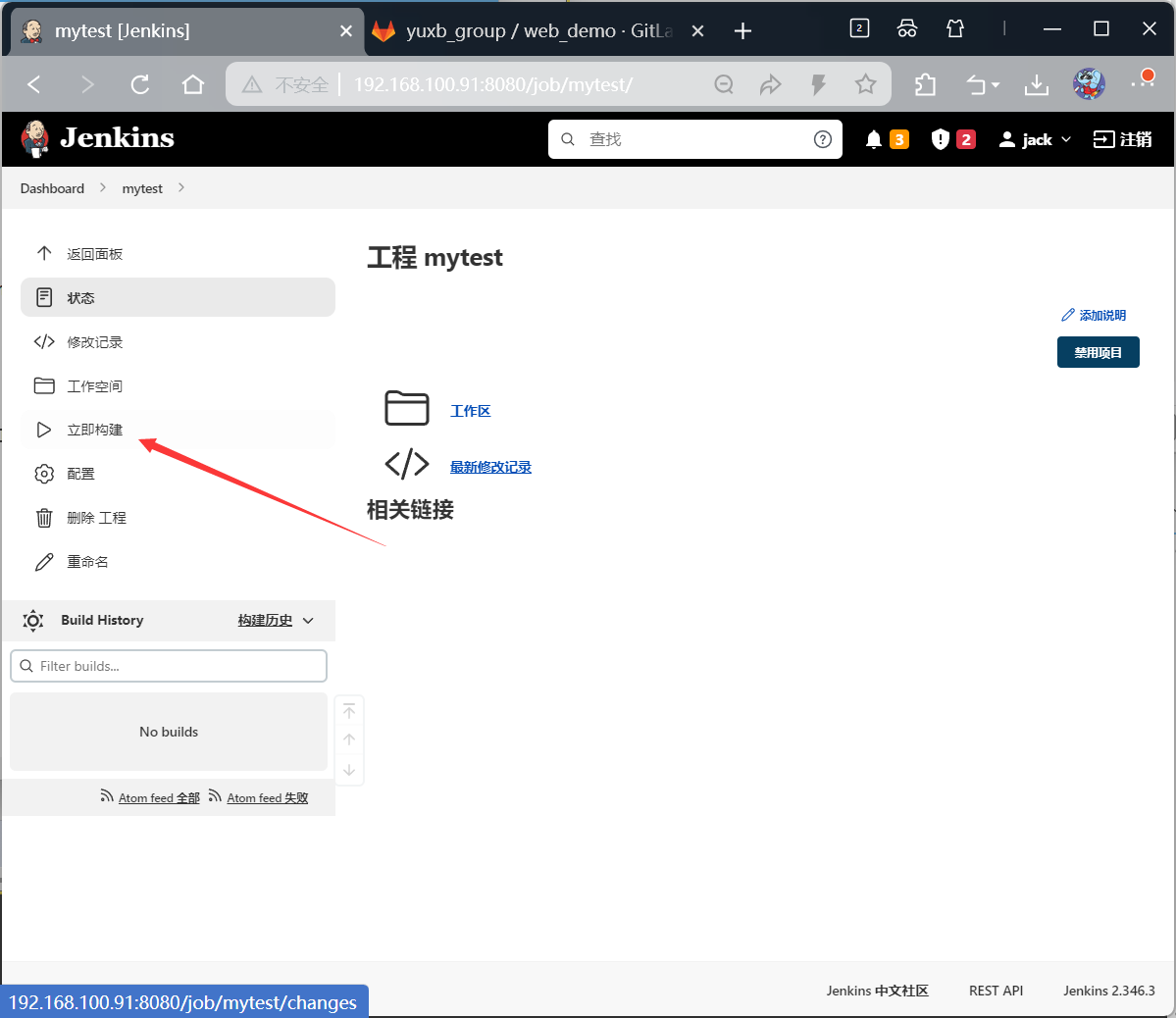
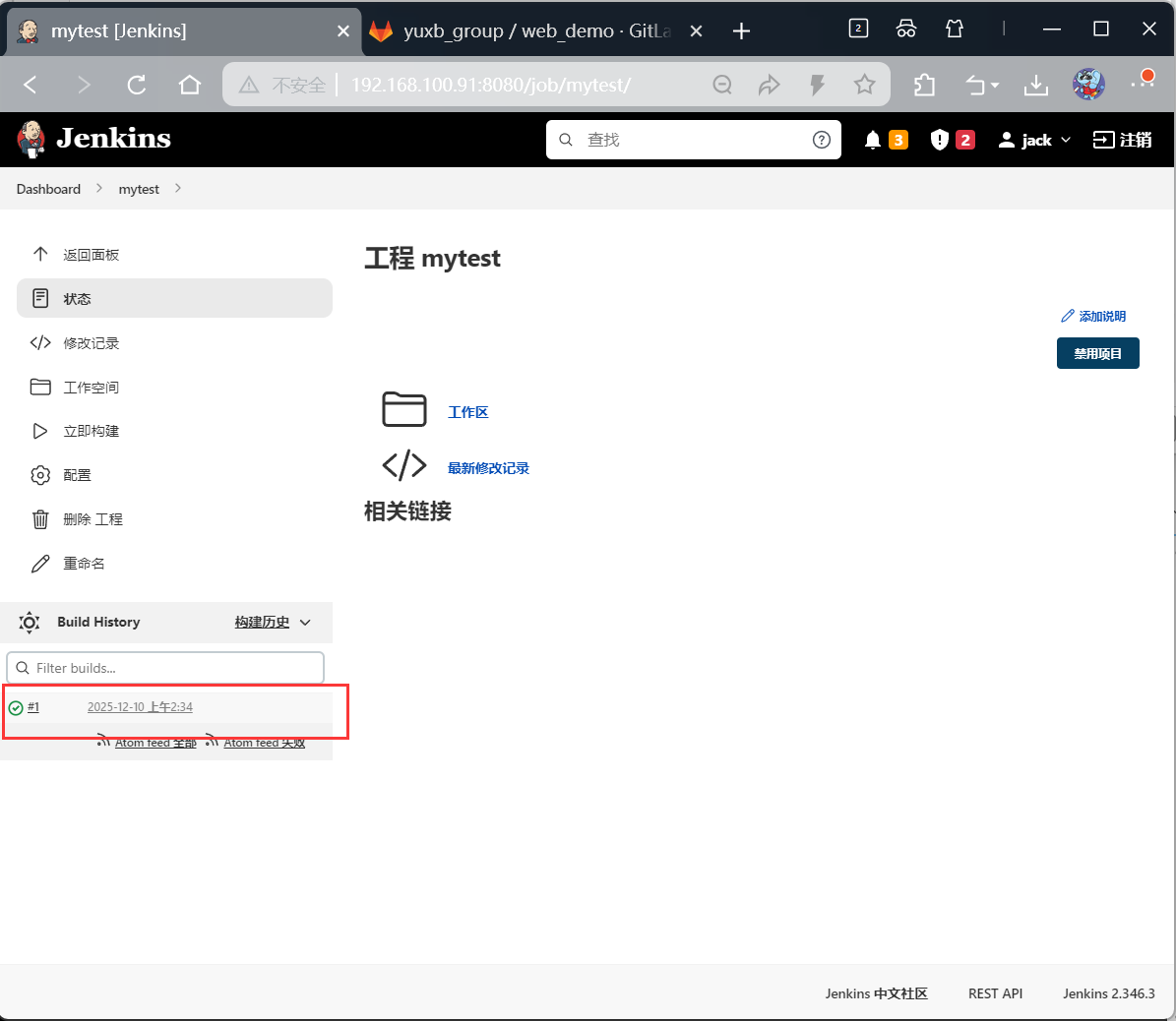
第1次构建-拉取gitlab项目
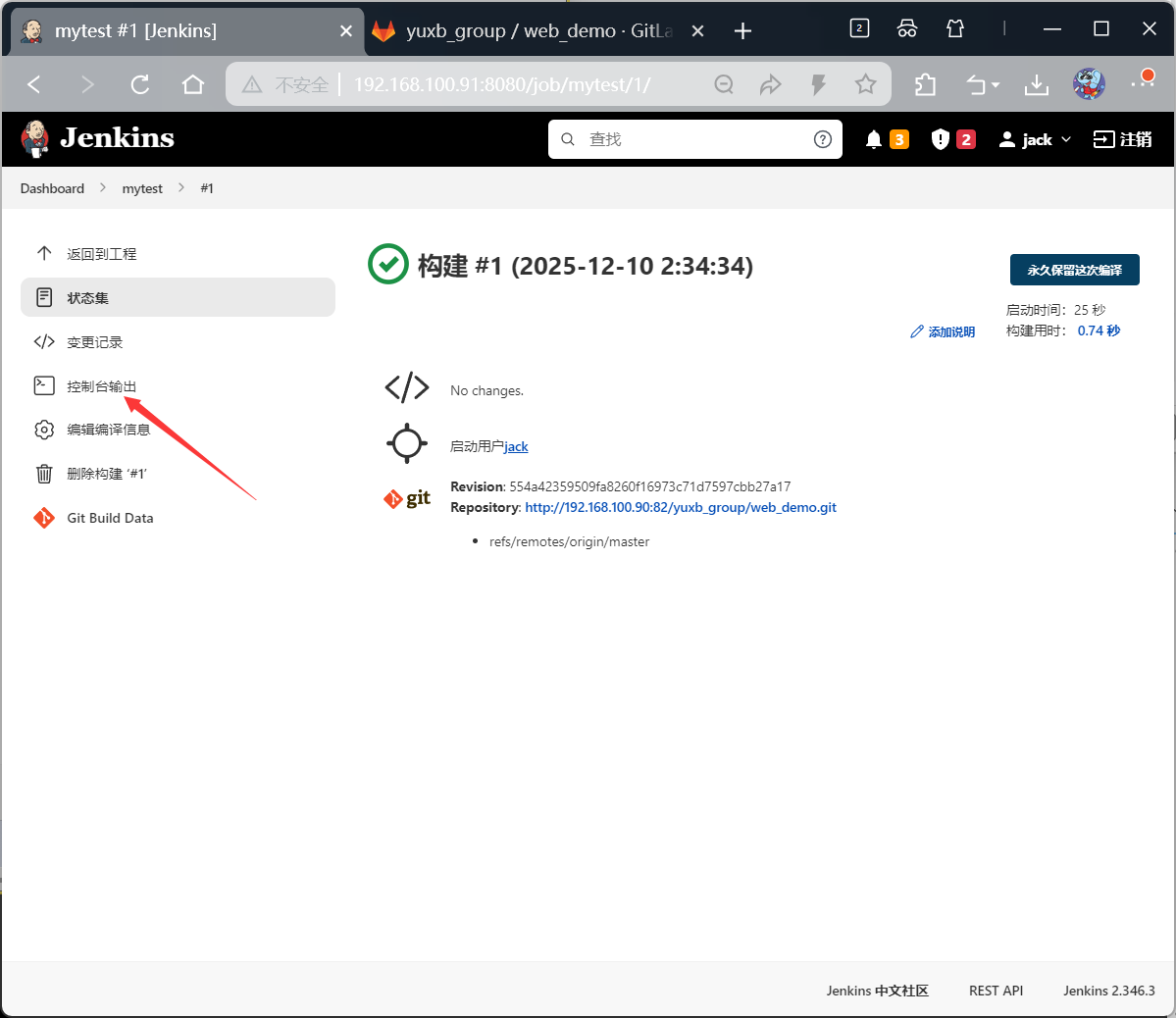
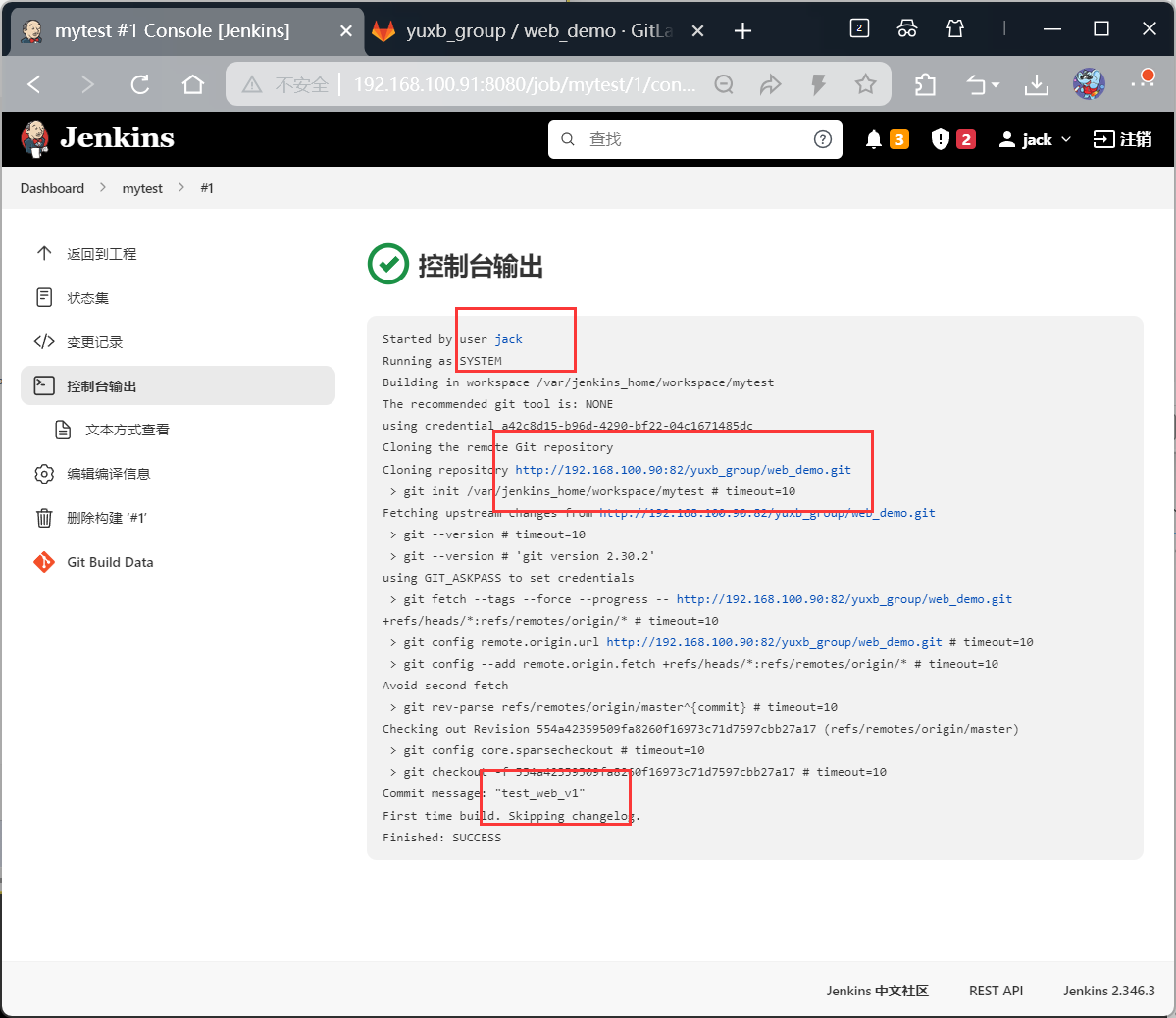
bash
[root@jenkins data]# ls | grep workspace
workspace
[root@jenkins data]# cd workspace/
[root@jenkins workspace]# ls
mytest  mytest@tmp
[root@jenkins workspace]# cd mytest
[root@jenkins mytest]# ls
demo.iml  HELP.md  pom.xml  src  target
[root@jenkins mytest]# cd src/
[root@jenkins src]# ls
main  test
[root@jenkins src]# cd main/
[root@jenkins main]# ls
java  resources
[root@jenkins main]# cd java/
[root@jenkins java]# ls
com
[root@jenkins java]# cd com/
[root@jenkins com]# ls
yuxb
[root@jenkins com]# cd yuxb/
[root@jenkins yuxb]# ls
demo
[root@jenkins yuxb]# cd demo/
[root@jenkins demo]# ls
controller  DemoApplication.java
[root@jenkins demo]# cd controller/
[root@jenkins controller]# ls
TestController.java
[root@jenkins controller]# cat TestController.java
package com.yuxb.demo.controller;

import org.springframework.web.bind.annotation.GetMapping;
import org.springframework.web.bind.annotation.RestController;

@RestController
public class TestController {
    @GetMapping("test")
        public String test(){
        return "yuxb666";
    }
}
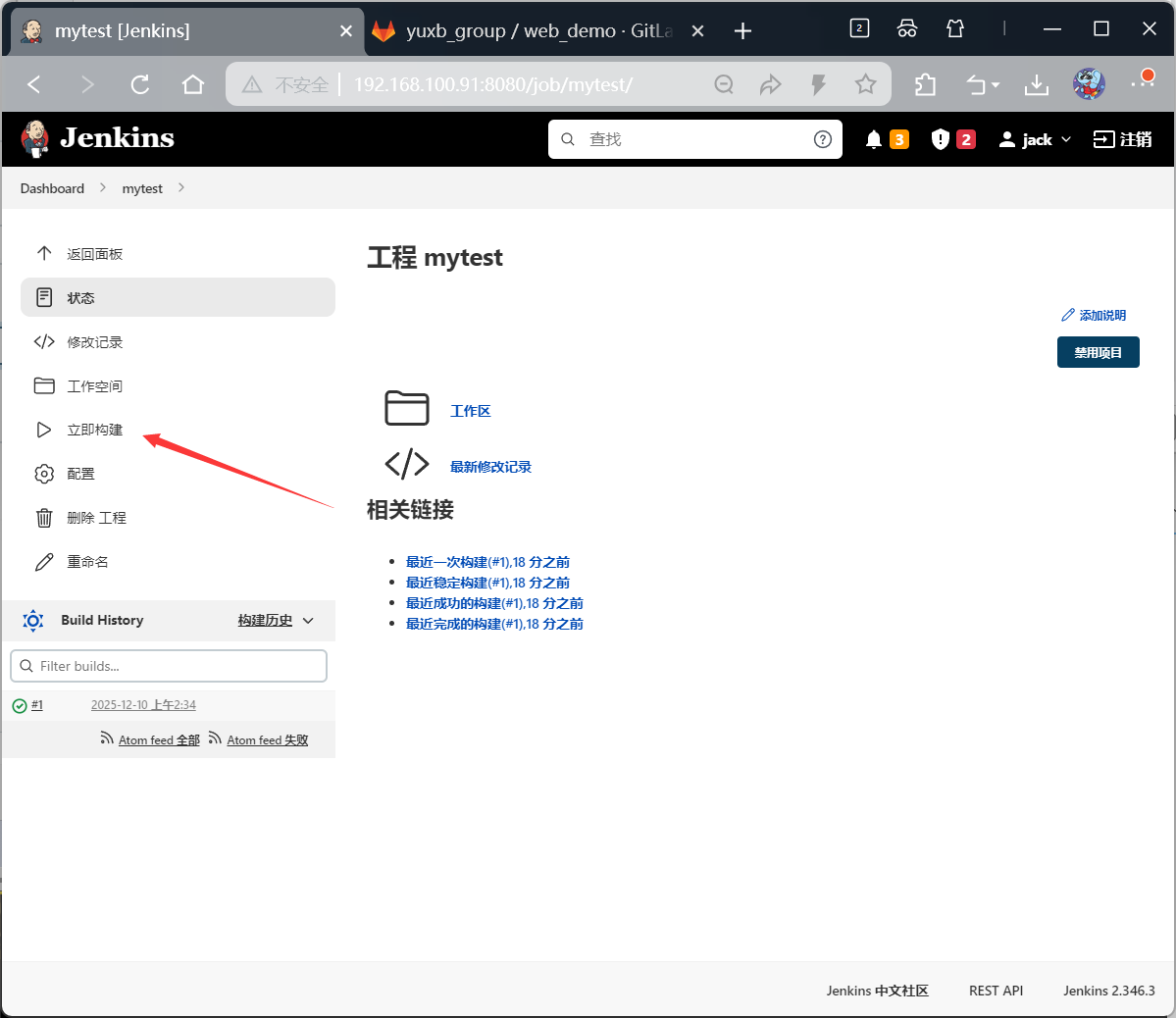
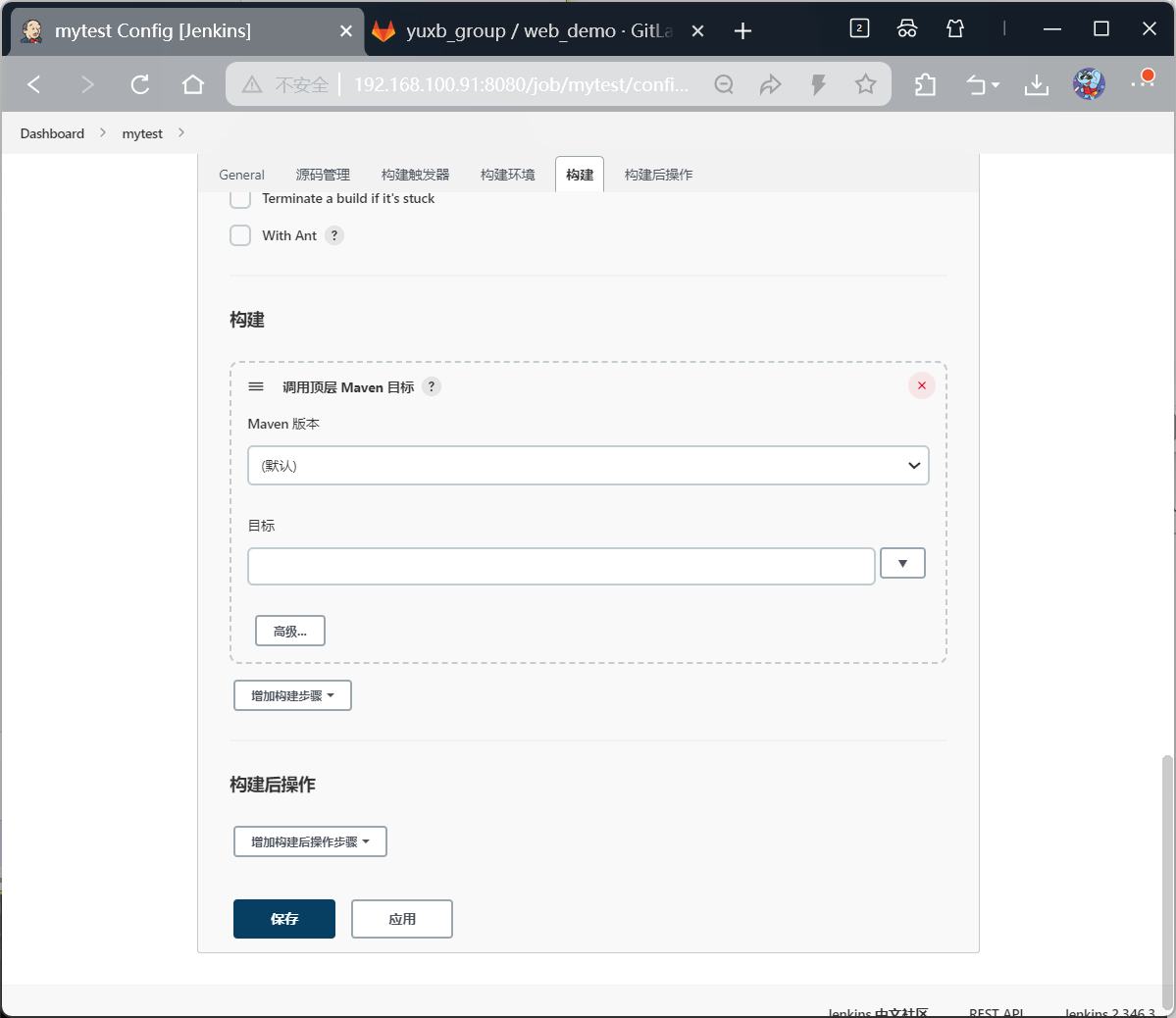
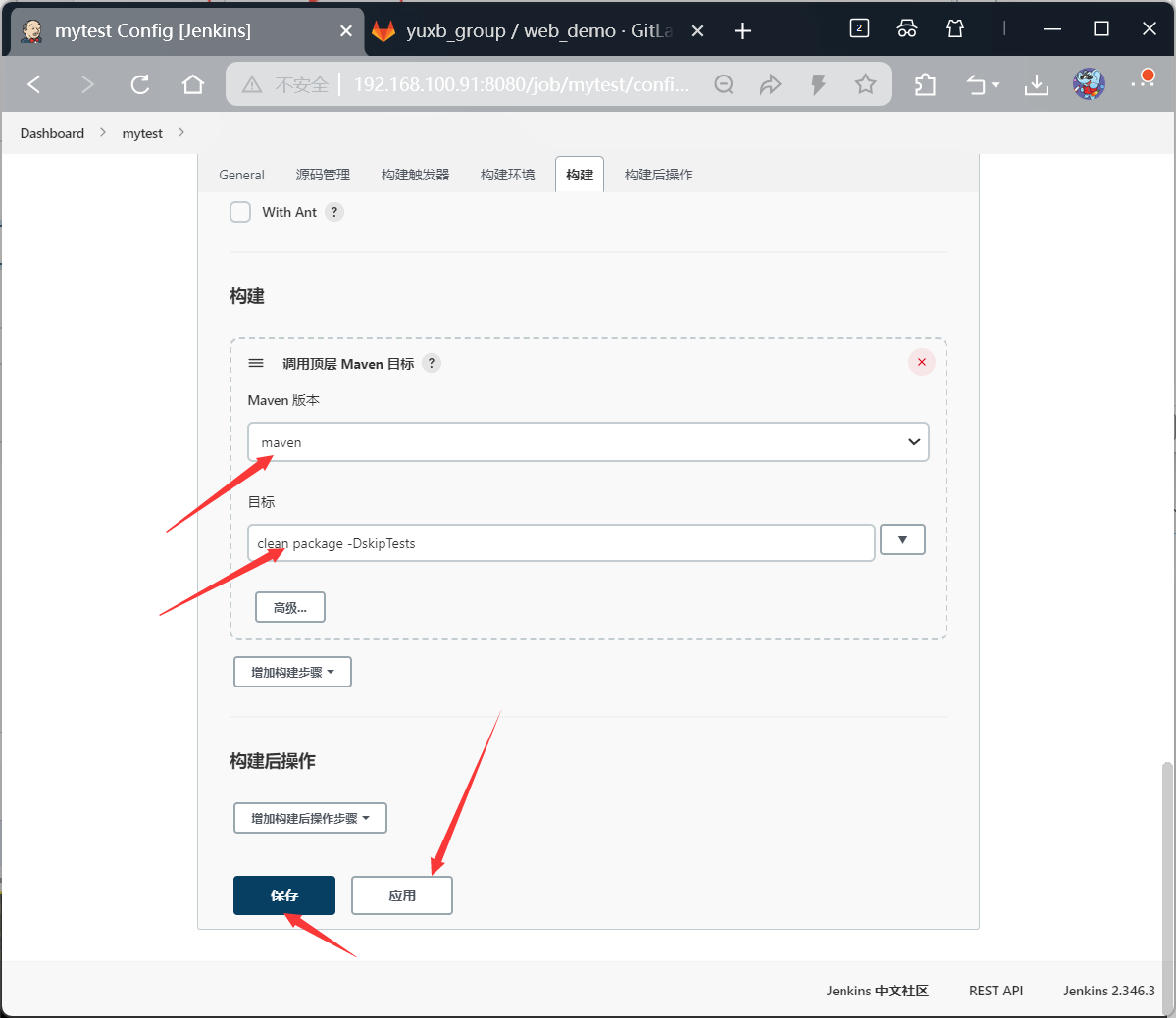
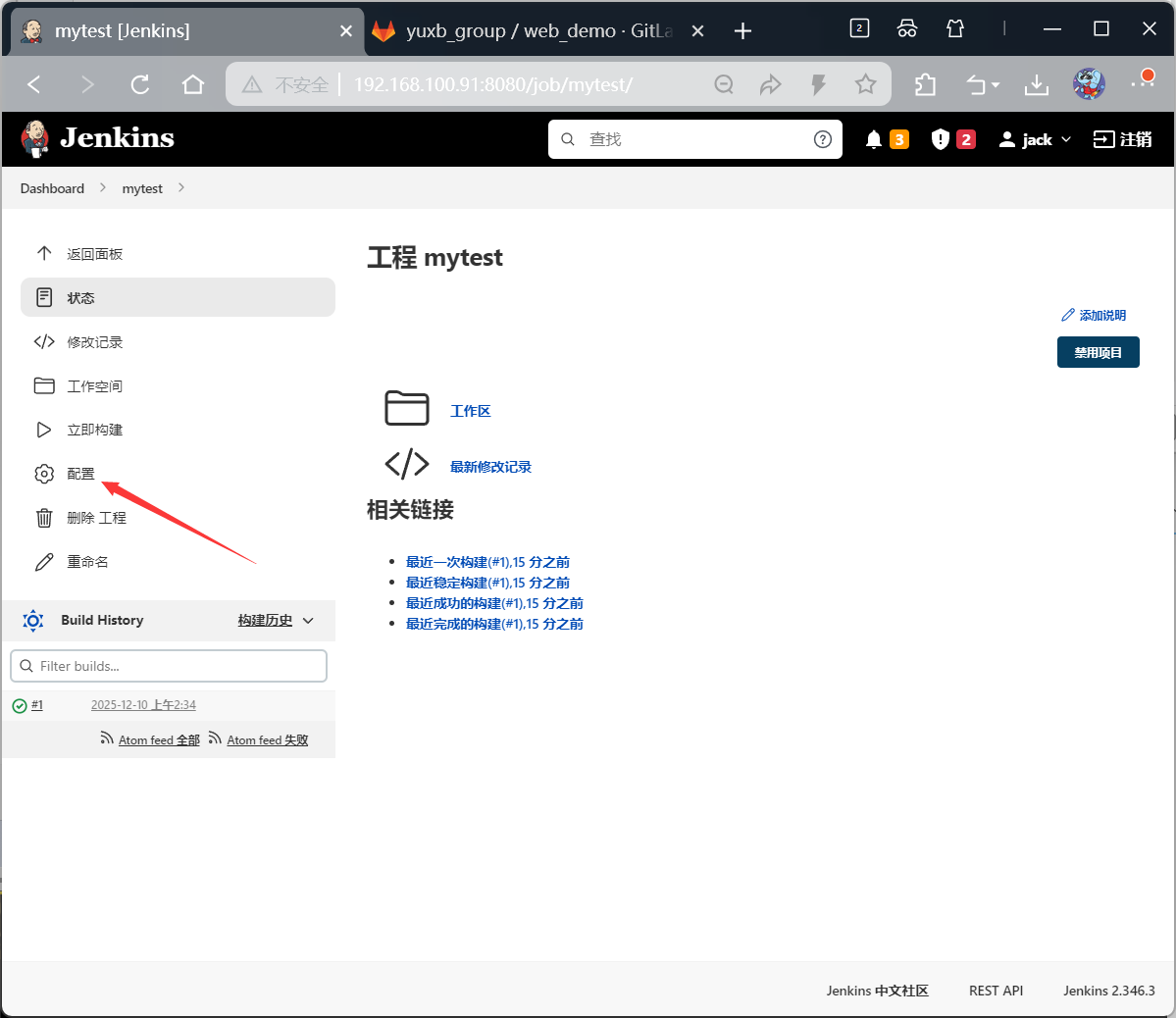
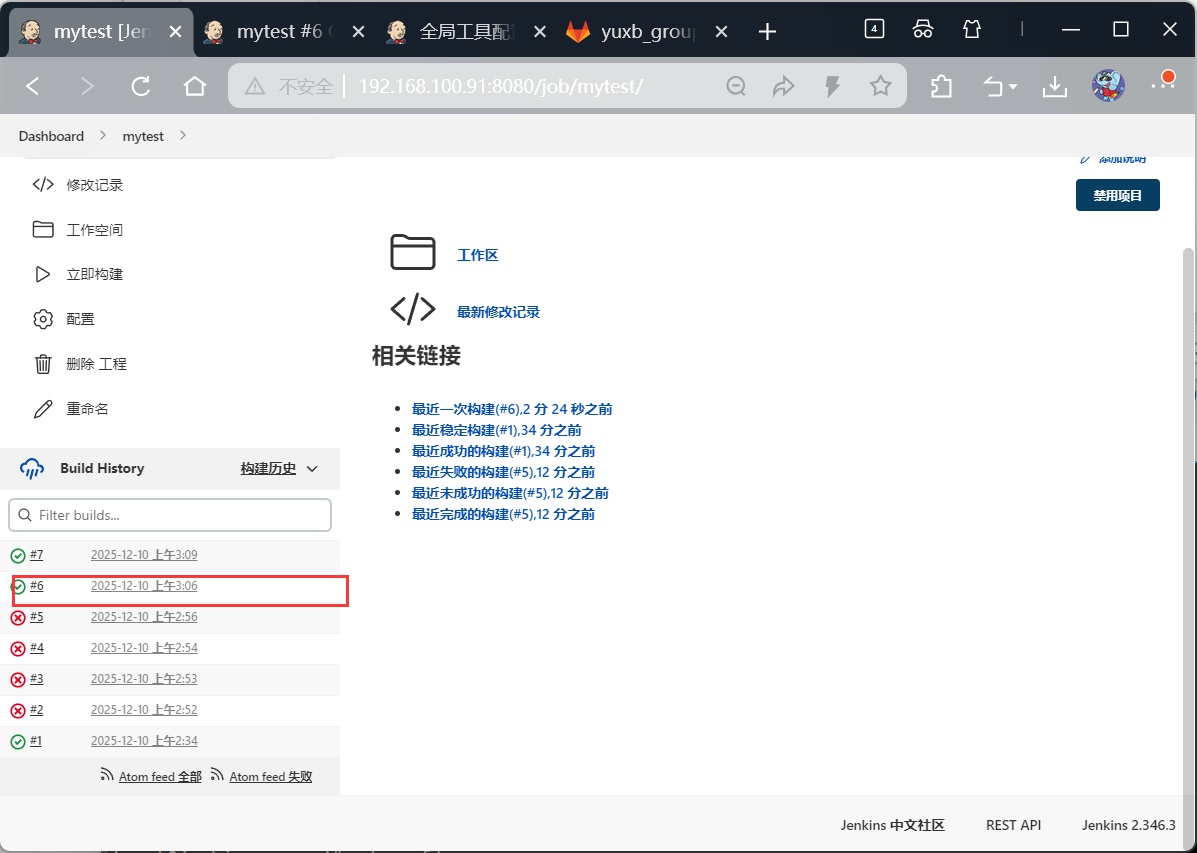
第2次构建-编译jar包
实现编译架包
bash
[root@jenkins conf]# cd /usr/local/docker/jenkins_docker/data/workspace/mytest/target
[root@jenkins target]# ls
classes                  demo-0.0.1-SNAPSHOT.jar.original  generated-test-sources  maven-status
demo-0.0.1-SNAPSHOT.jar  generated-sources                 maven-archiver          test-classes
第3次构建-推送jar至目标服务器

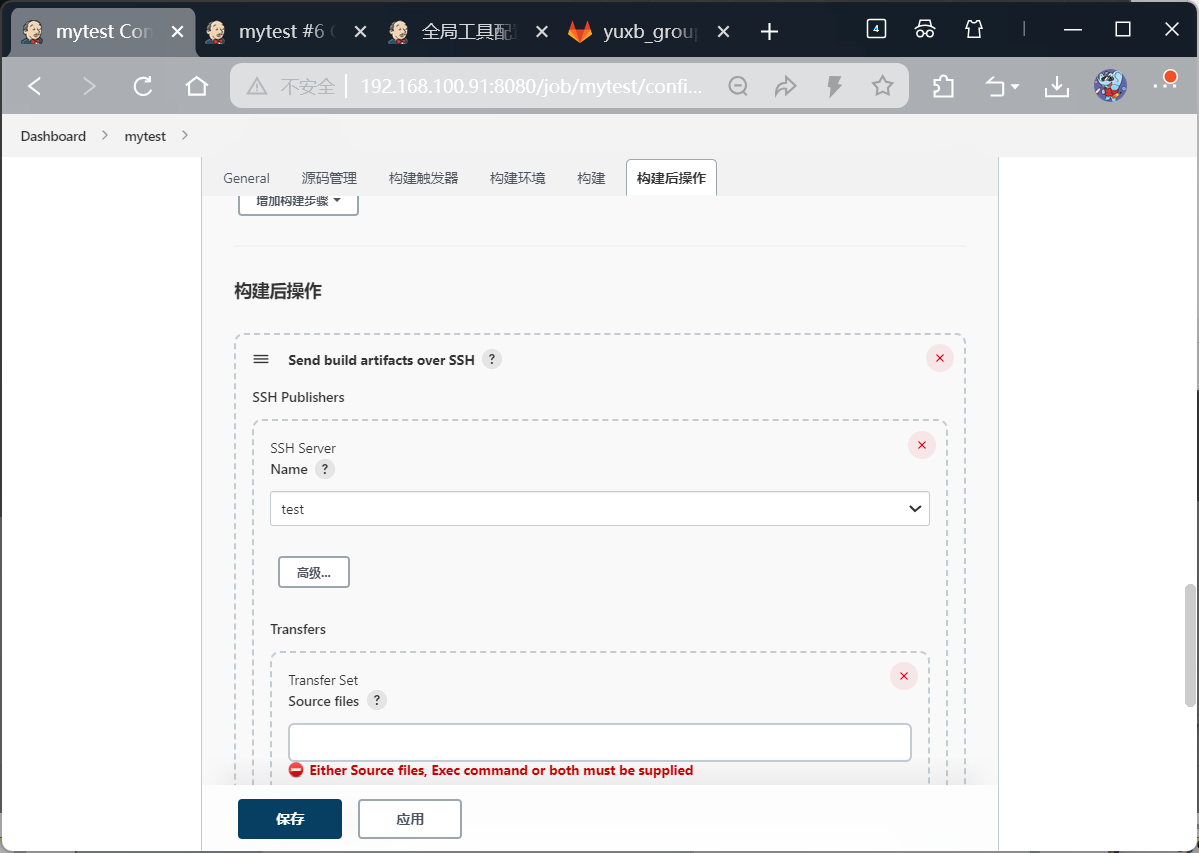
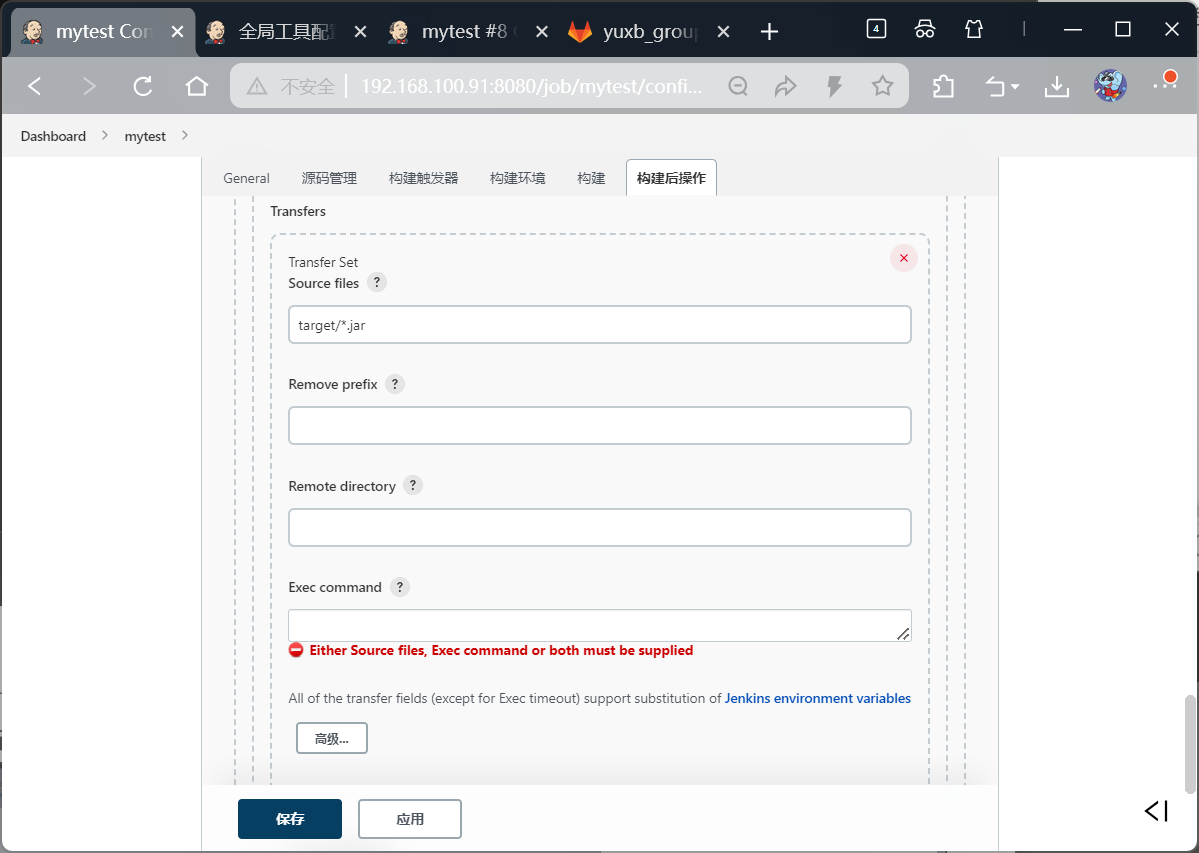
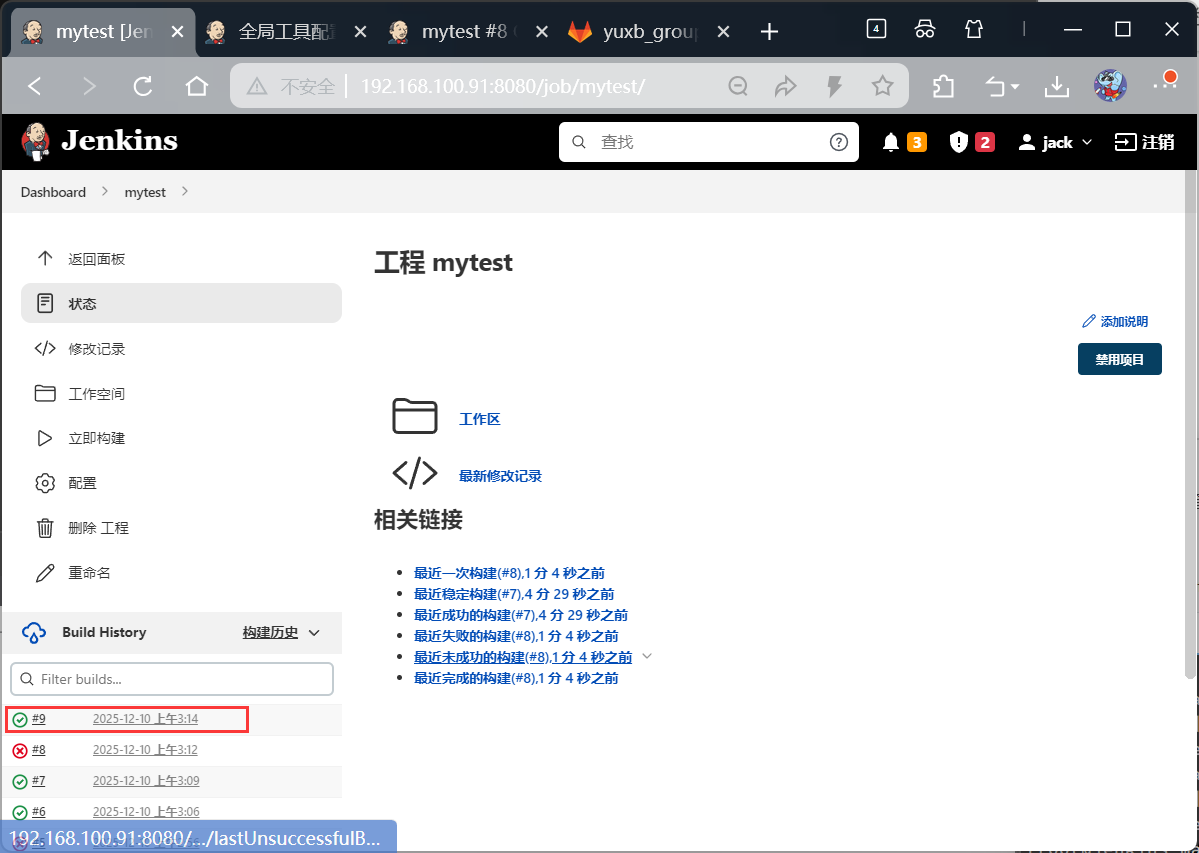
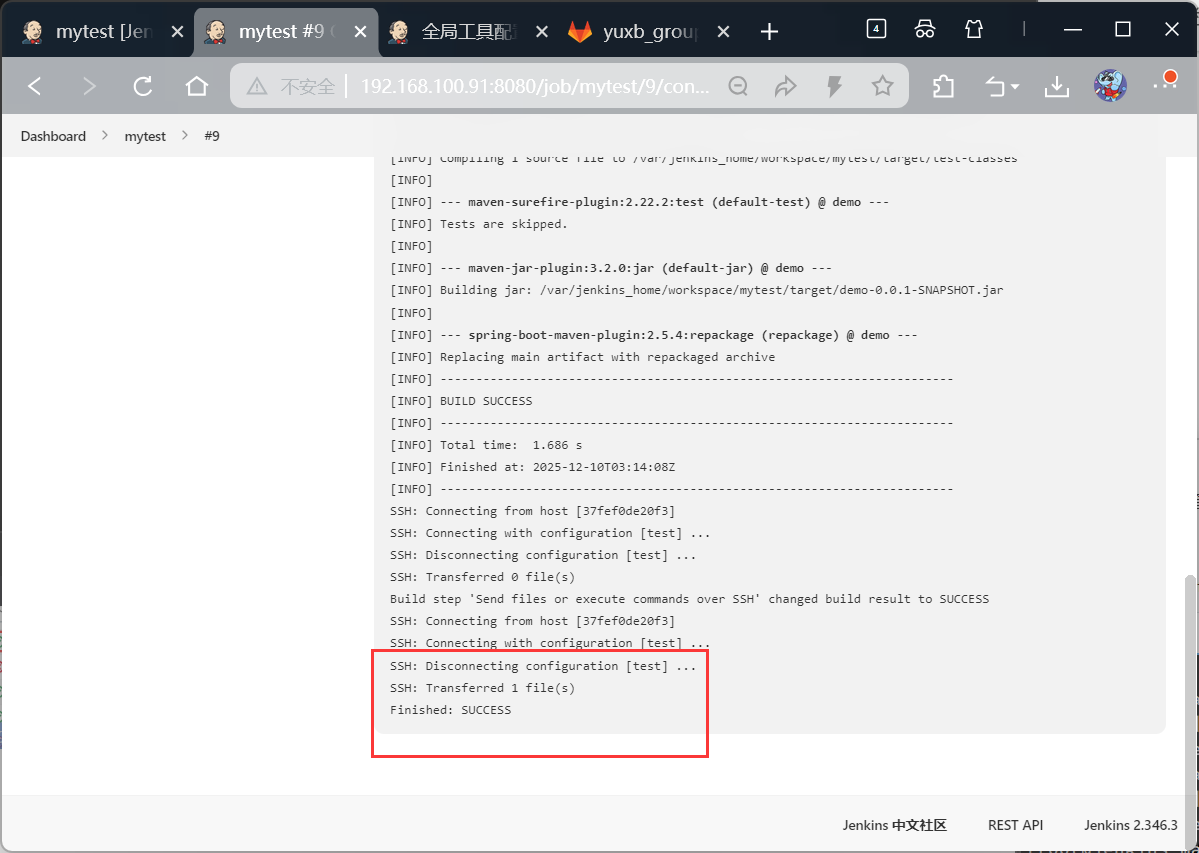
到目标web服务器中查看jar包
bash
[root@web local]# cd test/
[root@web test]# ls
target
[root@web test]# cd target/
[root@web target]# ls
demo-0.0.1-SNAPSHOT.jar
[root@web target]# pwd
/usr/local/test/target
第4次构建-拉取docker文件
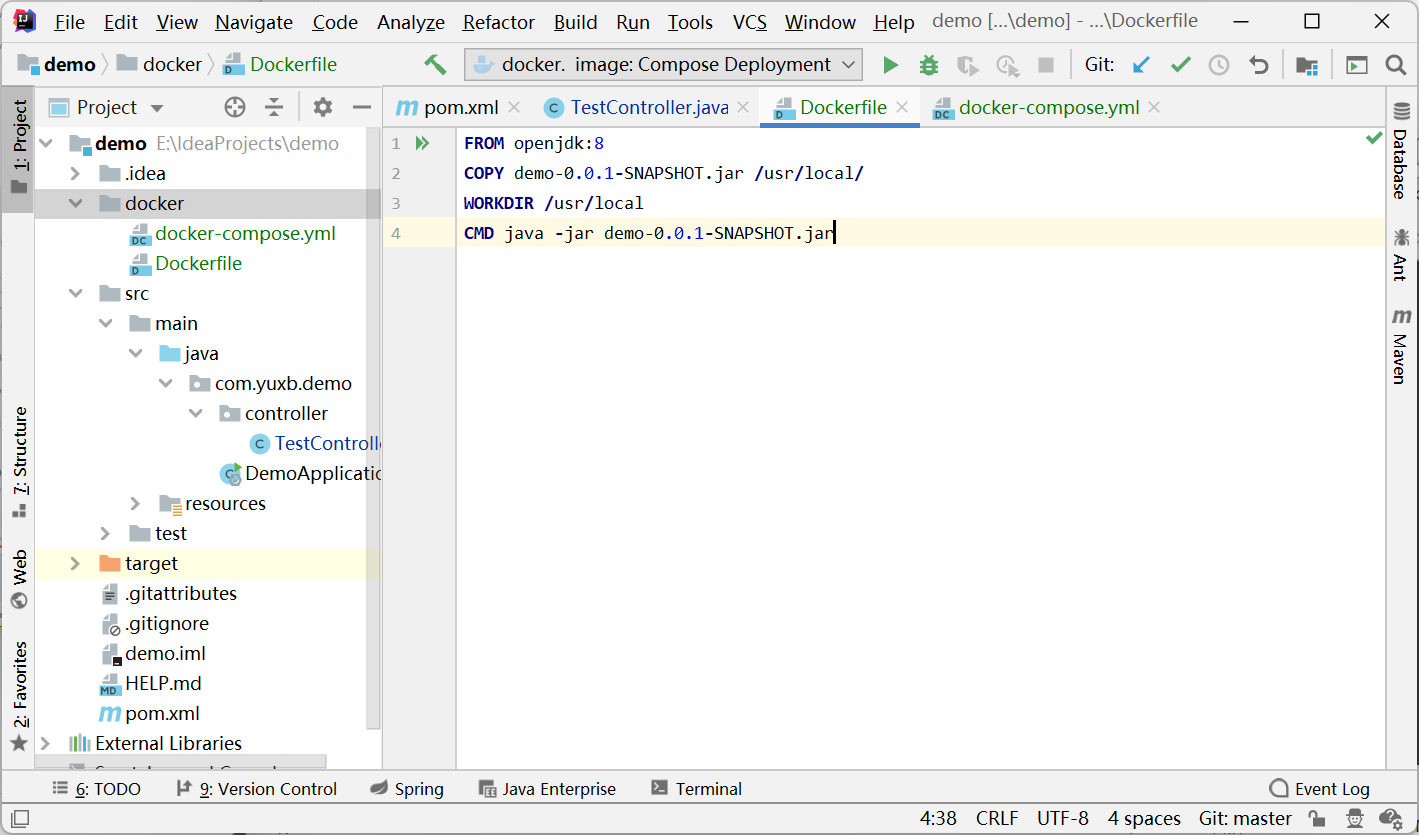
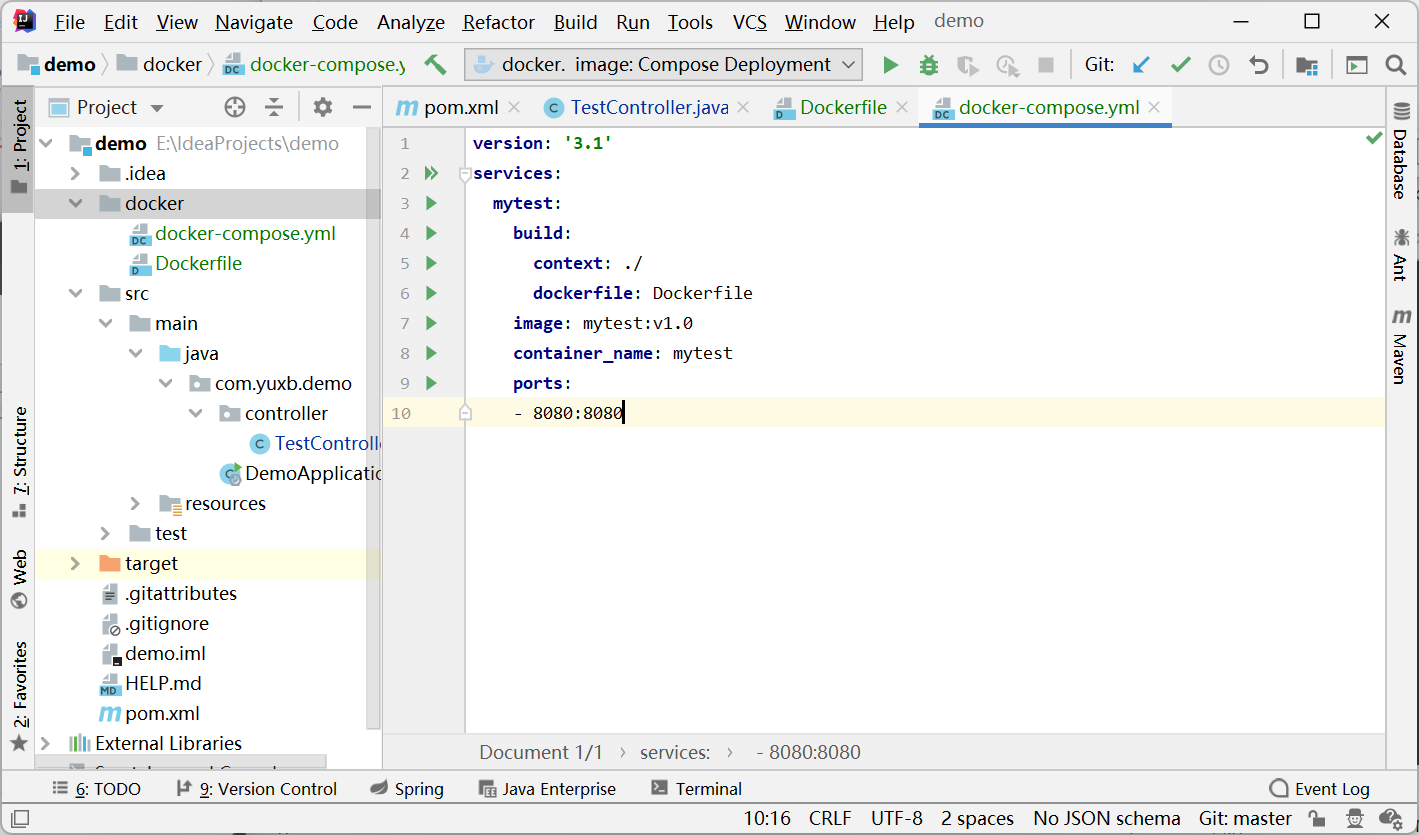
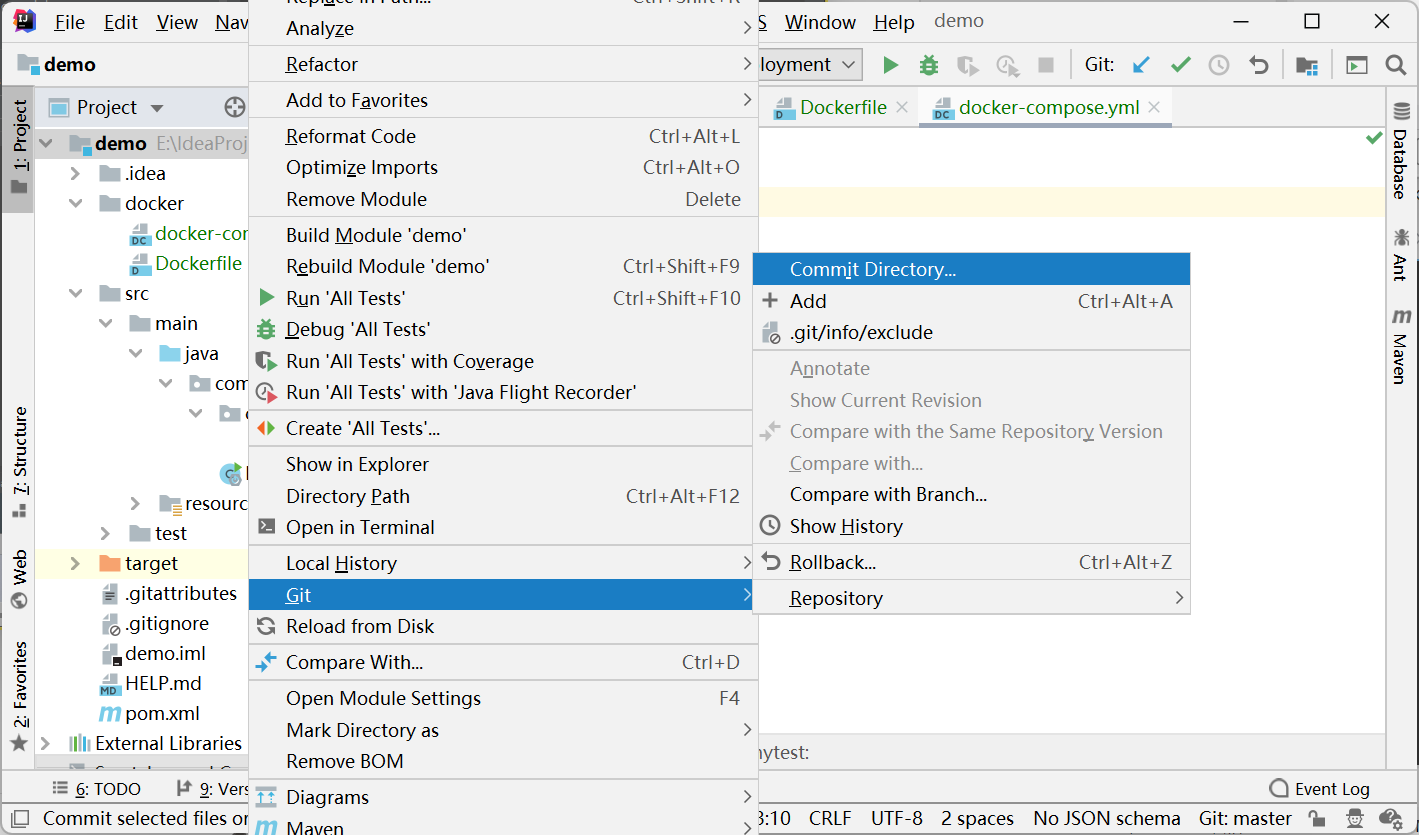
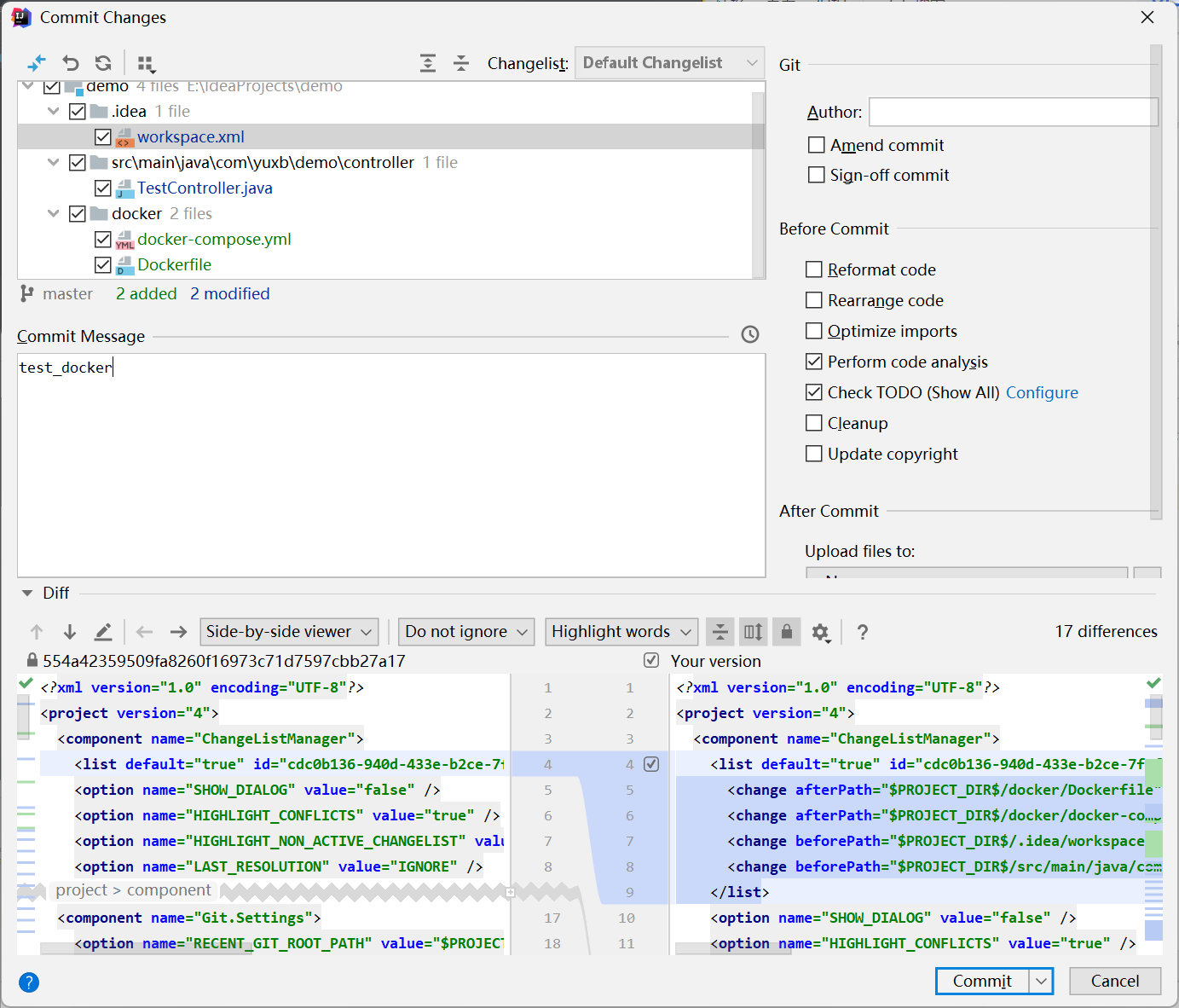
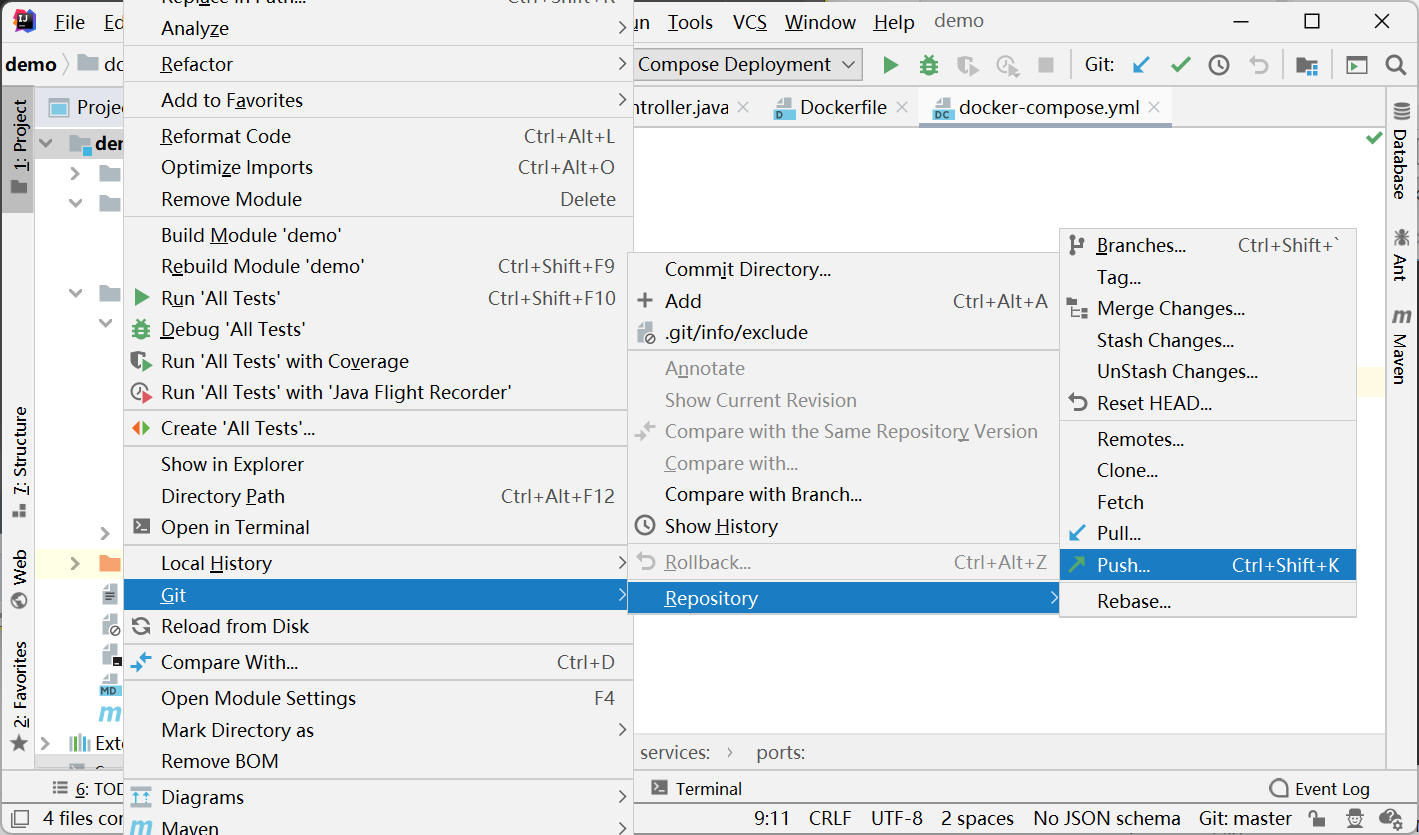
整个项目进行提交Gitlab
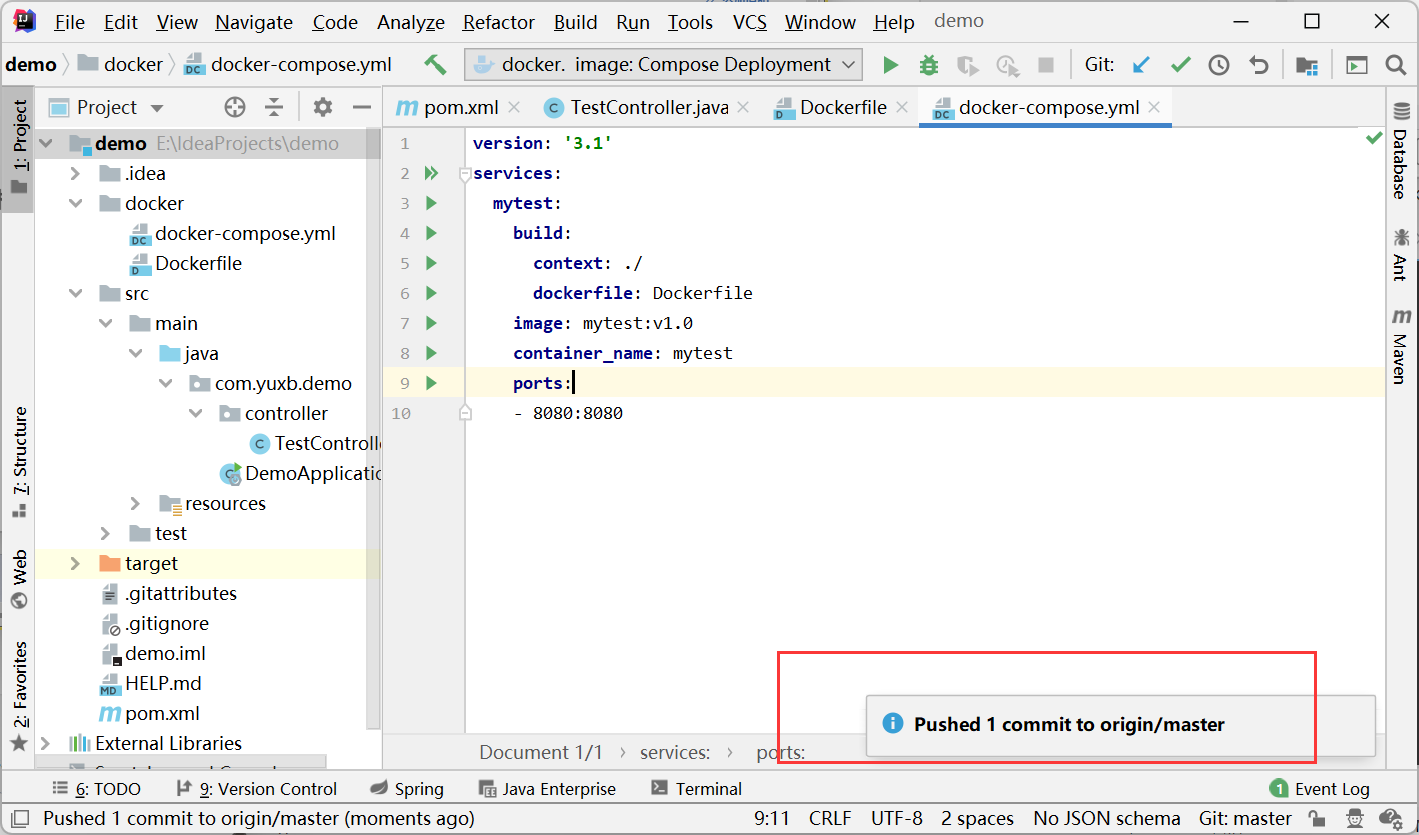

在Jenkins服务器上,返回工程-立即构建,显示构建成功
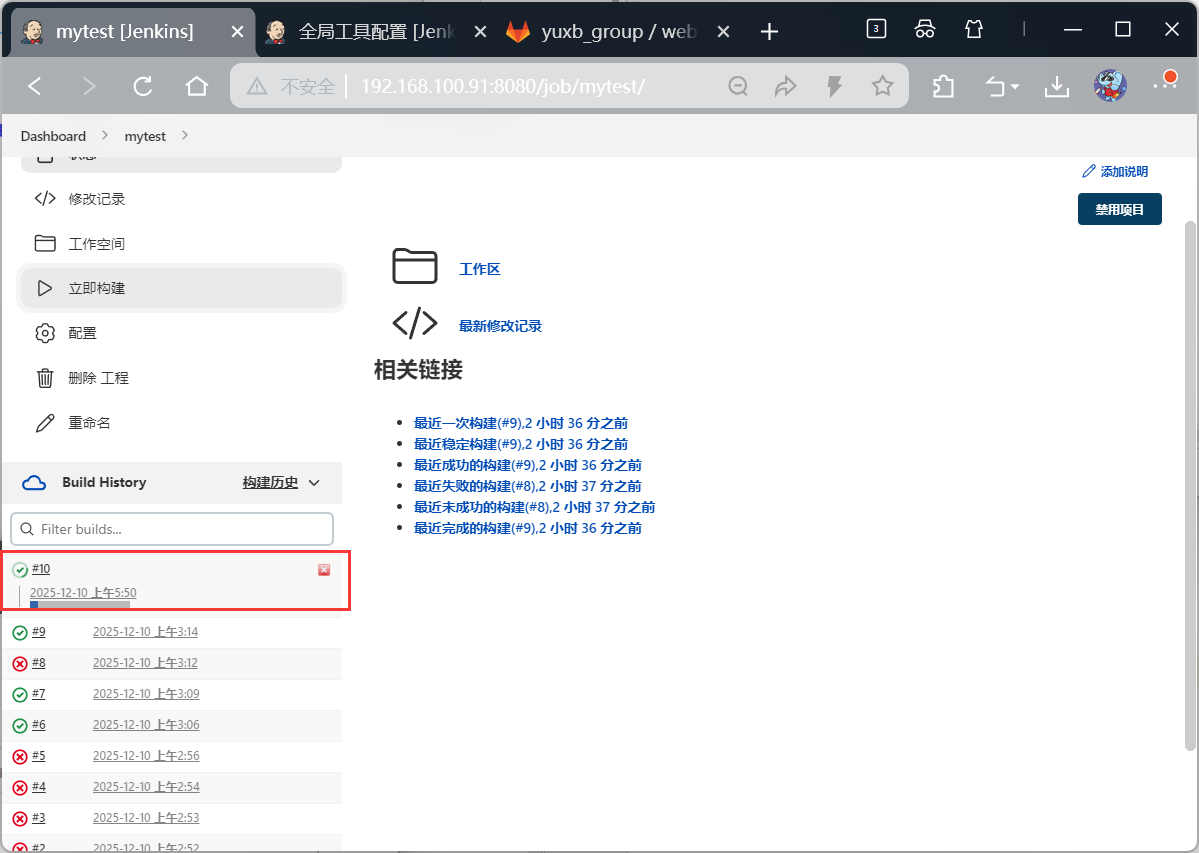
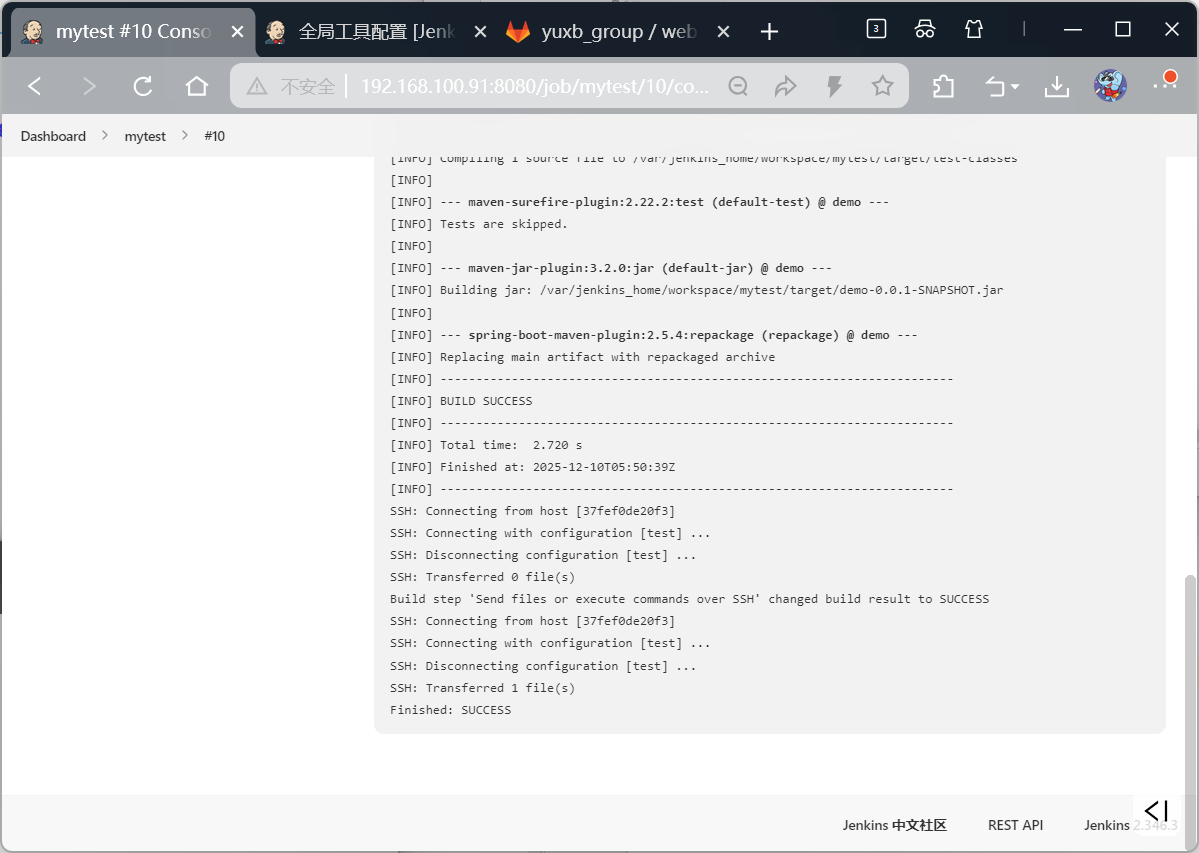
在Jenkins服务器上查看docker文件已经拉取成功
bash
[root@jenkins target]# cd /usr/local/docker/jenkins_docker/data/workspace/mytest
[root@jenkins mytest]# ls
demo.iml  docker  HELP.md  pom.xml  src  target
[root@jenkins mytest]# cd docker/
[root@jenkins docker]# ls
docker-compose.yml  Dockerfile
第5次构建-目标服务器项目运行
在web目标服务器上部署docker环境
bash
[root@web target]# yum install -y yum-utils device-mapper-persistent-data lvm2

[root@web target]# yum-config-manager --add-repo https://mirrors.aliyun.com/docker-ce/linux/centos/docker-ce.repo

[root@web target]# yum install docker-ce -y

[root@web target]# systemctl enable docker --now


#镜像加速
[root@web target]# tee /etc/docker/daemon.json <<-'EOF'
> {
>   "registry-mirrors": [
>     "https://09def58152000fc00ff0c00057bad7e0.mirror.swr.myhuaweicloud.com",
>     "https://do.nark.eu.org",
>     "https://dc.j8.work",
>     "https://docker.m.daocloud.io",
>     "https://dockerproxy.com",
>     "https://docker.mirrors.ustc.edu.cn",
>     "https://docker.nju.edu.cn",
>     "https://registry.docker-cn.com",
>     "https://hub-mirror.c.163.com",
>     "https://hub.uuuadc.top",
>     "https://docker.anyhub.us.kg",
>     "https://dockerhub.jobcher.com",
>     "https://dockerhub.icu",
>     "https://docker.ckyl.me",
>     "https://docker.awsl9527.cn",
>     "https://mirror.baidubce.com",
>     "https://docker.1panel.live"
>   ]
> }
> EOF
{
  "registry-mirrors": [
    "https://09def58152000fc00ff0c00057bad7e0.mirror.swr.myhuaweicloud.com",
    "https://do.nark.eu.org",
    "https://dc.j8.work",
    "https://docker.m.daocloud.io",
    "https://dockerproxy.com",
    "https://docker.mirrors.ustc.edu.cn",
    "https://docker.nju.edu.cn",
    "https://registry.docker-cn.com",
    "https://hub-mirror.c.163.com",
    "https://hub.uuuadc.top",
    "https://docker.anyhub.us.kg",
    "https://dockerhub.jobcher.com",
    "https://dockerhub.icu",
    "https://docker.ckyl.me",
    "https://docker.awsl9527.cn",
    "https://mirror.baidubce.com",
    "https://docker.1panel.live"
  ]
}

#重启docker服务
[root@web target]# systemctl daemon-reload
[root@web target]# systemctl restart docker
[root@web target]# vim /etc/sysctl.conf
[root@web target]# cat /etc/sysctl.conf
# sysctl settings are defined through files in
# /usr/lib/sysctl.d/, /run/sysctl.d/, and /etc/sysctl.d/.
#
# Vendors settings live in /usr/lib/sysctl.d/.
# To override a whole file, create a new file with the same in
# /etc/sysctl.d/ and put new settings there. To override
# only specific settings, add a file with a lexically later
# name in /etc/sysctl.d/ and put new settings there.
#
# For more information, see sysctl.conf(5) and sysctl.d(5).
net.ipv4.ip_forward=1
[root@web target]# sysctl -p
net.ipv4.ip_forward = 1


#安装docker-compose工具
[root@web ~]# rz -E
rz waiting to receive.
[root@web ~]# chmod +x docker-compose
[root@web ~]# mv docker-compose /usr/local/bin/
[root@web ~]# ls /usr/local/bin/
docker-compose
返回工程-配置-构建后操作
bash
#先去目标服务器拉取镜像
#防止超时
[root@web test]# docker pull openjdk:8
8: Pulling from library/openjdk
001c52e26ad5: Pull complete
d9d4b9b6e964: Pull complete
2068746827ec: Pull complete
9daef329d350: Pull complete
d85151f15b66: Pull complete
52a8c426d30b: Pull complete
8754a66e0050: Pull complete
Digest: sha256:86e863cc57215cfb181bd319736d0baf625fe8f150577f9eb58bd937f5452cb8
Status: Downloaded newer image for openjdk:8
docker.io/library/openjdk:8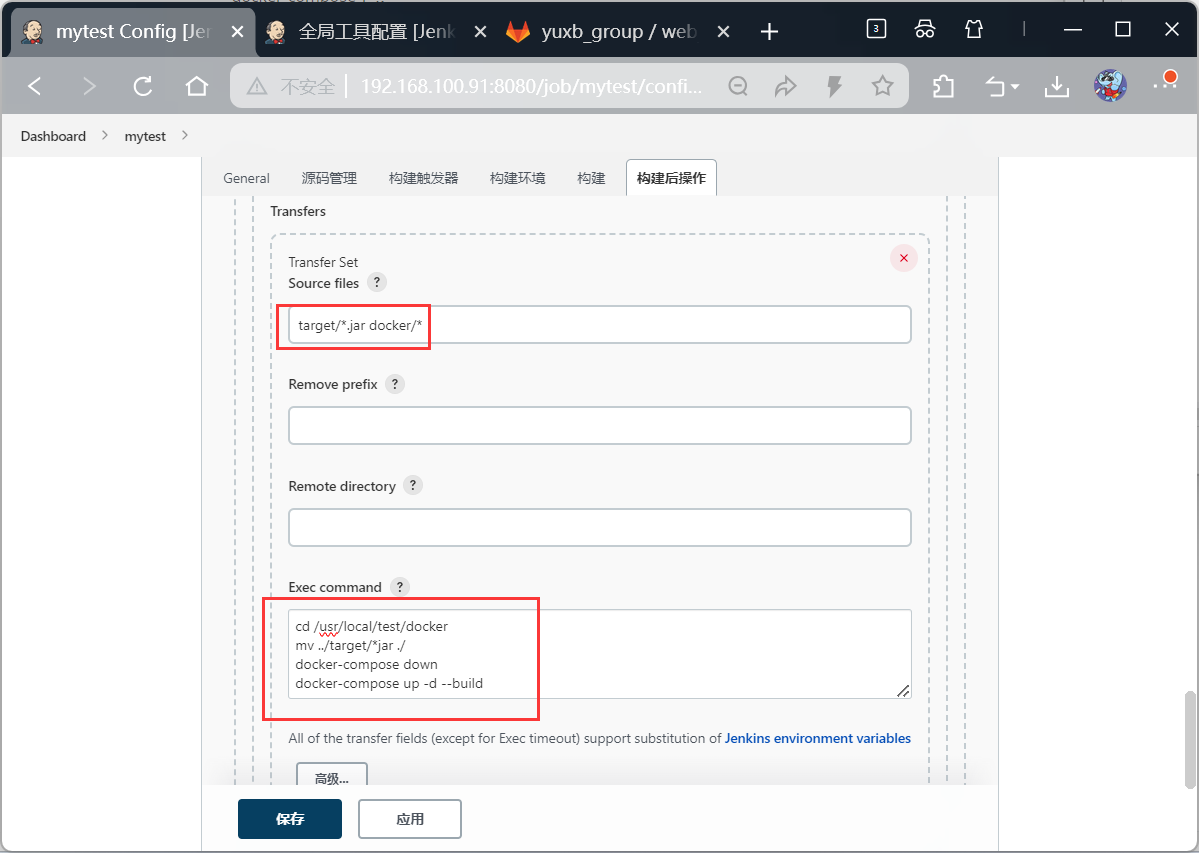
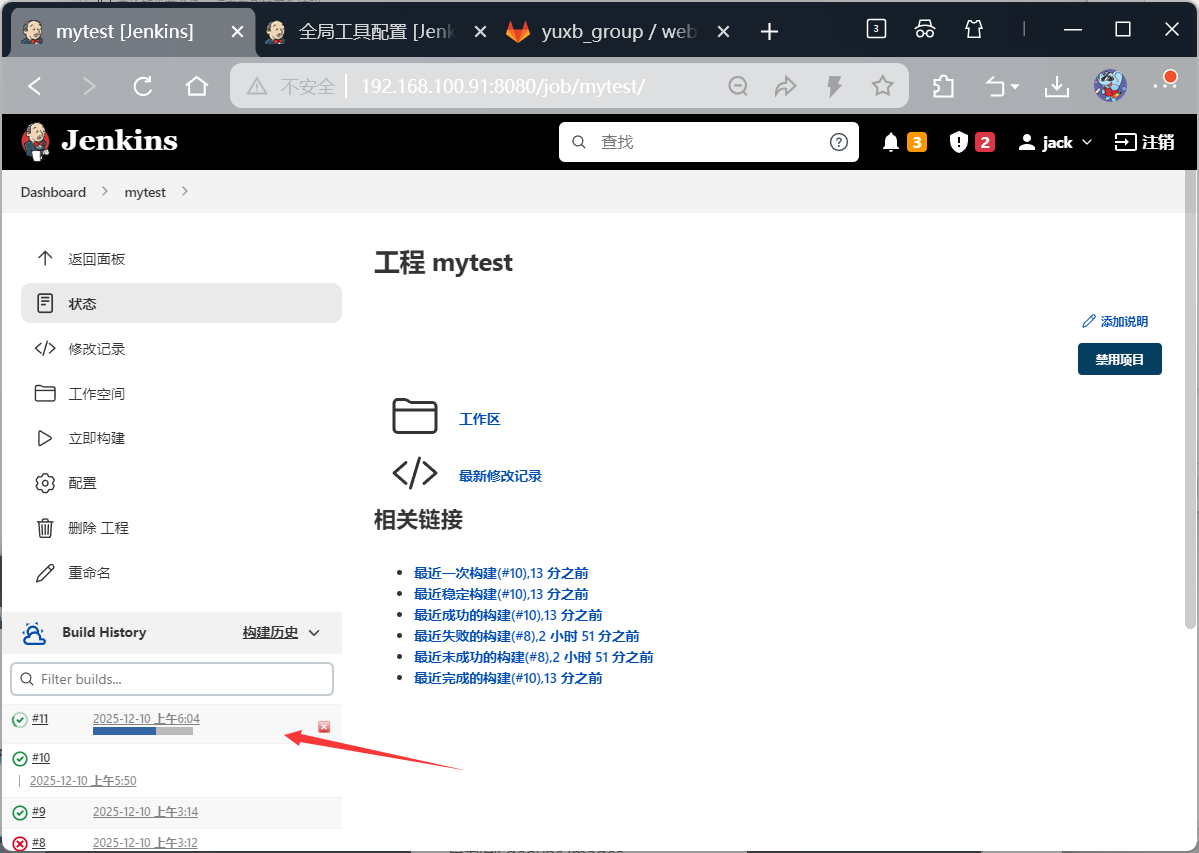
bash
[root@web docker]# docker images
REPOSITORY   TAG       IMAGE ID       CREATED          SIZE
mytest       v1.0      93c128ec1021   56 seconds ago   543MB
openjdk      8         b273004037cc   3 years ago      526MB
[root@web docker]# docker ps -a
CONTAINER ID   IMAGE         COMMAND                  CREATED              STATUS          PORTS                                       NAMES
2815db61df21   mytest:v1.0   "/bin/sh -c 'java -j..."   About a minute ago   Up 58 seconds   0.0.0.0:8080->8080/tcp, :::8080->8080/tcp   mytest
去浏览器验证网页
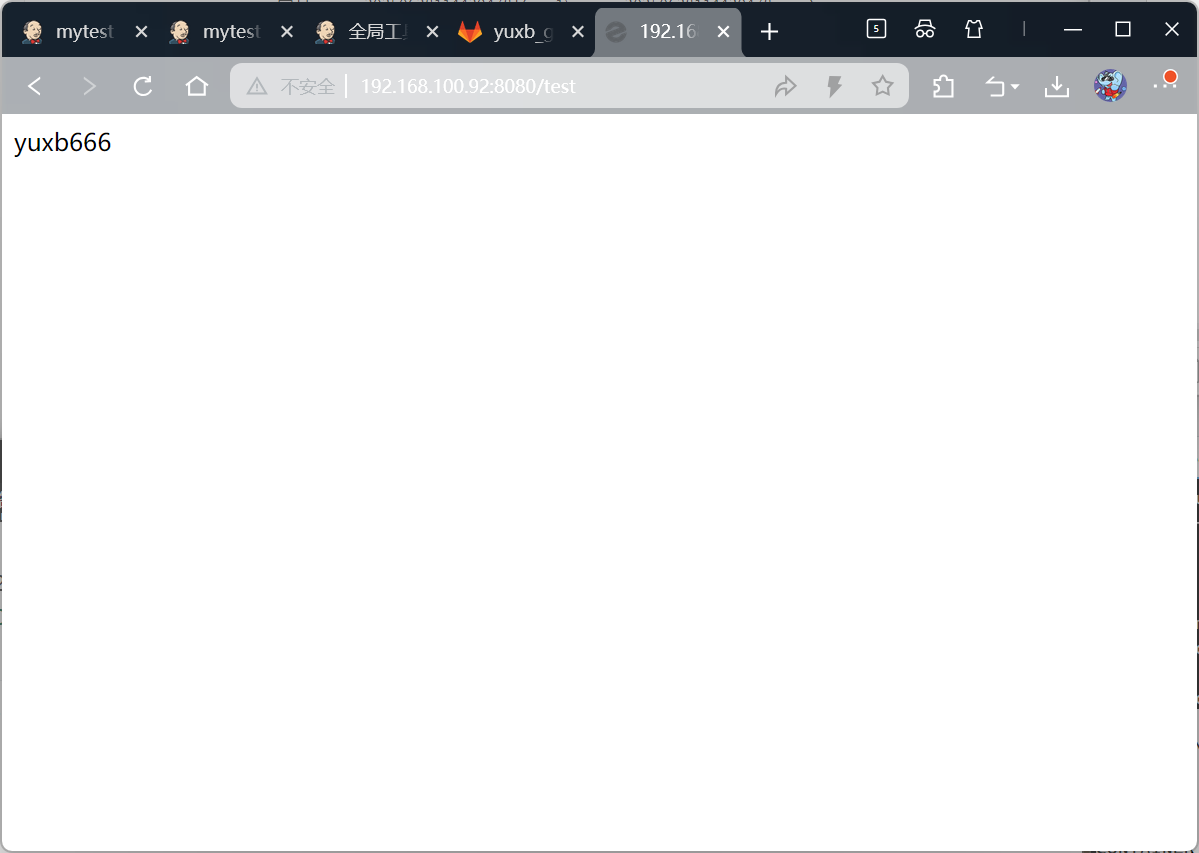
none镜像处理
bash
[root@web test]# docker images
REPOSITORY   TAG       IMAGE ID       CREATED          SIZE
mytest       v1.0      4914a1bce3fa   4 minutes ago    543MB
<none>       <none>    93c128ec1021   10 minutes ago   543MB
openjdk      8         b273004037cc   3 years ago      526MB


#解决方案
[root@web test]# docker image prune -f
Deleted Images:
deleted: sha256:93c128ec102156349ca5d23c1c13905b8a8b96ff78bc29fae4850b9bbcb1d74d
deleted: sha256:6edf6635c07489e79ecf9a2e08c522ff470757a5013ddad1fce63a3e21f03b43
deleted: sha256:4531b8a8d7975114a54781cec89f7925b06fbc4700d6620b4d6b9c0a9398c920
deleted: sha256:0a8ff2e67f8945e7a39d2933bacfbc85af5a5d3af0e954438b6040482f3dacd6

Total reclaimed space: 17.35MB
[root@web test]# docker images
REPOSITORY   TAG       IMAGE ID       CREATED         SIZE
mytest       v1.0      4914a1bce3fa   7 minutes ago   543MB
openjdk      8         b273004037cc   3 years ago     526MB
可以直接放入到构建后操作中执行
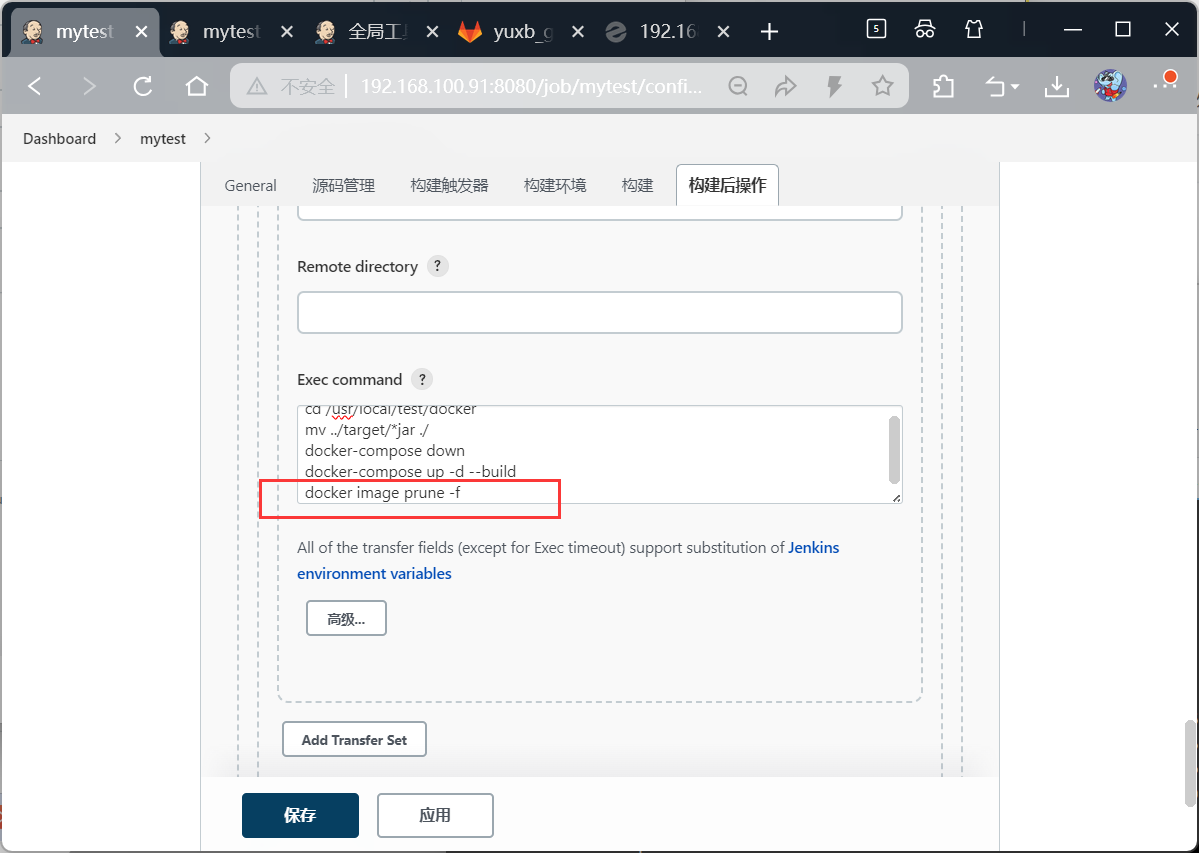
参数化构建
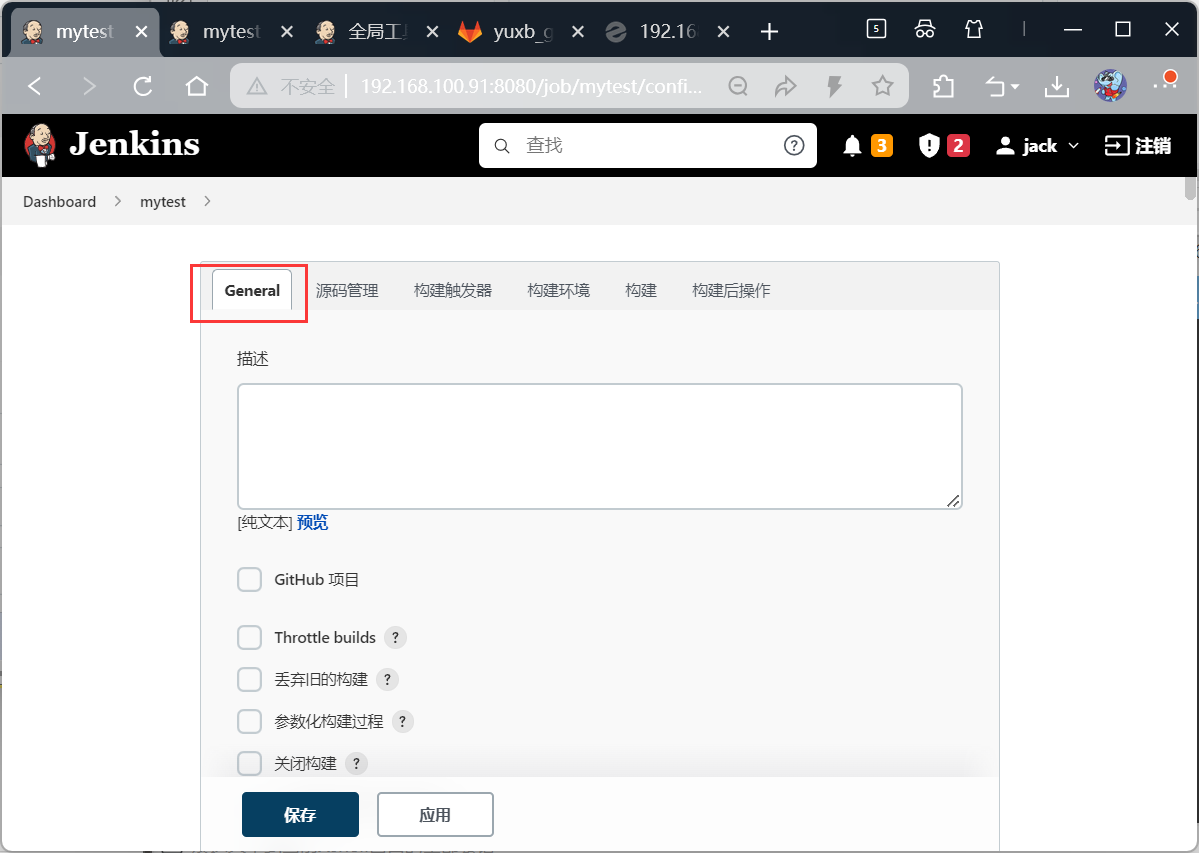
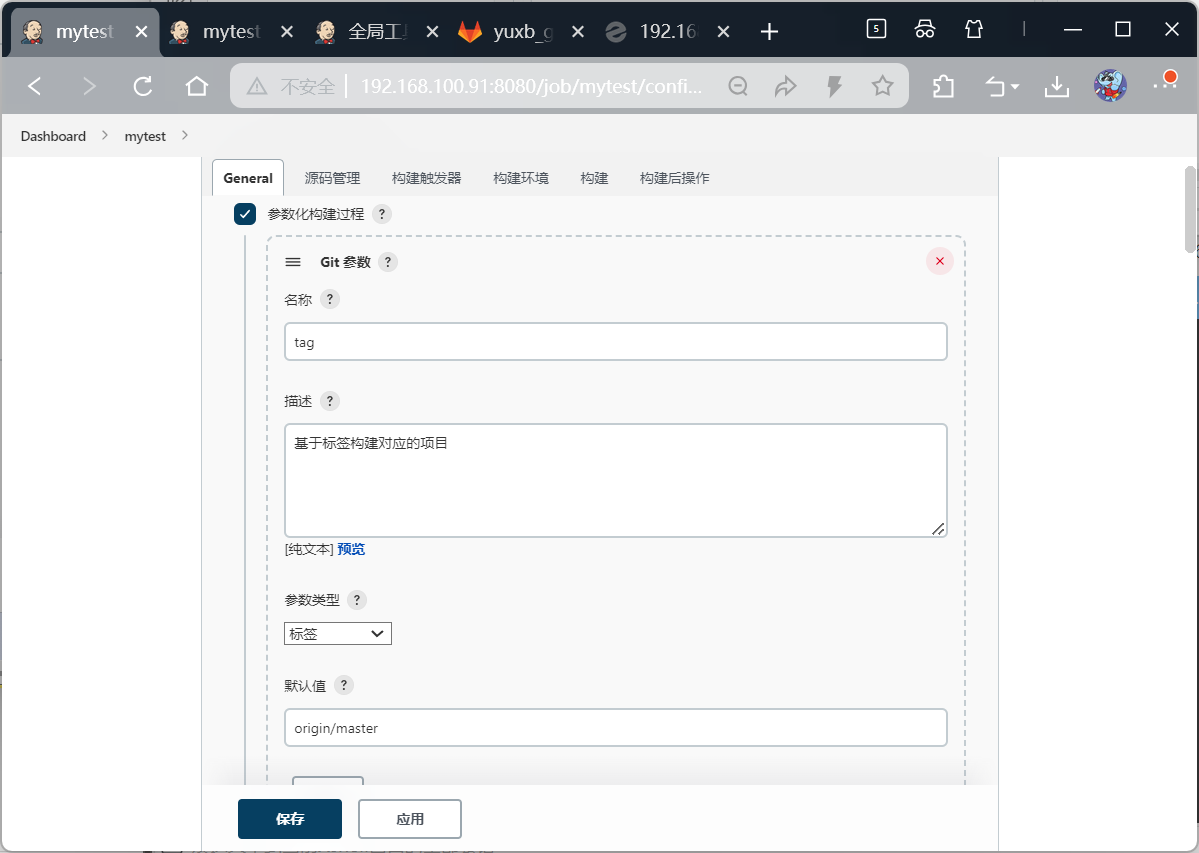
添加构建步骤
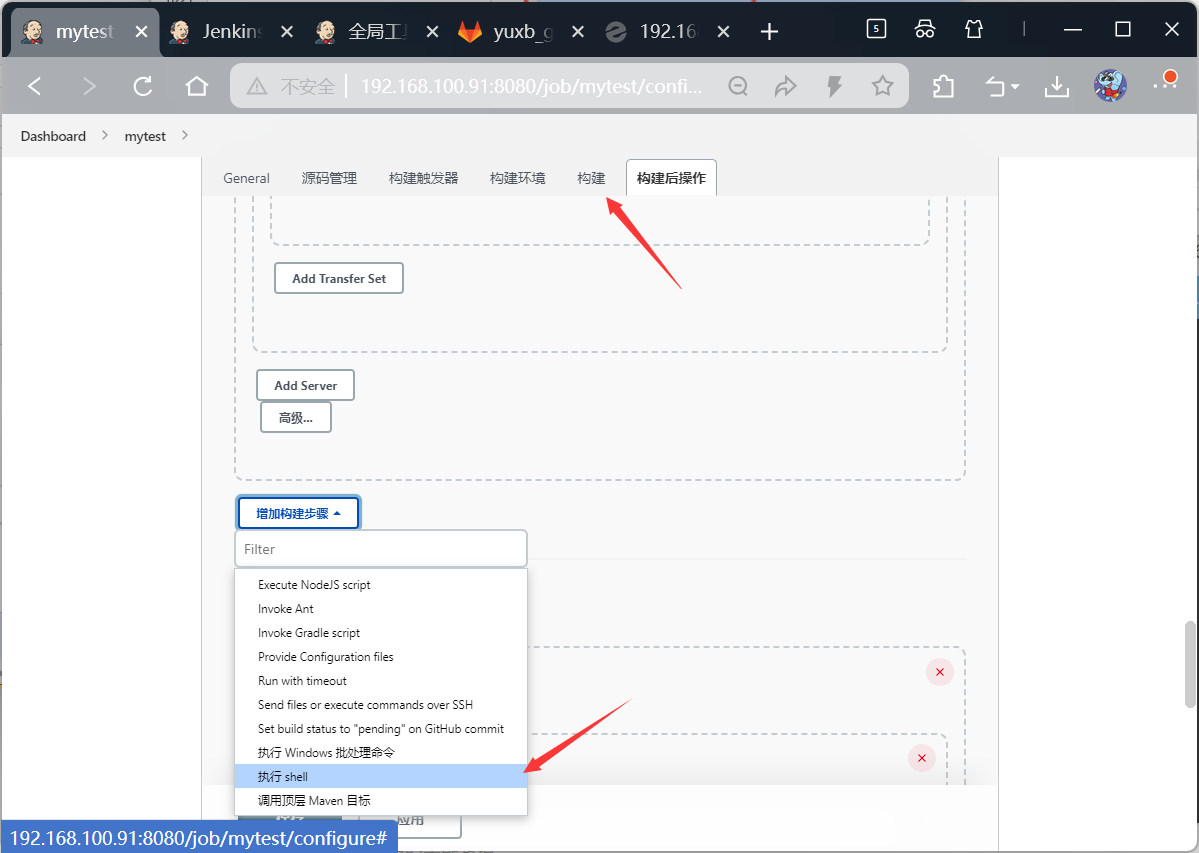
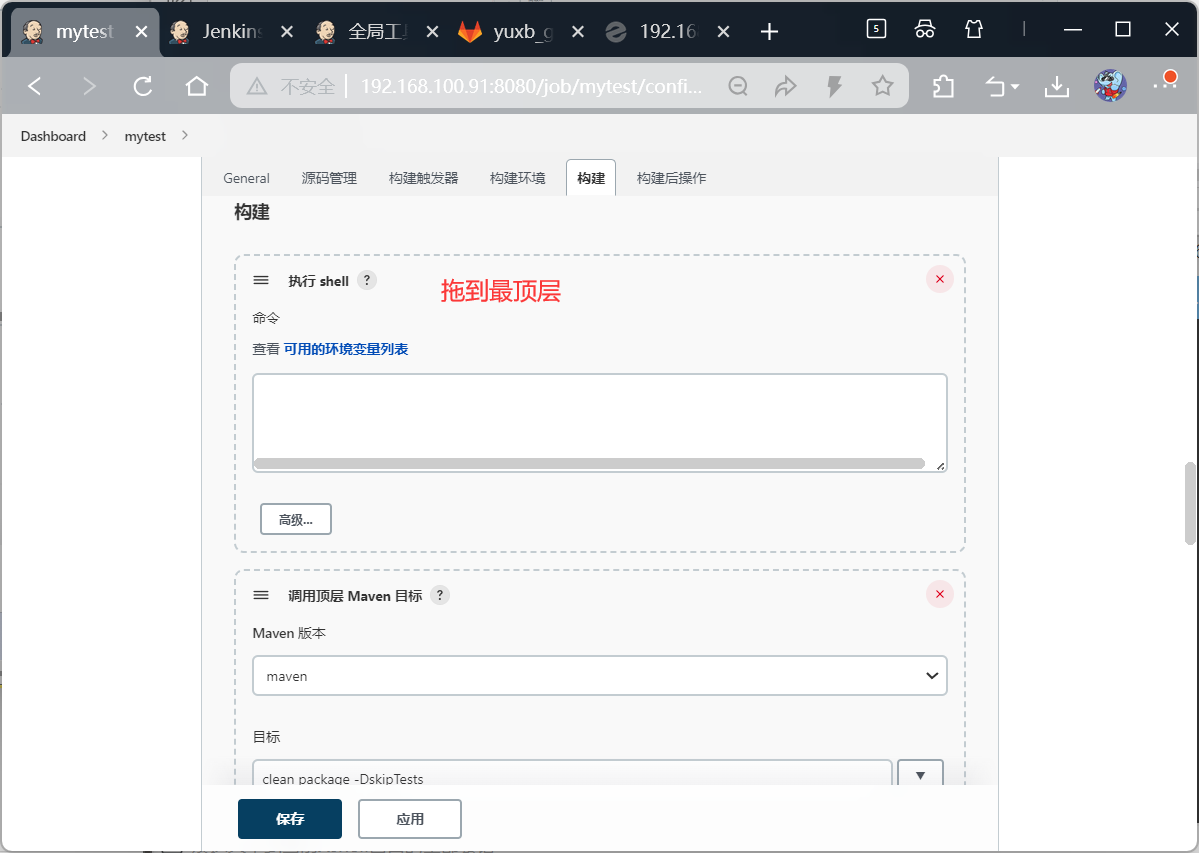
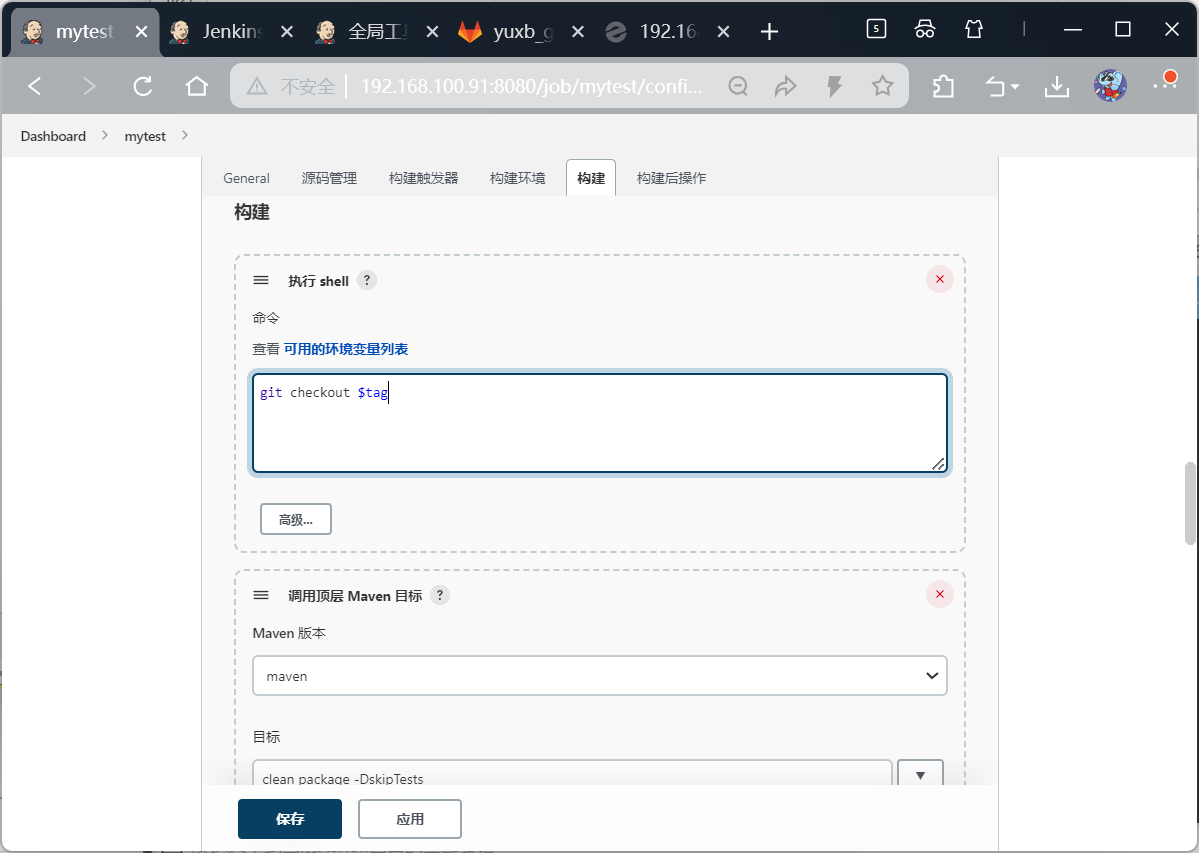
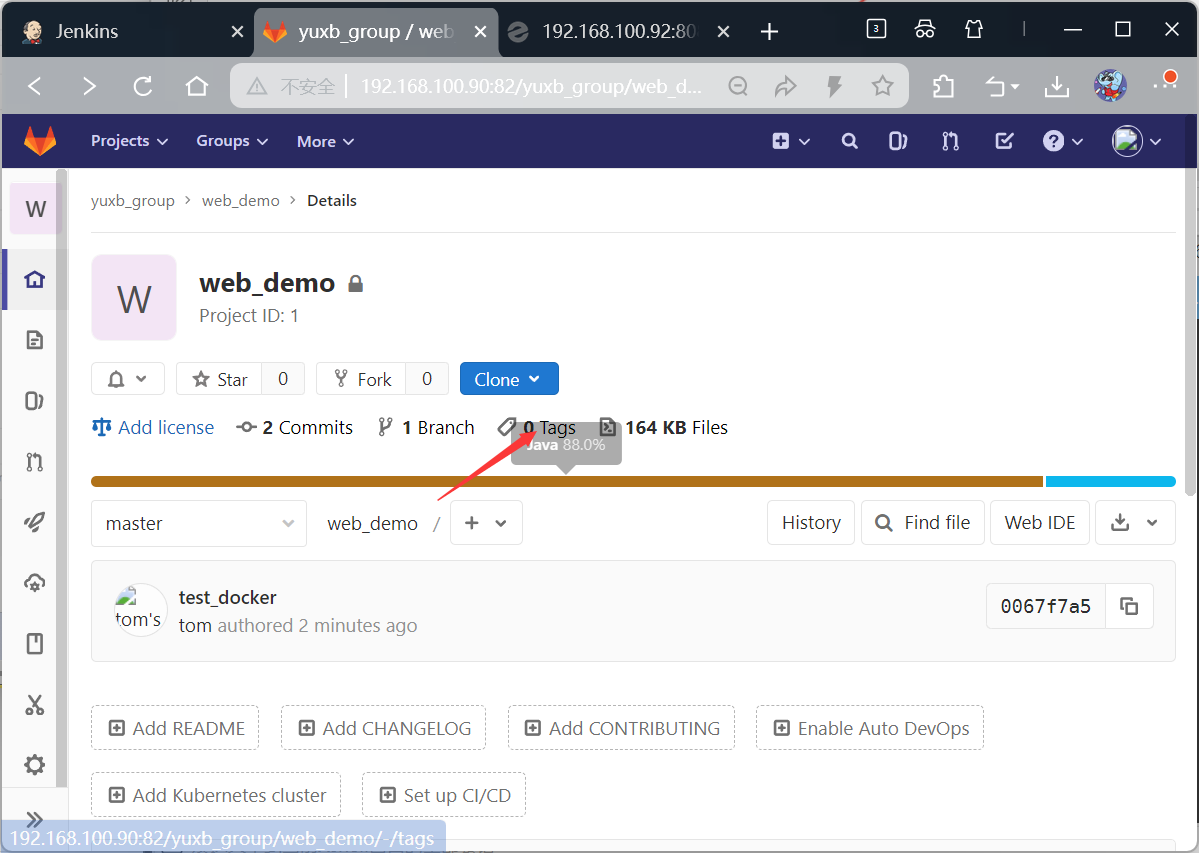
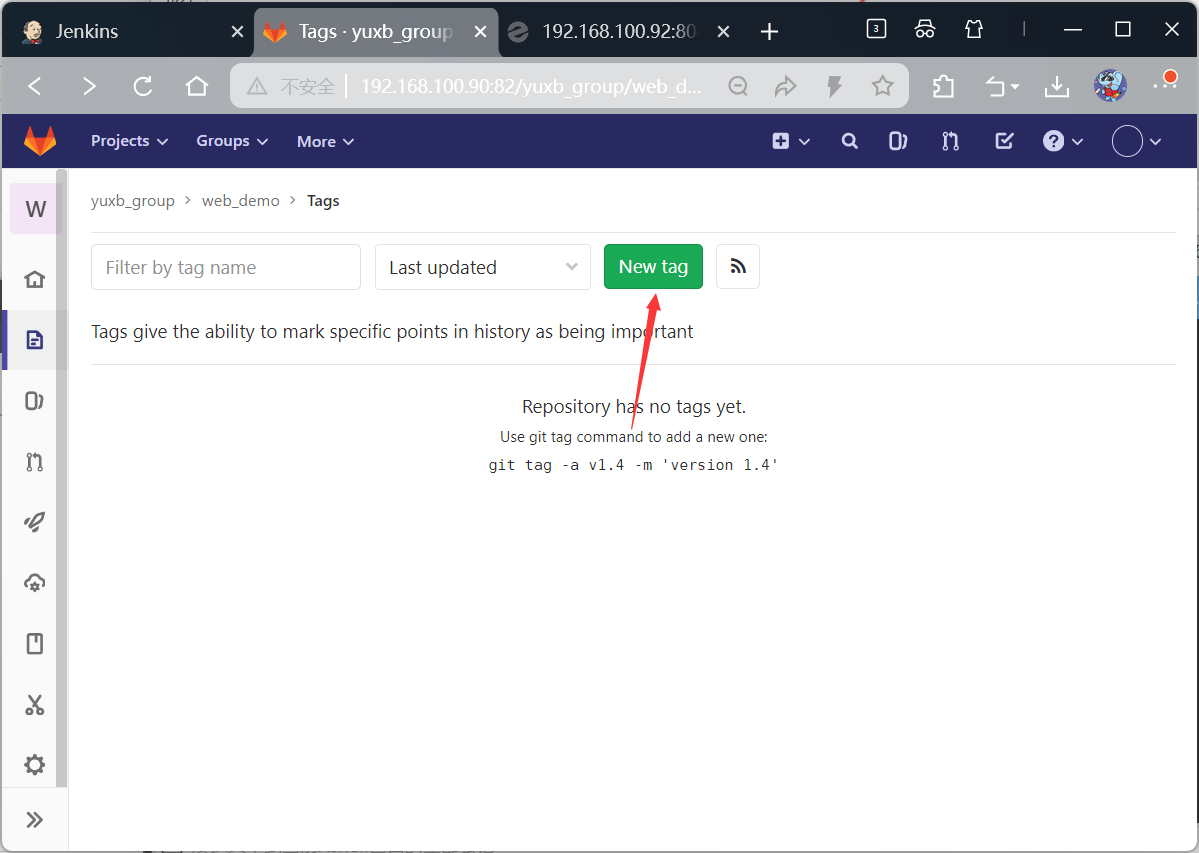
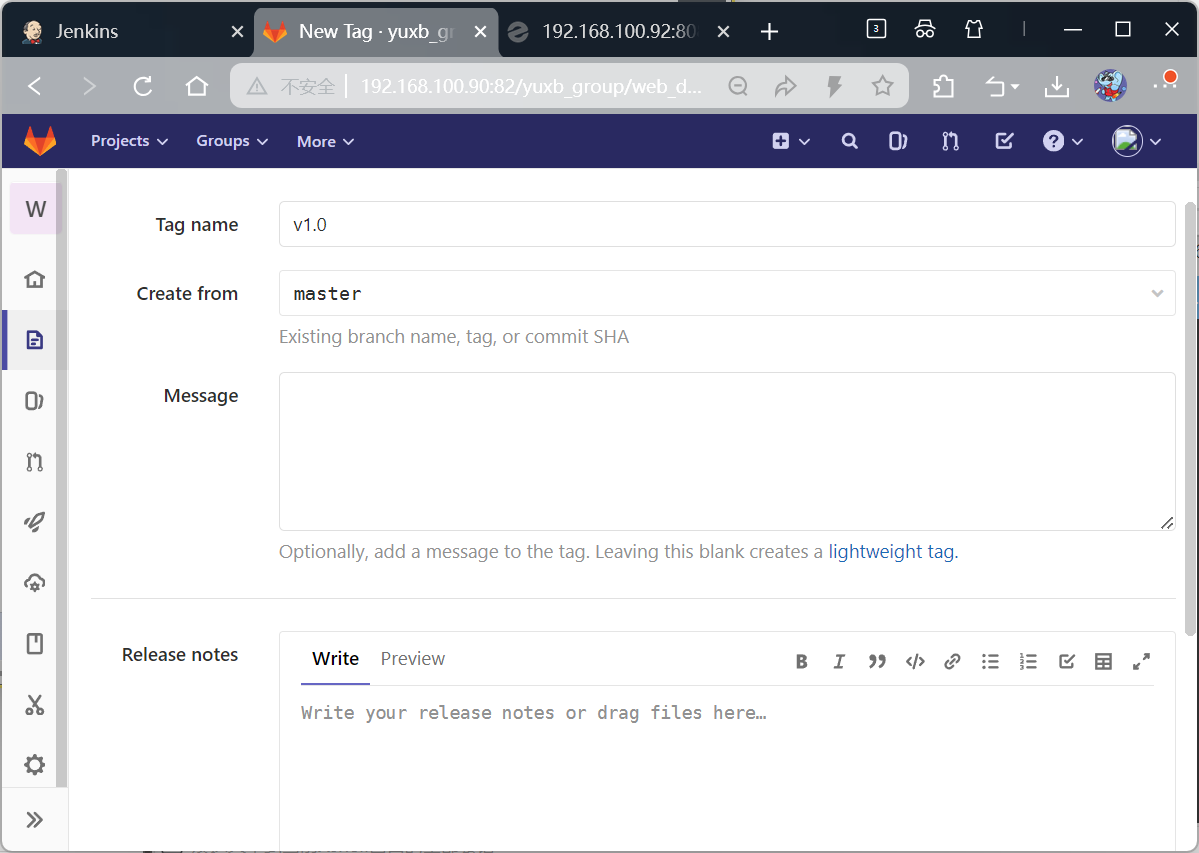
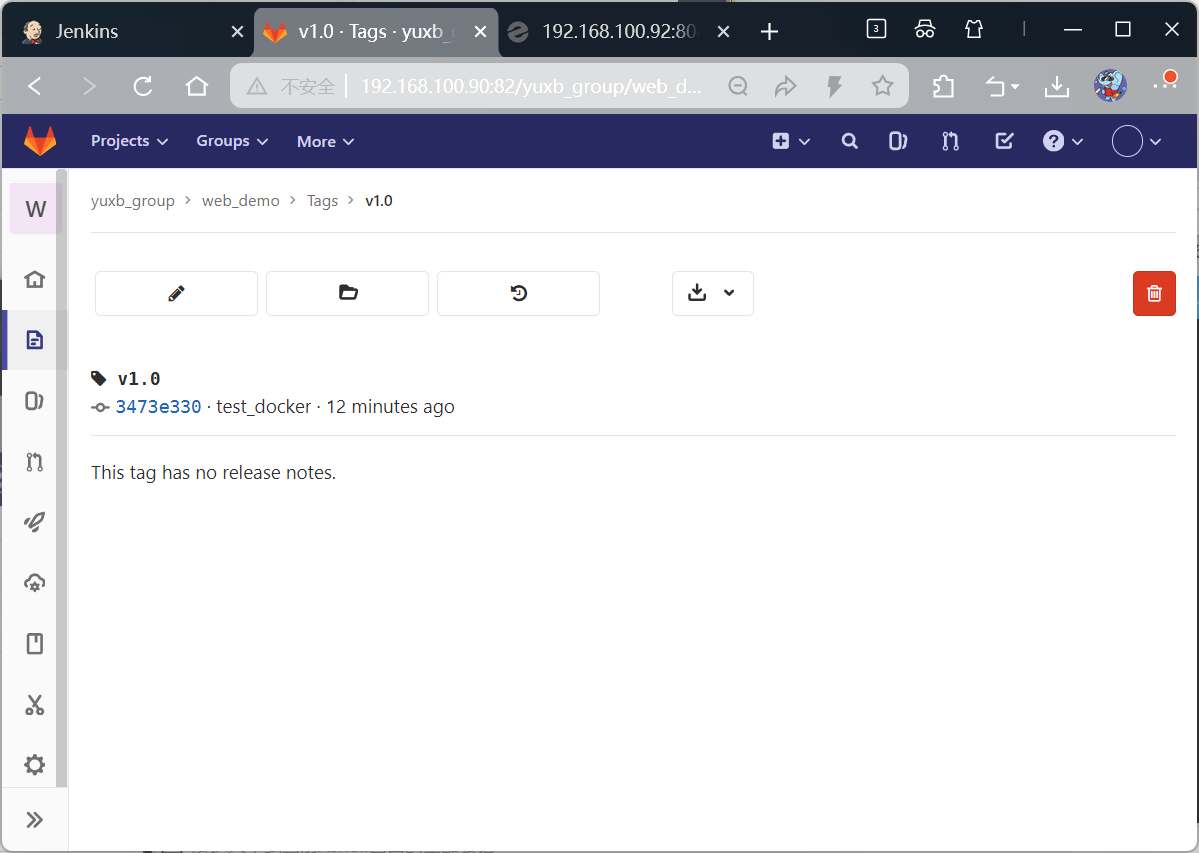
回到gitlab服务器,在项目上选择tag标签

更改文件再提交
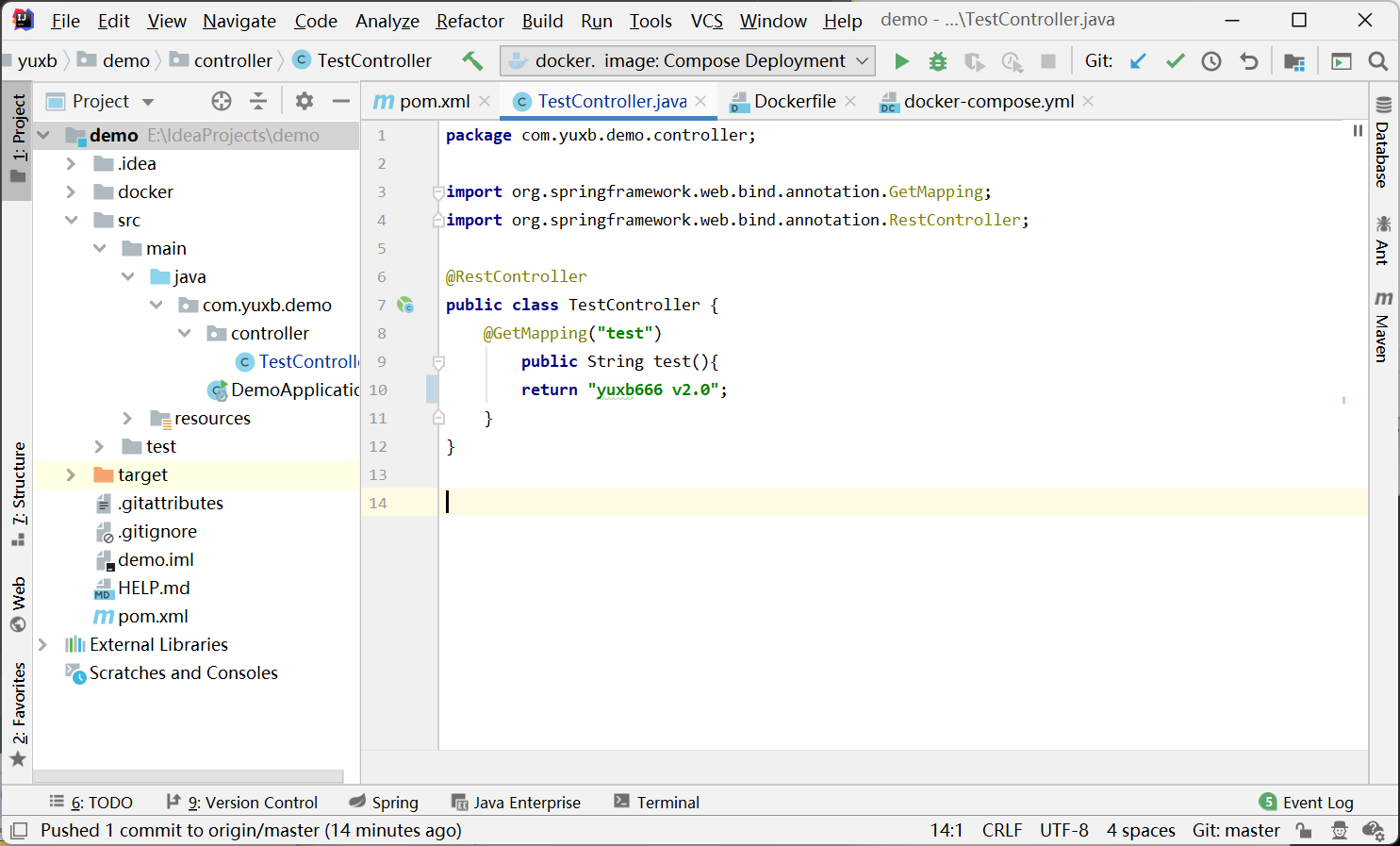
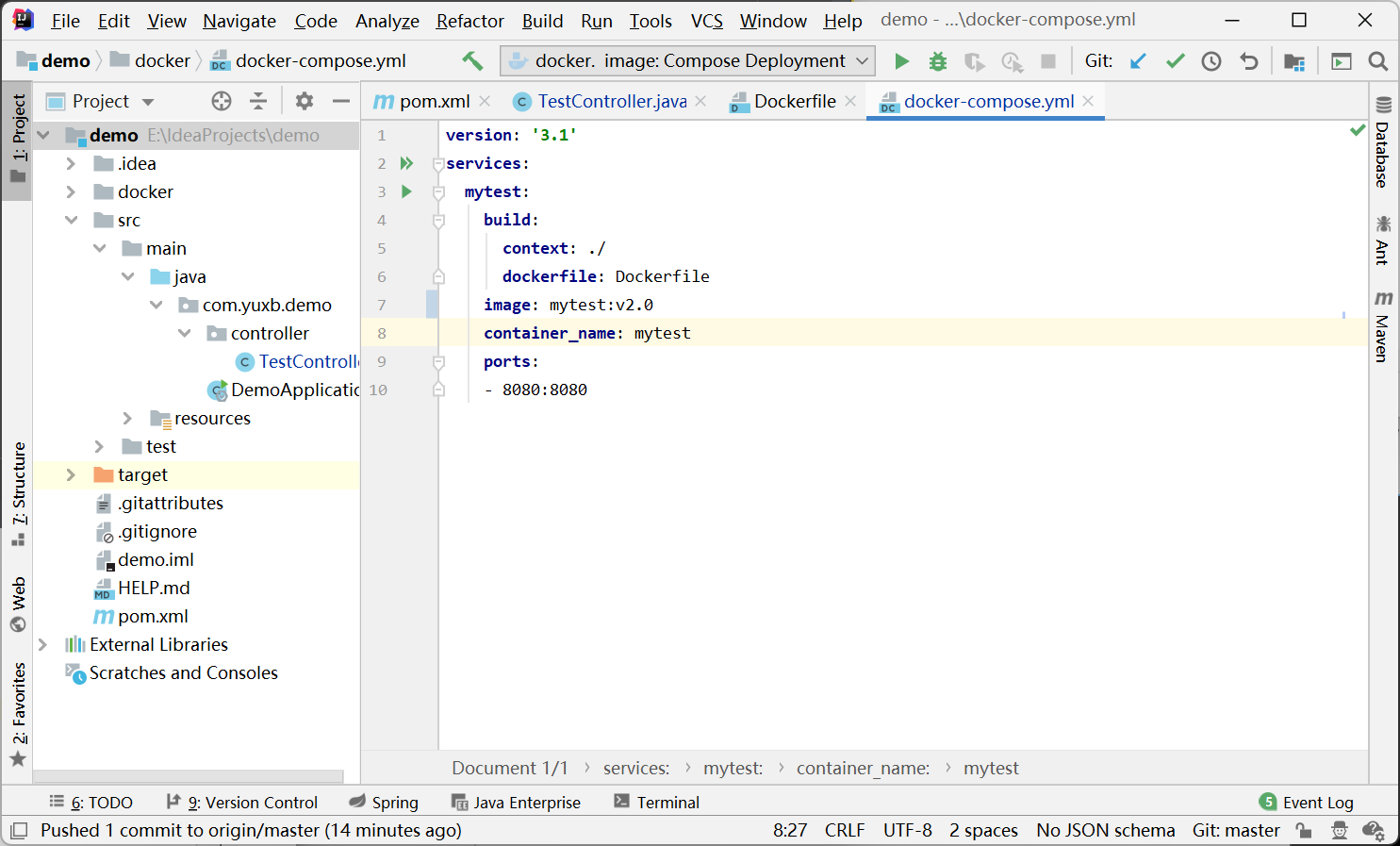
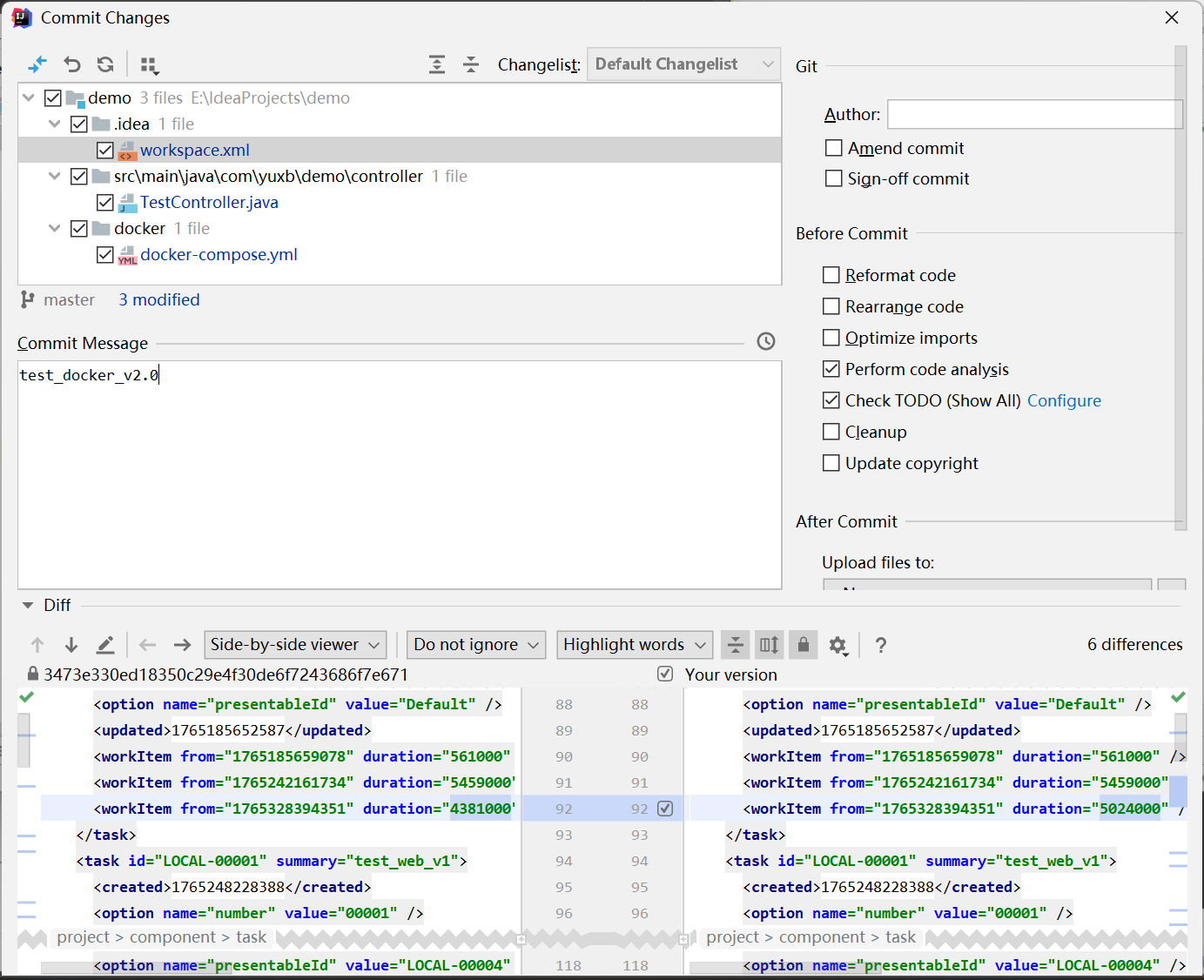
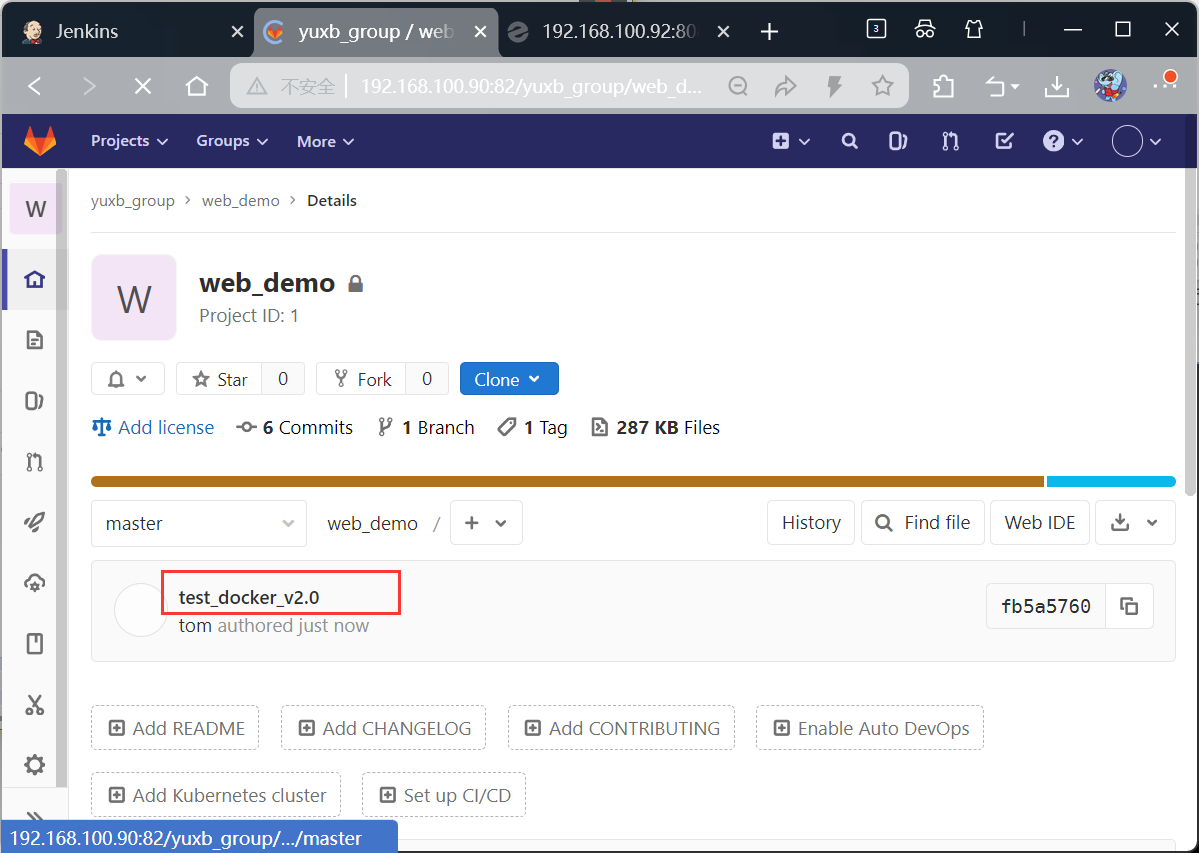
再次创建v2.0

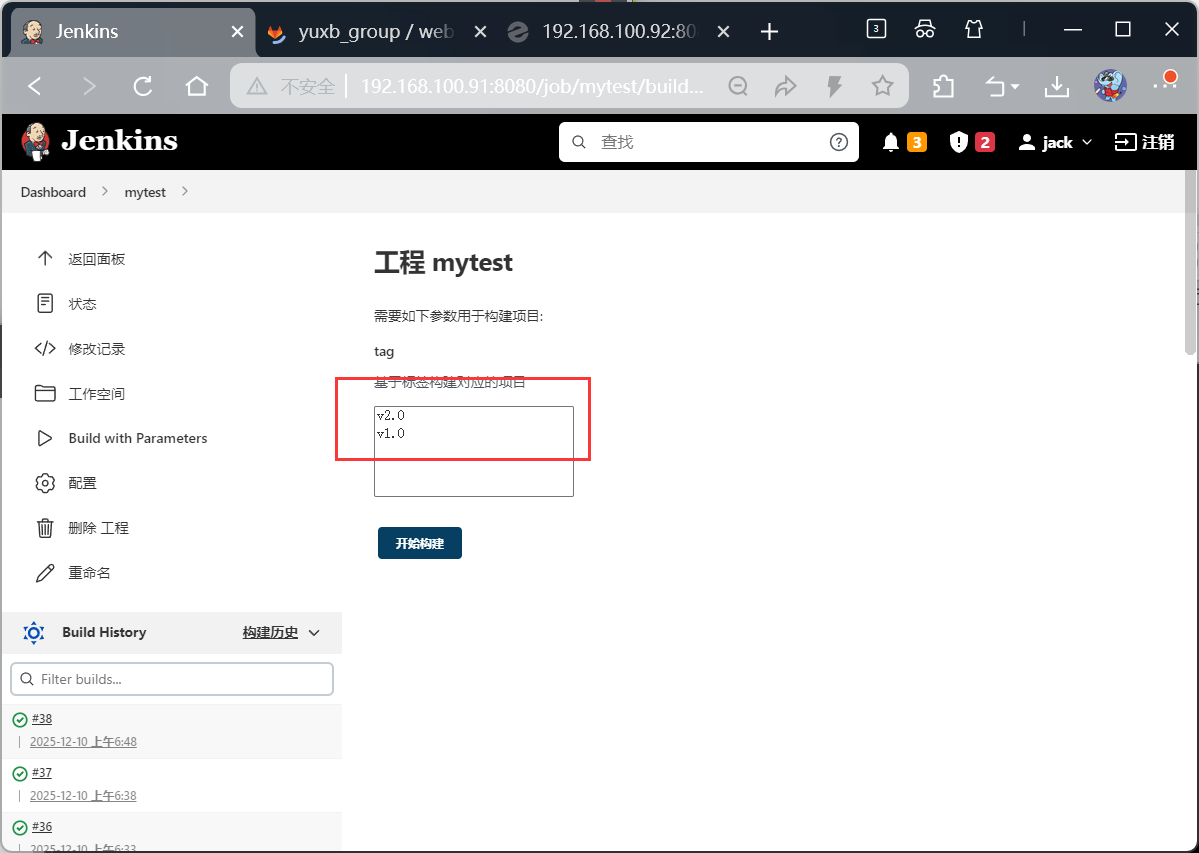
构建,先选择v2.0看状态,再次选1.0看状态