大家好!我是大聪明-PLUS!
为什么用户应用程序无法正常工作?找出问题所在的方法并不多。大多数情况下,需要借助第三方软件来维持高可用性。本文将介绍如何通过 Linux 内核模块配置用户应用程序监控,以及如何建立套接字连接。
介绍
用户应用程序与内核模块之间的双向交互:
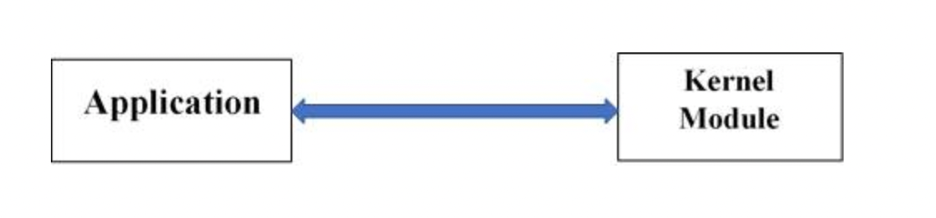
应用程序:任何在用户级别运行并能与内核模块交互的应用程序。
内核模块:包含可供应用程序和内核 API 用于健康监控的系统调用定义。
检查内核模块状态
让我们来看看编写和使用内核扩展时一些有用的命令。
加载内核模块
insmod:用于将模块插入内核。
示例:insmod 'kernel_ext_binary'
`# insmod helloWorld.ko
Welcome to Hello world Module.`
卸载内核模块
示例:rmmod 'kernel_ext_binary'
`# rmmod helloWorld.ko
Goodbye, from Hello world.`
所有正在运行的内核模块列表
lsmod:列出所有已加载的内核模块。
示例:lsmod | grep 'kernel_ext_binary'
`# lsmod | grep hello
helloWorld 12189  1`
内核模块的详细信息
modinfo:显示有关模块的附加信息。
示例:modinfo hello*.ko
`# modinfo helloWorld.ko
filename:       /root/helloWorld.ko
description:    Basic Hello World KE
author:         helloWorld
license:        GPL
rhelversion:    7.3
srcversion:     5F60F86F84D8477986C3A50
depends:
vermagic: 3.10.0-514.el7.ppc64le SMP mod_unload modversions`所列命令可以通过在控制台上运行,也可以通过调用二进制应用程序来运行system()。
与用户空间的通信
用户空间必须使用 open() API 打开指定路径下的文件。用户应用程序和内核模块通过此文件进行通信。用户应用程序的所有命令和数据都会写入此文件,内核模块从中读取并执行操作。反之亦然。
`#include <sys/types.h>
#include <sys/stat.h>
#include <fcntl.h>

int open(const char *pathname, int flags);`
例子:
`int fd;
#define DEVICE_FILE_NAME "/dev/char_dev"
fd = open(DEVICE_FILE_NAME, 0);`返回值是一个文件描述符,一个较小的非负整数,用于后续的系统调用(在本例中)。open()``ioctl
使用 ioctl 调用
ioctl()用户空间可以调用系统调用来控制设备的基本参数。
`#include <sys/ioctl.h>

int ioctl(int fd, int cmd, ...);`fd--- 是从 返回的文件描述符open(),与内核模块cmd中实现的文件描述符相同。ioctl()
例子:
`#define IOCTL_SEND_MSG _IOR(MAJOR_NUM, 0, char *)
int ret_val;
char message[100];
ret_val = ioctl(file_desc, IOCTL_SEND_MSG, message);
if (ret_val < 0) {
printf("ioctl_send_msg failed:%d\n", ret_val);
exit(−1);
}`在给出的示例中IOCTL_SEND_MSG,这是发送给模块的命令。
_IOR这意味着该应用程序会创建一个命令编号ioctl,以便将信息从用户应用程序传递到内核模块。
第一个参数,,MAJOR_NUM是我们正在使用的设备的基数。
第二个参数是命令编号(可能有多个命令,每个命令的值都不同)。
第三个参数是我们想要从进程传递给内核的类型。
类似地,用户应用程序可以通过对参数稍作修改来接收来自内核的消息ioctl。
内核模块中的线程处理
在接下来的章节中,我们将探讨在内核环境中处理多线程的方法。
创建流
我们可以使用以下调用在模块中创建多个线程:
`#include <linux/kthread.h>
static struct task_struct * sampleThread = NULL;
sampleThread = kthread_run(threadfn, data, namefmt, ...)`kthread_run()创建一个新线程并指示它启动。
threadfn--- 要运行的函数的名称。
data* --- 指向函数参数的指针。
namefmt--- 流的名称(在命令输出中ps)
停止流动
我们可以使用以下调用停止正在运行的线程:
kthread_stop(sampleThread)
建立与套接字的连接
你可以使用该函数创建一个原始套接字sock_create()。内核模块将通过此套接字与主机内部或外部的其他用户级应用程序进行通信。
`struct socket *sock;
struct sockaddr_ll *s1 = kmalloc(sizeof(struct sockaddr_ll),GFP_KERNEL);
result = sock_create(PF_PACKET, SOCK_RAW, htons(ETH_P_IP), &sock);
if(result < 0)
{
printk(KERN_INFO "[vmmKE] unable to create socket");
    return -1;
}

//copy the interface name to ifr.name  and other required information.
strcpy((char *)ifr.ifr_name, InfName);
s1->sll_family = AF_PACKET;
s1->sll_ifindex = ifindex;
s1->sll_halen = ETH_ALEN;
s1->sll_protocol = htons(ETH_P_IP);

result = sock->ops->bind(sock, (struct sockaddr *)s1, sizeof(struct sockaddr_ll));
if(result < 0)
{
printk(KERN_INFO "[vmmKE] unable to bind socket");
    return -1;
}`借助sock_sendmsg()内核模块,它可以使用消息结构发送数据。
`struct msghdr message;
int ret= sock_sendmsg(sock, (struct msghdr *)&message);`
向用户空间进程生成信号
内核模块也可以向用户应用程序发送信号。如果内核知道进程标识符(PID),则该模块可以使用此PID填充所需的PID结构,并将其传递给应用程序以send_sig_info()触发信号。
`struct pid *pid_struct = find_get_pid(pid);
struct task_struct *task = pid_task(pid_struct,PIDTYPE_PID);
int signum = SIGKILL, sig_ret;
struct siginfo info;
memset(&info, '\0', sizeof(struct siginfo));
info.si_signo = signum;
//send a SIGKILL to the daemon
sig_ret = send_sig_info(signum, &info, task);
if (sig_ret < 0)
{
printk(KERN_INFO "error sending signal\n");
return -1;
}`
原木旋转
如果用户希望将与内核模块相关的所有日志重定向到特定文件,则必须在 rsyslog(/etc/rsyslog.conf)中添加如下条目:
:msg,startswith,"[HelloModule]" /var/log/helloModule.log
这样,rsyslog 就可以将所有以 Hello Module 开头的内核日志重定向到 /var/log/helloModule.log 文件。
例如:用户可以编写自己的轮换脚本并将其放在 /etc/logrotate.d 中。
`"/var/log/helloModule.log" {
daily
rotate 4
maxsize 2M
create 0600 root
postrotate
    service rsyslog restart > /dev/null
endscript
}`该脚本每日 检查日志文件大小是否超过2 MB,并维护该文件的四个轮换版本。如果日志文件大小超过 2 MB,则会创建一个同名且文件权限为0600的新文件,并在旧文件中添加日期和时间戳。
轮换后,它将重启 rsyslog 服务。
创建文件
请参考makefile的内容来生成程序示例的二进制文件:
`obj−m += helloWorld.o
all:
make −C /lib/modules/$(shell uname −r)/build M=$(PWD) modules
clean:
make −C /lib/modules/$(shell uname −r)/build M=$(PWD) clean`注意:此示例基于 RHEL 版本。其他 Makefile 实现可能有所不同。
将内核模块与用户应用程序集成
用户应用程序通过调用ioctl内核模块来发送数据。在下面的示例中,这些调用ioctl可用于发送应用程序信息,或在稍后发送更新。
自定义应用程序示例
该示例包含了前面描述的所有概念。
`# cat helloWorld.h

#ifndef HELLOWORLD_H
#define HELLOWORLD_H
#include <linux/ioctl.h>

// cmd 'KE_DATA_VAR' to send the integer type data
#define KE_DATA_VAR _IOR('q', 1, int *)

#endif

# cat helloWorld.c

#include <stdio.h>
#include <sys/types.h>
#include <fcntl.h>
#include <unistd.h>
#include <string.h>
#include <sys/ioctl.h>
#include <stdlib.h>
#include "helloWorld.h"

/* @brief: function to load the kernel module */
void load_KE()
{
    printf ("loading KE\n");
    if (system ("insmod /root/helloWorld.ko") == 0)
    {
        printf ("KE loaded successfully");
    }
}

/* @brief: function to unload the kernel module */
void unload_KE()
{
    printf ("unloading KE\n");
    if (system ("rmmod /root/helloWorld.ko") == 0)
    {
        printf ("KE unloaded successfully");
    }
}

/* @brief: method to send data to kernel module */
void send_data(int fd)
{
    int v;

    printf("Enter value: ");
    scanf("%d", &v);
    getchar();
    if (ioctl(fd, KE_DATA_VAR, &v) == -1)
    {
        perror("send data error at ioctl");
    }
}

int main(int argc, char *argv[])
{
    const char *file_name = "/dev/char_device"; //used by ioctl
    int fd;
    enum
    {
        e_load, //load the kernel module
        e_unload, //unload the kernel module
        e_send, //send a HB from test binary to kernel module
    } option;

    if (argc == 2)
    {
        if (strcmp(argv[1], "-l") == 0)
        {
            option = e_load;
        }
        else if (strcmp(argv[1], "-u") == 0)
        {
            option = e_unload;
        }
                }
        else if (strcmp(argv[1], "-s") == 0)
        {
            option = e_send;
        }
        else
        {
            fprintf(stderr, "Usage: %s [-l | -u | -s ]\n", argv[0]);
            return 1;
        }
    }
    else
    {
        fprintf(stderr, "Usage: %s [-l | -u | -s ]\n", argv[0]);
        return 1;
    }

    if ((option != e_load) && (option != e_unload))
    {
        fd = open(file_name, O_RDWR);
        if (fd == -1)
        {
            perror("KE ioctl file open");
            return 2;
        }
    }
    switch (option)
    {
        case e_load:
            load_KE();
            break;
        case e_unload:
            unload_KE();
            break;
        case e_send:
            send_data(fd);
            break;
        default:
            break;
    }

    if ((option != e_load) && (option != e_unload))
    {
        close (fd);
    }
return 0;
}

Sample kernel module
# cat helloWorld.c
#include <linux/slab.h>
#include <linux/kthread.h>
#include <linux/module.h>
#include <linux/kernel.h>
#include <linux/version.h>
#include <linux/fs.h>
#include <linux/cdev.h>
#include <linux/device.h>
#include <linux/errno.h>
#include <asm/uaccess.h>
#include <linux/time.h>
#include <linux/mutex.h>
#include <linux/socket.h>
#include <linux/ioctl.h>
#include <linux/notifier.h>
#include <linux/reboot.h>
#include <linux/sched.h>
#include <linux/pid.h>
#include <linux/kmod.h>
#include <linux/if.h>
#include <linux/net.h>
#include <linux/if_ether.h>
#include <linux/if_packet.h>
#include <linux/unistd.h>
#include <linux/types.h>
#include <linux/time.h>
#include <linux/delay.h>

typedef struct
{
    char ethInfName[8];
    char srcMacAdr[15];
    char destMacAdr[15];
    int ifindex;
}KEConfig_t;

MODULE_LICENSE("GPL");
MODULE_AUTHOR("Owner Name");
MODULE_DESCRIPTION("Sample Hello world");
MODULE_VERSION("0.1");

static char *name = "world";
static struct task_struct *ke_thread;
static struct KEConfig_t KECfg;
module_param(name, charp, S_IRUGO);
MODULE_PARM_DESC(name, "The name to display in /var/log/kern.log");


/* @brief: create socket and send required data to HM
 * creates the socket and binds on to it.
 * This method will also send event notification
 * to HM.
 * */
static int createSocketandSendData(char *data)
{
    int ret_l =0;
    mm_segment_t oldfs;
    struct msghdr message;
    struct iovec ioVector;

    int result;
    struct ifreq ifr;
    struct socket *sock;
    struct sockaddr_ll *s1 = kmalloc(sizeof(struct sockaddr_ll),GFP_KERNEL);
    if (!s1)
    {
       printk(KERN_INFO "failed to allocate memory");
       return -1;
    }
    printk(KERN_INFO "inside configureSocket");
    memset(s1, '\0', sizeof(struct sockaddr_ll));
    memset(픦, '\0', sizeof(ifr));

    result = sock_create(PF_PACKET, SOCK_RAW, htons(ETH_P_IP), &sock);
    if(result < 0)
    {
        printk(KERN_INFO "unable to create socket");
        return -1;
    }
    printk(KERN_INFO "interface: %s", KECfg.ethInfName);
    printk(KERN_INFO "ifr index: %d", KECfg.ifindex);
    strcpy((char *)ifr.ifr_name, KECfg.ethInfName);

    s1->sll_family = AF_PACKET;
    s1->sll_ifindex = KECfg.ifindex;
    s1->sll_halen = ETH_ALEN;
    s1->sll_protocol = htons(ETH_P_IP);
result = sock->ops->bind(sock, (struct sockaddr *)s1, sizeof(struct sockaddr_ll));
    if(result < 0)
    {
        printk(KERN_INFO "Unable to bind socket");
        return -1;
    }

    //create the message header
    memset(&message, 0, sizeof(message));
    message.msg_name = sockData->sock_ll;
    message.msg_namelen = sizeof(*(sock_ll));

    ioVector.iov_base = data;
    ioVector.iov_len  = sizeof(data);
    message.msg_iov = &ioVector;
    message.msg_iovlen = 1;
    message.msg_control = NULL;
    message.msg_controllen = 0;
    oldfs = get_fs();
    set_fs(KERNEL_DS);
    ret_l = sock_sendmsg(sockData->sock, &message, sizeof(data));


    return 0;
}

static long ke_ioctl(struct file *f, unsigned int cmd, unsigned long arg)
{
    int b;

    switch (cmd)
    {
        case KE_DATA_VAR:
        if (get_user(b, (int *)arg))
        {
        return -EACCES;
        }
        //set the time of HB here
        mutex_lock(&dataLock);
        do_gettimeofday(&hbTv);
        printk(KERN_INFO "time of day is %ld:%lu \n", hbTv.tv_sec, hbTv.tv_usec);
        printk(KERN_INFO "data %d\n", b);
        //send data out
        createSocketandSendData(&b);
        mutex_unlock(&dataLock);
        break;
        default:
            return -EINVAL;
    }

    return 0;
}

/* @brief: method to register the ioctl call */
static struct file_operations ke_fops =
{
    .owner = THIS_MODULE,
#if (LINUX_VERSION_CODE < KERNEL_VERSION(2,6,35))
    .ioctl = ke_ioctl
#else
    .unlocked_ioctl = ke_ioctl
#endif
};

/* @brief The thread function */
int ke_init()
{
    printk(KERN_INFO "Inside function");
    return 0;
}

/* @brief The LKM initialization function */
static int __init module_init(void)
{
   printk(KERN_INFO "module_init initialized\n");
   if ((ret = alloc_chrdev_region(&dev, FIRST_MINOR, MINOR_CNT, "KE_ioctl")) < 0)
   {
       return ret;
   }

   cdev_init(&c_dev, &ke_fops);

   if ((ret = cdev_add(&c_dev, dev, MINOR_CNT)) < 0)
   {
       return ret;
   }

   if (IS_ERR(cl = class_create(THIS_MODULE, "char")))
   {
       cdev_del(&c_dev);
       unregister_chrdev_region(dev, MINOR_CNT);
       return PTR_ERR(cl);
   }
   if (IS_ERR(dev_ret = device_create(cl, NULL, dev, NULL, "KEDevice")))
   {
       class_destroy(cl);
       cdev_del(&c_dev);
       unregister_chrdev_region(dev, MINOR_CNT);
       return PTR_ERR(dev_ret);
   }

   //create related threads
   mutex_init(&dataLock); //initialize the lock
   KEThread = kthread_run(ke_init,"KE thread","KEThread");

  return 0;
}

void thread_cleanup(void)
{
    int ret = 0;

    if (ke_thread)
    ret = kthread_stop(ke_thread);
    if (!ret)
        printk(KERN_INFO "Kernel thread stopped");
}

/* @brief The LKM cleanup function */
static void __exit module_exit(void)
{
   device_destroy(cl, dev);
   class_destroy(cl);
   cdev_del(&c_dev);
   unregister_chrdev_region(dev, MINOR_CNT);

   thread_cleanup();
   printk(KERN_INFO "Exit %s from the Hello world!\n", name);
}

module_init(module_init);
module_exit(module_exit);`
模块总是以一个函数或回调函数开头**。** 该函数告诉内核模块提供的功能,并配置内核在需要时运行模块的函数。init_module``module_init()
所有模块都以调用 `exit` 函数或您使用 `call` 指定的函数结束**。** 这是 模块的退出函数------它会撤销入口函数所做的所有操作。cleanup_module()``module_exit()
注意 :假设该文件是在用户空间中使用与内核模块通信的 函数打开的。open()
如果任何调用execve()是由用户进程发出的,则套接字参数必须设置FD_CLOEXEC为fd(文件描述符)。
`fd = open("/dev/char_device", O_RDWR);
fcntl(fd, F_SETFD, FD_CLOEXEC);`FD_CLOEXEC如果未为此设置该选项fd,则在整个调用过程中文件句柄必须保持打开状态execve()。
简要说明主要内容
本文探讨了监控用户应用程序并在其崩溃或冻结时重启应用程序的方法。此外,我们还讨论了内核日志轮换以及与用户应用程序建立二级套接字通信的方法。