ceph分布式存储
Ceph 分布式存储 介绍
Ceph 简介
- Ceph 是一款开源、分布式、软件定义存储 。
- Ceph 具备极高的可用性、 扩展性和易用性, 用于存储海量数据。
- Ceph 存储可部署在通用服务器上, 这些服务器的CPU可以是x86架构, 也可以是ARM架构。
- Ceph 支持在同一集群内既有x86主机,又有ARM 主机。
Ceph 技术优势
- 采用 RADOS 系统将所有数据作为对象, 存储在存储池中。
- 去中心化, 客户端可根据CRUSH算法自行计算出对象存储位置, 然后进行数据读写。
- 集群可自动进行扩展、 数据再平衡、 数据恢复等。
企业版 Ceph 存储
Ceph 存储是一个企业级别的、软件定义的、支持数千客户端、存储容量 EB 级别的分布式数据对象 存储,提供统一存储(对象、块和文件存储)。
Ceph 架构介绍
Ceph后端存储组件
Ceph监视器(MON)
MON 必须就集群的状态达成共识,Ceph 集群配置奇数个监视器,必须有超过一半的已配置监视器正常工作。
Ceph Monitor (MON) 是维护集群映射的守护进程。
Ceph对象存储设备(OSD)Ceph 对象存储设备 (OSD) 将存储设备连接到 Ceph 存储集群。
Ceph 客户端和 OSD 守护进程使用可扩展哈希下的受控复制 (CRUSH) 算法来高效地计算有关对象位置的信息。
CRUSH映射
CRUSH 将每个对象分配给一个放置组 (PG),也就是单个哈希存储桶, PG 将对象映射给多个OSD。
Ceph管理器(MGR)Ceph Manager(MGR)负责集群大部分数据统计。
如果集群中没有MGR,不会影响客户端I/O操作。
MGR 守护程序提供集中访问从集群收集的所有数据,并为存储管理员提供一个简单的 Web 仪表板。
Ceph元数据服务器(MDS)Ceph 元数据服务器 (MDS) 管理 Ceph 文件系统 (CephFS) 元数据。
MDS提供符合 POSIX 的共享文件系统元数据管理.
Ceph 分布式存储 部署
| 主机名 | IP地址 | 角色 |
|---|---|---|
| client | <192.168.108.10> | 客户端节点 |
| ceph1 | <192.168.108.11> | 集群-ceph节点 |
| ceph2 | <192.168.108.12> | 集群-ceph节点 |
| ceph3 | <192.168.108.13> | 集群-ceph节点 |
Ceph 集群初始化
bash
[root@ceph1 ~]# cephadm bootstrap --mon-ip 192.168.108.11 --allow-fqdn-hostname
 --initial-dashboard-user admin --initial-dashboard-password wan@123 --dashboard-password-noupdate
...
Please consider enabling telemetry to help improve Ceph:

        ceph telemetry on

For more information see:

        https://docs.ceph.com/en/pacific/mgr/telemetry/

Bootstrap complete.
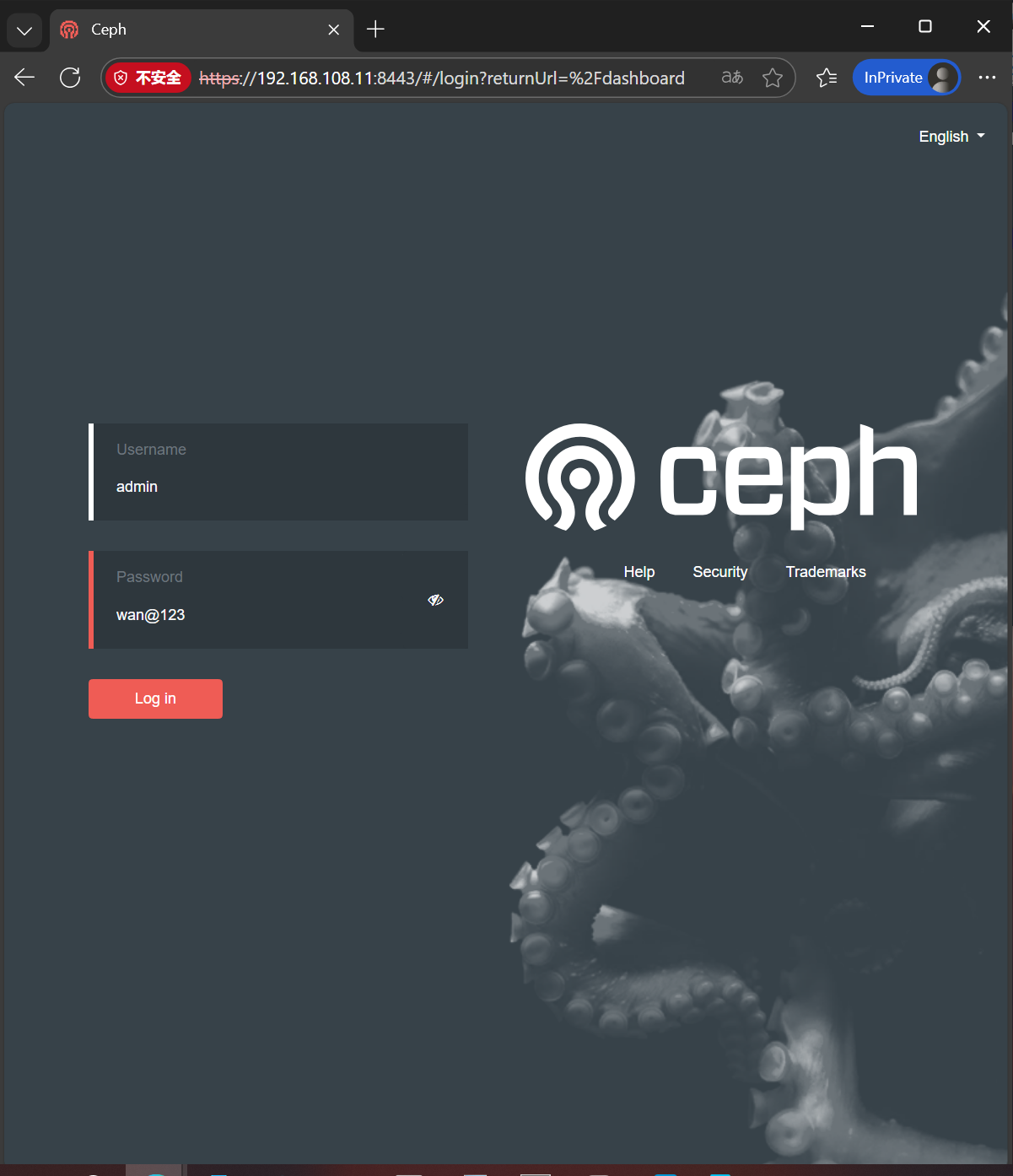
访问web页面
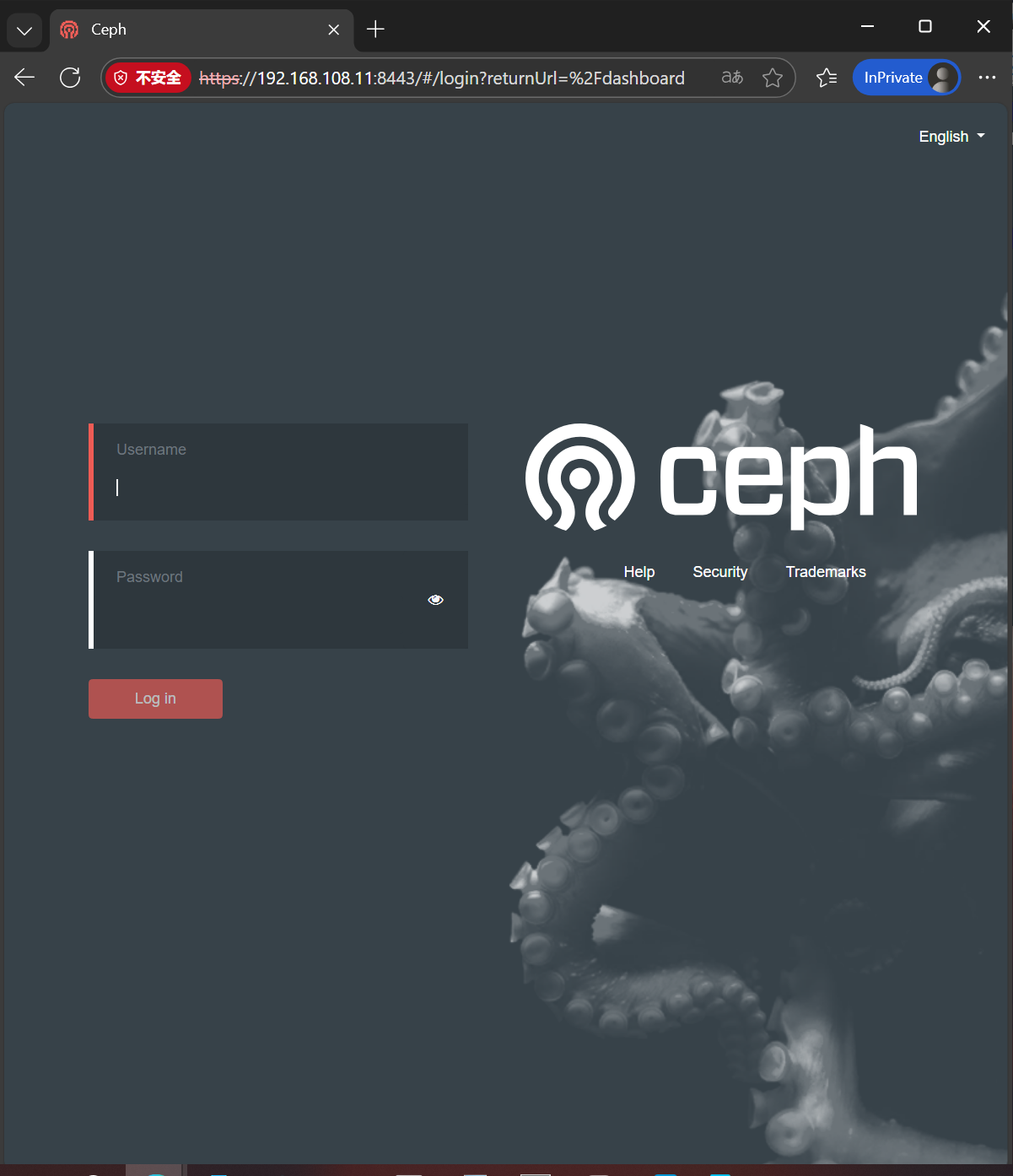
登录
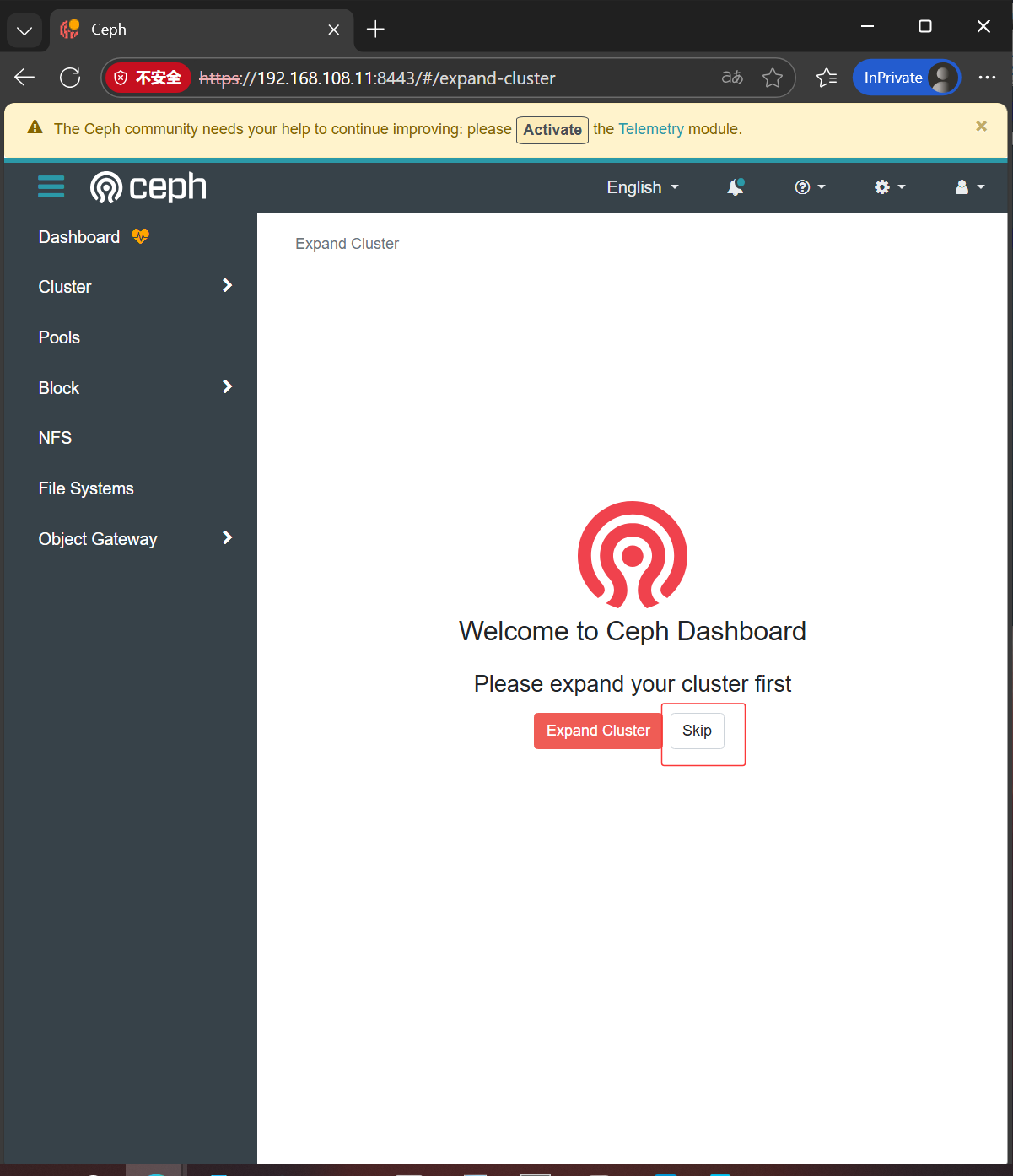
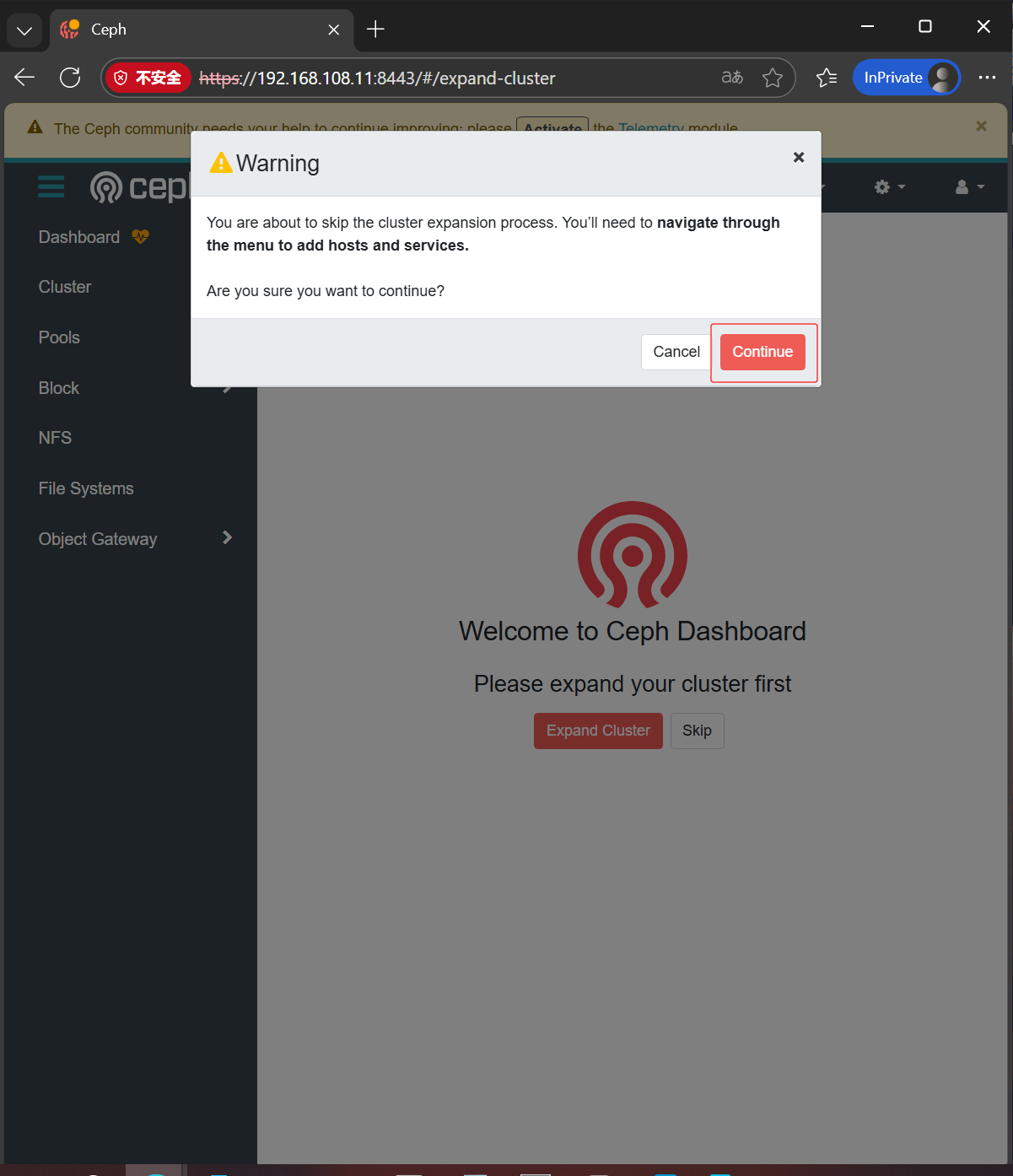
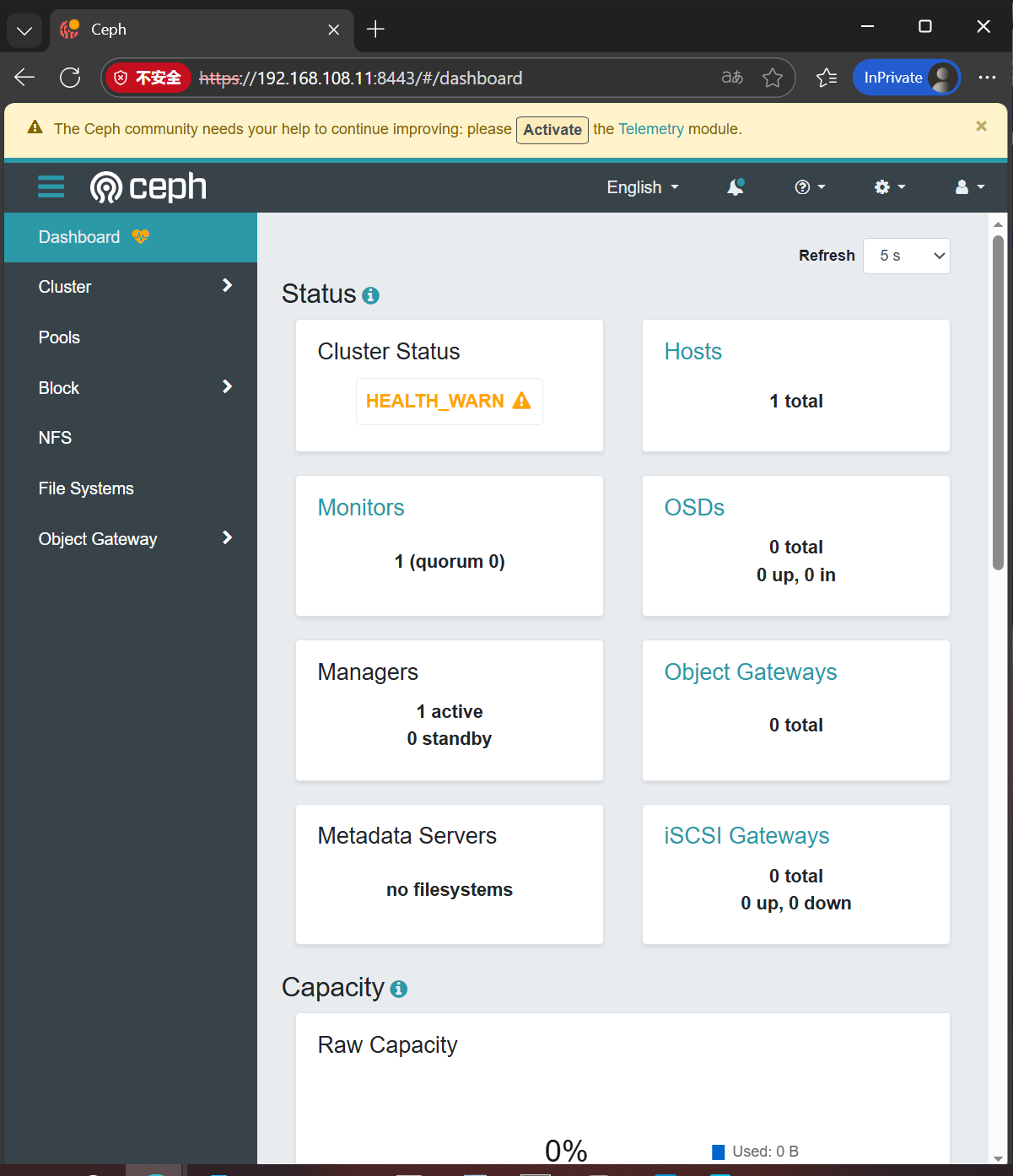
添加节点
bash
# 在ceph1上安装ceph客户端工具 ceph-common
[root@ceph1 ~]# dnf install -y ceph-common

# 获取集群公钥
[root@ceph1 ~]# ceph cephadm get-pub-key > ~/ceph.pub

# 推送公钥到其他节点
[root@ceph1 ~]# ssh-copy-id -f -i ~/ceph.pub root@ceph2
/usr/bin/ssh-copy-id: INFO: Source of key(s) to be installed: "/root/ceph.pub"
The authenticity of host 'ceph2 (192.168.108.12)' can't be established.
ECDSA key fingerprint is SHA256:0J/DA6rjkXb/Sx7MsSdL+vtwv8VszJUbwWfbgZduQ2Q.
Are you sure you want to continue connecting (yes/no/[fingerprint])? yes
root@ceph2's password:

Number of key(s) added: 1

Now try logging into the machine, with:   "ssh 'root@ceph2'"
and check to make sure that only the key(s) you wanted were added.

[root@ceph1 ~]# ssh-copy-id -f -i ~/ceph.pub root@ceph3
/usr/bin/ssh-copy-id: INFO: Source of key(s) to be installed: "/root/ceph.pub"
The authenticity of host 'ceph3 (192.168.108.13)' can't be established.
ECDSA key fingerprint is SHA256:0J/DA6rjkXb/Sx7MsSdL+vtwv8VszJUbwWfbgZduQ2Q.
Are you sure you want to continue connecting (yes/no/[fingerprint])? yes
root@ceph3's password:

Number of key(s) added: 1

Now try logging into the machine, with:   "ssh 'root@ceph3'"
and check to make sure that only the key(s) you wanted were added.

# 添加节点
[root@ceph1 ~]# ceph orch host add ceph2
Added host 'ceph2' with addr '192.168.108.12'
[root@ceph1 ~]# ceph orch host add ceph3
Added host 'ceph3' with addr '192.168.108.13'

[root@ceph1 ~]# ceph orch host ls
HOST   ADDR            LABELS  STATUS
ceph1  192.168.108.11  _admin
ceph2  192.168.108.12
ceph3  192.168.108.13
3 hosts in cluster

# 最终效果
[root@ceph1 ~]# ceph orch ls
NAME           PORTS        RUNNING  REFRESHED  AGE  PLACEMENT
alertmanager   ?:9093,9094      1/1  1s ago     11m  count:1
crash                           3/3  2s ago     11m  *
grafana        ?:3000           1/1  1s ago     11m  count:1
mgr                             2/2  2s ago     11m  count:2
mon                             3/5  2s ago     11m  count:5
node-exporter  ?:9100           3/3  2s ago     11m  *
prometheus     ?:9095           1/1  1s ago     11m  count:1
部署 mon 和 mgr
bash
# 禁用 mon 和 mgr 服务的自动扩展功能
[root@ceph1 ~]# ceph orch apply mon --unmanaged=true
Scheduled mon update...
[root@ceph1 ~]# ceph orch apply mgr --unmanaged=true
Scheduled mgr update...
[root@ceph1 ~]# ceph orch ls
NAME           PORTS        RUNNING  REFRESHED  AGE  PLACEMENT
alertmanager   ?:9093,9094      1/1  69s ago    13m  count:1
crash                           3/3  69s ago    13m  *
grafana        ?:3000           1/1  69s ago    13m  count:1
# mon 和 mgr 的 PLACEMENT 状态为 <unmanaged>
mgr                             2/2  69s ago    14s  <unmanaged>
mon                             3/5  69s ago    21s  <unmanaged>
node-exporter  ?:9100           3/3  69s ago    13m  *
prometheus     ?:9095           1/1  69s ago    13m  count:1

# 配置主机标签,ceph2 和 ceph3 添加标签" _admin"
[root@ceph1 ~]# ceph orch host label add ceph2 _admin
Added label _admin to host ceph2
[root@ceph1 ~]# ceph orch host label add ceph3 _admin
Added label _admin to host ceph3
[root@ceph1 ~]# ceph orch host ls
HOST   ADDR            LABELS  STATUS
ceph1  192.168.108.11  _admin
ceph2  192.168.108.12  _admin
ceph3  192.168.108.13  _admin
3 hosts in cluster

# 将 mon 和 mgr 组件部署到具有_admin标签的节点上
[root@ceph1 ~]# ceph orch apply mon --placement="label:_admin"
Scheduled mon update...
[root@ceph1 ~]# ceph orch apply mgr --placement="label:_admin"
Scheduled mgr update...

# 观察结果
[root@ceph1 ~]# ceph orch ls | egrep 'mon|mgr'
mgr                             3/3  3m ago     4s   label:_admin
mon                             3/3  3m ago     10s  label:_admin
部署 OSD
bash
# 将所有主机上闲置的硬盘添加为 OSD
[root@ceph1 ~]# ceph orch apply osd --all-available-devices
Scheduled osd.all-available-devices update...

# 查看集群中部署的服务
[root@ceph1 ~]# ceph orch ls
NAME                       PORTS        RUNNING  REFRESHED  AGE  PLACEMENT
alertmanager               ?:9093,9094      1/1  9s ago     3h   count:1
crash                                       3/3  10s ago    3h   *
grafana                    ?:3000           1/1  9s ago     3h   count:1
mgr                                         3/3  10s ago    3h   label:_admin
mon                                         3/3  10s ago    3h   label:_admin
node-exporter              ?:9100           3/3  10s ago    3h   *
osd.all-available-devices                     9  10s ago    36s  *
prometheus                 ?:9095           1/1  9s ago     3h   count:1

# 查看集群状态
[root@ceph1 ~]# ceph -s
  cluster:
    id:     40581e18-e2e8-11f0-ac1e-000c2918df7f
    health: HEALTH_OK

  services:
    mon: 3 daemons, quorum ceph1,ceph2,ceph3 (age 76s)
    mgr: ceph1.zhvhct(active, since 3h), standbys: ceph2.kqwvng, ceph3.flkszo
    osd: 9 osds: 9 up (since 31s), 9 in (since 50s)

  data:
    pools:   1 pools, 1 pgs
    objects: 0 objects, 0 B
    usage:   2.6 GiB used, 177 GiB / 180 GiB avail
    pgs:     1 active+clean

# 查看集群 osd 结构
[root@ceph1 ~]# ceph osd tree
ID  CLASS  WEIGHT   TYPE NAME       STATUS  REWEIGHT  PRI-AFF
-1         0.17537  root default
-3         0.05846      host ceph1
 0    hdd  0.01949          osd.0       up   1.00000  1.00000
 4    hdd  0.01949          osd.4       up   1.00000  1.00000
 7    hdd  0.01949          osd.7       up   1.00000  1.00000
-5         0.05846      host ceph2
 2    hdd  0.01949          osd.2       up   1.00000  1.00000
 5    hdd  0.01949          osd.5       up   1.00000  1.00000
 8    hdd  0.01949          osd.8       up   1.00000  1.00000
-7         0.05846      host ceph3
 1    hdd  0.01949          osd.1       up   1.00000  1.00000
 3    hdd  0.01949          osd.3       up   1.00000  1.00000
 6    hdd  0.01949          osd.6       up   1.00000  1.00000
关机拍快照
Ceph 集群组件管理
ceph orch 命令
ceph orch 命令与编排器模块交互。
bash
# 禁用服务自动扩展
# 查看 mon 服务
[root@ceph1 ~]# ceph orch ls mon
NAME  PORTS  RUNNING  REFRESHED  AGE  PLACEMENT
mon              3/3  2m ago     18h  label:_admin

# 禁用 mon 服务自动扩展
[root@ceph1 ~]# ceph orch apply mon --unmanaged=true
Scheduled mon update...
[root@ceph1 ~]# ceph orch ls mon
NAME  PORTS  RUNNING  REFRESHED  AGE  PLACEMENT
mon              3/5  3m ago     6s   <unmanaged>

# 启用 mon 服务自动扩展
[root@ceph1 ~]# ceph orch apply mon --unmanaged=false
Scheduled mon update...
[root@ceph1 ~]# ceph orch ls mon
NAME  PORTS  RUNNING  REFRESHED  AGE  PLACEMENT
mon              3/5  3m ago     6s   count:5

# 通过标签部署 mon 服务
[root@ceph1 ~]# ceph orch apply mon --placement="label:_admin"
Scheduled mon update...
[root@ceph1 ~]# ceph orch ls mon
NAME  PORTS  RUNNING  REFRESHED  AGE  PLACEMENT
mon              3/3  7m ago     3s   label:_admin
删除服务
bash
# 禁用服务自动扩展
[root@ceph1 ~]# ceph orch apply crash --unmanaged=true
Scheduled crash update...
[root@ceph1 ~]# ceph orch ls crash
NAME   PORTS  RUNNING  REFRESHED  AGE  PLACEMENT
crash             3/3  7m ago     5s   <unmanaged>

# 查看服务中实例
[root@ceph1 ~]# ceph orch ps | grep crash
crash.ceph1          ceph1               running (8m)     7m ago  18h    6639k        -  16.2.15  3c4eff6082ae  9732150e14a7
crash.ceph2          ceph2               running (8m)     8m ago  18h    6639k        -  16.2.15  3c4eff6082ae  d912c3293f8d
crash.ceph3          ceph3               running (8m)     8m ago  18h    6635k        -  16.2.15  3c4eff6082ae  508eefcfc490

# 删除特定实例
[root@ceph1 ~]# ceph orch daemon rm crash.ceph1
Removed crash.ceph1 from host 'ceph1'
[root@ceph1 ~]# ceph orch ps | grep crash
crash.ceph2          ceph2               running (8m)     8m ago  18h    6639k        -  16.2.15  3c4eff6082ae  d912c3293f8d
crash.ceph3          ceph3               running (8m)     8m ago  18h    6635k        -  16.2.15  3c4eff6082ae  508eefcfc490

# 删除服务
[root@ceph1 ~]# ceph orch rm crash
Removed service crash
[root@ceph1 ~]# ceph orch ls crash
No services reported
删除 OSD
bash
[root@ceph1 ~]# ceph osd tree
ID  CLASS  WEIGHT   TYPE NAME       STATUS  REWEIGHT  PRI-AFF
-1         0.17537  root default
-3         0.05846      host ceph1
 0    hdd  0.01949          osd.0       up   1.00000  1.00000
 4    hdd  0.01949          osd.4       up   1.00000  1.00000
 7    hdd  0.01949          osd.7       up   1.00000  1.00000
-5         0.05846      host ceph2
 2    hdd  0.01949          osd.2       up   1.00000  1.00000
 5    hdd  0.01949          osd.5       up   1.00000  1.00000
 8    hdd  0.01949          osd.8       up   1.00000  1.00000
-7         0.05846      host ceph3
 1    hdd  0.01949          osd.1       up   1.00000  1.00000
 3    hdd  0.01949          osd.3       up   1.00000  1.00000
 6    hdd  0.01949          osd.6       up   1.00000  1.00000

# 获取集群id
[root@ceph1 ~]# ceph -s | grep id
    id:     40581e18-e2e8-11f0-ac1e-000c2918df7f

# 登录到ceph1上确认osd.0使用的块设备
[root@ceph1 ~]# ls -l /var/lib/ceph/40581e18-e2e8-11f0-ac1e-000c2918df7f/osd.0/block
lrwxrwxrwx 1 ceph ceph 93 Dec 28 08:16 /var/lib/ceph/40581e18-e2e8-11f0-ac1e-000c2918df7f/osd.0/block -> /dev/ceph-0ca9ac1c-6b23-4974-9429-13e5d0f27d05/osd-block-72800b5b-d26d-4713-ae5e-8525359c2095

# 8525359c2095是块设备名称最后一串字符
[root@ceph1 ~]# lsblk | grep -B1 8525359c2095
sdb                                                                                                     8:16   0    20G  0 disk
`-ceph--0ca9ac1c--6b23--4974--9429--13e5d0f27d05-osd--block--72800b5b--d26d--4713--ae5e--8525359c2095 253:5    0    20G  0 lvm

# 使用老师脚本确定osd对应sdb
[root@ceph1 ~]# vim /usr/local/bin/show-osd-device
[root@ceph1 ~]# cat /usr/local/bin/show-osd-device
#!/bin/bash
cluster_id=$(ceph -s|grep id |awk '{print $2}')

cd /var/lib/ceph/${cluster_id}
for osd in osd.*
do
device_id=$(ls -l $osd/block | awk -F '-' '{print $NF}')
    device=/dev/$(lsblk |grep -B1 ${device_id} |grep -v ${device_id} | awk '{print $1}')
    echo $osd : $device
done

[root@ceph1 ~]# chmod +x /usr/local/bin/show-osd-device

# 验证
[root@ceph1 ~]# show-osd-device
osd.0 : /dev/sdb
osd.4 : /dev/sdc
osd.7 : /dev/sdd
使用编排删除
bash
# 禁用 osd 服务自动扩展
[root@ceph1 ~]# ceph orch apply osd --all-available-devices --unmanaged=true
Scheduled osd.all-available-devices update...
[root@ceph1 ~]# ceph orch ls osd
NAME                       PORTS  RUNNING  REFRESHED  AGE  PLACEMENT
osd.all-available-devices               9  8m ago     5s   <unmanaged>

# 删除 osd.0
[root@ceph1 ~]# ceph orch osd rm 0
Scheduled OSD(s) for removal

# 删除device上数据
# 查看osd0管理的硬盘
[root@ceph1 ~]# ceph orch device zap ceph1 /dev/sdb --force
zap successful for /dev/sdb on ceph1

# 确认结果
[root@ceph1 ~]# ceph orch device ls | grep ceph1.*sdb
ceph1  /dev/sdb  hdd   VMware_Virtual_I_00000000000000000001  20.0G  Yes        74s ago

[root@ceph1 ~]# lsblk /dev/sdb
NAME MAJ:MIN RM SIZE RO TYPE MOUNTPOINT
sdb    8:16   0  20G  0 disk

# 添加回来
[root@ceph1 ~]# ceph orch apply osd --all-available-devices
Scheduled osd.all-available-devices update...
[root@ceph1 ~]# ceph orch ls osd
NAME                       PORTS  RUNNING  REFRESHED  AGE  PLACEMENT
osd.all-available-devices               8  2m ago     6s   *
[root@ceph1 ~]# ceph orch ls osd
NAME                       PORTS  RUNNING  REFRESHED  AGE  PLACEMENT
osd.all-available-devices               9  19s ago    13s  *
删除主机
bash
# 禁用集群中所有ceph服务自动扩展
[root@ceph1 ~]# ceph orch apply osd --all-available-devices --unmanaged=true
Scheduled osd.all-available-devices update...

# 删除主机上运行的服务

# 查看ceph2上运行的daemon
[root@ceph1 ~]# ceph orch ps |grep ceph2 |awk '{print $1}'
mgr.ceph2.kqwvng
mon.ceph2
node-exporter.ceph2
osd.2
osd.5
osd.8

# 删除相应 daemon
[root@ceph1 ~]# for daemon in $(ceph orch ps |grep ceph2 |awk '{print $1}');do ceph orch daemon rm $daemon --force;done
Removed mgr.ceph2.kqwvng from host 'ceph2'
Removed mon.ceph2 from host 'ceph2'
Removed node-exporter.ceph2 from host 'ceph2'
Removed osd.2 from host 'ceph2'
Removed osd.5 from host 'ceph2'
Removed osd.8 from host 'ceph2'

# 手动清理crush信息
[root@ceph1 ~]# ceph osd crush rm osd.2
removed item id 2 name 'osd.2' from crush map
[root@ceph1 ~]# ceph osd crush rm osd.5
removed item id 5 name 'osd.5' from crush map
[root@ceph1 ~]# ceph osd crush rm osd.8
removed item id 8 name 'osd.8' from crush map
[root@ceph1 ~]# ceph osd rm 2 5 8
removed osd.2, osd.5, osd.8

# 清理磁盘数据
[root@ceph1 ~]# ceph orch device zap ceph2 /dev/sdb --force
zap successful for /dev/sdb on ceph2
[root@ceph1 ~]# ceph orch device zap ceph2 /dev/sdc --force
zap successful for /dev/sdc on ceph2
[root@ceph1 ~]# ceph orch device zap ceph2 /dev/sdd --force
zap successful for /dev/sdd on ceph2

# 删除主机

[root@ceph1 ~]# ceph orch host rm ceph2
Removed  host 'ceph2'

[root@ceph1 ~]# ceph orch host ls
HOST   ADDR            LABELS  STATUS
ceph1  192.168.108.11  _admin
ceph3  192.168.108.13  _admin
2 hosts in cluster

# 在ceph2上操作
# 删除ceph2中相应ceph遗留文件
[root@ceph2 ~]# rm -rf /var/lib/ceph
[root@ceph2 ~]# rm -rf /etc/ceph /etc/systemd/system/ceph*
[root@ceph2 ~]# rm -rf /var/log/ceph
实验完成,虚拟机恢复快照。
Ceph 分布式存储 池管理
pool
池是 Ceph 存储集群的逻辑分区,用于在通用名称标签下存储对象。
创建池
创建复本池
Ceph 为每个对象创建多个复本来保护复本池中的数据。
bash
[root@ceph1 ~]# ceph osd pool create pool_web 32 32 replicated
pool 'pool_web' created
[root@ceph1 ~]# ceph osd pool ls
device_health_metrics
pool_web
创建纠删代码池
纠删代码池使用纠删代码保护对象数据。
纠删代码池无法使用对象映射功能。
bash
[root@ceph1 ~]# ceph osd pool create pool_era 32 32 erasure
pool 'pool_era' created
[root@ceph1 ~]# ceph osd pool ls
device_health_metrics
pool_web
pool_era
查看池状态
bash
# 列出池清单
[root@ceph1 ~]# ceph osd pool ls
device_health_metrics
pool_web
pool_era

# 列出池清单和池的详细配置
[root@ceph1 ~]# ceph osd pool ls detail
pool 1 'device_health_metrics' replicated size 3 min_size 2 crush_rule 0 object_hash rjenkins pg_num 1 pgp_num 1 autoscale_mode on last_change 32 flags hashpspool stripe_width 0 pg_num_max 32 pg_num_min 1 application mgr_devicehealth
pool 2 'pool_web' replicated size 3 min_size 2 crush_rule 0 object_hash rjenkins pg_num 32 pgp_num 32 autoscale_mode on last_change 35 flags hashpspool stripe_width 0
pool 3 'pool_era' erasure profile default size 4 min_size 3 crush_rule 1 object_hash rjenkins pg_num 32 pgp_num 32 autoscale_mode on last_change 41 flags hashpspool stripe_width 8192

# 列出池状态信息
[root@ceph1 ~]# ceph osd pool stats
pool device_health_metrics id 1
  nothing is going on

pool pool_web id 2
  nothing is going on

pool pool_era id 3
  nothing is going on

# 查看池容量使用信息
[root@ceph1 ~]# ceph df
--- RAW STORAGE ---
CLASS     SIZE    AVAIL     USED  RAW USED  %RAW USED
hdd    180 GiB  177 GiB  2.6 GiB   2.6 GiB       1.42
TOTAL  180 GiB  177 GiB  2.6 GiB   2.6 GiB       1.42

--- POOLS ---
POOL                   ID  PGS  STORED  OBJECTS  USED  %USED  MAX AVAIL
device_health_metrics   1    1     0 B        3   0 B      0     56 GiB
pool_web                2   32     0 B        0   0 B      0     56 GiB
pool_era                3   32     0 B        0   0 B      0     84 GiB
管理池
bash
# 管理池 Ceph 应用类型

# 启用池的类型为rbd
[root@ceph1 ~]# ceph osd pool application enable pool_web rbd
enabled application 'rbd' on pool 'pool_web'

# 看结尾的变化
[root@ceph1 ~]# ceph osd pool ls detail | grep pool_web
pool 2 'pool_web' replicated size 3 min_size 2 crush_rule 0 object_hash rjenkins pg_num 32 pgp_num 32 autoscale_mode on last_change 42 flags hashpspool stripe_width 0 application rbd

# 设置池的应用类型详细配置
# app1和apache仅为演示无意义
[root@ceph1 ~]# ceph osd pool application set pool_web rbd app1 apache
set application 'rbd' key 'app1' to 'apache' on pool 'pool_web'

# 查看池的应用类型详细配置
[root@ceph1 ~]# ceph osd pool application get pool_web
{
    "rbd": {
        "app1": "apache"
    }
}

# 删除池的应用类型详细配置
[root@ceph1 ~]# ceph osd pool application rm pool_web rbd app1
removed application 'rbd' key 'app1' on pool 'pool_web'
[root@ceph1 ~]# ceph osd pool application get pool_web
{
    "rbd": {}
}

# 禁用池的类型
# 看末尾变化
[root@ceph1 ~]# ceph osd pool application disable pool_web rbd --yes-i-really-mean-it
disable application 'rbd' on pool 'pool_web'
[root@ceph1 ~]# ceph osd pool ls detail | grep pool_web
pool 2 'pool_web' replicated size 3 min_size 2 crush_rule 0 object_hash rjenkins pg_num 32 pgp_num 32 autoscale_mode on last_change 45 flags hashpspool stripe_width 0
bash
# 管理池配额

# 获取池配额信息
[root@ceph1 ~]# ceph osd pool get-quota pool_web
quotas for pool 'pool_web':
  max objects: N/A
  max bytes  : N/A

# 设置池配额来限制池中能够存储的最大字节数或最大对象数量
[root@ceph1 ~]# ceph osd pool set-quota pool_web max_objects 100000
set-quota max_objects = 100000 for pool pool_web
[root@ceph1 ~]# ceph osd pool set-quota pool_web max_bytes 10G
set-quota max_bytes = 10737418240 for pool pool_web
[root@ceph1 ~]# ceph osd pool get-quota pool_web
quotas for pool 'pool_web':
  max objects: 100k objects  (current num objects: 0 objects)
  max bytes  : 10 GiB  (current num bytes: 0 bytes)
bash
# 管理池配置

# 查看池所有配置
[root@ceph1 ~]# ceph osd pool get pool_web all
# 副本数为3副本
size: 3
min_size: 2
pg_num: 32
pgp_num: 32
crush_rule: replicated_rule
hashpspool: true
nodelete: false
nopgchange: false
nosizechange: false
write_fadvise_dontneed: false
noscrub: false
nodeep-scrub: false
use_gmt_hitset: 1
fast_read: 0
pg_autoscale_mode: on
bulk: false

# 查看池特定配置
[root@ceph1 ~]# ceph osd pool get pool_web nodelete
nodelete: false

# 设置池配置

# 设置池不可删除
[root@ceph1 ~]# ceph osd pool set pool_web nodelete true
set pool 2 nodelete to true
[root@ceph1 ~]# ceph osd pool get pool_web nodelete
nodelete: true

# 管理池复本数
[root@ceph1 ~]# ceph osd pool set pool_web size 2
set pool 2 size to 2
[root@ceph1 ~]# ceph osd pool get pool_web size
size: 2

# 定义创建新池的默认复本数量
[root@ceph1 ~]# ceph config set mon osd_pool_default_size 2
[root@ceph1 ~]# ceph config get mon osd_pool_default_size
2
重命名池
bash
[root@ceph1 ~]# ceph osd pool rename pool_web pool_apache
pool 'pool_web' renamed to 'pool_apache'
删除池
bash
[root@ceph1 ~]# ceph osd pool rm pool_apache
# 提示需要将pool name输入两次,跟上参数--yes-i-really-really-mean-it
Error EPERM: WARNING: this will *PERMANENTLY DESTROY* all data stored in pool pool_apache.  If you are *ABSOLUTELY CERTAIN* that is what you want, pass the pool name *twice*, followed by --yes-i-really-really-mean-it.

[root@ceph1 ~]# ceph osd pool rm pool_apache pool_apache --yes-i-really-really-mean-it
# 提示需要先将mon_allow_pool_delete选项配置为true才能删除pool
Error EPERM: pool deletion is disabled; you must first set the mon_allow_pool_delete config option to true before you can destroy a pool
[root@ceph1 ~]# ceph config set mon mon_allow_pool_delete true
[root@ceph1 ~]# ceph config get mon mon_allow_pool_delete
true
[root@ceph1 ~]# ceph osd pool rm pool_apache pool_apache --yes-i-really-really-mean-it
pool 'pool_apache' removed
Ceph 分布式存储 块存储管理
RADOS 块设备
块设备以固定大小的块存储数据。
创建 RBD 镜像
bash
# 创建 rbd 池
[root@ceph1 ~]# ceph osd pool create images_pool
pool 'images_pool' created
[root@ceph1 ~]# rbd pool init images_pool

[root@ceph1 ~]# ceph osd pool ls detail | grep images_pool
pool 2 'images_pool' replicated size 3 min_size 2 crush_rule 0 object_hash rjenkins pg_num 32 pgp_num 32 autoscale_mode on last_change 39 flags hashpspool,selfmanaged_snaps stripe_width 0 application rbd

# 创建专用用户
[root@ceph1 ~]# ceph auth get-or-create client.rbd mon 'profile rbd' osd 'profile rbd' -o /etc/ceph/ceph.client.rbd.keyring

# 创建 RBD 镜像
[root@ceph1 ~]# rbd create images_pool/webapp1 --size 1G

# 查看池中镜像清单
[root@ceph1 ~]# rbd ls images_pool
webapp1

# 查看池整体情况
[root@ceph1 ~]# rbd pool stats images_pool
Total Images: 1
Total Snapshots: 0
Provisioned Size: 1 GiB
访问 RADOS 块设备存储
bash
# client
[root@client ~]# dnf install -y ceph-common

# ceph1
[[root@ceph1 ~]# scp /etc/ceph/ceph.conf /etc/ceph/ceph.client.rbd.keyring root@client:/etc/ceph
The authenticity of host 'client (192.168.108.10)' can't be established.
ECDSA key fingerprint is SHA256:0J/DA6rjkXb/Sx7MsSdL+vtwv8VszJUbwWfbgZduQ2Q.
Are you sure you want to continue connecting (yes/no/[fingerprint])? yes
Warning: Permanently added 'client,192.168.108.10' (ECDSA) to the list of known hosts.
root@client's password:
ceph.conf                                 100%  283   262.2KB/s   00:00
ceph.client.rbd.keyring                   100%   61    58.8KB/s   00:00

# client
[root@client ~]# rbd --id rbd ls images_pool
webapp1
# 定义CEPH_ARGS环境变量
[root@client ~]# export CEPH_ARGS='--id=rbd'
[root@client ~]# rbd ls images_pool
webapp1
# 使用 krbd 内核模块来映射镜像
[root@client ~]# rbd device map images_pool/webapp1
/dev/rbd0
[root@client ~]# lsblk
NAME        MAJ:MIN RM   SIZE RO TYPE MOUNTPOINT
sda           8:0    0   200G  0 disk
|-sda1        8:1    0     1G  0 part /boot
`-sda2        8:2    0   199G  0 part
  |-cs-root 253:0    0    70G  0 lvm  /
  |-cs-swap 253:1    0   3.9G  0 lvm  [SWAP]
  `-cs-home 253:2    0 125.1G  0 lvm  /home
sdb           8:16   0    20G  0 disk
sdc           8:32   0    20G  0 disk
sdd           8:48   0    20G  0 disk
sr0          11:0    1  12.8G  0 rom
# 多了rbd0
rbd0        252:0    0     1G  0 disk
# 列出计算机中映射的 RBD 镜像
[root@client ~]# rbd showmapped
id  pool         namespace  image    snap  device
0   images_pool             webapp1  -     /dev/rbd0
# 格式化和挂载
[root@client ~]# lsblk /dev/rbd0
NAME MAJ:MIN RM SIZE RO TYPE MOUNTPOINT
rbd0 252:0    0   1G  0 disk
[root@client ~]# mkfs.xfs /dev/rbd0
meta-data=/dev/rbd0              isize=512    agcount=8, agsize=32768 blks
         =                       sectsz=512   attr=2, projid32bit=1
         =                       crc=1        finobt=1, sparse=1, rmapbt=0
         =                       reflink=1    bigtime=0 inobtcount=0
data     =                       bsize=4096   blocks=262144, imaxpct=25
         =                       sunit=16     swidth=16 blks
naming   =version 2              bsize=4096   ascii-ci=0, ftype=1
log      =internal log           bsize=4096   blocks=2560, version=2
         =                       sectsz=512   sunit=16 blks, lazy-count=1
realtime =none                   extsz=4096   blocks=0, rtextents=0
Discarding blocks...Done.
[root@client ~]# mkdir -p /webapp/webapp1
[root@client ~]# mount /dev/rbd0 /webapp/webapp1/
[root@client ~]# lsblk /dev/rbd0
NAME MAJ:MIN RM SIZE RO TYPE MOUNTPOINT
rbd0 252:0    0   1G  0 disk /webapp/webapp1
[root@client ~]# echo Hello World > /webapp/webapp1/index.html
[root@client ~]# cat /webapp/webapp1/index.html
Hello World
[root@client ~]# df /webapp/webapp1/
Filesystem     1K-blocks  Used Available Use% Mounted on
/dev/rbd0        1038336 40504    997832   4% /webapp/webapp1
# 取消映射 RBD 镜像
# 先卸载改设备
[root@client ~]# umount /webapp/webapp1
# 取消映射
[root@client ~]# rbd unmap /dev/rbd0
# 查看现象
[root@client ~]# rbd device ls
[root@client ~]#
使用 rbd 命令管理镜像
bash
# 查看哪些客户端在使用该镜像
[root@client ~]# rbd status images_pool/webapp1 --id rbd
Watchers: none

# 查看镜像大小使用情况
[root@client ~]# rbd du images_pool/webapp1 --id rbd
NAME     PROVISIONED  USED
webapp1        1 GiB  36 MiB

# 扩展未在使用的镜像
[root@client ~]# rbd resize images_pool/webapp1 --size 2G --id rbd
Resizing image: 100% complete...done.
[root@client ~]# rbd du images_pool/webapp1
NAME     PROVISIONED  USED
webapp1        2 GiB  36 MiB

# 缩减镜像
[root@client ~]# rbd resize images_pool/webapp1 --size 1G --id rbd
rbd: shrinking an image is only allowed with the --allow-shrink flag
[root@client ~]# rbd resize images_pool/webapp1 --size 1G --allow-shrink --id rbd
Resizing image: 100% complete...done.
[root@client ~]# rbd du images_pool/webapp1 --id rbd
NAME     PROVISIONED  USED
webapp1        1 GiB  36 MiB

# 删除镜像
[root@client ~]# rbd rm images_pool/webapp1
Removing image: 100% complete...done.
Ceph 分布式存储 对象存储管理
对象存储简介
对象存储是一个基于对象的存储服务, 提供海量、 安全、 高可靠、 低成本的数据存储能力。
每个对象都具有唯一的对象ID,可以通过对象ID进行存储或检索。
对象存储在扁平的命名空间中,称为桶,是对象存储存储对象的容器。
RADOS 网关部署
Ceph 使用 Ceph 编排器来部署(或删除) RADOS 网关服务,用于管理单个集群或多个集群。
bash
# 创建对象存储域

# 创建 realm
[root@ceph1 ~]# radosgw-admin realm create --rgw-realm=webapp --default
{
    "id": "ee4b53e8-a599-4a67-a9ce-0b27e0ffc030",
    "name": "webapp",
    "current_period": "a4b84e61-6b5c-4943-800e-cd04dcea04cd",
    "epoch": 1
}
[root@ceph1 ~]# radosgw-admin realm list
{
    "default_info": "ee4b53e8-a599-4a67-a9ce-0b27e0ffc030",
    "realms": [
        "webapp"
    ]
}

# 创建 zonegroup,并将其设置为 master
[root@ceph1 ~]# radosgw-admin zonegroup create --rgw-realm=webapp --rgw-zonegroup=video --master --default
{
    "id": "266d5957-e6bc-410e-acf8-efe25cf3f1fb",
    "name": "video",
    "api_name": "video",
    "is_master": "true",
    "endpoints": [],
    "hostnames": [],
    "hostnames_s3website": [],
    "master_zone": "",
    "zones": [],
    "placement_targets": [],
    "default_placement": "",
    "realm_id": "ee4b53e8-a599-4a67-a9ce-0b27e0ffc030",
    "sync_policy": {
        "groups": []
    }
}

# 创建 zone,并将其设置为 master
[root@ceph1 ~]# radosgw-admin zone create --rgw-realm=webapp --rgw-zonegroup=video --rgw-zone=storage --master --default
{
    "id": "f4a4734b-6229-4e28-b6fc-fcbd39f81afa",
    "name": "storage",
    "domain_root": "storage.rgw.meta:root",
    "control_pool": "storage.rgw.control",
    "gc_pool": "storage.rgw.log:gc",
    "lc_pool": "storage.rgw.log:lc",
    "log_pool": "storage.rgw.log",
    "intent_log_pool": "storage.rgw.log:intent",
    "usage_log_pool": "storage.rgw.log:usage",
    "roles_pool": "storage.rgw.meta:roles",
    "reshard_pool": "storage.rgw.log:reshard",
    "user_keys_pool": "storage.rgw.meta:users.keys",
    "user_email_pool": "storage.rgw.meta:users.email",
    "user_swift_pool": "storage.rgw.meta:users.swift",
    "user_uid_pool": "storage.rgw.meta:users.uid",
    "otp_pool": "storage.rgw.otp",
    "system_key": {
        "access_key": "",
        "secret_key": ""
    },
    "placement_pools": [
        {
            "key": "default-placement",
            "val": {
                "index_pool": "storage.rgw.buckets.index",
                "storage_classes": {
                    "STANDARD": {
                        "data_pool": "storage.rgw.buckets.data"
                    }
                },
                "data_extra_pool": "storage.rgw.buckets.non-ec",
                "index_type": 0
            }
        }
    ],
    "realm_id": "ee4b53e8-a599-4a67-a9ce-0b27e0ffc030",
    "notif_pool": "storage.rgw.log:notif"
}

[root@ceph1 ~]# radosgw-admin zone list
{
    "default_info": "f4a4734b-6229-4e28-b6fc-fcbd39f81afa",
    "zones": [
        "storage"
    ]
}

# 提交配置
[root@ceph1 ~]# radosgw-admin zone list
{
    "default_info": "f4a4734b-6229-4e28-b6fc-fcbd39f81afa",
    "zones": [
        "storage"
    ]
}
[root@ceph1 ~]#
[root@ceph1 ~]# radosgw-admin period update --rgw-realm=webapp --commit
{
    "id": "4c3eb953-3ef3-4adf-9424-f9526f243b40",
    "epoch": 1,
    "predecessor_uuid": "a4b84e61-6b5c-4943-800e-cd04dcea04cd",
    "sync_status": [],
    "period_map": {
        "id": "4c3eb953-3ef3-4adf-9424-f9526f243b40",
        "zonegroups": [
            {
                "id": "266d5957-e6bc-410e-acf8-efe25cf3f1fb",
                "name": "video",
                "api_name": "video",
                "is_master": "true",
                "endpoints": [],
                "hostnames": [],
                "hostnames_s3website": [],
                "master_zone": "f4a4734b-6229-4e28-b6fc-fcbd39f81afa",
                "zones": [
                    {
                        "id": "f4a4734b-6229-4e28-b6fc-fcbd39f81afa",
                        "name": "storage",
                        "endpoints": [],
                        "log_meta": "false",
                        "log_data": "false",
                        "bucket_index_max_shards": 11,
                        "read_only": "false",
                        "tier_type": "",
                        "sync_from_all": "true",
                        "sync_from": [],
                        "redirect_zone": ""
                    }
                ],
                "placement_targets": [
                    {
                        "name": "default-placement",
                        "tags": [],
                        "storage_classes": [
                            "STANDARD"
                        ]
                    }
                ],
                "default_placement": "default-placement",
                "realm_id": "ee4b53e8-a599-4a67-a9ce-0b27e0ffc030",
                "sync_policy": {
                    "groups": []
                }
            }
        ],
        "short_zone_ids": [
            {
                "key": "f4a4734b-6229-4e28-b6fc-fcbd39f81afa",
                "val": 1660313423
            }
        ]
    },
    "master_zonegroup": "266d5957-e6bc-410e-acf8-efe25cf3f1fb",
    "master_zone": "f4a4734b-6229-4e28-b6fc-fcbd39f81afa",
    "period_config": {
        "bucket_quota": {
            "enabled": false,
            "check_on_raw": false,
            "max_size": -1,
            "max_size_kb": 0,
            "max_objects": -1
        },
        "user_quota": {
            "enabled": false,
            "check_on_raw": false,
            "max_size": -1,
            "max_size_kb": 0,
            "max_objects": -1
        }
    },
    "realm_id": "ee4b53e8-a599-4a67-a9ce-0b27e0ffc030",
    "realm_name": "webapp",
    "realm_epoch": 2
}
bash
# 创建 rgw,并和已创建的 realm webapp 进行关联,数量为 3
[root@ceph1 ~]# ceph orch apply rgw webapp --placement="3 ceph1 ceph2 ceph3" --realm=webapp --zone=storage --port=8080
Scheduled rgw.webapp update...

# 查看服务
[root@ceph1 ~]# ceph orch ls rgw
NAME        PORTS   RUNNING  REFRESHED  AGE  PLACEMENT
rgw.webapp  ?:8080      3/3  11s ago    18s  ceph1;ceph2;ceph3;count:3

# 查看进程
[root@ceph1 ~]# ceph orch ps --daemon-type rgw| awk '{print $1,$4}'
NAME STATUS
rgw.webapp.ceph1.uiojrr running
rgw.webapp.ceph2.oaschv running
rgw.webapp.ceph3.emdcvp running

# 验证
[root@ceph1 ~]# curl http://ceph1:8080
<?xml version="1.0" encoding="UTF-8"?><ListAllMyBucketsResult xmlns="http://s3.amazonaws.com/doc/2006-03-01/"><Owner><ID>anonymous</ID><DisplayName></DisplayName></Owner><Buckets></Buckets></ListAllMyBucketsResult>[root@ceph1 ~]# ^C
[root@ceph1 ~]# curl http://ceph2:8080
<?xml version="1.0" encoding="UTF-8"?><ListAllMyBucketsResult xmlns="http://s3.amazonaws.com/doc/2006-03-01/"><Owner><ID>anonymous</ID><DisplayName></DisplayName></Owner><Buckets></Buckets></ListAllMyBucketsResult>[root@ceph1 ~]# ^C
[root@ceph1 ~]# curl http://ceph3:8080
<?xml version="1.0" encoding="UTF-8"?><ListAllMyBucketsResult xmlns="http://s3.amazonaws.com/doc/2006-03-01/"><Owner><ID>anonymous</ID><DisplayName></DisplayName></Owner><Buckets></Buckets></ListAllMyBucketsResult>[root@ceph1 ~]# ^C
管理对象网关用户
bash
# 创建用户

# 创建 RADOS 网关用户
[root@ceph1 ~]# radosgw-admin user create --uid="operator" --display-name="S
3 Operator" --email="operator@example.com" --access_key="12345" --secret="67890"
{
    "user_id": "operator",
    "display_name": "S3 Operator",
    "email": "operator@example.com",
    "suspended": 0,
    "max_buckets": 1000,
    "subusers": [],
    "keys": [
        {
            "user": "operator",
            "access_key": "12345",
            "secret_key": "67890"
        }
    ],
    "swift_keys": [],
    "caps": [],
    "op_mask": "read, write, delete",
    "default_placement": "",
    "default_storage_class": "",
    "placement_tags": [],
    "bucket_quota": {
        "enabled": false,
        "check_on_raw": false,
        "max_size": -1,
        "max_size_kb": 0,
        "max_objects": -1
    },
    "user_quota": {
        "enabled": false,
        "check_on_raw": false,
        "max_size": -1,
        "max_size_kb": 0,
        "max_objects": -1
    },
    "temp_url_keys": [],
    "type": "rgw",
    "mfa_ids": []
}

# 查看用户列表
[root@ceph1 ~]# radosgw-admin user list
[
    "operator",
    "dashboard"
]

# 查看用户详细信息
[root@ceph1 ~]# radosgw-admin user info --uid=operator
{
    "user_id": "operator",
    "display_name": "S3 Operator",
    "email": "operator@example.com",
    "suspended": 0,
    "max_buckets": 1000,
    "subusers": [],
    "keys": [
        {
            "user": "operator",
            "access_key": "12345",
            "secret_key": "67890"
        }
    ],
    "swift_keys": [],
    "caps": [],
    "op_mask": "read, write, delete",
    "default_placement": "",
    "default_storage_class": "",
    "placement_tags": [],
    "bucket_quota": {
        "enabled": false,
        "check_on_raw": false,
        "max_size": -1,
        "max_size_kb": 0,
        "max_objects": -1
    },
    "user_quota": {
        "enabled": false,
        "check_on_raw": false,
        "max_size": -1,
        "max_size_kb": 0,
        "max_objects": -1
    },
    "temp_url_keys": [],
    "type": "rgw",
    "mfa_ids": []
}

# 访问密钥和机密密钥
[root@ceph1 ~]# radosgw-admin user create --uid=s3user --display-name="Amazon S3API user"
{
    "user_id": "s3user",
    "display_name": "Amazon S3API user",
    "email": "",
    "suspended": 0,
    "max_buckets": 1000,
    "subusers": [],
    "keys": [
        {
            "user": "s3user",
            "access_key": "VF6P9JJHVKNDAF7P6B1M",
            "secret_key": "1ixF9BIQaR3KU3rTjOOxSpW99Xat0zfdAqmahBCx"
        }
    ],
    "swift_keys": [],
    "caps": [],
    "op_mask": "read, write, delete",
    "default_placement": "",
    "default_storage_class": "",
    "placement_tags": [],
    "bucket_quota": {
        "enabled": false,
        "check_on_raw": false,
        "max_size": -1,
        "max_size_kb": 0,
        "max_objects": -1
    },
    "user_quota": {
        "enabled": false,
        "check_on_raw": false,
        "max_size": -1,
        "max_size_kb": 0,
        "max_objects": -1
    },
    "temp_url_keys": [],
    "type": "rgw",
    "mfa_ids": []
}

# 重新生成密钥

# 重新生成现有用户的机密密钥
[root@ceph1 ~]# radosgw-admin key create --uid=s3user --access-key="VF6P9JJHVKNDAF7P6B1M" --gen-secret
{
    "user_id": "s3user",
    "display_name": "Amazon S3API user",
    "email": "",
    "suspended": 0,
    "max_buckets": 1000,
    "subusers": [],
    "keys": [
        {
            "user": "s3user",
            "access_key": "VF6P9JJHVKNDAF7P6B1M",
            "secret_key": "VCp5PsUE1eZ31WSwSaCCfhIlSWJIMNbH2orVpAGa"
        }
    ],
    "swift_keys": [],
    "caps": [],
    "op_mask": "read, write, delete",
    "default_placement": "",
    "default_storage_class": "",
    "placement_tags": [],
    "bucket_quota": {
        "enabled": false,
        "check_on_raw": false,
        "max_size": -1,
        "max_size_kb": 0,
        "max_objects": -1
    },
    "user_quota": {
        "enabled": false,
        "check_on_raw": false,
        "max_size": -1,
        "max_size_kb": 0,
        "max_objects": -1
    },
    "temp_url_keys": [],
    "type": "rgw",
    "mfa_ids": []
}

# 添加用户访问密钥

[root@ceph1 ~]# radosgw-admin key create --uid=s3user --gen-access-key
{
    "user_id": "s3user",
    "display_name": "Amazon S3API user",
    "email": "",
    "suspended": 0,
    "max_buckets": 1000,
    "subusers": [],
    "keys": [
        {
            "user": "s3user",
            "access_key": "DGLB9N4FGYG3XIPG193O",
            "secret_key": "FgJAEJWADx5sUKm1qHJiFQEtmLZalpnqbUPG8ISV"
        },
        {
            "user": "s3user",
            "access_key": "VF6P9JJHVKNDAF7P6B1M",
            "secret_key": "VCp5PsUE1eZ31WSwSaCCfhIlSWJIMNbH2orVpAGa"
        }
    ],
    "swift_keys": [],
    "caps": [],
    "op_mask": "read, write, delete",
    "default_placement": "",
    "default_storage_class": "",
    "placement_tags": [],
    "bucket_quota": {
        "enabled": false,
        "check_on_raw": false,
        "max_size": -1,
        "max_size_kb": 0,
        "max_objects": -1
    },
    "user_quota": {
        "enabled": false,
        "check_on_raw": false,
        "max_size": -1,
        "max_size_kb": 0,
        "max_objects": -1
    },
    "temp_url_keys": [],
    "type": "rgw",
    "mfa_ids": []
}

# 删除用户密钥

[root@ceph1 ~]# radosgw-admin key rm --uid=s3user --access-key=DGLB9N4FGYG3XIPG193O
{
    "user_id": "s3user",
    "display_name": "Amazon S3API user",
    "email": "",
    "suspended": 0,
    "max_buckets": 1000,
    "subusers": [],
    "keys": [
        {
            "user": "s3user",
            "access_key": "VF6P9JJHVKNDAF7P6B1M",
            "secret_key": "VCp5PsUE1eZ31WSwSaCCfhIlSWJIMNbH2orVpAGa"
        }
    ],
    "swift_keys": [],
    "caps": [],
    "op_mask": "read, write, delete",
    "default_placement": "",
    "default_storage_class": "",
    "placement_tags": [],
    "bucket_quota": {
        "enabled": false,
        "check_on_raw": false,
        "max_size": -1,
        "max_size_kb": 0,
        "max_objects": -1
    },
    "user_quota": {
        "enabled": false,
        "check_on_raw": false,
        "max_size": -1,
        "max_size_kb": 0,
        "max_objects": -1
    },
    "temp_url_keys": [],
    "type": "rgw",
    "mfa_ids": []
}

# 删除用户
[root@ceph1 ~]# radosgw-admin user list
[
    "operator",
    "dashboard",
    "s3user"
]
[root@ceph1 ~]# radosgw-admin user rm --uid=s3user --purge-data
[root@ceph1 ~]# radosgw-admin user list
[
    "operator",
    "dashboard"
]
Ceph 分布式存储 文件系统存储管理
介绍 CephFS
Ceph 支持在一个集群中运行多个活动 MDS,以提高元数据性能。为保持高可用性,还可配置备用 MDS,以便在任何活动 MDS 出现故障时,接管其任务。
Ceph 支持在一个集群中部署多个活动的 CephFS 文件系统。部署多个 CephFS 文件系统需要运行 多个 MDS 守护进程。
元数据服务器
管理目录层次结构和文件元数据,提供 CephFS 客户端访问 RADOS 对象所需的信息。
访问客户端缓存,并维护客户端缓存一致性。
部署 CephFS
bash
[root@ceph1 ~]# ceph osd pool create cephfs.cephfs1.data.1
pool 'cephfs.cephfs1.data.1' created
[root@ceph1 ~]# ceph osd pool create cephfs.cephfs1.meta
pool 'cephfs.cephfs1.meta' created

# 设置3副本
[root@ceph1 ~]# ceph osd pool set cephfs.cephfs1.meta size 3
set pool 3 size to 3

# 创建文件系统
[root@ceph1 ~]# ceph fs new cephfs1 cephfs.cephfs1.meta cephfs.cephfs1.data.1
  Pool 'cephfs.cephfs1.data.1' (id '2') has pg autoscale mode 'on' but is not marked as bulk.
  Consider setting the flag by running
    # ceph osd pool set cephfs.cephfs1.data.1 bulk true
new fs with metadata pool 3 and data pool 2

# 将现有池添加为 CephFS 文件系统中的数据池
[root@ceph1 ~]# ceph osd pool create cephfs.cephfs1.data.2
pool 'cephfs.cephfs1.data.2' created
[root@ceph1 ~]# ceph fs add_data_pool cephfs1 cephfs.cephfs1.data.2
  Pool 'cephfs.cephfs1.data.2' (id '4') has pg autoscale mode 'on' but is not marked as bulk.
  Consider setting the flag by running
    # ceph osd pool set cephfs.cephfs1.data.2 bulk true
added data pool 4 to fsmap

# 部署 MDS 服务
[root@ceph1 ~]# ceph orch apply mds cephfs1 --placement="3 ceph1 ceph2 ceph3"
Scheduled mds.cephfs1 update...

# 查看文件系统清单
[root@ceph1 ~]# ceph fs ls
name: cephfs1, metadata pool: cephfs.cephfs1.meta, data pools: [cephfs.cephfs1.data.1 cephfs.cephfs1.data.2 ]

# 查看文件系统状态
[root@ceph1 ~]# ceph fs ls
name: cephfs1, metadata pool: cephfs.cephfs1.meta, data pools: [cephfs.cephfs1.data.1 cephfs.cephfs1.data.2 ]
[root@ceph1 ~]# ceph fs status
cephfs1 - 0 clients
=======
RANK  STATE           MDS              ACTIVITY     DNS    INOS   DIRS   CAPS
 0    active  cephfs1.ceph1.glcnzo  Reqs:    0 /s    10     13     12      0
         POOL            TYPE     USED  AVAIL
 cephfs.cephfs1.meta   metadata  96.0k  56.1G
cephfs.cephfs1.data.1    data       0   56.1G
cephfs.cephfs1.data.2    data       0   56.1G
    STANDBY MDS
cephfs1.ceph3.lqixti
cephfs1.ceph2.crhkgb
MDS version: ceph version 16.2.15 (618f440892089921c3e944a991122ddc44e60516) pacific (stable)

# 查看池空间使用状态
[root@ceph1 ~]# ceph df
--- RAW STORAGE ---
CLASS     SIZE    AVAIL     USED  RAW USED  %RAW USED
hdd    180 GiB  177 GiB  2.6 GiB   2.6 GiB       1.42
TOTAL  180 GiB  177 GiB  2.6 GiB   2.6 GiB       1.42

--- POOLS ---
POOL                   ID  PGS   STORED  OBJECTS    USED  %USED  MAX AVAIL
device_health_metrics   1    1      0 B        3     0 B      0     56 GiB
cephfs.cephfs1.data.1   2   32      0 B        0     0 B      0     56 GiB
cephfs.cephfs1.meta     3   32  2.3 KiB       22  96 KiB      0     56 GiB
cephfs.cephfs1.data.2   4   32      0 B        0     0 B      0     56 GiB

# 查看mds服务状态
[root@ceph1 ~]# ceph mds stat
cephfs1:1 {0=cephfs1.ceph1.glcnzo=up:active} 2 up:standby

# 查看mds服务守护进程
[root@ceph1 ~]# ceph orch ls mds
NAME         PORTS  RUNNING  REFRESHED  AGE   PLACEMENT
mds.cephfs1             3/3  107s ago   112s  ceph1;ceph2;ceph3;count:3
删除 CephFS
bash
# 删除服务
[root@ceph1 ~]# ceph orch rm mds.cephfs1
Removed service mds.cephfs1

# 要删除 CephFS,首先要将其标记为 down
[root@ceph1 ~]# ceph fs set cephfs1 down true
cephfs1 marked down.

# 删除 CephFS
[root@ceph1 ~]# ceph fs rm cephfs1 --yes-i-really-mean-it

# 删除池
[root@ceph1 ~]# ceph config set mon mon_allow_pool_delete true
[root@ceph1 ~]# ceph osd pool rm cephfs.cephfs1.meta cephfs.cephfs1.meta --yes-i-really-really-mean-it
pool 'cephfs.cephfs1.meta' removed
[root@ceph1 ~]# ceph osd pool rm cephfs.cephfs1.data.1 cephfs.cephfs1.data.1
 --yes-i-really-really-mean-it
pool 'cephfs.cephfs1.data.1' removed
[root@ceph1 ~]# ceph osd pool rm cephfs.cephfs1.data.2 cephfs.cephfs1.data.2 --yes-i-really-really-mean-it
pool 'cephfs.cephfs1.data.2' removed
卷部署 CephFS
bash
# 部署三个实例
[root@ceph1 ~]# ceph fs volume create cephfs2 --placement="3 ceph1 ceph2 ceph3"

# 查看文件系统清单
[root@ceph1 ~]# ceph fs ls
name: cephfs2, metadata pool: cephfs.cephfs2.meta, data pools: [cephfs.cephfs2.data ]

# 查看mds服务状态
[root@ceph1 ~]# ceph mds stat
cephfs2:1 {cephfs2:0=cephfs2.ceph3.lmifau=up:active} 4 up:standby

# 查看mds服务守护进程
[root@ceph1 ~]# ceph orch ls mds
NAME         PORTS  RUNNING  REFRESHED  AGE  PLACEMENT
mds.cephfs2             3/3  83s ago    88s  ceph1;ceph2;ceph3;count:3

# 删除 CephFS
[root@ceph1 ~]# ceph fs volume ls
[
    {
        "name": "cephfs2"
    }
]

[root@ceph1 ~]# ceph fs volume rm cephfs2 --yes-i-really-mean-it
metadata pool: cephfs.cephfs2.meta data pool: ['cephfs.cephfs2.data'] removed

[root@ceph1 ~]# ceph fs ls
No filesystems enabled
挂载 CephFS 文件系统
bash
# ceph1

# 创建 cephfs1 和 cephfs2
[root@ceph1 ~]# ceph fs volume create cephfs1 --placement="3 ceph1 ceph2 ceph3"
[root@ceph1 ~]# ceph fs volume create cephfs2 --placement="3 ceph1 ceph2 ceph3"

# 允许用户对 / 文件夹具备读取、写入、配额和快照权限,并保存用户凭据
[root@ceph1 ~]# ceph fs authorize cephfs1 client.cephfs1-all-user / rwps > /etc/ceph/ceph.client.cephfs1-all-user.keyring

# 允许用户读取 root 文件夹,并提供对 /dir2 文件夹的读取、写入和快照权限,并保存用户凭据
[root@ceph1 ~]# ceph fs authorize cephfs1 client.cephfs1-restrict-user / r /dir2 rw > /etc/ceph/ceph.client.cephfs1-restrict-user.keyring

# client

# 安装 ceph-common 软件包
[root@client ~]# dnf install -y ceph-common

# ceph1

# 复制 Ceph 配置文件到客户端
[root@ceph1 ~]# scp /etc/ceph/ceph.conf root@client:/etc/ceph/ceph.conf
The authenticity of host 'client (192.168.108.10)' can't be established.
ECDSA key fingerprint is SHA256:0J/DA6rjkXb/Sx7MsSdL+vtwv8VszJUbwWfbgZduQ2Q.
Are you sure you want to continue connecting (yes/no/[fingerprint])? yes
Warning: Permanently added 'client,192.168.108.10' (ECDSA) to the list of known hosts.
root@client's password:
ceph.conf                                 100%  283   318.6KB/s   00:00

# 将用户keyring复制到客户端主机上的 /etc/ceph 文件夹
[root@ceph1 ~]# scp /etc/ceph/ceph.client.{cephfs1-all-user,cephfs1-restrict-user}.keyring root@client:/etc/ceph/
root@client's password:
ceph.client.cephfs1-all-user.keyring      100%   74    64.9KB/s   00:00
ceph.client.cephfs1-restrict-user.keyring 100%   79   119.4KB/s   00:00

# 将admin凭据复制到client
[root@ceph1 ~]# scp /etc/ceph/ceph.client.admin.keyring root@client:/etc/ceph/
root@client's password:
ceph.client.admin.keyring                 100%  151   115.0KB/s   00:00
使用 Kernel 挂载 CephFS
bash
[root@client ~]# mkdir /mnt/cephfs1
[root@client ~]# mount.ceph ceph1:/ /mnt/cephfs1 -o name=cephfs1-all-user,fs=cephfs1

[root@client ~]# df -h /mnt/cephfs1
Filesystem        Size  Used Avail Use% Mounted on
192.168.108.11:/   57G     0   57G   0% /mnt/cephfs1

[root@client ~]# mkdir /mnt/cephfs1/{dir1,dir2}
[root@client ~]# echo Hello World > /mnt/cephfs1/dir1/welcome.txt
[root@client ~]# dd if=/dev/zero of=/mnt/cephfs1/dir1/file-100M bs=1M count=100
100+0 records in
100+0 records out
104857600 bytes (105 MB, 100 MiB) copied, 0.198896 s, 527 MB/s
[root@client ~]# tree /mnt/cephfs1
/mnt/cephfs1
|-- dir1
|   |-- file-100M
|   `-- welcome.txt
`-- dir2

2 directories, 2 files

# 3副本池,创建100M文件,文件系统空间减少100M
[root@client ~]# df -h /mnt/cephfs1
Filesystem        Size  Used Avail Use% Mounted on
192.168.108.11:/   57G  100M   56G   1% /mnt/cephfs1

# 3副本池,创建100M文件,cephfs.cephfs_data 池系统空间使用300M
[root@client ~]# ceph fs status
cephfs1 - 1 clients
=======
RANK  STATE           MDS              ACTIVITY     DNS    INOS   DIRS   CAPS
 0    active  cephfs1.ceph1.uhtpah  Reqs:    0 /s    14     17     14      5
        POOL           TYPE     USED  AVAIL
cephfs.cephfs1.meta  metadata   180k  55.9G
cephfs.cephfs1.data    data     300M  55.9G
cephfs2 - 0 clients
=======
RANK  STATE           MDS              ACTIVITY     DNS    INOS   DIRS   CAPS
 0    active  cephfs2.ceph3.lmifau  Reqs:    0 /s    10     13     12      0
        POOL           TYPE     USED  AVAIL
cephfs.cephfs2.meta  metadata  96.0k  55.9G
cephfs.cephfs2.data    data       0   55.9G
    STANDBY MDS
cephfs1.ceph3.ebvbij
cephfs1.ceph2.zogyhx
cephfs2.ceph2.tndlwv
cephfs2.ceph1.cgpshf
MDS version: ceph version 16.2.15 (618f440892089921c3e944a991122ddc44e60516) pacific (stable)

# 卸载文件系统
[root@client ~]# umount /mnt/cephfs1
挂载特定子目录
bash
[root@client ~]# mount -t ceph ceph1:/dir2 /mnt/cephfs1 -o name=cephfs1-restrict-user,fs=cephfs1
[root@client ~]# touch /mnt/cephfs1/cephfs1-restrict-user-file2
[root@client ~]# tree /mnt/cephfs1/
/mnt/cephfs1/
`-- cephfs1-restrict-user-file2

# 卸载文件系统
[root@client ~]# umount /mnt/cephfs1
管理 CephFS
bash
# 使用受限账户挂载 cephfs
[root@client ~]# mount.ceph ceph1:/dir2 /mnt/cephfs1 -o name=cephfs1-restrict-user,fs=cephfs1

# 停用特定 CephFS 文件系统快照功能
[root@client ~]# ceph fs set cephfs1 allow_new_snaps false
disabled new snapshots

# 启用特定 CephFS 文件系统快照功能
[root@client ~]# ceph fs set cephfs1 allow_new_snaps true
enabled new snapshots

# 创建快照
# 普通用户没有创建快照权限
[root@client ~]# mkdir /mnt/cephfs1/.snap/snap
mkdir: cannot create directory '/mnt/cephfs1/.snap/snap': No such file or directory

[root@client ~]# ceph auth get client.cephfs1-restrict-user
[client.cephfs1-restrict-user]
        key = AQCullBp1EoVAxAALMRKD1/DnkQeNXyYhqvvGA==
        caps mds = "allow r fsname=cephfs1, allow rw fsname=cephfs1 path=/dir2"
        caps mon = "allow r fsname=cephfs1"
        caps osd = "allow rw tag cephfs data=cephfs1"
exported keyring for client.cephfs1-restrict-user

# 授权客户端s权限为 CephFS 文件系统制作快照
[root@client ~]# ceph auth caps client.cephfs1-restrict-user \
> mds "allow r fsname=cephfs1, allow rws fsname=cephfs1 path=/dir2" \
> mon "allow r fsname=cephfs1" \
> osd "allow rw tag cephfs data=cephfs1"
updated caps for client.cephfs1-restrict-user

# 重新挂载,再次创建快照
[root@client ~]# mount.ceph ceph1:/dir2 /mnt/cephfs1 -o name=cephfs1-restrict-user
[root@client ~]# mkdir /mnt/cephfs1/.snap/snap
[root@client ~]# ls /mnt/cephfs1/.snap/snap/
cephfs1-restrict-user-file2

# 使用快照恢复文件
[root@client ~]# mkdir /restore
[root@client ~]# cp /mnt/cephfs1/.snap/snap/cephfs1-restrict-user-file1 /restore/

# 将普通条目替换为所选快照中的副本
[root@client ~]# rsync -a /mnt/cephfs1/.snap/snap/ /restore/

# 删除快照
[root@client ~]# rmdir /mnt/cephfs1/.snap/snap/
root@client \~# mount.ceph ceph1:/dir2 /mnt/cephfs1 -o name=cephfs1-restrict-user,fs=cephfs1
停用特定 CephFS 文件系统快照功能
root@client \~# ceph fs set cephfs1 allow_new_snaps false
disabled new snapshots
启用特定 CephFS 文件系统快照功能
root@client \~# ceph fs set cephfs1 allow_new_snaps true
enabled new snapshots
创建快照
普通用户没有创建快照权限
root@client \~# mkdir /mnt/cephfs1/.snap/snap
mkdir: cannot create directory '/mnt/cephfs1/.snap/snap': No such file or directory
root@client \~# ceph auth get client.cephfs1-restrict-user
client.cephfs1-restrict-user
key = AQCullBp1EoVAxAALMRKD1/DnkQeNXyYhqvvGA==
caps mds = "allow r fsname=cephfs1, allow rw fsname=cephfs1 path=/dir2"
caps mon = "allow r fsname=cephfs1"
caps osd = "allow rw tag cephfs data=cephfs1"
exported keyring for client.cephfs1-restrict-user
授权客户端s权限为 CephFS 文件系统制作快照
root@client \~# ceph auth caps client.cephfs1-restrict-user \
mds "allow r fsname=cephfs1, allow rws fsname=cephfs1 path=/dir2"
mon "allow r fsname=cephfs1"
osd "allow rw tag cephfs data=cephfs1"
updated caps for client.cephfs1-restrict-user
重新挂载,再次创建快照
root@client \~# mount.ceph ceph1:/dir2 /mnt/cephfs1 -o name=cephfs1-restrict-user
root@client \~# mkdir /mnt/cephfs1/.snap/snap
root@client \~# ls /mnt/cephfs1/.snap/snap/
cephfs1-restrict-user-file2
使用快照恢复文件
root@client \~# mkdir /restore
root@client \~# cp /mnt/cephfs1/.snap/snap/cephfs1-restrict-user-file1 /restore/
将普通条目替换为所选快照中的副本
root@client \~# rsync -a /mnt/cephfs1/.snap/snap/ /restore/
删除快照
root@client \~# rmdir /mnt/cephfs1/.snap/snap/