文章目录
1、环境介绍
Qt 源码版本:Qt5.15.9(Widget)
硬件:T113(buildroot)
2、前言
本次是给一个嵌入式 ARM Linux 项目移植一个开源的虚拟键盘,该项目使用的屏幕分辨率为 1424*280,需要修改键盘的位置与大小。最终决定移植该键盘:https://gitee.com/smartwell/QtInputMethod_GooglePinyin。
3、下载源码
shell
git clone https://gitee.com/smartwell/QtInputMethod_GooglePinyin.git4、编译源码
shell
cd QtInputMethod_GooglePinyin
<your_path>/qmake
make
make install
5、移植
- 将编译出的动态库文件
QtInputMethod_GooglePinyin/target/libtgtsmlInputContextPlugin.so.1.0.0复制到自己板卡的<your_qt>/plugins/platforminputcontexts/目录下,并重名为 libtgtsmlInputContextPlugin.so。
shell
# 动态库文件位置:QtInputMethod_GooglePinyin/target/libtgtsmlInputContextPlugin.so.1.0.0
# 我板卡的位置:/usr/local/Qt-5.15.9/plugins/platforminputcontexts/
cp QtInputMethod_GooglePinyin/target/libtgtsmlInputContextPlugin.so.1.0.0 /usr/local/Qt-5.15.9/plugins/platforminputcontexts/libtgtsmlInputContextPlugin.so- 复制
QtInputMethod_GooglePinyin/plugin/dict目录到板卡,和你的 qt 可执行程序放在同一路径:
shell
cp QtInputMethod_GooglePinyin/plugin/dict <your_board>6、设置环境变量
程序运行前,需设置如下环境变量:
shell
export QT_IM_MODULE=tgtsml至此,虚拟键盘移植结束。运行程序后,点击文本框就会自动弹出键盘了。但是键盘的弹出位置默认在文本框的上方,以及键盘有点大,下文将介绍如何修改。
7、调整键盘位置与大小
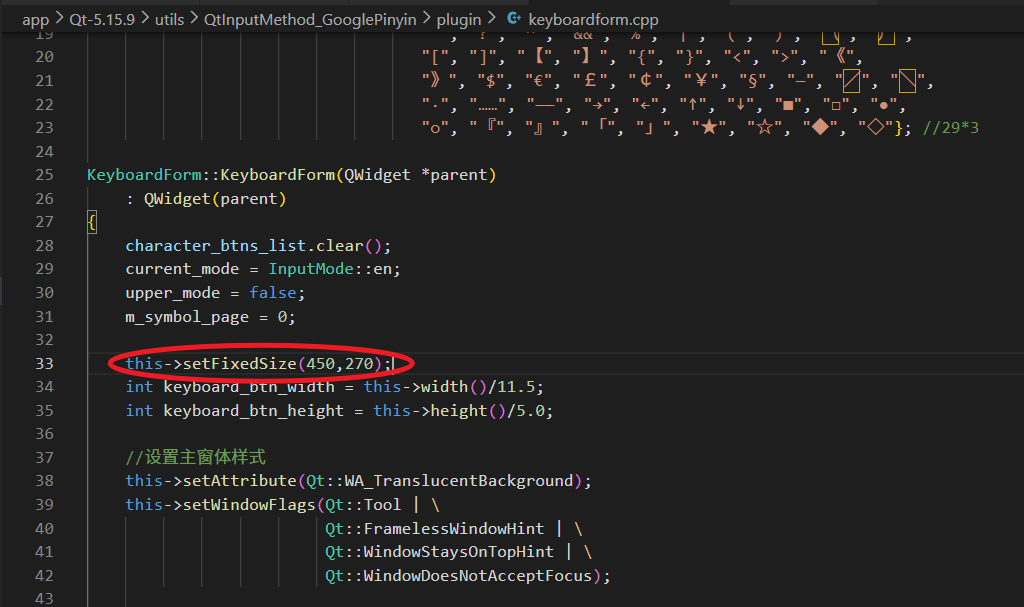
- 修改大小:
QtInputMethod_GooglePinyin/plugin/keyboardform.cpp
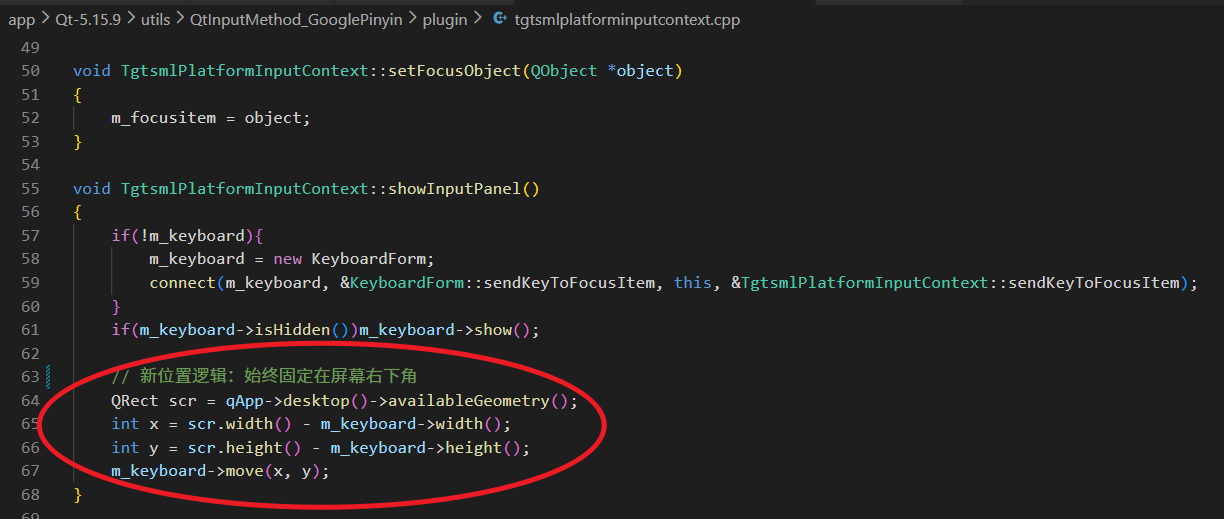
- 修改键盘显示位置:
QtInputMethod_GooglePinyin/plugin/tgtsmlplatforminputcontext.cpp
修改后,重新编译移植。
8、结果展示
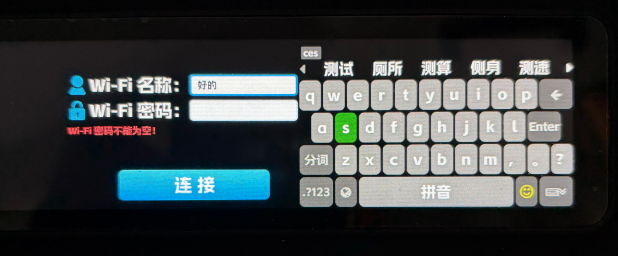
运行 qt 程序,点击输入文本框,会自动调起虚拟键盘。
9、参考文章
无。
10、总结
略。