一、Spring源码下载(以5.2.8.RELEASE版本为例)
java
# GitHub 地址
git clone --branch v5.2.8.RELEASE https://github.com/spring-projects/spring-framework.git


# gitee 地址
git clone --branch v5.2.8.RELEASE https://gitee.com/mirrors/spring-framework.git
二、Spring源码编译
java
# Spring是基于Gradle构建的项目,所以在编译之前需要下载Gradle并配置环境变量
# 解压到指定的位置即可

https://mirrors.aliyun.com/macports/distfiles/gradle/gradle-6.8.1-bin.zip
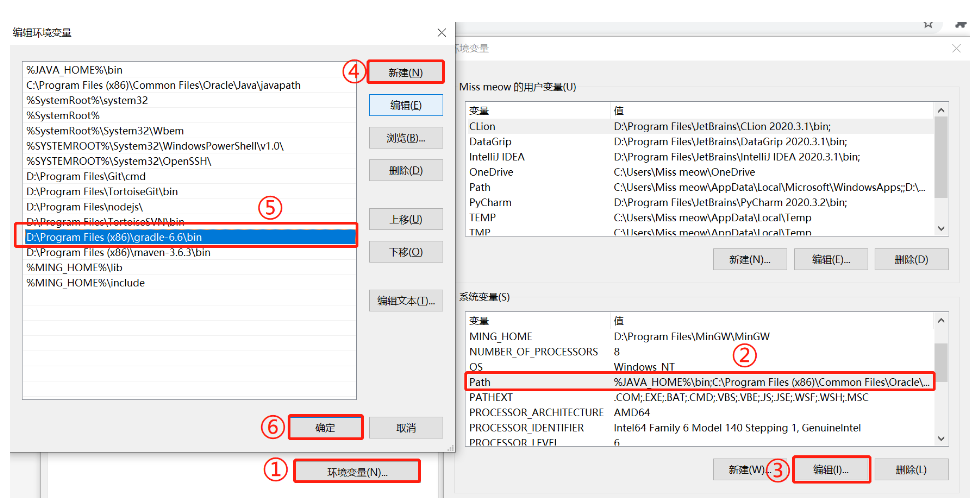
三、配置环境变量
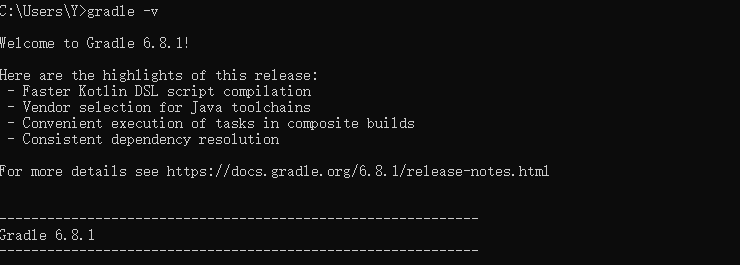
显示如下界面,则Gradle配置成功。
修改源码中Gradle的配置文件
java
maven { url 'https://maven.aliyun.com/repository/public' }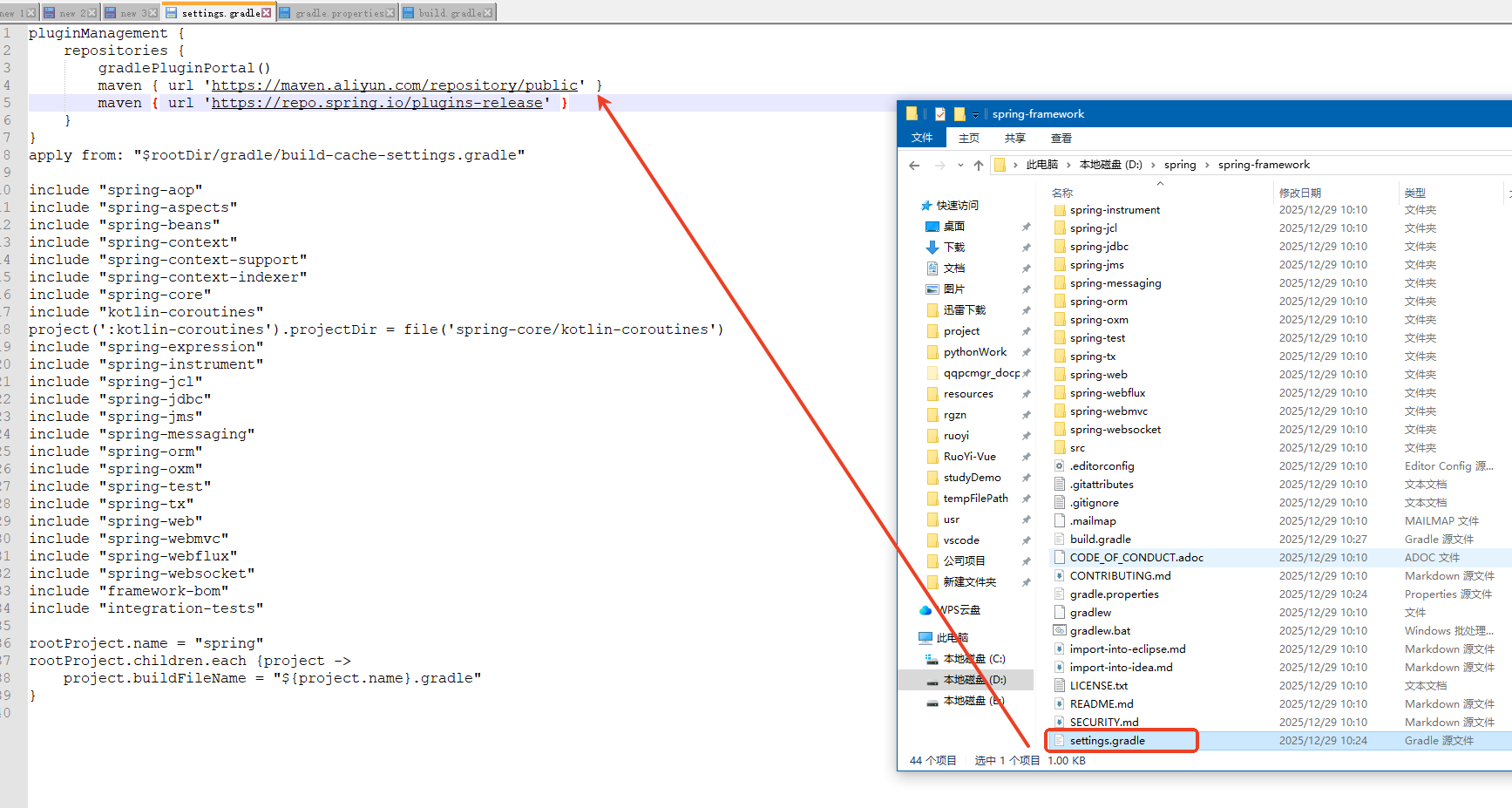
找到gradle.properties文件,修改以下内容:
java
version=5.2.8.RELEASE
org.gradle.jvmargs=-Xmx2048M
org.gradle.caching=true
org.gradle.parallel=true
org.gradle.configureondemand=true
org.gradle.daemon=true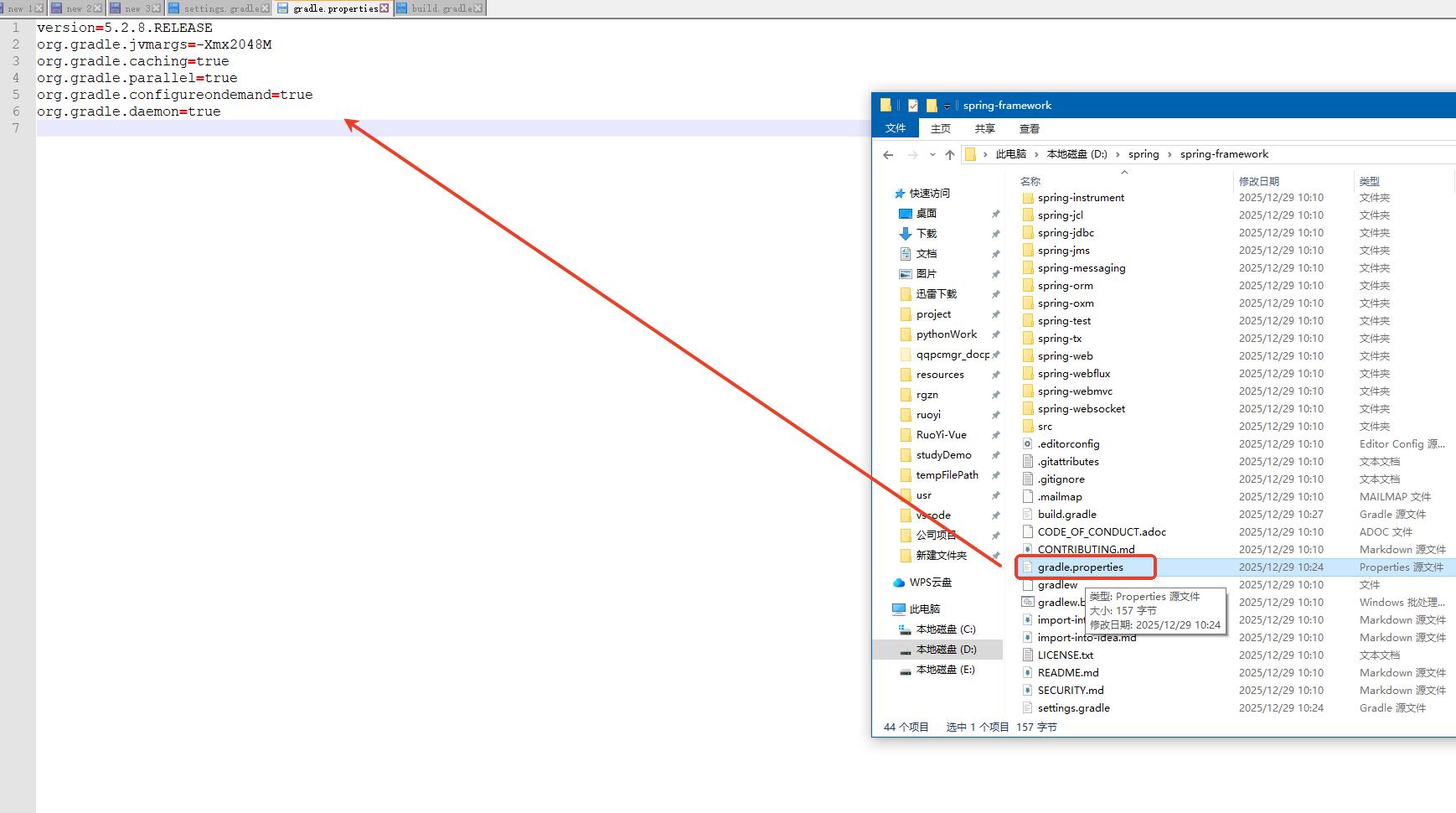
找到build.gradle文件,修改以下内容:
java
maven { url 'https://maven.aliyun.com/nexus/content/groups/public/' }
maven { url 'https://maven.aliyun.com/nexus/content/repositories/jcenter'}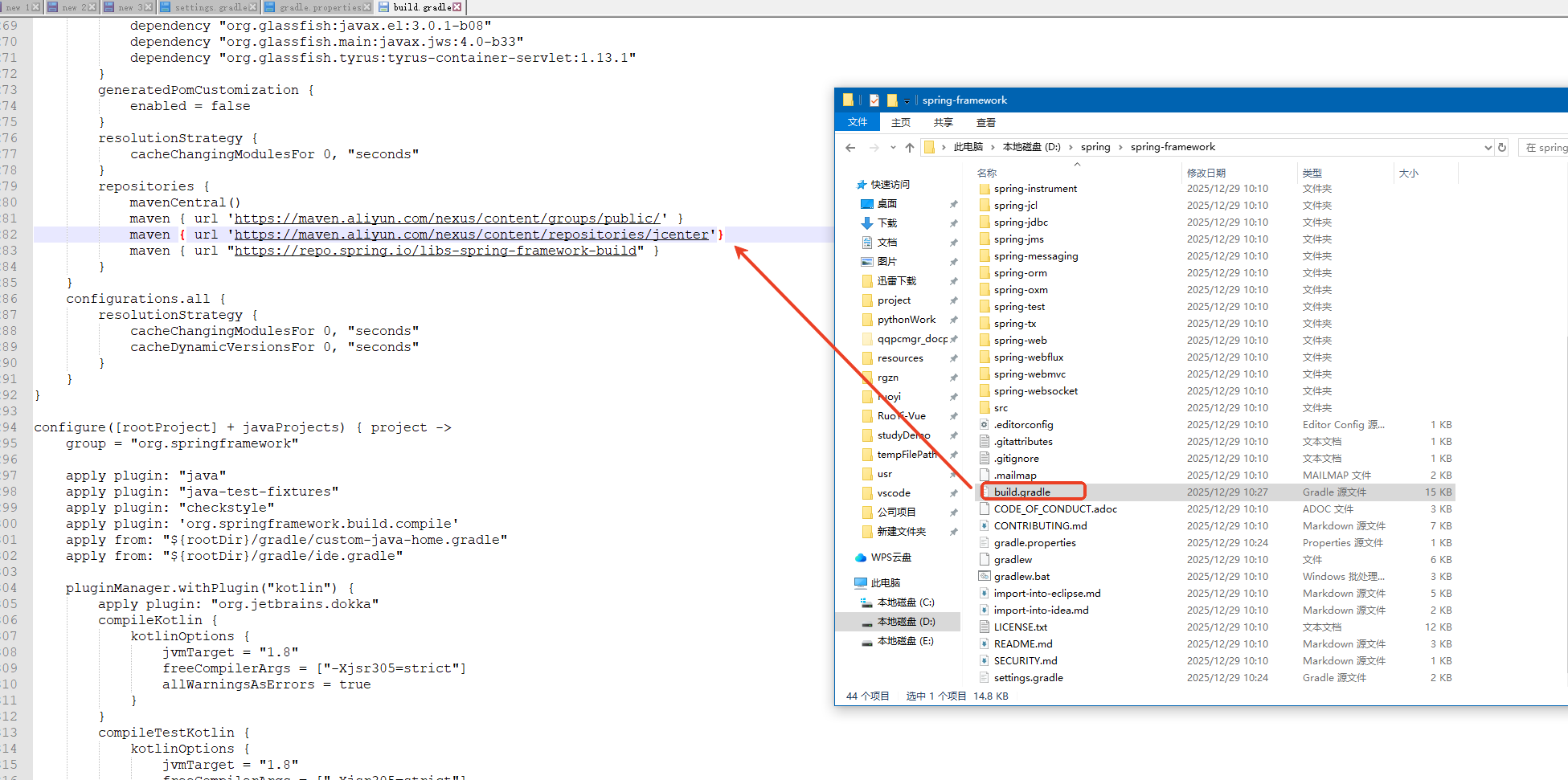
编译
java
# 在spring-framework目录下打开cmd,执行以下内容,编译会慢一点,可以去摸会鱼

gradlew :spring-oxm:compileTestJava
注意:如果遇到编译失败,报错如下:核心的 HTTPS 握手失败(handshake_failure)
java
FAILURE: Build failed with an exception.

* What went wrong:
Execution failed for task ':buildSrc:compileJava'.
> Could not resolve all files for configuration ':buildSrc:compileClasspath'.
   > Could not resolve com.google.guava:failureaccess:1.0.1.
     Required by:
         project :buildSrc > com.google.guava:guava:28.2-jre
      > Could not resolve com.google.guava:failureaccess:1.0.1.
         > Could not get resource 'https://repo.maven.apache.org/maven2/com/google/guava/failureaccess/1.0.1/failureaccess-1.0.1.pom'.
            > Could not HEAD 'https://repo.maven.apache.org/maven2/com/google/guava/failureaccess/1.0.1/failureaccess-1.0.1.pom'.
               > Received fatal alert: handshake_failure
      > Could not resolve com.google.guava:failureaccess:1.0.1.
         > Could not get resource 'https://plugins.gradle.org/m2/com/google/guava/failureaccess/1.0.1/failureaccess-1.0.1.pom'.
            > Could not HEAD 'https://repo.maven.apache.org/maven2/com/google/guava/failureaccess/1.0.1/failureaccess-1.0.1.pom'.
               > Received fatal alert: handshake_failure
   > Could not resolve com.google.guava:listenablefuture:9999.0-empty-to-avoid-conflict-with-guava.
     Required by:
         project :buildSrc > com.google.guava:guava:28.2-jre
      > Could not resolve com.google.guava:listenablefuture:9999.0-empty-to-avoid-conflict-with-guava.
         > Could not get resource 'https://repo.maven.apache.org/maven2/com/google/guava/listenablefuture/9999.0-empty-to-avoid-conflict-with-guava/listenablefuture-9999.0-empty-to-avoid-conflict-with-guava.pom'.
            > Could not HEAD 'https://repo.maven.apache.org/maven2/com/google/guava/listenablefuture/9999.0-empty-to-avoid-conflict-with-guava/listenablefuture-9999.0-empty-to-avoid-conflict-with-guava.pom'.
               > Received fatal alert: handshake_failure
      > Could not resolve com.google.guava:listenablefuture:9999.0-empty-to-avoid-conflict-with-guava.
         > Could not get resource 'https://plugins.gradle.org/m2/com/google/guava/listenablefuture/9999.0-empty-to-avoid-conflict-with-guava/listenablefuture-9999.0-empty-to-avoid-conflict-with-guava.pom'.
            > Could not HEAD 'https://repo.maven.apache.org/maven2/com/google/guava/listenablefuture/9999.0-empty-to-avoid-conflict-with-guava/listenablefuture-9999.0-empty-to-avoid-conflict-with-guava.pom'.
               > Received fatal alert: handshake_failure
   > Could not resolve com.google.code.findbugs:jsr305:3.0.2.
     Required by:
         project :buildSrc > com.google.guava:guava:28.2-jre
      > Could not resolve com.google.code.findbugs:jsr305:3.0.2.
         > Could not get resource 'https://repo.maven.apache.org/maven2/com/google/code/findbugs/jsr305/3.0.2/jsr305-3.0.2.pom'.
            > Could not HEAD 'https://repo.maven.apache.org/maven2/com/google/code/findbugs/jsr305/3.0.2/jsr305-3.0.2.pom'.
               > Received fatal alert: handshake_failure
      > Could not resolve com.google.code.findbugs:jsr305:3.0.2.
         > Could not get resource 'https://plugins.gradle.org/m2/com/google/code/findbugs/jsr305/3.0.2/jsr305-3.0.2.pom'.
            > Could not HEAD 'https://repo.maven.apache.org/maven2/com/google/code/findbugs/jsr305/3.0.2/jsr305-3.0.2.pom'.
               > Received fatal alert: handshake_failure
   > Could not resolve com.google.j2objc:j2objc-annotations:1.3.
     Required by:
         project :buildSrc > com.google.guava:guava:28.2-jre
      > Could not resolve com.google.j2objc:j2objc-annotations:1.3.
         > Could not get resource 'https://repo.maven.apache.org/maven2/com/google/j2objc/j2objc-annotations/1.3/j2objc-annotations-1.3.pom'.
            > Could not HEAD 'https://repo.maven.apache.org/maven2/com/google/j2objc/j2objc-annotations/1.3/j2objc-annotations-1.3.pom'.
               > Received fatal alert: handshake_failure
      > Could not resolve com.google.j2objc:j2objc-annotations:1.3.
         > Could not get resource 'https://plugins.gradle.org/m2/com/google/j2objc/j2objc-annotations/1.3/j2objc-annotations-1.3.pom'.
            > Could not HEAD 'https://repo.maven.apache.org/maven2/com/google/j2objc/j2objc-annotations/1.3/j2objc-annotations-1.3.pom'.
               > Received fatal alert: handshake_failure

* Try:
Run with --stacktrace option to get the stack trace. Run with --info or --debug option to get more log output. Run with --scan to get full insights.

* Get more help at https://help.gradle.org

BUILD FAILED in 2s
解决方式如下:全局配置 Gradle 镜像
-
找到 Gradle 的全局配置目录:
- Windows:
C:\Users\你的用户名\.gradle - Linux/Mac:
~/.gradle
- Windows:
-
在该目录下新建 / 修改
init.gradle文件,写入以下内容:javaallprojects { repositories { // 强制优先使用阿里云镜像,注释掉原有的 mavenCentral() maven { url 'https://maven.aliyun.com/repository/public' } maven { url 'https://maven.aliyun.com/repository/google' } maven { url 'https://maven.aliyun.com/repository/gradle-plugin' } // 仅作为兜底(可注释) // mavenCentral() // gradlePluginPortal() } } // 全局配置 TLS 1.2 协议,解决握手失败 settingsEvaluated { settings -> settings.extensions.extraProperties.set("https.protocols", "TLSv1.2") } // 强制指定依赖版本,避免解析冲突 gradle.projectsLoaded { rootProject.allprojects { buildscript { configurations.all { resolutionStrategy { force 'com.google.guava:failureaccess:1.0.1' force 'com.google.guava:listenablefuture:9999.0-empty-to-avoid-conflict-with-guava' force 'com.google.code.findbugs:jsr305:3.0.2' force 'com.google.j2objc:j2objc-annotations:1.3' force 'com.google.guava:guava:28.2-jre' } } } } }
再次编译:
java
gradlew :spring-oxm:compileTestJava如果报如下错误:Spring 源码的 build.gradle 文件中引用的 io.spring.gradle-enterprise-conventions 插件(版本 0.0.2)无法被解析,这个插件是 Spring 官方的企业级 Gradle 约定插件,普通公开仓库中没有这个版本,核心解决思路是移除 / 注释掉这个非必需的插件引用(该插件仅用于 Spring 内部构建规范,不影响源码编译)。
java
FAILURE: Build failed with an exception.

* Where:
Build file 'D:\spring\spring-framework\build.gradle' line: 6

* What went wrong:
Plugin [id: 'io.spring.gradle-enterprise-conventions', version: '0.0.2'] was not found in any of the following sources:

- Gradle Core Plugins (plugin is not in 'org.gradle' namespace)
- Plugin Repositories (could not resolve plugin artifact 'io.spring.gradle-enterprise-conventions:io.spring.gradle-enterprise-conventions.gradle.plugin:0.0.2')
  Searched in the following repositories:
    Gradle Central Plugin Repository
    maven(https://maven.aliyun.com/repository/public)
    maven2(https://repo.spring.io/plugins-release)

* Try:
Run with --stacktrace option to get the stack trace. Run with --info or --debug option to get more log output. Run with --scan to get full insights.

* Get more help at https://help.gradle.org

BUILD FAILED in 38s
解决方式:
- 打开 Spring 源码根目录的
build.gradle文件; - 找到文件开头的插件引用部分(第 6 行左右),注释 / 删除
io.spring.gradle-enterprise-conventions插件;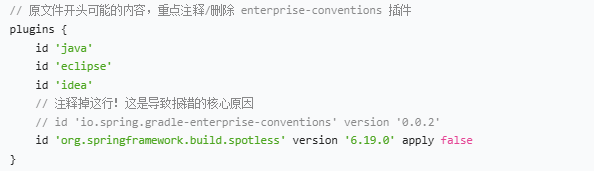
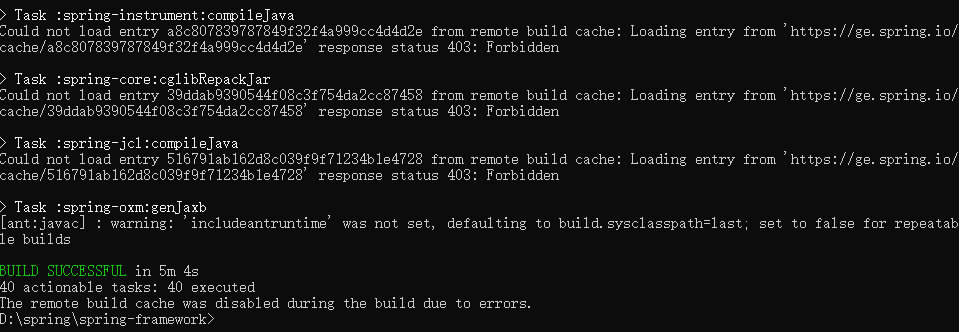
再次编译:
java
gradlew :spring-oxm:compileTestJava编译成功如下图:
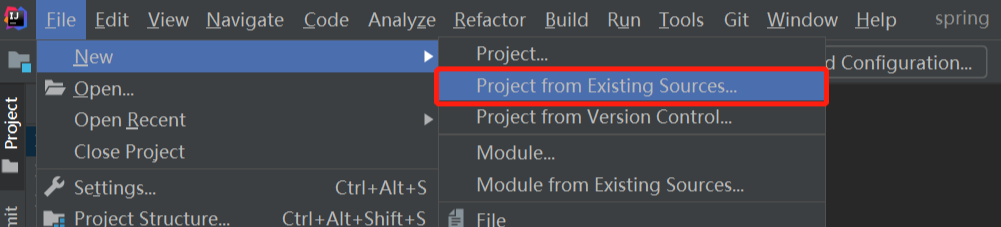
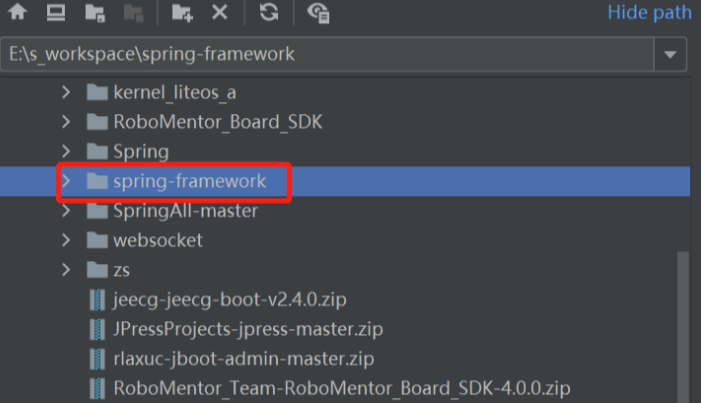
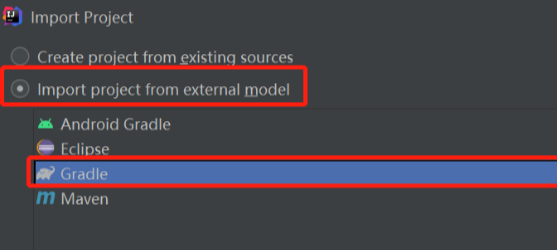
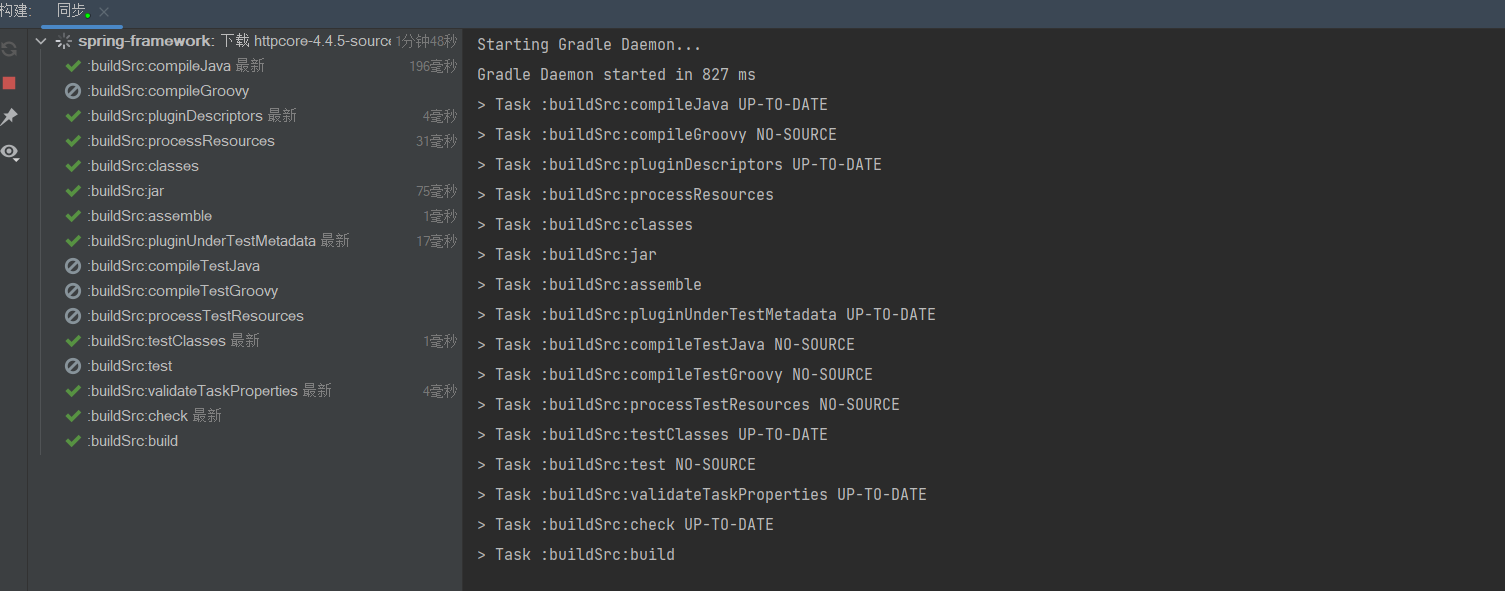
使用IDEA打开
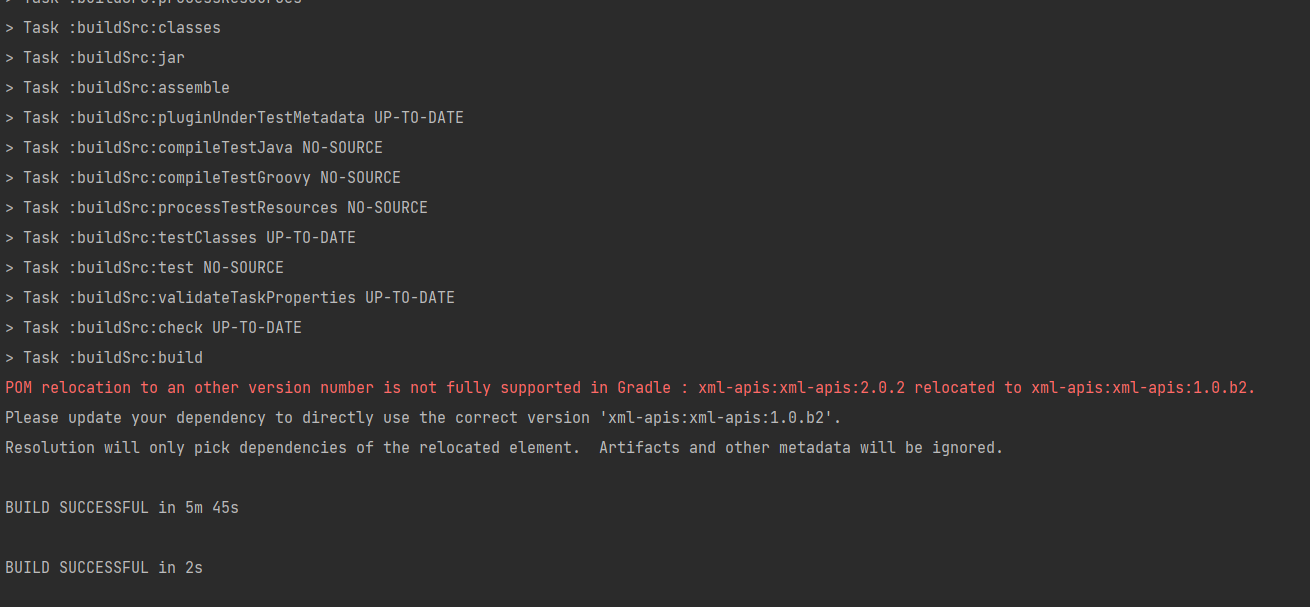
红色这行意思是:在解析依赖 xml-apis:xml-apis:2.0.2 时,发现这个版本的 POM 文件中声明了「版本迁移」------ 官方将 2.0.2 版本迁移 / 重定向到了 1.0.b2 版本。2.0.2 这个被我们在上面注释掉了,所以会出这个提示。
到此Spring源码就编译成功啦!可以愉快的去深入理解spring 体系的相关的源码了。