原理
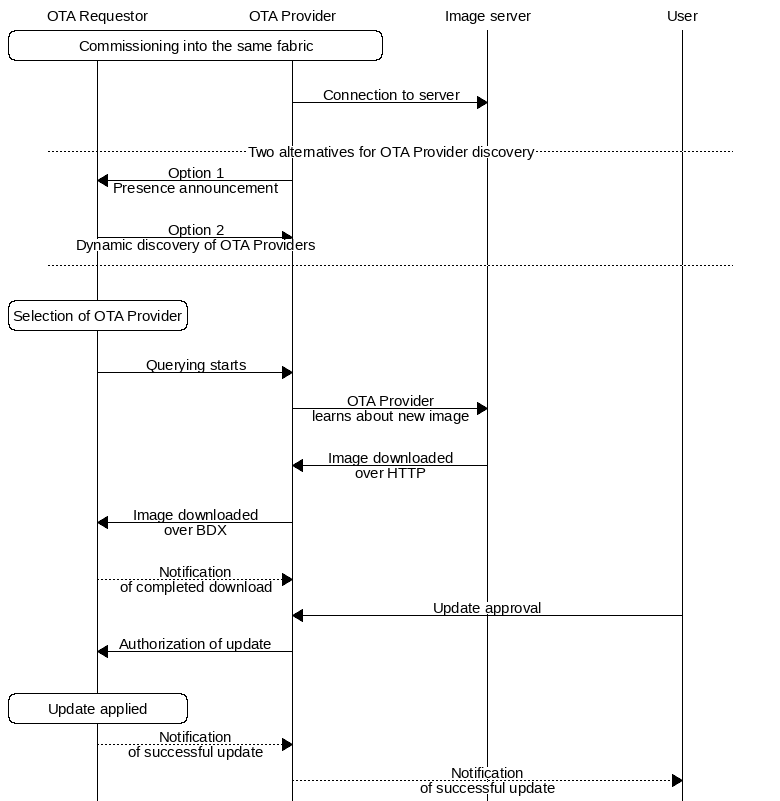
Matter 的空中升级(OTA)是一种允许 Matter 网络中的 Matter 设备更新其固件的过程。大多数 Matter 设备在其生命周期中的某个阶段都需要进行此类更新。软件镜像由另一个 Matter 节点提供,该节点获取了设备信息并从集中可靠的源下载了该镜像。下载过程通过特殊的传输协议进行,并且需要用户同意才能将镜像应用到目标 Matter 设备上。
https://docs.nordicsemi.com/bundle/ncs-2.2.0/page/nrf/ug_matter_overview_dfu.html
OTA角色
OTA 请求者
任何需要进行固件更新的 Matter 设备。OTA 请求器通常在配件上实现(例如,使用 nRF Connect SDK 构建的嵌入式设备)。
OTA提供商
提供 OTA 更新镜像的设备。OTA 提供商通常部署在生态系统提供商的智能家居中心上。

OTA 流程
Matter TLV 编码格式
标签长度值 (TLV) 是一种用于将简单结构化数据编码为字节字符串的格式。它将值编码为 TLV 元素,其中每个元素具有以下类型之一:
-
基本类型,可以是整数或字符串。
-
包含其他 TLV 元素集合的容器类型。容器类型可以是结构体、数组或列表。
批量数据交换协议(BDX)
Matter 使用其内部批量数据交换 (BDX) 协议来传输软件镜像。该协议的主要目的是促进 Matter 节点之间的数据交换。
该协议基于简单文件传输协议 (TFTP)。BDX 不要求传输的文件具有任何特定格式,但允许向文件附加任意元数据。当用于 OTA 传输时,OTA 提供程序使用以下格式向 OTA 请求程序发送 URI:`<node-id>:<file-name>: <node-id> bdx://
另一个例子
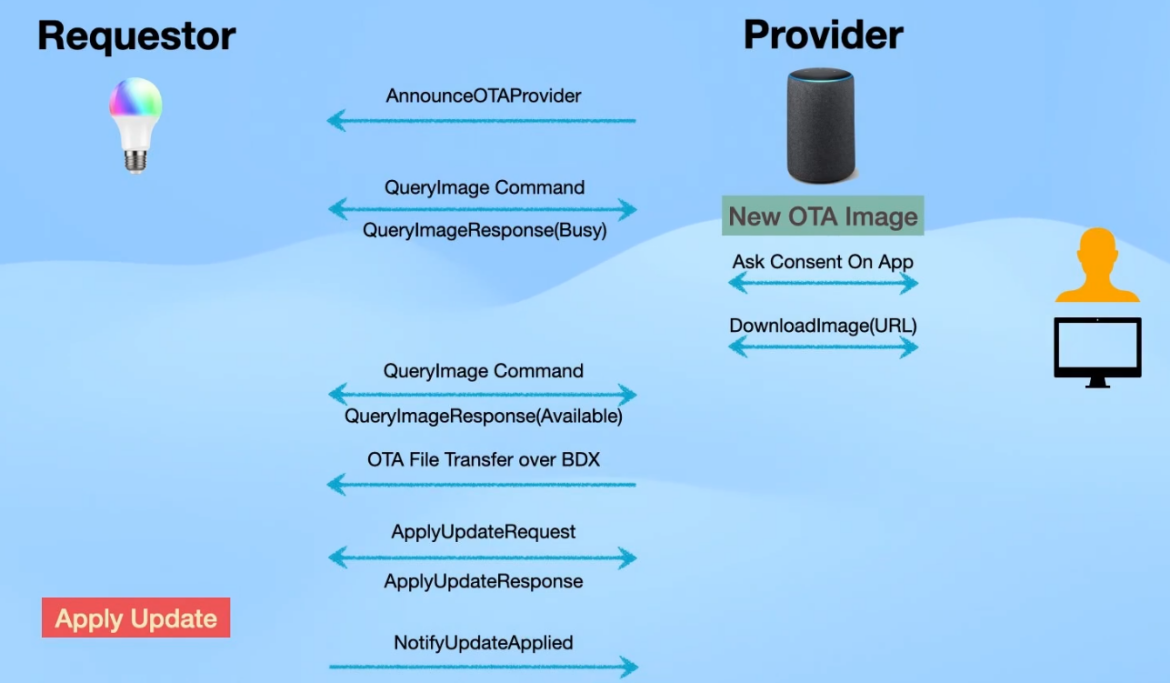
实践
拓扑
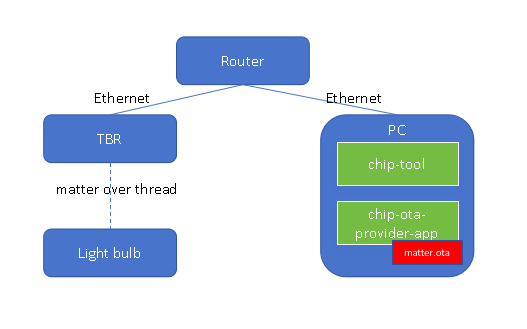
示例代码:
硬件:
Nordic nRF54L15,
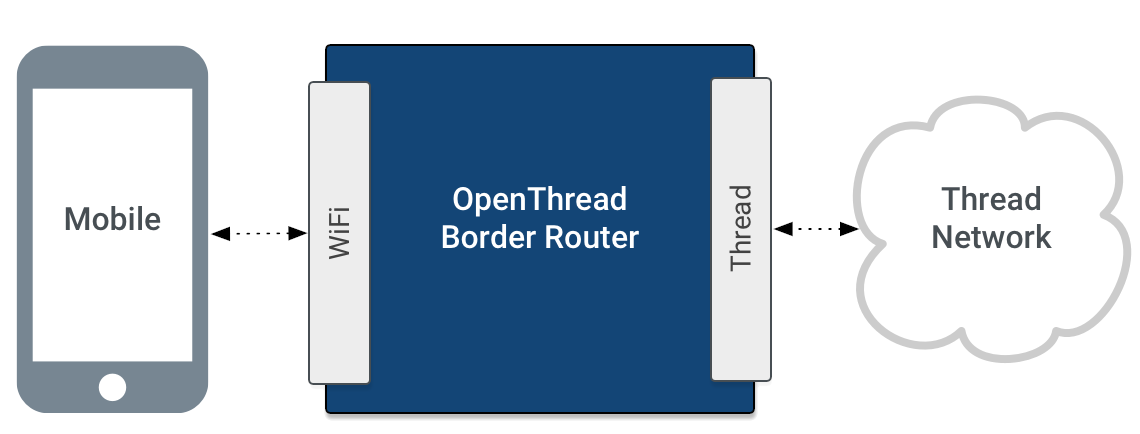
Thread Broader Router(以太网和Thread网转换参考https://openthread.io/guides/border-router)
步骤
1. 生成matter.ota
自动生成
Sysbuild 通过 SB_CONFIG_MATTER_OTA 控制是否生成 OTA 镜像,
通过 SB_CONFIG_MATTER_OTA_IMAGE_FILE_NAME 控制输出文件名(如 matter.ota)Matter Sysbuild配置。

生成的 matter.ota 文件默认位于应用的 build 目录下ncs/v3.1.0/nrf/samples/matter/light_bulb/build
手动生成
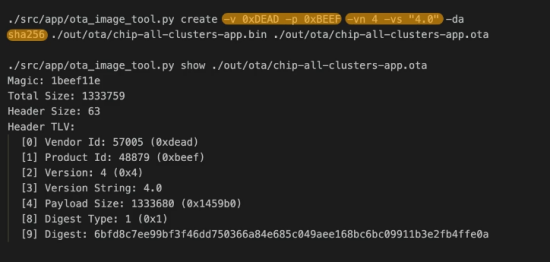
show参数显示OTA包
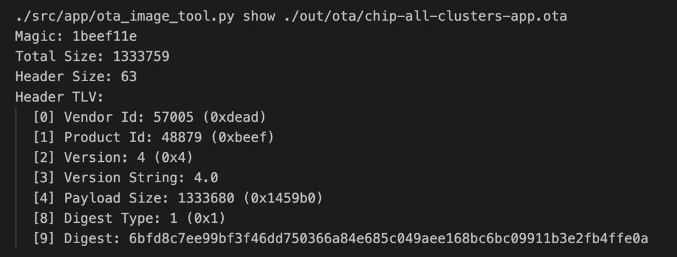
需要改版本,否这该版本会忽略!!!!!!!!!!!!
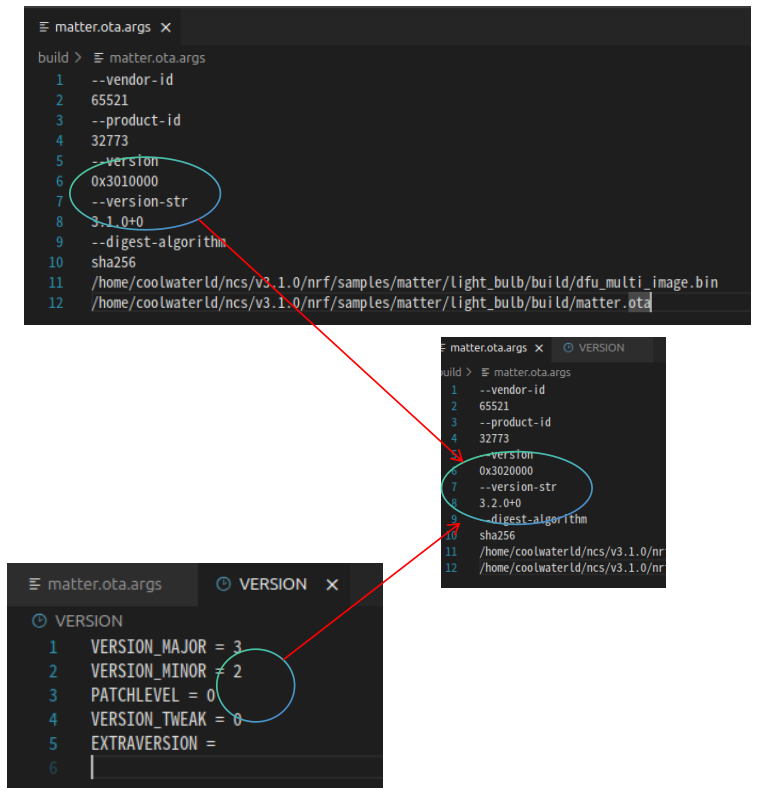
CONFIG_CHIP_DEVICE_SOFTWARE_VERSION_STRING 和 CONFIG_MCUBOOT_IMGTOOL_SIGN_VERSION 都采用字符串格式,通常为 "MAJOR.MINOR.PATCHLEVEL+TWEAK",例如 "3.1.0+0"。 CONFIG_CHIP_DEVICE_SOFTWARE_VERSION 是一个 32 位整数,其值由各个版本号字段拼接而成,每个字段占 8 位。例如,3.1.0+0 会被编码为 0x03010000(十进制为 50397184)。 CONFIG_CHIP_DEVICE_SOFTWARE_VERSION = (3 << 24) | (1 << 16) | (0 << 8) | 0 = 0x03010000 = 50397184
2. 启动provider 服务
matter.ota 拷贝到 ~/ncs/v3.1.0/modules/lib/matter
Run OTA Provider application with matter.ota replaced with the path to the Matter OTA image which you wish to provide to the Matter device. Note that the Matter OTA image is, by default, generated in the example's build directory:
$ out/provider/chip-ota-provider-app -f matter.ota
Keep the application running and use another terminal for the remaining steps.
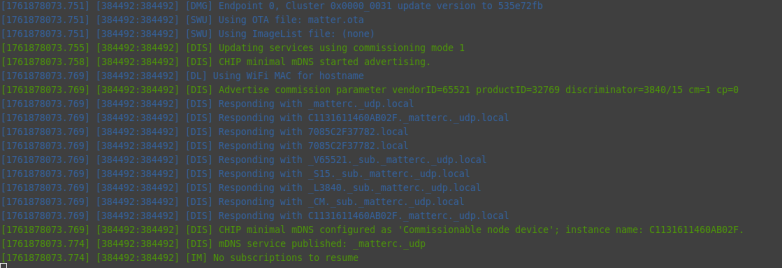
这个过程干了什么事呢?
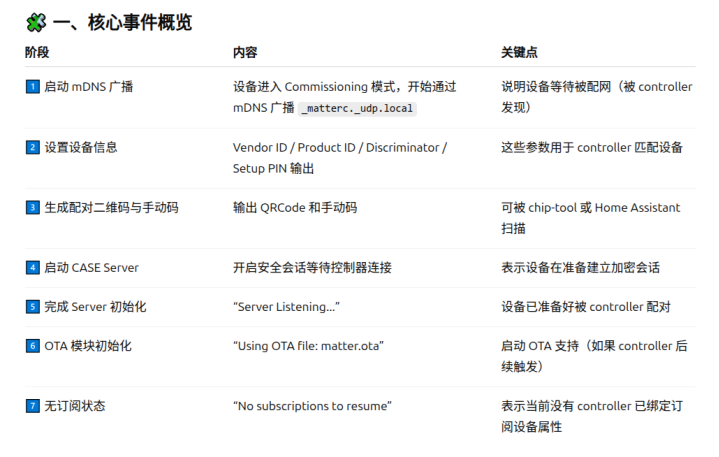
-
Commission the OTA Provider into the Matter network using Node ID 1:
./out/chiptool/chip-tool pairing onnetwork 1 20202021
表示配对方式:基于网络(on-network) 配对
|----------------|-----------------------------------------|-----------------------|--------------------------------------|
| 模式 | 命令 | 使用场景 | 特点 |
| BLE 配网 | chip-tool pairing ble-wifi 或 ble-thread | 设备刚出厂、无网络时 | 控制器通过 BLE 连接设备,传入 Wi-Fi/Thread 网络信息。 |
| On-network 配网 | chip-tool pairing onnetwork | 设备已在同一 IP 网络中(已拿到 IP) | 通过 IP(TCP/UDP)直接与设备建立安全会话。 |
| SoftAP 配网 | chip-tool pairing softap | 某些设备自带热点模式 | 控制器连入设备热点后配置网络。 |
| Code only(无连接) | chip-tool pairing code | 用于测试或预配置 | 仅根据 QR/Manual code 生成会话信息。 |
这个过程干了什么事呢?
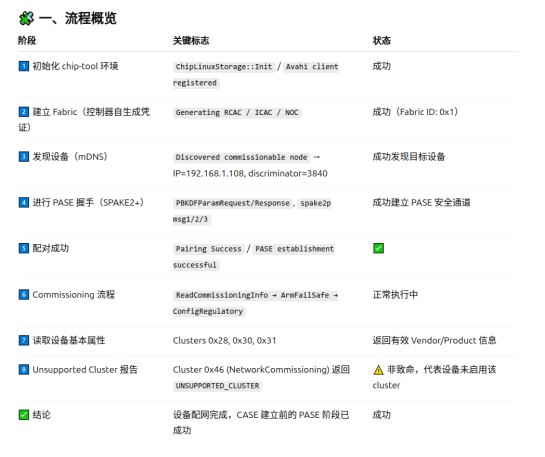
-
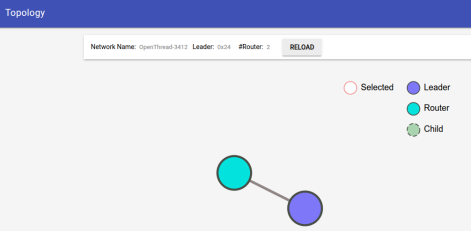
Use the TBR web interface to form a new Thread network using the default network settings.
-
Commission the Matter device into the same Matter network using Node ID 2. The parameter starting with the hex: prefix is the Thread network's Active Operational Dataset. It can be retrieved from the OTBR in case you have changed the default network settings when forming the network.
./out/chiptool/chip-tool pairing ble-thread 2 hex:0e080000000000010000000300000e35060004001fffe00208922a6e083ca322af0708fd7d175e67db5ec20510808bea3328dadf45fed7ad04f1e19cbd030f4f70656e5468726561642d3461623801024ab804104d624483bb90068d214567242898fa500c0402a0f7f8 20202021 3841
-
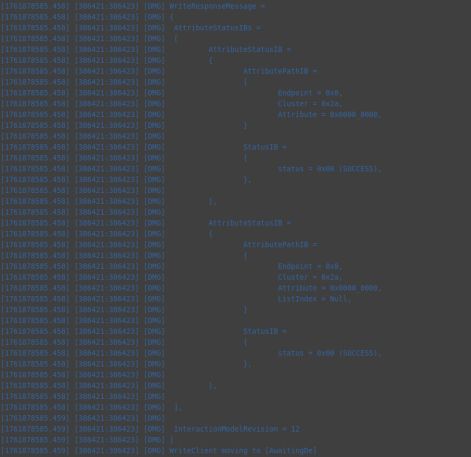
Configure the Matter device with the default OTA Provider by running the following command (the last two arguments are Requestor Node ID and Requestor Endpoint ID, respectively):
./out/chiptool/chip-tool otasoftwareupdaterequestor write default-otaproviders '[{"fabricIndex": 1, "providerNodeID": 1, "endpoint": 0}]' 2 0
-
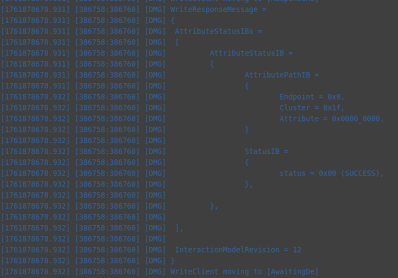
Configure the OTA Provider with the access control list (ACL) that grants Operate privileges to all nodes in the fabric. This is necessary to allow the nodes to send cluster commands to the OTA Provider:
./out/chiptool/chip-tool accesscontrol write acl '[{"fabricIndex": 1, "privilege": 5, "authMode": 2, "subjects": [112233], "targets": null}, {"fabricIndex": 1, "privilege": 3, "authMode": 2, "subjects": null, "targets": null}]' 1 0
112233不是必须
-
Initiate the DFU procedure in one of the following ways: If you have built the device firmware with -DCONFIG_CHIP_LIB_SHELL=y option, which enables Matter shell commands, run the following command on the device shell:
matter ota query
代码中需要配置
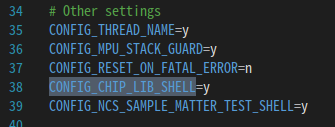
或者Otherwise, use chip-tool to send the Announce OTA Provider command to the device (the numeric arguments are Provider Node ID, Provider Vendor ID, Announcement Reason, Provider Endpoint ID, Requestor Node ID and Requestor Endpoint ID, respectively):
./out/chiptool/chip-tool otasoftwareupdaterequestor announce-otaprovider 1 0 0 0 2 0|----------------------------|---------------------------------------------------------------|
| 部分 | 含义 |
| ./out/chiptool/chip-tool | 控制器工具(chip-tool 可执行文件) |
| otasoftwareupdaterequestor | 目标 cluster:OTA Software Update Requestor |
| announce-otaprovider | cluster 命令:通知设备有新的 OTA Provider |
| 1 | Provider Node ID → OTA Provider 的节点号 |
| 0 | Provider Vendor ID(通常 0 表示任意厂商) |
| 0 | Announcement Reason(通知原因,0=默认、通常表示"初始可用") |
| 0 | Provider Endpoint ID(Provider 上的 OTA Cluster endpoint,一般是 0) |
| 2 | Requestor Node ID(设备端的节点号) |
| 0 | Requestor Endpoint ID(Requestor 的 OTA Cluster endpoint,一般是 0) |
Provider OTA LOG分析
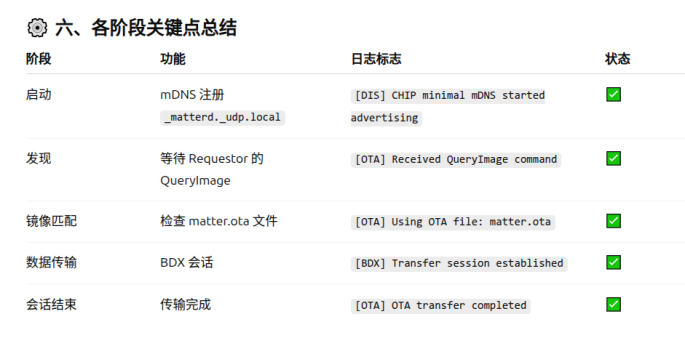
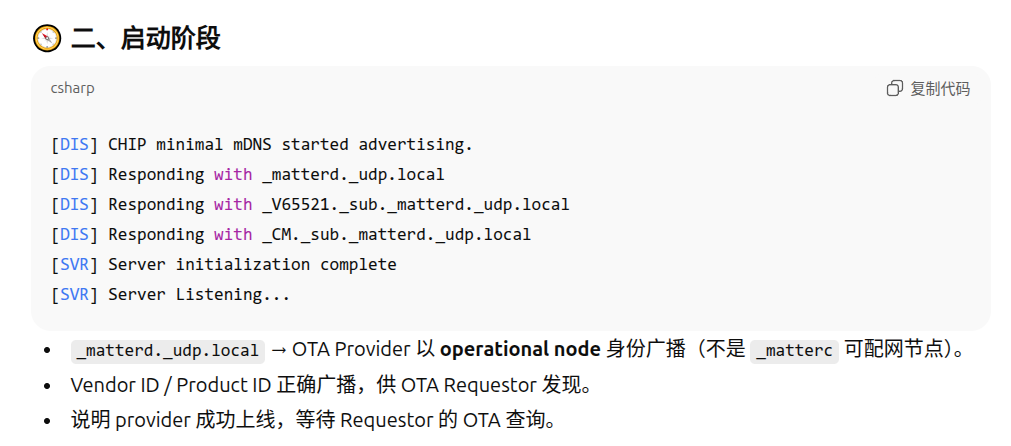
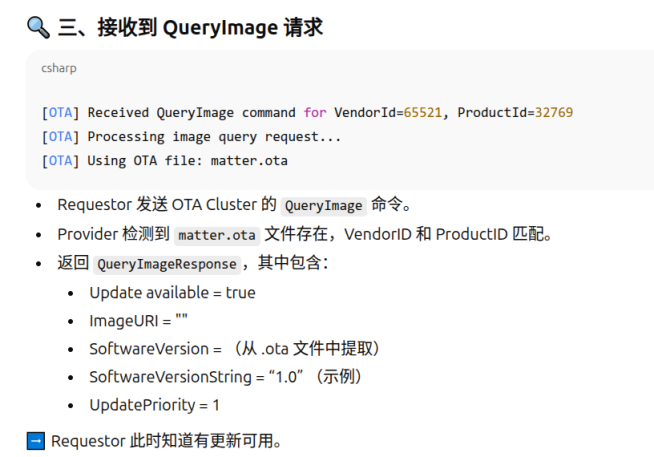
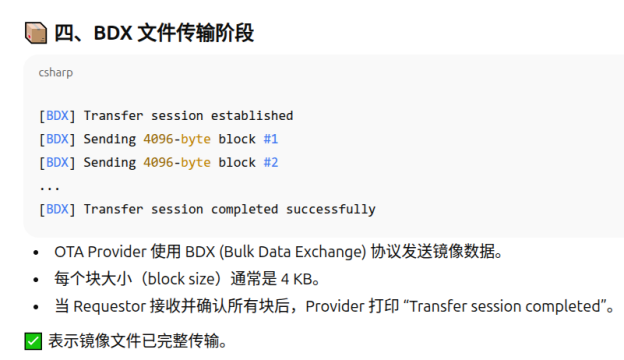
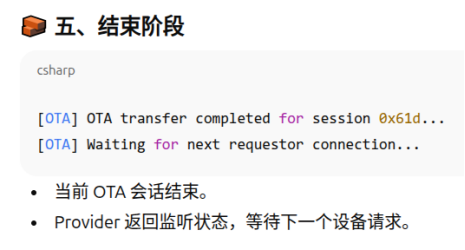
镜像总大小(传输的字节数)≈ 804,357 字节(约 785.8 KiB,约 0.804 MB)。 传输持续时间 ≈ 231.156 秒 = 3 分 51.156 秒。 满块大小 = 1024 字节。总块数 786 个块

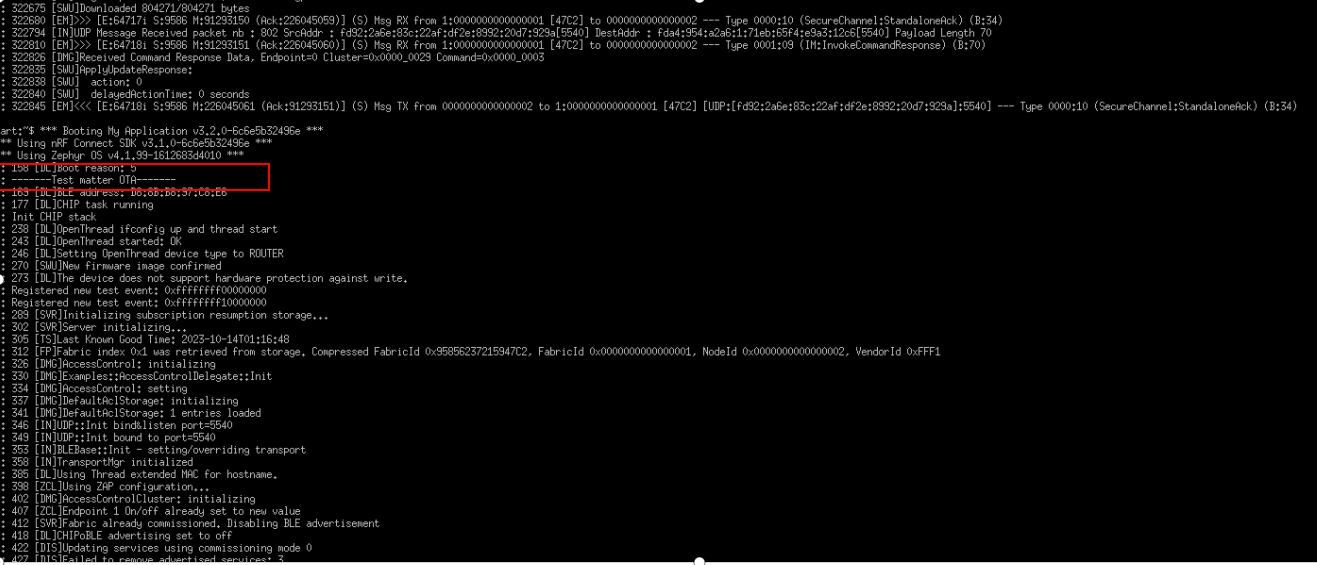
设备OTA LOG
参考资料
https://docs.nordicsemi.com/bundle/ncs-2.2.0/page/nrf/ug_matter_overview_dfu.html
https://docs.nordicsemi.com/bundle/ncs-latest/page/matter/nrfconnect_examples_software_update.html