【前端实战】用 HTML5 Canvas 打造震撼的 2026 "盛世繁花" 跨年倒计时


创作者:灯把黑夜烧了一个洞
摘要 :再过不久我们就要迎来新的年份。作为程序员,用代码送上祝福是最浪漫的方式。本文将带你解析一个集成了翻牌倒计时 、物理引擎烟花 、粒子文字特效 以及炫彩流光祝福的跨年网页项目。我们将重点通过 Canvas 技术实现自定义形状的烟花(如生肖马、2026数字),并探讨如何处理移动端适配与音频自动播放策略。
🌟 效果预览
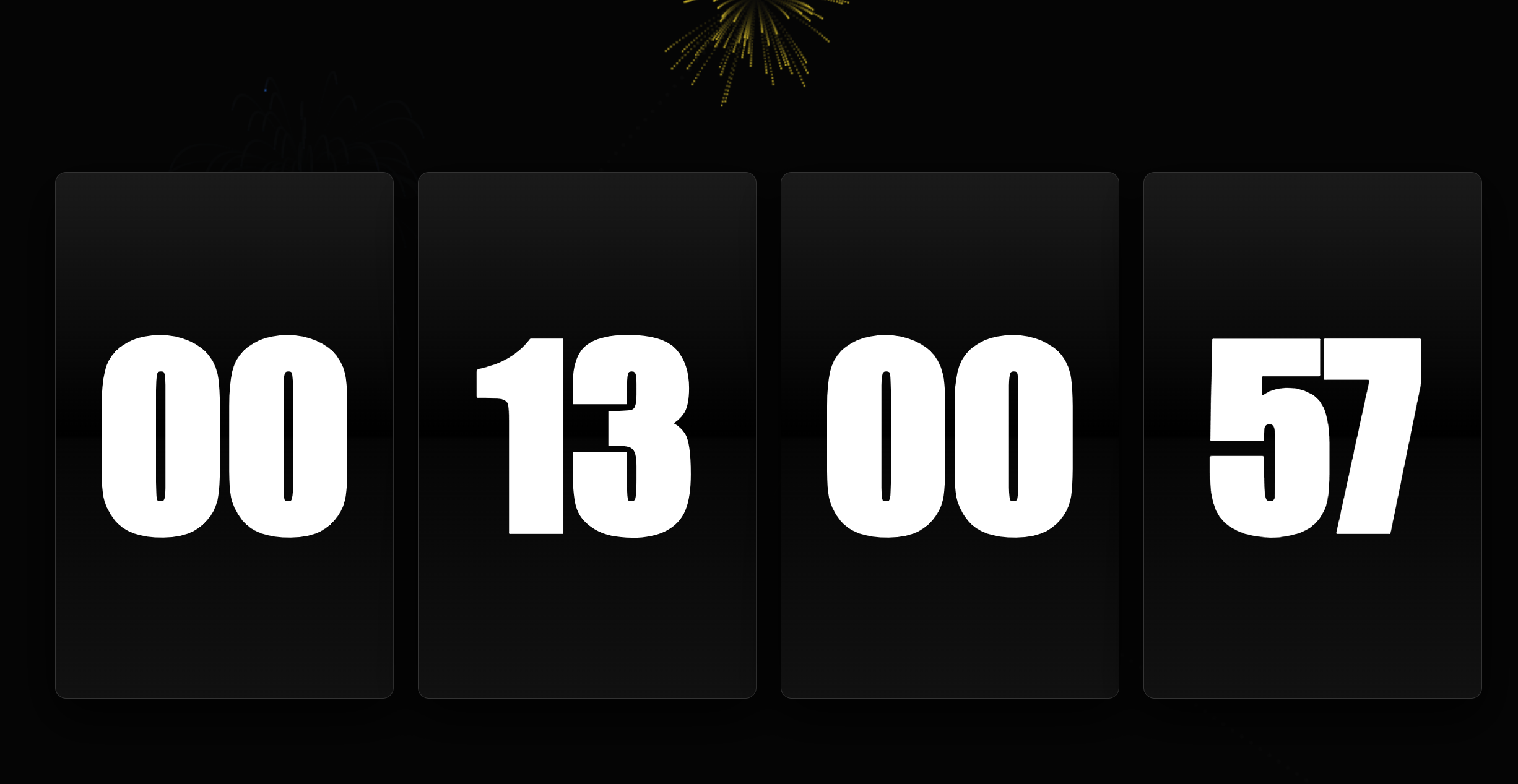
在这个项目中,我们实现了以下核心功能:
- 暗黑质感倒计时:采用深色玻璃拟态风格,通过 flex 布局实现响应式居中。
- 物理粒子烟花:基于重力、空气阻力和初速度的物理模拟。
- 自定义形状烟花:通过像素采样技术,让烟花炸裂成 "🐴"(马年)、"2026" 等特定形状。
- 炫彩流光祝福:CSS3 渐变文字动画与 JS 动态字号计算结合。
- 沉浸式音效:背景音乐与烟花爆炸音效的协同处理。
🛠️ 技术栈解析
- HTML5 Structure: 语义化标签构建基础 UI。
- CSS3 Animation: 处理 UI 动效、流光字体及响应式布局。
- Canvas API: 核心绘图层,用于渲染粒子系统。
- JavaScript (ES6+): 逻辑控制、物理计算、DOM 操作。
🎨 一、UI 设计:暗夜里的极简倒计时
页面整体色调定义为深邃的黑色系,利用 CSS 变量管理颜色,方便后续换肤。
css
:root {
    --bg-color: #050505;
    /* 模拟光影质感的卡片背景 */
    --card-bg: linear-gradient(180deg, #1a1a1a 0%, #000 50%, #050505 51%, #111 100%);
}
倒计时卡片使用了 box-shadow 制造悬浮感,并配合大字号的 Impact 字体,营造出一种硬朗的机械时钟风格。为了适应移动端,我们使用了 vw (视口宽度) 单位来设置字体大小,确保在手机和 PC 上都有良好的展示比例。
🚀 二、核心技术:Canvas 粒子物理引擎
这是整个项目的灵魂所在。我们没有使用现成的库,而是手写了一个轻量级的物理引擎。
1. 粒子类 (Particle)
每个烟花火星都是一个 Particle 对象。它拥有坐标、速度(向量)、颜色、透明度和物理属性(重力、阻力)。
javascript
class Particle {
    constructor(...) {
        // ...初始化状态
        this.resistance = 0.96; // 空气阻力,模拟空气摩擦
        this.gravity = 0.06;    // 重力,让粒子下坠
    }
    update() {
        this.vx *= this.resistance; // 速度衰减
        this.vy *= this.resistance;
        this.vy += this.gravity;    // 垂直方向受重力影响
        this.x += this.vx;
        this.y += this.vy;
        this.alpha -= 0.015;        // 慢慢消失
    }
}
2. 烟花发射 (Rocket)
火箭类负责从屏幕底部升起到目标高度。当到达目标高度(this.y <= this.ty)时,触发 explode() 方法。
🐴 三、进阶技巧:自定义形状烟花 (Shape Sampling)
代码中最精彩的部分莫过于烟花能炸出 "2026" 或 "🐴" 的形状。这利用了 Canvas 像素采样 技术。
原理如下:
- 创建一个离屏 Canvas(不可见)。
- 在离屏 Canvas 上绘制白色的文字或 Emoji。
- 使用
getImageData获取画布上的像素数据。 - 遍历像素点,找到有颜色的位置,根据该位置生成粒子。
javascript
function createShapeParticles(type, x, y) {
    // 1. 在离屏 Canvas 上写字
    const off = document.createElement('canvas');
    // ... 设置大小、字体 ...
    octx.fillText(char, width / 2, height / 2);

    // 2. 获取像素数据
    const data = octx.getImageData(0, 0, width, height).data;

    // 3. 遍历像素,以步长 6 进行采样(减少粒子数量,提升性能)
    for (let i = 0; i < height; i += 6) {
        for (let j = 0; j < width; j += 6) {
            // 如果该像素点的 Alpha 通道 > 128 (说明这里有字)
            if (data[(i * width + j) * 4 + 3] > 128) {
                // 计算粒子的发射速度,使其看起来像是从中心炸开
                const vx = (j - width / 2) / 20 + (Math.random() - 0.5) * 2;
                const vy = (i - height / 2) / 20 + (Math.random() - 0.5) * 2;
                particles.push(new Particle(x, y, color, vx, vy));
            }
        }
    }
}
这种方法极其灵活,你可以把 Emoji、SVG 甚至图片转换成粒子烟花。
🌈 四、视觉盛宴:流光祝福文字
当倒计时结束,进入 startNewYear() 庆祝模式。此时 UI 隐去,祝福语登场。
为了保证文字在不同长度下都能完美居中且不换行,代码中实现了一个动态字号计算函数:
javascript
// 占据屏幕 68% 的宽度
function setArtText(text) {
    const targetWidth = width * 0.68;
    // 估算字号:总宽 / (字符数 * 系数)
    const fontSize = targetWidth / (text.length * 0.95);
    // 限制最大高度,防止字体过大撑破屏幕
    bDisplay.style.fontSize = Math.min(fontSize, height * 0.3) + 'px';
    bDisplay.innerText = text;
}
配合 CSS 的 background-clip: text 和 @keyframes 动画,实现了文字内部的彩虹流光效果。
🎵 五、细节处理:音频自动播放策略
现代浏览器(尤其是 Chrome 和 Safari)通常禁止音频自动播放。为了解决这个问题,代码中采用了一个经典的交互引导策略:
- 在屏幕下方显示提示:"点击屏幕开启音乐"。
- 监听
body的onclick事件。 - 一旦用户点击,立即触发
initAudio(),解锁 AudioContext。
javascript
<body onclick="initAudio()">
// ...
function initAudio() {
    if (audioStarted) return;
    audioStarted = true;
    document.querySelector('.hint').style.display = 'none'; // 隐藏提示
    // 开始播放
    document.getElementById('bgm').play();
}
📝 总结与扩展
这段代码展示了前端开发中 "艺术" 的一面。它没有复杂的框架,仅用原生的 API 就实现了电影级的转场效果。
如果你想自己魔改这个项目,可以尝试:
- 修改祝福语 :找到
blessingList数组,换成你对家人或朋友的名字。 - 更换背景音乐 :替换
<audio>标签中的src链接。 - 增加互动:监听鼠标点击位置,实现指哪打哪的烟花效果。
前端不仅仅是写表单和列表,它也是我们表达情感、创造浪漫的画笔。2026 还有点远,但技术的积累就在当下。
完整源码已在文中展示,复制即可运行! 祝大家代码无 Bug,人生不 Null Pointer!🎆
附录(完整代码)
html
<!DOCTYPE html>
<html lang="zh-CN">

<head>
    <meta charset="UTF-8">
    <meta name="viewport" content="width=device-width, initial-scale=1.0, maximum-scale=1.0, user-scalable=no">
    <title>2026 盛世繁花跨年倒计时</title>
    <style>
        :root {
            --bg-color: #050505;
            --card-bg: linear-gradient(180deg, #1a1a1a 0%, #000 50%, #050505 51%, #111 100%);
        }

        * {
            margin: 0;
            padding: 0;
            box-sizing: border-box;
        }

        body {
            background-color: var(--bg-color);
            height: 100vh;
            display: flex;
            justify-content: center;
            align-items: center;
            overflow: hidden;
            font-family: 'PingFang SC', 'Microsoft YaHei', sans-serif;
            touch-action: manipulation;
        }

        /* 倒计时 UI */
        .countdown-main {
            position: absolute;
            width: 90vw;
            display: flex;
            justify-content: center;
            align-items: center;
            gap: 1.5vw;
            z-index: 100;
            transition: all 1.5s cubic-bezier(0.645, 0.045, 0.355, 1);
        }

        .flip-card {
            flex: 1;
            height: 60vh;
            background: var(--card-bg);
            border: 1px solid #333;
            border-radius: 12px;
            display: flex;
            justify-content: center;
            align-items: center;
            position: relative;
            box-shadow: 0 20px 50px rgba(0, 0, 0, 0.9);
        }

        .num {
            font-size: 15vw;
            font-weight: 900;
            color: #fff;
            font-family: 'Impact', sans-serif;
        }

        /* 彩色艺术文字容器 */
        #blessing-container {
            position: absolute;
            width: 100%;
            height: 100%;
            display: none;
            justify-content: center;
            align-items: center;
            z-index: 110;
            pointer-events: none;
        }

        .blessing-text {
            /* 彩色流光渐变 */
            background: linear-gradient(90deg, #ff3333, #ffcc33, #33ff33, #33ccff, #8833ff, #ff3333);
            background-size: 200% auto;
            -webkit-background-clip: text;
            background-clip: text;
            color: transparent;
            font-weight: 900;
            text-align: center;
            filter: drop-shadow(0 0 10px rgba(255, 255, 255, 0.2));

            /* 进场动画 */
            opacity: 0;
            transform: scale(0.5);
            filter: blur(20px);
            transition: all 1.5s cubic-bezier(0.19, 1, 0.22, 1);
            animation: rainbow-flow 3s linear infinite;
        }

        .blessing-text.active {
            opacity: 1;
            transform: scale(1);
            filter: blur(0px);
        }

        @keyframes rainbow-flow {
            0% {
                background-position: 0% 50%;
            }

            100% {
                background-position: 200% 50%;
            }
        }

        #canvas {
            position: absolute;
            top: 0;
            left: 0;
            z-index: 10;
        }

        .hint {
            position: fixed;
            bottom: 20px;
            color: rgba(255, 255, 255, 0.3);
            font-size: 12px;
            z-index: 200;
        }
    </style>
</head>

<body onclick="initAudio()">

    <div class="countdown-main" id="ui">
        <div class="flip-card">
            <div class="num" id="d">00</div>
        </div>
        <div class="flip-card">
            <div class="num" id="h">00</div>
        </div>
        <div class="flip-card">
            <div class="num" id="m">00</div>
        </div>
        <div class="flip-card">
            <div class="num" id="s">00</div>
        </div>
    </div>

    <div id="blessing-container">
        <div id="blessing-display" class="blessing-text"></div>
    </div>

    <canvas id="canvas"></canvas>
    <div class="hint">点击屏幕开启音乐</div>

    <audio id="bgm" loop>
        <source src="https://m801.music.126.net/20251231110626/32b0824a699ba730346d086e663b65c4/jdymusic/obj/wo3DlMOGwrbDjj7DisKw/34268312689/eda5/bc8c/ae37/63da84c0b67a7eb61dcb83e1717d9020.mp3" type="audio/mpeg">
    </audio>
    <audio id="sfx-firework">
        <source src="https://m701.music.126.net/20251231105810/9d991db61aed869c1b311d1452a059e7/jdymusic/obj/wo3DlMOGwrbDjj7DisKw/28481679536/c3d3/497c/02b1/c382c46f689ec34dfccf6d7b01cd8e8d.mp3" type="audio/mpeg">
    </audio>
    <audio id="sfx-cheer">
        <source src="https://lf9-static.bytednsdoc.com/obj/eden-cn/aphqeh7uhohpquloj/cheer.mp3" type="audio/mpeg">
    </audio>

    <script>
        const canvas = document.getElementById('canvas');
        const ctx = canvas.getContext('2d');
        const ui = document.getElementById('ui');
        const bDisplay = document.getElementById('blessing-display');

        let width, height, rockets = [], particles = [], shapeParticles = [];
        let isCelebration = false, audioStarted = false;

        const targetDate = new Date('2026/01/01 00:00:00').getTime();
        const blessingList = ["2026新年快乐!", "愿所有人", "在新的一年里", "天天开心",  "健康美满", "马年大吉!"];
        let blessingIdx = 0;

        function resize() {
            width = canvas.width = window.innerWidth;
            height = canvas.height = window.innerHeight;
        }
        window.addEventListener('resize', resize);
        resize();

        // 核心:动态字号计算 (占据屏幕68%)
        function setArtText(text) {
            const targetWidth = width * 0.68;
            // 估算:字号 = 目标宽度 / 字符数。中文按1:1,英文按0.6
            const fontSize = targetWidth / (text.length * 0.95);
            bDisplay.style.fontSize = Math.min(fontSize, height * 0.3) + 'px';
            bDisplay.innerText = text;
        }

        // 1. 物理引擎部分
        class Particle {
            constructor(x, y, color, vx, vy, resistance = 0.96) {
                this.x = x; this.y = y;
                this.color = color;
                this.vx = vx; this.vy = vy;
                this.alpha = 1;
                this.resistance = resistance;
                this.gravity = 0.06;
            }
            update() {
                this.vx *= this.resistance;
                this.vy *= this.resistance;
                this.vy += this.gravity;
                this.x += this.vx;
                this.y += this.vy;
                this.alpha -= 0.015;
            }
            draw() {
                ctx.globalAlpha = this.alpha;
                ctx.fillStyle = this.color;
                ctx.fillRect(this.x, this.y, 2, 2);
            }
        }

        class Rocket {
            constructor(tx, ty, type = 'normal') {
                this.x = Math.random() * width;
                this.y = height;
                this.tx = tx; this.ty = ty;
                this.type = type;
                this.color = `hsl(${Math.random() * 360}, 100%, 60%)`;
                const angle = Math.atan2(ty - height, tx - this.x);
                this.v = 12;
                this.vx = Math.cos(angle) * this.v;
                this.vy = Math.sin(angle) * this.v;
                this.exploded = false;
            }
            update() {
                this.x += this.vx;
                this.y += this.vy;
                if (this.y <= this.ty) {
                    this.explode();
                    this.exploded = true;
                }
            }
            draw() {
                ctx.fillStyle = "#fff";
                ctx.beginPath();
                ctx.arc(this.x, this.y, 2, 0, Math.PI * 2);
                ctx.fill();
            }
            explode() {
                if (audioStarted) {
                    const s = document.getElementById('sfx-firework').cloneNode();
                    s.volume = 0.2; s.play();
                }
                if (this.type === 'normal') {
                    for (let i = 0; i < 80; i++) {
                        const a = Math.random() * Math.PI * 2;
                        const s = Math.random() * 6 + 2;
                        particles.push(new Particle(this.x, this.y, this.color, Math.cos(a) * s, Math.sin(a) * s));
                    }
                } else {
                    createShapeParticles(this.type, this.x, this.y);
                }
            }
        }

        // 2. 形状采样逻辑 (🐴, 🐴, 2026)
        function createShapeParticles(type, x, y) {
            const off = document.createElement('canvas');
            const octx = off.getContext('2d');
            off.width = width; off.height = height;
            octx.fillStyle = "white";
            octx.textAlign = "center";
            octx.textBaseline = "middle";
            let size = Math.min(width, height) * 0.7;
            octx.font = `900 ${size}px serif`;

            let char = type === 'horse' ? "🐴" : (type === 'sheep' ? "🐴🐑" : "2026");
            if (type === '2026') octx.font = `bold ${size / 2}px Arial`;

            octx.fillText(char, width / 2, height / 2);
            const data = octx.getImageData(0, 0, width, height).data;

            for (let i = 0; i < height; i += 6) {
                for (let j = 0; j < width; j += 6) {
                    if (data[(i * width + j) * 4 + 3] > 128) {
                        const color = `hsl(${Math.random() * 360}, 100%, 70%)`;
                        // 从中心点向外溅射形成形状
                        const vx = (j - width / 2) / 20 + (Math.random() - 0.5) * 2;
                        const vy = (i - height / 2) / 20 + (Math.random() - 0.5) * 2;
                        particles.push(new Particle(x, y, color, vx, vy, 0.94));
                    }
                }
            }
        }

        // 3. 流程控制
        function updateCountdown() {
            const now = Date.now();
            const diff = targetDate - now;

            if (diff <= 0 && !isCelebration) {
                startNewYear();
                return;
            }

            const d = Math.max(0, Math.floor(diff / 86400000));
            const h = Math.max(0, Math.floor((diff % 86400000) / 3600000));
            const m = Math.max(0, Math.floor((diff % 3600000) / 60000));
            const s = Math.max(0, Math.floor((diff % 60000) / 1000));

            document.getElementById('d').innerText = d.toString().padStart(2, '0');
            document.getElementById('h').innerText = h.toString().padStart(2, '0');
            document.getElementById('m').innerText = m.toString().padStart(2, '0');
            document.getElementById('s').innerText = s.toString().padStart(2, '0');

            if (Math.random() < 0.03) rockets.push(new Rocket(Math.random() * width, Math.random() * height * 0.5));
        }

        async function startNewYear() {
            isCelebration = true;
            ui.style.opacity = '0';
            ui.style.transform = 'scale(1.5) blur(20px)';
            setTimeout(() => ui.style.display = 'none', 1500);

            if (audioStarted) {
                document.getElementById('bgm').play();
                document.getElementById('sfx-firework').play();
            }

            // 跨年震撼开启:依次发射特殊形状
            rockets.push(new Rocket(width / 2, height / 2, 'horse'));
            await sleep(1500);
            rockets.push(new Rocket(width / 2, height / 2, 'sheep'));
            await sleep(1500);
            rockets.push(new Rocket(width / 2, height / 2, '2026'));
            await sleep(1500);

            document.getElementById('blessing-container').style.display = 'flex';
            loopBlessings();
        }

        function loopBlessings() {
            bDisplay.classList.remove('active');
            setTimeout(() => {
                setArtText(blessingList[blessingIdx]);
                bDisplay.classList.add('active');
                blessingIdx = (blessingIdx + 1) % blessingList.length;
                // 每3.5秒换一次词
                setTimeout(loopBlessings, 1500);
            }, 1000);
        }

        function sleep(ms) { return new Promise(r => setTimeout(r, ms)); }

        function initAudio() {
            if (audioStarted) return;
            audioStarted = true;
            document.querySelector('.hint').style.display = 'none';
            document.getElementById('bgm').play().then(() => { if (!isCelebration) document.getElementById('bgm').pause() });
        }

        // 4. 主渲染循环
        function render() {
            ctx.fillStyle = 'rgba(5, 5, 5, 0.2)';
            ctx.fillRect(0, 0, width, height);
            ctx.compositeOperation = 'lighter';

            if (!isCelebration) updateCountdown();

            rockets.forEach((r, i) => {
                r.update(); r.draw();
                if (r.exploded) rockets.splice(i, 1);
            });

            particles.forEach((p, i) => {
                p.update(); p.draw();
                if (p.alpha <= 0) particles.splice(i, 1);
            });

            if (isCelebration && Math.random() < 0.15) {
                rockets.push(new Rocket(Math.random() * width, Math.random() * height * 0.6));
            }

            requestAnimationFrame(render);
        }

        render();

        // 测试入口:如需立即查看效果可取消下行注释
        //setTimeout(startNewYear, 1000);
    </script>
</body>

</html>
🧧 2026 开发者专属祝福
时光飞逝,指针即将拨向 2026 。
愿你在新的马年里:
愿你的 Console 永远干净,Bug 自动退散;
愿你的发量与技术同步增长,
愿生活像 CSS 渐变一样绚丽多彩!
🐴 马年大吉,万事 return true!
创作者:灯把黑夜烧了一个洞