
你是否还记得童年在诺基亚手机上玩的贪吃蛇?现在,只需几十行 Python 代码,你就能在电脑上复刻这个经典游戏!本文将带你从零开始,使用标准库 pygame 编写一个支持方向控制、计分、碰撞检测、游戏结束提示的贪吃蛇程序,并最终打包成 .exe 文件,送给朋友一起玩。
为什么选择 Pygame?
轻量、易学,适合 2D 小游戏开发。内置键盘/事件响应,完美适配贪吃蛇控制可打包为独立可执行文件(.exe)无需复杂数学,逻辑清晰直观。最适合初学者照搬测试。感兴趣的朋友对步骤如果不太了解可以翻阅下前面的博文。
安装pygame
pip install pygame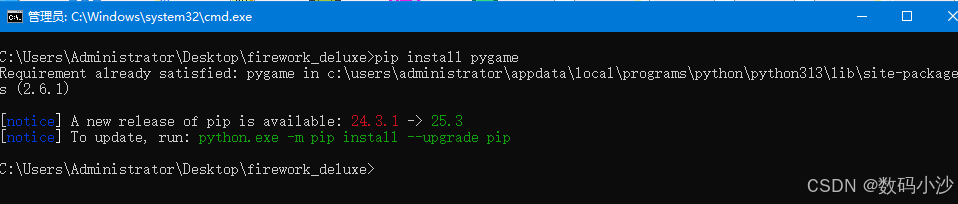
第一步:设计游戏核心逻辑
贪吃蛇的核心规则非常简单:
| 元素 | 说明 |
|---|---|
| 蛇 | 由多个方块组成,头在前,尾在后 |
| 食物 | 随机出现在地图上,蛇吃到后变长 |
| 移动 | 蛇每帧向当前方向前进一格 |
| 控制 | 用方向键(↑↓←→)改变蛇头方向 |
| 碰撞 | 撞墙 or 撞自己 → 游戏结束 |
| 计分 | 每吃一个食物 +10 分 |
第二步:完整代码实现(snake_game.py)
将以下代码保存为 snake_game.py:
源代码:
# snake_game.py
import pygame
import sys
import random
import time

# 初始化
pygame.init()
WIDTH, HEIGHT = 640, 480
GRID_SIZE = 20
GRID_WIDTH = WIDTH // GRID_SIZE
GRID_HEIGHT = HEIGHT // GRID_SIZE

# 颜色
BLACK = (0, 0, 0)
WHITE = (255, 255, 255)
GREEN = (0, 255, 0)
RED = (255, 0, 0)
GRAY = (50, 50, 50)

# 方向
UP = (0, -1)
DOWN = (0, 1)
LEFT = (-1, 0)
RIGHT = (1, 0)

class Snake:
    def __init__(self):
        self.reset()

    def reset(self):
        self.length = 3
        self.positions = [(GRID_WIDTH // 2, GRID_HEIGHT // 2)]
        self.direction = random.choice([UP, DOWN, LEFT, RIGHT])
        self.score = 0
        self.grow_to = 3

    def get_head_position(self):
        return self.positions[0]

    def update(self):
        head = self.get_head_position()
        x, y = self.direction
        new_x = (head[0] + x) % GRID_WIDTH
        new_y = (head[1] + y) % GRID_HEIGHT
        new_position = (new_x, new_y)

        # 撞自己检测(除身体最后一节)
        if new_position in self.positions[1:]:
            return False  # 游戏结束

        self.positions.insert(0, new_position)
        if len(self.positions) > self.grow_to:
            self.positions.pop()
        return True

    def change_direction(self, direction):
        # 不能 180 度掉头
        if (direction[0] * -1, direction[1] * -1) != self.direction:
            self.direction = direction

    def grow(self):
        self.grow_to += 1
        self.score += 10

class Food:
    def __init__(self):
        self.position = (0, 0)
        self.randomize_position()

    def randomize_position(self):
        self.position = (
            random.randint(0, GRID_WIDTH - 1),
            random.randint(0, GRID_HEIGHT - 1)
        )

# 主程序
def main():
    screen = pygame.display.set_mode((WIDTH, HEIGHT))
    pygame.display.set_caption("🐍 贪吃蛇 - 方向键控制 | R 重玩 | Q 退出")
    clock = pygame.time.Clock()

    snake = Snake()
    food = Food()

    # 确保食物不刷在蛇身上
    while food.position in snake.positions:
        food.randomize_position()

    font = pygame.font.SysFont(None, 36)

    running = True
    game_over = False

    while running:
        for event in pygame.event.get():
            if event.type == pygame.QUIT:
                running = False
            elif event.type == pygame.KEYDOWN:
                if game_over:
                    if event.key == pygame.K_r:
                        snake.reset()
                        food.randomize_position()
                        while food.position in snake.positions:
                            food.randomize_position()
                        game_over = False
                    elif event.key == pygame.K_q:
                        running = False
                else:
                    if event.key == pygame.K_UP:
                        snake.change_direction(UP)
                    elif event.key == pygame.K_DOWN:
                        snake.change_direction(DOWN)
                    elif event.key == pygame.K_LEFT:
                        snake.change_direction(LEFT)
                    elif event.key == pygame.K_RIGHT:
                        snake.change_direction(RIGHT)

        if not game_over:
            if not snake.update():
                game_over = True
            else:
                # 检查是否吃到食物
                if snake.get_head_position() == food.position:
                    snake.grow()
                    food.randomize_position()
                    while food.position in snake.positions:
                        food.randomize_position()

        # 绘制
        screen.fill(BLACK)

        # 绘制网格(可选)
        for x in range(0, WIDTH, GRID_SIZE):
            pygame.draw.line(screen, GRAY, (x, 0), (x, HEIGHT), 1)
        for y in range(0, HEIGHT, GRID_SIZE):
            pygame.draw.line(screen, GRAY, (0, y), (WIDTH, y), 1)

        # 绘制蛇
        for i, pos in enumerate(snake.positions):
            color = GREEN if i == 0 else (0, 200, 0)  # 头更亮
            rect = pygame.Rect(pos[0] * GRID_SIZE, pos[1] * GRID_SIZE, GRID_SIZE, GRID_SIZE)
            pygame.draw.rect(screen, color, rect)
            pygame.draw.rect(screen, BLACK, rect, 1)  # 边框

        # 绘制食物
        food_rect = pygame.Rect(food.position[0] * GRID_SIZE, food.position[1] * GRID_SIZE, GRID_SIZE, GRID_SIZE)
        pygame.draw.rect(screen, RED, food_rect)
        pygame.draw.rect(screen, BLACK, food_rect, 1)

        # 显示分数
        score_text = font.render(f"分数: {snake.score}", True, WHITE)
        screen.blit(score_text, (10, 10))

        # 游戏结束提示
        if game_over:
            over_text = font.render("游戏结束!按 R 重玩,Q 退出", True, WHITE)
            screen.blit(over_text, (WIDTH // 2 - over_text.get_width() // 2, HEIGHT // 2))

        pygame.display.flip()
        clock.tick(10)  # 控制速度(可调)

    pygame.quit()
    sys.exit()

if __name__ == "__main__":
    main()
在有python环境的情况下运行他:python snake_game.py
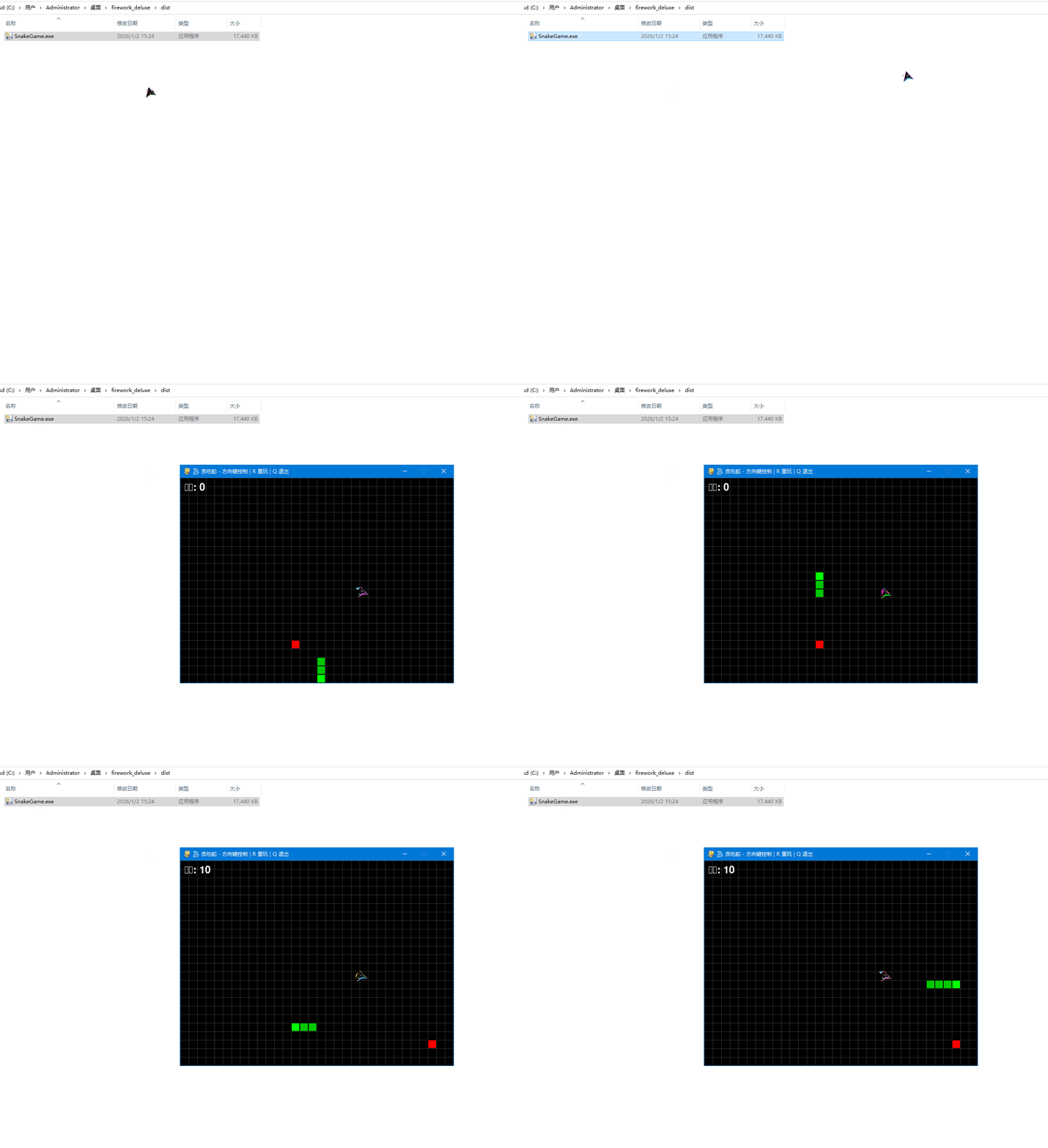
操作说明:方向键 ←↑↓→ 控制蛇移动吃到红色食物,蛇变长,分数 +10.撞到自己 → 游戏结束按 R 重玩,按 Q 退出
第三步:打包成 .exe
pyinstaller --onefile --windowed --name "SnakeGame" snake_game.py生成的 dist/SnakeGame.exe 双击即可运行,无需 Python!
示例效果:
循序渐进的项目开发能有效激发学习兴趣。如果从枯燥的代码开始学习,难免会失去动力。但通过实践项目开发,将带来意想不到的学习效果。