目录
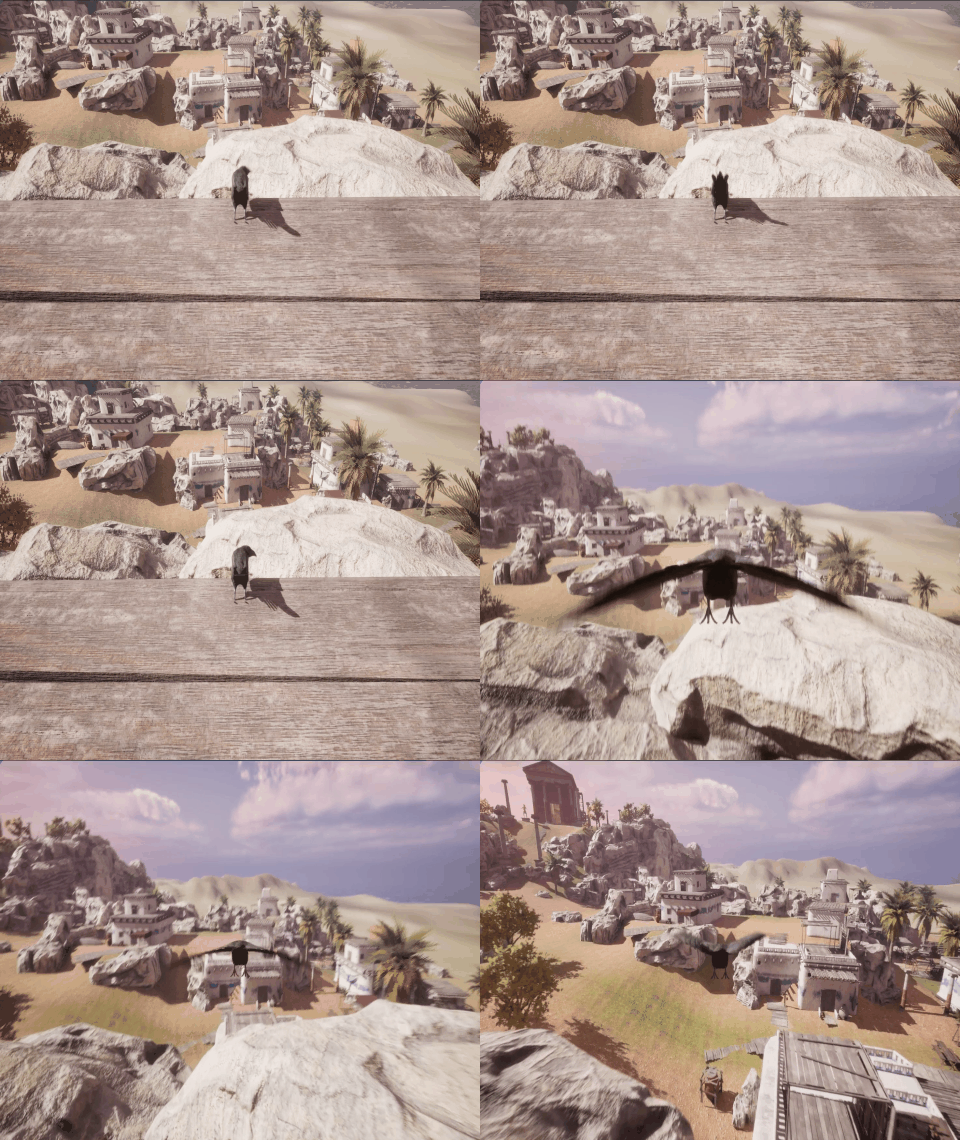
效果
步骤
一、创建类
- 在fab商城中搜索"ANIMAL VARIETY PACK",并导入工程中
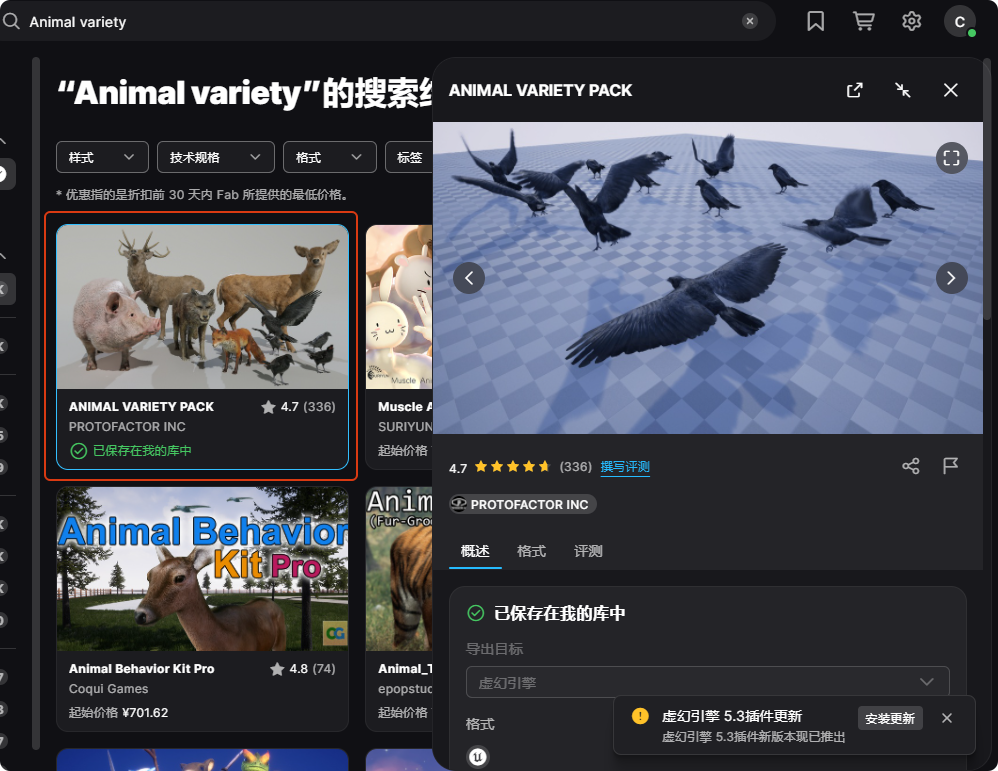
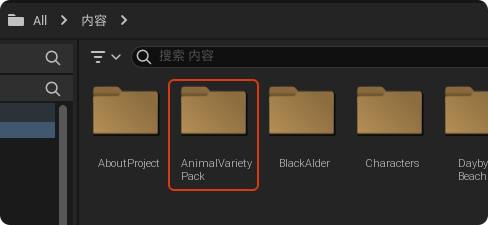
导入后有一个内容浏览器中包含"AnimalVarietyPack"
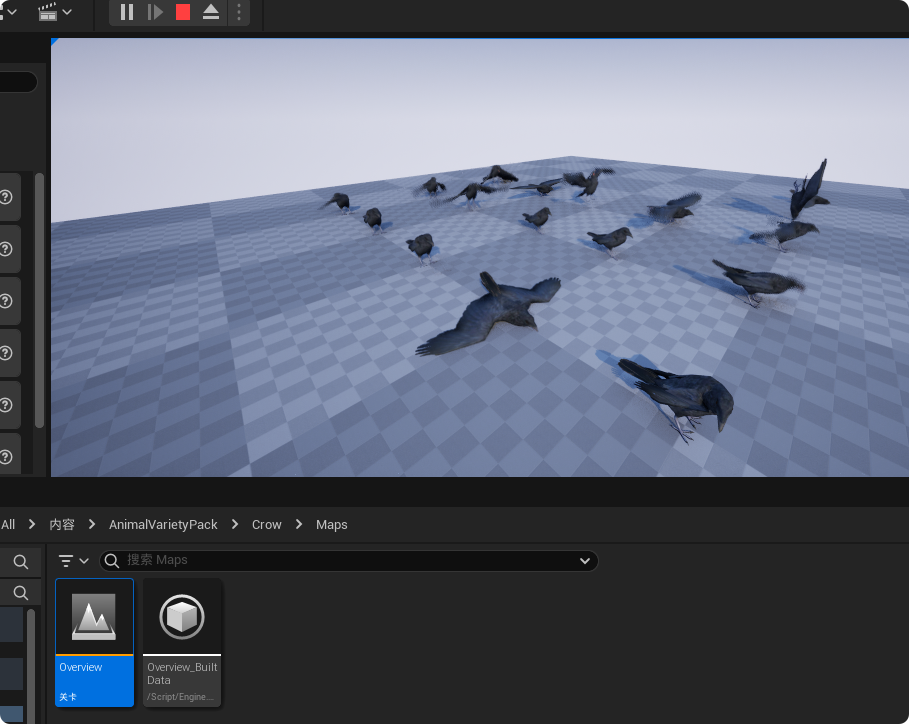
切换到Crow的关卡运行可以预览乌鸦的各种动作动画
2.新建一个Pawn类,这里命名为"Bird"
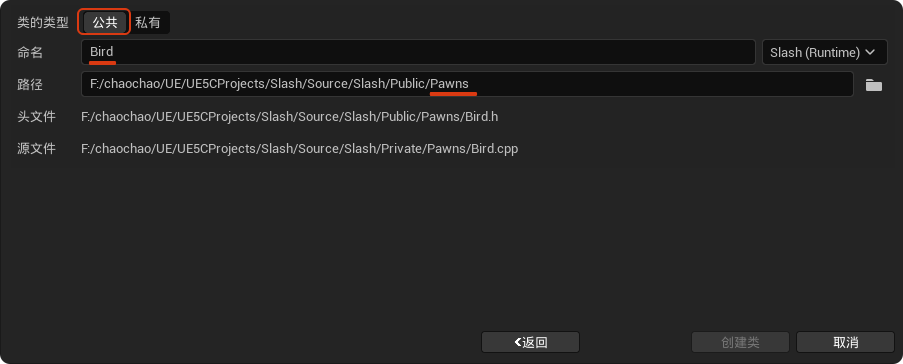
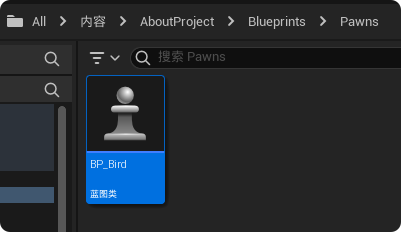
- 创建一个以"Bird"为父类的蓝图"BP_Bird"
二、添加胶囊体组件
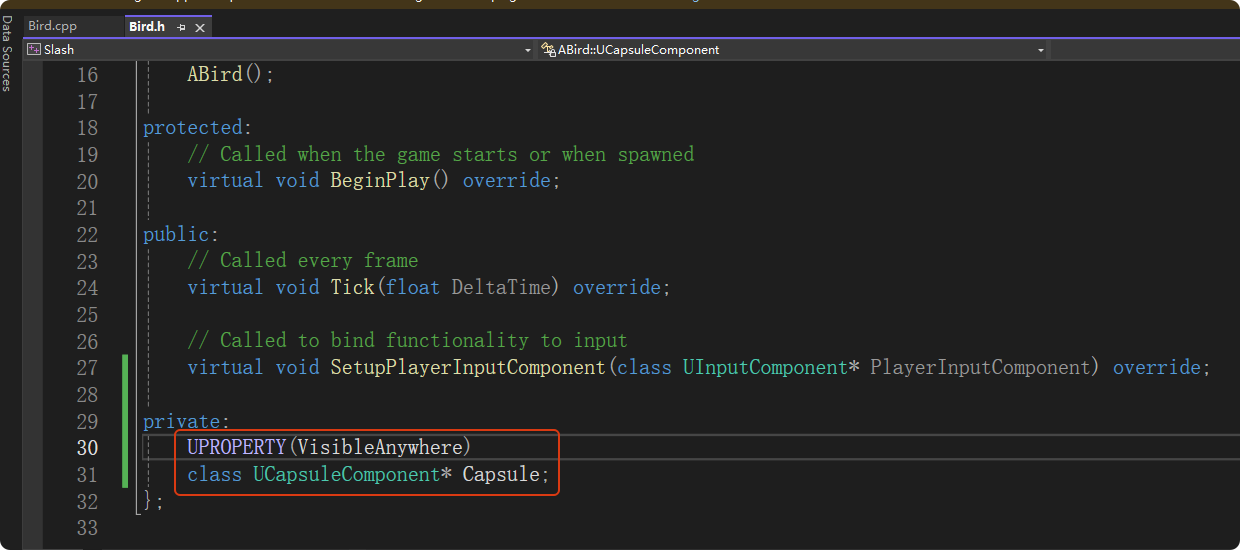
在"Bird.h"中先通过前置声明一个名为 "Capsule" 的指针变量
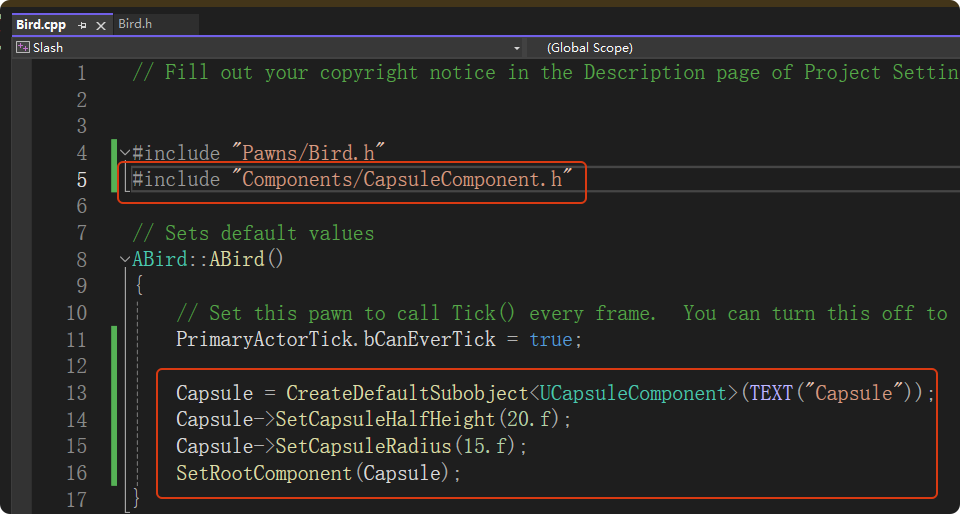
在"Bird.cpp"中创建胶囊体组件实例,设置其胶囊体半高和半径,并将其设置为根组件
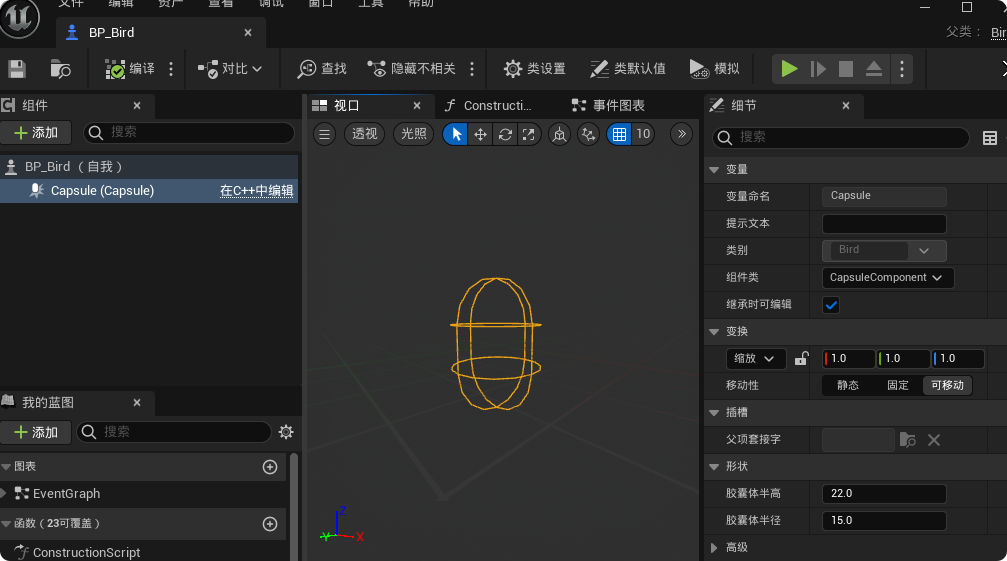
编译后可以看到"BP_Bird"的根组件替换为胶囊体组件
三、添加骨骼网格体组件
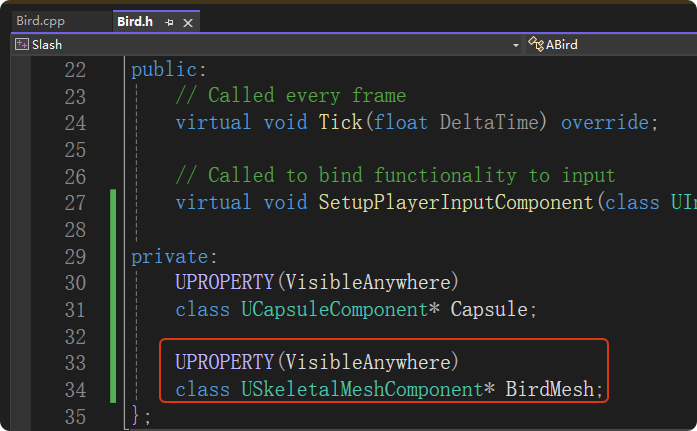
在"Bird.h"中前置声明一个名为 "BirdMesh" 的指针变量
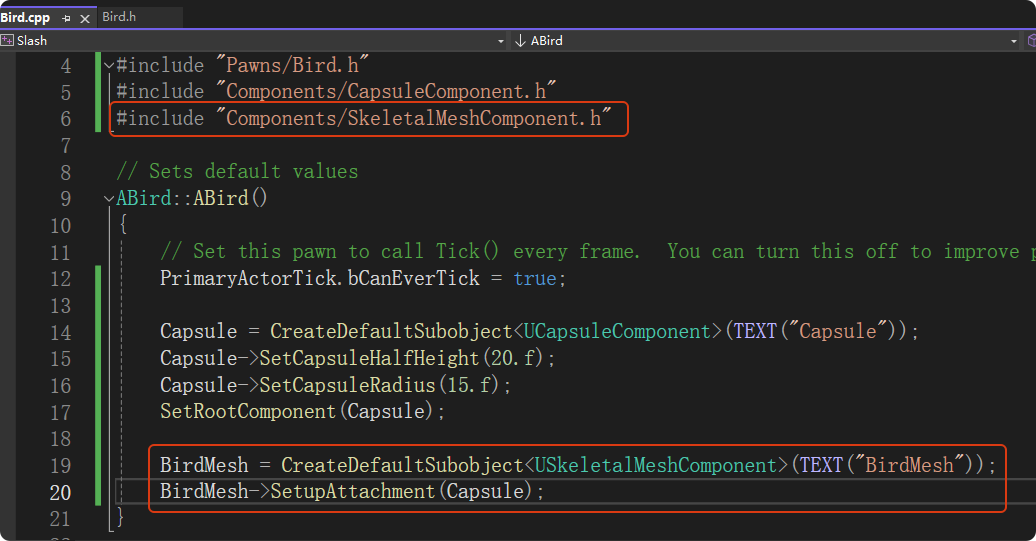
在"Bird.cpp"中创建骨骼网格体组件实例,并附加在根组件上
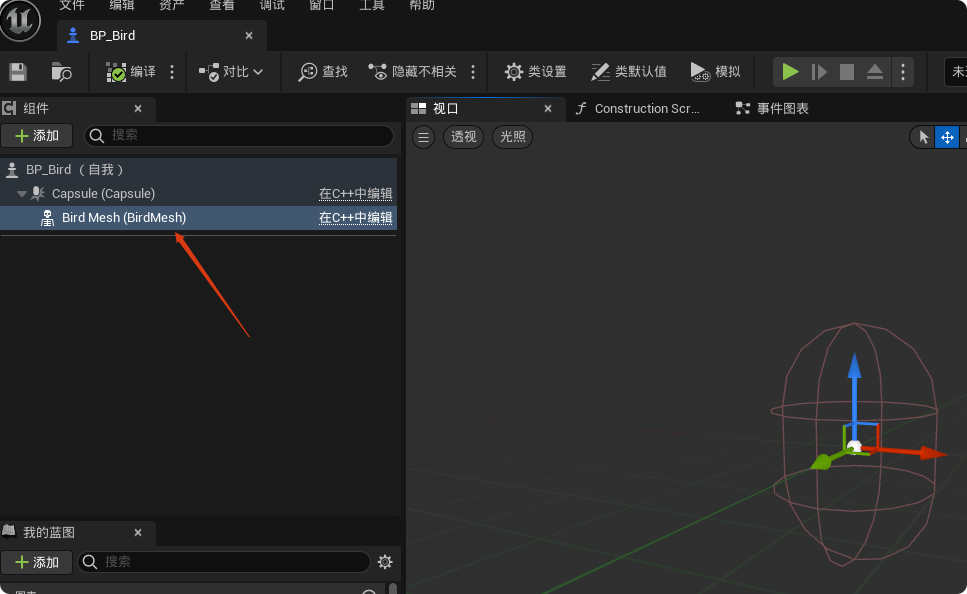
编译后,可以看到名为"BirdMesh"的骨骼网格体组件已经创建好了
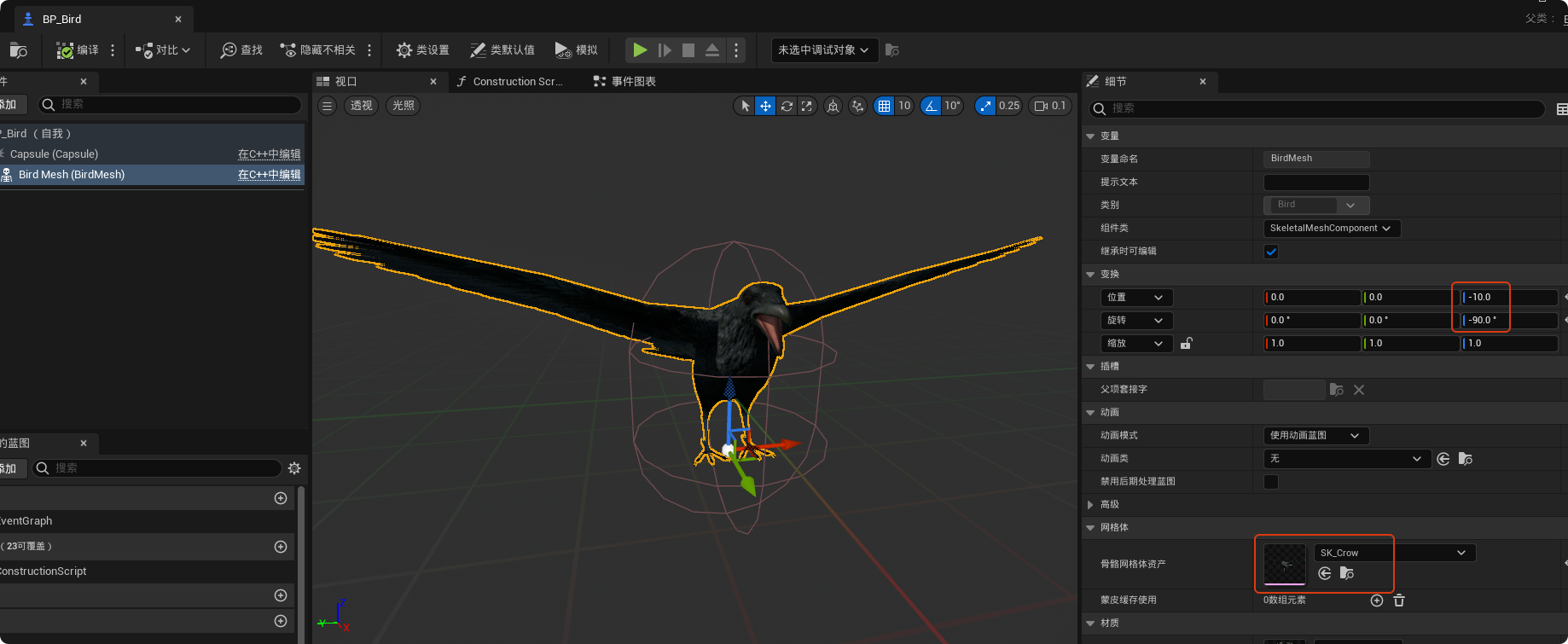
设置骨骼网格体资产为"SK_Crow",并调整方向和位置,使乌鸦朝向向前,并让胶囊网格体覆盖骨骼网格体
四、通过增强输入控制Pawn前后左右移动
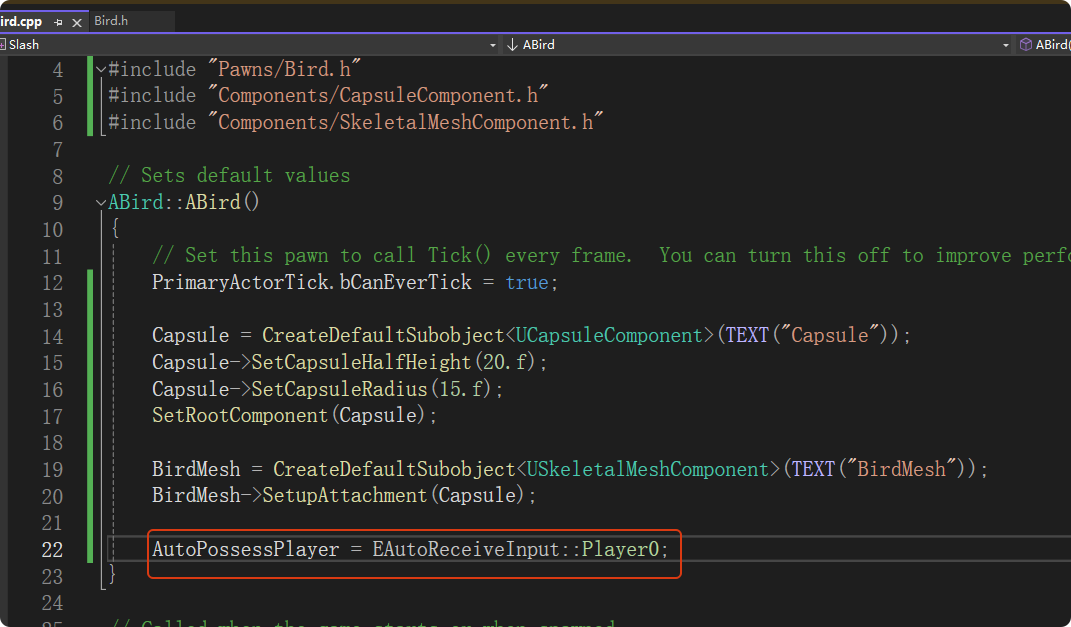
- 设置自动控制玩家
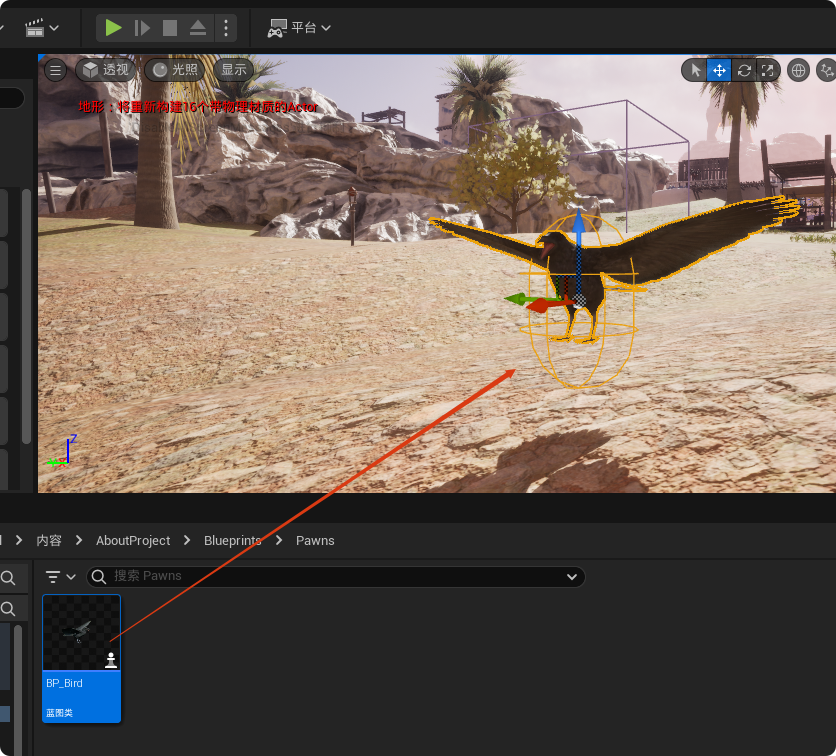
将"BP_Bird"拖入场景中,此时运行游戏,玩家默认控制的角色就是"BP_Bird"
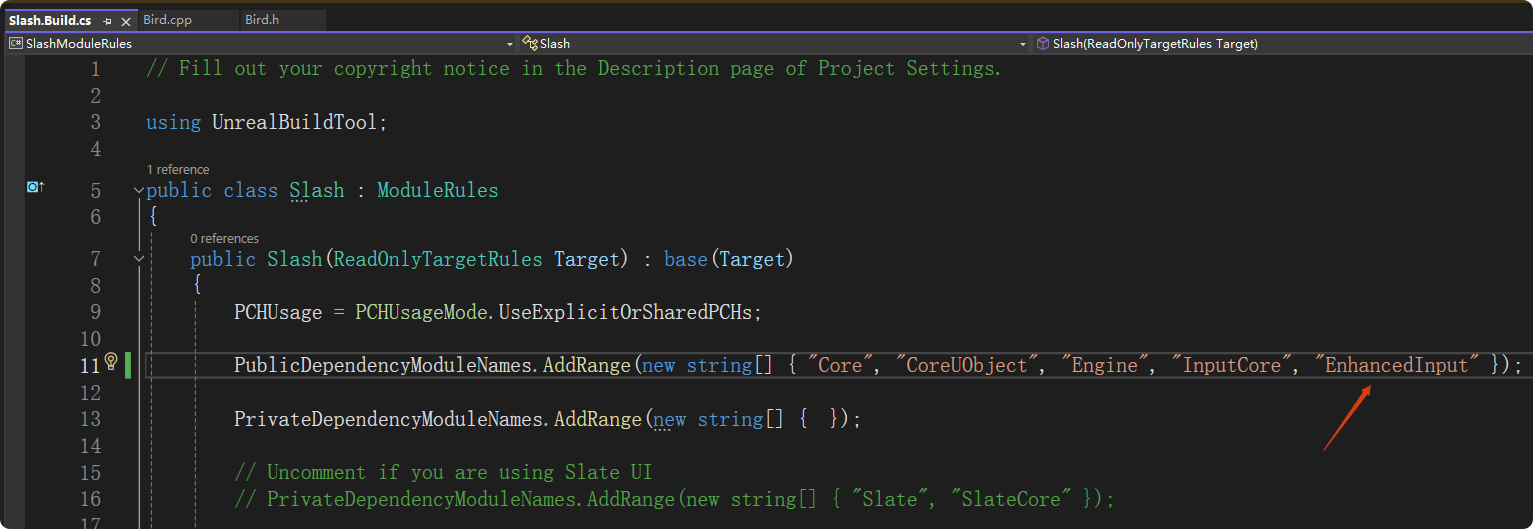
- 在 .Build.cs文件中添加如下模块并编译
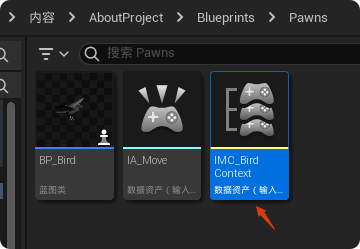
新建一个"输入-》输入操作"
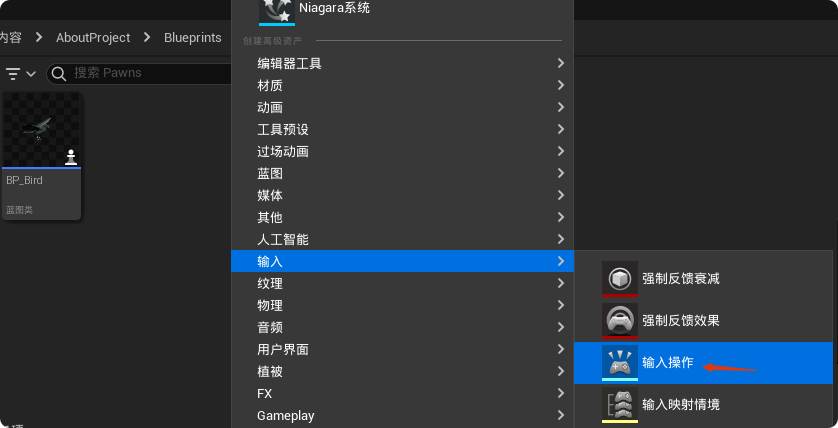
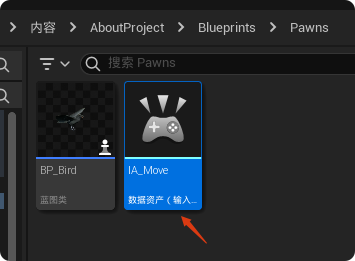
这里命名为"IA_Move"
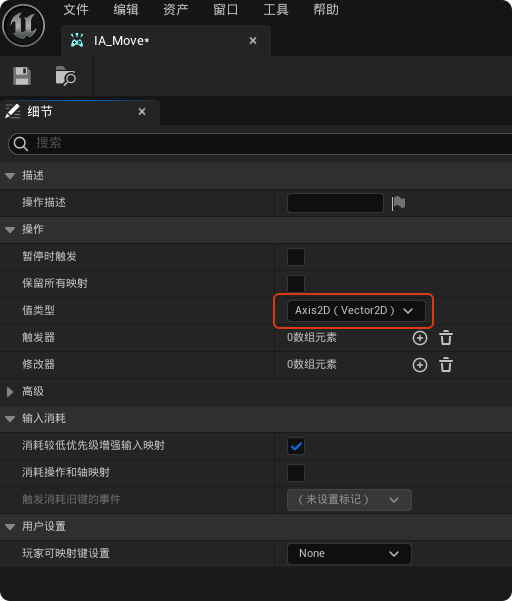
打开"IA_Move",值类型设置为"Axis2D(Vector2D)",因为我们要控制前后左右
再新建一个"输入-》输入映射情境"
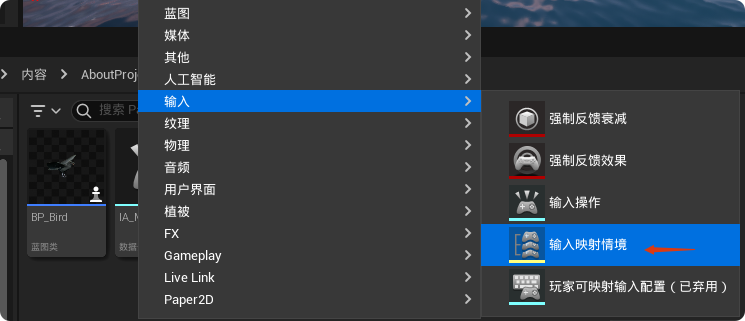
这里命名为"IMC_BirdContext"
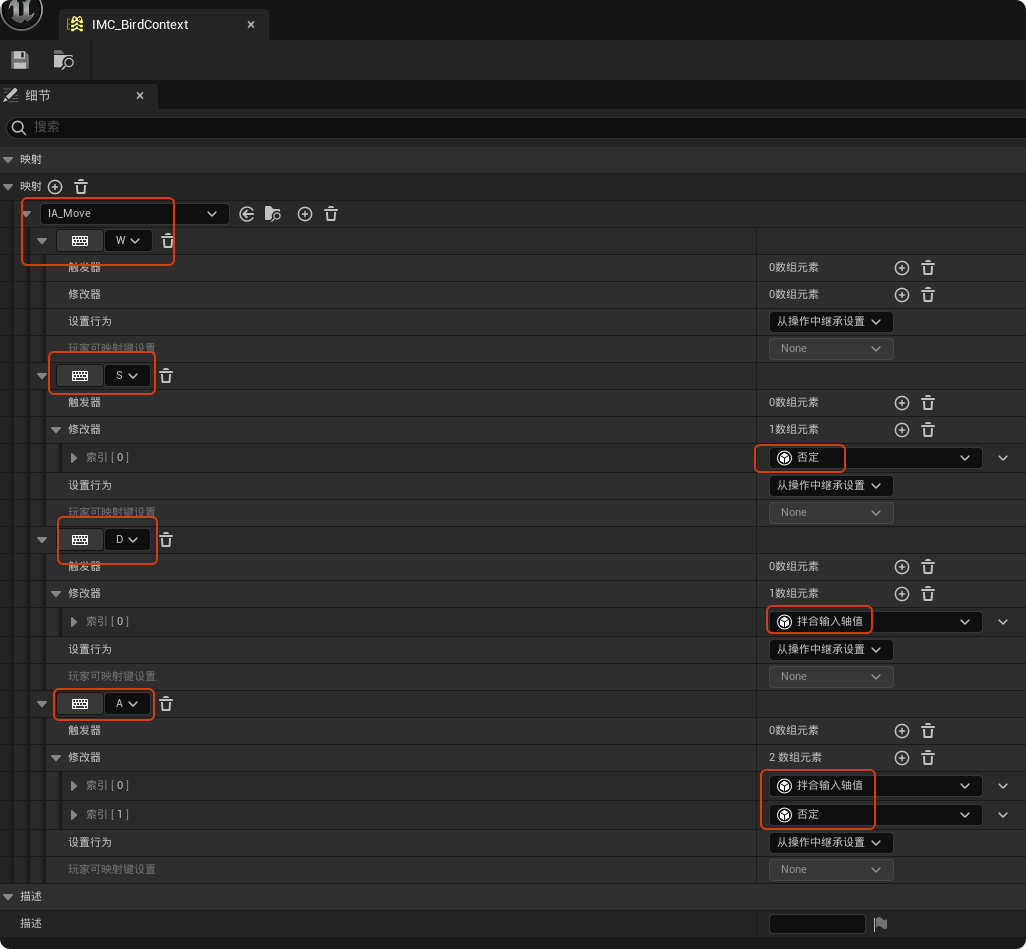
打开"IMC_BirdContext",进行如下设置(在增强输入系统里,键盘按键默认都是产生一个 标量 ,也就是一个单纯的数字 1.0。当把 IA_Move 设置为 Vector2D 时,引擎默认把这个 1.0 放在 X轴 上。W/S 控制前后,正好对应虚幻引擎坐标系的 X轴 ,所以不需要动位置。A/D 控制左右,对应的是 Y轴 。所以我们需要用 Swizzle把默认在 X 位置的数字"交换"到 Y 位置去。)
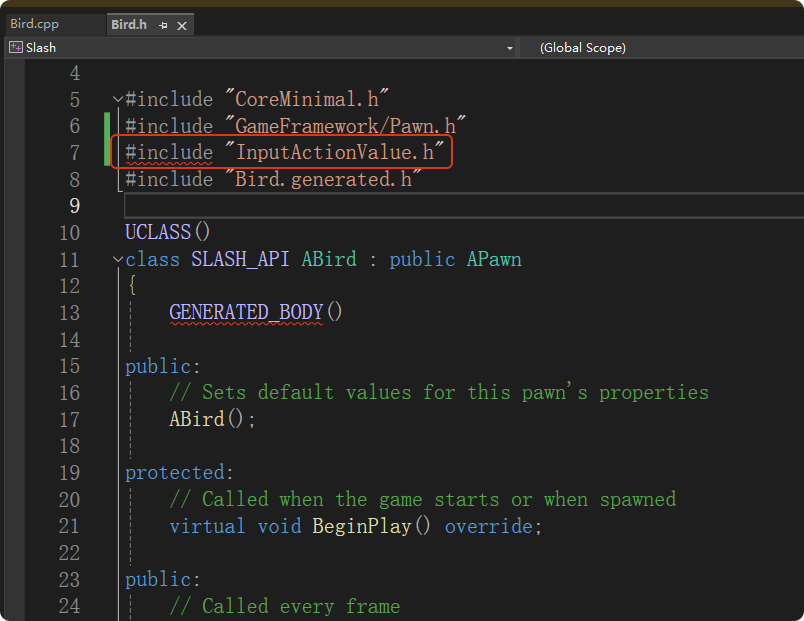
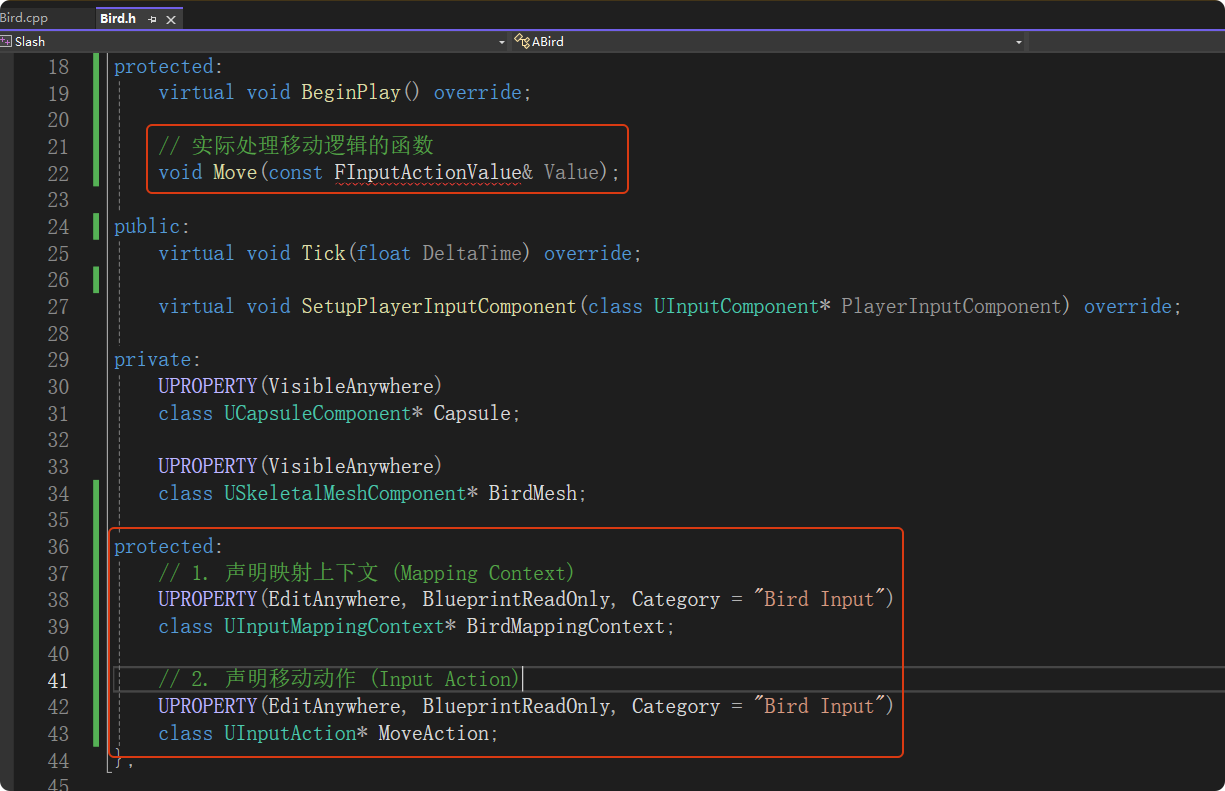
在头文件中声明输入动作的变量(以便在蓝图中赋值),以及处理移动的函数
在源文件中主要做两件事:
-
BeginPlay: 把映射上下文(IMC)"激活"。
-
SetupPlayerInputComponent: 把 IA_Move 绑定到 C++ 的 Move 函数。
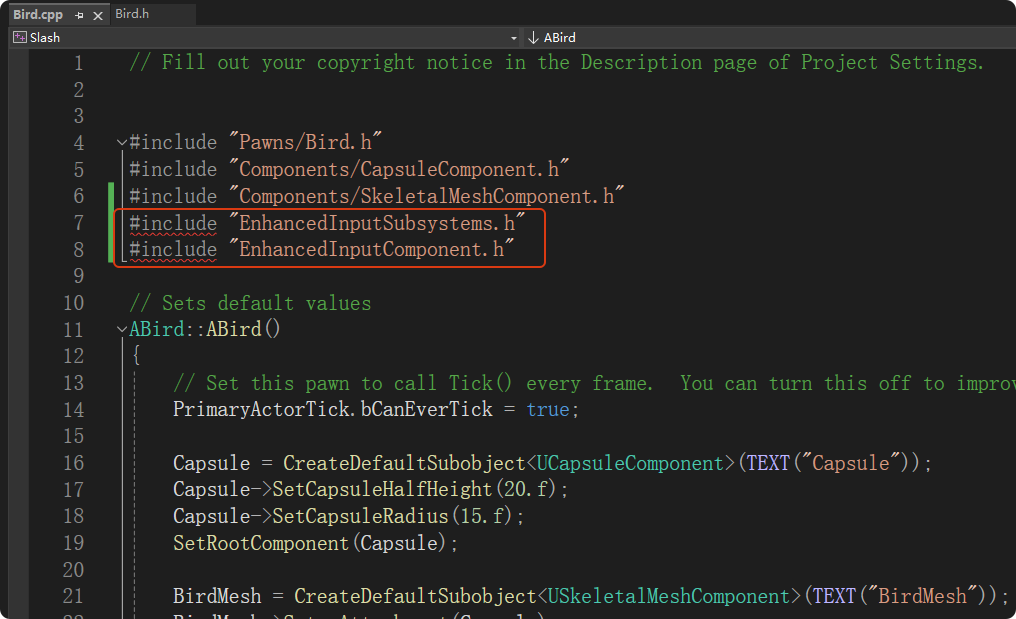
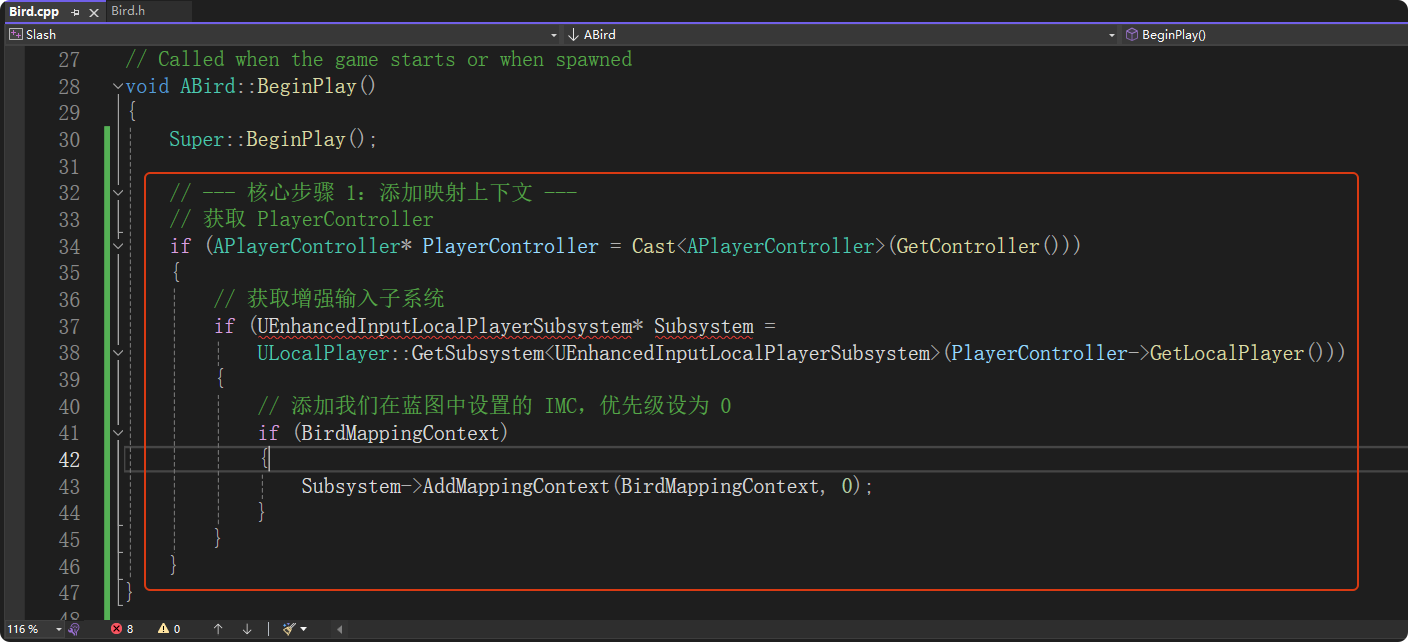
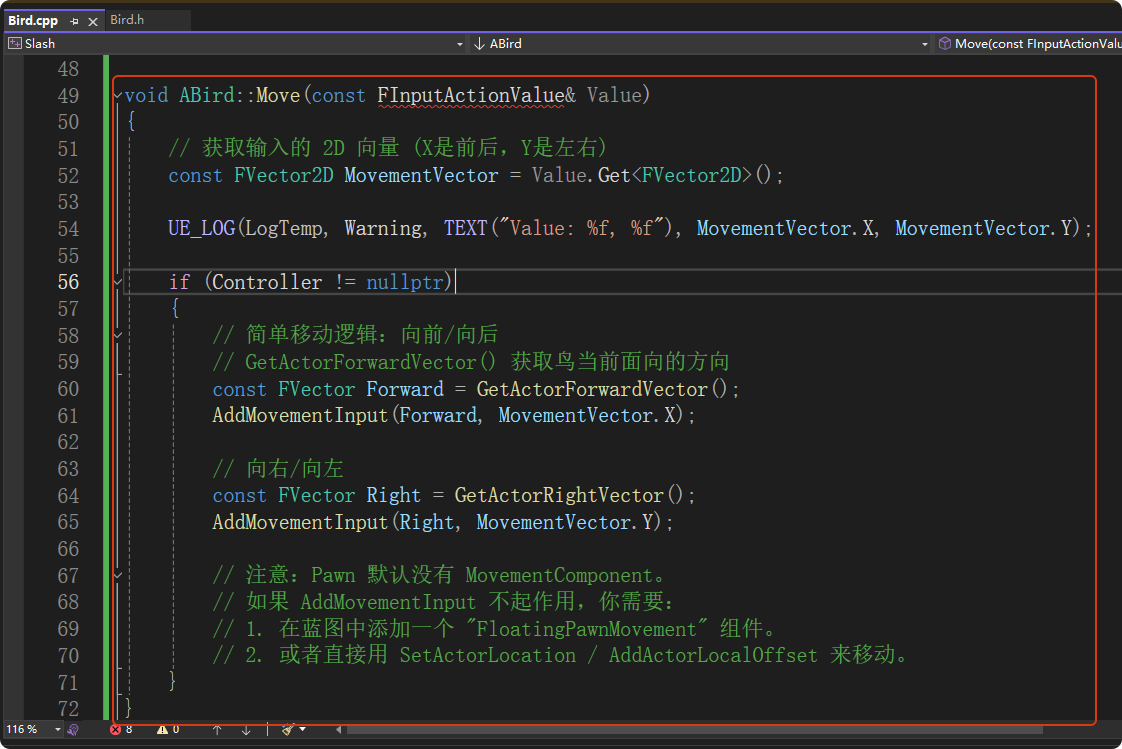
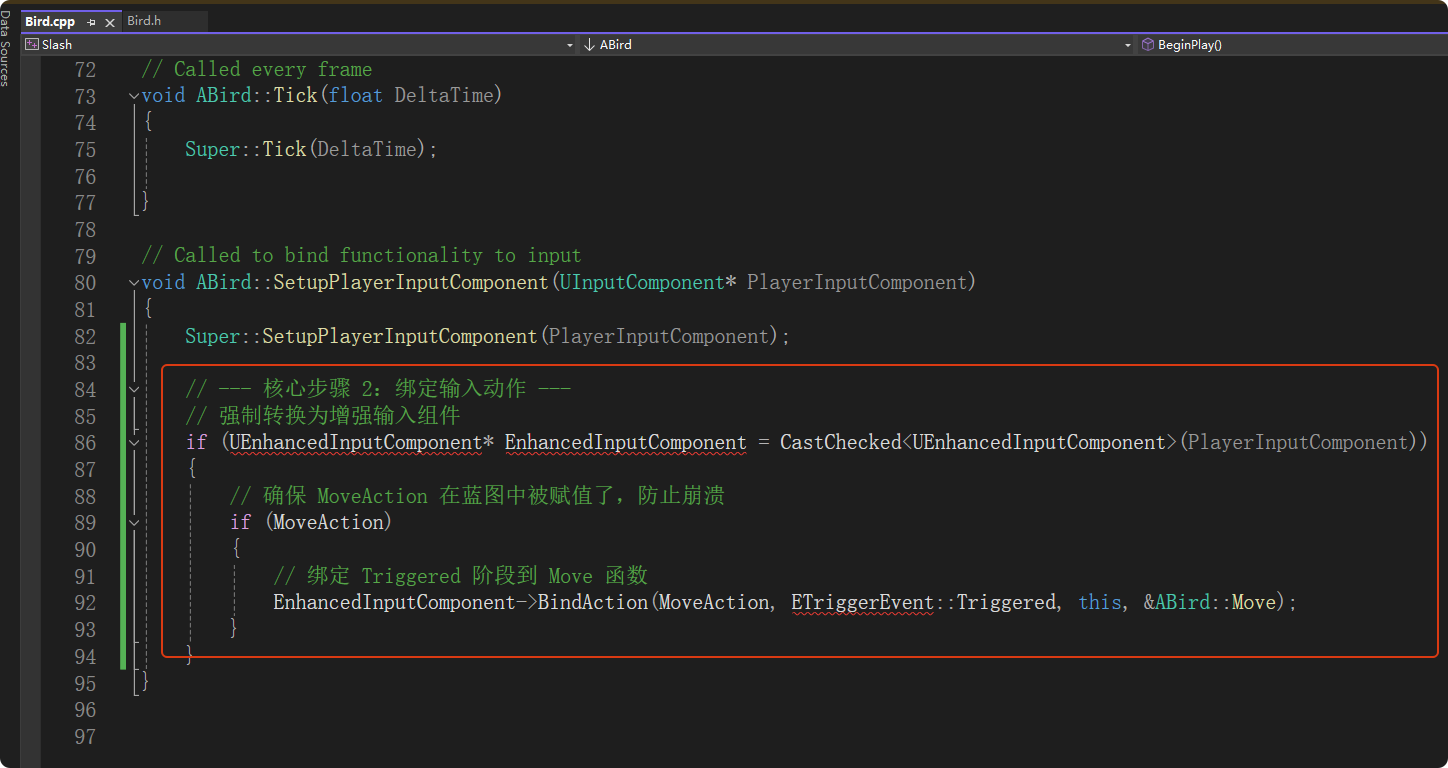
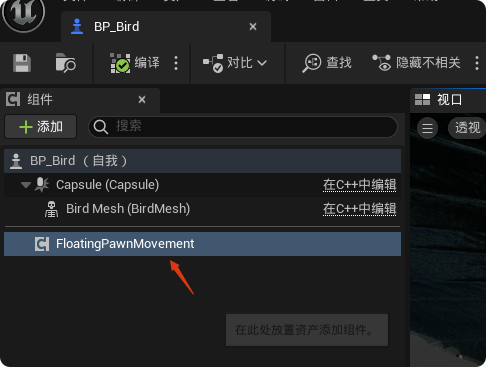
打开"BP_Bird",添加"FloatingPawnMovement"组件
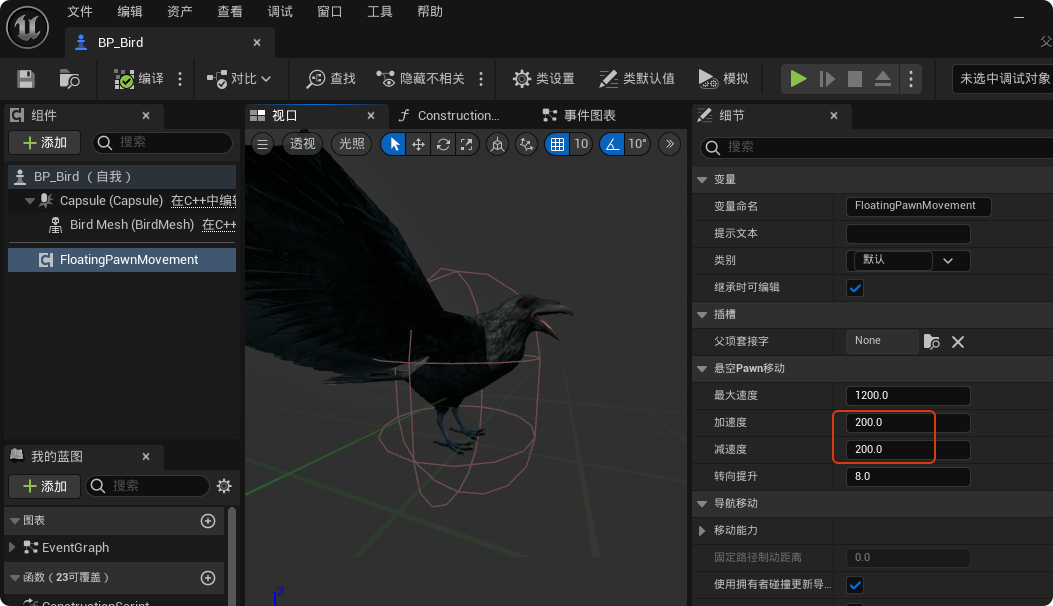
这里将Pawn的加减速度降低为200
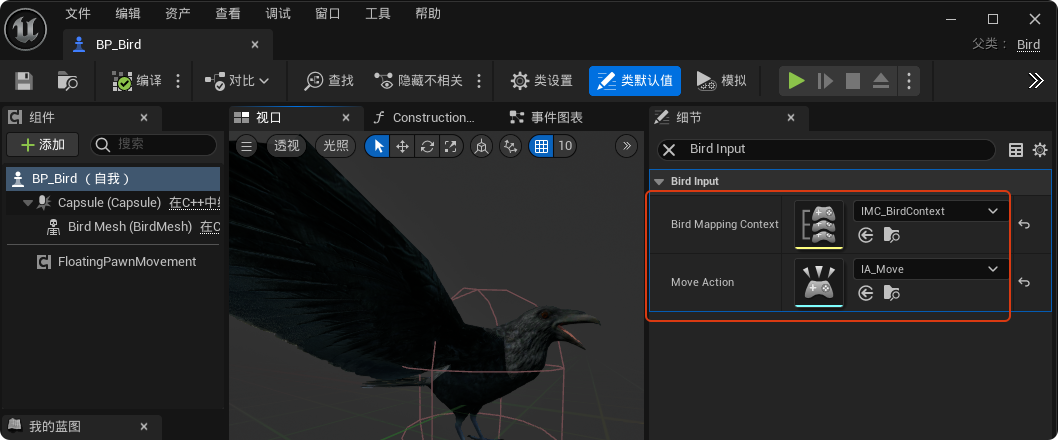
设置在C++ 中定义的 Bird Mapping Context 和 Move Action 变量的值
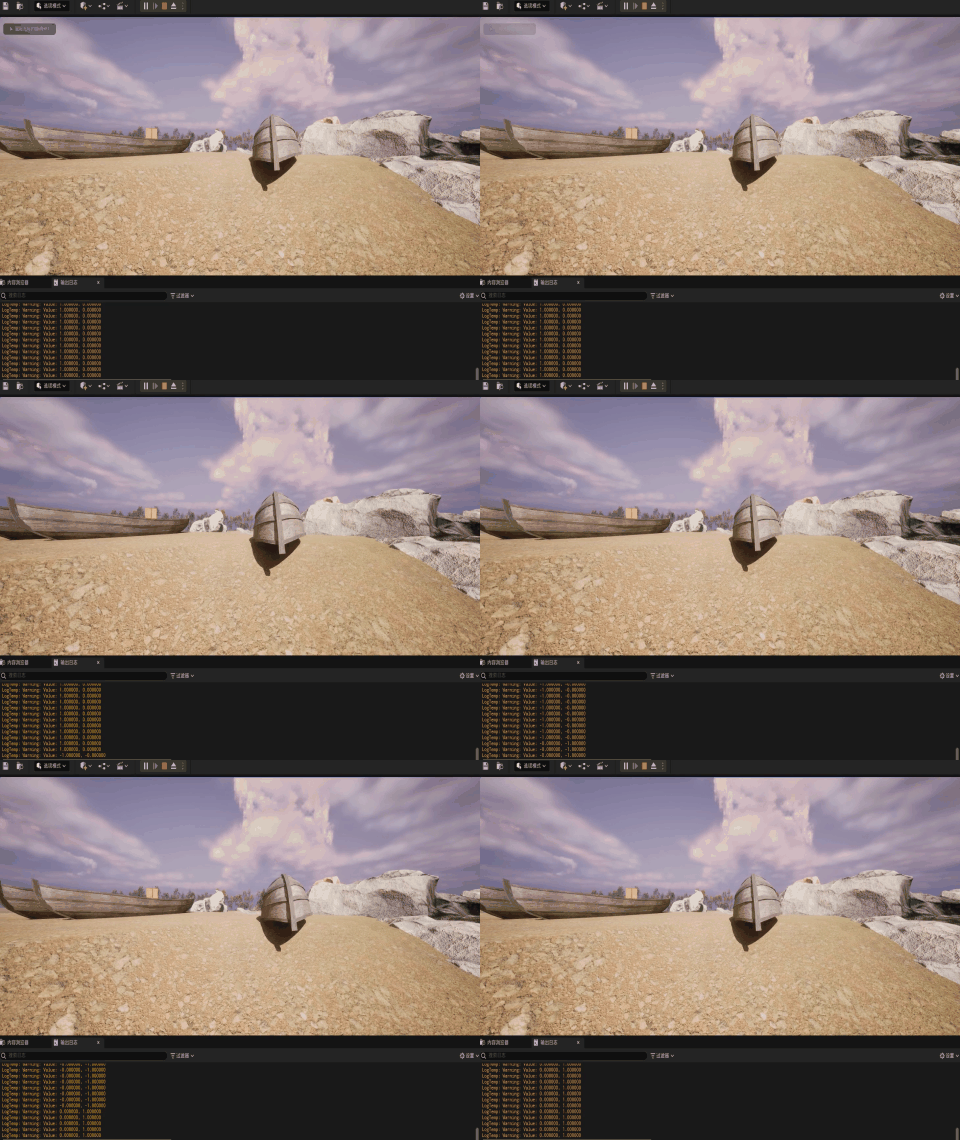
此时运行游戏"BP_Bird"这个Pawn可以通过WASD控制移动了,效果如下,可以看到可以通过按键控制Pawn前后左右移动,但是无法看到Pawn自身:
五、添加摄像机组件
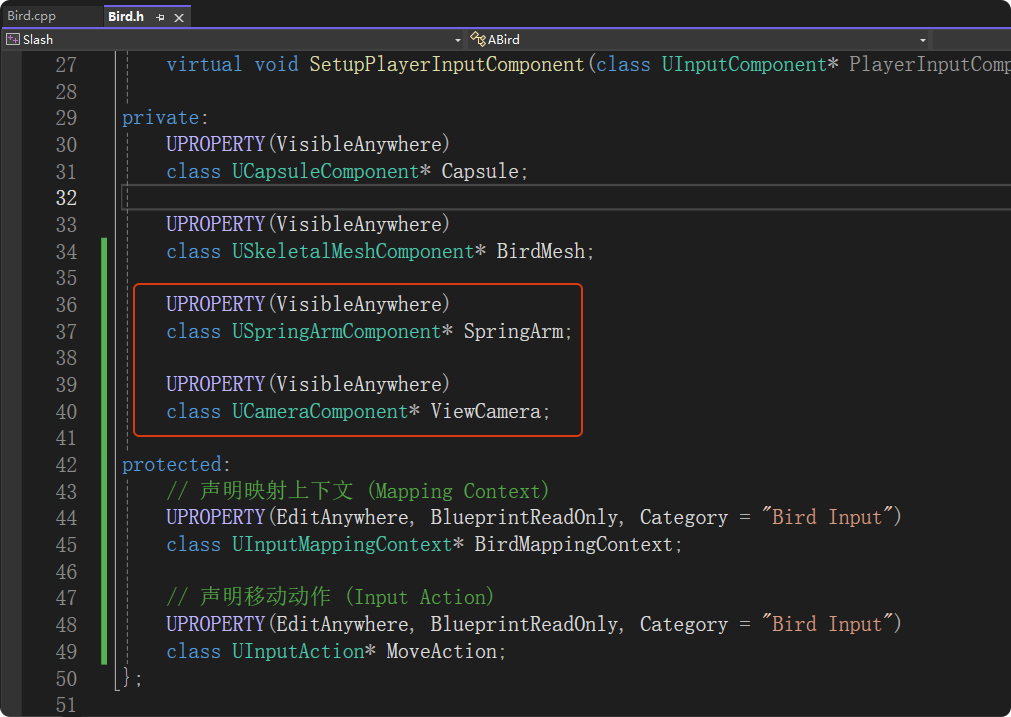
在"Bird.h"中前置声明名为 "SpringArm" 、"ViewCamera"的指针变量
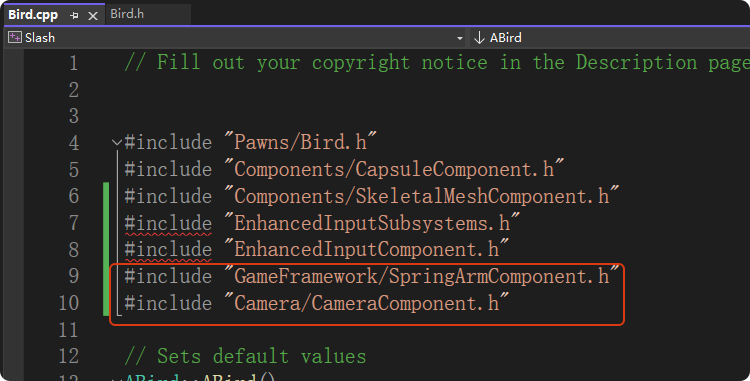
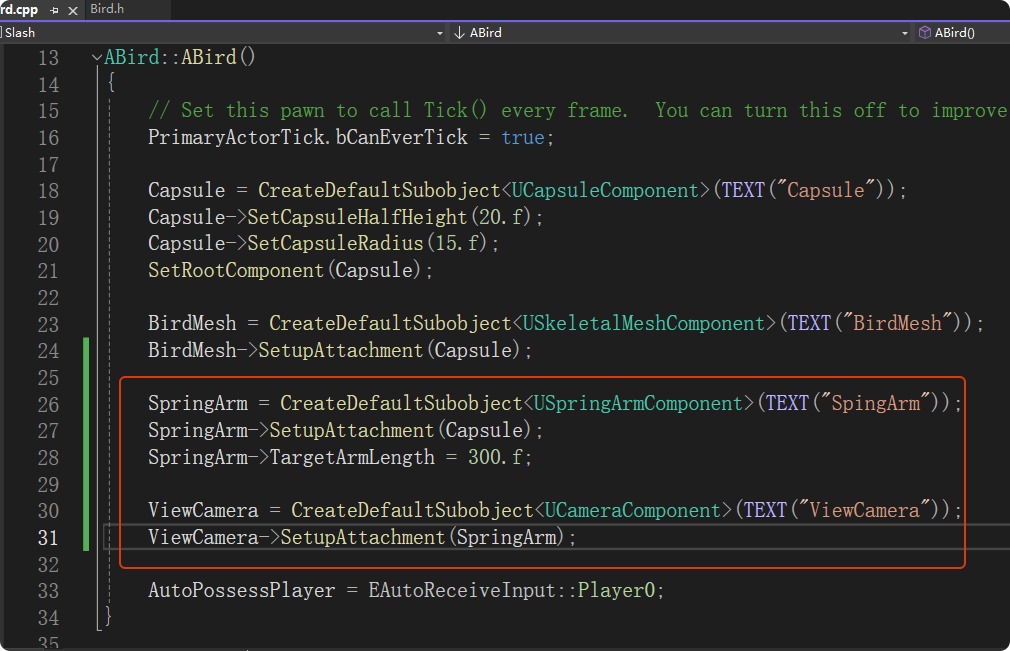
在"Bird.cpp"中创建弹簧臂和摄像机组件实例
编译后,在蓝图中可以看到摄像机与弹簧臂组件成功添加
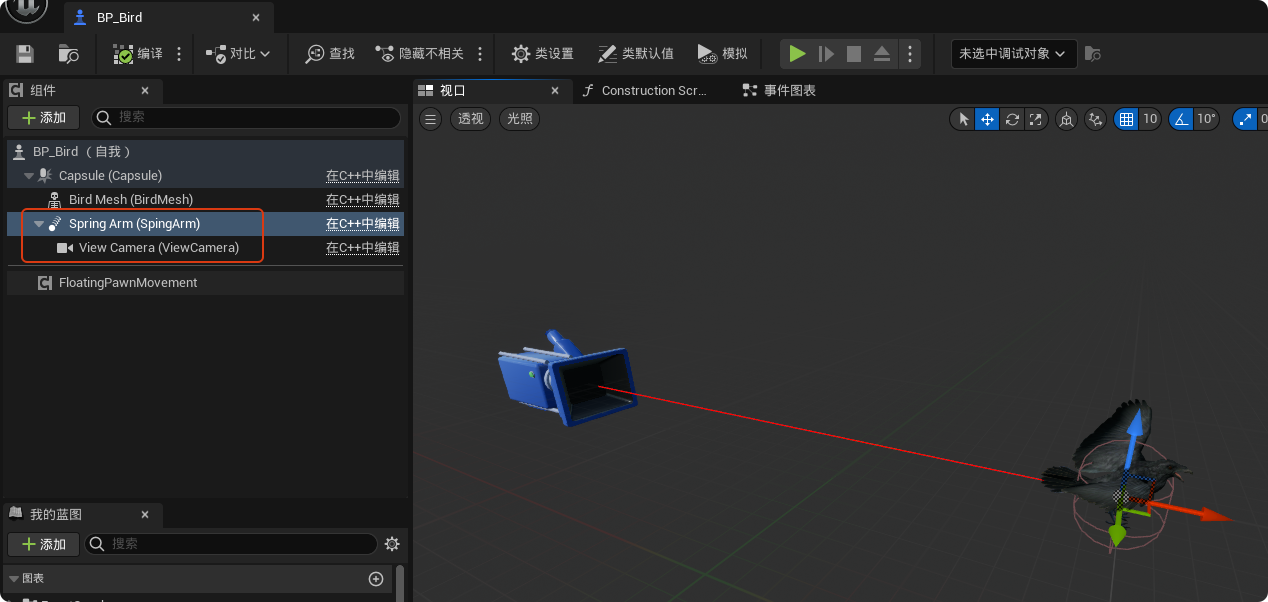
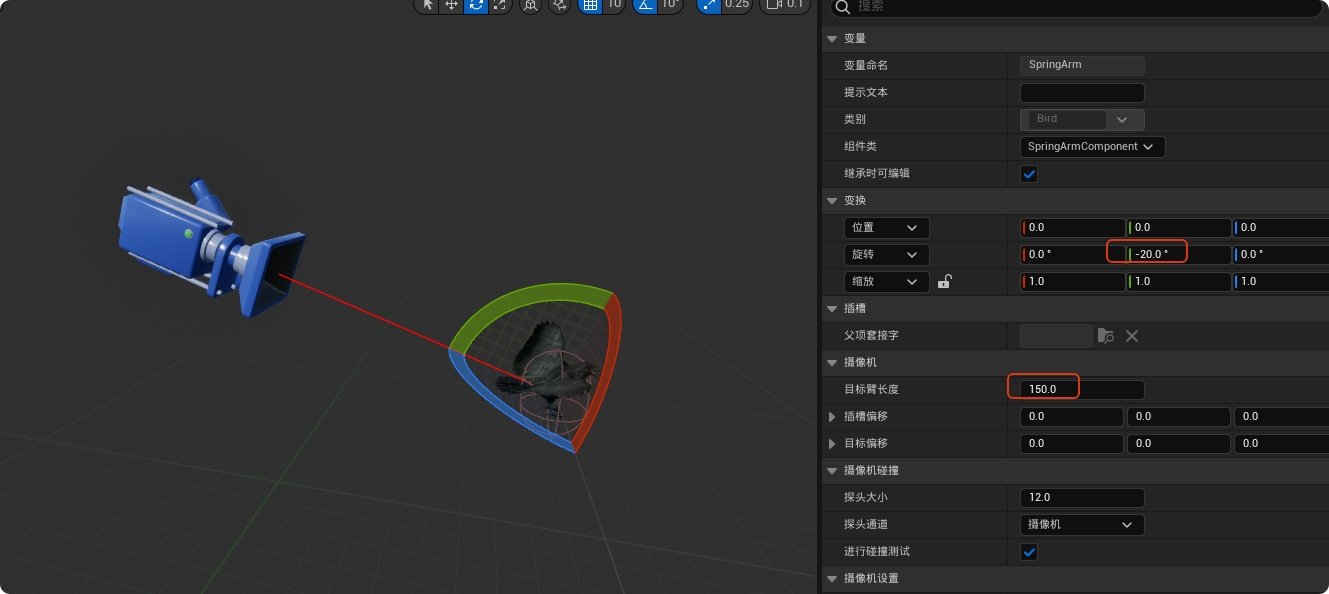
可以调整一下弹簧臂的旋转和长度
六、通过增强输入控制Pawn视角
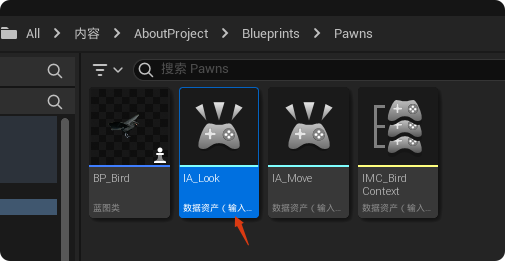
- 添加一个输入操作,这里命名为"IA_Look"
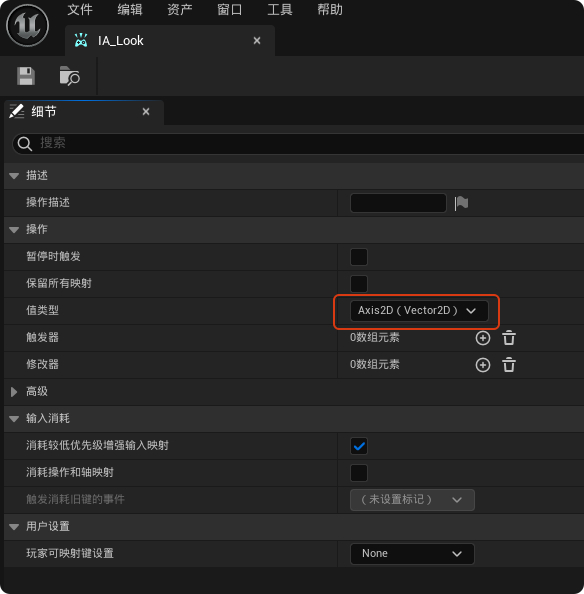
打开"IA_Look",值类型设置为"Axis2D"
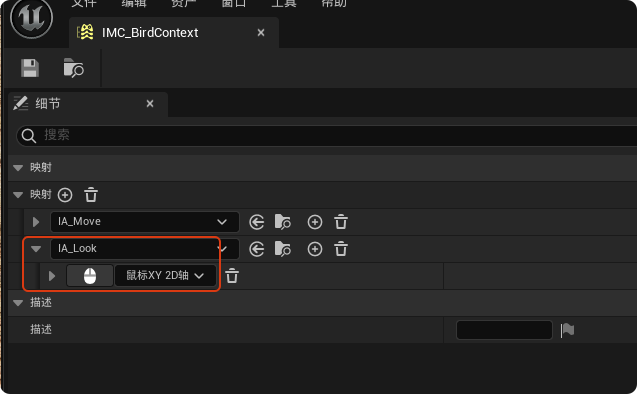
- 打开输入映射上下文"IMC_BirdContext",添加一个映射
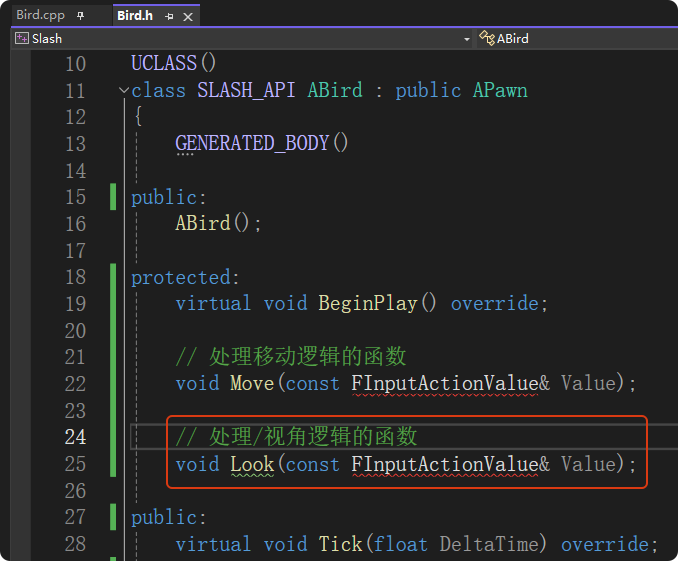
在"Bird.h"中添加一个控制视角逻辑的函数
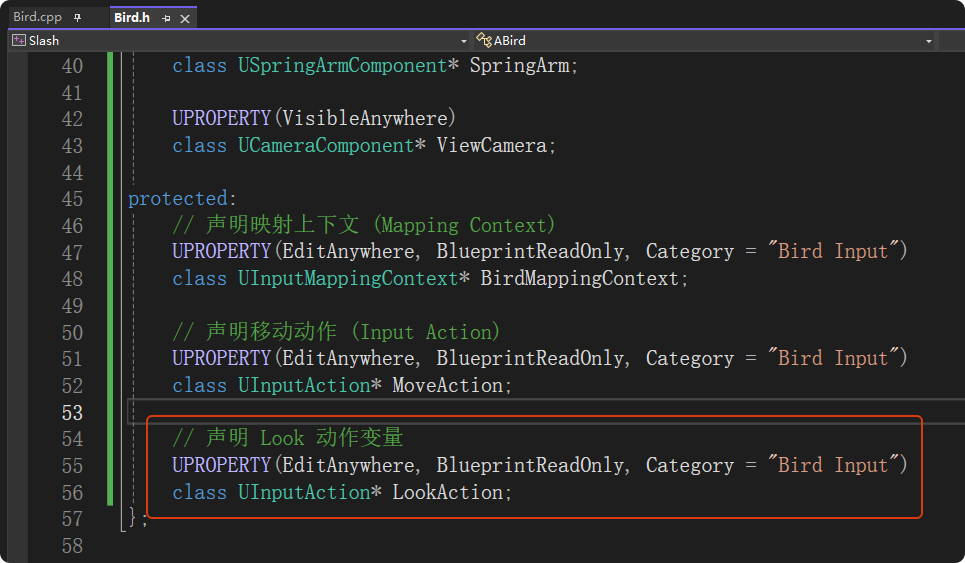
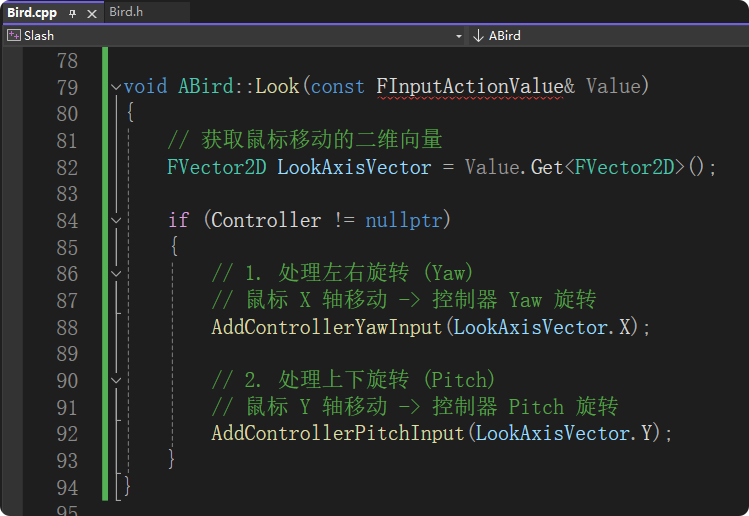
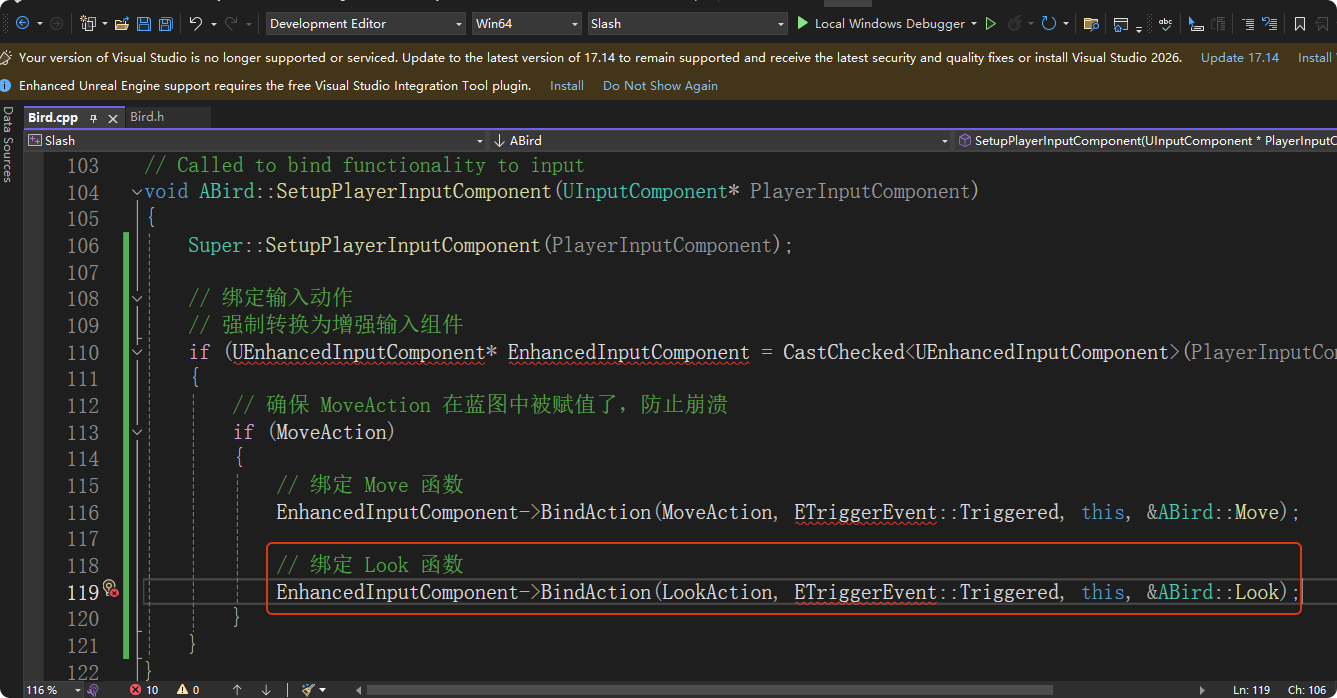
在"Bird.cpp"中实现Look函数
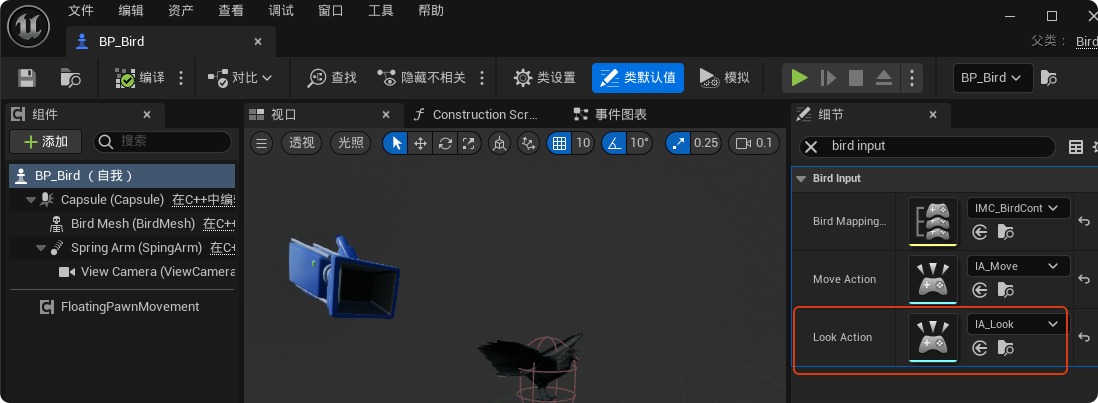
- 打开"BP_Bird",设置Look Action的值
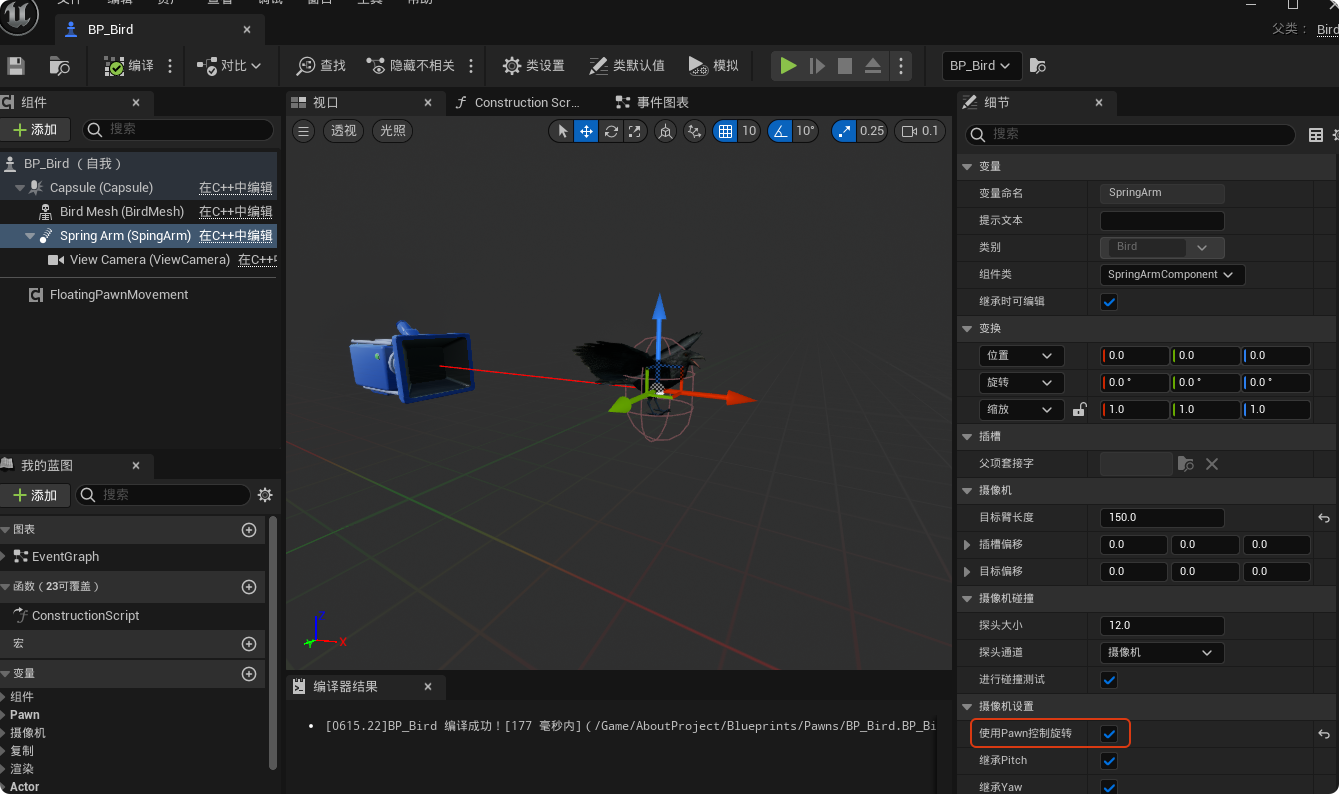
选中弹簧臂组件,勾选"使用Pawn控制旋转",这会让弹簧臂无视鸟本身的旋转,而是直接读取鼠标控制的那个视角
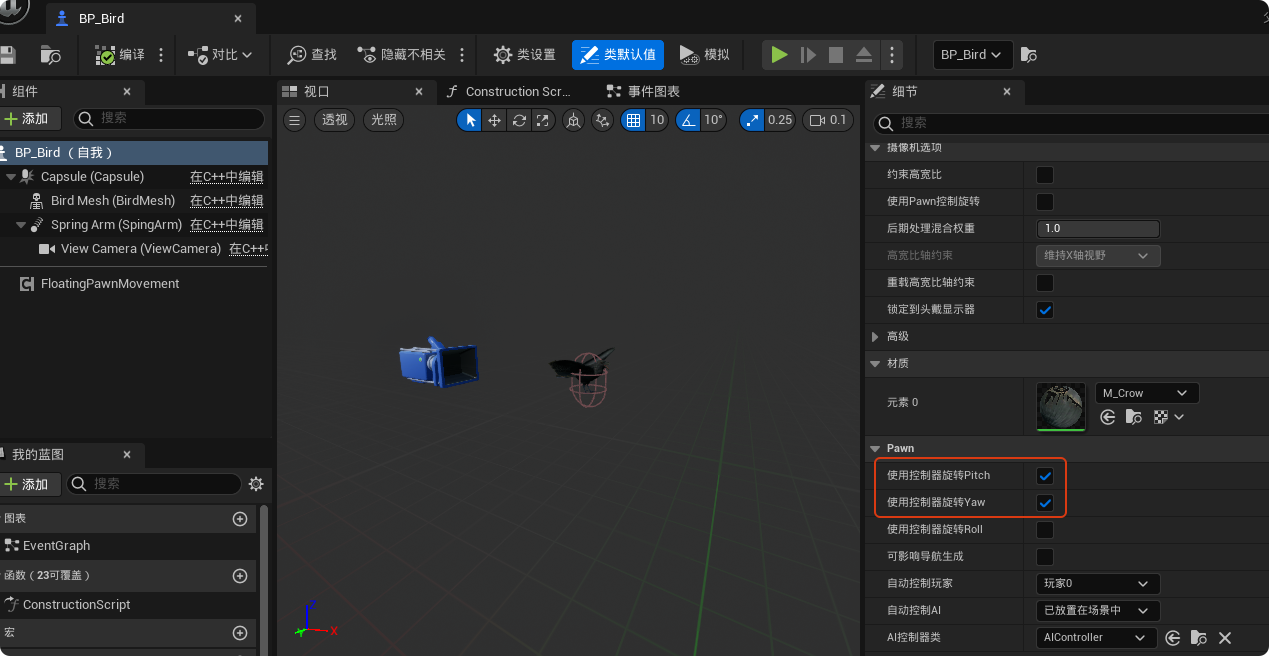
勾选"使用控制器旋转Yaw"和"使用控制器旋转Pitch",会让鸟的身体强制跟随着控制器的 Yaw(左右)和Pitch(上下)方向旋转
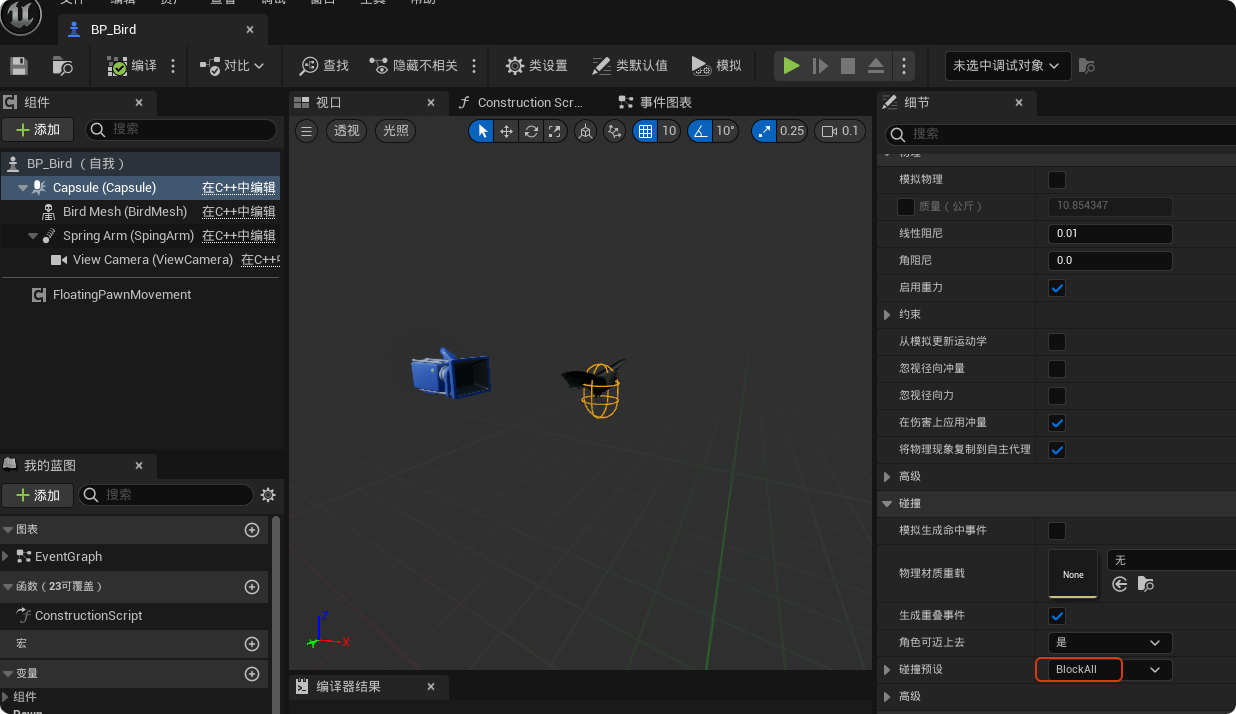
此时运行游戏,我们已经可以控制"BP_Bird"自由移动了,为了防止鸟会穿过地面,这里设置胶囊体碰撞为"BlockAll"
七、动画蓝图和状态机
现在我们已经完成鼠标键盘来控制Pawn移动的逻辑,但是此时Pawn不管是静止还是飞行都是一个姿势。如果要实现动画切换,需要使用动画蓝图配合状态机实现**。**
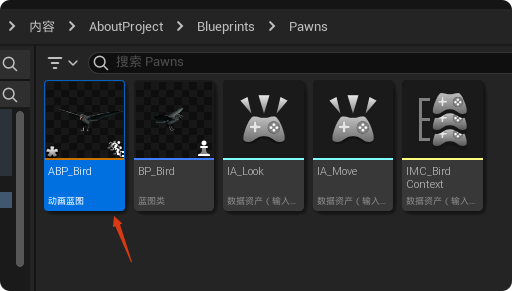
- 创建动画蓝图,这里命名为"ABP_Bird"
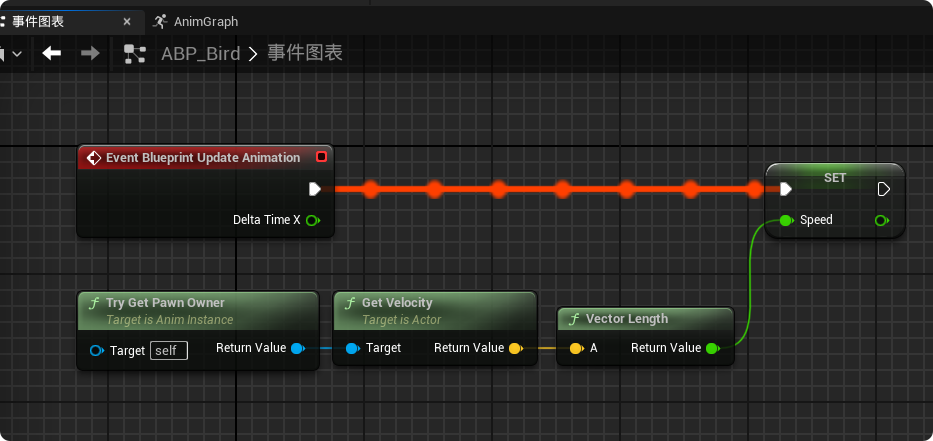
打开"ABP_Bird",在事件图表中获取Pawn的移动速度
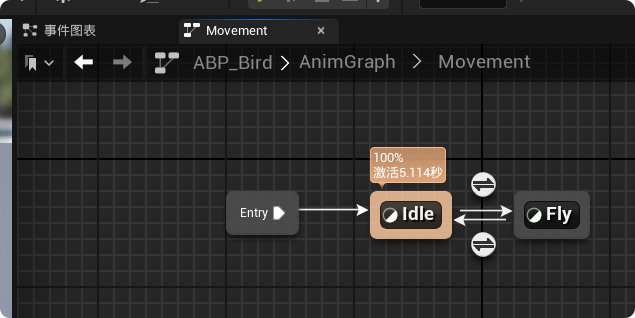
在动画图表中添加一个状态机,这里命名为"Movement"

打开"Movement",添加如下状态
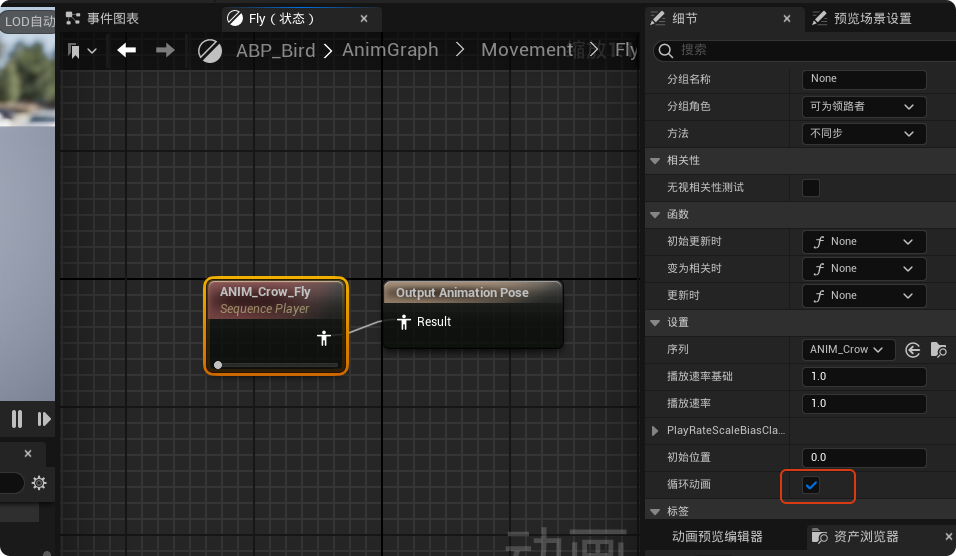
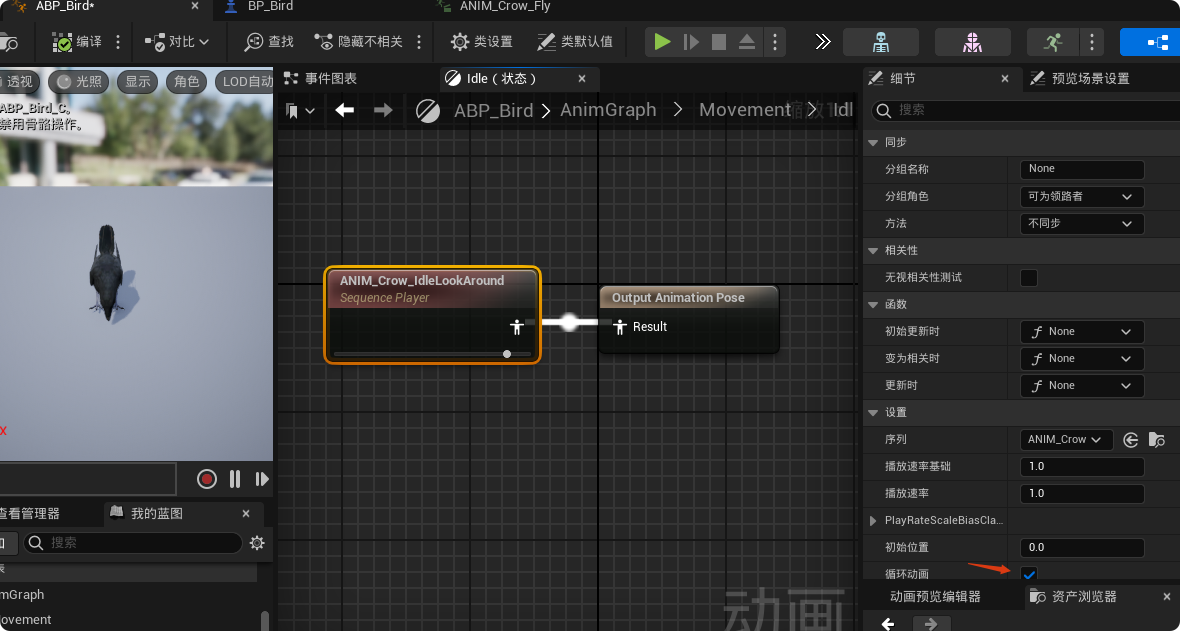
状态中将相应的动画序列连接到输出姿势,并设置循环动画
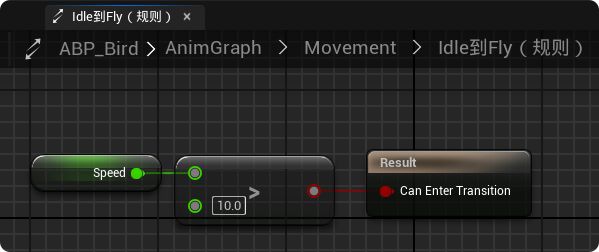
当速度>10,状态由Idle转换为Fly
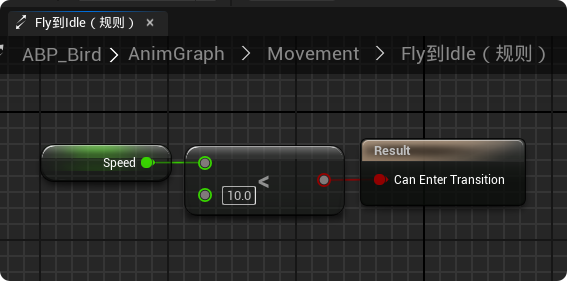
当速度<10,状态由Fly转换为Idle
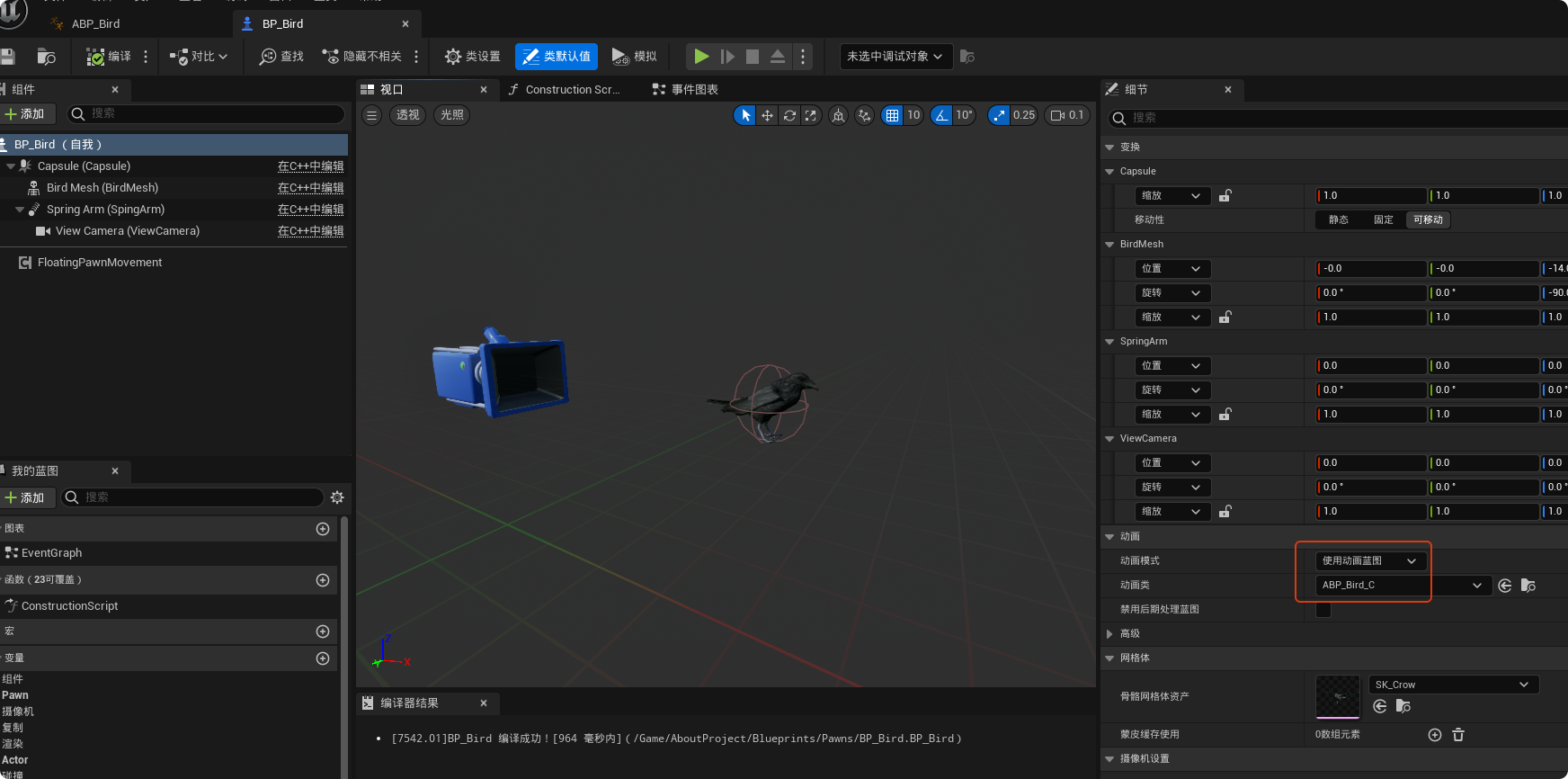
打开"BP_Bird",设置动画类为"ABP_Bird"
此时运行效果如文章开头所示。
"Bird"完整代码如下:
cpp
// Bird.h

#pragma once

#include "CoreMinimal.h"
#include "GameFramework/Pawn.h"
#include "InputActionValue.h"
#include "Bird.generated.h"

UCLASS()
class SLASH_API ABird : public APawn
{
	GENERATED_BODY()

public:
	ABird();

protected:
	virtual void BeginPlay() override;

	// 处理移动逻辑的函数
	void Move(const FInputActionValue& Value);

	// 处理/视角逻辑的函数
	void Look(const FInputActionValue& Value);

public:
	virtual void Tick(float DeltaTime) override;

	virtual void SetupPlayerInputComponent(class UInputComponent* PlayerInputComponent) override;

private:
	UPROPERTY(VisibleAnywhere)
	class UCapsuleComponent* Capsule;

	UPROPERTY(VisibleAnywhere)
	class USkeletalMeshComponent* BirdMesh;

	UPROPERTY(VisibleAnywhere)
	class USpringArmComponent* SpringArm;

	UPROPERTY(VisibleAnywhere)
	class UCameraComponent* ViewCamera;

protected:
	// 声明映射上下文 (Mapping Context)
	UPROPERTY(EditAnywhere, BlueprintReadOnly, Category = "Bird Input")
	class UInputMappingContext* BirdMappingContext;

	// 声明移动动作 (Input Action)
	UPROPERTY(EditAnywhere, BlueprintReadOnly, Category = "Bird Input")
	class UInputAction* MoveAction;

	// 声明 Look 动作变量
	UPROPERTY(EditAnywhere, BlueprintReadOnly, Category = "Bird Input")
	class UInputAction* LookAction;
};
cpp
// Bird.cpp

#include "Pawns/Bird.h"
#include "Components/CapsuleComponent.h"
#include "Components/SkeletalMeshComponent.h"
#include "EnhancedInputSubsystems.h"
#include "EnhancedInputComponent.h"
#include "GameFramework/SpringArmComponent.h"
#include "Camera/CameraComponent.h"

// Sets default values
ABird::ABird()
{
 	// Set this pawn to call Tick() every frame.  You can turn this off to improve performance if you don't need it.
	PrimaryActorTick.bCanEverTick = true;

	Capsule = CreateDefaultSubobject<UCapsuleComponent>(TEXT("Capsule"));
	Capsule->SetCapsuleHalfHeight(20.f);
	Capsule->SetCapsuleRadius(15.f);
	SetRootComponent(Capsule);

	BirdMesh = CreateDefaultSubobject<USkeletalMeshComponent>(TEXT("BirdMesh"));
	BirdMesh->SetupAttachment(Capsule);

    SpringArm = CreateDefaultSubobject<USpringArmComponent>(TEXT("SpingArm"));
    SpringArm->SetupAttachment(Capsule);
    SpringArm->TargetArmLength = 300.f;

    ViewCamera = CreateDefaultSubobject<UCameraComponent>(TEXT("ViewCamera"));
    ViewCamera->SetupAttachment(SpringArm);

	AutoPossessPlayer = EAutoReceiveInput::Player0;
}

// Called when the game starts or when spawned
void ABird::BeginPlay()
{
	Super::BeginPlay();

    // 添加映射上下文
    // 获取 PlayerController
    if (APlayerController* PlayerController = Cast<APlayerController>(GetController()))
    {
        // 获取增强输入子系统
        if (UEnhancedInputLocalPlayerSubsystem* Subsystem =
            ULocalPlayer::GetSubsystem<UEnhancedInputLocalPlayerSubsystem>(PlayerController->GetLocalPlayer()))
        {
            // 添加我们在蓝图中设置的 IMC,优先级设为 0
            if (BirdMappingContext)
            {
                Subsystem->AddMappingContext(BirdMappingContext, 0);
            }
        }
    }
}

void ABird::Move(const FInputActionValue& Value)
{
    // 获取输入的 2D 向量 (X是前后,Y是左右)
    const FVector2D MovementVector = Value.Get<FVector2D>();

    UE_LOG(LogTemp, Warning, TEXT("Value: %f, %f"), MovementVector.X, MovementVector.Y);

    if (Controller != nullptr)
    {
        // 向前/向后
        const FVector Forward = GetActorForwardVector();
        AddMovementInput(Forward, MovementVector.X);

        // 向右/向左
        const FVector Right = GetActorRightVector();
        AddMovementInput(Right, MovementVector.Y);

        // 需要在蓝图中添加一个 "FloatingPawnMovement" 组件才能开始移动。
    }
}

void ABird::Look(const FInputActionValue& Value)
{
    // 获取鼠标移动的二维向量
    FVector2D LookAxisVector = Value.Get<FVector2D>();

    if (Controller != nullptr)
    {
        // 1. 处理左右旋转 (Yaw)
        // 鼠标 X 轴移动 -> 控制器 Yaw 旋转
        AddControllerYawInput(LookAxisVector.X);

        // 2. 处理上下旋转 (Pitch)
        // 鼠标 Y 轴移动 -> 控制器 Pitch 旋转
        AddControllerPitchInput(LookAxisVector.Y);
    }
}

// Called every frame
void ABird::Tick(float DeltaTime)
{
	Super::Tick(DeltaTime);

}

// Called to bind functionality to input
void ABird::SetupPlayerInputComponent(UInputComponent* PlayerInputComponent)
{
	Super::SetupPlayerInputComponent(PlayerInputComponent);

    // 绑定输入动作
    // 强制转换为增强输入组件
    if (UEnhancedInputComponent* EnhancedInputComponent = CastChecked<UEnhancedInputComponent>(PlayerInputComponent))
    {
        // 确保 MoveAction 在蓝图中被赋值了,防止崩溃
        if (MoveAction)
        {
            // 绑定 Move 函数
            EnhancedInputComponent->BindAction(MoveAction, ETriggerEvent::Triggered, this, &ABird::Move);

            // 绑定 Look 函数
            EnhancedInputComponent->BindAction(LookAction, ETriggerEvent::Triggered, this, &ABird::Look);
        }
    }
}