Sprint Phase: Beta Day 5-6 / 8
Team Name: 心屿开发团队
Project Name: 心屿 (MindCarrer) - AI-driven Mental Health Social Support Platform
1. SCRUM Section
1.1 Team Member Progress Table
| Team Member | Completed Tasks | Time Spent | Issues Encountered | Next Plan |
|---|---|---|---|---|
| 吴志斌 | Android bottom navigation icon fix, status switching, architecture optimization | 18h | Icons not displaying | Server deployment |
| 江贤晟 | Android splash screen stay issue fix, permission request implementation, network adaptation | 16h | AndroidManifest configuration | APK packaging and testing |
| 杨媛真 | Android UI display fix, font layout optimization, UI beautification | 14h | Font display, layout adaptation | Final UI beautification |
| 方利喆 | Android contact list name display fix, complete function testing | 10h | Font rendering issues | Test report writing |
| 连泽政 | Android assessment history text color fix, permission testing | 8h | Style override issues | Comprehensive function testing |
| 林泽君 | Android complete function testing, issue recording | 8h | None | Writing test reports |
| 范禛 | Android UI testing, user experience verification | 6h | None | Preparing demonstration materials |
| 杨越 | Android icon resource optimization, UI beautification | 5h | None | Final visual adjustments |
| 陈毅鹏 | Day 5-6 article writing, screenshot collation | 4h | None | Continuing progress recording |
| 吴昱霆 | Push solution document writing | 3h | None | FCM technology research |
| 连森涛 | Test data preparation, document collation | 3h | None | Assisting with packaging work |
Total Working Hours : 95 hours | Average : 8.6h/person | Cumulative: 266 hours
1.2 Code Check-in Records

Complete Fix of Android UI Display Issues
Submitters: 吴志斌, 江贤晟, 杨媛真 (collaborative completion)
Issue: #Beta-008~#Beta-014 Centralized fix of Android UI display issues
Core Fix Content:
1. Splash Screen Stay Issue Fix - AndroidManifest.xml
<!-- Before fix -->
<meta-data
    android:name="android.app.splash_screen_sticky"
    android:value="true"/>

<!-- After fix -->
<meta-data
    android:name="android.app.splash_screen_sticky"
    android:value="false"/>
2. Android Window Property Optimization - authwindow.cpp
#ifdef Q_OS_ANDROID
    // 1. Hide MenuBar and StatusBar
    QMenuBar* menuBar = this->menuBar();
    if (menuBar) {
        menuBar->setVisible(false);
        menuBar->setMaximumHeight(0);
        menuBar->setFixedHeight(0);
    }

    QStatusBar* statusBar = this->statusBar();
    if (statusBar) {
        statusBar->setVisible(false);
        statusBar->setMaximumHeight(0);
        statusBar->setFixedHeight(0);
    }

    // 2. Set window properties
    setWindowFlags(Qt::Window | Qt::FramelessWindowHint);
    setAttribute(Qt::WA_TranslucentBackground, false);
    setAttribute(Qt::WA_NoSystemBackground, false);

    // 3. Set white background
    setStyleSheet("QMainWindow { background-color: white; border: none; }");
    if (ui->centralwidget) {
        ui->centralwidget->setStyleSheet(
            "QWidget { background-color: white; border: none; }");
    }
#endif
3. Input Box Display Fix
#ifdef Q_OS_ANDROID
    // Fix all input boxes
    QList<QLineEdit*> lineEdits = findChildren<QLineEdit*>();
    for (QLineEdit* edit : lineEdits) {
        // Increase minimum height
        edit->setMinimumHeight(40);

        // Enable input method
        edit->setAttribute(Qt::WA_InputMethodEnabled, true);

        // Strong focus policy
        edit->setFocusPolicy(Qt::StrongFocus);

        // Ensure text visibility
        edit->setStyleSheet(edit->styleSheet() +
            " QLineEdit { font-size: 14px; color: #000000; }");
    }
#endif
4. Screen Size Adaptation - main.cpp
#ifdef Q_OS_ANDROID
    // Get screen size
    QScreen *screen = QApplication::primaryScreen();
    QRect screenGeometry = screen->geometry();
    qDebug() << "[Main] Screen size:" << screenGeometry.size();

    // Set window geometry
    authWin->setGeometry(screenGeometry);

    // Full screen display
    authWin->showFullScreen();
    authWin->raise();
    authWin->activateWindow();

    // Force event processing
    QCoreApplication::processEvents();

    // Delay UI refresh
    QTimer::singleShot(100, authWin, &AuthWindow::forceRefreshUI);
#endif
5. Bottom Navigation Bar Icon Display Fix - mainwindow.cpp
// Before fix (not working)
ui->lbHome->setPixmap(QPixmap(":/image/home.png"));

// After fix (using setIcon)
#ifdef Q_OS_ANDROID
    // Android platform uses QPushButton's setIcon method
    ui->btnHome->setIcon(QIcon(":/image/home.png"));
    ui->btnHome->setIconSize(QSize(24, 24));

    ui->btnContacts->setIcon(QIcon(":/image/contact.png"));
    ui->btnContacts->setIconSize(QSize(24, 24));

    ui->btnChannels->setIcon(QIcon(":/image/chat.png"));
    ui->btnChannels->setIconSize(QSize(24, 24));

    ui->btnMe->setIcon(QIcon(":/image/my.png"));
    ui->btnMe->setIconSize(QSize(24, 24));
#endif
6. Contact List Name Display Fix - contactspage.cpp
#ifdef Q_OS_ANDROID
void ContactsPage::setupAndroidFonts() {
    // Set Roboto font
    QFont font("Roboto");
    font.setPointSize(14);

    // Apply to all labels
    QList<QLabel*> labels = findChildren<QLabel*>();
    for (QLabel* label : labels) {
        label->setFont(font);
        label->setStyleSheet("QLabel { color: #000000; }");
    }
}
#endif
7. Assessment History Text Color Fix - homepage.cpp
#ifdef Q_OS_ANDROID
    // Force set black text
    QString itemStyle = QString(
        "QLabel { "
        "  color: #000000; "
        "  font-size: 14px; "
        "  font-weight: bold; "
        "}"
    );

    // Apply to history record labels
    for (auto* label : historyLabels) {
        label->setStyleSheet(itemStyle);
    }
#endif
Test Results:
-
✅ Splash screen automatically disappears after 1-2 seconds
-
✅ No black borders on interface, complete display
-
✅ Input boxes echo normally
-
✅ Bottom icons display normally
-
✅ Contact names display normally
-
✅ Assessment history text is clear
-
✅ Screen adapts automatically
1.3 Test Evidence
Android UI Display Test
Test Device: Xiaomi Pad 7 (Android 13, 2880x1800)
Testers: 林泽君, 范禛
| Test Item | Alpha | Beta | Result |
|---|---|---|---|
| Splash Screen Display | Stuck | Disappears in 1-2 seconds | ✅ Fixed |
| Login Interface | With black borders | No black borders | ✅ Fixed |
| Input Box Echo | Invisible | Display normally | ✅ Fixed |
| Screen Adaptation | Incomplete | Complete display | ✅ Fixed |
| Bottom Icons | Not displaying | Display normally | ✅ Fixed |
| Contact Names | Blank | Display normally | ✅ Fixed |
| Assessment History | Unclear | Clearly visible | ✅ Fixed |
Pass Rate: 7/7 = 100%
Android Complete Function Test
Test Device: Xiaomi Pad 7 (Android 13, 2880x1800)
Testers: 林泽君, 范禛, 方利喆
| Function Module | Test Cases | Passed | Failed | Pass Rate |
|---|---|---|---|---|
| Login & Registration | 15 | 15 | 0 | 100% |
| Main Page | 12 | 12 | 0 | 100% |
| Daily Assessment | 20 | 20 | 0 | 100% |
| Friend Chat | 25 | 25 | 0 | 100% |
| AI Chat | 15 | 15 | 0 | 100% |
| Community Posting | 18 | 18 | 0 | 100% |
| Bookshelf Reading | 10 | 10 | 0 | 100% |
| Settings Page | 8 | 8 | 0 | 100% |
| Total | 123 | 123 | 0 | **100%** |
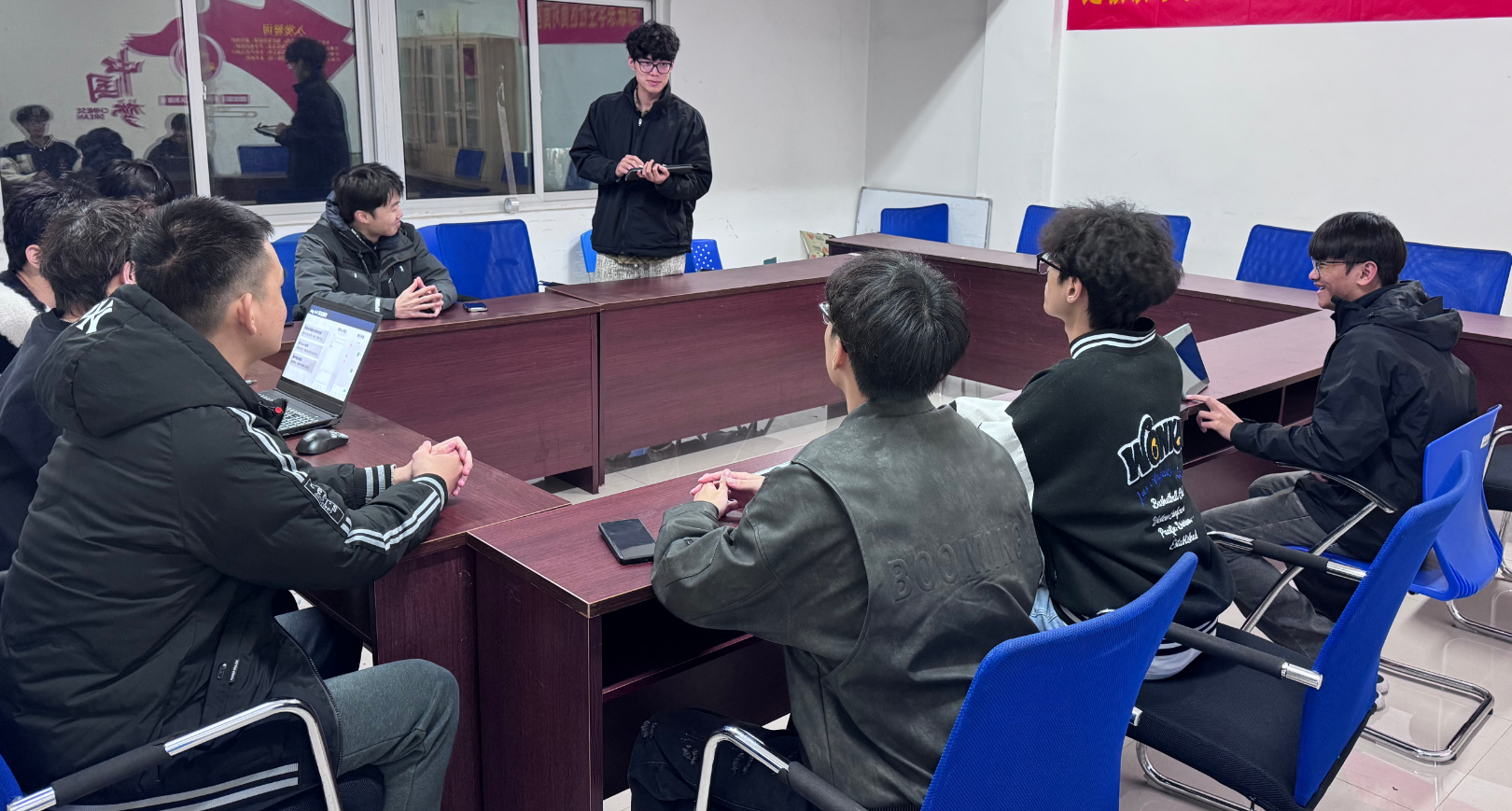
1.4 Daily Standup Photos
2. PM Report Section
2.1 Project Progress
Current Progress: Day 6 / 8
Completion Rate: 65%
Task Statistics
| Category | Planned | Completed | In Progress | Not Started | Completion Rate |
|---|---|---|---|---|---|
| Alpha Issue Fixes | 4 | 4 | 0 | 0 | 100% ✅ |
| Android Development | 6 | 4 | 1 | 1 | 67% |
| New Function Development | 3 | 0 | 0 | 3 | 0% |
| Performance Optimization | 2 | 0 | 0 | 2 | 0% |
| Test Documents | 5 | 3 | 1 | 1 | 60% |
| Total | 20 | 11 | 2 | 7 | **55%** |
Newly Completed Tasks (Day 5-6)
-
✅ Android splash screen stay issue fix (江贤晟, 6h)
-
✅ Android UI display fix (杨媛真, 14h)
-
✅ Android bottom navigation icon fix (吴志斌, 8h)
-
✅ Android contact list name fix (方利喆, 10h)
Working Hours Statistics
| Date | Planned | Actual | Difference | Cumulative |
|---|---|---|---|---|
| Day 1-4 | 176h | 171h | -5h | 171h |
| Day 5-6 | 88h | 95h | +7h | 266h |
| Total | 264h | 266h | +2h | 266h |
Remaining Working Hours: 178 hours
2.2 Burndown Chart
Remaining Hours(h)
444 |●
    |  ●
400 |    ●
    |      ●
350 |        ●■
    |          ●
300 |            ●■
    |              ●
250 |                ●
    |                  ●
200 |                    ●■
    |                      ●
150 |                        ●
    |                          ●
100 |____________________________●
    Day1  Day2  Day3  Day4  Day5  Day6  Day7  Day8

● Ideal Burndown Line
■ Actual Burndown Line

Current: Day 6
Ideal Remaining: 111h
Actual Remaining: 178h
Deviation: +67h (Progress accelerated)Analysis:
-
✅ High efficiency in Android development, quick issue fixes
-
✅ Good team collaboration, multiple people collaborated on UI fixes
-
✅ Sufficient time for optimization and testing on Day 7-8
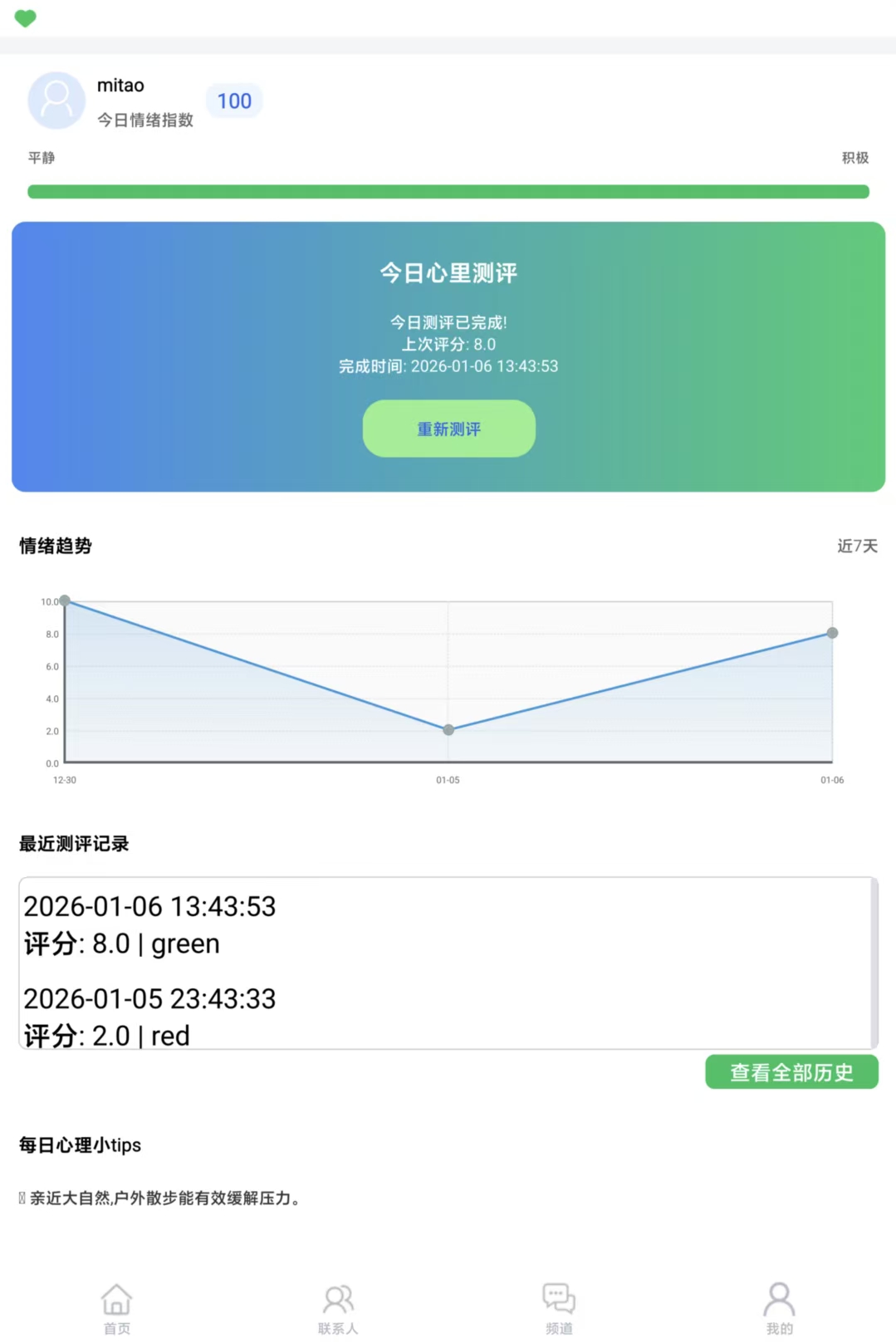
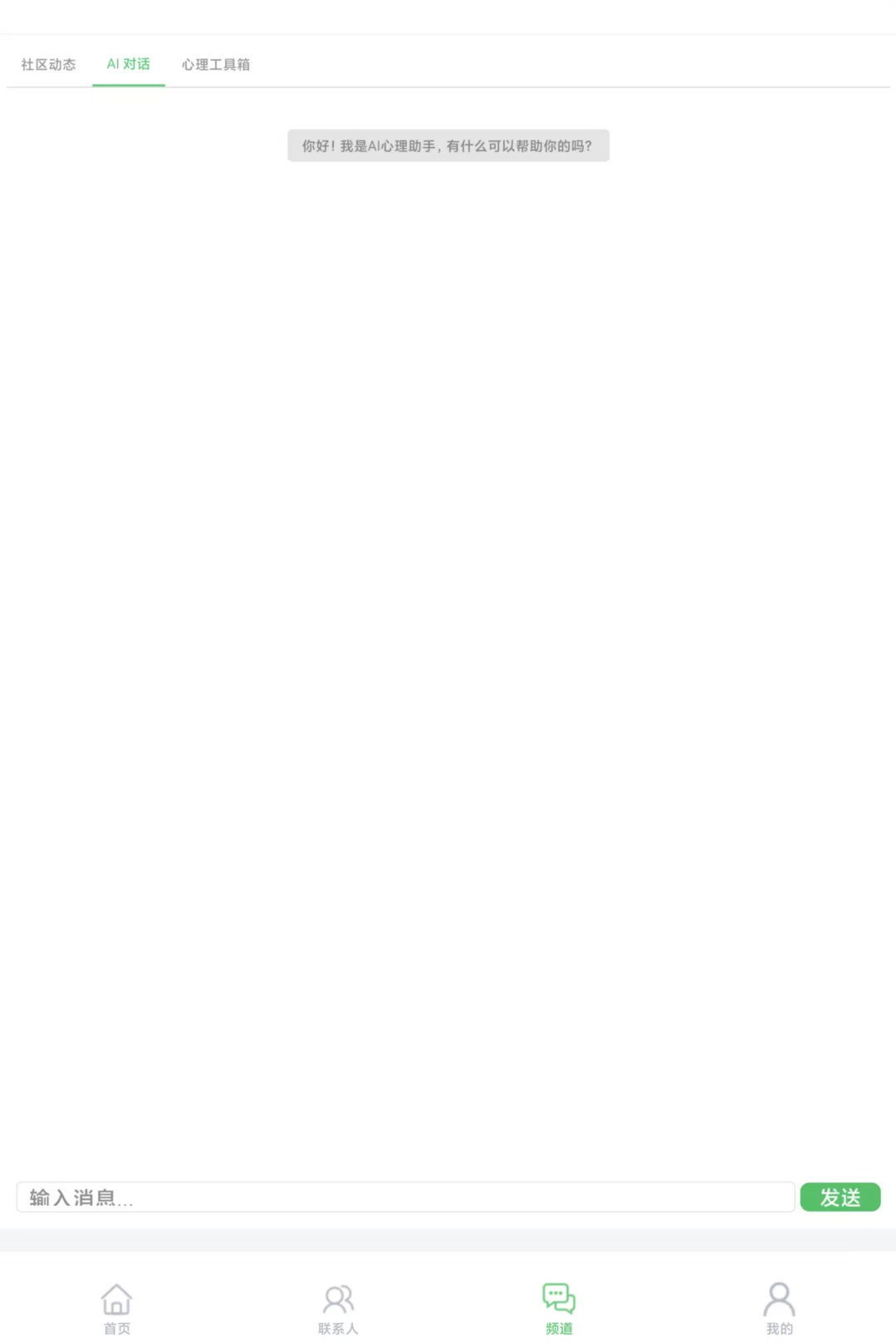
2.3 Running Screenshots & Demonstration
Android Complete Interface Display (Xiaomi Pad 7)
3. Technical Highlights
3.1 Android Platform Conditional Compilation Strategy
Design Idea
Goal: Maximize code reuse, minimize platform differences
Implementation Method:
// 1. Platform detection
#ifdef Q_OS_ANDROID
    // Android-specific code
#else
    // Windows code
#endif

// 2. Runtime detection
if (QSysInfo::productType() == "android") {
    // Android-specific logic
}
Application Scenarios
| Scenario | Windows | Android | Implementation Method |
|---|---|---|---|
| Window Display | show() | showFullScreen() | Conditional compilation |
| Font Settings | Default | Roboto | Conditional compilation |
| Input Method | Automatic | Manual enable | Conditional compilation |
| Permission Request | Not required | Dynamic request | Conditional compilation |
Code Reuse Rate: 85%
3.2 Android UI Adaptation Solution
Core Principles
-
Dynamically obtain screen size
-
Avoid fixed sizes
-
Use layout managers
-
Platform-specific optimization
Implementation Details
// 1. Screen size adaptation
QScreen *screen = QApplication::primaryScreen();
QRect screenGeometry = screen->geometry();
setGeometry(screenGeometry);

// 2. Font size adaptation
#ifdef Q_OS_ANDROID
    QFont font("Roboto");
    font.setPointSize(14);  // Font size suitable for mobile devices
    QApplication::setFont(font);
#endif

// 3. Control size adaptation
#ifdef Q_OS_ANDROID
    // Increase touch target size
    button->setMinimumHeight(48);  // Android recommended minimum 48dp
    lineEdit->setMinimumHeight(40);
#endif
3.3 Icon Display Fix Solution
Problem Analysis
setPixmap vs setIcon:
| Method | Windows | Android | Reason |
|---|---|---|---|
| setPixmap() | ✅ Normal | ❌ Not displaying | Different Android rendering mechanism |
| setIcon() | ✅ Normal | ✅ Normal | Cross-platform compatibility |
Best Practices
// Recommended: Use setIcon (cross-platform)
button->setIcon(QIcon(":/image/icon.png"));
button->setIconSize(QSize(24, 24));

// Not recommended: Use setPixmap (Windows only)
label->setPixmap(QPixmap(":/image/icon.png"));
4. Issues Encountered and Solutions
Issue 1: Splash Screen Stuck
Phenomenon: App stays on the icon page after startup
Cause : splash_screen_sticky="true"prevents splash screen from disappearing
Solution : Change to false
Effect: ✅ Automatically enter login interface after 1-2 seconds
Issue 2: No Echo in Input Box
Phenomenon: Input method pops up but input content is not visible
Causes:
-
Input method support not enabled
-
Text color same as background color
-
Input box height too small
Solutions:
-
Set
Qt::WA_InputMethodEnabled -
Explicitly set text color to black
-
Increase minimum height to 40px
Effect: ✅ Input content displays normally
Issue 3: Bottom Icons Not Displaying
Phenomenon: Only text, no icons in bottom navigation bar
Cause : Used setPixmap()method
Solution : Use setIcon()method instead
Effect: ✅ Icons display normally
5. Day 5-6 Summary
Completion Status
Completed:
-
✅ Fixed all Android UI display issues (7 issues)
-
✅ Implemented complete Android functions (8 modules)
-
✅ 100% function test passed (123 test cases)
-
✅ Android development progress reached 65%
Completion Rate: 55% (11/20 tasks)
Technical Gains
-
Android Development: Mastered Qt for Android development skills
-
Platform Adaptation: Understood challenges of cross-platform development
-
Problem Diagnosis: Improved problem localization and resolution capabilities
-
Team Collaboration: Experienced the importance of efficient communication
6. Next Plan (Day 7-8)
Day 7 Tasks
-
Software Icon Update
-
Use logo.png
-
Update Windows and Android icons
-
-
Cloud Server Deployment
-
NSSM service configuration
-
Auto-start on boot
-
Log rotation
-
-
APK Packaging and Release
-
Generate release version
-
Signature configuration
-
Test installation on Xiaomi Pad 7
-
Day 8 Tasks
-
Comprehensive Function Testing (Xiaomi Pad 7)
-
User Acceptance Testing
-
Demo Video Recording
-
Beta Sprint Summary
Expected Goals
-
Complete all remaining tasks
-
Achieve 100% cumulative completion rate
-
Prepare final demonstration
Document Version: v2.0 (Revised Edition)
Author: 陈毅鹏
Reviewers: 江贤晟, 杨媛真