练习网站:深证信AES
找加密参数和定位
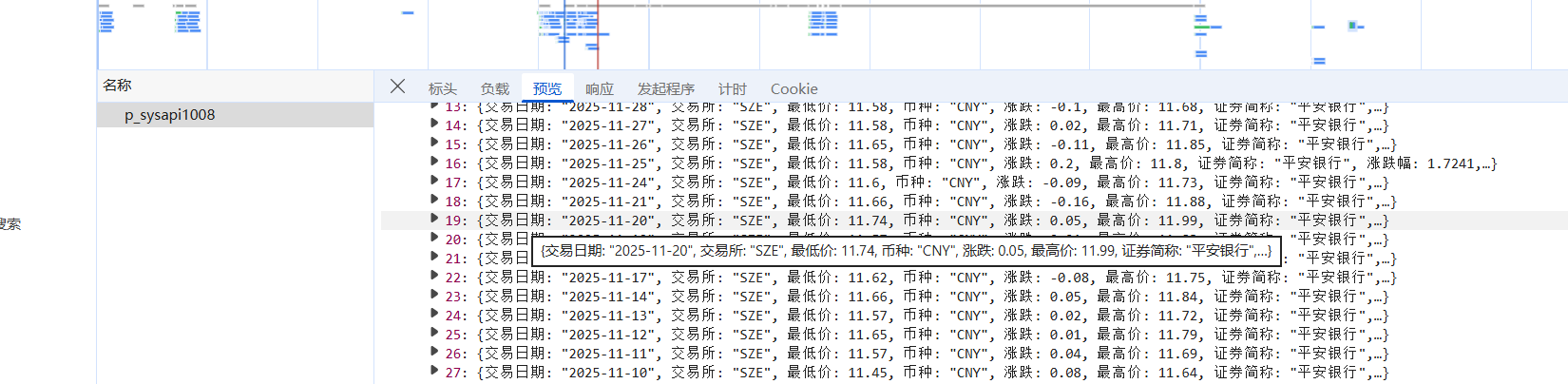
本网站找加密参数要争分夺秒哈,因为他的密文有时效性,过一段儿时间就会失效,所以要尽快测试,先找到它的接口:
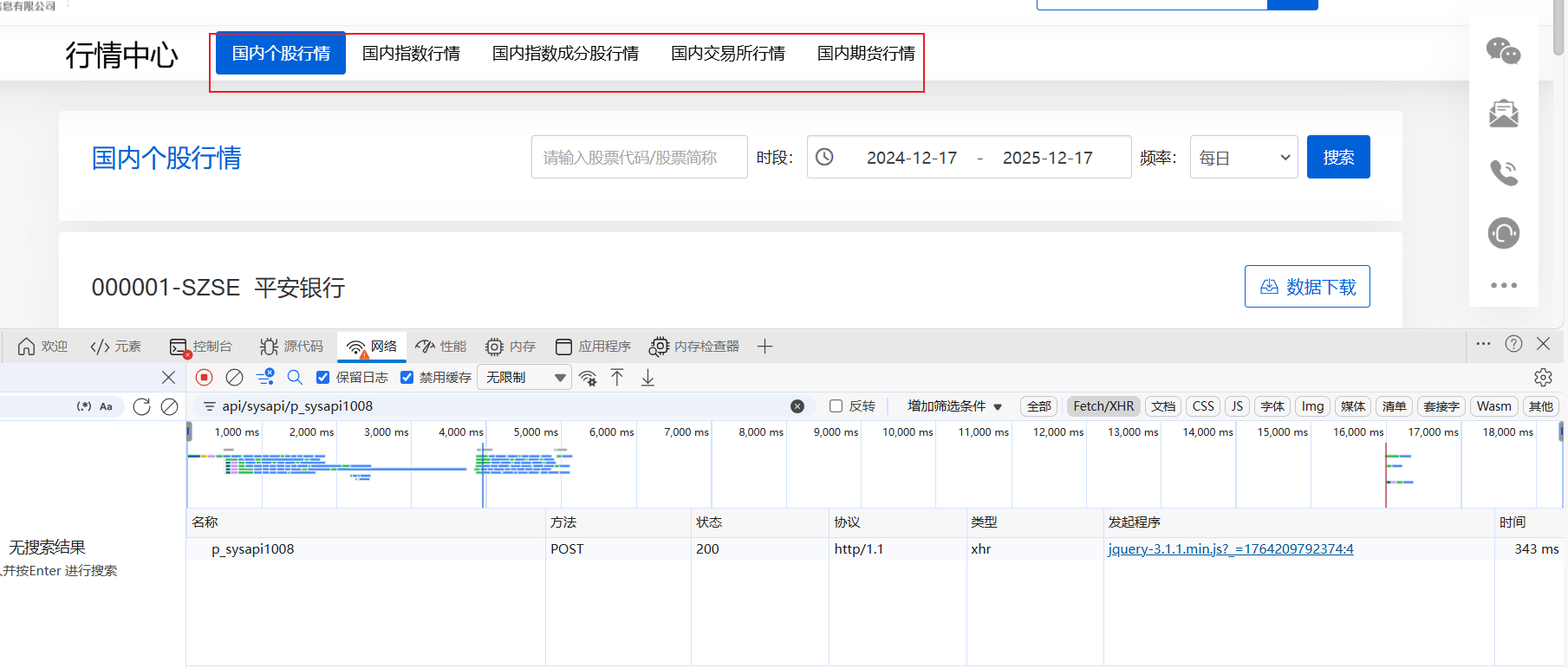
这次接口触发不是下面翻页,而是导航栏:
然后copy它的bash转成py,通过注释来测试:
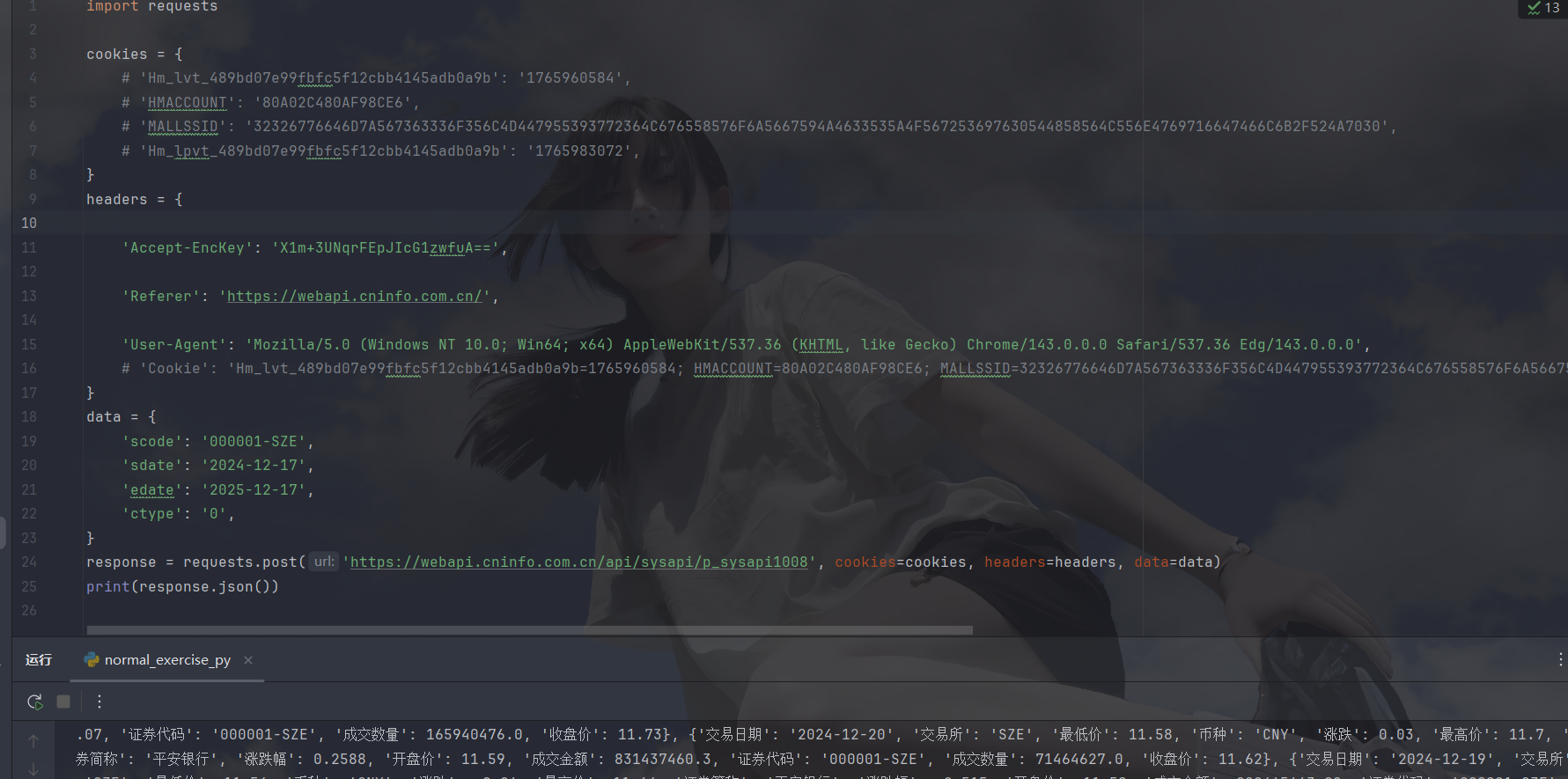
这些没注释,没删除的参数都需要带,逆向的就是Accept-EncKey参数,然后我们搜索关键字:
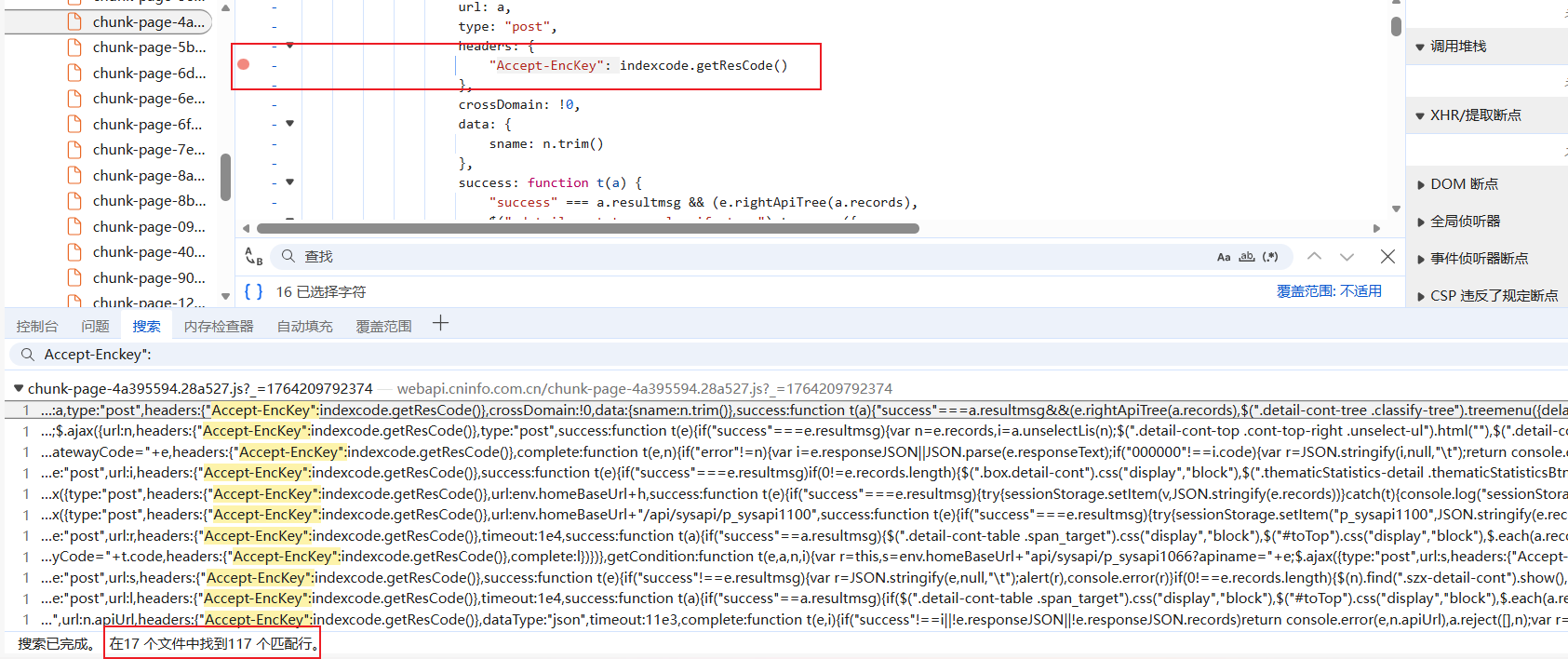
太多了,不想看,咱就直接xhr吧:
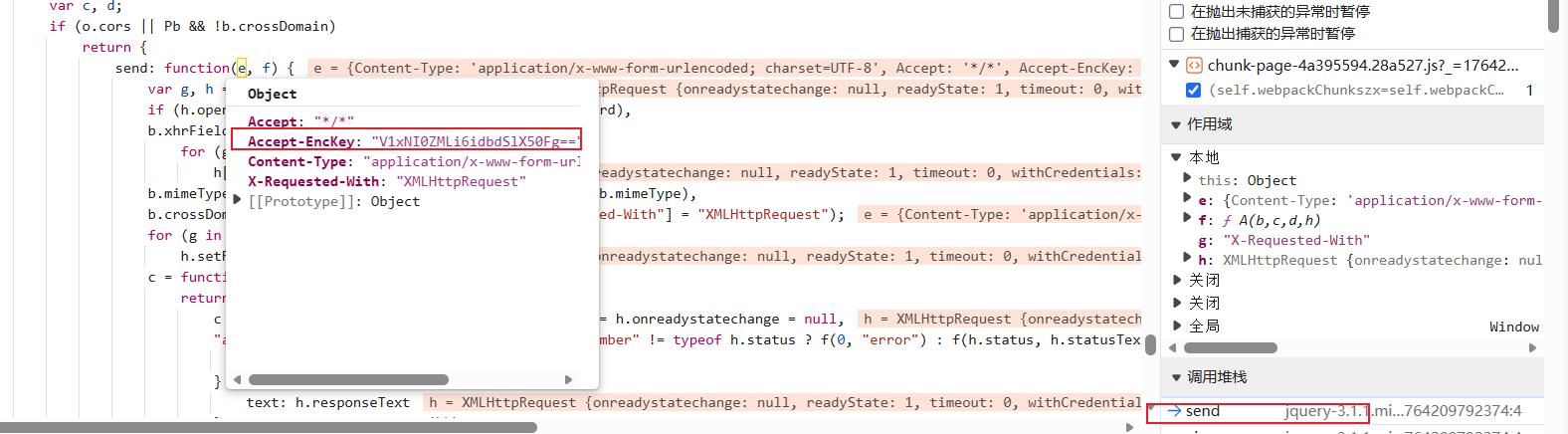
这里有的,直接看异步后第一个栈:

啥也没有,向后跟栈:
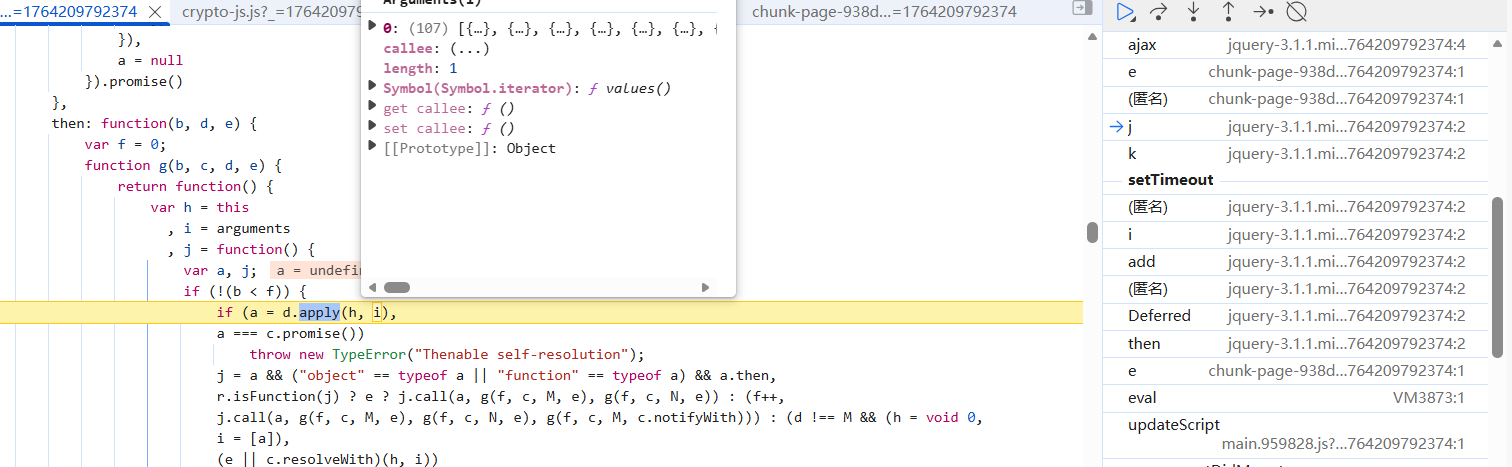
这个也没有,然后就在异步前找了一辈子发现一个东西:
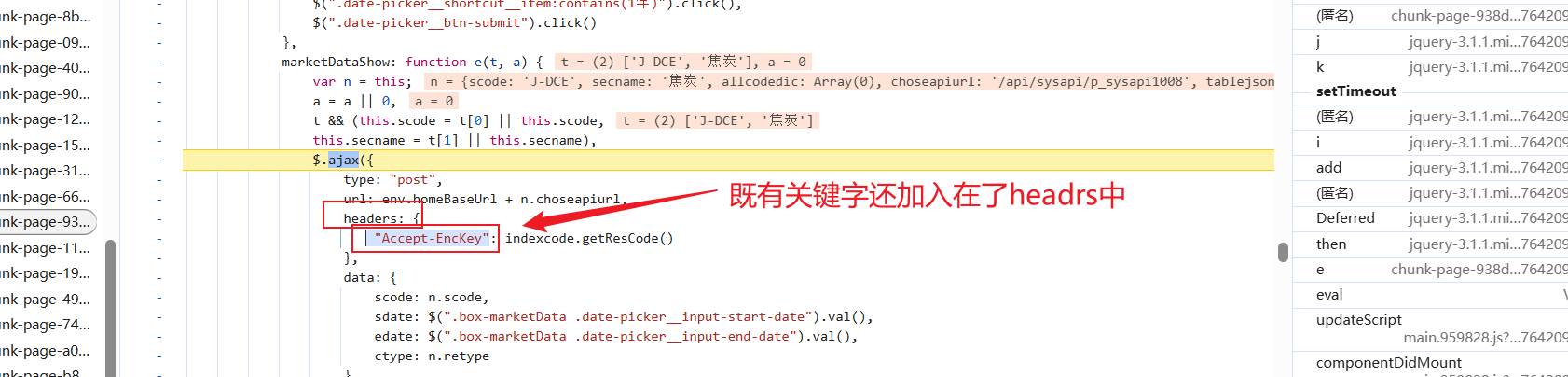
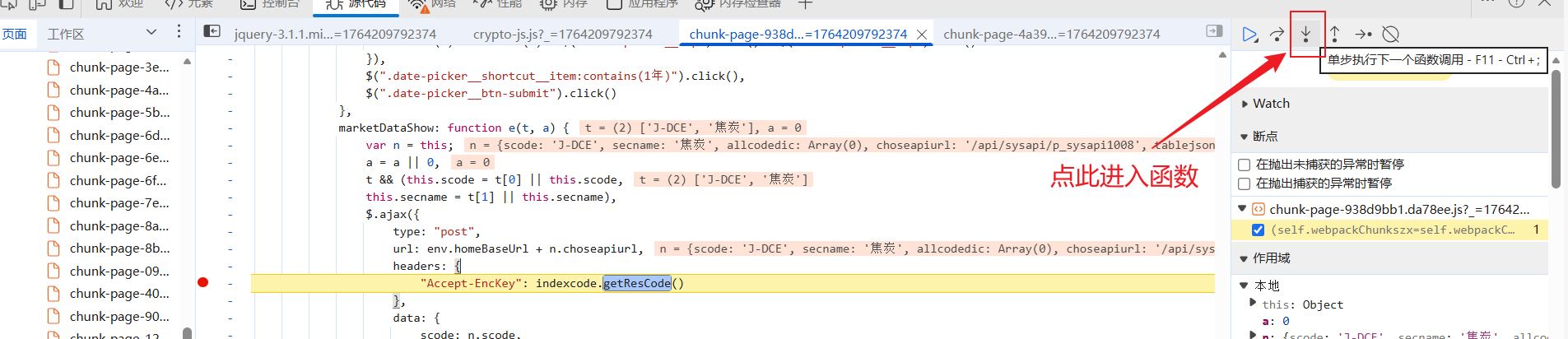
那就在这里打上断点,注意:这里是在ajax前打上断点,因为异步里面可能断不进去,断下来后步入进去:
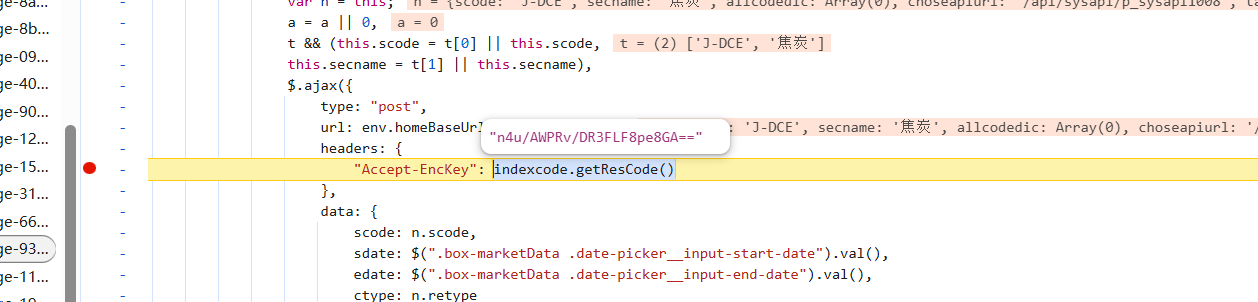
被我找到了,咱们进入此方法看看:
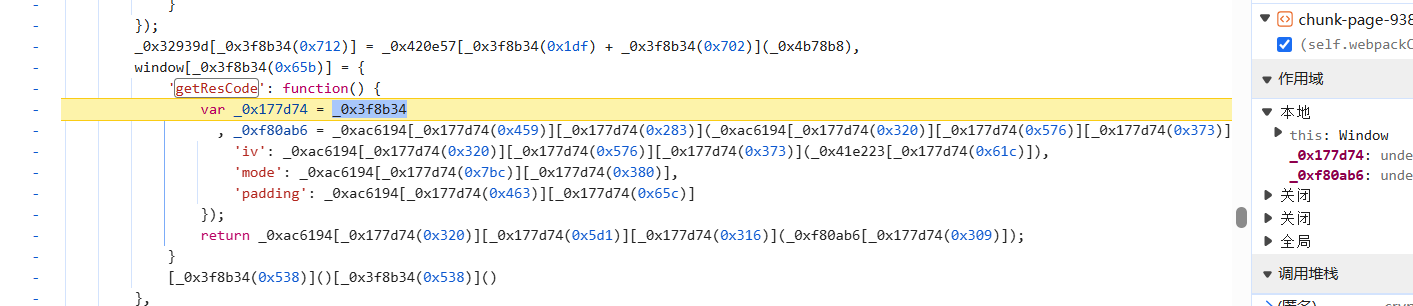
挖去,混淆,别慌,发现关键字没有:
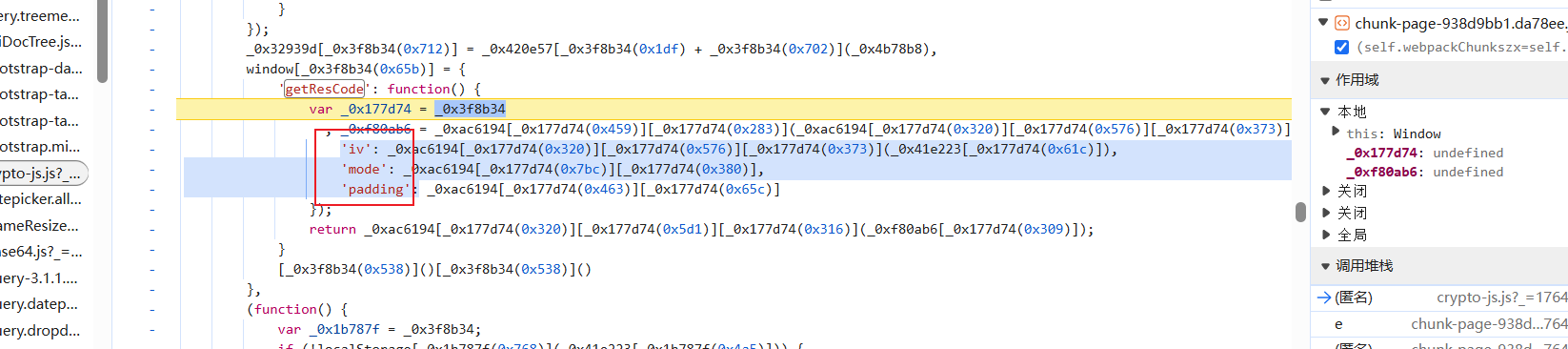
救命稻草啊,咱们看看是不是标准的AES:
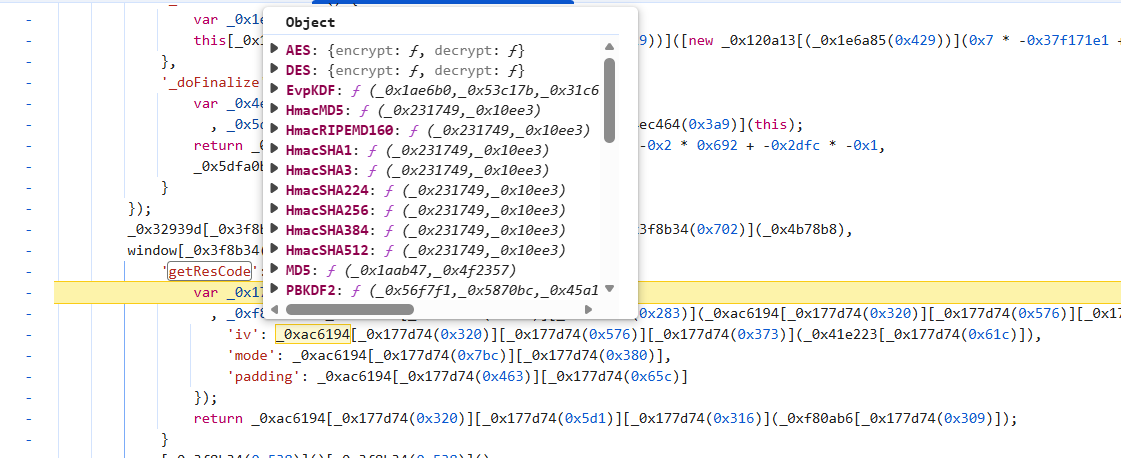
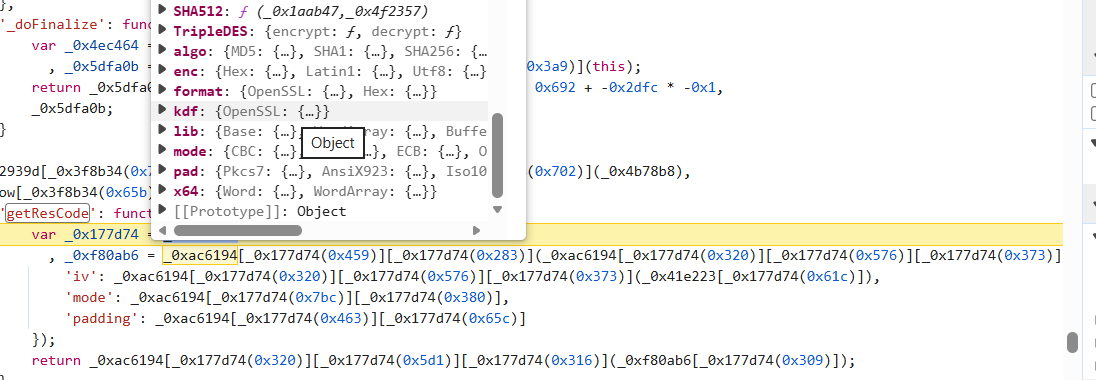
方法齐全且没有FunctionLocation,百分之九十九概率是标准,咱再看看密钥长度:

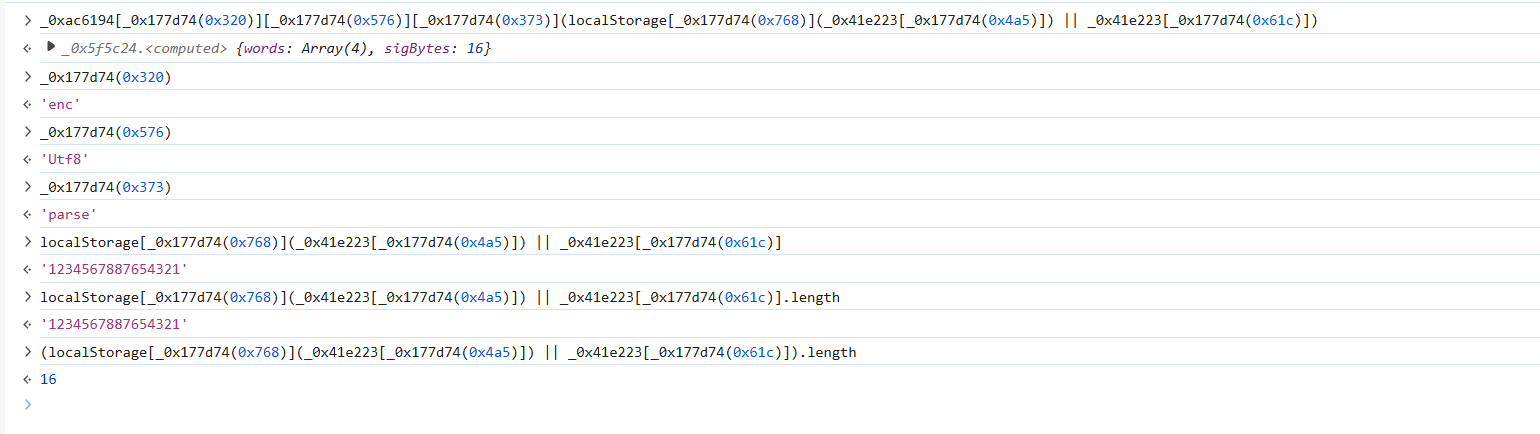
key长度为16位,然后加密模式是CBC:

CBC加密模式key为16位,很标准
手搓AES复现逻辑
很标准的AES,直接手搓:
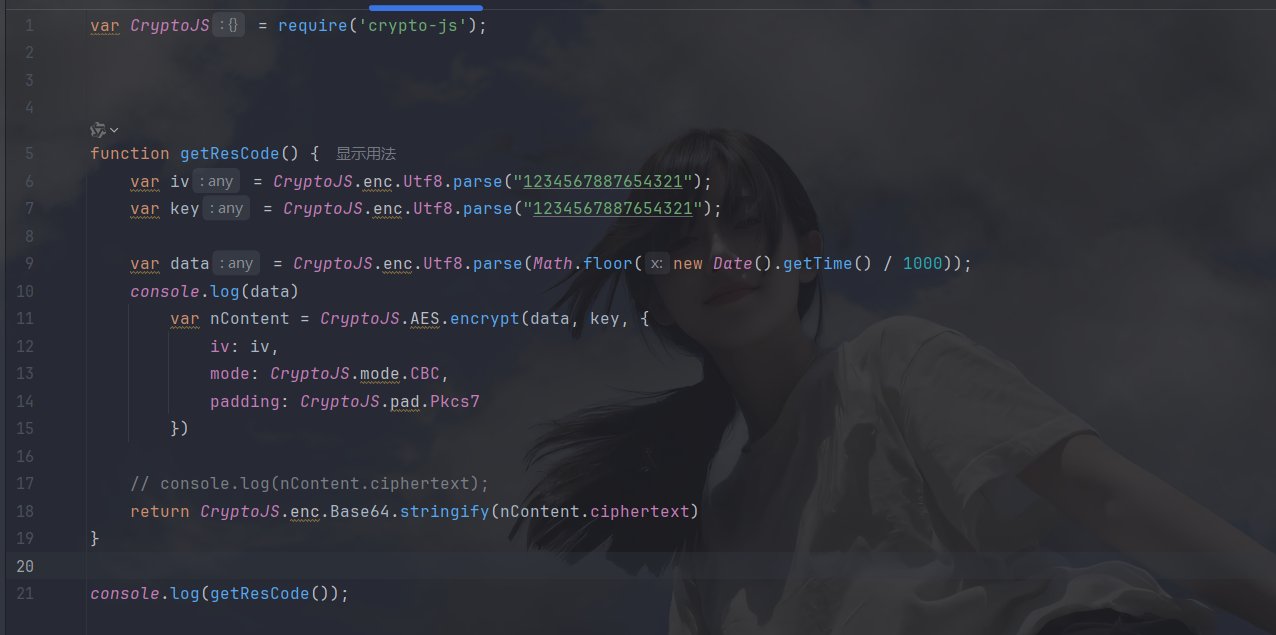
iv直接在函数中找即可:
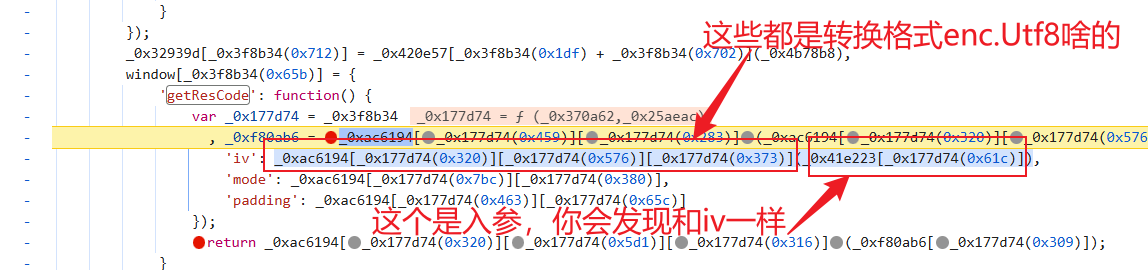
然后有一点点需要动脑的就是明文:


这样逻辑就复现完成了
py调用
py调用没什么特殊的,代码如下:
python
import requests
import os
import execjs

class JSExecutor:
    def __init__(self, file_path):
        if not os.path.exists(file_path):
            print('NotFoundFile')
        with open(file_path, 'r', encoding='utf-8')as f:
            self.js_file = f.read()

        self.js_file = execjs.compile(self.js_file)

    def call(self, func_name, *args):
        return self.js_file.call(func_name, *args)

def get_data(EncKey):
    cookies = {

    }

    headers = {
        # 'Accept': '*/*',
        'Accept-EncKey': EncKey,
        # 'Accept-Language': 'zh-CN,zh;q=0.9,en;q=0.8,en-GB;q=0.7,en-US;q=0.6',
        # 'Cache-Control': 'no-cache',
        # 'Connection': 'keep-alive',
        # 'Content-Type': 'application/x-www-form-urlencoded; charset=UTF-8',
        # 'Origin': 'https://webapi.cninfo.com.cn',
        # 'Pragma': 'no-cache',
        'Referer': 'https://webapi.cninfo.com.cn/',
        # 'Sec-Fetch-Dest': 'empty',
        # 'Sec-Fetch-Mode': 'cors',
        # 'Sec-Fetch-Site': 'same-origin',
        'User-Agent': 'Mozilla/5.0 (Windows NT 10.0; Win64; x64) AppleWebKit/537.36 (KHTML, like Gecko) Chrome/143.0.0.0 Safari/537.36 Edg/143.0.0.0',
        # 'X-Requested-With': 'XMLHttpRequest',
        # 'sec-ch-ua': '"Microsoft Edge";v="143", "Chromium";v="143", "Not A(Brand";v="24"',
        # 'sec-ch-ua-mobile': '?0',
        # 'sec-ch-ua-platform': '"Windows"',
    }

    data = {
        'scode': '000001-SZE',
        'sdate': '2024-12-17',
        'edate': '2025-12-17',
        'ctype': '0',
    }

    return requests.post('https://webapi.cninfo.com.cn/api/sysapi/p_sysapi1008', cookies=cookies, headers=headers, data=data).json()
    # print(response)

if __name__ == '__main__':
    js_executor = JSExecutor('11.js')
    en_ckey = js_executor.call('getResCode')
    print(get_data(en_ckey))
result:
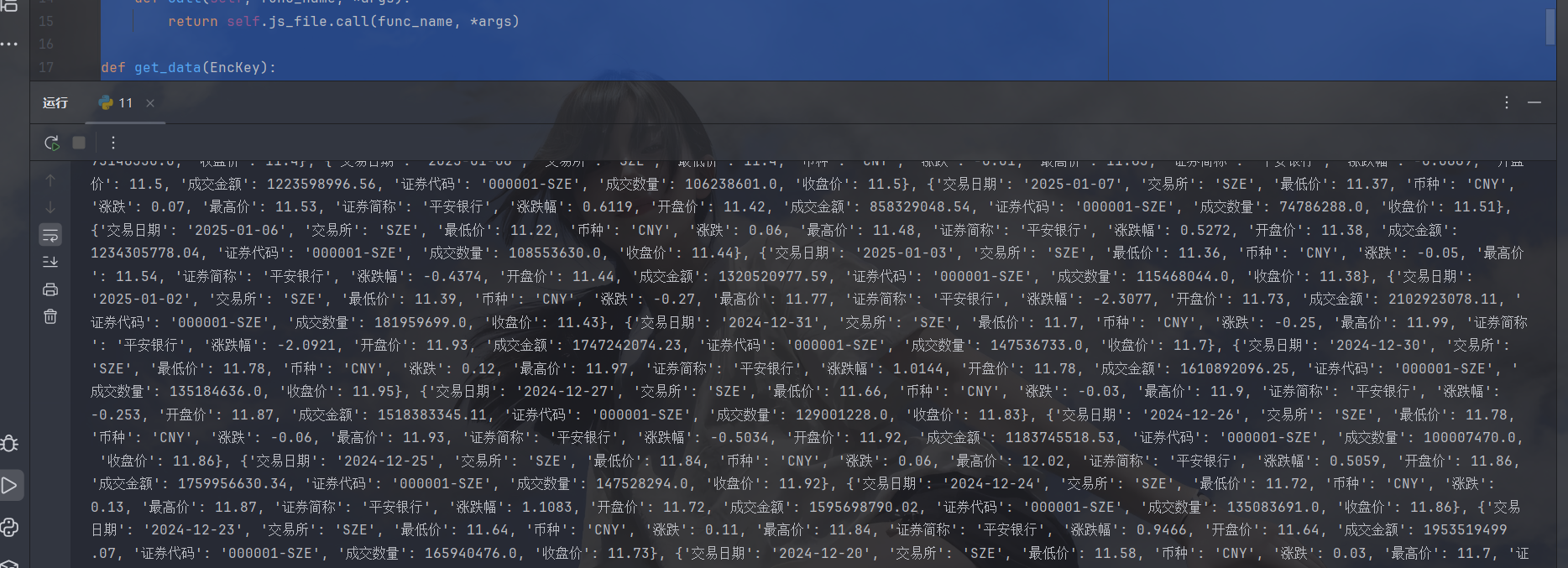
ok拿下
小结
文章到此就结束了,如有问题请及时提出,一起学习,加油加油