Discards the destination pixels that are not covered by source pixels. Draws remaining destination pixels over source pixels.
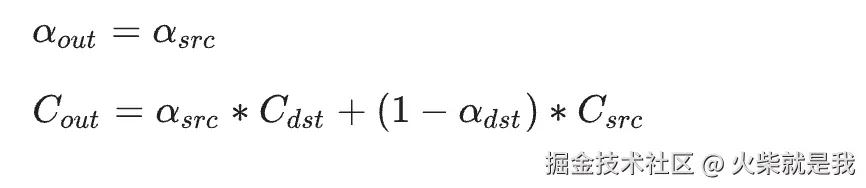
公式:
js
    canvas.saveLayer(Rect.fromLTWH(0, 0, width, height), Paint());
    Paint dstPaint = Paint()..color = Colors.red;
    dstPaint.style = ui.PaintingStyle.fill;
    canvas.drawImageRect(image1!, Rect.fromLTWH(0, 0, image!.width.toDouble(), image!.height.toDouble()), Rect.fromLTWH(0, 0, width/2, height/2), dstPaint);

    var srcPaint = Paint()
      ..color = Colors.red
      ..strokeWidth = 10
      ..blendMode = ui.BlendMode.dstATop; // 源颜色:蓝色; // 混合模式
    canvas.drawRect(Rect.fromLTWH(0, 0, width, height).deflate(30), srcPaint);
效果图:
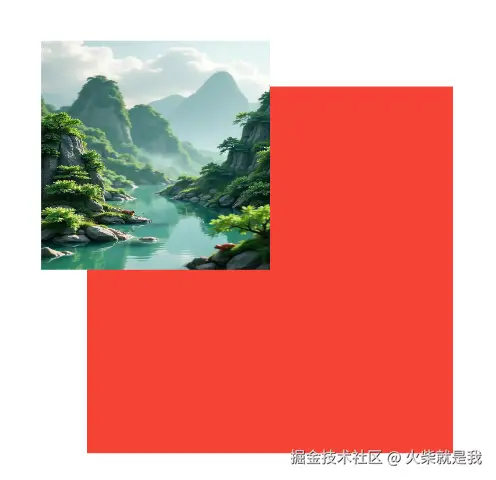
重叠部分展示 dst 非重叠部分 src 跟 dst 都保留。