安装 Docker
下面安装过程中,我同时放上 Docker 官方的安装源和证书、已经阿里云的安装源和证书,同志们任选其一即可,个人推荐国内环境使用阿里云的。
-
卸载旧版本
bashsudo apt remove $(dpkg --get-selections docker.io docker-compose docker-compose-v2 docker-doc podman-docker containerd runc | cut -f1) -
下载依赖
bashsudo apt update sudo apt install ca-certificates curl -
下载 Docker 证书
Docker 官方证书下载(下载后的证书存放在
/etc/apt/keyrings/docker.asc):bashsudo install -m 0755 -d /etc/apt/keyrings sudo curl -fsSL https://download.docker.com/linux/ubuntu/gpg -o /etc/apt/keyrings/docker.asc sudo chmod a+r /etc/apt/keyrings/docker.asc阿里云证书下载 :(下载后的证书存放在
/etc/apt/keyrings/docker_aliyun.asc)bashsudo install -m 0755 -d /etc/apt/keyrings sudo curl -fsSL https://mirrors.aliyun.com/docker-ce/linux/ubuntu/gpg -o /etc/apt/keyrings/docker_aliyun.asc sudo chmod a+r /etc/apt/keyrings/docker.asc -
添加 docker 镜像源链接到 apt 源
Docker 官方源添加(APT 被存放在
/etc/apt/sources.list.d/docker.sources)bash# Add the repository to Apt sources: sudo tee /etc/apt/sources.list.d/docker.sources <<EOF Types: deb URIs: https://download.docker.com/linux/ubuntu Suites: $(. /etc/os-release && echo "${UBUNTU_CODENAME:-$VERSION_CODENAME}") Components: stable Signed-By: /etc/apt/keyrings/docker.asc EOF阿里云源添加 (APT 被存放在
/etc/apt/sources.list.d/docker_aliyun.sources)bash# Add the repository to Apt sources: sudo tee /etc/apt/sources.list.d/docker_aliyun.sources <<EOF Types: deb URIs: https://mirrors.aliyun.com/docker-ce/linux/ubuntu Suites: $(. /etc/os-release && echo "${UBUNTU_CODENAME:-$VERSION_CODENAME}") Components: stable Signed-By: /etc/apt/keyrings/docker_aliyun.asc EOFSigned-By: /etc/apt/keyrings/docker_aliyun.asc指定前面拉取的证书位置 -
更新 APT 包索引
bashsudo apt-get update -
安装最新的 docker 和及其相关组件
bashsudo apt install docker-ce docker-ce-cli containerd.io docker-buildx-plugin docker-compose-plugin -
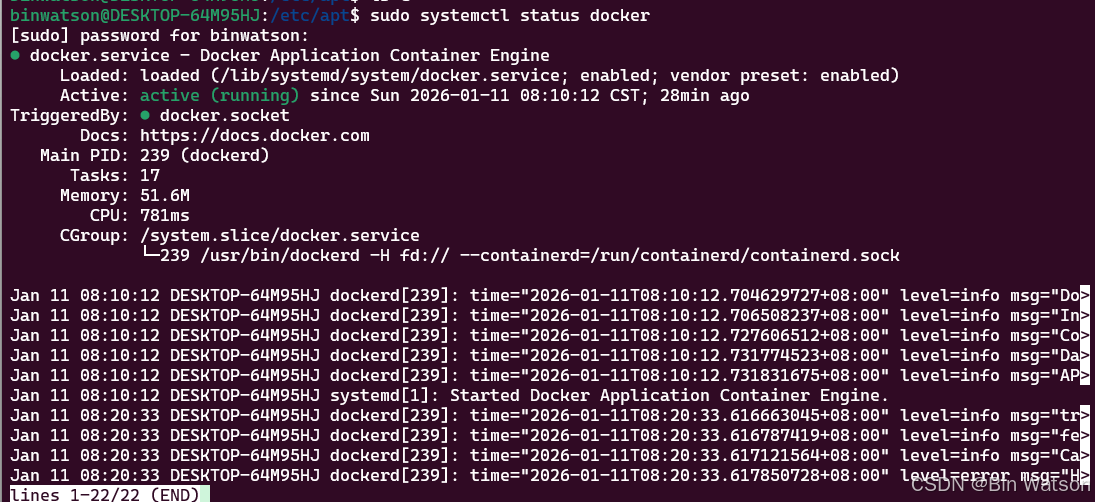
安装完成后可以通过
bashsudo systemctl status docker查看 Docker 是否运行,如果没有运行,可以通过
bashsudo systemctl start docker启动 docker 服务,如图为正常运行的截图:
更换镜像源
镜像推荐参考这篇 2026 最新 Docker 国内镜像源加速列表(1月10日更新)
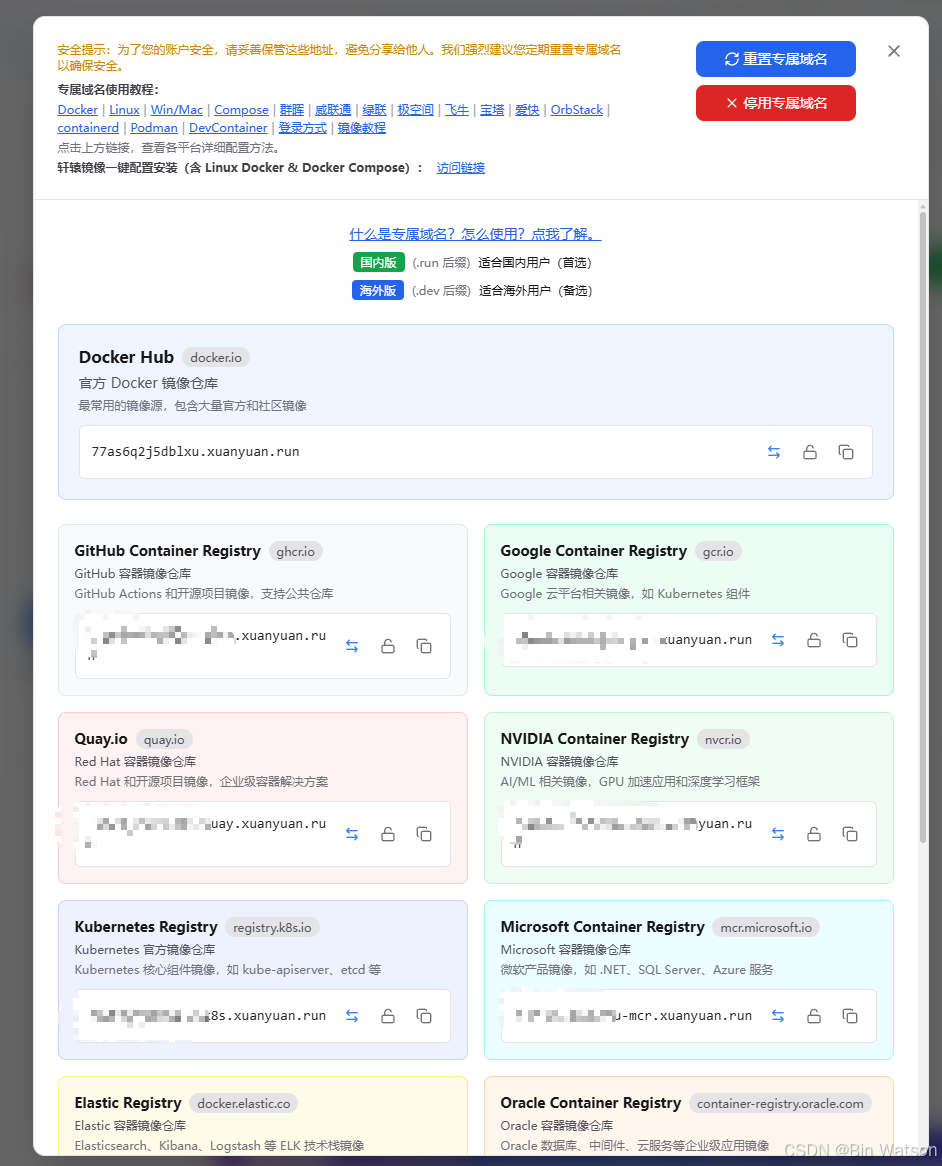
个人推荐大家可以使用 轩辕镜像,付费的话 50G 7元的套餐版本,流量有效期一年,绝大多数人都够用了!
里面的镜像还是比较完善的!
-
更换国内镜像(轩辕有私有的专属域链接,大家可以自行添加自己的到
registry-mirrors下面,非广告)。
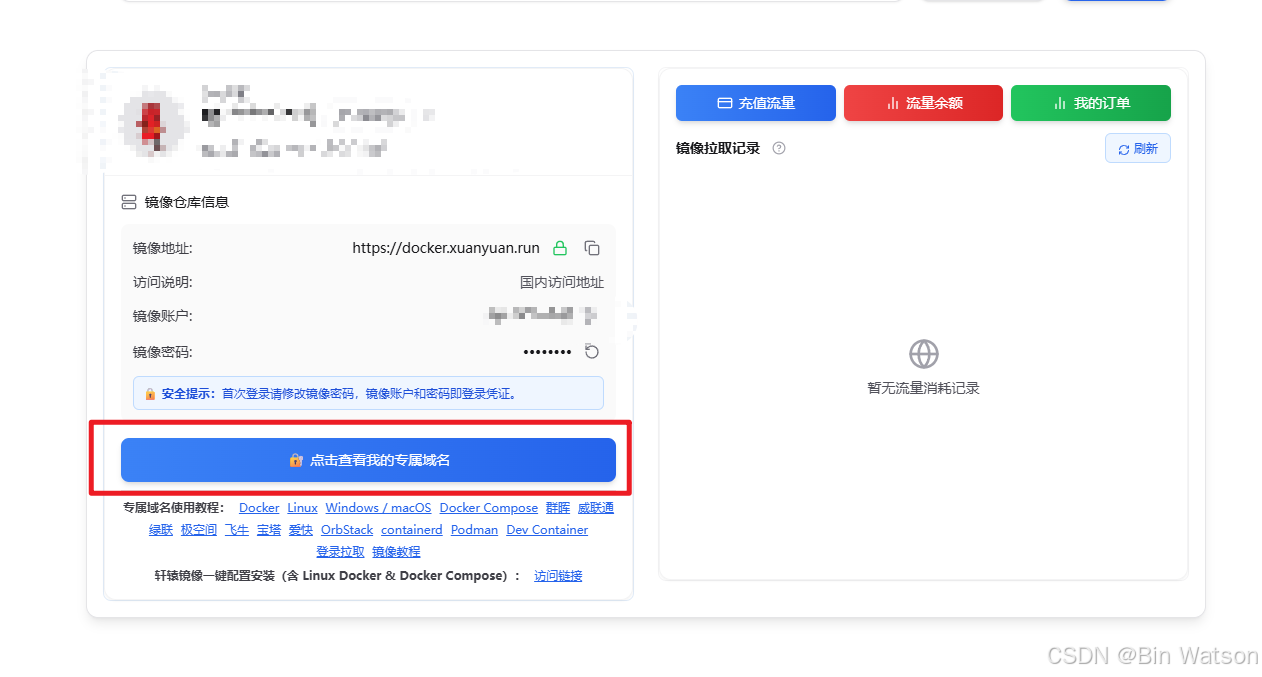
下面使用都是一些免费的镜像,供大伙参考,镜像配置文件存放在/etc/docker/daemon.jsonbashsudo tee /etc/docker/daemon.json <<EOF { "data-root": "/docker", "registry-mirrors": [ "https://docker.nju.edu.cn", "https://docker.xuanyuan.me", "https://mirror.ccs.tencentyun.com" ], "insecure-registries": [ "docker.xuanyuan.me" ] } EOF sudo systemctl daemon-reload -
重启 docker
bashsudo systemctl stop docker sudo systemctl start docker -
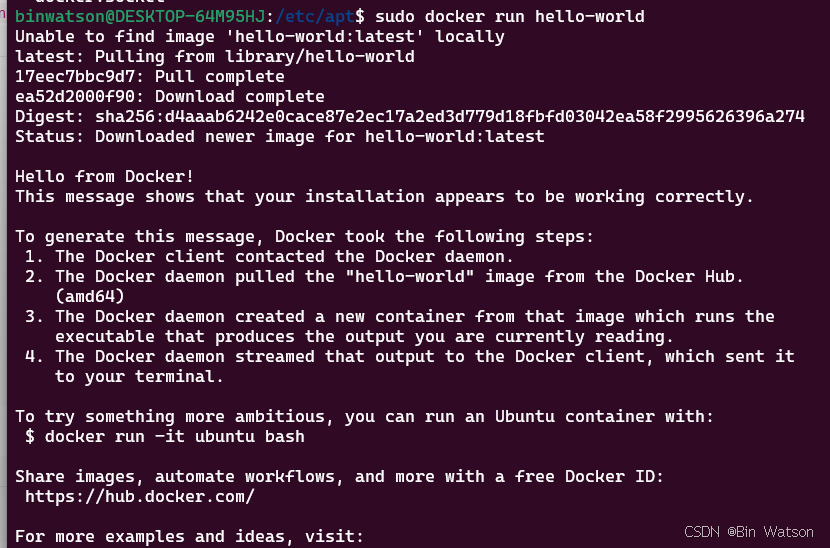
下载 hello_world 镜像进行测试
bashsudo docker run hello-world