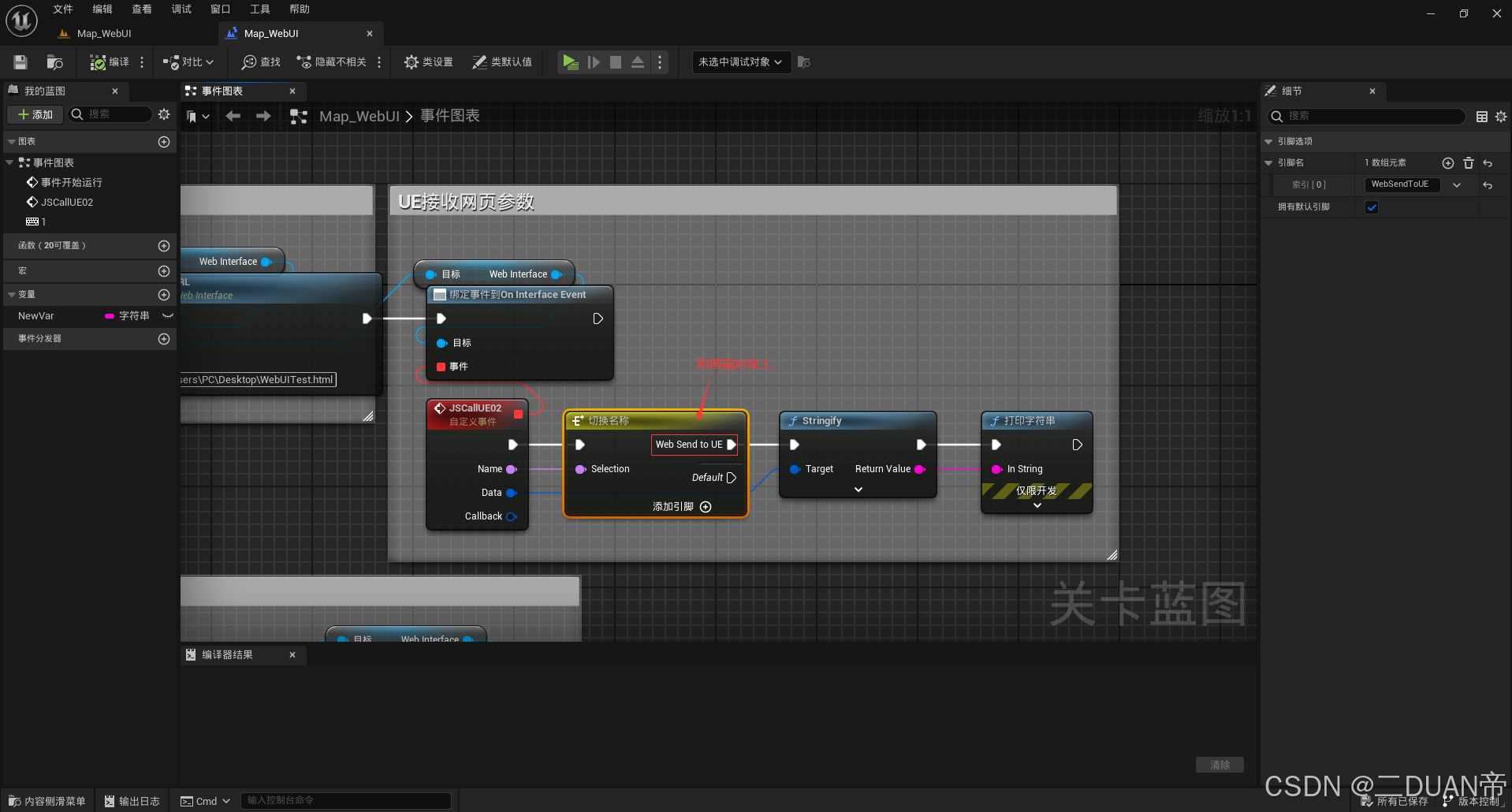
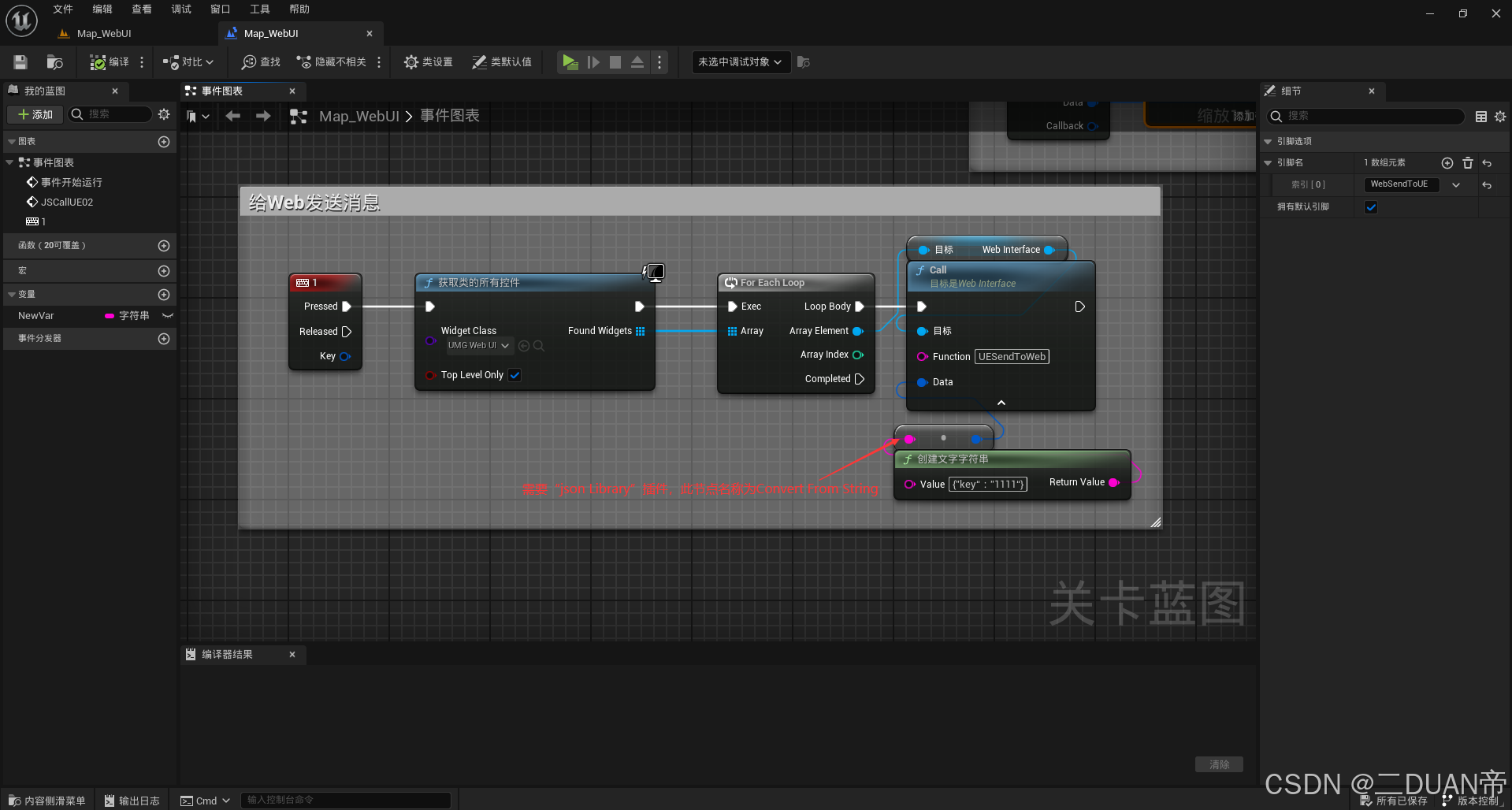
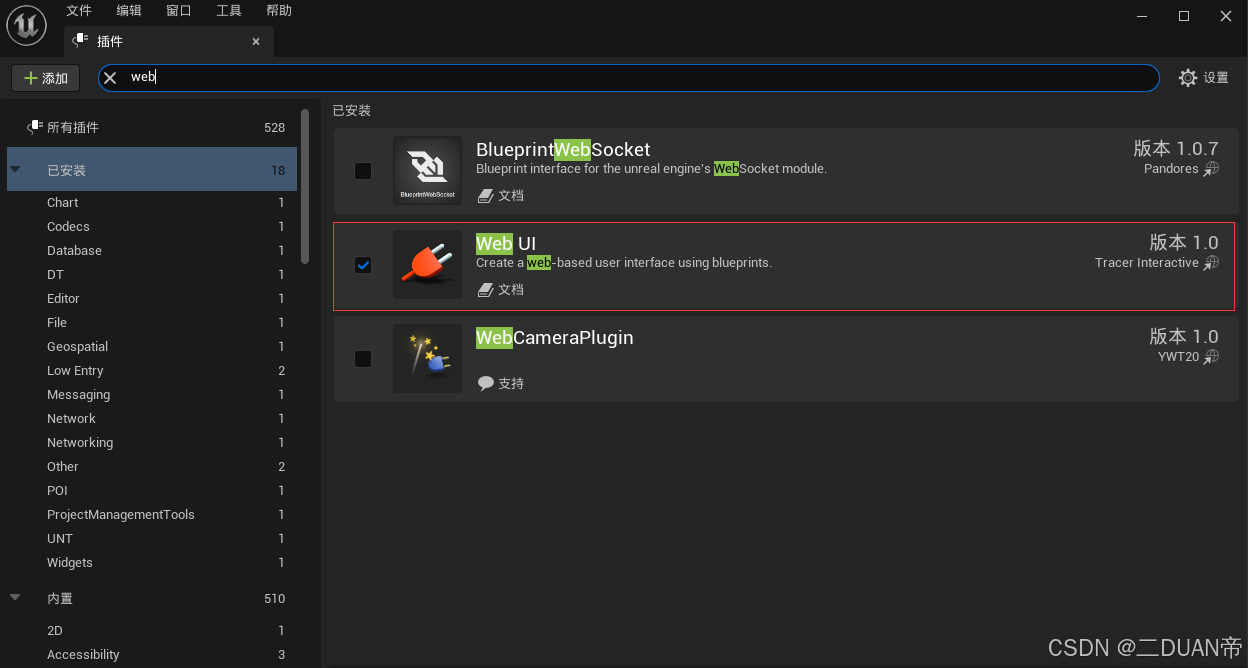
1.配置WebUI插件
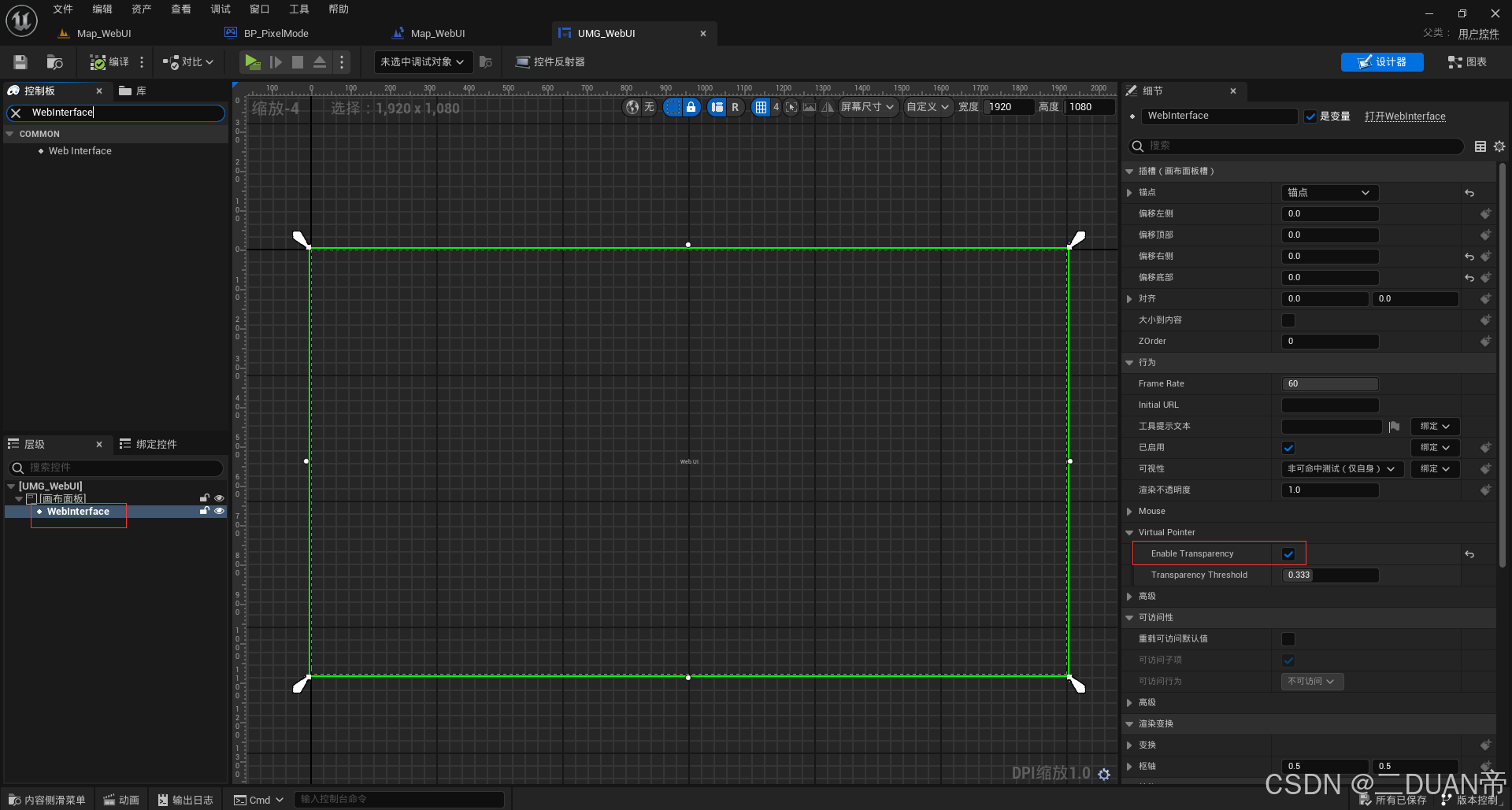
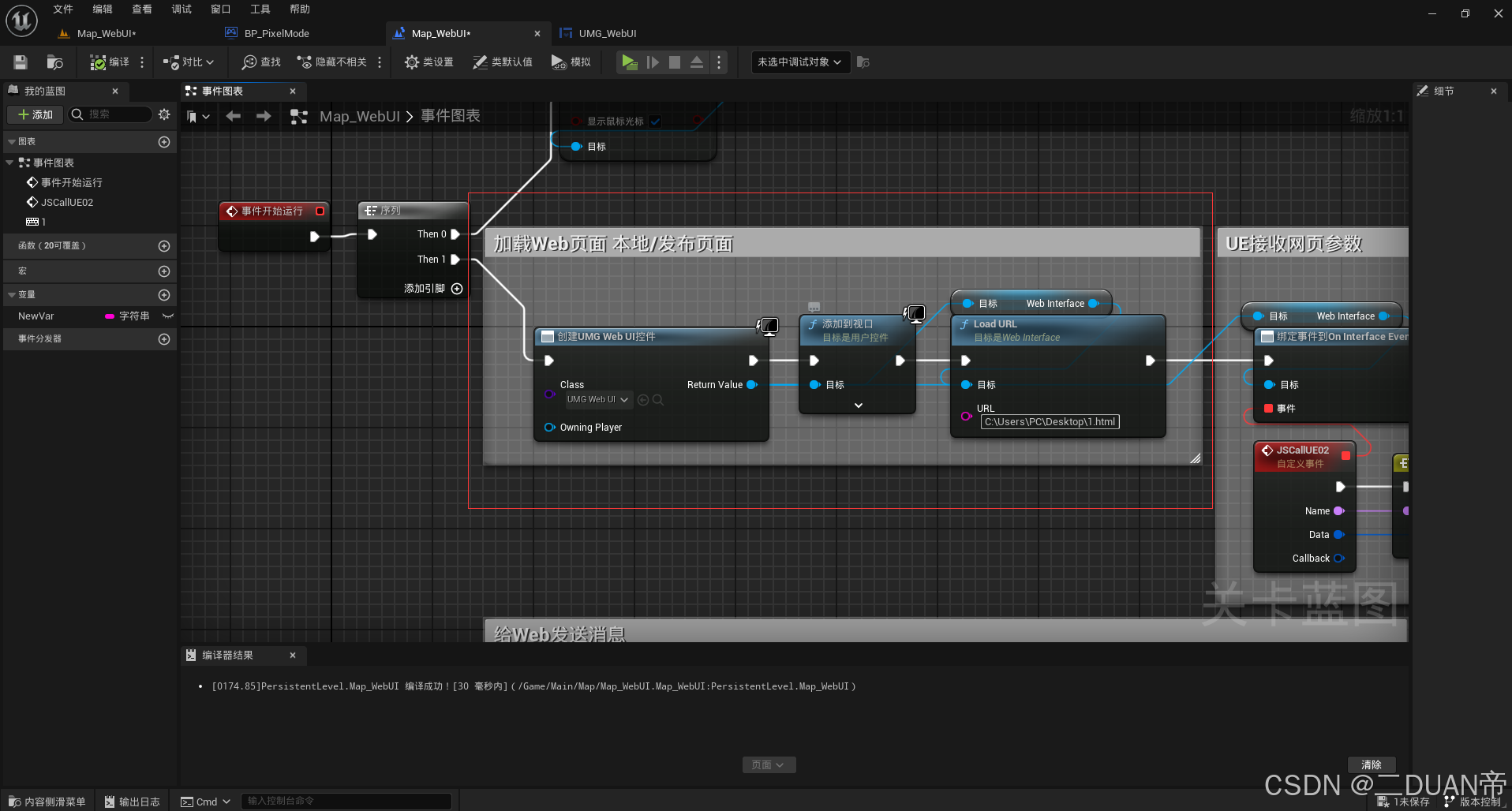
2.UE中创建UMG并加载到关卡中
3.写前端测试页面
html
<!DOCTYPE html>
<html>
<head>
    <meta charset="utf-8">
    <meta name="viewport" content="width=device-width, initial-scale=1">
    <title>test web ui</title>
    <script src="https://cdn.bootcdn.net/ajax/libs/jquery/3.6.4/jquery.min.js"></script>
    <script type="text/javascript">
        // WEB UI ~~ UE
        "object"!=typeof ue||"object"!=typeof ue.interface?("object"!=typeof ue&&(ue={}),(ue.interface={}),(ue.interface.broadcast=function(e,t){if("string"==typeof e){var o=[e,""];void 0!==t&&(o[1]=t);var n=encodeURIComponent(JSON.stringify(o));
            "object"==typeof history&&"function"==typeof history.pushState?(history.pushState({},"","#"+n),history.pushState({},"","#"+encodeURIComponent("[]"))):((document.location.hash=n),(document.location.hash=encodeURIComponent("[]")))}})):(function(e){
                // 核心修改:区分纯文本和对象,纯文本直接传递,不做JSON.stringify
                (ue.interface={}),(ue.interface.broadcast=function(t,o){
                    "string"==typeof t&&(void 0!==o?
                        // 如果是字符串类型,直接传递;否则仍用JSON序列化
                        (typeof o === 'string' ? e.broadcast(t, o) : e.broadcast(t, JSON.stringify(o)))
                        : e.broadcast(t,"")
                    )
                })
            })(ue.interface),(window.ue4=ue.interface.broadcast);window.ue=ue;
    </script>
</head>
<body>
    <h1>测试WebUI与UE交互</h1>
    <div style="margin: 10px 0;">
        <label for="msgInput">发送给UE的内容:</label>
        <input type="text" id="msgInput" placeholder="请输入要发送的内容" style="width: 300px; padding: 5px;">
    </div>
    <button id="btn">Web给UE发消息</button>

    <script type="text/javascript">
        // UE给Web发消息
        ue.interface.UESendToWeb = function(ueData){
            alert(ueData)
        }

        $(function(){
            $('#btn').on('click',function(){
                // 读取文本框中的内容
                var inputContent = $('#msgInput').val().trim();

                // 为空时给出提示
                if(inputContent === ""){
                    alert("请先输入要发送的内容!");
                    return;
                }

                // Web给UE发消息 - 发送纯文本内容(无额外双引号)
                ue4('WebSendToUE', inputContent);
            })
        })
    </script>
</body>
</html>
重点代码标注:
<script type="text/javascript">
// UE给Web发消息,UESendToWeb 和UE中Call蓝图的Function参数引脚对应
ue.interface.UESendToWeb = function(ueData){
alert(ueData)
}
$(function(){
$('#btn').on('click',function(){
// 读取文本框中的内容
var inputContent = $('#msgInput').val().trim();
// 为空时给出提示
if(inputContent === ""){
alert("请先输入要发送的内容!");
return;
}
// Web给UE发消息 - 发送纯文本内容(无额外双引号),WebSendToUE和委托事件中的Name引脚对应
ue4('WebSendToUE', inputContent);
})
})
</script>
4.UE中蓝图接收数据和发送数据,