【前言】
上一章我们介绍了@ObservedV2与LazyForeach结合实现动态刷新的效果,这里在上一章代码基础上给出一种场景,虽然LazyForeach中的generateKey变更了,但是列表还是没有刷新的情况。
1、结合Refresh组件实现下拉刷新
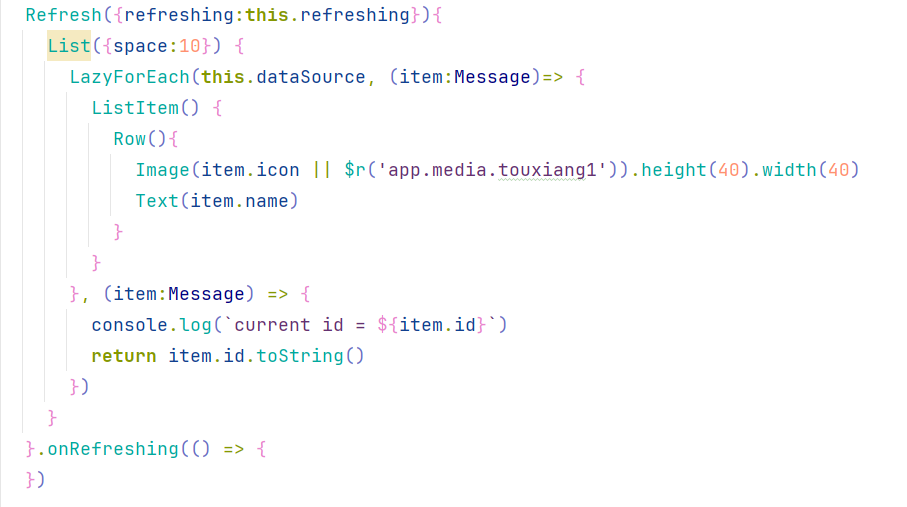
我们在展示列表数据时,经常会用到下拉列表刷新的功能,鸿蒙中对应的组件Refresh组件,代码如下:
2、从云测获取数据,并更新页面的状态列表数据
我们数据大多数情况都是从云测获取,而云测定义的一些id,一般都是Long类型,而鸿蒙中的number类型数据长度有限,如果数据过长,可能在将云测数据转为本地数据时,造成id被截断,因此我们经常会用@ohmos/json-bigint组件实现json转换,代码实现如下:
我们假设jsonStr是从云测请求到的数据,且其中的id是19位,因此我们做json转换需要用到json-bigint组件转换,且Message对象中的id定义为string类型,防止number类型接收被截断。注意这里我们json转换完成后,直接通过as转为了Message数据对象,并赋值给了LayForeach的dataSource实现列表的加载
javascript
aboutToAppear(): void {
    let jsonStr = '[{"id":1231231231231231246,"name":"张三","icon":""},{"id":1231231231231231247,"name":"张四","icon":""},{"id":1231231231231231248,"name":"张五","icon":""}]'
    this.dataSource.addItems(JsonBigInt.parse(jsonStr) as Message[])
  }

@ObservedV2
class Message {
  id:string = ''
  @Trace name:string = ''
  icon:ResourceStr = ''
}
3、下拉刷新实现
如下,我们在Refresh组件的onRefreshing属性中实现下拉刷新的操作,模拟从云测获取json数据,并转换为本地对象数组,重新赋值给lazyForeach组件的dataSource实现列表刷新:
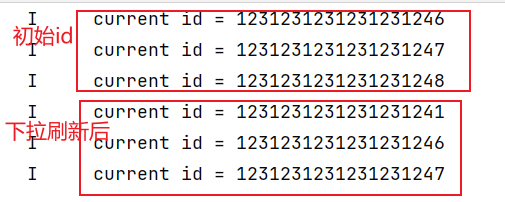
我们可以看到,我们lazyForeach中的generateKey用的是Message的id字段,我们这里打印了id,在刷新逻辑中,我们新增了一个id的数据,并删除了最后一个数据,与aboutAppear中的数据对比,前后两个数据的id肯定是变了。那么我们下拉看下效果
javascript
Refresh({refreshing:this.refreshing}){
        List({space:10}) {
          LazyForEach(this.dataSource, (item:Message)=> {
            ListItem() {
              Row(){
                Image(item.icon || $r('app.media.touxiang1')).height(40).width(40)
                Text(item.name)
              }
            }
          }, (item:Message) => {
            console.log(`current id = ${item.id}`)
            return item.id
          })
        }
      }.onRefreshing(() => {
        this.refreshing = true
        setTimeout(() => {
          this.refreshing = false
          let jsonStr = '[{"id":1231231231231231241,"name":"张六","icon":""},{"id":1231231231231231246,"name":"张三","icon":""},{"id":1231231231231231247,"name":"张四","icon":""}]'
          this.dataSource.refreshItems(JsonBigInt.parse(jsonStr) as Message[])
        },2000)
      })
效果如下:
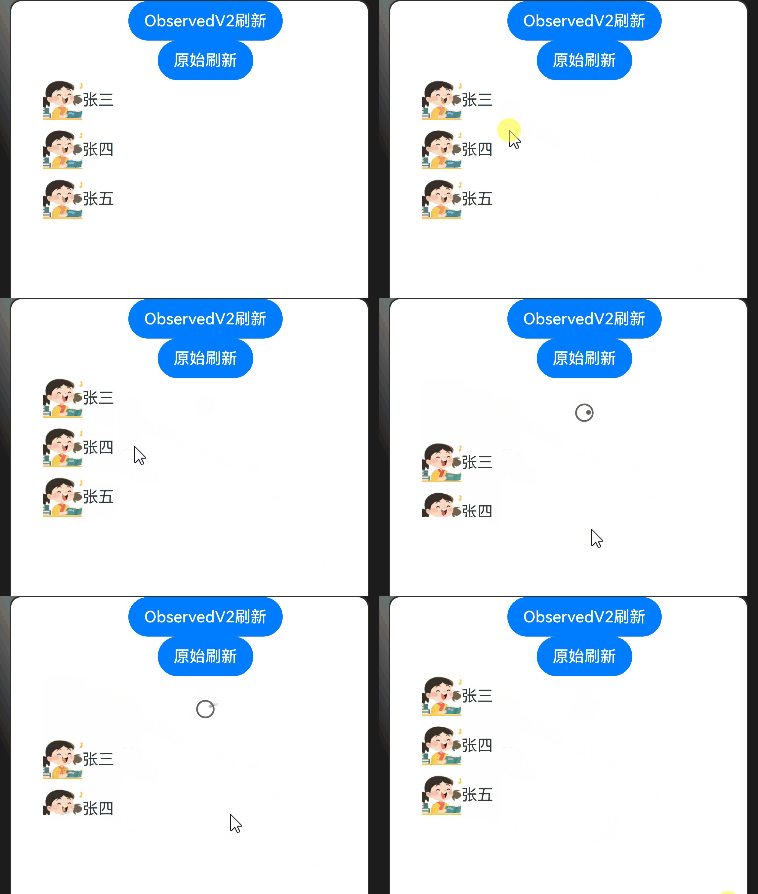
我们看下generateKey的打印,明显前后的id变了,但是为啥列表没刷新?
4、原因分析
(1)由于我们直接通过as转换类型,实际上即使我们Message中的id定义为string类型,实际还是bigInt数据
(2)LazyForeach组件在刷新前,会对generateKey的返回值类型做判断,如果不是string类型,就直接报错,不会刷新列表,这里和Foreach组件不同,Foreach组件不会做类型判断
5、解决方式
解决方案也很简单,就是将generateKey中的item.id改为item.id.toString()
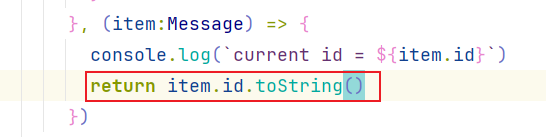
效果如下:
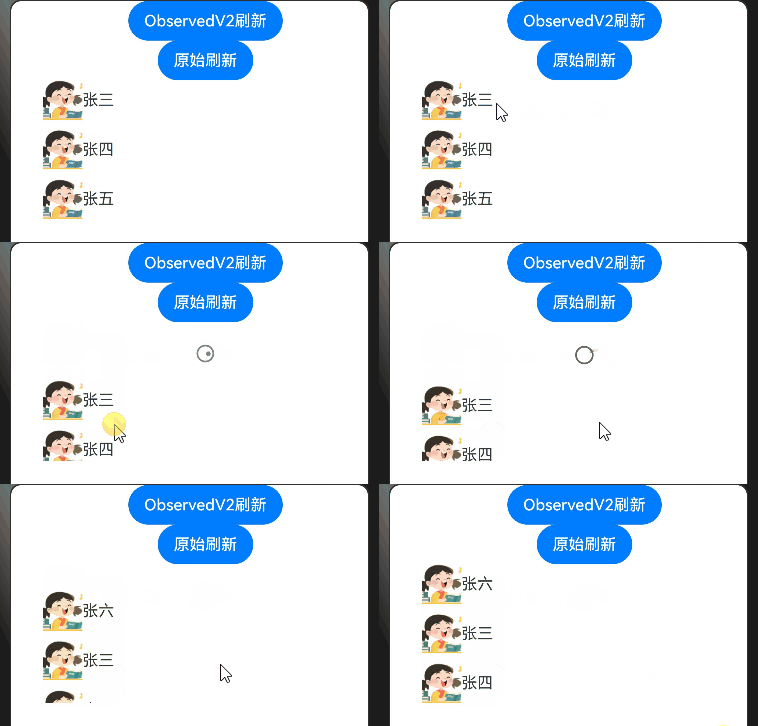
完整的示例代码如下:DateSource代码参考上一章
javascript
import JsonBigInt from '@ohmos/json-bigint'
import { DateSource } from './DateSource'

@Entry
@ComponentV2
struct LazyForeachPage {
  @Local refreshing:boolean = false
  dataSource: DateSource<Message> = new DateSource()
  private index = 1

  aboutToAppear(): void {
    let jsonStr = '[{"id":1231231231231231246,"name":"张三","icon":""},{"id":1231231231231231247,"name":"张四","icon":""},{"id":1231231231231231248,"name":"张五","icon":""}]'
    this.dataSource.addItems(JsonBigInt.parse(jsonStr) as Message[])
  }

  build() {
    Column(){
      Button('ObservedV2刷新').onClick(() => {
        this.index++
        this.dataSource.getAllData().find(item => item.id === '3')!.name = `张${this.index}`
      })
      Button('原始刷新').onClick(() => {
        this.index++
        this.dataSource.changeData(2,{id:'3', name: `张${this.index}`, icon:$r('app.media.touxiang1')} as Message)
      })
      Refresh({refreshing:this.refreshing}){
        List({space:10}) {
          LazyForEach(this.dataSource, (item:Message)=> {
            ListItem() {
              Row(){
                Image(item.icon || $r('app.media.touxiang1')).height(40).width(40)
                Text(item.name)
              }
            }
          }, (item:Message) => {
            console.log(`current id = ${item.id}`)
            return item.id.toString()
          })
        }
      }.onRefreshing(() => {
        this.refreshing = true
        setTimeout(() => {
          this.refreshing = false
          let jsonStr = '[{"id":1231231231231231241,"name":"张六","icon":""},{"id":1231231231231231246,"name":"张三","icon":""},{"id":1231231231231231247,"name":"张四","icon":""}]'
          this.dataSource.refreshItems(JsonBigInt.parse(jsonStr) as Message[])
        },2000)
      })

    }
    .padding({left:32})
    .height('100%')
    .width('100%')
  }
}

@ObservedV2
class Message {
  id:string = ''
  @Trace name:string = ''
  icon:ResourceStr = ''
}