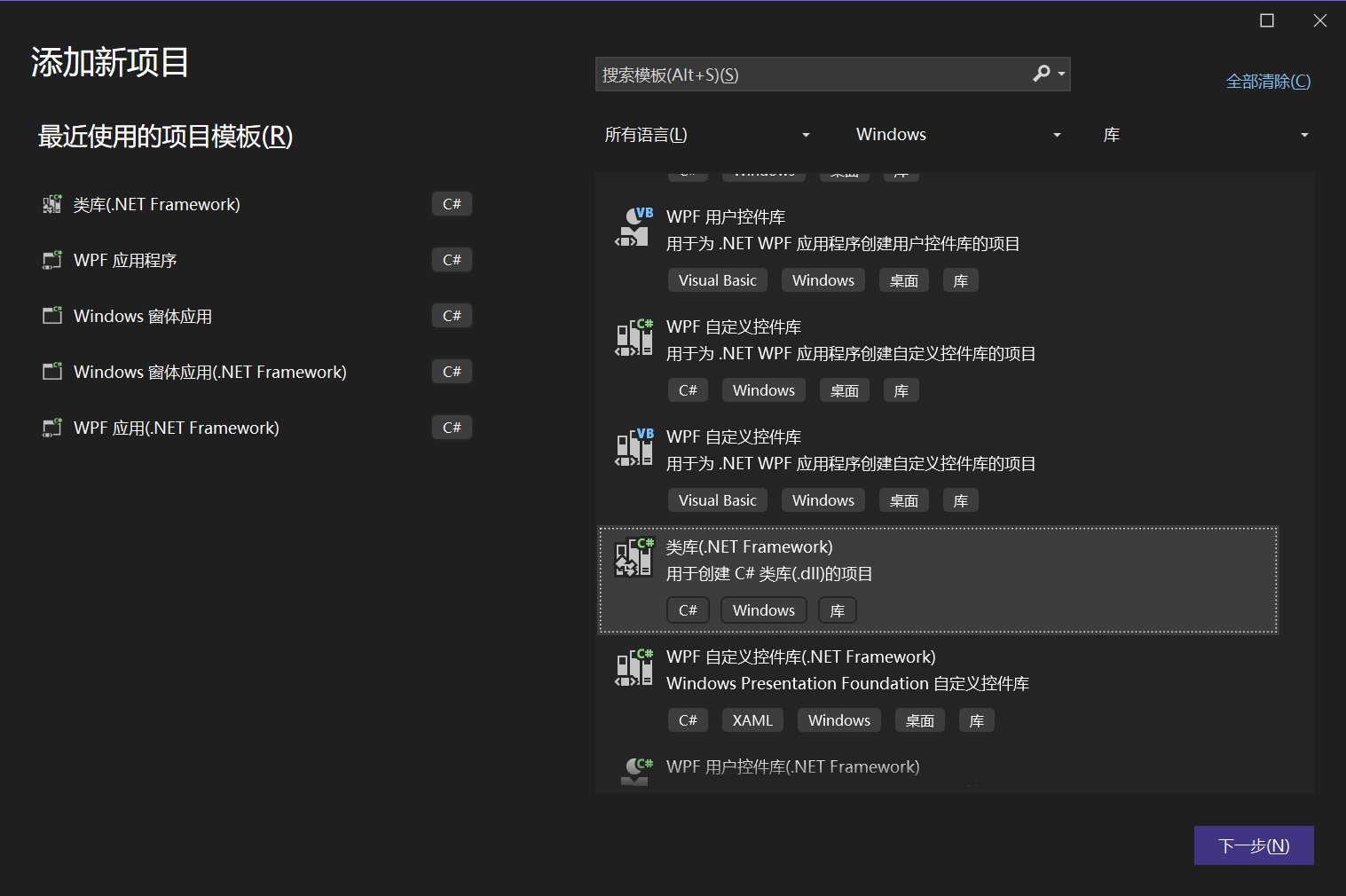
C#类库
因为Windows10自带.net framework 4.6.2
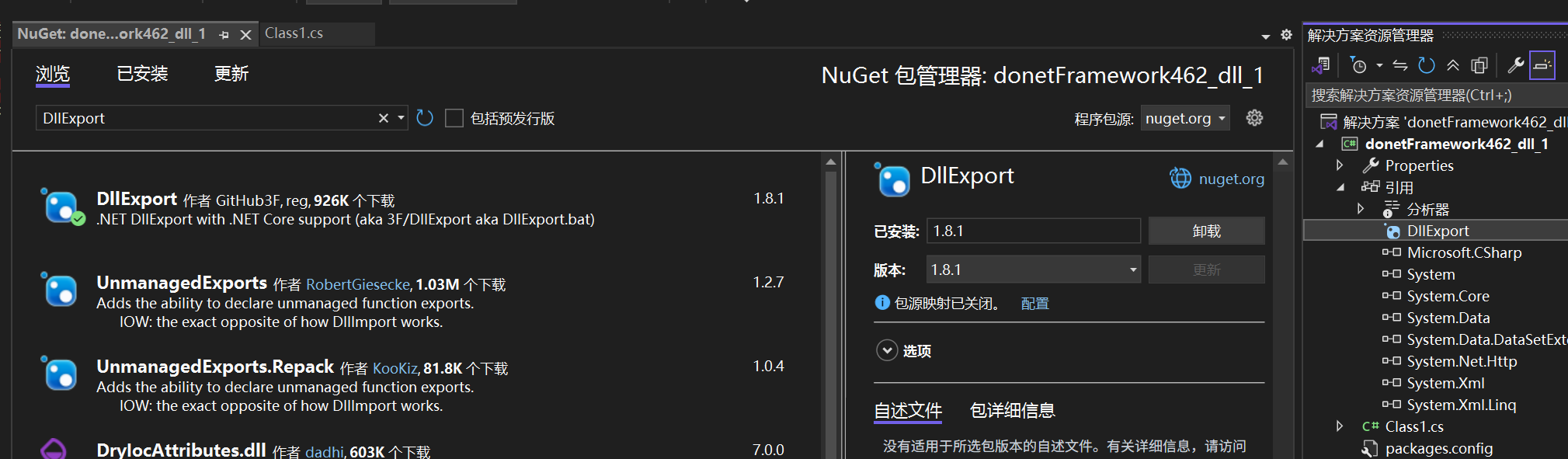
 从Nuget库中安装 DllExport
 具体代码:
具体代码:
Class1.cs
cs
using System;

using System.Runtime.InteropServices; // 必须引用

namespace donetFramework462_dll_1
{
    public class Class1
    {

        // 1. 打印 Hello World
        // CallingConvention.Cdecl 是 C 风格导出的标准调用约定
        [DllExport("HelloWorld", CallingConvention = CallingConvention.Cdecl)]
        public static void HelloWorld()
        {
            // 注意:Console.WriteLine 在 UE 的 Log 窗口看不到,但你可以通过调试确认
            Console.WriteLine("Hello World from C# DLL!");
        }

        // 2. 两个整数乘法
        [DllExport("Multiply", CallingConvention = CallingConvention.Cdecl)]
        public static int Multiply(int a, int b)
        {
            return a * b;
        }

    }
}
编译结果:
cpp
1>------ 已启动全部重新生成: 项目: donetFramework462_dll_1, 配置: Debug x64 ------
已还原 K:\Project52\donetFramework462_dll_1\donetFramework462_dll_1\donetFramework462_dll_1.csproj (用时 1.13 秒)。
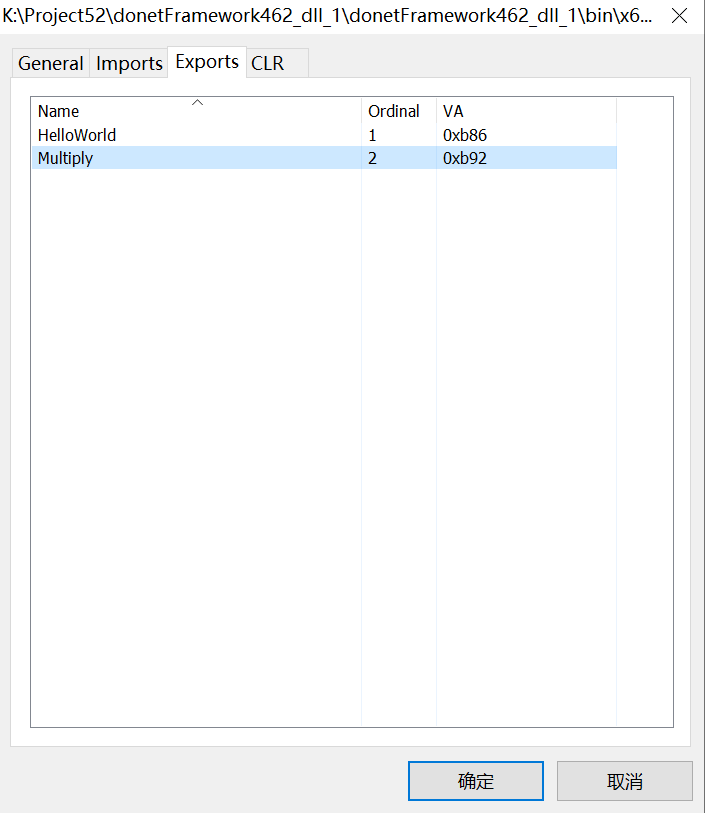
1> donetFramework462_dll_1 -> K:\Project52\donetFramework462_dll_1\donetFramework462_dll_1\bin\x64\Debug\donetFramework462_dll_1.dll找一个查看dll导出符号的软件,比如lucasg/Dependencies: A rewrite of the old legacy software "depends.exe" in C# for Windows devs to troubleshoot dll load dependencies issues.
UE插件
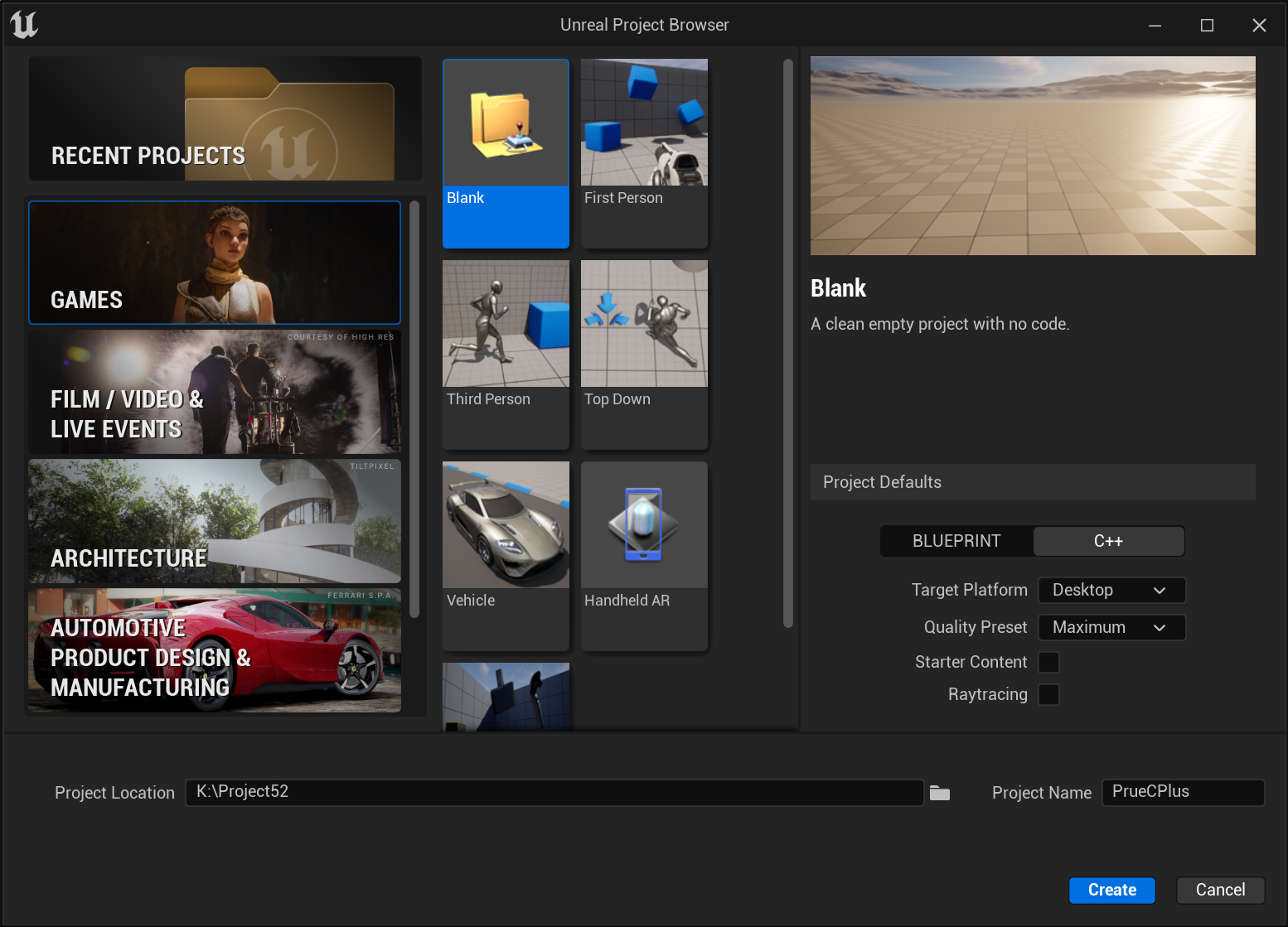
新建一个UE C++工程
然后新建一个C++蓝图插件
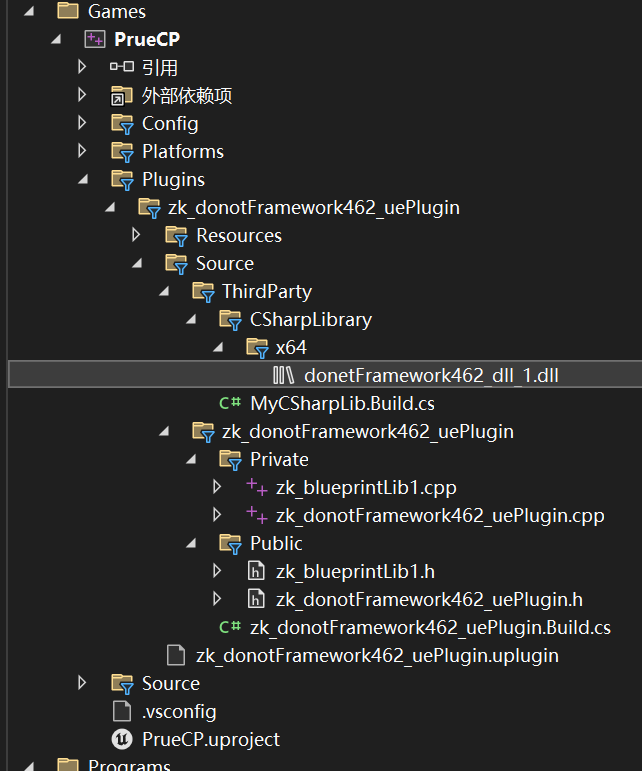
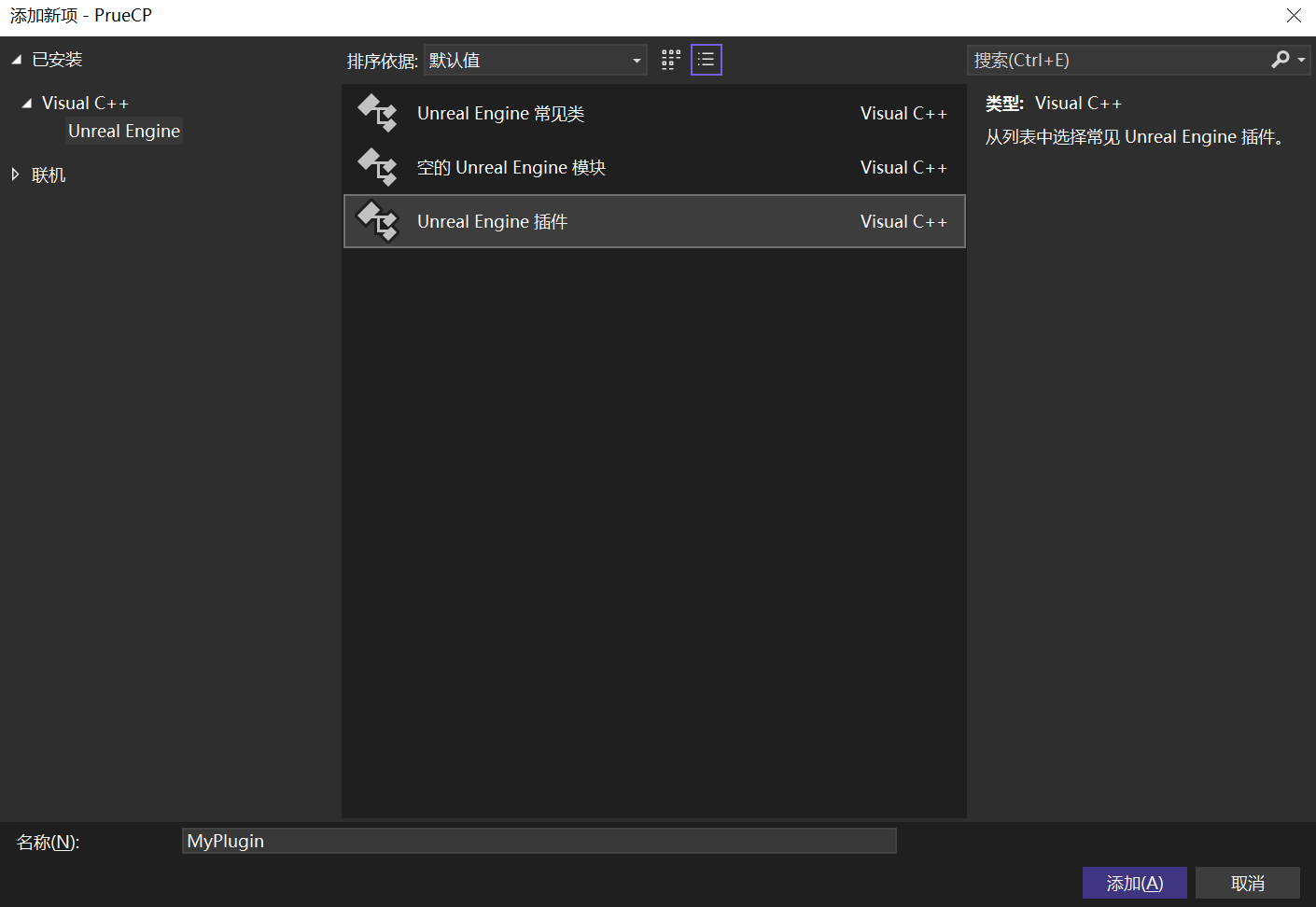 在路径:K:\Project52\PrueCP\Plugins\zk_donotFramework462_uePlugin\Source
cs
K:.
├───ThirdParty
│   └───CSharpLibrary
│       └───x64
└───zk_donotFramework462_uePlugin
    ├───Private
    └───Public
在Source目录下添加文件夹 ThirdParty

然后新建文本文件;文件名:MyCSharpLib.Build.cs
cs
using System.IO;
using UnrealBuildTool;

public class MyCSharpLib : ModuleRules
{
    public MyCSharpLib(ReadOnlyTargetRules Target) : base(Target)
    {
        Type = ModuleType.External; // 声明这是一个外部库

        if (Target.Platform == UnrealTargetPlatform.Win64)
        {
            // 使用更健壮的路径获取方式
            // 假设 Build.cs 在 CSharpLibrary 文件夹里
            string LibraryDirectory = ModuleDirectory;

            // 确保这里包含了 "x64"
            string DllName = "donetFramework462_dll_1.dll";
            string DllPath = Path.Combine(LibraryDirectory, "x64", DllName);

            // 如果路径确实不对,我们在这里做个补偿(强制检查层级)
            if (!File.Exists(DllPath))
            {
                // 尝试补齐可能缺失的 CSharpLibrary 目录
                DllPath = Path.Combine(LibraryDirectory, "CSharpLibrary", "x64", DllName);
            }

            // 1. 添加运行时依赖(用于打包)
            RuntimeDependencies.Add(DllPath);

            // 2. 这里的宏定义非常关键,我们需要确保它是一个规范的 Windows 全路径
            string FixedPath = DllPath.Replace("\\", "/");
            PublicDefinitions.Add(string.Format("CSHARP_DLL_PATH=TEXT(\"{0}\")", FixedPath));

            System.Console.WriteLine("--- C# DLL Path Defined: " + FixedPath);
        }

    }
}
实际的dll文件,放在目录:\ThirdParty\CSharpLibrary\x64
 然后在自己新建的插件 你的插件名称.Build.cs
cs
// Copyright Epic Games, Inc. All Rights Reserved.

using UnrealBuildTool;

public class zk_donotFramework462_uePlugin : ModuleRules
{
	public zk_donotFramework462_uePlugin(ReadOnlyTargetRules Target) : base(Target)
	{
		PCHUsage = ModuleRules.PCHUsageMode.UseExplicitOrSharedPCHs;

		PublicIncludePaths.AddRange(
			new string[] {
				// ... add public include paths required here ...
			}
			);


		PrivateIncludePaths.AddRange(
			new string[] {
				// ... add other private include paths required here ...
			}
			);


		PublicDependencyModuleNames.AddRange(
			new string[]
			{
				"Core",
				// ... add other public dependencies that you statically link with here
				"MyCSharpLib"	//←添加的库
            }
			);


		PrivateDependencyModuleNames.AddRange(
			new string[]
			{
				"CoreUObject",
				"Engine",
				"Slate",
				"SlateCore",
				// ... add private dependencies that you statically link with here ...
				"Projects"  	//←添加的库

            }
			);


		DynamicallyLoadedModuleNames.AddRange(
			new string[]
			{
				// ... add any modules that your module loads dynamically here ...
			}
			);

    }
}
添加库 MyCSharpLib、Projects 注意//←添加的库的位置。
蓝图库
然后是调用这个c#库的步骤,我们新建一个BlueprintFunctionLibrary蓝图库
头文件如下:
cpp
#pragma once

#include "CoreMinimal.h"
#include "Kismet/BlueprintFunctionLibrary.h"
#include "zk_blueprintLib1.generated.h"

/**
 *
 */
UCLASS()
class ZK_DONOTFRAMEWORK462_UEPLUGIN_API Uzk_blueprintLib1 : public UBlueprintFunctionLibrary
{
	GENERATED_BODY()

	//zk add ---------start----------------
	// --- 1. 定义函数指针类型,必须与 C# 端的签名严格匹配 ---
	typedef void (*_HelloWorldFunc)();
	typedef int (*_MultiplyFunc)(int, int);

public:
	// 暴露给蓝图测试
	UFUNCTION(BlueprintCallable, Category = "CSharpBridge")
	static bool ExecuteCSharpDemo();

private:
	// 静态变量保存句柄,避免重复加载
	static void* CSharpDllHandle;
	//zk add ---------end----------------

};
CPP文件如下:
cpp
#include "zk_blueprintLib1.h"

//zk add --------start----------------------
#include "HAL/PlatformProcess.h"
#include "Misc/MessageDialog.h"
#include "Logging/LogMacros.h"

// 初始化静态变量
void* Uzk_blueprintLib1::CSharpDllHandle = nullptr;

bool Uzk_blueprintLib1::ExecuteCSharpDemo()
{
	// 1. 确定 DLL 路径
	// 我们优先使用 Build.cs 传过来的宏,它指向的是 Source 目录下的 DLL
	FString DllPath = CSHARP_DLL_PATH;

	UE_LOG(LogTemp, Log, TEXT("Attempting to load DLL from: %s"), *DllPath);

	// 2. 加载 DLL
	if (!CSharpDllHandle)
	{
		if (FPaths::FileExists(DllPath))
		{
			CSharpDllHandle = FPlatformProcess::GetDllHandle(*DllPath);
		}
	}

	if (!CSharpDllHandle)
	{
		uint32 ErrorCode = FPlatformMisc::GetLastError();
		UE_LOG(LogTemp, Error, TEXT("Failed to load C# DLL! System Error Code: %d"), ErrorCode);

		// 常见的错误码:
		// 126: 找不到指定模块 (通常是路径不对或少了依赖库)
		// 193: %1 不是有效的 Win32 应用程序 (通常是 x86 和 x64 混用了)
		return false;
	}

	// 3. 获取函数地址
	// 注意:这里的字符串 "HelloWorld" 和 "Multiply" 必须和 C# [DllExport] 中填的一模一样
	_HelloWorldFunc HelloWorldPtr = (_HelloWorldFunc)FPlatformProcess::GetDllExport(CSharpDllHandle, TEXT("HelloWorld"));
	_MultiplyFunc MultiplyPtr = (_MultiplyFunc)FPlatformProcess::GetDllExport(CSharpDllHandle, TEXT("Multiply"));

	// 4. 安全调用
	if (HelloWorldPtr)
	{
		HelloWorldPtr(); // 调用 C# 的打印逻辑
		UE_LOG(LogTemp, Log, TEXT("C# HelloWorld function called successfully!"));
	}
	else
	{
		UE_LOG(LogTemp, Warning, TEXT("Could not find HelloWorld function in DLL."));
	}

	if (MultiplyPtr)
	{
		int Result = MultiplyPtr(5, 8); // 调用 C# 的乘法
		UE_LOG(LogTemp, Log, TEXT("C# Multiply Result (5 * 8): %d"), Result);

		// 弹窗反馈,直观看到结果
		FMessageDialog::Open(EAppMsgType::Ok, FText::FromString(FString::Printf(TEXT("C# Multiply Result: %d"), Result)));
	}

	return true;
}

//zk add --------end----------------------
编译结果:
cpp
1>Building 4 actions with 4 processes...
1>[1/4] Compile [x64] Module.zk_donotFramework462_uePlugin.cpp
1>[2/4] Link [x64] UnrealEditor-zk_donotFramework462_uePlugin.lib
1>  正在创建库 K:\Project52\PrueCP\Plugins\zk_donotFramework462_uePlugin\Intermediate\Build\Win64\x64\UnrealEditor\Development\zk_donotFramework462_uePlugin\UnrealEditor-zk_donotFramework462_uePlugin.lib 和对象 K:\Project52\PrueCP\Plugins\zk_donotFramework462_uePlugin\Intermediate\Build\Win64\x64\UnrealEditor\Development\zk_donotFramework462_uePlugin\UnrealEditor-zk_donotFramework462_uePlugin.exp
1>[3/4] Link [x64] UnrealEditor-zk_donotFramework462_uePlugin.dll
1>  正在创建库 K:\Project52\PrueCP\Plugins\zk_donotFramework462_uePlugin\Intermediate\Build\Win64\x64\UnrealEditor\Development\zk_donotFramework462_uePlugin\UnrealEditor-zk_donotFramework462_uePlugin.suppressed.lib 和对象 K:\Project52\PrueCP\Plugins\zk_donotFramework462_uePlugin\Intermediate\Build\Win64\x64\UnrealEditor\Development\zk_donotFramework462_uePlugin\UnrealEditor-zk_donotFramework462_uePlugin.suppressed.exp
1>[4/4] WriteMetadata PrueCPEditor.target
1>Total time in Parallel executor: 3.60 seconds
1>Total execution time: 5.88 seconds
========== 生成: 1 成功,0 失败,0 最新,0 已跳过 ==========
在UE工程里使用蓝图节点:
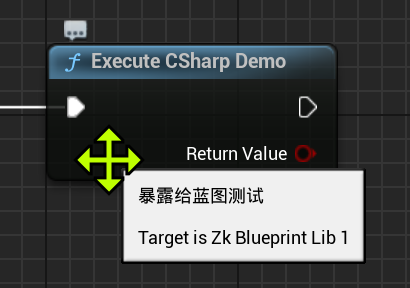
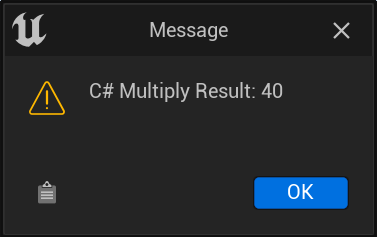
调用结果如下: