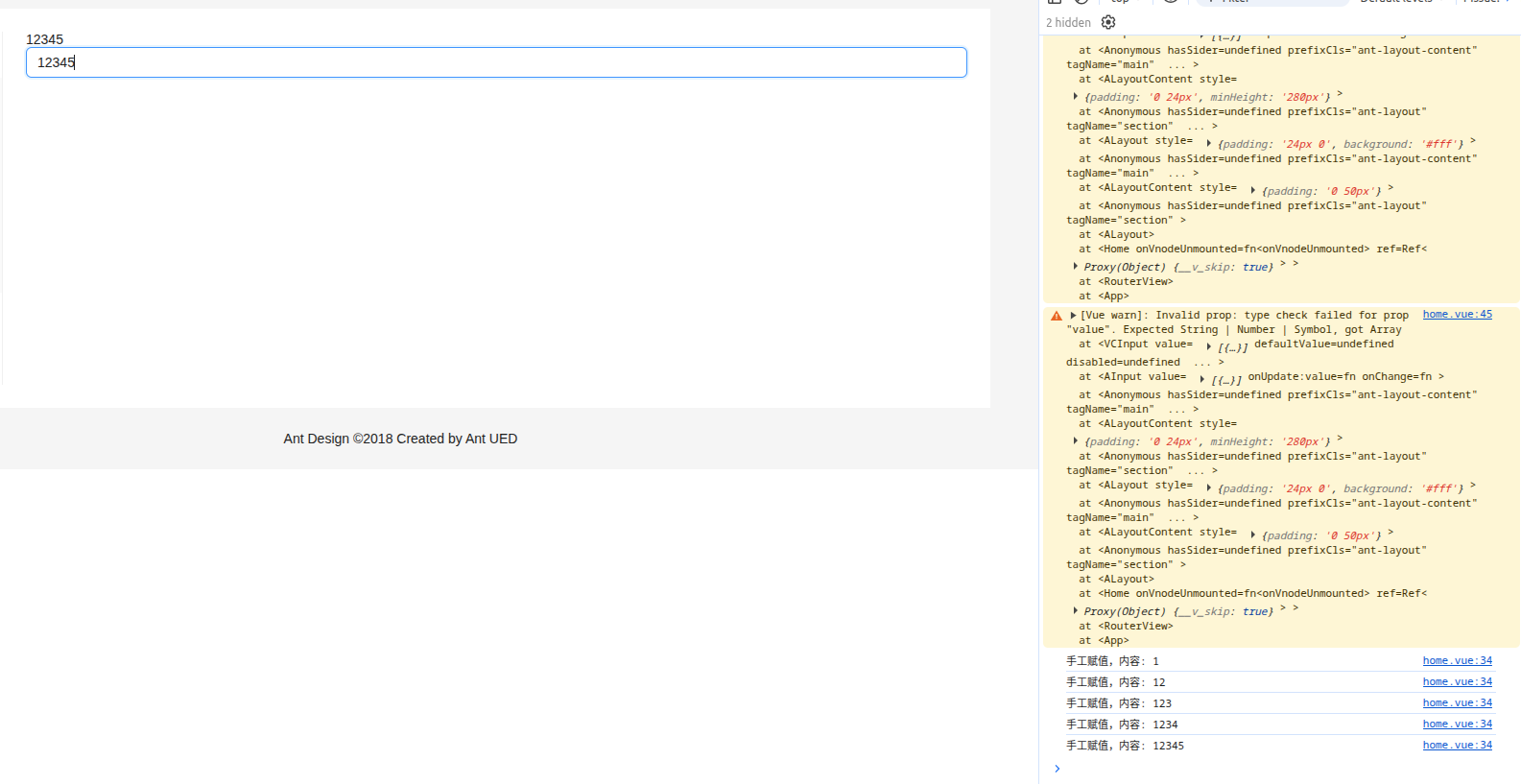
先展示home.vue
<template>
  <a-layout>
    <the-header></the-header>
    <a-layout-content style="padding: 0 50px">
      <a-breadcrumb style="margin: 16px 0">
        <a-breadcrumb-item>Home</a-breadcrumb-item>
        <a-breadcrumb-item>List</a-breadcrumb-item>
        <a-breadcrumb-item>App</a-breadcrumb-item>
      </a-breadcrumb>
      <a-layout style="padding: 24px 0; background: #fff">
        <the-sider></the-sider>
        <a-layout-content :style="{ padding: '0 24px', minHeight: '280px' }">
          {{ resp || "loading... "}}
          <a-input v-model:value="resp" @change="onchange()"></a-input>
        </a-layout-content>
      </a-layout>
    </a-layout-content>
    <a-layout-footer style="text-align: center">
      Ant Design ©2018 Created by Ant UED
    </a-layout-footer>
  </a-layout>
</template>

<script setup>
import TheHeader from "../components/the-header.vue"
import TheSider from "../components/the-sider.vue"
import axios from "axios"
import {ref} from "vue";
import {message} from "ant-design-vue"

const resp = ref()

const onchange = () => {
  console.log("手工赋值,内容:", resp.value)
}

axios.get("http://localhost:18000/nls/query", {
  params: {
    "mobile": "Huawei"
  }
}).then((response)=>{
  console.log(response)
  let data = response.data
  if (data.success) {
    resp.value = data.content
    console.log("已赋值,内容:", resp.value)
  } else {
    message.error(data.message)
  }
})
</script>

<style scoped>
.ant-row-rtl .logo {
  float: right;
  margin: 16px 0 16px 24px;
}
</style>
在里面我们引入了一个响应式变量resp,用ref去定义,ref是响应式变量的关键字
那么这个变量就涉及到读和写以及展示
在脚本中,我们利用axios获取后端传来的结果
javascript
axios.get("http://localhost:18000/nls/query", {
  params: {
    "mobile": "Huawei"
  }
}).then((response)=>{
  console.log(response)
  let data = response.data
  if (data.success) {
    resp.value = data.content
    console.log("已赋值,内容:", resp.value)
  } else {
    message.error(data.message)
  }
})
如果成功获取结果,那么我们就对这个resp赋值,值得注意的是,我们赋值的话,需要赋值给resp的value属性,这个一定要记住
javascript
resp.value = data.content那么读取之后,如何展示呢? 在template中使用两个花括号{{ resp }}
javascript
        <a-layout-content :style="{ padding: '0 24px', minHeight: '280px' }">
          {{ resp }}
        </a-layout-content>
这样的话,成功取到后端结果后,会立即将对象以字符串形式展示到html中,这就叫响应式。

另外如何修改或者写入呢?
我们引入一个输入的标签a-input,绑定对应的变量resp,并且绑定一个onchange回调函数,一旦内容改变,就会在控制台打印内容,当我们在输入框输入数字时,响应式变量自身发生改变,同时也看到控制台的打印123...
javascript
<a-input v-model:value="resp" @change="onchange()"></a-input>