opentelemetry-demo是opentelemetry的官方演示,项目是一个多语言的完整项目,各个子项目是行业专家写的初级项目,项目代码少难度低,非常适合初学者学习生产级的项目框架。
首先从github上下载GitHub - open-telemetry/opentelemetry-demo: This repository contains the OpenTelemetry Astronomy Shop, a microservice-based distributed system intended to illustrate the implementation of OpenTelemetry in a near real-world environment. https://github.com/open-telemetry/opentelemetry-demo用vsc打开src/currency目录
使用docker编译项目
启动docker desktop后在项目目录终端中运行docker compose build currency(参考README.md) 能够直接编译成功,几乎没有遇到什么问题。
docker run --rm ghcr.io/open-telemetry/demo:latest-currency
在容器中运行容器时遇到问题
terminate called after throwing an instance of 'std::logic_error'
what(): basic_string: construction from null is not valid
通过对server.cpp分区注释编译运行发现错误在第85行的
std::string version = std::getenv("VERSION");
cpp
std::string version = std::getenv("VERSION"); 这行代码的功能是读取环境变量,并且创建一个string对象。当前环境中没有定义VERSION环境变量,所以运行时报错。
解决方案:添加环境变量启动docker
设置VERSION为空字符串就可以成功启动
bash
docker run --rm -e VERSION= ghcr.io/open-telemetry/demo:latest-currency输出 Usage: currency <port>
提示是没有指定端口号,那么如何在命令行中指定port参数呢?
查看dockerfile 发现entrypoint通过环境变量currency_port来指定端口号。
我们修改docker命令添加CURRENCY_PORT环境变量
docker run --rm -e VERSION= -e CURRENCY_PORT=9999 ghcr.io/open-telemetry/demo:latest-currency
控制台输出
Error File: /opentelemetry-cpp/exporters/otlp/src/otlp_grpc_log_record_exporter.cc:173 OTLP LOG GRPC Exporter Export() failed: failed to connect to all addresses; last error: UNKNOWN: ipv4:127.0.0.1:4317: Failed to connect to remote host: Connection refused
这是因为默认连接到本机的opentelemetry-collector。连接到正确的opentelemetry-collector不是本文章的学习范围。
用vsc查看代码时发现有大量错误,代码阅读体验很差。有必要在开发环境中做好配置以学习项目源码。
用wsl ubuntu编译项目
在查看currency项目的源码时发现大量头文件不存在。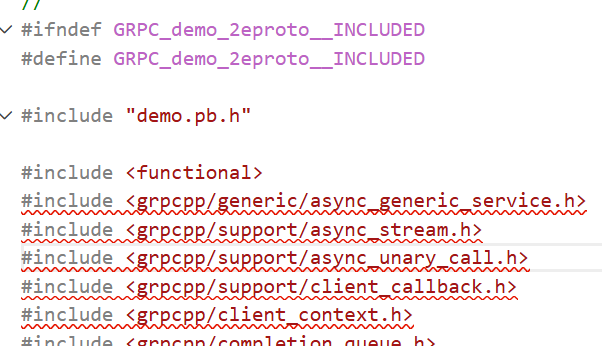
在linux上安装grpc库来解决这个问题,执行
bash
sudo apt install libgrpc-dev上面的问题消失
但是cmake 在configure时报错
cmake CMake Error at CMakeLists.txt:7 (find_package):
cmake Could not find a package configuration file provided by "Protobuf" with any
cmake of the following names:
cmake
cmake ProtobufConfig.cmake
cmake protobuf-config.cmake
cmake
cmake Add the installation prefix of "Protobuf" to CMAKE_PREFIX_PATH or set
cmake "Protobuf_DIR" to a directory containing one of the above files. If
cmake "Protobuf" provides a separate development package or SDK, be sure it has
cmake been installed.
cmake
意思是cmake没有找到protobufconfig.cmake配置。下面来安装protobuf试试
bash
sudo apt install libprotobuf-dev安装以后依然提示上面的错误。继续分析,这里补充一个知识点:linux环境下的dev程序包应该在cmake目录下有相应的cmake配置,才能被cmake环境识别到。
我们用ubuntu的dpkg命令来分析protobuf的所有文件,发现没有与cmake相关的配置文件

我们再用dpkg命令来分析grpc包的文件,有期望的输出结果
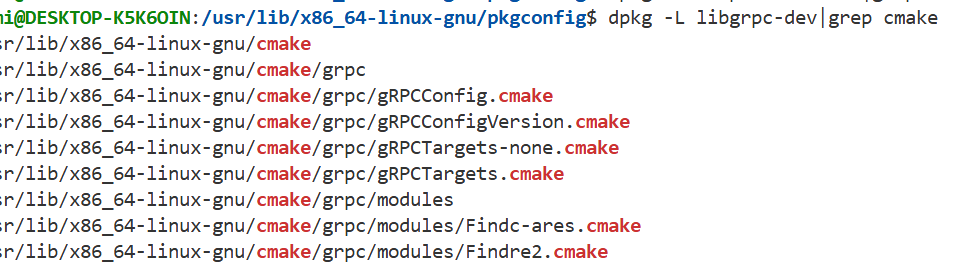 经过进一步搜索发现ubuntu的protobuf库没有使用cmake进行编译,而是用autotool进行编译的,因此没有生成cmake相关配置。
参考这篇文章Compiling grpc on Ubuntu 22.04 with system libprotobuf
而alipne linux的protobuf-dev库是用cmake编译的,有cmake配置文件。参考
Package index - Alpine Linux packages
这种问题也是c++开发中经常遇到的问题,排查非常消耗时间。
事已至此,怎么解决这个问题呢?
能想到的方案是去找包含cmake配置的libprotobuf-dev,
UbuntuUpdates - Package Search (all versions of libprotobuf-dev)
但是页面上所有的包都没有cmake配置。
还有一种方法是从源码用cmake编译protobuf,从github下载,protobuf还有不少依赖,构建过程十分复杂。
最后一种方案是使用vcpkg包管理器,vcpkg安装包基本上不会出错,vcpkg会自动解决多级依赖问题,省心省力。
安装好vcpkg后在根目录下创建一个CMakePresets.json文件,写入如下内容
{
"version": 3,
"configurePresets": [
{
"name": "vcpkg",
"cacheVariables": {
"CMAKE_TOOLCHAIN_FILE": "$env{VCPKG_ROOT}/scripts/buildsystems/vcpkg.cmake"
}
}
]
}
重启vsc以刷新cmake插件
cmake配置成功后会出现如下项目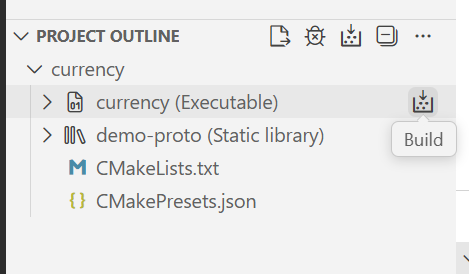
构建currency可执行目标,报错
fatal error: grpcpp/generic/async_generic_service.h: No such file or directory

这个头文件为什么不存在呢,明明已经安装了libgrpc-dev库,通过查看dpkg -L libgrpc-dev 确实没有看到grpcpp目录的头文件。原来是包安装错了,用下面的命令行安装正确的包
bash
sudo apt install libgrpc++-dev继续编译,报错
build /usr/include/grpcpp/impl/codegen/config_protobuf.h:93:9: error: 'Status' in namespace 'google::protobuf::util' does not name a type
这种问题首先考虑的是protobuf和grpcpp的版本不匹配,
执行vcpkg list protobuf 输出
protobuf:x64-linux 5.29.5#3 Google's language-neutral, platform-neutral, ext...
安装的protobuf是5.29.5版本,从github上看是2年前发布的 GitHub - protocolbuffers/protobuf at v5.29.5
执行 dpkg -l libgrpc++-dev 输出
Desired=Unknown/Install/Remove/Purge/Hold
| Status=Not/Inst/Conf-files/Unpacked/halF-conf/Half-inst/trig-aWait/Trig-pend
|/ Err?=(none)/Reinst-required (Status,Err: uppercase=bad)
||/ Name Version Architecture Description
+++-===================-================-============-====================================================
ii libgrpc++-dev:amd64 1.51.1-4.1build5 amd64 high performance general RPC framework (development)
从github上看是4年前发布的
GitHub - grpc/grpc at v1.51.1
这已经是ubuntu上能用apt安装的最新版本了。在这个场景下升级grpc的只能用vcpkg了。
来,使用vcpkg install grpc
vcpkg编译项目要消耗很高的cpu和内存,经过27分钟的等待后继续编译。

这次发生的错误是opentelemetry没找到。
执行下面的命令安装opentelemetry: sudo apt install opentelemetry-cpp
不幸的是报错了
bash
E: Unable to locate package opentelemetry-cpp我们去Ubuntu -- Ubuntu Packages Search 搜索opentelemetry-cpp
Ubuntu -- Package Search Results -- opentelemetry-cpp
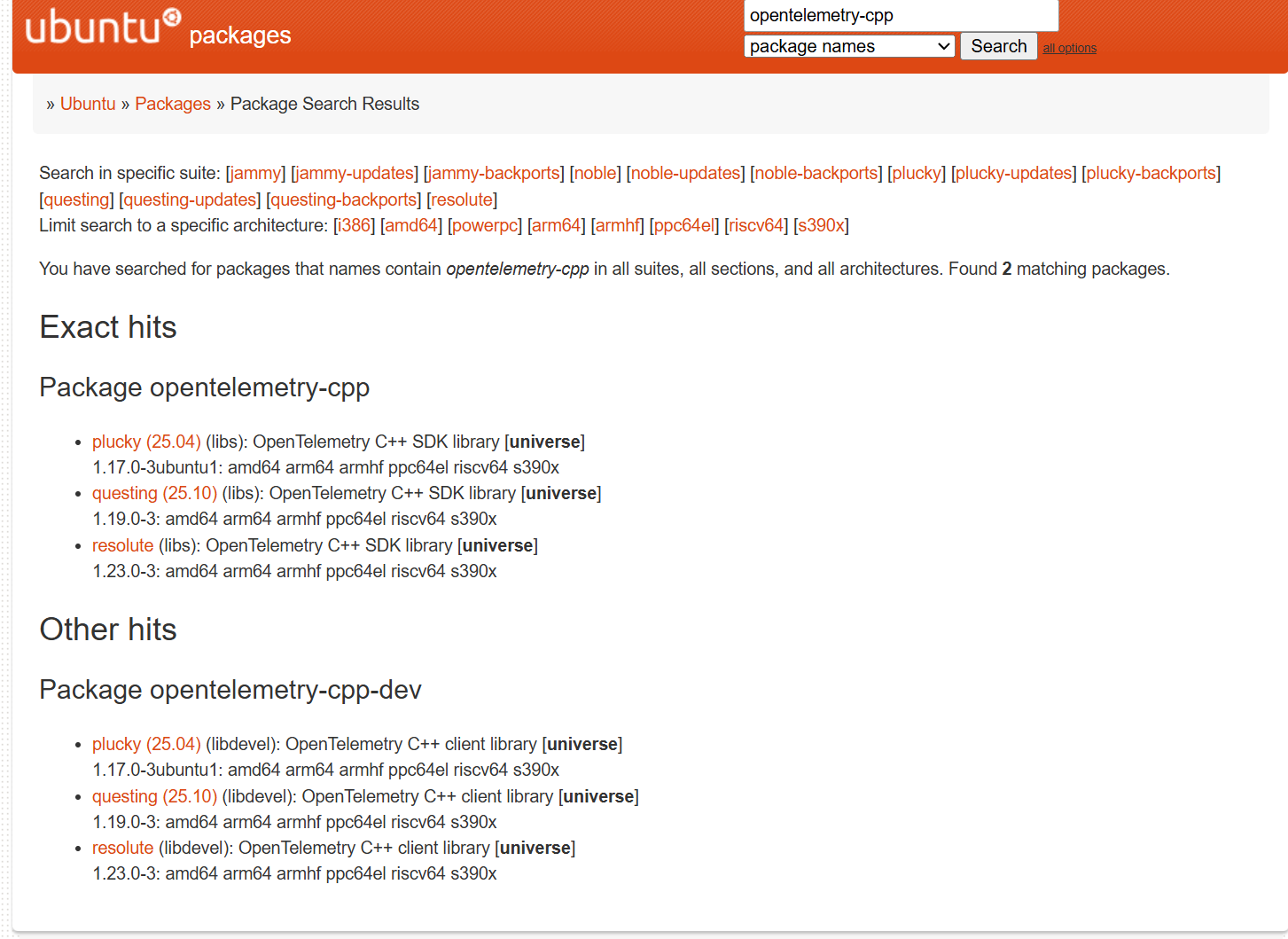
既然ubuntu上有库为什么我安装不了呢? 原来是ubuntu版本的问题。我的wsl运行的是ubuntu 24 noble版本。ubuntu仓库中并没有支持noble版本的opentelemetry-cpp包。升级wsl版本太重了,用一些轻量的方法来操作,对,就是用vcpkg来安装opentelemetry-cpp。而且currency项目自带的dockerfile也是通过git下载opentelemetry-cpp编译安装的。
执行
bash
vcpkg install opentelemetry-cpp这次执行非常快,不到2分钟就编译完成了

继续编译报错

原来opentelemetry-cpp编译时默认不带 otlp-grpc功能,重新编译opentelemetry-cpp包
bash
vcpkg install opentelemetry-cpp[otlp-grpc] --recurse这次编译也很快,不到3分钟就编译成功。

继续编译currency项目,在链接阶段报错

这个问题怎么排查呢? 先找链接字符串在哪个文件中出现
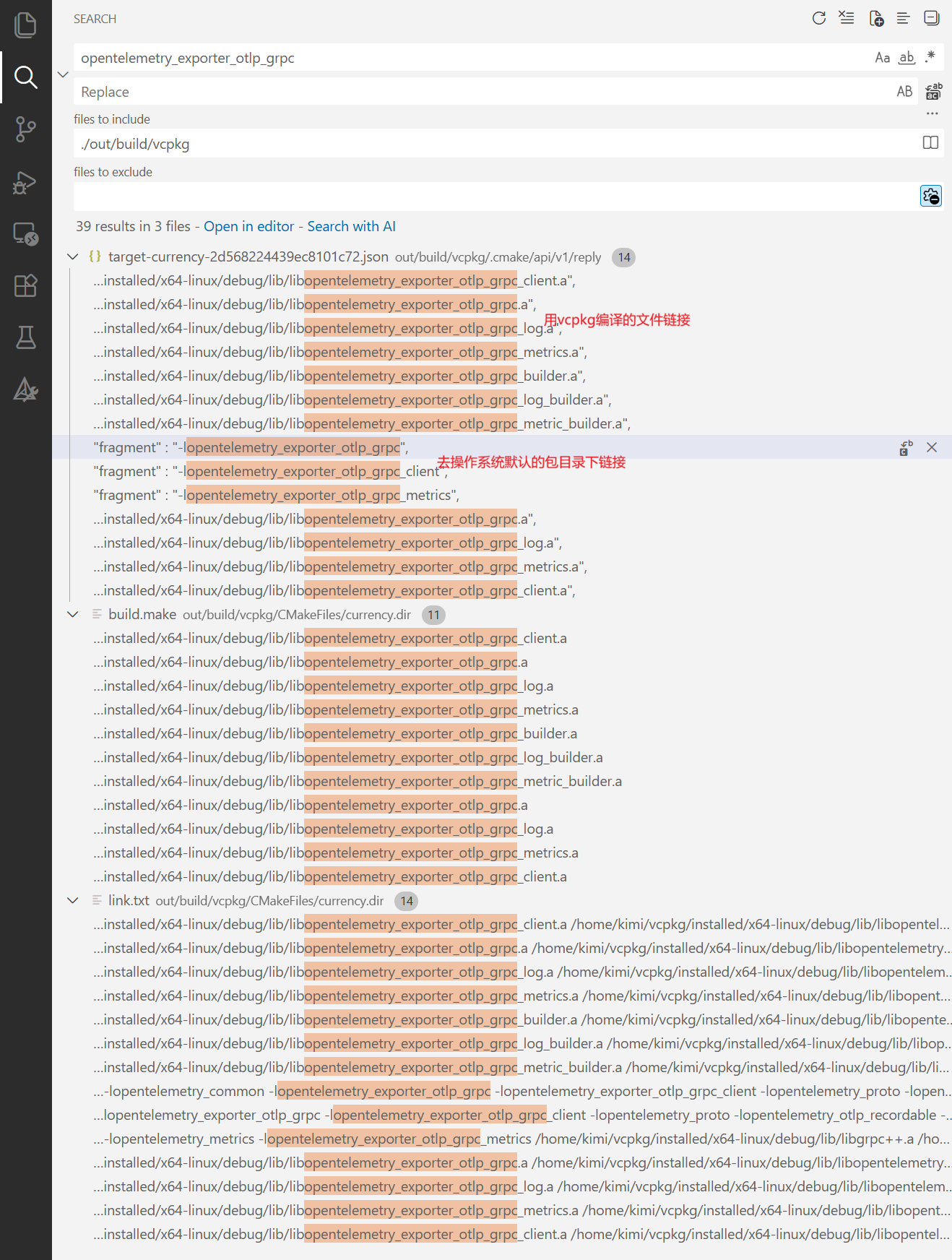 这个错误原因就很明显了,操作系统没有安装opentelemetry,默认库目录下当然找不到库,那么
-lopentelemetry 开头的配置是怎么生成的呢? 答案是cmakelists.txt的target_link_libraries写了链接的库,将opentelemetry开头的链接项删除就可以了
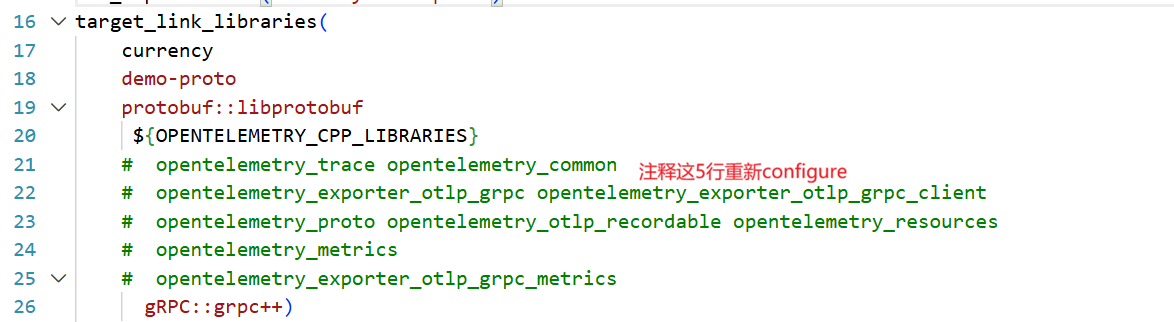
继续build项目
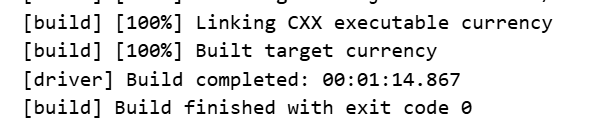
bingo! you make it!
总结
vcpkg在跨平台c++开发中是非常有效的包管理工具,不同linux自带的包管理器安装包时会遇到各种各样的问题,比如不支持cmake构建环境,比如原生包管理器不支持包,比如包版本不兼容并且包管理器没有匹配的版本。vcpkg是非常棒的fallback选择。