21点是一个经典的赌场纸牌游戏。这篇文章我们来实现一个完整的21点游戏,包括游戏逻辑、玩家和庄家的操作、以及结果判定。通过这个功能,我们能展示如何构建一个对抗性的游戏 。
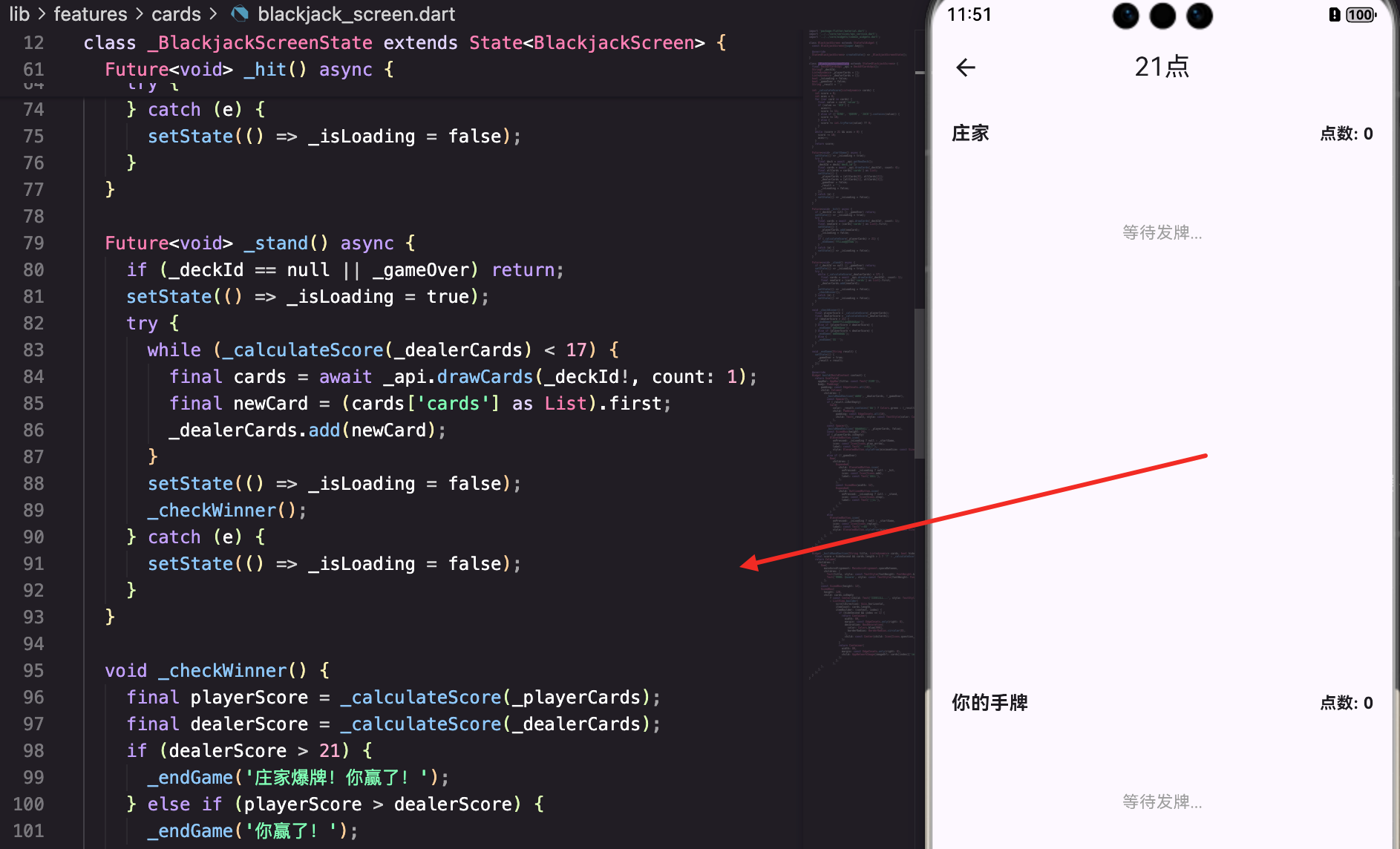
页面的基本结构
BlackjackScreen是21点游戏的主页面:
dart
class BlackjackScreen extends StatefulWidget {
  const BlackjackScreen({super.key});

  @override
  State<BlackjackScreen> createState() => _BlackjackScreenState();
}

class _BlackjackScreenState extends State<BlackjackScreen> {
  final DeckOfCardsApi _api = DeckOfCardsApi();
  String? _deckId;
  List<dynamic> _playerCards = [];
  List<dynamic> _dealerCards = [];
  bool _isLoading = false;
  bool _gameOver = false;
  String _result = '';
_deckId存储牌组ID。
_playerCards和_dealerCards分别存储玩家和庄家的牌。
_gameOver表示游戏是否结束。
得分计算
_calculateScore方法计算牌的总分:
dart
  int _calculateScore(List<dynamic> cards) {
    int score = 0;
    int aces = 0;
    for (var card in cards) {
      final value = card['value'];
      if (value == 'ACE') {
        aces++;
        score += 11;
      } else if (['KING', 'QUEEN', 'JACK'].contains(value)) {
        score += 10;
      } else {
        score += int.tryParse(value) ?? 0;
      }
    }
    while (score > 21 && aces > 0) {
      score -= 10;
      aces--;
    }
    return score;
  }
A可以算作1或11,根据情况自动调整。
10、J、Q、K都算作10。
其他牌按数字计算。
游戏开始
_startGame方法初始化游戏:
dart
  Future<void> _startGame() async {
    setState(() => _isLoading = true);
    try {
      final deck = await _api.getNewDeck();
      _deckId = deck['deck_id'];
      final cards = await _api.drawCards(_deckId!, count: 4);
      final allCards = cards['cards'] as List;
      setState(() {
        _playerCards = [allCards[0], allCards[2]];
        _dealerCards = [allCards[1], allCards[3]];
        _gameOver = false;
        _result = '';
        _isLoading = false;
      });
    } catch (e) {
      setState(() => _isLoading = false);
    }
  }
创建新牌组并发4张牌(玩家2张,庄家2张)。
要牌操作
_hit方法让玩家要牌:
dart
  Future<void> _hit() async {
    if (_deckId == null || _gameOver) return;
    setState(() => _isLoading = true);
    try {
      final cards = await _api.drawCards(_deckId!, count: 1);
      final newCard = (cards['cards'] as List).first;
      setState(() {
        _playerCards.add(newCard);
        _isLoading = false;
      });
      if (_calculateScore(_playerCards) > 21) {
        _endGame('爆牌!你输了');
      }
    } catch (e) {
      setState(() => _isLoading = false);
    }
  }
给玩家增加一张牌。
如果超过21就立即结束游戏。
停牌操作
_stand方法让玩家停牌,庄家继续要牌:
dart
  Future<void> _stand() async {
    if (_deckId == null || _gameOver) return;
    setState(() => _isLoading = true);
    try {
      while (_calculateScore(_dealerCards) < 17) {
        final cards = await _api.drawCards(_deckId!, count: 1);
        final newCard = (cards['cards'] as List).first;
        _dealerCards.add(newCard);
      }
      setState(() => _isLoading = false);
      _checkWinner();
    } catch (e) {
      setState(() => _isLoading = false);
    }
  }
庄家要牌直到达到17或以上。
然后检查赢家。
赢家判定
_checkWinner方法判定赢家:
dart
  void _checkWinner() {
    final playerScore = _calculateScore(_playerCards);
    final dealerScore = _calculateScore(_dealerCards);
    if (dealerScore > 21) {
      _endGame('庄家爆牌!你赢了!');
    } else if (playerScore > dealerScore) {
      _endGame('你赢了!');
    } else if (playerScore < dealerScore) {
      _endGame('庄家赢了');
    } else {
      _endGame('平局');
    }
  }
比较玩家和庄家的得分。
游戏UI
游戏页面显示庄家的牌、玩家的牌和操作按钮:
dart
  @override
  Widget build(BuildContext context) {
    return Scaffold(
      appBar: AppBar(title: const Text('21点')),
      body: Padding(
        padding: const EdgeInsets.all(16),
        child: Column(
          children: [
            _buildHandSection('庄家', _dealerCards, !_gameOver),
            const Spacer(),
            if (_result.isNotEmpty)
              Card(
                color: _result.contains('赢') ? Colors.green : (_result.contains('输') || _result.contains('庄家赢') ? Colors.red : Colors.orange),
                child: Padding(
                  padding: const EdgeInsets.all(16),
                  child: Text(_result, style: const TextStyle(color: Colors.white, fontSize: 20, fontWeight: FontWeight.bold)),
                ),
              ),
            const Spacer(),
            _buildHandSection('你的手牌', _playerCards, false),
上面显示庄家的牌,下面显示玩家的牌。
中间显示游戏结果。
手牌显示
_buildHandSection方法显示手牌:
dart
  Widget _buildHandSection(String title, List<dynamic> cards, bool hideSecond) {
    final score = hideSecond && cards.length > 1 ? '?' : _calculateScore(cards).toString();
    return Column(
      children: [
        Row(
          mainAxisAlignment: MainAxisAlignment.spaceBetween,
          children: [
            Text(title, style: const TextStyle(fontWeight: FontWeight.bold, fontSize: 16)),
            Text('点数: $score', style: const TextStyle(fontWeight: FontWeight.bold)),
          ],
        ),
        const SizedBox(height: 12),
        SizedBox(
          height: 120,
          child: cards.isEmpty
              ? const Center(child: Text('等待发牌...', style: TextStyle(color: Colors.grey)))
              : ListView.builder(
                  scrollDirection: Axis.horizontal,
                  itemCount: cards.length,
                  itemBuilder: (context, index) {
                    if (hideSecond && index == 1) {
                      return Container(
                        width: 80,
                        margin: const EdgeInsets.only(right: 8),
                        decoration: BoxDecoration(
                          color: Colors.blue[900],
                          borderRadius: BorderRadius.circular(8),
                        ),
                        child: const Center(child: Icon(Icons.question_mark, color: Colors.white, size: 32)),
                      );
                    }
                    return Container(
                      width: 80,
                      margin: const EdgeInsets.only(right: 8),
                      child: AppNetworkImage(imageUrl: cards[index]['image'] ?? '', fit: BoxFit.contain),
                    );
                  },
                ),
        ),
      ],
    );
  }
游戏进行中,庄家的第二张牌隐藏。
使用AppNetworkImage显示牌的图片。
操作按钮
游戏进行中显示"要牌"和"停牌"按钮:
dart
            if (_playerCards.isEmpty)
              ElevatedButton.icon(
                onPressed: _isLoading ? null : _startGame,
                icon: const Icon(Icons.play_arrow),
                label: const Text('开始游戏'),
                style: ElevatedButton.styleFrom(minimumSize: const Size(double.infinity, 52)),
              )
            else if (!_gameOver)
              Row(
                children: [
                  Expanded(
                    child: ElevatedButton.icon(
                      onPressed: _isLoading ? null : _hit,
                      icon: const Icon(Icons.add),
                      label: const Text('要牌'),
                    ),
                  ),
                  const SizedBox(width: 12),
                  Expanded(
                    child: OutlinedButton.icon(
                      onPressed: _isLoading ? null : _stand,
                      icon: const Icon(Icons.stop),
                      label: const Text('停牌'),
                    ),
                  ),
                ],
              )
            else
              ElevatedButton.icon(
                onPressed: _isLoading ? null : _startGame,
                icon: const Icon(Icons.replay),
                label: const Text('再来一局'),
                style: ElevatedButton.styleFrom(minimumSize: const Size(double.infinity, 52)),
              ),
游戏开始前显示"开始游戏"按钮。
游戏进行中显示"要牌"和"停牌"按钮。
游戏结束后显示"再来一局"按钮。
总结
这篇文章我们实现了一个完整的21点游戏。涉及到的知识点包括:
- 游戏逻辑 - 实现21点的规则和得分计算
- API集成 - 使用Deck of Cards API获取牌
- 状态管理 - 管理游戏的多个状态
- 对抗性游戏 - 实现玩家和庄家的对抗
- 结果判定 - 实现赢家判定逻辑
- UI设计 - 清晰地展示游戏状态
21点游戏展示了如何构建一个对抗性的游戏 。通过完善的游戏逻辑、流畅的交互、以及清晰的UI设计,我们能为用户提供一个有趣的游戏体验。
欢迎加入开源鸿蒙跨平台社区:https://openharmonycrossplatform.csdn.net