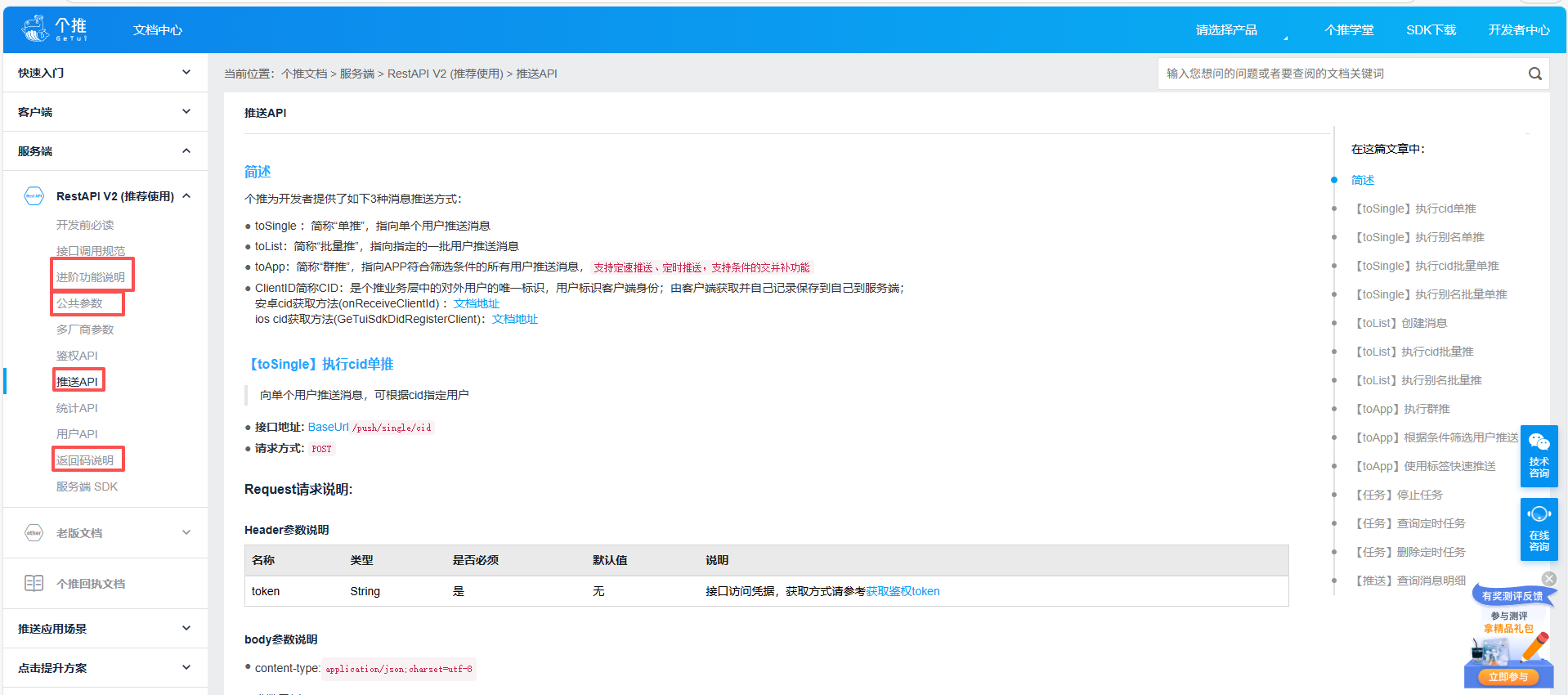
一、个推注册及相关配置
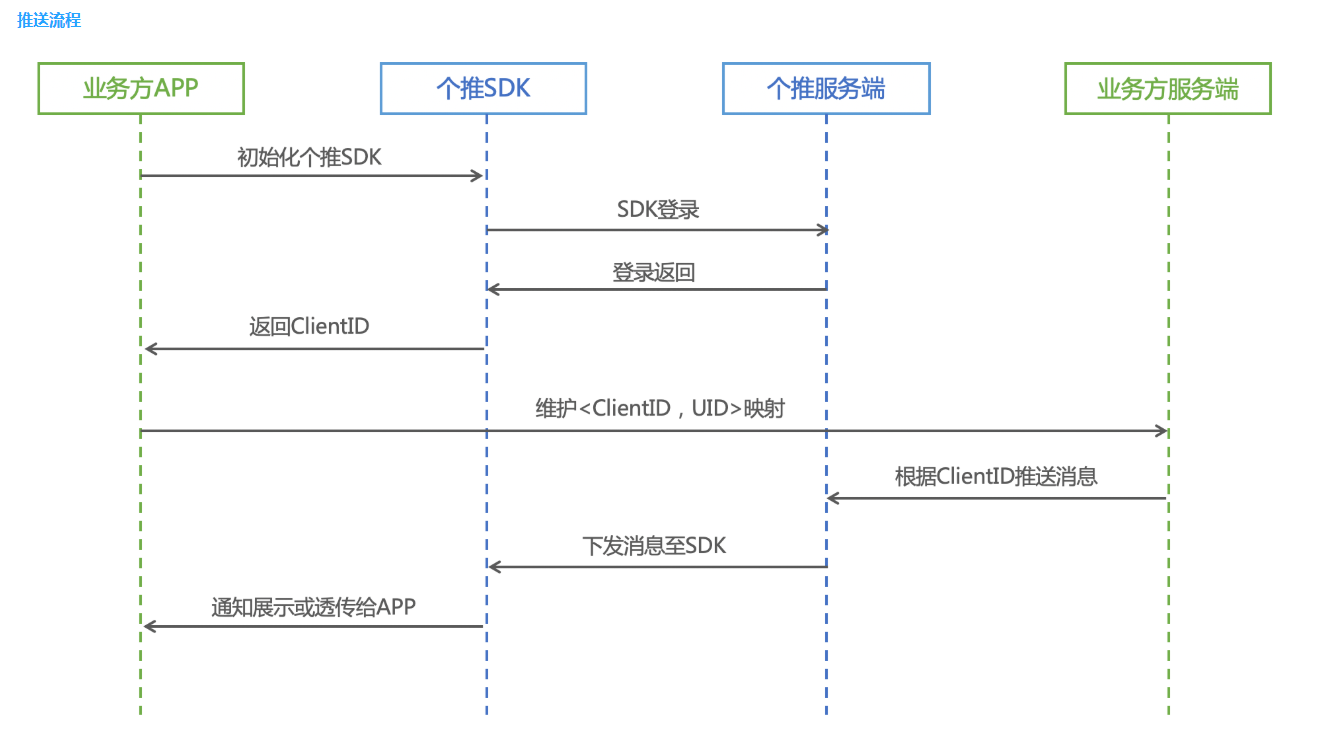
1.个推注册
点击链接注册个推账号
2.创建应用
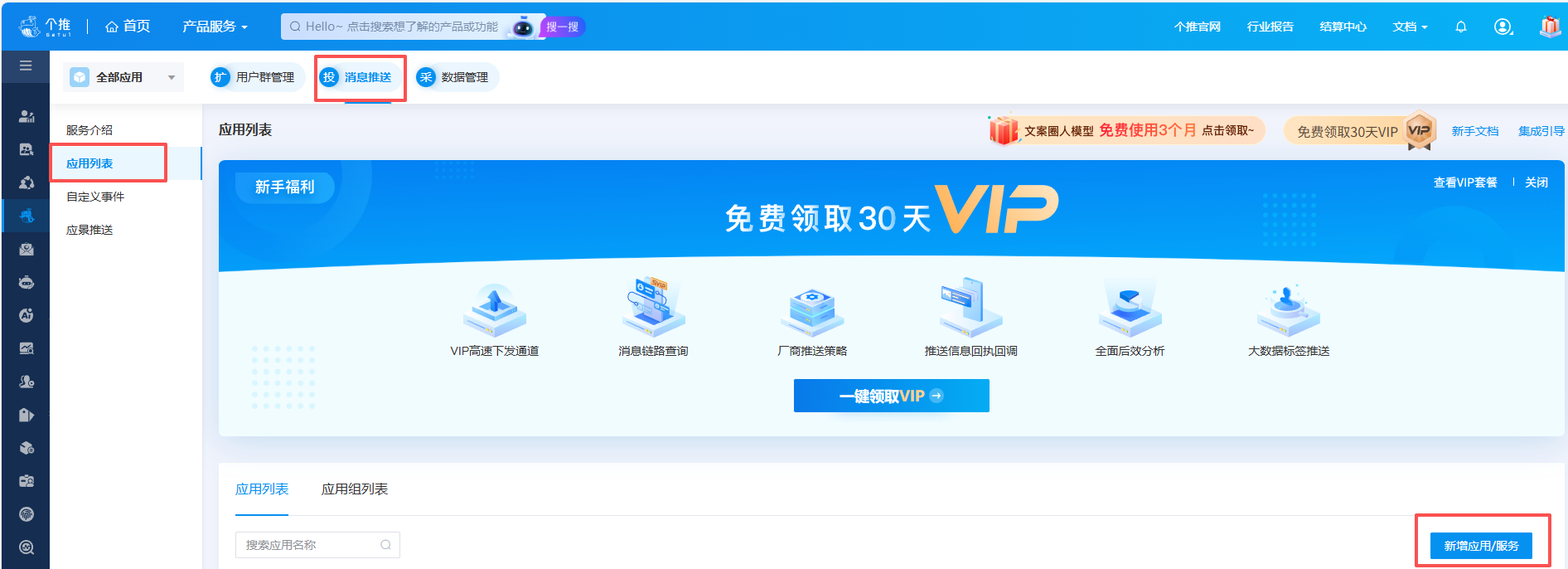
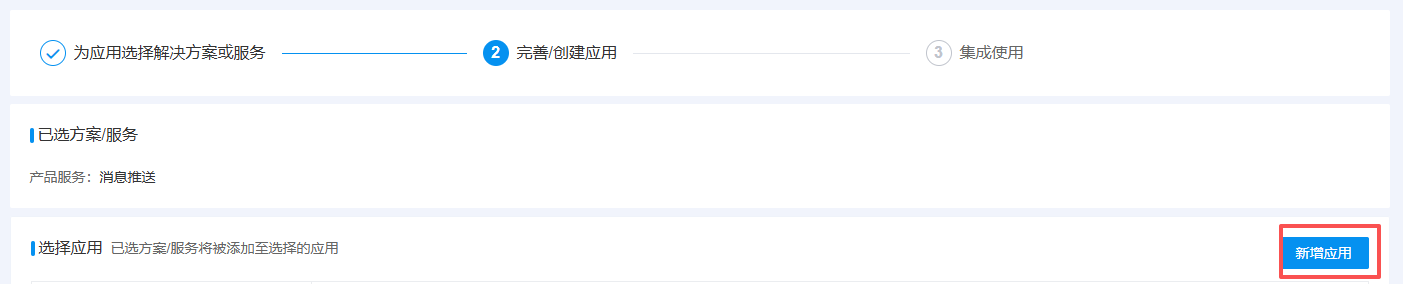
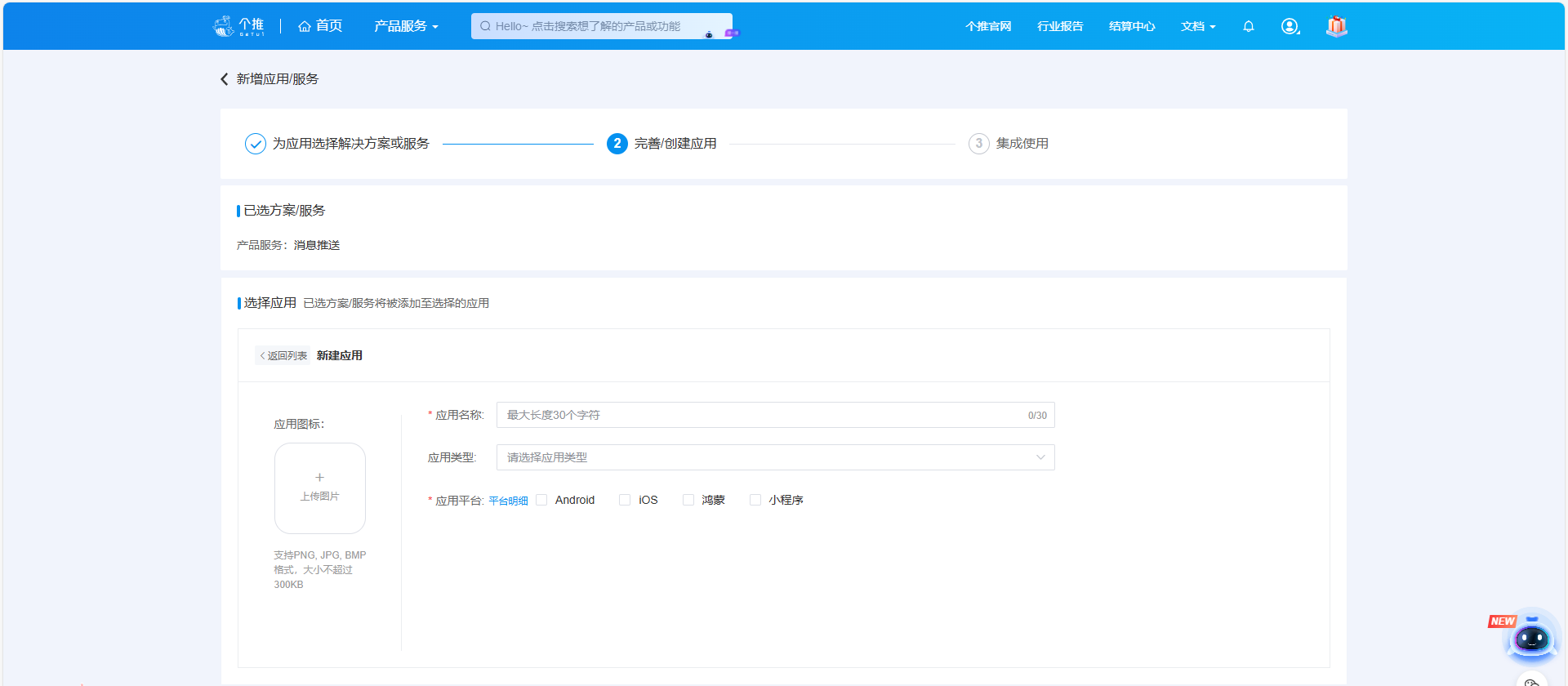
填写相关信息,应用平台多选框后续可以修改
3.配置信息
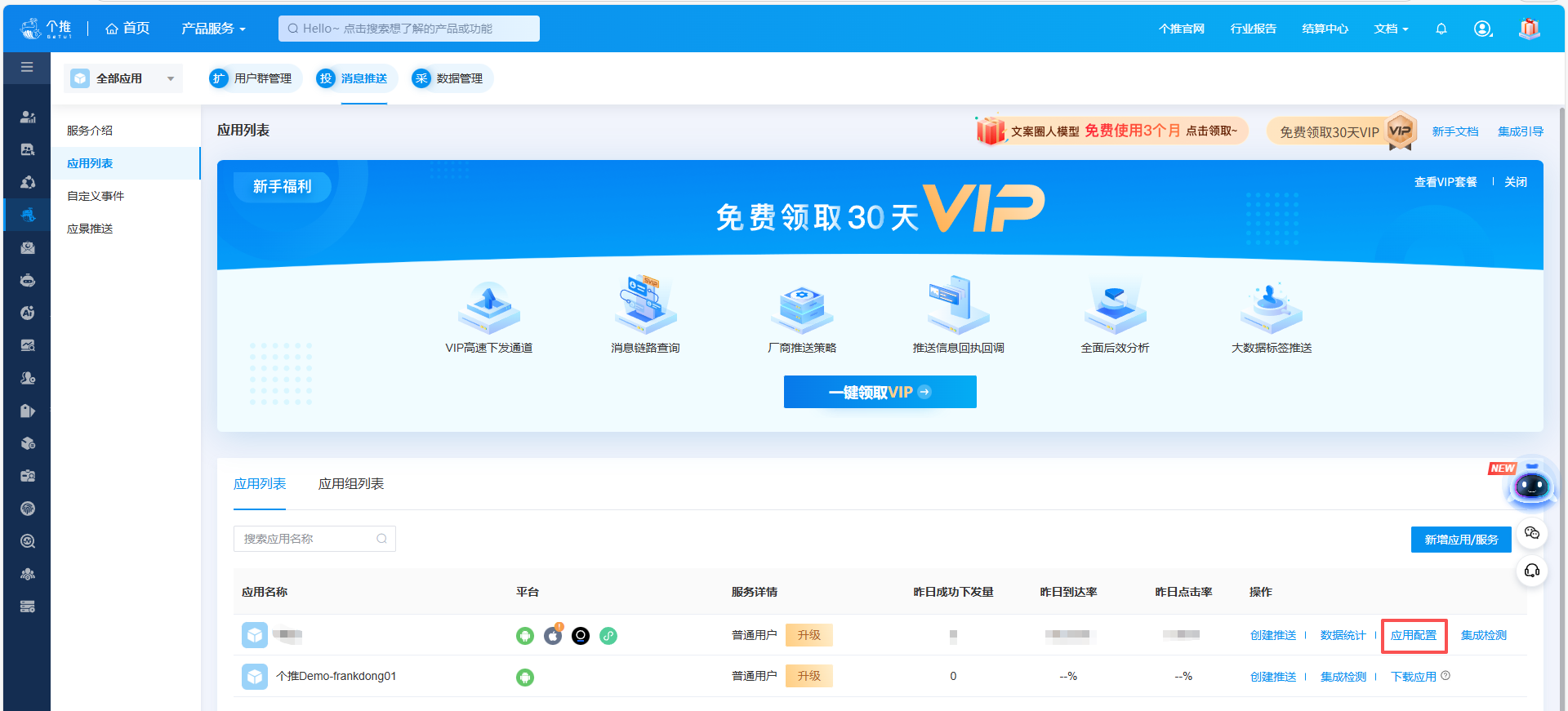
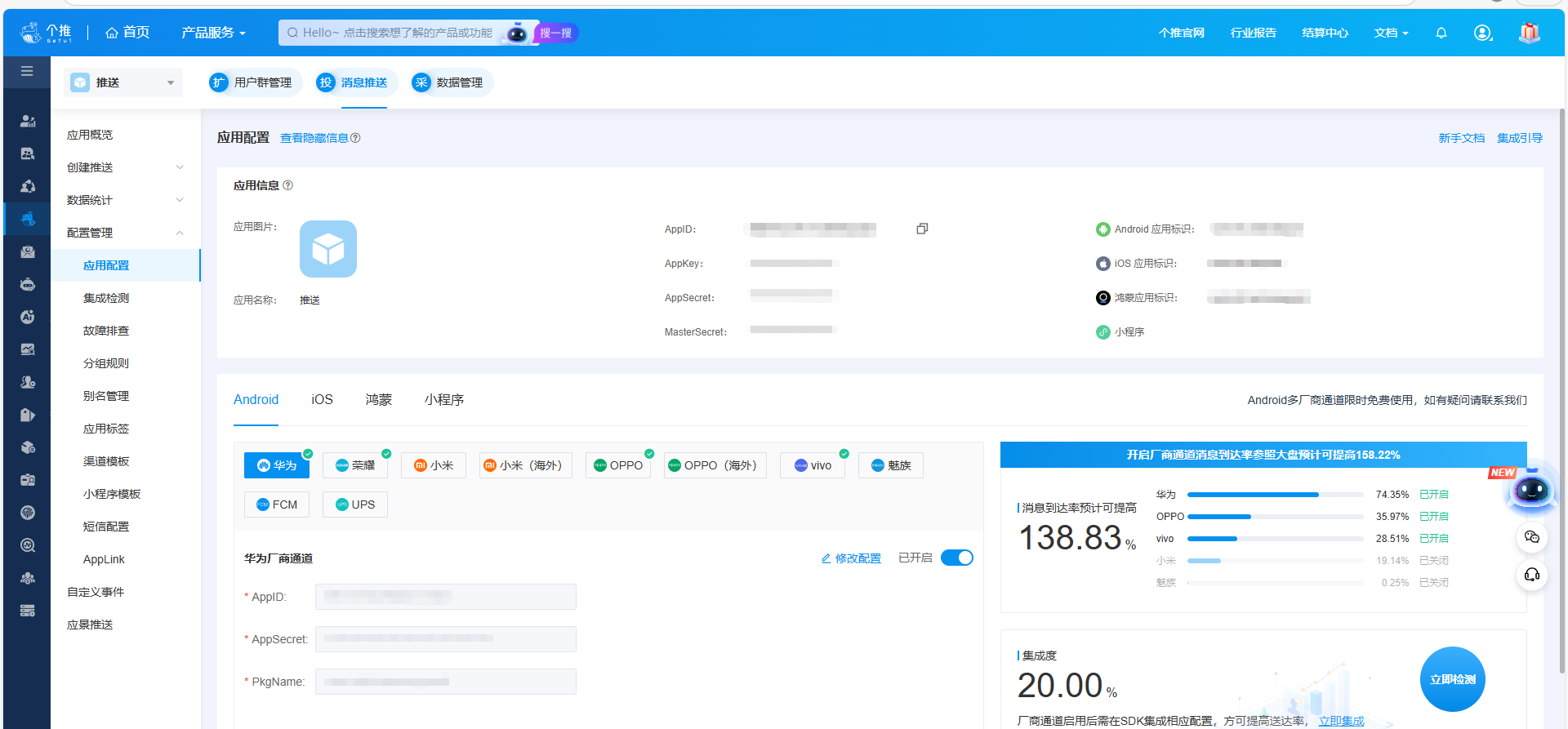
进入此页面,应用信息中的AppId等信息在集成时需要使用
在下面选择Android、IOS、鸿蒙,找到需要配置的厂商,查看官方文档,填写相应配置
注意:不配置厂商通道,无法通过厂商推送到用户手机
二、SpringBoot集成个推
官方案例服务端 SDK-个推文档中心
1.引入个推依赖
<!-- https://mvnrepository.com/artifact/com.getui.push/restful-sdk -->
<dependency>
    <groupId>com.getui.push</groupId>
    <artifactId>restful-sdk</artifactId>
    <version>1.0.6.0</version>
</dependency>
2.添加配置文件
对应填写个推配置页面参数
#个推推送配置
getui:
  appId:
  appKey:
  appSecret:
  masterSecret:
3.添加配置类
@Configuration
public class PushConfig {

    @Value("${getui.appId}")
    private String appId;

    @Value("${getui.appKey}")
    private String appKey;

    @Value("${getui.appSecret}")
    private String appSecret;

    @Value("${getui.masterSecret}")
    private String masterSecret;

    @Bean(name = "pushApi")
    public PushApi pushApi() {
        // 设置httpClient最大连接数,当并发较大时建议调大此参数。或者启动参数加上 -Dhttp.maxConnections=200
        System.setProperty("http.maxConnections", "200");
        GtApiConfiguration apiConfiguration = new GtApiConfiguration();
        //填写应用配置
        apiConfiguration.setAppId(appId);
        apiConfiguration.setAppKey(appKey);
        apiConfiguration.setMasterSecret(masterSecret);
        // 实例化ApiHelper对象,用于创建接口对象
        ApiHelper apiHelper = ApiHelper.build(apiConfiguration);
        // 创建对象,建议复用。目前有PushApi
        return apiHelper.creatApi(PushApi.class);
    }
}
4.创建消息实体Message
package com.mh.utils.getui.dto;

import lombok.Data;

@Data
public class Message {
    private String title;
    private String content;
    private String payload;
}
5.个推推送工具类
java
@Slf4j
@Component
public class GeTuiUtils {

    @Resource(name = "pushApi")
    private PushApi pushApi;

    /**
     * 官方api案例
     */
    public void offlinePushMsg1() {
        //根据cid进行单推
        PushDTO<Audience> pushDTO = new PushDTO<Audience>();
        // 设置推送参数
        pushDTO.setRequestId(System.currentTimeMillis() + "");
        /**** 设置个推通道参数 *****/
        PushMessage pushMessage = new PushMessage();
        pushDTO.setPushMessage(pushMessage);
        GTNotification notification = new GTNotification();
        pushMessage.setNotification(notification);
        notification.setTitle("个title");
        notification.setBody("个body");
        notification.setClickType("url");
        notification.setUrl("https://www.getui.com");
        /**** 设置个推通道参数,更多参数请查看文档或对象源码 *****/

        /**** 设置厂商相关参数 ****/
        PushChannel pushChannel = new PushChannel();
        pushDTO.setPushChannel(pushChannel);
        /*配置安卓厂商参数*/
        AndroidDTO androidDTO = new AndroidDTO();
        pushChannel.setAndroid(androidDTO);
        Ups ups = new Ups();
        androidDTO.setUps(ups);
        ThirdNotification thirdNotification = new ThirdNotification();
        ups.setNotification(thirdNotification);
        thirdNotification.setTitle("厂商title");
        thirdNotification.setBody("厂商body");
        thirdNotification.setClickType("url");
        thirdNotification.setUrl("https://www.getui.com");
        // 两条消息的notify_id相同,新的消息会覆盖老的消息,取值范围:0-2147483647
        // thirdNotification.setNotifyId("11177");
        /*配置安卓厂商参数结束,更多参数请查看文档或对象源码*/

        /*设置ios厂商参数*/
        IosDTO iosDTO = new IosDTO();
        pushChannel.setIos(iosDTO);
        // 相同的collapseId会覆盖之前的消息
        iosDTO.setApnsCollapseId("xxx");
        Aps aps = new Aps();
        iosDTO.setAps(aps);
        Alert alert = new Alert();
        aps.setAlert(alert);
        alert.setTitle("通知消息标题");
        alert.setBody("通知消息内容");
        /*设置ios厂商参数结束,更多参数请查看文档或对象源码*/

        /*设置接收人信息*/
        Audience audience = new Audience();
        pushDTO.setAudience(audience);
        audience.addCid("xxx");
        /*设置接收人信息结束*/
        /**** 设置厂商相关参数,更多参数请查看文档或对象源码 ****/

        // 进行cid单推
        ApiResult<Map<String, Map<String, String>>> apiResult = pushApi.pushToSingleByCid(pushDTO);
        if (apiResult.isSuccess()) {
            // success
            System.out.println(apiResult.getData());
        } else {
            // failed
            System.out.println("code:" + apiResult.getCode() + ", msg: " + apiResult.getMsg());
        }
    }
}具体需要修改消息格式,查询官方文档推送API-个推文档中心