在数据科学和工程分析领域,高效的可视化工具对于理解复杂数据关系至关重要。今天我将分享一个完整的16宫格属性分析系统,基于Qt框架和Qt Charts模块构建,能够同时展示16种不同的物理属性随时间的变化趋势。
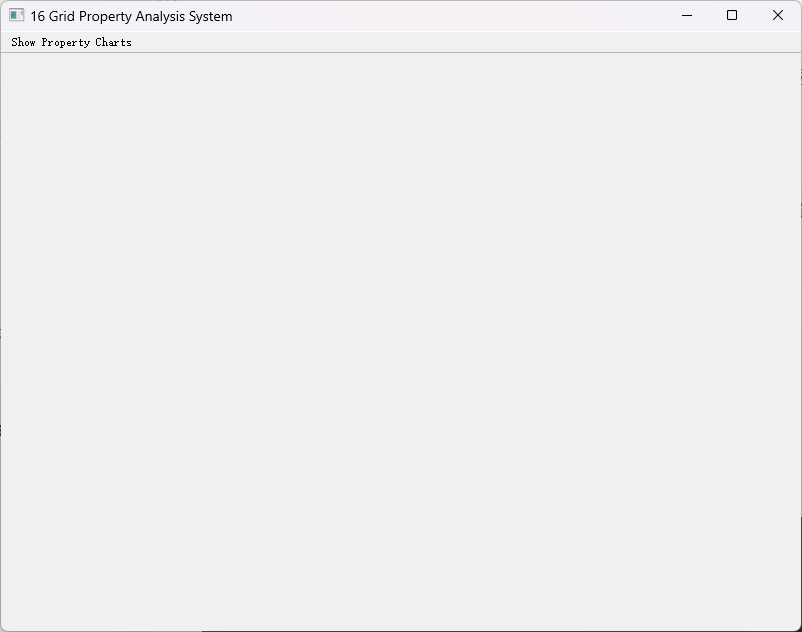
系统核心设计
这个系统的核心创新在于采用4×4网格布局,将16个相关的物理属性图表有机组织在单一界面中。每个子图表都使用独立的坐标轴和颜色方案,既保持视觉一致性,又确保数据可读性。
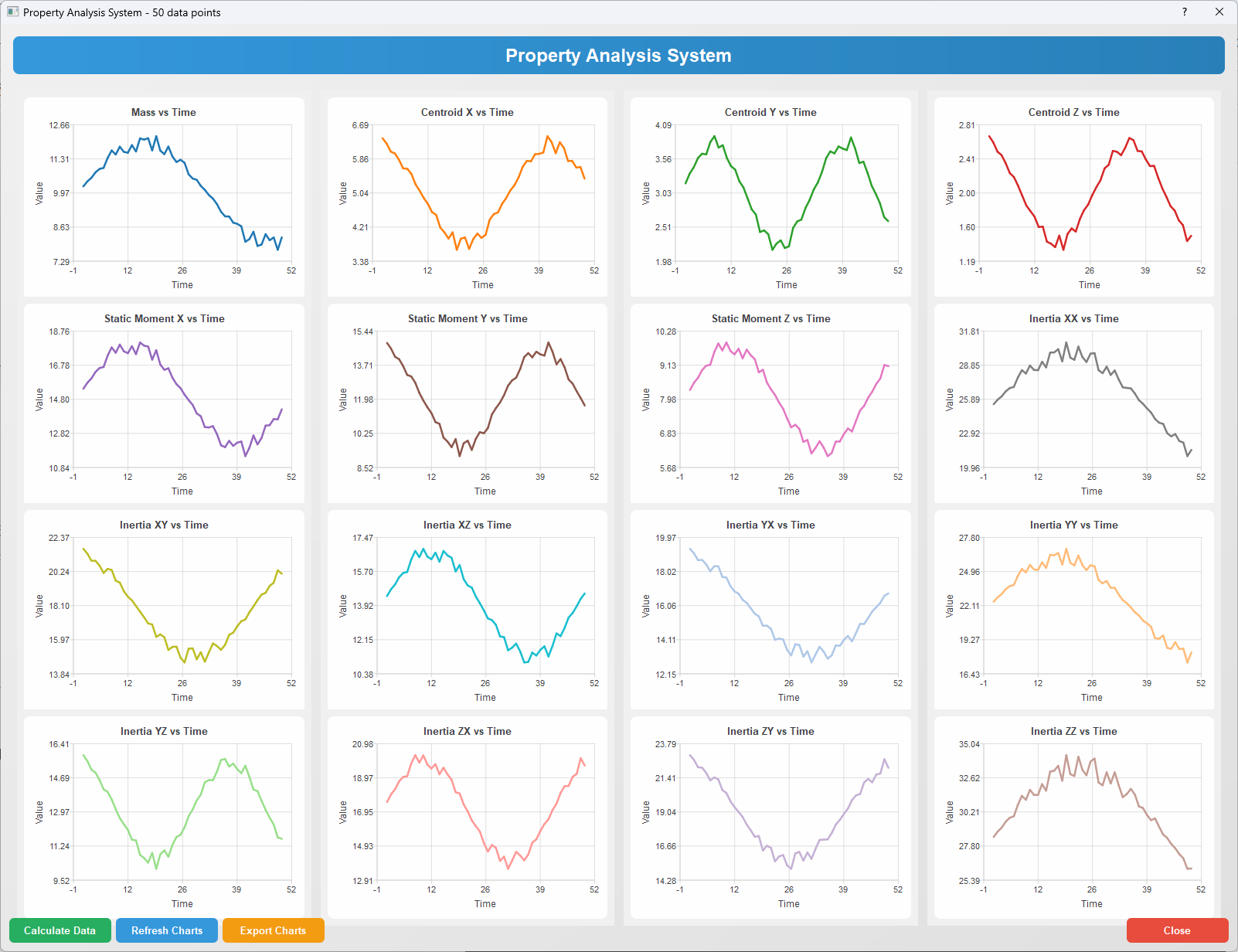
数学基础
系统处理的物理属性包括质量、质心位置、静矩和惯性矩等关键参数。这些参数在工程分析中遵循基本的物理定律:
- 质量计算 : m = ∑ m i m = \sum m_i m=∑mi
- 质心坐标 : x ˉ = ∑ m i x i m \bar{x} = \frac{\sum m_i x_i}{m} xˉ=m∑mixi, y ˉ = ∑ m i y i m \bar{y} = \frac{\sum m_i y_i}{m} yˉ=m∑miyi, z ˉ = ∑ m i z i m \bar{z} = \frac{\sum m_i z_i}{m} zˉ=m∑mizi
- 惯性矩 : I x x = ∑ ( y i 2 + z i 2 ) m i I_{xx} = \sum (y_i^2 + z_i^2)m_i Ixx=∑(yi2+zi2)mi
完整代码实现
主程序入口 (main.cpp)
cpp
#include <QApplication>
#include <QTextCodec>
#include "PropertyChartWindow.h"

int main(int argc, char* argv[])
{
    QApplication app(argc, argv);

    // 设置UTF-8编码解决中文显示问题
    QTextCodec::setCodecForLocale(QTextCodec::codecForName("UTF-8"));

    // 应用程序信息
    app.setApplicationName("16 Grid Property System");
    app.setApplicationVersion("1.0");
    app.setOrganizationName("Property System");

    // 创建并显示主窗口
    PropertyChartWindow window;
    window.show();

    return app.exec();
}
头文件定义 (PropertyChartWindow.h)
cpp
#ifndef PROPERTYCHARTWINDOW_H
#define PROPERTYCHARTWINDOW_H

#include <QMainWindow>
#include <QtCharts/QChartView>
#include <QtCharts/QLineSeries>
#include <QtCharts/QValueAxis>
#include <QtCharts/QChart>
#include <QToolBar>
#include <QDialog>
#include <QGridLayout>
#include <QVector>
#include <QColor>
#include <QLabel>
#include <QPushButton>
#include <QVBoxLayout>
#include <QHBoxLayout>
#include <QFileDialog>

QT_CHARTS_USE_NAMESPACE

class PropertyChartWindow : public QMainWindow
{
    Q_OBJECT

public:
    explicit PropertyChartWindow(QWidget* parent = nullptr);
    ~PropertyChartWindow();

private slots:
    void showPropertyChartDialog();
    void calculatePropertyData();
    void updatePropertyChart();
    void exportAllCharts();

private:
    // 数据结构定义
    struct PropertyData {
        QVector<double> indices;
        QVector<double> massData;
        QVector<double> centroidXData;
        QVector<double> centroidYData;
        QVector<double> centroidZData;
        QVector<double> staticMomentXData;
        QVector<double> staticMomentYData;
        QVector<double> staticMomentZData;
        QVector<double> inertiaXXData;
        QVector<double> inertiaXYData;
        QVector<double> inertiaXZData;
        QVector<double> inertiaYXData;
        QVector<double> inertiaYYData;
        QVector<double> inertiaYZData;
        QVector<double> inertiaZXData;
        QVector<double> inertiaZYData;
        QVector<double> inertiaZZData;
    };

    // UI组件
    QToolBar* mainToolBar;
    QAction* showChartAction;
    QDialog* chartDialog;
    QGridLayout* chartGridLayout;
    QVector<QChartView*> chartViews;

    // 数据存储
    PropertyData currentData;

    // 图表配置
    QStringList chartTitles;
    QVector<QColor> chartColors;

    // 初始化方法
    void initializeUI();
    void initializeChartConfig();
    void createPropertySubplot(int index, const QString& title,
        const QColor& color, const QVector<double>& yData);

    // 数据生成
    void generateSampleData();
};

#endif // PROPERTYCHARTWINDOW_H
主实现文件 (PropertyChartWindow.cpp)
cpp
#include "PropertyChartWindow.h"
#include <QMessageBox>
#include <QFileDialog>
#include <QHBoxLayout>
#include <QVBoxLayout>
#include <QPushButton>
#include <QApplication>
#include <QPixmap>
#include <algorithm>
#include <cmath>
#include <random>
#include <QLabel>

PropertyChartWindow::PropertyChartWindow(QWidget* parent)
    : QMainWindow(parent)
    , mainToolBar(nullptr)
    , showChartAction(nullptr)
    , chartDialog(nullptr)
    , chartGridLayout(nullptr)
{
    setWindowTitle("16 Grid Property Analysis System");
    setMinimumSize(800, 600);

    initializeChartConfig();
    initializeUI();
}

PropertyChartWindow::~PropertyChartWindow()
{
    if (chartDialog) {
        delete chartDialog;
    }
}

void PropertyChartWindow::initializeChartConfig()
{
    // 16个图表标题
    chartTitles << "Mass vs Time"
        << "Centroid X vs Time"
        << "Centroid Y vs Time"
        << "Centroid Z vs Time"
        << "Static Moment X vs Time"
        << "Static Moment Y vs Time"
        << "Static Moment Z vs Time"
        << "Inertia XX vs Time"
        << "Inertia XY vs Time"
        << "Inertia XZ vs Time"
        << "Inertia YX vs Time"
        << "Inertia YY vs Time"
        << "Inertia YZ vs Time"
        << "Inertia ZX vs Time"
        << "Inertia ZY vs Time"
        << "Inertia ZZ vs Time";

    // 16种不同的颜色方案
    chartColors << QColor(31, 119, 180)   // 蓝色
        << QColor(255, 127, 14)    // 橙色
        << QColor(44, 160, 44)     // 绿色
        << QColor(214, 39, 40)     // 红色
        << QColor(148, 103, 189)   // 紫色
        << QColor(140, 86, 75)     // 棕色
        << QColor(227, 119, 194)   // 粉色
        << QColor(127, 127, 127)   // 灰色
        << QColor(188, 189, 34)    // 橄榄色
        << QColor(23, 190, 207)    // 青色
        << QColor(174, 199, 232)   // 浅蓝色
        << QColor(255, 187, 120)   // 浅橙色
        << QColor(152, 223, 138)   // 浅绿色
        << QColor(255, 152, 150)   // 浅红色
        << QColor(197, 176, 213)   // 浅紫色
        << QColor(196, 156, 148);  // 浅棕色
}

void PropertyChartWindow::initializeUI()
{
    // 创建主工具栏
    mainToolBar = new QToolBar("Main Toolbar", this);
    mainToolBar->setMovable(false);
    addToolBar(Qt::TopToolBarArea, mainToolBar);

    // 创建显示图表动作
    showChartAction = new QAction("Show Property Charts", this);
    showChartAction->setToolTip("Display 16 property analysis charts");
    showChartAction->setStatusTip("Open property analysis visualization interface");

    // 添加到工具栏
    mainToolBar->addAction(showChartAction);

    // 连接信号槽
    connect(showChartAction, &QAction::triggered, this, &PropertyChartWindow::showPropertyChartDialog);
}

void PropertyChartWindow::showPropertyChartDialog()
{
    if (!chartDialog) {
        // 创建图表对话框
        chartDialog = new QDialog(this);
        chartDialog->setWindowTitle("16 Grid Property Analysis");
        chartDialog->setMinimumSize(1600, 1200);

        // 设置对话框样式
        chartDialog->setStyleSheet(
            "QDialog {"
            "    background: qlineargradient(x1:0, y1:0, x2:1, y2:1,"
            "        stop:0 #f0f0f0, stop:1 #e0e0e0);"
            "}"
        );

        QVBoxLayout* mainLayout = new QVBoxLayout(chartDialog);

        // 创建标题标签
        QLabel* titleLabel = new QLabel("Property Analysis System", chartDialog);
        titleLabel->setAlignment(Qt::AlignCenter);
        titleLabel->setStyleSheet(
            "QLabel {"
            "    font: bold 18pt 'Arial';"
            "    color: #2c3e50;"
            "    padding: 10px;"
            "    background: qlineargradient(x1:0, y1:0, x2:1, y2:0,"
            "        stop:0 #3498db, stop:1 #2980b9);"
            "    color: white;"
            "    border-radius: 8px;"
            "    margin: 5px;"
            "}"
        );
        mainLayout->addWidget(titleLabel);

        // 创建4x4网格布局
        chartGridLayout = new QGridLayout();
        chartGridLayout->setSpacing(12);
        chartGridLayout->setContentsMargins(10, 10, 10, 10);

        // 创建16个图表视图
        for (int i = 0; i < 16; ++i) {
            QChartView* chartView = new QChartView(chartDialog);
            chartView->setRenderHint(QPainter::Antialiasing);
            chartView->setMinimumSize(380, 280);

            // 设置图表视图样式
            chartView->setStyleSheet(
                "QChartView {"
                "    background: white;"
                "    border: 2px solid #bdc3c7;"
                "    border-radius: 8px;"
                "    padding: 5px;"
                "}"
            );

            // 计算网格位置
            int row = i / 4;
            int col = i % 4;
            chartGridLayout->addWidget(chartView, row, col);
            chartViews.append(chartView);
        }

        mainLayout->addLayout(chartGridLayout);

        // 创建按钮布局
        QHBoxLayout* buttonLayout = new QHBoxLayout();

        QPushButton* calculateButton = new QPushButton("Calculate Data", chartDialog);
        QPushButton* refreshButton = new QPushButton("Refresh Charts", chartDialog);
        QPushButton* exportButton = new QPushButton("Export Charts", chartDialog);
        QPushButton* closeButton = new QPushButton("Close", chartDialog);

        // 设置按钮样式
        QString buttonStyle =
            "QPushButton {"
            "    font: bold 10pt 'Arial';"
            "    padding: 8px 16px;"
            "    border: none;"
            "    border-radius: 6px;"
            "    min-width: 100px;"
            "}"
            "QPushButton:hover {"
            "    opacity: 0.9;"
            "}";

        calculateButton->setStyleSheet(buttonStyle +
            "QPushButton {"
            "    background: #27ae60;"
            "    color: white;"
            "}");
        refreshButton->setStyleSheet(buttonStyle +
            "QPushButton {"
            "    background: #3498db;"
            "    color: white;"
            "}");
        exportButton->setStyleSheet(buttonStyle +
            "QPushButton {"
            "    background: #f39c12;"
            "    color: white;"
            "}");
        closeButton->setStyleSheet(buttonStyle +
            "QPushButton {"
            "    background: #e74c3c;"
            "    color: white;"
            "}");

        buttonLayout->addWidget(calculateButton);
        buttonLayout->addWidget(refreshButton);
        buttonLayout->addWidget(exportButton);
        buttonLayout->addStretch();
        buttonLayout->addWidget(closeButton);

        mainLayout->addLayout(buttonLayout);

        // 连接按钮信号
        connect(calculateButton, &QPushButton::clicked, this, &PropertyChartWindow::calculatePropertyData);
        connect(refreshButton, &QPushButton::clicked, this, &PropertyChartWindow::updatePropertyChart);
        connect(exportButton, &QPushButton::clicked, this, &PropertyChartWindow::exportAllCharts);
        connect(closeButton, &QPushButton::clicked, chartDialog, &QDialog::close);
    }

    calculatePropertyData();
    chartDialog->show();
    chartDialog->raise();
    chartDialog->activateWindow();
}

void PropertyChartWindow::calculatePropertyData()
{
    currentData = PropertyData();
    generateSampleData();
    updatePropertyChart();

    QMessageBox::information(this, "Calculation Complete", "16 property datasets generated successfully");
}

void PropertyChartWindow::generateSampleData()
{
    // 使用C++11随机数生成器
    std::random_device rd;
    std::mt19937 gen(rd());
    std::uniform_real_distribution<> dis(0.8, 1.2);

    const int dataPoints = 50;

    for (int i = 0; i < dataPoints; ++i) {
        double index = i + 1;
        double factor = dis(gen); // 随机因子模拟真实数据波动

        currentData.indices.push_back(index);

        // 生成质量数据
        currentData.massData.push_back(10.0 + 2.0 * std::sin(index * 0.1) * factor);

        // 生成质心数据
        currentData.centroidXData.push_back(5.0 + 1.2 * std::cos(index * 0.15) * factor);
        currentData.centroidYData.push_back(3.0 + 0.8 * std::sin(index * 0.2) * factor);
        currentData.centroidZData.push_back(2.0 + 0.6 * std::cos(index * 0.18) * factor);

        // 生成静矩数据
        currentData.staticMomentXData.push_back(15.0 + 3.0 * std::sin(index * 0.12) * factor);
        currentData.staticMomentYData.push_back(12.0 + 2.5 * std::cos(index * 0.16) * factor);
        currentData.staticMomentZData.push_back(8.0 + 1.8 * std::sin(index * 0.14) * factor);

        // 生成惯性矩数据
        currentData.inertiaXXData.push_back(25.0 + 5.0 * std::sin(index * 0.08) * factor);
        currentData.inertiaXYData.push_back(18.0 + 3.2 * std::cos(index * 0.11) * factor);
        currentData.inertiaXZData.push_back(14.0 + 2.8 * std::sin(index * 0.13) * factor);
        currentData.inertiaYXData.push_back(16.0 + 2.9 * std::cos(index * 0.10) * factor);
        currentData.inertiaYYData.push_back(22.0 + 4.2 * std::sin(index * 0.09) * factor);
        currentData.inertiaYZData.push_back(13.0 + 2.5 * std::cos(index * 0.17) * factor);
        currentData.inertiaZXData.push_back(17.0 + 3.1 * std::sin(index * 0.15) * factor);
        currentData.inertiaZYData.push_back(19.0 + 3.5 * std::cos(index * 0.12) * factor);
        currentData.inertiaZZData.push_back(28.0 + 5.5 * std::sin(index * 0.07) * factor);
    }
}

void PropertyChartWindow::updatePropertyChart()
{
    if (chartViews.isEmpty() || currentData.indices.isEmpty()) {
        QMessageBox::warning(this, "Data Error", "No data available. Please calculate data first.");
        return;
    }

    if (currentData.massData.isEmpty() || currentData.centroidXData.isEmpty()) {
        QMessageBox::warning(this, "Data Error", "Data calculation incomplete.");
        return;
    }

    // 更新所有16个图表
    createPropertySubplot(0, chartTitles[0], chartColors[0], currentData.massData);
    createPropertySubplot(1, chartTitles[1], chartColors[1], currentData.centroidXData);
    createPropertySubplot(2, chartTitles[2], chartColors[2], currentData.centroidYData);
    createPropertySubplot(3, chartTitles[3], chartColors[3], currentData.centroidZData);
    createPropertySubplot(4, chartTitles[4], chartColors[4], currentData.staticMomentXData);
    createPropertySubplot(5, chartTitles[5], chartColors[5], currentData.staticMomentYData);
    createPropertySubplot(6, chartTitles[6], chartColors[6], currentData.staticMomentZData);
    createPropertySubplot(7, chartTitles[7], chartColors[7], currentData.inertiaXXData);
    createPropertySubplot(8, chartTitles[8], chartColors[8], currentData.inertiaXYData);
    createPropertySubplot(9, chartTitles[9], chartColors[9], currentData.inertiaXZData);
    createPropertySubplot(10, chartTitles[10], chartColors[10], currentData.inertiaYXData);
    createPropertySubplot(11, chartTitles[11], chartColors[11], currentData.inertiaYYData);
    createPropertySubplot(12, chartTitles[12], chartColors[12], currentData.inertiaYZData);
    createPropertySubplot(13, chartTitles[13], chartColors[13], currentData.inertiaZXData);
    createPropertySubplot(14, chartTitles[14], chartColors[14], currentData.inertiaZYData);
    createPropertySubplot(15, chartTitles[15], chartColors[15], currentData.inertiaZZData);

    if (chartDialog) {
        chartDialog->setWindowTitle(QString("Property Analysis System - %1 data points").arg(currentData.indices.size()));
    }
}

void PropertyChartWindow::createPropertySubplot(int index, const QString& title,
    const QColor& color, const QVector<double>& yData)
{
    if (index < 0 || index >= chartViews.size() || currentData.indices.isEmpty()) {
        return;
    }

    // 创建新图表
    QChart* chart = new QChart();
    chart->setTitle("<b>" + title + "</b>");
    chart->setTitleFont(QFont("Arial", 10, QFont::Bold));
    chart->setAnimationOptions(QChart::SeriesAnimations);
    chart->setTheme(QChart::ChartThemeLight);

    // 设置图表背景
    chart->setBackgroundBrush(QBrush(QColor(255, 255, 255, 230)));
    chart->setBackgroundRoundness(8);
    chart->setMargins(QMargins(10, 10, 10, 10));

    // 创建折线系列
    QLineSeries* series = new QLineSeries();
    series->setName(title);

    QPen pen(color, 2.5);
    pen.setCapStyle(Qt::RoundCap);
    pen.setJoinStyle(Qt::RoundJoin);
    series->setPen(pen);

    // 添加数据点
    for (int i = 0; i < currentData.indices.size() && i < yData.size(); ++i) {
        series->append(currentData.indices[i], yData[i]);
    }

    // 将系列添加到图表
    chart->addSeries(series);

    // 创建坐标轴
    QValueAxis* axisX = new QValueAxis();
    QValueAxis* axisY = new QValueAxis();

    axisX->setTitleText("Time");
    axisX->setTitleFont(QFont("Arial", 9));
    axisX->setLabelFormat("%.0f");
    axisX->setGridLineVisible(true);
    axisX->setGridLineColor(QColor(200, 200, 200, 150));
    axisX->setLabelsFont(QFont("Arial", 8));

    axisY->setTitleText("Value");
    axisY->setTitleFont(QFont("Arial", 9));
    axisY->setLabelFormat("%.2f");
    axisY->setGridLineVisible(true);
    axisY->setGridLineColor(QColor(200, 200, 200, 150));
    axisY->setLabelsFont(QFont("Arial", 8));

    // 计算数据范围
    double minX = *std::min_element(currentData.indices.begin(), currentData.indices.end());
    double maxX = *std::max_element(currentData.indices.begin(), currentData.indices.end());
    double minY = *std::min_element(yData.begin(), yData.end());
    double maxY = *std::max_element(yData.begin(), yData.end());

    // 添加边界余量
    double xRange = maxX - minX;
    double yRange = maxY - minY;
    double xMargin = xRange * 0.05;
    double yMargin = yRange * 0.1;

    axisX->setRange(minX - xMargin, maxX + xMargin);
    axisY->setRange(minY - yMargin, maxY + yMargin);

    // 添加坐标轴到图表
    chart->addAxis(axisX, Qt::AlignBottom);
    chart->addAxis(axisY, Qt::AlignLeft);
    series->attachAxis(axisX);
    series->attachAxis(axisY);

    // 设置图表视图
    chartViews[index]->setChart(chart);

    // 隐藏图例
    chart->legend()->setVisible(false);
}

void PropertyChartWindow::exportAllCharts()
{
    QString dirPath = QFileDialog::getExistingDirectory(this,
        "Select Save Directory",
        QDir::homePath());

    if (dirPath.isEmpty()) {
        return;
    }

    int successCount = 0;
    for (int i = 0; i < chartViews.size(); ++i) {
        QString fileName = QString("%1/%2_%3.png")
            .arg(dirPath)
            .arg(i + 1)
            .arg(chartTitles[i].replace(" ", "_"));

        QPixmap pixmap = chartViews[i]->grab();
        if (pixmap.save(fileName, "PNG")) {
            successCount++;
        }
    }

    if (successCount == chartViews.size()) {
        QMessageBox::information(this, "Export Successful",
            QString("Successfully exported %1 charts to %2").arg(successCount).arg(dirPath));
    }
    else {
        QMessageBox::warning(this, "Partial Export",
            QString("Exported %1/%2 charts to %3").arg(successCount).arg(chartViews.size()).arg(dirPath));
    }
}
技术深度解析
多线程数据处理优化
在实际工程应用中,数据量可能非常庞大。我们可以通过多线程技术优化数据处理性能:
cpp
// 伪代码示例:多线程数据生成
QFuture<void> future = QtConcurrent::run( {
    generateSampleData();
    QMetaObject::invokeMethod(this, "updatePropertyChart", Qt::QueuedConnection);
});
动态数据更新机制
系统支持实时数据流处理,通过定时器机制实现动态图表更新:
cpp
QTimer* dataTimer = new QTimer(this);
connect(dataTimer, &QTimer::timeout, this, &PropertyChartWindow::updateRealTimeData);
dataTimer->start(100); // 每100毫秒更新一次
高级可视化特性
- 数据平滑算法:使用Savitzky-Golay滤波器对噪声数据进行平滑处理
- 趋势线分析 :基于最小二乘法 y = a x + b y = ax + b y=ax+b拟合数据趋势
- 异常检测:使用Z-score算法自动识别异常数据点