为什么我们需要"工具调用"?
在开发大模型应用时,我们经常面临两个痛点:
-
数据时效性问题:模型是基于过去的数据训练的,它不知道"现在几点了",也不知道"今天北京的天气如何"。
-
无法执行动作:大模型只是一个"大脑",它只能生成文本,无法直接去发邮件、查数据库或定闹钟。
Spring AI 的工具调用(Function Calling)机制,就是给大模型装上了"手"和"眼睛"。 它允许模型在需要的时候,自主决定调用我们定义好的 Java 方法,从而获取外部信息或执行实际操作,大大增强了模型的能力边界。
工具分类
1.信息检索工具
工具从外部如数据库、网络服务、文件系统或网络搜索引擎)检索信息。其目的是增强模型的知识,使其能够回答原本无法回答的问题。
2.采取行动工具
可用于在软件系统中执行操作,例如发送电子邮件、在数据库中创建新记录、提交表单或触发工作流。其目标是将原本需要人工干预或明确编程的任务实现自动化。
信息检索工具
环境配置
项目根目录pom文件
XML
<?xml version="1.0" encoding="UTF-8"?>
<project xmlns="http://maven.apache.org/POM/4.0.0" xmlns:xsi="http://www.w3.org/2001/XMLSchema-instance"
	xsi:schemaLocation="http://maven.apache.org/POM/4.0.0 https://maven.apache.org/xsd/maven-4.0.0.xsd">
	<modelVersion>4.0.0</modelVersion>
	<parent>
		<groupId>org.springframework.boot</groupId>
		<artifactId>spring-boot-starter-parent</artifactId>
		<version>3.5.7</version>
		<relativePath/> <!-- lookup parent from repository -->
	</parent>
	<groupId>com.test</groupId>
	<artifactId>spring-ai-parent</artifactId>
	<version>0.0.1-SNAPSHOT</version>
	<name>spring-ai-parent</name>
	<description>spring-ai-parent</description>

	<properties>
		<java.version>17</java.version>
		<spring-ai.version>1.0.0</spring-ai.version>
		<spring-ai-alibaba.version>1.0.0.2</spring-ai-alibaba.version>
	</properties>
	<packaging>pom</packaging>
	<modules>
		<module>Tools</module>
	</modules>
	<dependencies>
		<dependency>
			<groupId>org.springframework.boot</groupId>
			<artifactId>spring-boot-starter-web</artifactId>
		</dependency>

		<dependency>
			<groupId>org.springframework.boot</groupId>
			<artifactId>spring-boot-starter-test</artifactId>
			<scope>test</scope>
		</dependency>

		<dependency>
			<groupId>org.projectlombok</groupId>
			<artifactId>lombok</artifactId>
		</dependency>

	</dependencies>

	<dependencyManagement>
		<dependencies>
			<dependency>
				<groupId>org.springframework.ai</groupId>
				<artifactId>spring-ai-bom</artifactId>
				<version>${spring-ai.version}</version>
				<type>pom</type>
				<scope>import</scope>
			</dependency>
			<dependency>
				<groupId>com.alibaba.cloud.ai</groupId>
				<artifactId>spring-ai-alibaba-bom</artifactId>
				<version>${spring-ai-alibaba.version}</version>
				<type>pom</type>
				<scope>import</scope>
			</dependency>
		</dependencies>
	</dependencyManagement>

	<build>
		<plugins>
			<plugin>
				<groupId>org.springframework.boot</groupId>
				<artifactId>spring-boot-maven-plugin</artifactId>
			</plugin>
		</plugins>
	</build>

</project>
Tools模块pom文件
XML
<?xml version="1.0" encoding="UTF-8"?>
<project xmlns="http://maven.apache.org/POM/4.0.0" xmlns:xsi="http://www.w3.org/2001/XMLSchema-instance"
         xsi:schemaLocation="http://maven.apache.org/POM/4.0.0 https://maven.apache.org/xsd/maven-4.0.0.xsd">
    <modelVersion>4.0.0</modelVersion>
    <parent>
        <groupId>com.test</groupId>
        <artifactId>spring-ai-parent</artifactId>
        <version>0.0.1-SNAPSHOT</version>
        <relativePath /> <!-- lookup parent from repository -->
    </parent>
    <groupId>com.test</groupId>
    <artifactId>Tools</artifactId>
    <version>0.0.1-SNAPSHOT</version>
    <name>Tools</name>
    <description>Tools</description>
    <properties>
        <java.version>17</java.version>
    </properties>
    <dependencies>
        <!-- 百炼-->
        <dependency>
            <groupId>com.alibaba.cloud.ai</groupId>
            <artifactId>spring-ai-alibaba-starter-dashscope</artifactId>
        </dependency>
    </dependencies>

    <build>
        <plugins>
            <plugin>
                <groupId>org.springframework.boot</groupId>
                <artifactId>spring-boot-maven-plugin</artifactId>
            </plugin>
        </plugins>
    </build>

</project>
application.yml
XML
server:
  port: 8087

spring:
  application:
    name: ChatMemory
  ai:
    dashscope:
      api-key:
        yourkey #换成你自己的apikey
      chat:
        options:
          model: qwen-plus
AiConfig配置类
java
package com.test.tools.config;

import com.test.tools.tools.DateTimeTools;
import jakarta.annotation.Resource;
import org.springframework.ai.chat.client.ChatClient;
import org.springframework.context.annotation.Bean;
import org.springframework.context.annotation.Configuration;

@Configuration
public class AiConfig {
    @Resource
    private DateTimeTools dateTimeTools;

    @Bean
    public ChatClient chatClient(ChatClient.Builder builder) {
        return builder
                .defaultTools(dateTimeTools)
                .build();
    }
}
controller
java
package com.test.tools.controller;

import jakarta.annotation.Resource;
import org.springframework.ai.chat.client.ChatClient;
import org.springframework.web.bind.annotation.GetMapping;
import org.springframework.web.bind.annotation.RestController;

@RestController
public class ChatController {
    @Resource
    private ChatClient chatClient;
    @GetMapping("/chat")
    public String chat(String question) {
        return chatClient.prompt()
                .user(question)
                .call()
                .content();
    }
}
定义获取用户所在时区的当前日期和时间的工具
java
package com.test.tools.tools;

import org.springframework.ai.tool.annotation.Tool;
import org.springframework.stereotype.Component;

import java.time.LocalDateTime;

@Component
@Slf4j
public class DateTimeTools {
    /*
     * @Tool(name="工具名,未提供则使用方法名,类中唯一及特定聊天的工具库中唯一")
     * @Tool(description="工具描述,未提供则使用方法名,强烈建议提供详细的描述")
     */
    @Tool(name = "current_datetime",description = "获取用户所在时区的当前日期和时间")
    public String getCurrentDatetime() {
        log.info("获取用户所在时区的当前日期和时间");
        return LocalDateTime.now().toString();
    }
}
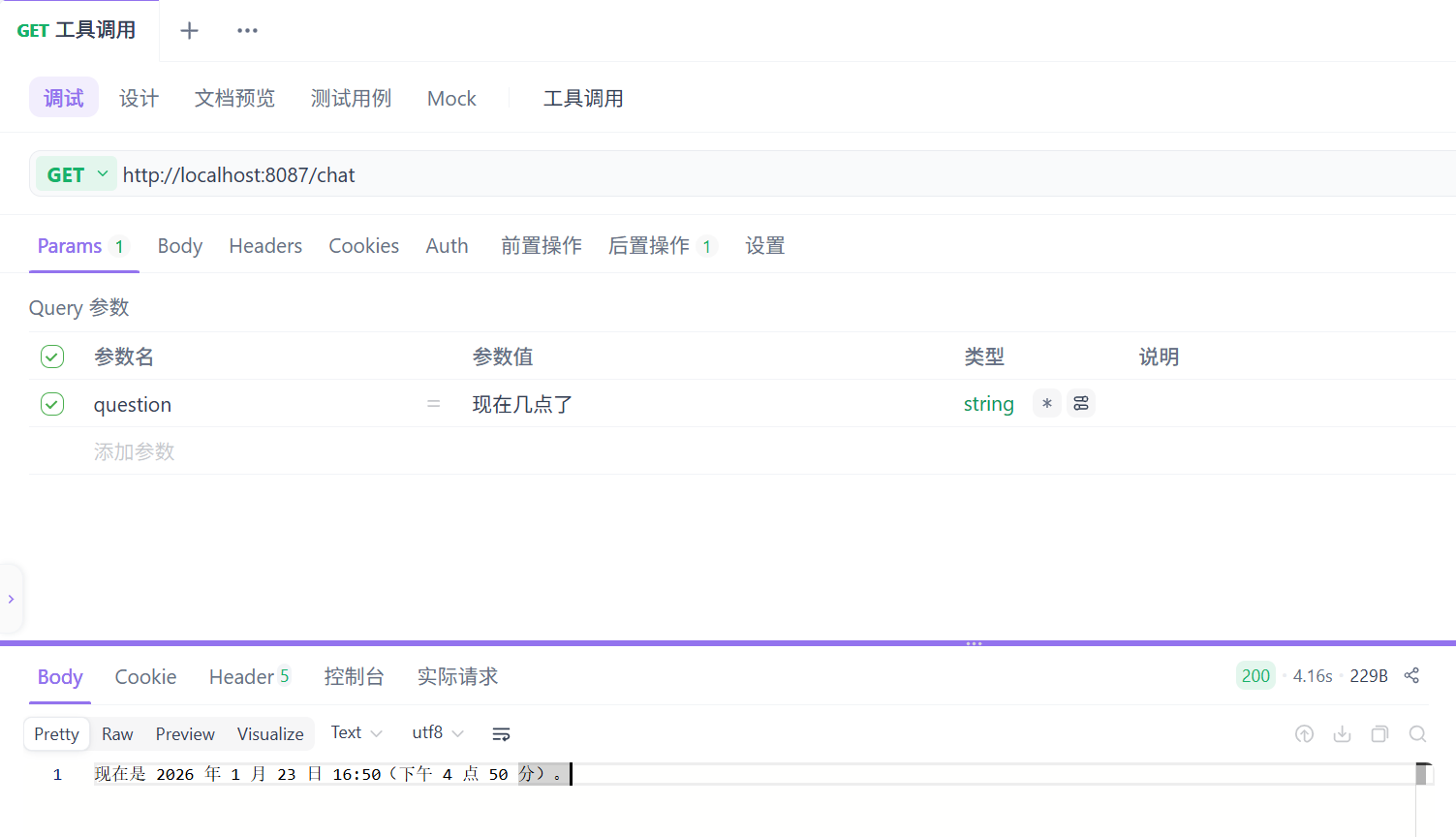
查看效果
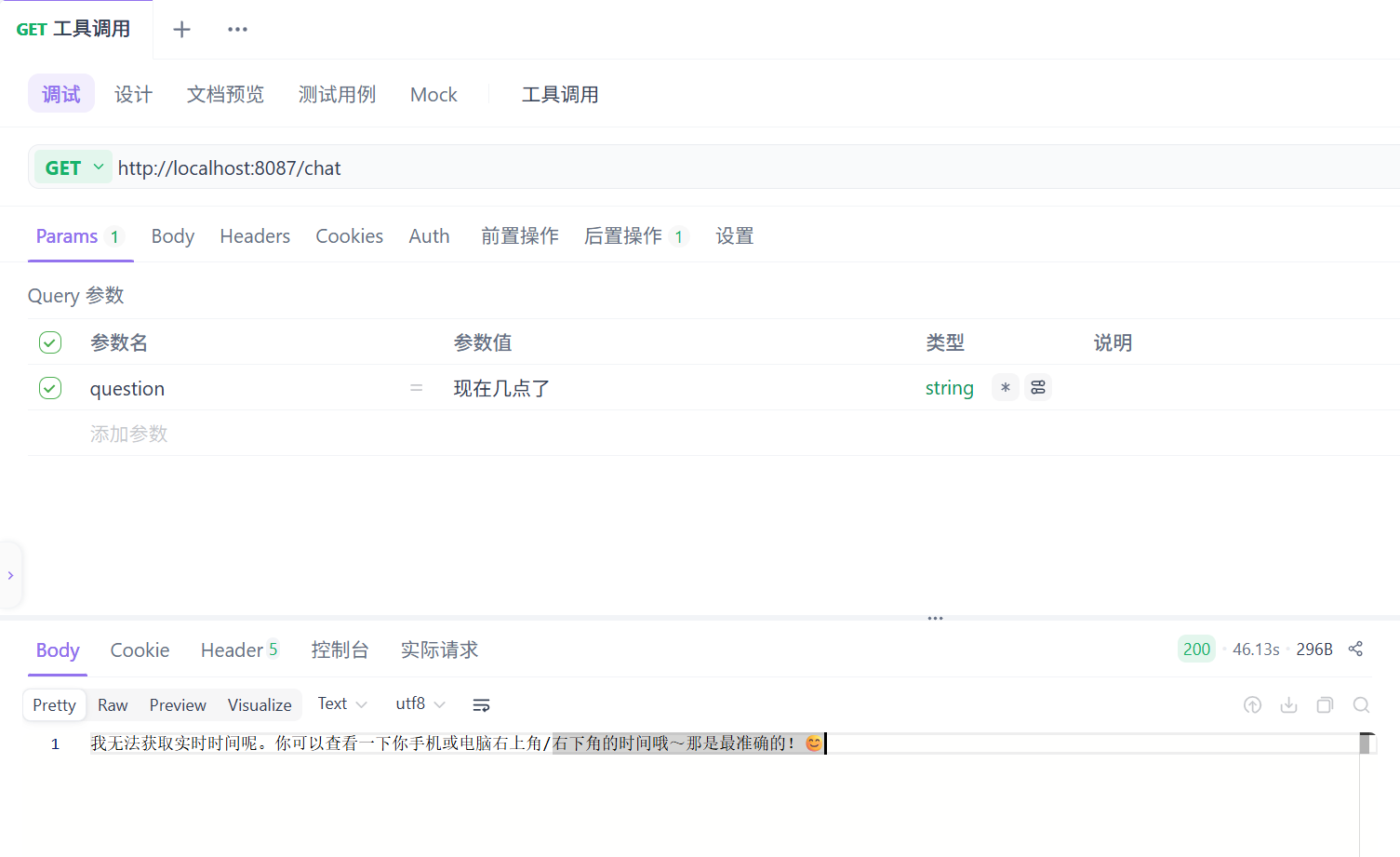
注释掉AiConfig类中.defaultTools(dateTimeTools)这行代码,观察结果
采取行动工具
定义设置闹钟的工具
在DateTimeTools类中添加下面的方法
java
     /**
     * 设置闹钟
     */
    @Tool(description = "为用户设置闹钟,时间以ISO-8601格式提供")
    public void setAlarm(String time) {
        // 创建一个LocalDateTime对象,并设置时间为用户提供的时间
        LocalDateTime alarmTime = LocalDateTime.parse(time, DateTimeFormatter.ISO_DATE_TIME);
        // 异常处理
        if (alarmTime.isBefore(LocalDateTime.now())) {
            throw new IllegalArgumentException("时间不能早于当前时间");
        }
        log.info("已设置闹钟,时间为:{}", alarmTime);
    }
查看结果
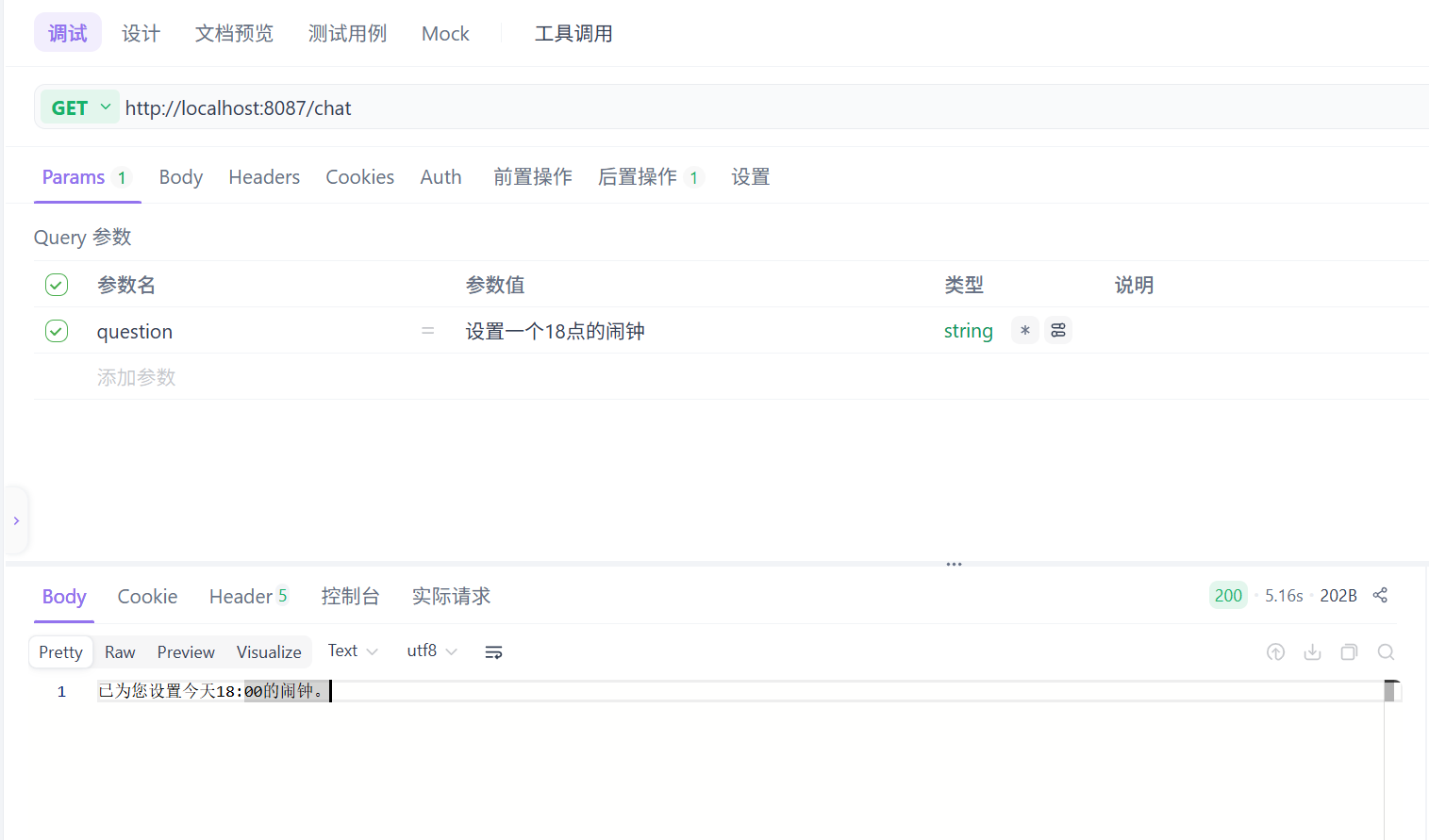
回到控制台查看日志

从日志可以看出,模型具备了调用工具的自动编排能力
实战:获取实时天气数据
1.去高德开放平台获取
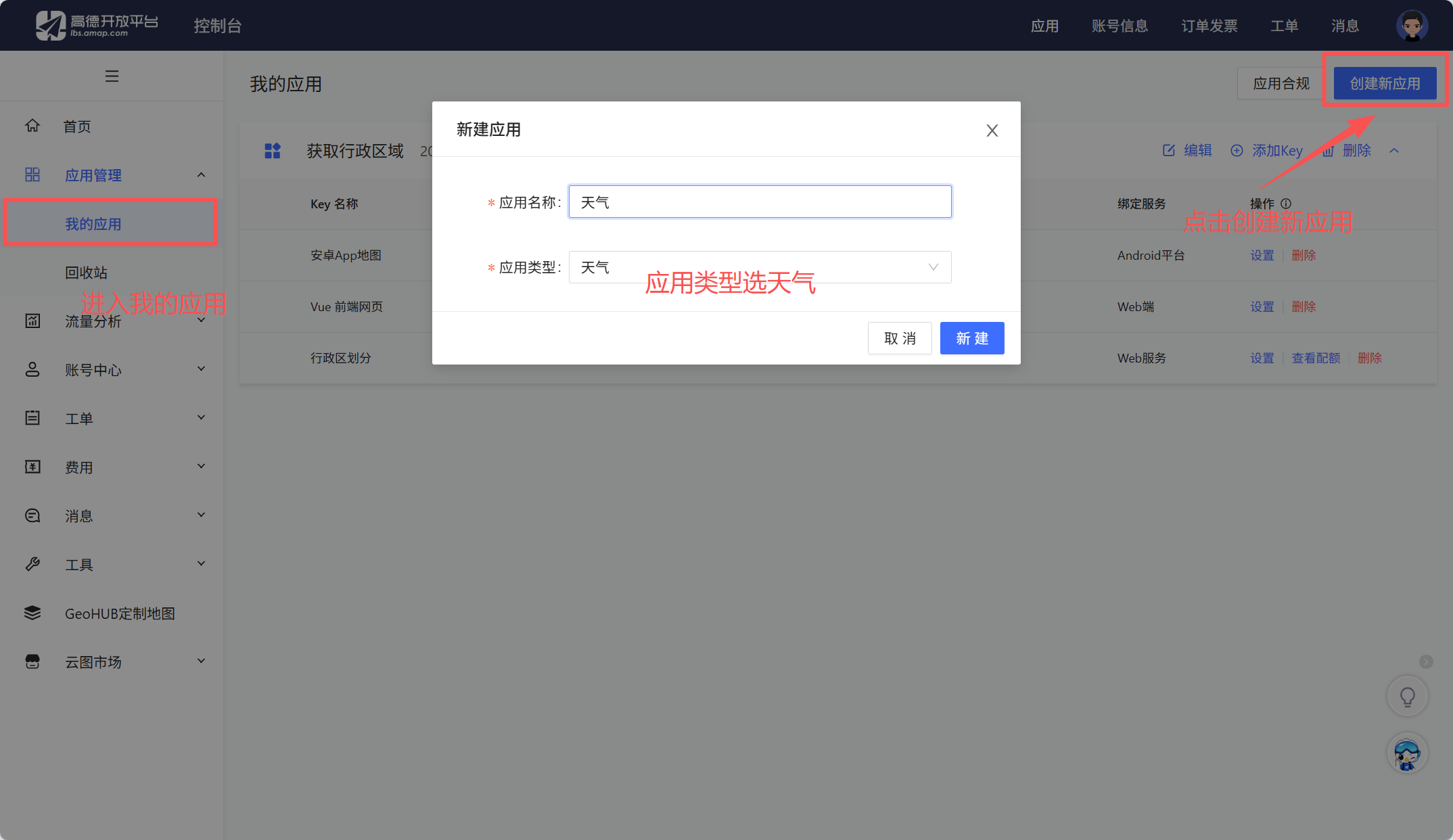
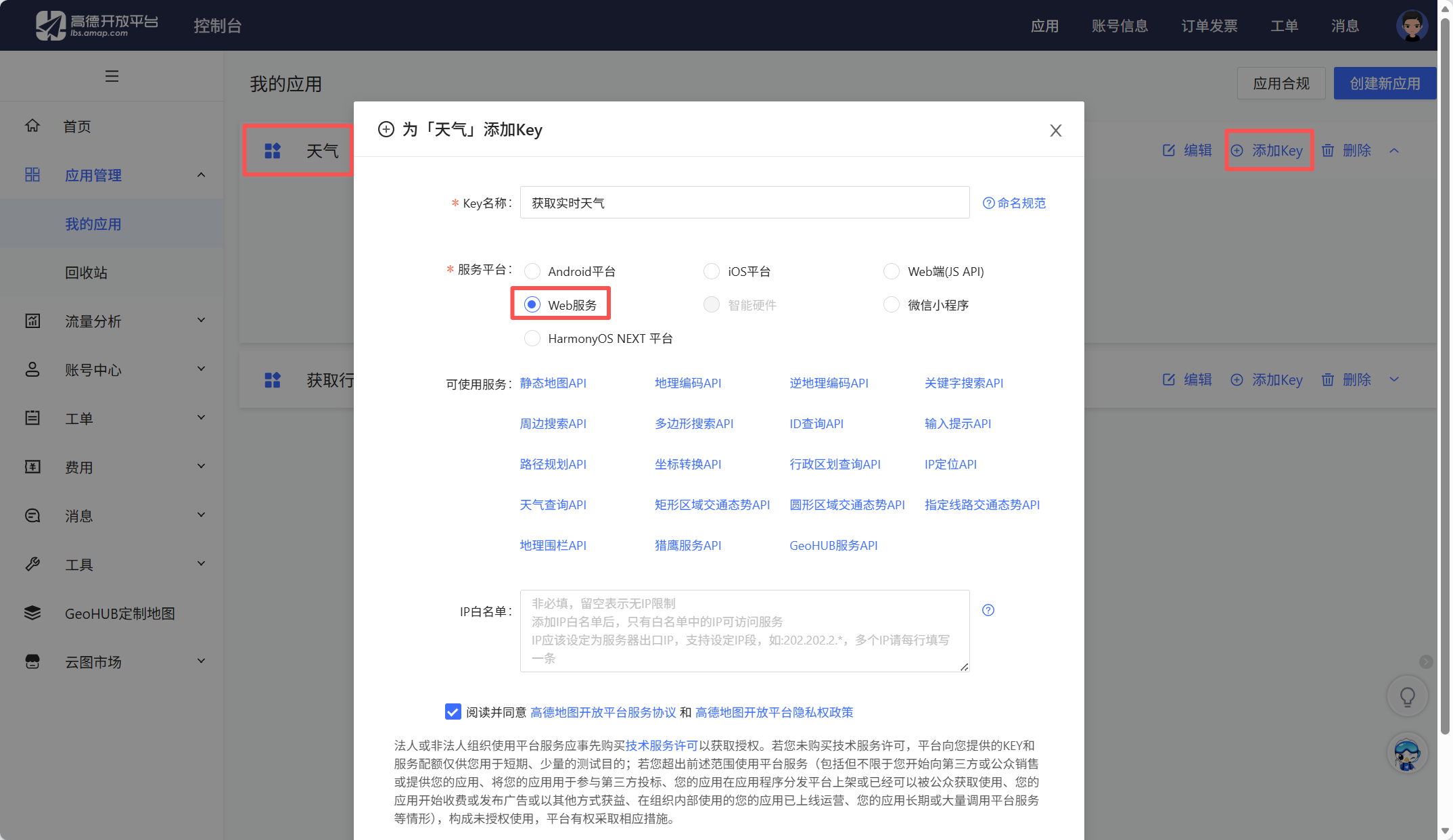
找到刚刚创建的应用,点击添加key
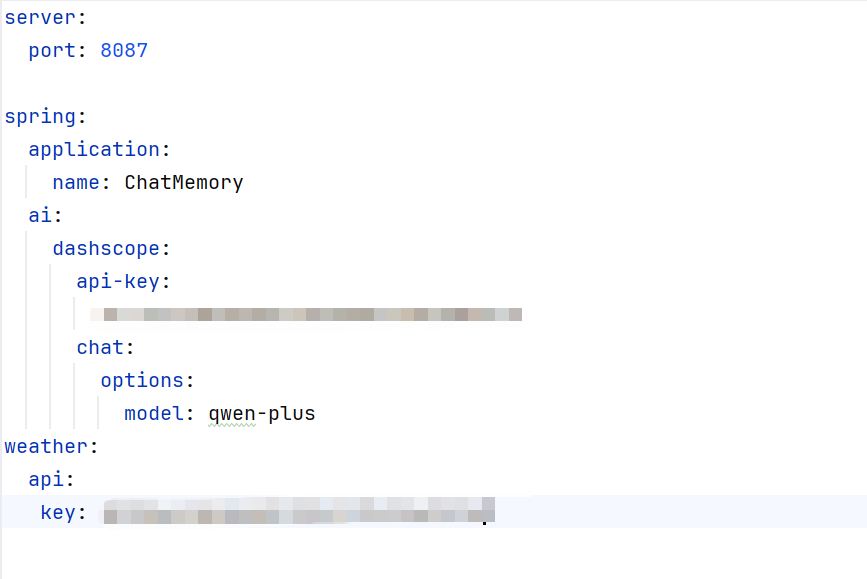
2.在application.yml中配置高德key
3.定义获取实时天气的工具
java
package com.test.tools.tools;

import com.fasterxml.jackson.core.JsonProcessingException;
import com.fasterxml.jackson.databind.ObjectMapper;
import org.springframework.ai.tool.annotation.Tool;
import org.springframework.beans.factory.annotation.Value;
import org.springframework.stereotype.Component;
import org.springframework.web.client.RestClient;

import java.util.Map;

@Component
public class WeatherTools {
    @Value("${weather.api.key}")
    private String apiKey;

    @Tool(description = "获取指定地区的天气数据")
    public String getCurrentWeather(String city) {
        // 1.基础服务地址
        String baseUrl = "https://restapi.amap.com";
        // 2.基于baseUrl构建一个RestClient实例
        RestClient client = RestClient.builder().baseUrl(baseUrl).build();
        // 3.发起HTTP GET请求,并用Map 存储响应数据
        String uri = "/v3/weather/weatherInfo?city={0}&key={1}&extensions=all";
        Map<?, ?> result = client.get().uri(uri, city, apiKey)
                // 执行HTTP 请求并获取响应数据
                .retrieve()
                // 将响应的 JSON 解析为 Map
                .body(Map.class);
        // 4.Jackson 库将 Map 转换为 JSON 字符串后返回给AI模型
        try {
            return new ObjectMapper().writeValueAsString(result);
        } catch (JsonProcessingException e) {
            throw new RuntimeException(e);
        }
    }
}
修改AiConfig类
java
package com.test.tools.config;

import com.test.tools.tools.DateTimeTools;
import com.test.tools.tools.WeatherTools;
import jakarta.annotation.Resource;
import org.springframework.ai.chat.client.ChatClient;
import org.springframework.context.annotation.Bean;
import org.springframework.context.annotation.Configuration;

@Configuration
public class AiConfig {
    @Resource
    private DateTimeTools dateTimeTools;

    @Resource
    private WeatherTools weatherTools;

    @Bean
    public ChatClient chatClient(ChatClient.Builder builder) {
        return builder
                .defaultTools(dateTimeTools, weatherTools)
                .build();
    }
}
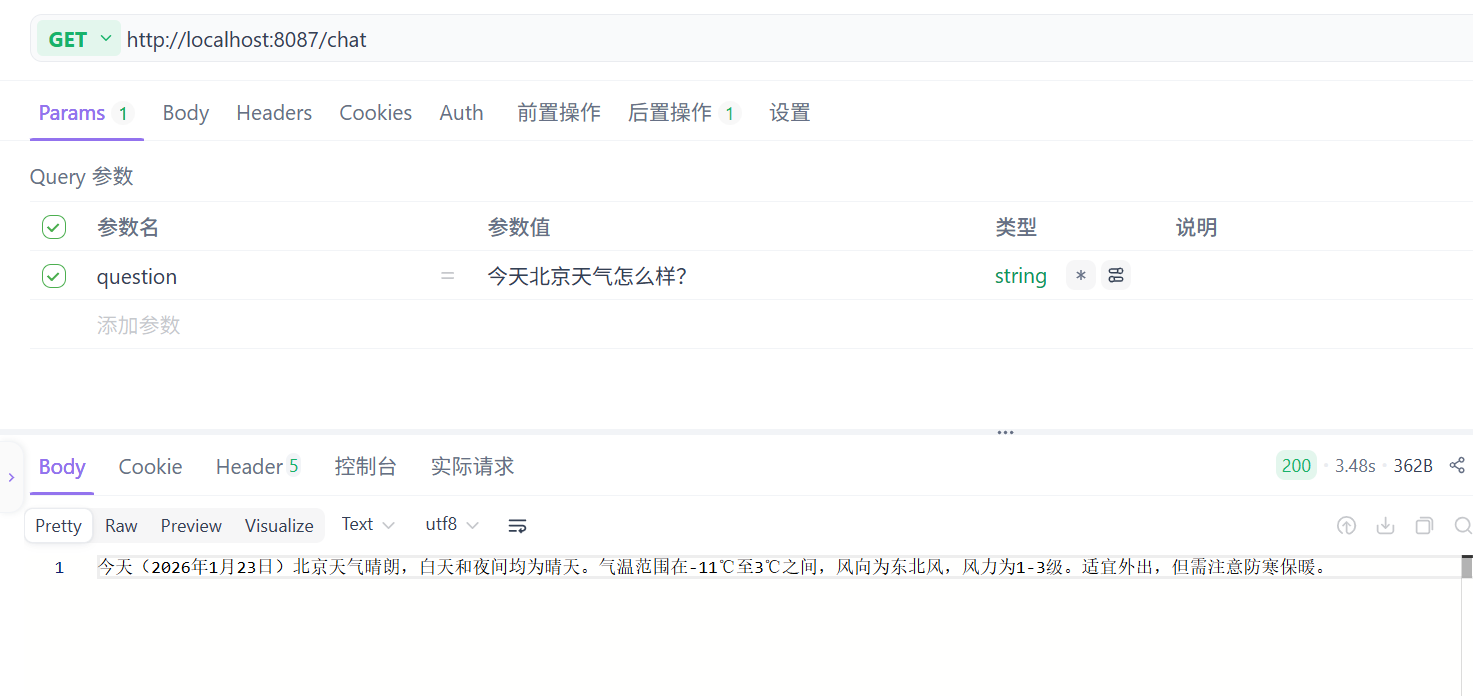
4.查看结果