TL-WR710N-V2.1 硬改刷机OpenWRT源码编译固件
一、硬件修改
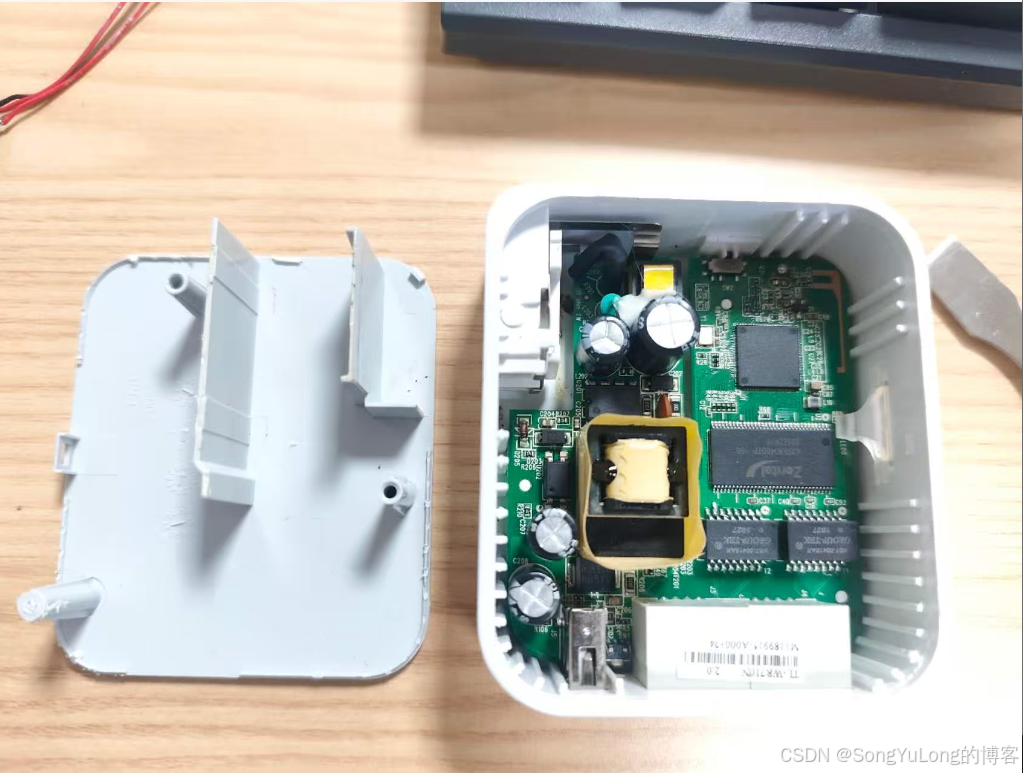
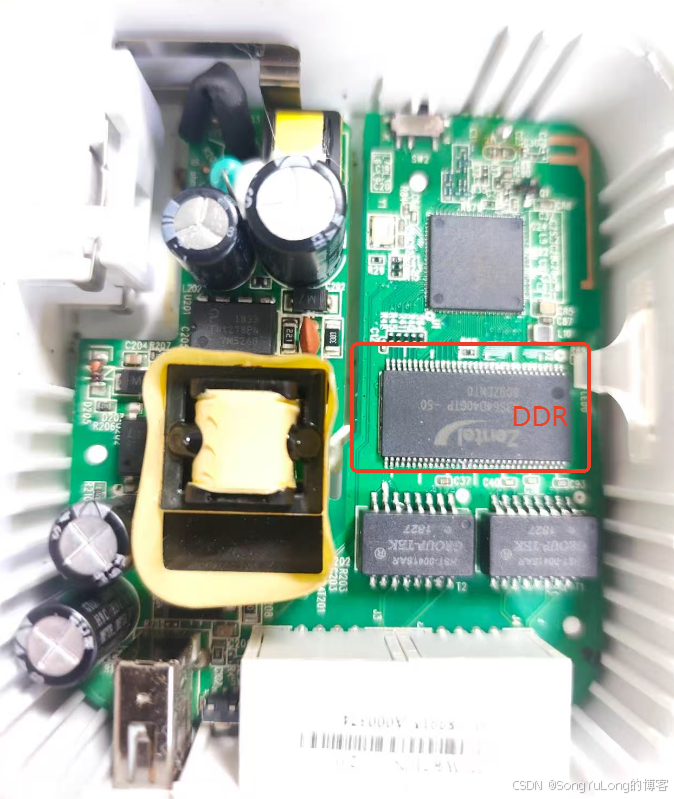
- DDR改为64MB
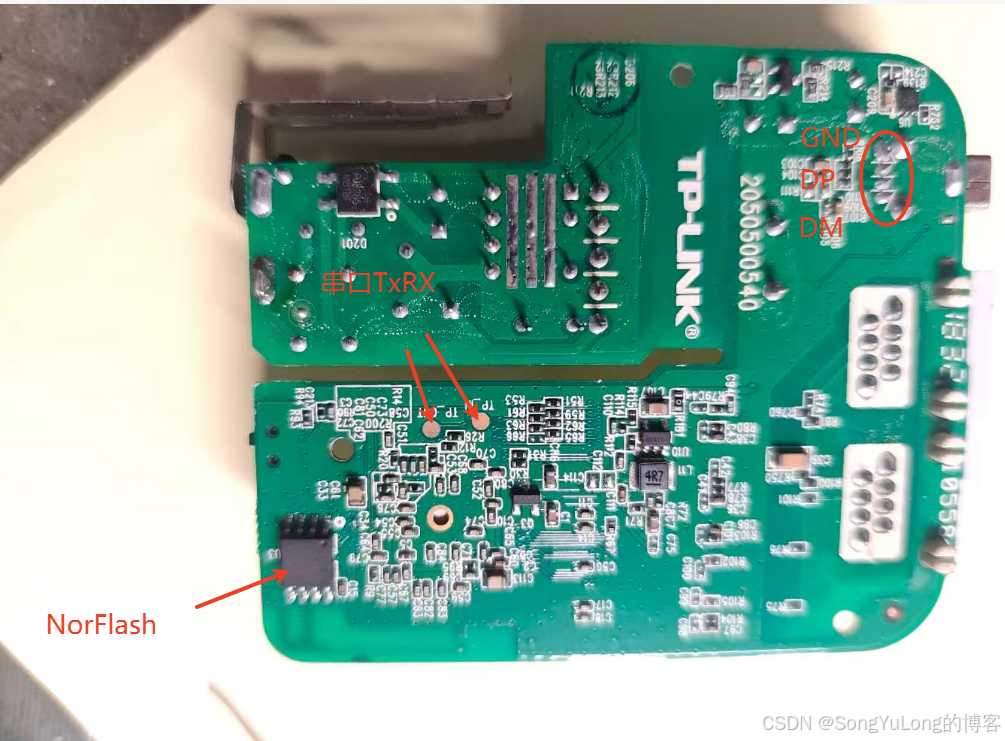
- NorFlash改为16MB(注意:需要先烧录breed不死uboot再焊到板子上)
- R66 贴上22欧姆电阻,或直接短路起来
- 控制台串口引线Tx,Rx,Gnd方便串口操作
- USB飞行DP和DM这个有点难度
breed下载及烧录方法见下文
二、固件刷机
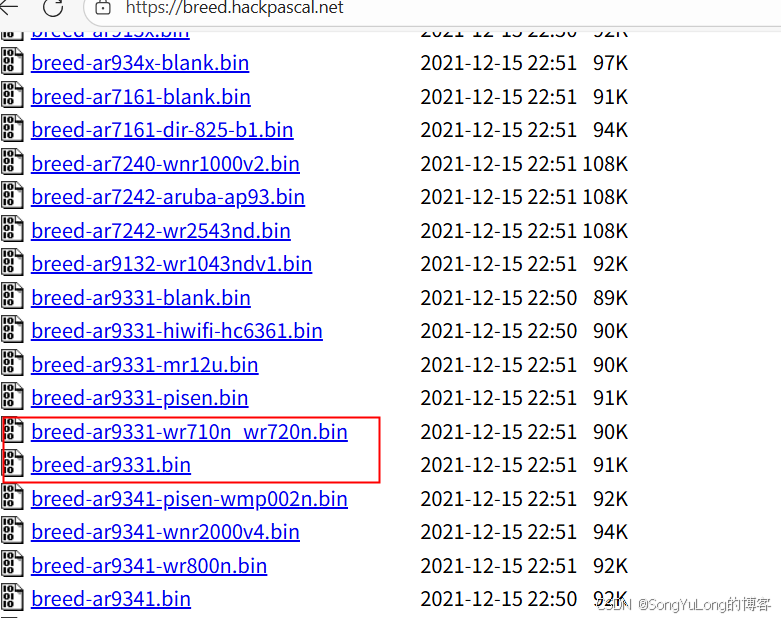
打开breed下载链接,选择有ar9331的bin文件,本例下载"breed-ar9331-wr710n_wr720n.bin" 和"breed-ar9331.bin"都可以使用
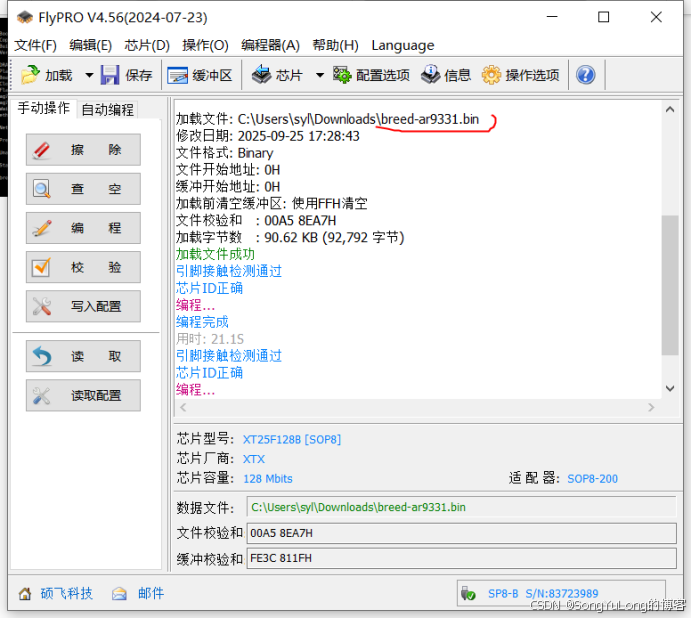
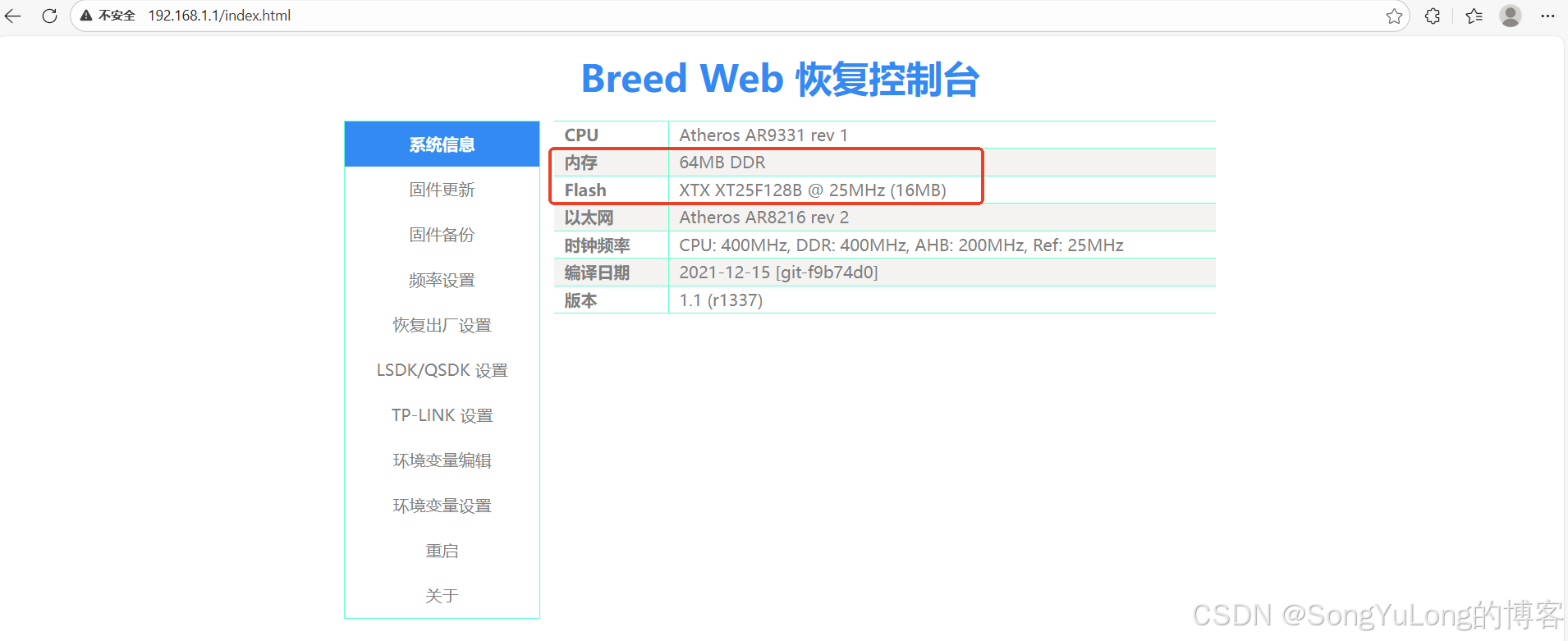
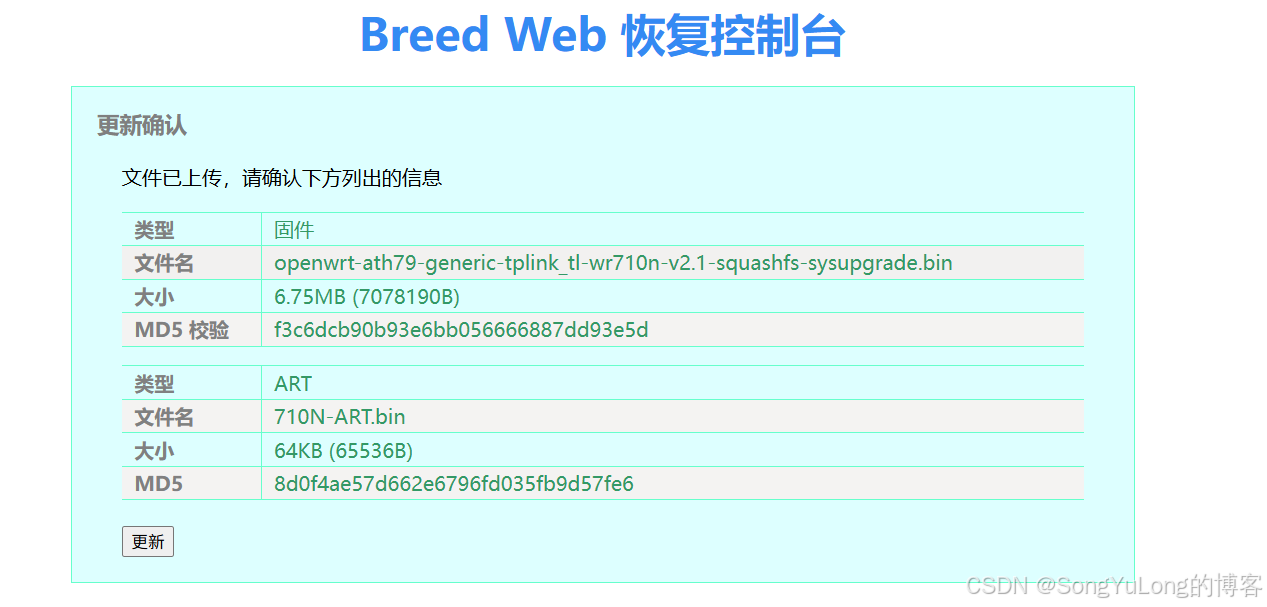
将已烧录breed的flash焊到板子上,RJ45网线连接到电脑和路由器LAN口,上电开机电脑浏览器输入192.168.1.1即可访问到breed界面,如下:
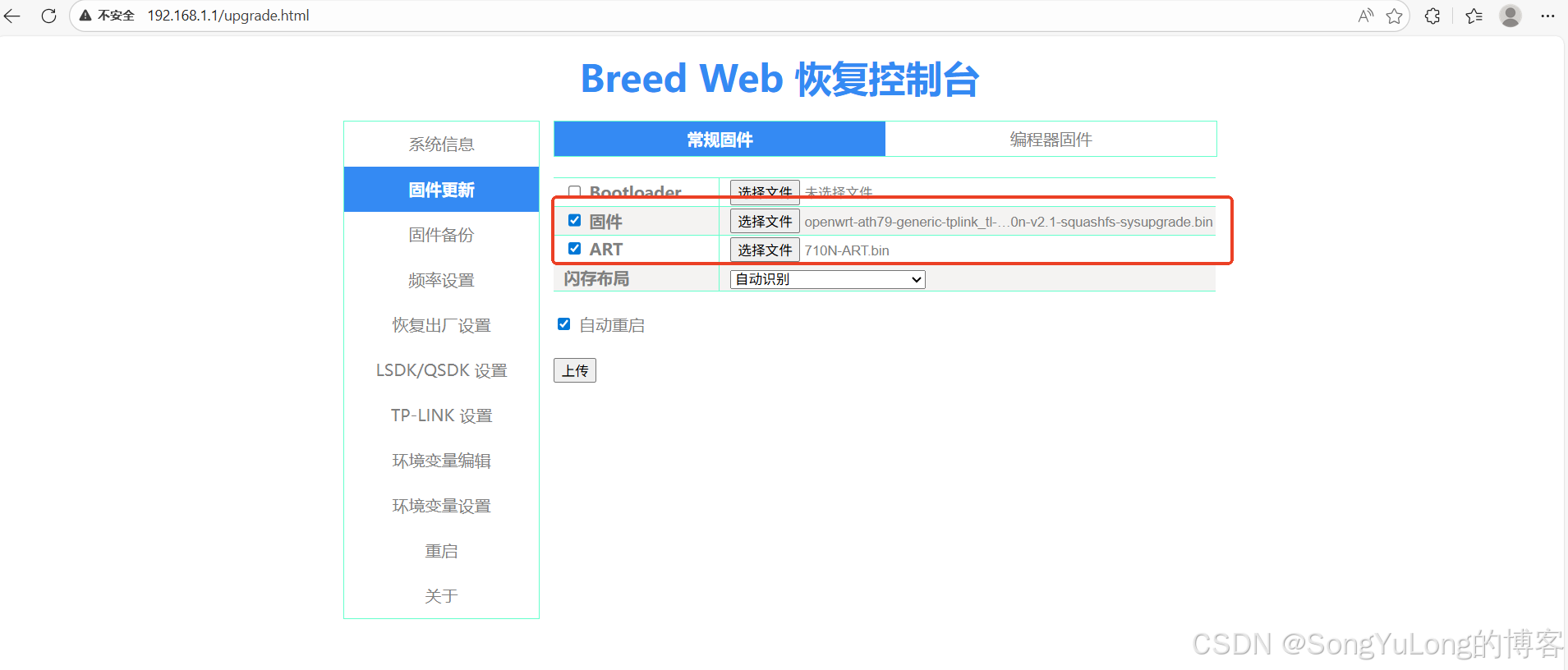
固件更新=》固件=》选择编译的固件《openwrt-ath79-generic-tplink_tl-wr710n-v2.1-squashfs-sysupgrade.bin》选择ART.bin文件


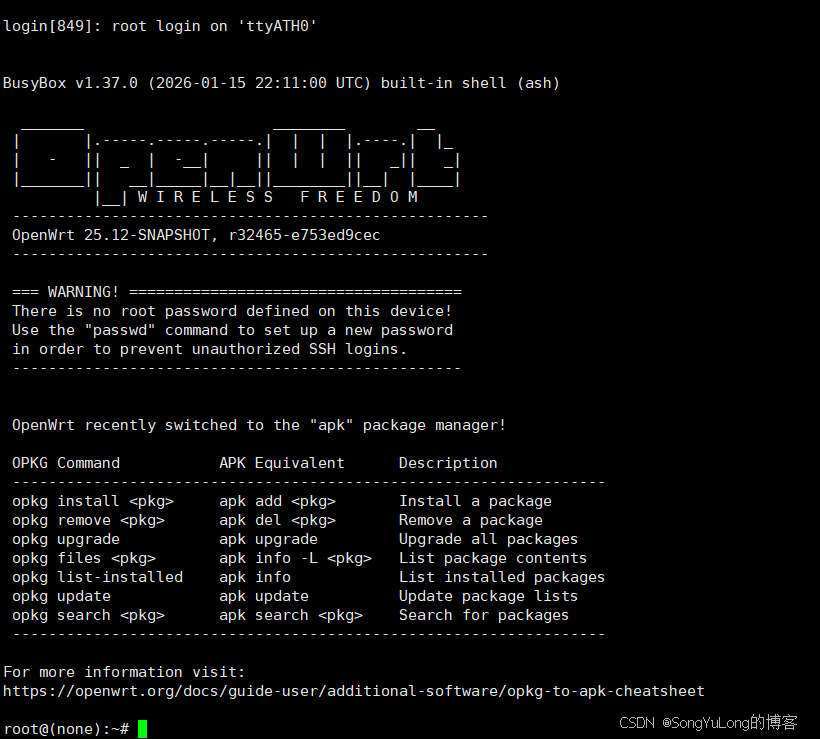
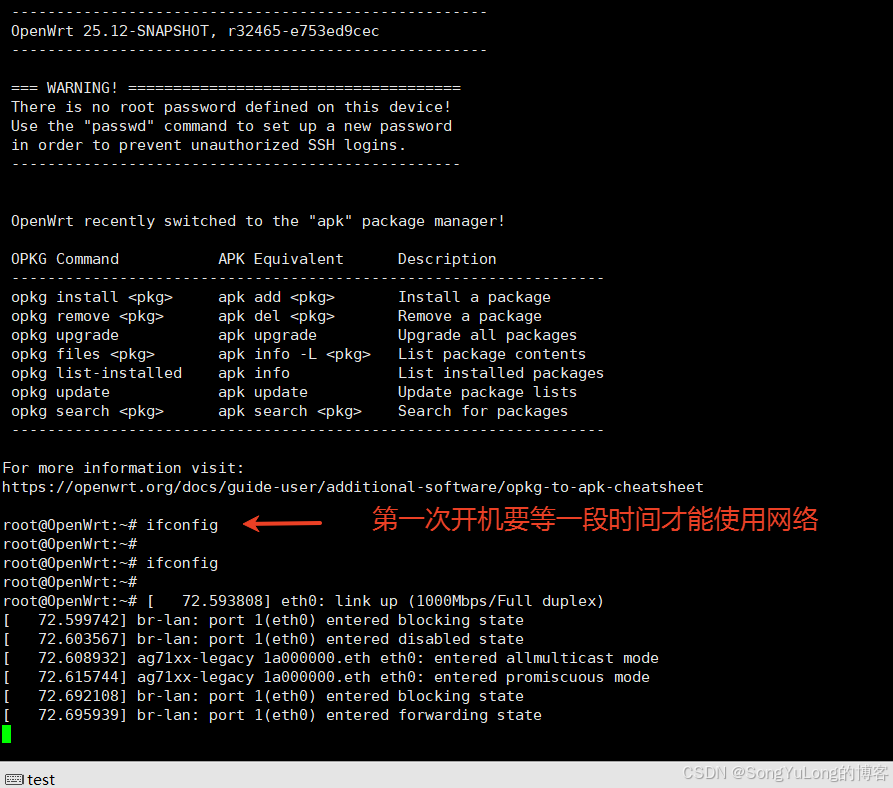
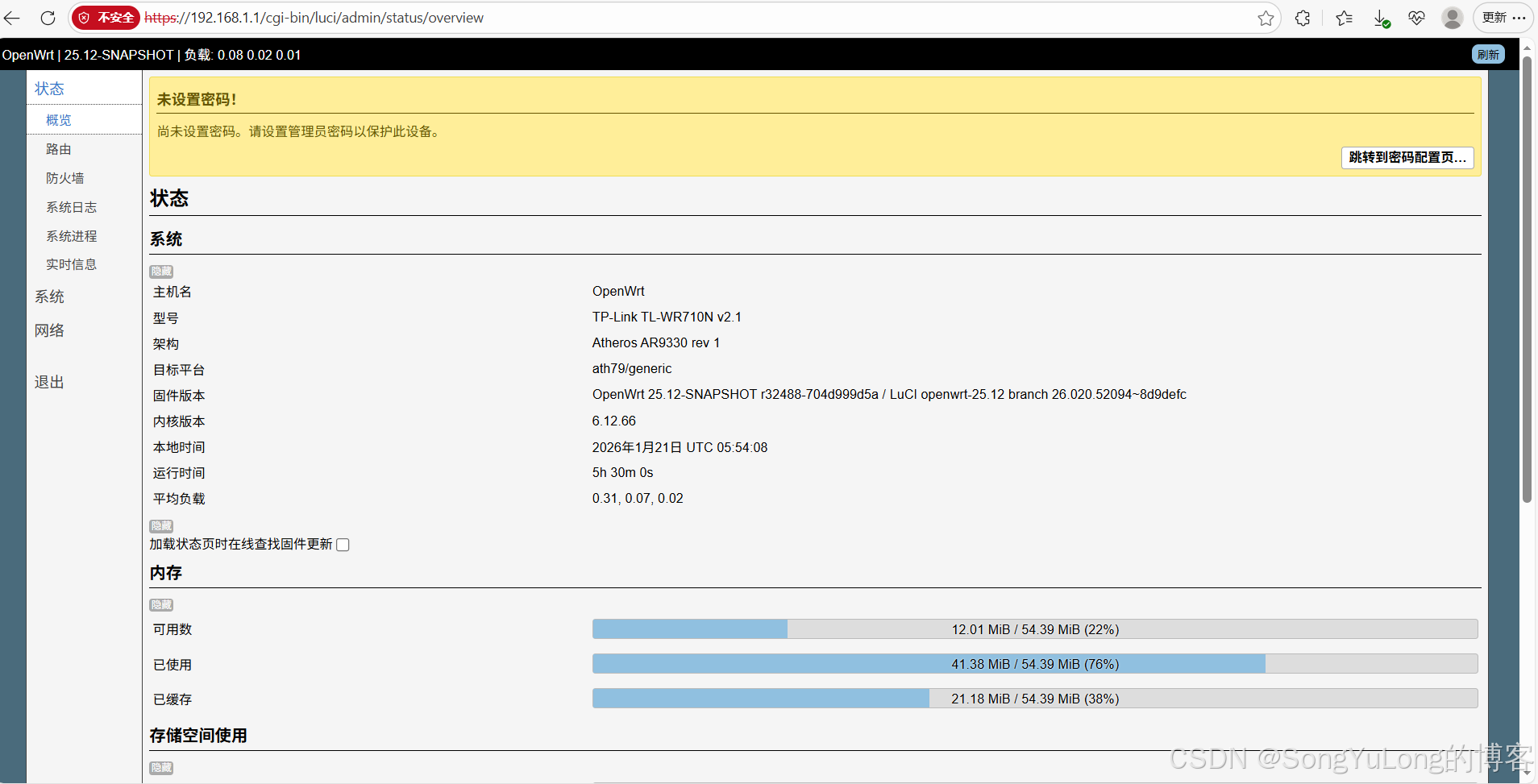
等一段时间ifconfig命令可以看到网络接口后电脑浏览器输入192.168.1.1即可访问到luci界面
三、OpenWrt配置编译固件
https://openwrt.org/
shell
git clone https://git.openwrt.org/openwrt/openwrt.githttps://openwrt.org/docs/guide-developer/toolchain/install-buildsystem
1)先update
sudo apt-get update (更新)
2)安装编译需要的组件:
sudo apt-get install gcc
sudo apt-get install g++
sudo apt-get install binutils
sudo apt-get install patch
sudo apt-get install bzip2
sudo apt-get install flex
sudo apt-get install bison
sudo apt-get install make
sudo apt-get install autoconf
sudo apt-get install gettext
sudo apt-get install texinfo
sudo apt-get install unzip
sudo apt-get install sharutils
sudo apt-get install subversion
sudo apt-get install libncurses5-dev
sudo apt-get install ncurses-term
sudo apt-get install zlib1g-dev
sudo apt-get install gawk
sudo apt-get install asciidoc
sudo apt-get install libz-dev
sudo apt-get install libssl-dev
sudo apt-get install ocaml-nox
git clone https://git.openwrt.org/openwrt/openwrt.git
cd openwrt
git checkout v2x.xx # 切换到需要的分支
添加软件扩展包,将feeds.conf.default修改为feeds.conf:
cp feeds.conf.default feeds.conf
更新扩展,安装扩展:
./scripts/feeds update -a
./scripts/feeds install -a
make defconfig
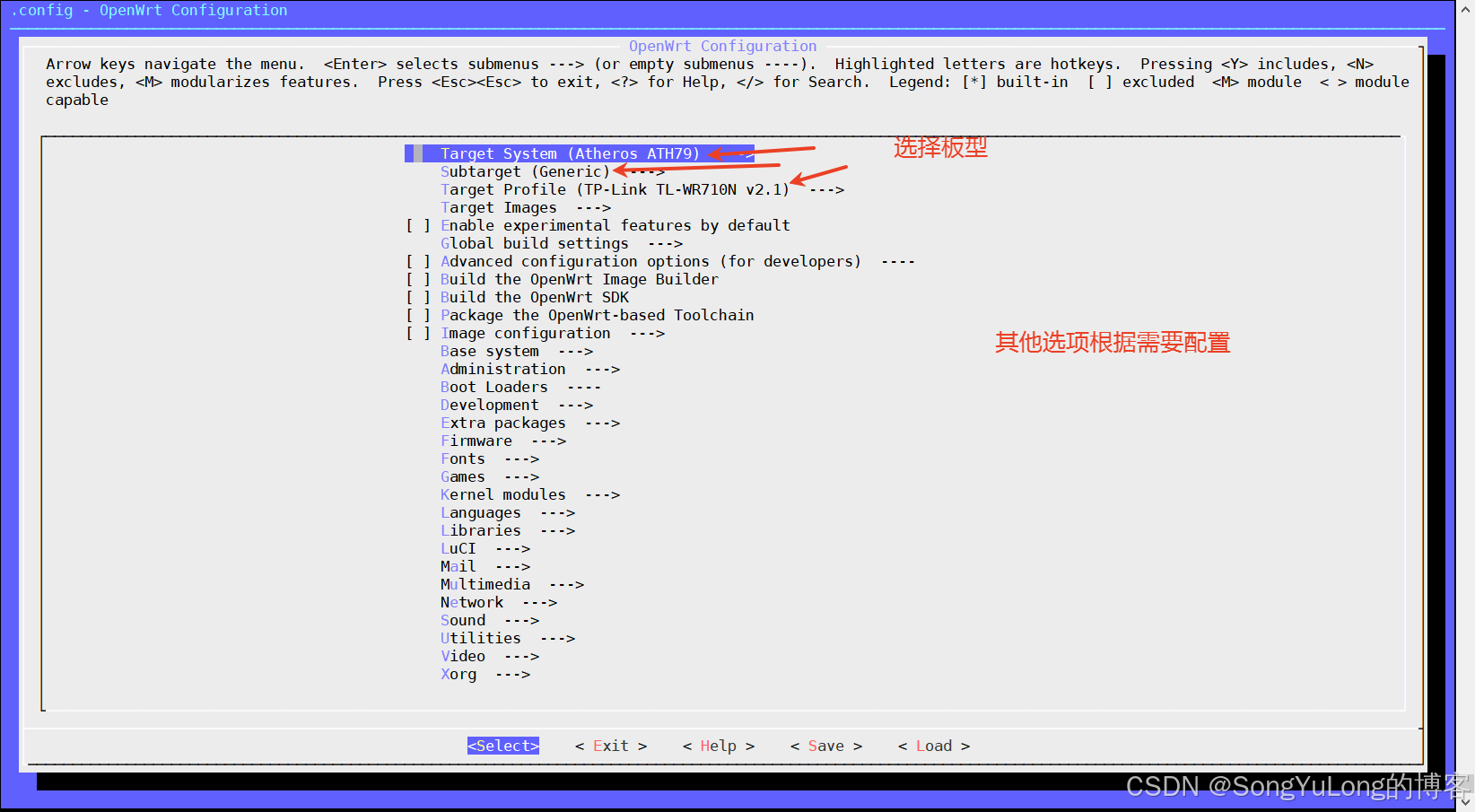
make menuconfig
make
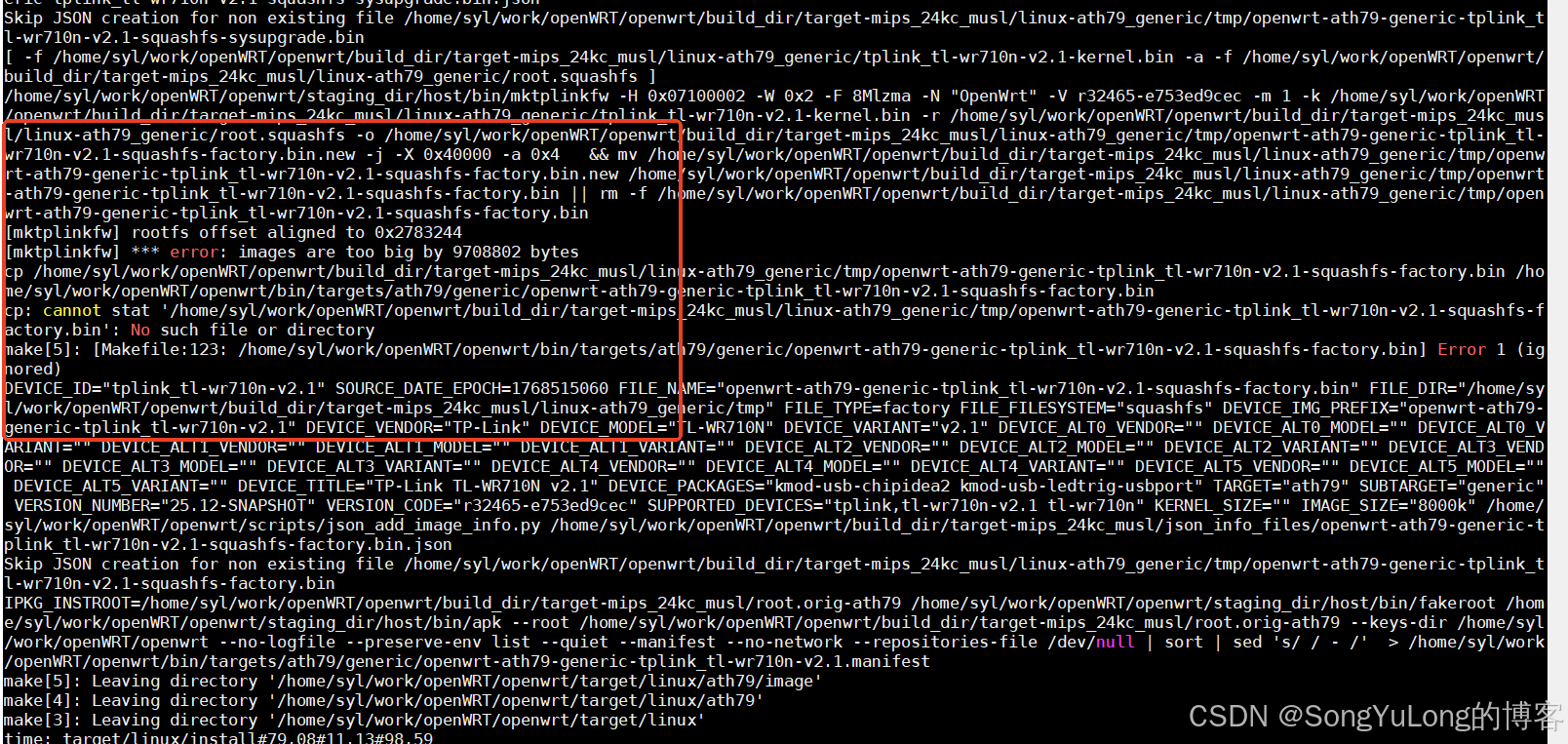
报错:images are too big by xxxxx bytes
原因:生成的固件大于IMAGE_SIZE配置的空间
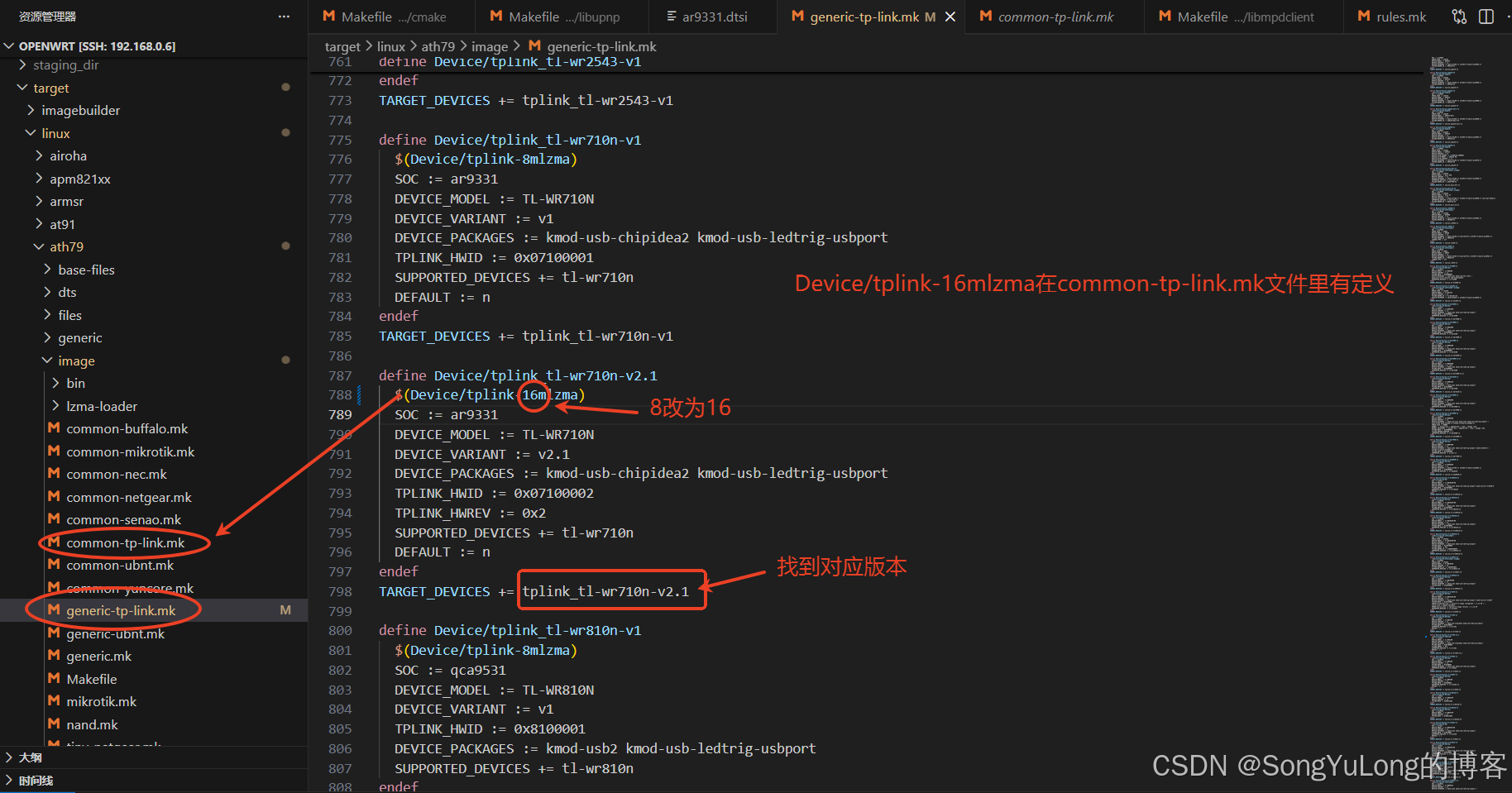
解决:配置为16M Flash(前提是硬件已经改为16M Flash)或make menuconfig 勾选掉不必要的模块
这里硬件已改为16M Flash,直接配置为16M设备重新编译即可: