目录
四、编写装载日志数据的脚本(上面执行装载数据后下面脚本就不用执行)
一、完整建表语句
sql
drop table if exists ods_log_inc;
create external table ods_log_inc
(
    `common` struct<ar :string,
        ba :string,
        ch :string,
        is_new :string,
        md :string,
        mid :string,
        os :string,
        sid :string,
        uid :string,
        vc :string> comment '公共信息',
    `page` struct<during_time :string,
        item :string,
        item_type :string,
        last_page_id :string,
        page_id :string,
        from_pos_id :string,
        from_pos_seq :string,
        refer_id :string> comment '页面信息',
    `actions` array<struct<action_id:string,
        item:string,
        item_type:string,
        ts:bigint>> comment '动作信息',
    `displays` array<struct<display_type :string,
        item :string,
        item_type :string,
        `pos_seq` :string,
        pos_id :string>> comment '曝光信息',
    `start` struct<entry :string,
        first_open :bigint,
        loading_time :bigint,
        open_ad_id :bigint,
        open_ad_ms :bigint,
        open_ad_skip_ms :bigint> comment '启动信息',
    `err` struct<error_code:bigint,
            msg:string> comment '错误信息',
    `ts` bigint  comment '时间戳'
) comment '活动信息表'
    partitioned by (`dt` string)
    row format serde 'org.apache.hadoop.hive.serde2.JsonSerDe'
location '/warehouse/gmall/ods/ods_log_inc/'
tblproperties ('compression.codec'='org.apache.hadoop.io.compress.GzipCodec');
二、建表语句解析
1.删除表
sql
drop table if exists ods_log_inc;
-- 如果存在ods_log_inc表就删除,保证下面的建表语句不出错
2.创建表
sql
create external table ods_log_inc
-- 创建ods_log_inc表:1.external 外部表标识 (实际业务中不需要,因为ods层一般不会在外部访问,我们这里使用外部表单纯是因为学习需要不断的修改测试)
--                  2.外部表和内部表的区别:外部表在执行drop删除表操作时不会删除数据只会删除元数据(表的定义)
--                                      内部表在执行drop删除表操作时数据和元数据都会删除
--                  3.这里使用外部表单纯因为避免执行drop语句是不小心将数据删除,然后浪费时间重新建表
3.字段说明
sql
(
    `common` struct<
        ar :string,
        ba :string,
        ch :string,
        is_new :string,
        md :string,
        mid :string,
        os :string,
        sid :string,
        uid :string,
        vc :string>
        comment '公共信息',
    `page` struct<
        during_time :string,
        item :string,
        item_type :string,
        last_page_id :string,
        page_id :string,
        from_pos_id :string,
        from_pos_seq :string,
        refer_id :string>
        comment '页面信息',
    `actions` array<struct<
        action_id:string,
        item:string,
        item_type:string,
        ts:bigint>>
        comment '动作信息',
    `displays` array<struct<
        display_type :string,
        item :string,
        item_type :string,
        `pos_seq` :string,
        pos_id :string>>
        comment '曝光信息',
    `start` struct<
        entry :string,
        first_open :bigint,
        loading_time :bigint,
        open_ad_id :bigint,
        open_ad_ms :bigint,
        open_ad_skip_ms :bigint>
        comment '启动信息',
    `err` struct<
        error_code:bigint,
        msg:string>
        comment '错误信息',
    `ts` bigint
        comment '时间戳'
-- 字段说明:1.表以日志json格式的最外层作为表的字段
--         2.在hive中将json格式解析为表的数据,满足下面的特性
--           2.1当json的属性和表的字段相同,则正常解析填充到表对应字段下。
--           2.2当json的属性少于表的字段,则没有属性对应的字段下为null。
--           2.3当json的属性多于表的字段,则没有字段对应的属性不解析不填充到表中。
--           2.4json的属性与表的字段对应,不严格遵循大小区分。
--         3.日志分为页面浏览日志(最外层字段common、actions、displays、page、err、ts)和
--                  app启动日志(最外层字段common、start、err、ts)
--           页面浏览日志和app日志共用一张表所以提取并集作为表的字段(common、actions、displays、page、err、ts、start)
--         4.comment关键字给字段添加注释提高代码的可读性
--         5.array关键字相当于python中的数组,可以通过索引取值超出索引的为null
--              在表字段定义一个array<int> :规定数值中的类型为int
--              举例:select
                    --     t.ids,
                    -- --  1.得到["a","b","c"]
                    --     t.ids[2],
                    -- --  2.得到c
                    --     t.ids[3],
                    -- --  3.得到null
                    --     array(ids[1],ids[0]),
                    -- --  4.得到["b","c"]
                    --     array_contains(ids, 'b'),
                    -- --  5.得到true
                    --     array_contains(ids, 'e')
                    -- --  6.得到false
                    -- from (
                    --     select array('a', 'b','c') ids
                    -- --  子查询:定义一个数组ids
                    -- )t;
                    -- -- 子查询别名为t
--                  注意如果数组中类型不一致的话,如果既有数值又有字符串,会将数组中的数值强转为字符串
--                     如果在表的字段中将类型定义好了就不存在强转,因为类型不同的值插入进去直接会报错
--         6.struct关键字相当于对象,不可以访问不存在的属性,结构体属性定义好了就不能改变了
--                  在表字段定义一个struct struct<id:int,name:string>
--                  举例select
                    --     obj,
                    -- --  得到{"a":"b","c":"d"},前面是属性后面是值,且每个属性的值的类型可以不一样,而map每个value的类型必须一样
                    --     obj.a
                    -- --  得到b,访问属性a的值
                    -- from (
                    --     select named_struct('a','b','c','d') obj
                    -- )t;
--         7.补充关键字map相当与python中的字典,但也有不同,定义的个数必须是偶数个,为了形成key/value对,可以访问没有的值会返回null
--                  在表字段定义一个map map<string,int> :规定key和value的类型为string和int
--                  举例select
                    --     t.mp,
                    -- --  得到{"a":1,"b":2}
                    --     t.mp['a'],
                    -- --  得到1
                    --     t.mp['c'],
                    -- --  得到null
                    --     map_keys(mp),
                    -- --  得到map的所有key以数组形式返回["a","b"]
                    --     map_values(mp),
                    -- --  得到map的所有value以数组形式返回[1,2]
                    --     array_contains(map_keys(mp),'b'),
                    -- --  得到true判断key是否有b
                    --     array_contains(map_values(mp),1),
                    -- --  得到true判断value是否有1
                    --     if(array_contains(map_keys(mp),'b'),3,4)
                    -- --  得到3
                    -- from (
                    --     select map('a',1,'b',2) mp
                    -- )t;
--                  注意map同样有类型强转,但如果在表的字段将类型定义好了就不存在强转,因为类型不同的值插入进去直接会报错

) comment '活动信息表'
4.设置分区
sql
partitioned by (`dt` string)
--  partitioned,给每个表设置不同的存储路径(分区表),可以提高查询效率。其中dt也算一个字段在插入的时候也要给值,但值不作为数据存储而是一个目录
-- 设置分区后插入数据:假设test表就一个字段id
--                 insert into table test values (1,'2024-01-01'); 这样可以完成插入到2024-01-01分区但不好。
--                 因为容易误会test有两个字段id 和日期
--                 为了避免,所以采用下面的插入方式
--                 静态分区:分区字段固定
--                 insert into table test partition(dt='2024-01-01')values (1);
--                 动态分区:分区字段根据查询结果决定
--                 set hive.exec.dynamic.partition.mode=nonstrict;
--                 insert into table test_loc partition (dt)
--                 select 2, '2022-06-09';
--                 因为动态分区hive默认未开启,所以要set hive.exec.dynamic.partition.mode=nonstrict;开启,而查询的最后一个字段就为分区字段
-- 分区后查询(动态分区设置只用运行一次就代表开启了,如果换了参数要重新运行):
--          如果动态分区设置参数mode为nonstrict就代表是不严格查询,可以按下面的方式查询到分区字段
--          set hive.exec.dynamic.partition.mode=nonstrict;
--          select * from test
--          如果动态分区设置参数mode为strict就代表是严格查询,要给定分区字段,可以按下面的方式查询到分区字段
--          set hive.exec.dynamic.partition.mode=strict;
--          select * from test where dt='2024-06-09'
--          备注在本项目中因为数据量不大所以可以采用不严格查询,但在实际的业务中数据量大,为了提高查询效率采用严格分区查询
--
-- 分区后结构,例如:
-- /warehouse/gmall/ods/ods_log_inc/
--     ├── dt=2024-01-01/
--     │   └── data_file1.log
--     ├── dt=2024-01-02/
--     │   └── data_file2.log
--     └── dt=2024-01-03/
--         └── data_file3.log
5.格式转换、表存储位置、压缩格式
sql
  row format serde 'org.apache.hadoop.hive.serde2.JsonSerDe'
-- 将每一行数据解析为json格式,因为我们的数据是json格式,且hive版本为3.1.3所以要加这样一句话,如果hive是4.0及以上的版本则不用
location '/warehouse/gmall/ods/ods_log_inc/'
-- location指定表在hdfs上的存储路径
tblproperties ('compression.codec'='org.apache.hadoop.io.compress.GzipCodec');
-- tblproperties表的配置指定表以gzip压缩,在这里不需要因为hadoop默认支持gzip,如果需要以其它格式压缩需要使用tblproperties进行指定
三、创建表并装载数据
1.运行上面的完整建表语句(在hive中执行),选中后运行,并确保数据库是gmall
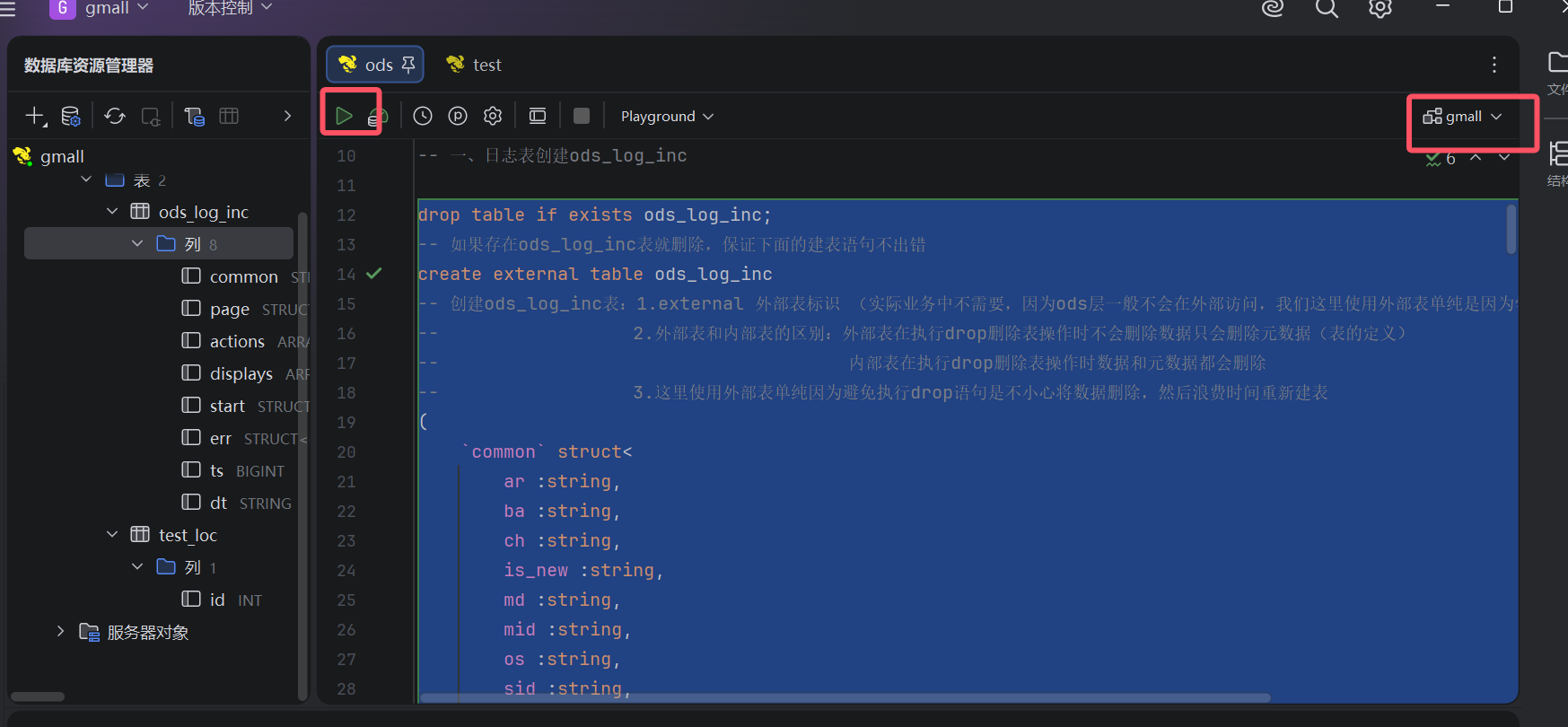
建表成功后可以在下面两个地方查看到
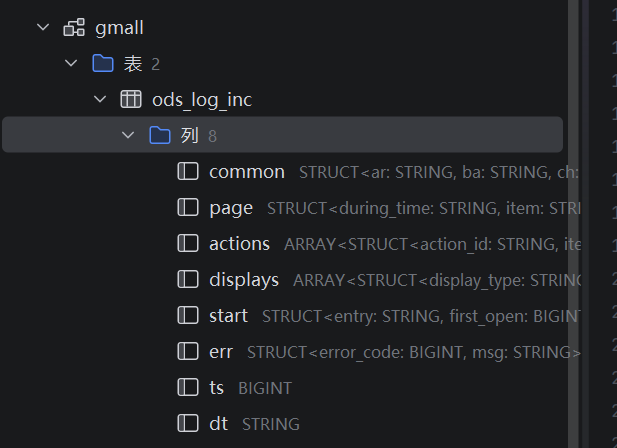
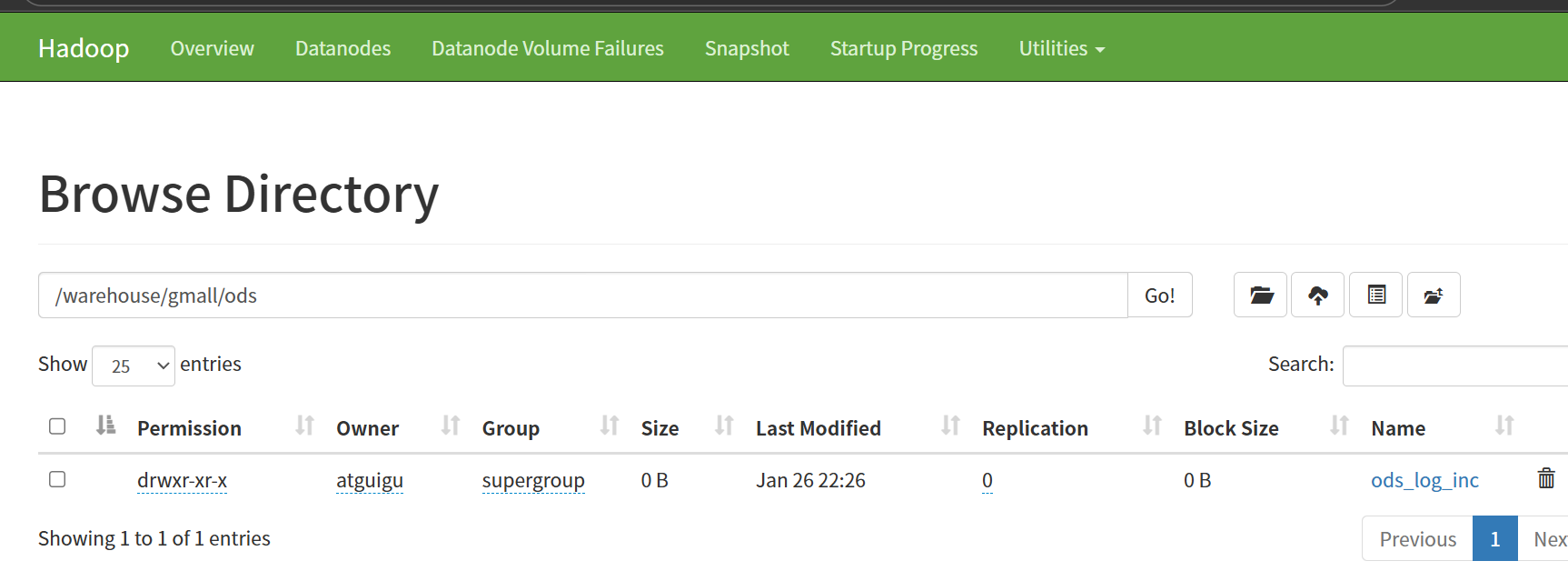
2.装载数据,在hive中执行下面的sql文(选中执行)
sql
load data inpath '/origin_data/gmall/log/topic_log/2022-06-08' into table ods_log_inc partition(dt='2022-06-08');点开表就可以看到数据了
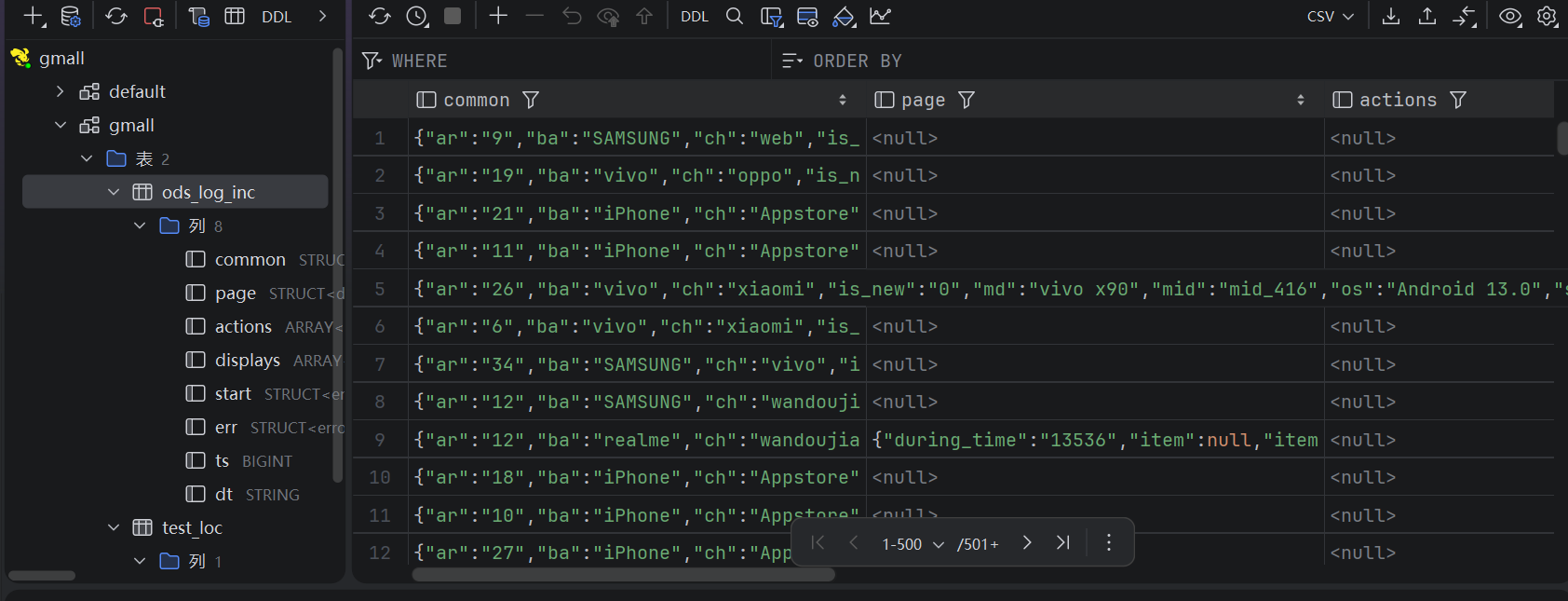
四、编写装载日志数据的脚本(上面执行装载数据后下面脚本就不用执行)
1.为什么需要脚本?直接执行SQL文不好吗?
因为在真实的业务场景中一般是当天24:00过后进行数据装载,但人不可能每天24:00过后去执行一句SQL文浪费精力
2.编写脚本(hadoop102执行下面命令)
sql
cd /home/atguigu/bin
vim hdfs_to_ods_log.sh
添加下面脚本内容
sql
#!/bin/bash

# 定义变量方便修改
APP=gmall

# 如果是输入的日期按照取输入日期;如果没输入日期取当前时间的前一天
if [ -n "$1" ] ;then
   do_date=$1
else
   do_date=`date -d "-1 day" +%F`
fi

echo ================== 日志日期为 $do_date ==================
sql="
load data inpath '/origin_data/$APP/log/topic_log/$do_date' into table ${APP}.ods_log_inc partition(dt='$do_date');
"
hive -e "$sql"
3.添加权限(hadoop102执行下面命令)
sql
chmod +x hdfs_to_ods_log.sh4.执行脚本的命令(hadoop102执行下面命令)
sql
hdfs_to_ods_log.sh 2022-06-08如果没有给时间参数,默认是系统时间的前一天