文章目录
什么是设计模式
"每一个模式描述了一个在我们周围不断重复发生的问题,以及该问题的解决方案的核心。这样,你就能一次又一次地使用该方案而不必做重复劳动"。
------Christopher Alexander
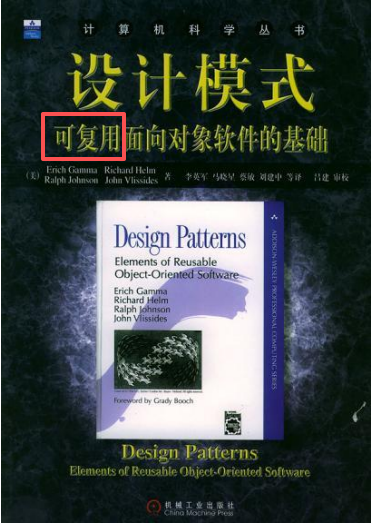
这本书核心在于"可复用"这三个字
- 历史性著作《设计模式:可复用面向对象软件的基础》一书中描述了23种经典面向对象设计模式,创立了模式在软件设计中的地位。
- 由于《设计模式》一书确定了设计模式的地位,通常所说的设计模式隐含地表示"面向对象设计模式"。但这并不意味"设计模式"就等于"面向对象设计模式
深入理解面向对象
-
向下:深入理解三大面向对象机制
• 封装,隐藏内部实现
• 继承,复用现有代码
• 多态,改写对象行为
-
向上:深刻把握面向对象机制所带来的抽象意义,理解如何使用这些机制来表达现实世界,掌握什么是"好的面向对象设计"
软件设计固有的复杂性
建筑商从来不会去想给一栋已建好的100层高的楼房底下再新修一个小地下室------这样做花费极大而且注定要失败。然而令人惊奇的是,软件系统的用户在要求作出类似改变时却不会仔细考虑,而且他们认为这只是需要简单编程的事。
------Object-Oriented Analysis and Design with Applications
软件设计复杂的根本原因
变化
• 客户需求的变化
• 技术平台的变化
• 开发团队的变化
• 市场环境的变化
如何解决复杂性?
分解
• 人们面对复杂性有一个常见的做法:即分而治之,将大问题分解为多个小问题,将复杂问题分解为多个简单问题。
抽象
• 更高层次来讲,人们处理复杂性有一个通用的技术,即抽象。由于不能掌握全部的复杂对象,我们选择忽视它的非本质细节,而去处理泛化和理想化了的对象模型。
代码演示(伪码)
- 体现分解思想的示例
表示各种图形的类
cpp
class Point{
public:
	int x;
	int y;
};

class Line{
public:
	Point start;
    Point end;

	Line(const Point& start, const Point& end){
        this->start = start;
        this->end = end;
    }

};

class Rect{
public:
	Point leftUp;
    int width;
	int height;

	Rect(const Point& leftUp, int width, int height){
        this->leftUp = leftUp;
        this->width = width;
		this->height = height;
    }

};

//增加  变化1
class Circle{


};
mainform窗口绘制各种图形(客户端程序)
cpp
class MainForm : public Form {
private:
	Point p1;
	Point p2;

	vector<Line> lineVector;
	vector<Rect> rectVector;
	//改变 变化2
	vector<Circle> circleVector;

public:
	MainForm(){
		//...
	}
protected:

	virtual void OnMouseDown(const MouseEventArgs& e);
	virtual void OnMouseUp(const MouseEventArgs& e);
	virtual void OnPaint(const PaintEventArgs& e);
};


void MainForm::OnMouseDown(const MouseEventArgs& e){
	p1.x = e.X;
	p1.y = e.Y;

	//...
	Form::OnMouseDown(e);
}

void MainForm::OnMouseUp(const MouseEventArgs& e){
	p2.x = e.X;
	p2.y = e.Y;

	if (rdoLine.Checked){
		Line line(p1, p2);
		lineVector.push_back(line);
	}
	else if (rdoRect.Checked){
		int width = abs(p2.x - p1.x);
		int height = abs(p2.y - p1.y);
		Rect rect(p1, width, height);
		rectVector.push_back(rect);
	}
	//改变  变化3
	else if (...){
		//...
		circleVector.push_back(circle);
	}

	//...
	this->Refresh();

	Form::OnMouseUp(e);
}

void MainForm::OnPaint(const PaintEventArgs& e){

	//针对直线
	for (int i = 0; i < lineVector.size(); i++){
		e.Graphics.DrawLine(Pens.Red,
			lineVector[i].start.x,
			lineVector[i].start.y,
			lineVector[i].end.x,
			lineVector[i].end.y);
	}

	//针对矩形
	for (int i = 0; i < rectVector.size(); i++){
		e.Graphics.DrawRectangle(Pens.Red,
			rectVector[i].leftUp,
			rectVector[i].width,
			rectVector[i].height);
	}

	//改变 变化4
	//针对圆形
	for (int i = 0; i < circleVector.size(); i++){
		e.Graphics.DrawCircle(Pens.Red,
			circleVector[i]);
	}

	//...
	Form::OnPaint(e);
}
从上述代码可以看到当需求变化来临时,增加圆的绘制时,代码需要改动4处
- 体现抽象思想的示例
表示各种图形的类
cpp
class Shape{
public:
	virtual void Draw(const Graphics& g)=0;
	virtual ~Shape() { }
};


class Point{
public:
	int x;
	int y;
};

class Line: public Shape{
public:
	Point start;
	Point end;

	Line(const Point& start, const Point& end){
		this->start = start;
		this->end = end;
	}

	//实现自己的Draw,负责画自己
	virtual void Draw(const Graphics& g){
		g.DrawLine(Pens.Red,
			start.x, start.y,end.x, end.y);
	}

};

class Rect: public Shape{
public:
	Point leftUp;
	int width;
	int height;

	Rect(const Point& leftUp, int width, int height){
		this->leftUp = leftUp;
		this->width = width;
		this->height = height;
	}

	//实现自己的Draw,负责画自己
	virtual void Draw(const Graphics& g){
		g.DrawRectangle(Pens.Red,
			leftUp,width,height);
	}

};

//增加 变化1
class Circle : public Shape{
public:
	//实现自己的Draw,负责画自己
	virtual void Draw(const Graphics& g){
		g.DrawCircle(Pens.Red,
			...);
	}

};
mainform窗口绘制各种图形(客户端程序)
cpp
class MainForm : public Form {
private:
	Point p1;
	Point p2;

	//针对所有形状
	vector<Shape*> shapeVector;

public:
	MainForm(){
		//...
	}
protected:

	virtual void OnMouseDown(const MouseEventArgs& e);
	virtual void OnMouseUp(const MouseEventArgs& e);
	virtual void OnPaint(const PaintEventArgs& e);
};


void MainForm::OnMouseDown(const MouseEventArgs& e){
	p1.x = e.X;
	p1.y = e.Y;

	//...
	Form::OnMouseDown(e);
}

void MainForm::OnMouseUp(const MouseEventArgs& e){
	p2.x = e.X;
	p2.y = e.Y;

	if (rdoLine.Checked){
		shapeVector.push_back(new Line(p1,p2));
	}
	else if (rdoRect.Checked){
		int width = abs(p2.x - p1.x);
		int height = abs(p2.y - p1.y);
		shapeVector.push_back(new Rect(p1, width, height));
	}
	//改变  变化2后续可以通关工厂模式规避这里的变化发生
	else if (...){
		//...
		shapeVector.push_back(circle);
	}

	//...
	this->Refresh();

	Form::OnMouseUp(e);
}

void MainForm::OnPaint(const PaintEventArgs& e){

	//针对所有形状
	for (int i = 0; i < shapeVector.size(); i++){

		shapeVector[i]->Draw(e.Graphics); //多态调用,各负其责
	}

	//...
	Form::OnPaint(e);
}
从上述代码可以看到当需求变化来临时,增加圆的绘制时,代码需要改动2处;注意变化2可以通过工厂模式的手段规避掉
通过上述两个思路的代码对比,可以发现抽象能够做到很好的复用效果
软件设计的目标
什么是好的软件设计?软件设计的金科玉律:
复用!