文章目录
简介
smartmontools 包含两个程序 smartctl 和 smartd,用于控制和监控存储系统:
- 检查硬盘(HDD/SSD)的健康状态
- 预测硬盘故障风险
- 执行硬盘自检(如短/长测试)
- 查看温度、通电时间、坏扇区等关键指标
SMART 指的是 Self-Monitoring, Analysis and Reporting Technology System
pySMART 是 smartctl 的 Python 封装,兼容 Linux 和 Windows
建议使用管理员权限运行
安装
shell
pip install pySMARTWindows
下载 smartmontools 或从 releases 下载
Linux
shell
apt-get install smartmontools

yum install smartmontools
列出系统中的硬盘
shell
lsblk

NAME MAJ:MIN RM  SIZE RO TYPE MOUNTPOINT
sda    8:0    0  256G  0 disk
sdb    8:16   0  256G  0 disk /
或
shell
smartctl --scan

/dev/sda -d ata # /dev/sda, ATA device
/dev/sdb -d ata # /dev/sdb, ATA device
/dev/sdc -d nvme # /dev/sdc, NVMe device
/dev/sdd -d scsi # /dev/sdd, SCSI device
python
from pySMART import DeviceList

device_list = DeviceList()
devices = device_list.devices
print(devices)
# [<ATA device on /dev/sda mod:ST4000VX000-1F4168 sn:Z302B410>,
# <ATA device on /dev/sdb mod:ST8000NM0055-1RM112 sn:ZA1F6NQX>,
# <NVME device on /dev/sdc mod:Samsung SSD 970 EVO 500GB sn:S466NX0M733342K>]
查看硬盘基本信息
shell
smartctl -i /dev/sda

=== START OF INFORMATION SECTION ===
Model Family:     Seagate Surveillance  # 硬盘系列
Device Model:     ST4000VX000-1F4168  # 具体型号
Serial Number:    Z302B410  # 序列号
LU WWN Device Id: 5 000c50 0793e2e21  # 逻辑单元全球名称
Firmware Version: CV12  # 固件版本号
User Capacity:    4,015,189,831,680 bytes [4.01 TB]  # 可用容量
Sector Sizes:     512 bytes logical, 4096 bytes physical  # 逻辑扇区大小512字节,物理扇区大小4096字节(4KB)
Rotation Rate:    5900 rpm  # 转速
Form Factor:      3.5 inches  # 外形规格
Device is:        In smartctl database  #
ATA Version is:   ACS-2, ACS-3 T13/2161-D revision 3b  # 支持的ATA标准版本
SATA Version is:  SATA 3.1, 6.0 Gb/s (current: 6.0 Gb/s)  # SATA接口版本及传输速率
Local Time is:    Tue Jan 27 12:05:24 2026  # 系统本地时间
SMART support is: Available - device has SMART capability.  # 具备SMART监测功能
SMART support is: Enabled  # 已启用SMART功能
python
from pySMART import Device

device = Device('/dev/sda')
device.all_attributes()
# ID# ATTRIBUTE_NAME          CUR WST THR TYPE     UPDATED WHEN_FAIL   RAW
#   1 Raw_Read_Error_Rate     113  92   6 Pre-fail Always  -           55785344
#   3 Spin_Up_Time            091  91   0 Pre-fail Always  -           0
#   4 Start_Stop_Count        037  37  20 Old_age  Always  -           65535
#   5 Reallocated_Sector_Ct   100 100  10 Pre-fail Always  -           0
#   7 Seek_Error_Rate         088  60  30 Pre-fail Always  -           713434302
#   9 Power_On_Hours          064  64   0 Old_age  Always  -           31980
#  10 Spin_Retry_Count        100 100  97 Pre-fail Always  -           0
#  12 Power_Cycle_Count       087  37  20 Old_age  Always  -           13611
# 184 End-to-End_Error        100 100  99 Old_age  Always  -           0
# 187 Reported_Uncorrect      001   1   0 Old_age  Always  -           348
# 188 Command_Timeout         100  99   0 Old_age  Always  -           8590065666
# 189 High_Fly_Writes         100 100   0 Old_age  Always  -           0
# 190 Airflow_Temperature_Cel 064  45  45 Old_age  Always  In_the_past 36 (Min/Max 27/36)
# 191 G-Sense_Error_Rate      100 100   0 Old_age  Always  -           0
# 192 Power-Off_Retract_Count 029  29   0 Old_age  Always  -           143207
# 193 Load_Cycle_Count        024  24   0 Old_age  Always  -           152378
# 194 Temperature_Celsius     036  55   0 Old_age  Always  -           36 (0 12 0 0 0)
# 197 Current_Pending_Sector  100 100   0 Old_age  Always  -           96
# 198 Offline_Uncorrectable   100 100   0 Old_age  Offline -           96
# 199 UDMA_CRC_Error_Count    200 200   0 Old_age  Always  -           0
查看硬盘所有信息
shell
smartctl -a /dev/pd0
或
smartctl -a /dev/sda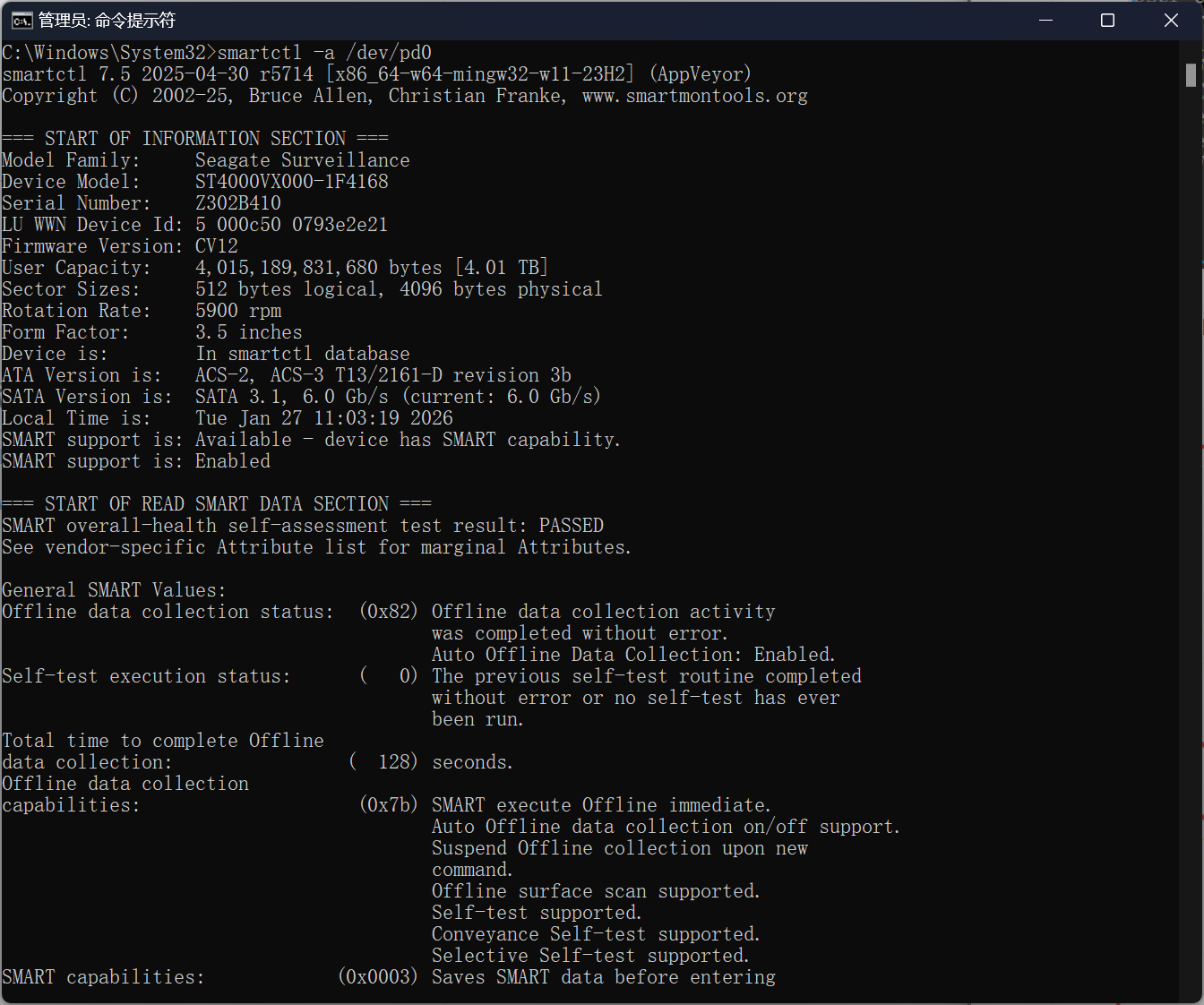
python
from pySMART import Device

sda = Device('/dev/sda')
print(sda)
# <ATA device on /dev/sda mod:ST4000VX000-1F4168 sn:Z302B410>
检查硬盘健康状态
shell
smartctl -H /dev/sda

=== START OF READ SMART DATA SECTION ===
SMART overall-health self-assessment test result: PASSED
Please note the following marginal Attributes:
ID# ATTRIBUTE_NAME          FLAG     VALUE WORST THRESH TYPE      UPDATED  WHEN_FAILED RAW_VALUE
190 Airflow_Temperature_Cel 0x0022   063   045   045    Old_age   Always   In_the_past 37 (Min/Max 20/37)
查看详细属性
shell
smartctl -A /dev/sda

=== START OF READ SMART DATA SECTION ===
SMART Attributes Data Structure revision number: 10
Vendor Specific SMART Attributes with Thresholds:
ID# ATTRIBUTE_NAME          FLAG     VALUE WORST THRESH TYPE      UPDATED  WHEN_FAILED RAW_VALUE
  1 Raw_Read_Error_Rate     0x000f   108   092   006    Pre-fail  Always       -       16945048
  3 Spin_Up_Time            0x0003   091   091   000    Pre-fail  Always       -       0
  4 Start_Stop_Count        0x0032   037   037   020    Old_age   Always       -       65535
  5 Reallocated_Sector_Ct   0x0033   100   100   010    Pre-fail  Always       -       0
  7 Seek_Error_Rate         0x000f   088   060   030    Pre-fail  Always       -       713392046
  9 Power_On_Hours          0x0032   064   064   000    Old_age   Always       -       31977
 10 Spin_Retry_Count        0x0013   100   100   097    Pre-fail  Always       -       0
 12 Power_Cycle_Count       0x0032   087   037   020    Old_age   Always       -       13610
184 End-to-End_Error        0x0032   100   100   099    Old_age   Always       -       0
187 Reported_Uncorrect      0x0032   001   001   000    Old_age   Always       -       348
188 Command_Timeout         0x0032   100   099   000    Old_age   Always       -       8590065666
189 High_Fly_Writes         0x003a   100   100   000    Old_age   Always       -       0
190 Airflow_Temperature_Cel 0x0022   063   045   045    Old_age   Always   In_the_past 37 (Min/Max 20/37)
191 G-Sense_Error_Rate      0x0032   100   100   000    Old_age   Always       -       0
192 Power-Off_Retract_Count 0x0032   029   029   000    Old_age   Always       -       143207
193 Load_Cycle_Count        0x0032   024   024   000    Old_age   Always       -       152355
194 Temperature_Celsius     0x0022   037   055   000    Old_age   Always       -       37 (0 12 0 0 0)
197 Current_Pending_Sector  0x0012   100   100   000    Old_age   Always       -       96
198 Offline_Uncorrectable   0x0010   100   100   000    Old_age   Offline      -       96
199 UDMA_CRC_Error_Count    0x003e   200   200   000    Old_age   Always       -       0
Reallocated_Sector_Ct(ID 5):坏道重映射数量
Current_Pending_Sector(ID 197):待处理坏扇区
Temperature(ID 194):温度是否过高
硬盘自检
查看支持哪些测试
shell
smartctl -c /dev/sda

=== START OF READ SMART DATA SECTION ===
General SMART Values:
Offline data collection status:  (0x82) Offline data collection activity
                                        was completed without error.
                                        Auto Offline Data Collection: Enabled.
Self-test execution status:      (   0) The previous self-test routine completed
                                        without error or no self-test has ever
                                        been run.
Total time to complete Offline
data collection:                (  128) seconds.
Offline data collection
capabilities:                    (0x7b) SMART execute Offline immediate.
                                        Auto Offline data collection on/off support.
                                        Suspend Offline collection upon new
                                        command.
                                        Offline surface scan supported.
                                        Self-test supported.
                                        Conveyance Self-test supported.
                                        Selective Self-test supported.
SMART capabilities:            (0x0003) Saves SMART data before entering
                                        power-saving mode.
                                        Supports SMART auto save timer.
Error logging capability:        (0x01) Error logging supported.
                                        General Purpose Logging supported.
Short self-test routine
recommended polling time:        (   1) minutes.
Extended self-test routine
recommended polling time:        ( 527) minutes.
Conveyance self-test routine
recommended polling time:        (   2) minutes.
SCT capabilities:              (0x10b9) SCT Status supported.
                                        SCT Error Recovery Control supported.
                                        SCT Feature Control supported.
                                        SCT Data Table supported.
短自检
1-2 分钟
shell
smartctl -t short /dev/sda长自检
几十分钟到几小时
shell
smartctl -t long /dev/sda查看测试结果
shell
smartctl -l selftest /dev/sda

=== START OF READ SMART DATA SECTION ===
SMART Self-test log structure revision number 1
Num  Test_Description    Status                  Remaining  LifeTime(hours)  LBA_of_first_error
# 1  Short offline       Completed without error       00%     31977         -
后台自动监控
使用 smartd