微服务系列之 Nacos 安装部署
前言
Nacos 版本:2.3.2
JDK 版本:jdk1.8.0_131
Linux 操作系统版本:Red Hat Enterprise Linux Server 7.5 (Maipo)
部署
下载
Nacos 资源从官网 https://nacos.io/docs/
或者直接访问下载地址
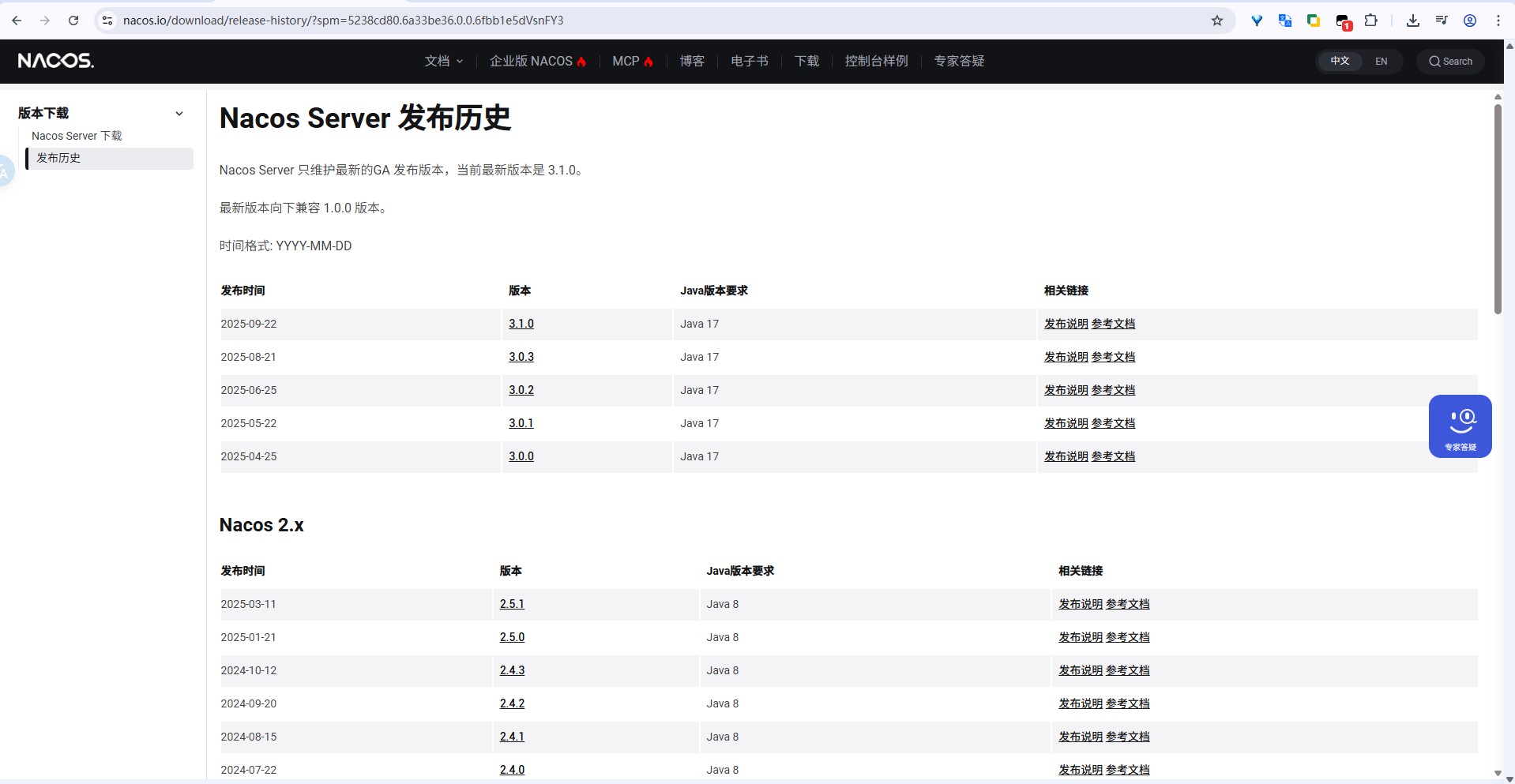
解压文件
将资源下载到服务的 /soft 文件夹中,然后进行解压到 /u01/app/ 文件夹中。
shell
# 创建文件夹
mkdir /soft
mkdir -p /u01/app

# 将文件上传到 /soft 文件夹中

# 将压缩包解压至 /u01/app 文件夹中
unzip /soft/nacos-server-2.3.2.zip -d /u01/app/
- 参考日志
shell
[root@wgqdevun01 soft]# unzip /soft/nacos-server-2.3.2.zip -d /u01/app/
Archive:  /soft/nacos-server-2.3.2.zip
   creating: /u01/app/nacos/
   creating: /u01/app/nacos/target/
   creating: /u01/app/nacos/conf/
   creating: /u01/app/nacos/bin/
  inflating: /u01/app/nacos/LICENSE
  inflating: /u01/app/nacos/bin/startup.sh
  inflating: /u01/app/nacos/NOTICE
  inflating: /u01/app/nacos/conf/application.properties
  inflating: /u01/app/nacos/target/nacos-server.jar
  inflating: /u01/app/nacos/conf/announcement_zh-CN.conf
  inflating: /u01/app/nacos/bin/shutdown.cmd
  inflating: /u01/app/nacos/conf/1.4.0-ipv6_support-update.sql
  inflating: /u01/app/nacos/bin/shutdown.sh
  inflating: /u01/app/nacos/conf/derby-schema.sql
  inflating: /u01/app/nacos/bin/startup.cmd
  inflating: /u01/app/nacos/conf/application.properties.example
  inflating: /u01/app/nacos/conf/nacos-logback.xml
  inflating: /u01/app/nacos/conf/mysql-schema.sql
  inflating: /u01/app/nacos/conf/console-guide.conf
  inflating: /u01/app/nacos/conf/cluster.conf.example
  inflating: /u01/app/nacos/conf/announcement_en-US.conf
[root@wgqdevun01 soft]#
启动 nacos
shell
# 进入到解压后的目录中,执行启动命令.
cd /u01/app/nacos/bin
nohup sh startup.sh -m standalone & - 参考日志:
shell
[root@wgqdevun01 bin]# pwd
/u01/app/nacos/bin
[root@wgqdevun01 bin]#
[root@wgqdevun01 bin]# nohup sh startup.sh -m standalone &
[1] 11038
[root@wgqdevun01 bin]# nohup: ignoring input and appending output to 'nohup.out'

[1]+  Done                    nohup sh startup.sh -m standalone
[root@wgqdevun01 bin]#
验证
- 检查进程&默认端口(
8848)是否存在
shell
ps -ef | grep nacos
netstat -lnptu | grep -i 8848
参考日志:
shell
[root@wgqdevun01 bin]# ps -ef | grep nacos
root      11058      1 10 04:55 pts/0    00:00:20 /usr/jdk1.8.0_131/bin/java -Djava.ext.dirs=/usr/jdk1.8.0_131/jre/lib/ext:/usr/jdk1.8.0_131/lib/ext -Xms512m -Xmx512m -Xmn256m -Dnacos.standalone=true -Dnacos.member.list= -XX:+UseConcMarkSweepGC -XX:+UseCMSCompactAtFullCollection -XX:CMSInitiatingOccupancyFraction=70 -XX:+CMSParallelRemarkEnabled -XX:SoftRefLRUPolicyMSPerMB=0 -XX:+CMSClassUnloadingEnabled -XX:SurvivorRatio=8 -Xloggc:/u01/app/nacos/logs/nacos_gc.log -verbose:gc -XX:+PrintGCDetails -XX:+PrintGCDateStamps -XX:+PrintGCTimeStamps -XX:+UseGCLogFileRotation -XX:NumberOfGCLogFiles=10 -XX:GCLogFileSize=100M -Dloader.path=/u01/app/nacos/plugins,/u01/app/nacos/plugins/health,/u01/app/nacos/plugins/cmdb,/u01/app/nacos/plugins/selector -Dnacos.home=/u01/app/nacos -jar /u01/app/nacos/target/nacos-server.jar --spring.config.additional-location=file:/u01/app/nacos/conf/ --logging.config=/u01/app/nacos/conf/nacos-logback.xml --server.max-http-header-size=524288 nacos.nacos
root      11451   3565  0 04:58 pts/0    00:00:00 grep --color=auto nacos
[root@wgqdevun01 bin]#
[root@wgqdevun01 bin]#
[root@wgqdevun01 bin]# netstat -lnptu | grep -i 8848
tcp6       0      0 :::8848                 :::*                    LISTEN      11058/java
[root@wgqdevun01 bin]# - web 端访问验证,nacos部署所在服务器IP地址为
192.168.88.166
访问地址:http://192.168.88.166:8848/nacos,账号/密码(默认):\`nacos/nacos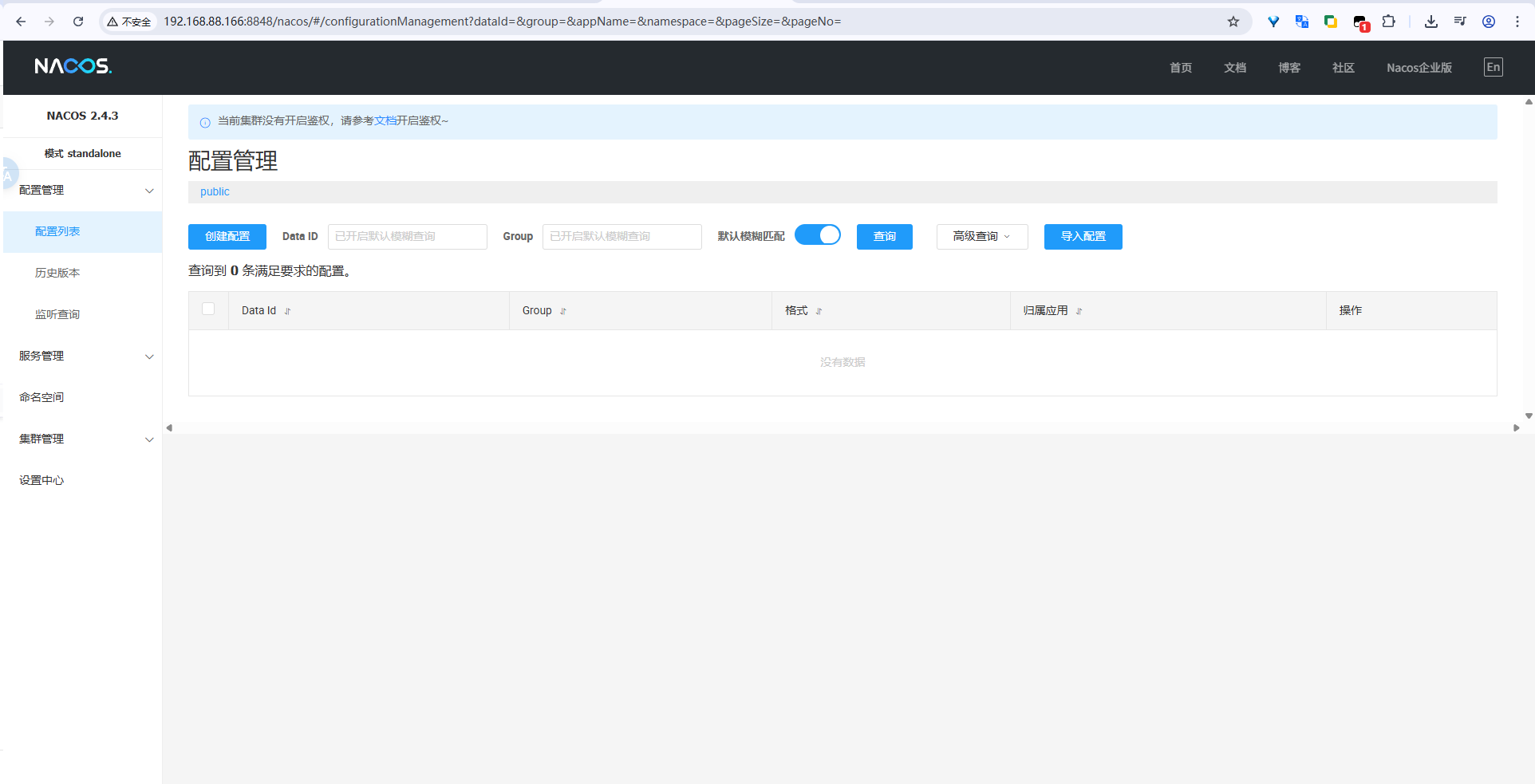
若有转载,请标明出处:https://blog.csdn.net/CharlesYuangc/article/details/157516746