记一次MySQL数据库备份与SQL格式内容导出导入
MySQL数据导出
使用数据库管理工具(如MySQL Workbench和某cat)导出效果虽然好,但太慢了,这时候,我们可以使用服务器里的mysqldump命令行工具导出数据,速度非常快。
导出命令如下:
bash
mysqldump -u 用户名 -p 数据库名 > 导出文件名.sql在云服务器中使用示例如下:
bash
[root@VM-16-8-opencloudos home]# /home/webapp/mysql/mysql-5.7.29-linux-glibc2.12-x86_64/bin/mysqldump -u root -p oxxx >  oxxx_backup.sql
Enter password: ********
[root@VM-16-8-opencloudos home]#执行该语句,会在服务器本地生成对应的.sql文件,包含了数据库的结构和数据条目,其执行效率要比管理工具运行效率高不少。
MySQL的.sql文件导入
导出就是为了导入,更好地导出是为了更好地导入。
导入命令如下:
bash
mysql -u 用户名 -p 数据库名 < 导入文件名.sql或使用MySQL的source命令,参考如下示例:
bash
[root@VM-16-7-opencloudos db_bak]# /home/webapp/mysql/mysql-5.7.29-linux-glibc2.12-x86_64/bin/mysql -uroot -p
/home/webapp/mysql/mysql-5.7.29-linux-glibc2.12-x86_64/bin/mysql: error while loading shared libraries: libncurses.so.5: cannot open shared object file: No such file or directorysource命令的使用需要先连上mysql服务,然而......
错误就此出现:
error while loading shared libraries: libncurses.so.5: cannot open shared object file: No such file or directory
缺啥补啥呗,这是后我们可以通过安装ncurses-compat-libs解决该脸上数据库的问题,对于我要处理的服务器,命令是:
bash
# dnf install ncurses-compat-libs于是:
bash
[root@VM-16-7-opencloudos db_bak]# dnf install ncurses-compat-libs
BaseOS 9 - x86_64                                                                   6.7 kB/s | 3.8 kB     00:00
BaseOS 9 - x86_64                                                                   566 kB/s | 1.4 MB     00:02
AppStream 9 - x86_64                                                                6.8 kB/s | 3.8 kB     00:00
AppStream 9 - x86_64                                                                3.5 MB/s |  15 MB     00:04
extras 9 - x86_64                                                                   5.3 kB/s | 3.0 kB     00:00
extras 9 - x86_64                                                                   947  B/s | 1.1 kB     00:01
Extra Packages for OpenCloudOS 9 - EPOL                                             3.9 kB/s | 3.0 kB     00:00
Extra Packages for OpenCloudOS 9 - EPOL                                             4.6 MB/s |  19 MB     00:04
Dependencies resolved.
====================================================================================================================
 Package                            Architecture          Version                    Repository                Size
====================================================================================================================
Installing:
 ncurses-compat-libs                x86_64                6.4-5.oc9                  AppStream                316 k
Upgrading:
 ncurses                            x86_64                6.4-5.oc9                  BaseOS                   216 k
 ncurses-base                       noarch                6.4-5.oc9                  BaseOS                    60 k
 ncurses-devel                      x86_64                6.4-5.oc9                  AppStream                530 k
 ncurses-libs                       x86_64                6.4-5.oc9                  BaseOS                   345 k

Transaction Summary
====================================================================================================================
Install  1 Package
Upgrade  4 Packages

Total download size: 1.4 M
Is this ok [y/N]: y
Downloading Packages:
(1/5): ncurses-base-6.4-5.oc9.noarch.rpm                                             57 kB/s |  60 kB     00:01
(2/5): ncurses-6.4-5.oc9.x86_64.rpm                                                 142 kB/s | 216 kB     00:01
(3/5): ncurses-compat-libs-6.4-5.oc9.x86_64.rpm                                     207 kB/s | 316 kB     00:01
(4/5): ncurses-libs-6.4-5.oc9.x86_64.rpm                                            399 kB/s | 345 kB     00:00
(5/5): ncurses-devel-6.4-5.oc9.x86_64.rpm                                           762 kB/s | 530 kB     00:00
--------------------------------------------------------------------------------------------------------------------
Total                                                                               661 kB/s | 1.4 MB     00:02
Running transaction check
Transaction check succeeded.
Running transaction test
Transaction test succeeded.
Running transaction
  Preparing        :                                                                                            1/1
  Upgrading        : ncurses-base-6.4-5.oc9.noarch                                                              1/9
  Upgrading        : ncurses-libs-6.4-5.oc9.x86_64                                                              2/9
  Running scriptlet: ncurses-libs-6.4-5.oc9.x86_64                                                              2/9
  Upgrading        : ncurses-6.4-5.oc9.x86_64                                                                   3/9
  Upgrading        : ncurses-devel-6.4-5.oc9.x86_64                                                             4/9
  Installing       : ncurses-compat-libs-6.4-5.oc9.x86_64                                                       5/9
  Running scriptlet: ncurses-compat-libs-6.4-5.oc9.x86_64                                                       5/9
  Cleanup          : ncurses-devel-6.4-3.oc9.x86_64                                                             6/9
  Cleanup          : ncurses-6.4-3.oc9.x86_64                                                                   7/9
  Cleanup          : ncurses-libs-6.4-3.oc9.x86_64                                                              8/9
  Running scriptlet: ncurses-libs-6.4-3.oc9.x86_64                                                              8/9
  Cleanup          : ncurses-base-6.4-3.oc9.noarch                                                              9/9
  Running scriptlet: ncurses-base-6.4-3.oc9.noarch                                                              9/9
  Verifying        : ncurses-compat-libs-6.4-5.oc9.x86_64                                                       1/9
  Verifying        : ncurses-6.4-5.oc9.x86_64                                                                   2/9
  Verifying        : ncurses-6.4-3.oc9.x86_64                                                                   3/9
  Verifying        : ncurses-base-6.4-5.oc9.noarch                                                              4/9
  Verifying        : ncurses-base-6.4-3.oc9.noarch                                                              5/9
  Verifying        : ncurses-libs-6.4-5.oc9.x86_64                                                              6/9
  Verifying        : ncurses-libs-6.4-3.oc9.x86_64                                                              7/9
  Verifying        : ncurses-devel-6.4-5.oc9.x86_64                                                             8/9
  Verifying        : ncurses-devel-6.4-3.oc9.x86_64                                                             9/9

Upgraded:
  ncurses-6.4-5.oc9.x86_64              ncurses-base-6.4-5.oc9.noarch         ncurses-devel-6.4-5.oc9.x86_64
  ncurses-libs-6.4-5.oc9.x86_64
Installed:
  ncurses-compat-libs-6.4-5.oc9.x86_64

Complete!
进入数据库服务的问题解决了:
bash
[root@VM-16-7-opencloudos db_bak]# /home/webapp/mysql/mysql-5.7.29-linux-glibc2.12-x86_64/bin/mysql -uroot -p
Enter password:
Welcome to the MySQL monitor.  Commands end with ; or \g.
Your MySQL connection id is 116260
Server version: 5.7.29 MySQL Community Server (GPL)

Copyright (c) 2000, 2020, Oracle and/or its affiliates. All rights reserved.

Oracle is a registered trademark of Oracle Corporation and/or its
affiliates. Other names may be trademarks of their respective
owners.

Type 'help;' or '\h' for help. Type '\c' to clear the current input statement.
不忘查看了下有些什么数据库:
bash
mysql> show databases;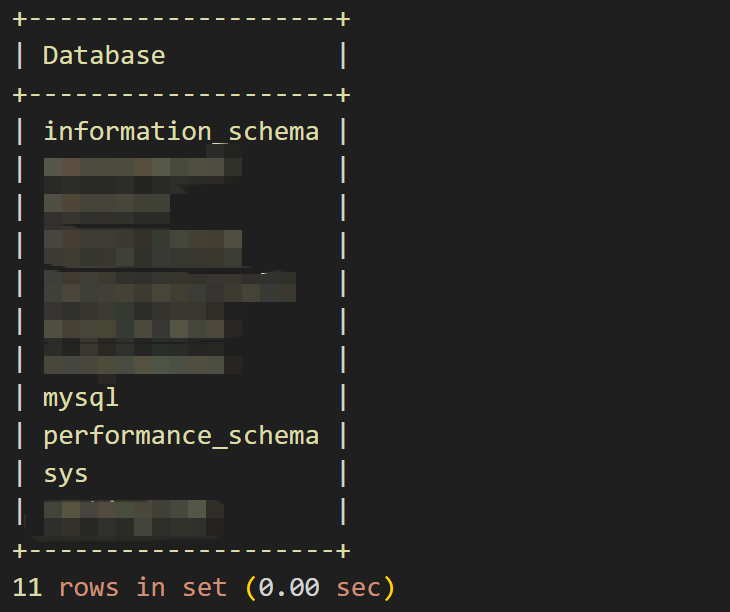
然而也没啥好看的。
执行source命令:
bash
mysql> use oxxx;
Database changed
mysql> source /home/db_bak/oxxx_backup_20260123.sql
Query OK, 0 rows affected (0.01 sec)
数据库导入成功。
总结
有效使用服务器上MySQL的命令,可以提升我们数据处理的效率。用管理工具做这种操作,虽然运行起来方便,但数据有一定量的时候,效率会比较低,这是值得注意的。