第一部分:项目概述与设计思路
1.1 项目背景与意义
在现代Web开发教学中,如何有效地展示复杂的技术体系关系一直是一个挑战。传统的幻灯片演示往往局限于二维平面,难以表达技术之间的层次关系和空间关联。基于这个问题,我们开发了一个基于Impress.js的3D概念地图项目,旨在通过三维空间的可视化方式,为用户提供沉浸式的技术学习体验。
项目背景:
-
Web技术栈日益复杂,传统的线性演示难以表达多维度关系
-
学习者需要直观理解技术之间的依赖和演化关系
-
现有的3D演示工具要么过于复杂,要么不够灵活
项目意义:
-
探索Impress.js在技术教学中的创新应用
-
提供可复用的3D演示模板和最佳实践
-
展示现代Web技术(HTML5、CSS3、JavaScript)的强大能力
1.2 技术选型分析
在选择技术栈时,我们遵循了以下原则:
-
轻量级:避免引入过多外部依赖
-
兼容性:支持主流现代浏览器
-
灵活性:易于扩展和定制
-
性能:保持良好的运行效率
技术栈组成:
-
核心框架:Impress.js - 轻量级的3D演示框架
-
3D效果:CSS 3D Transform - 原生支持的3D变换
-
交互逻辑:原生JavaScript (ES6+) - 无框架依赖
-
样式设计:CSS3 + Flexbox/Grid - 现代化布局
-
图标字体:Font Awesome 6 - 丰富的图标库
1.3 设计理念与原则
我们的设计遵循以下核心原则:
1. 渐进增强原则
javascript
// 优雅降级示例
if (typeof impress === 'undefined') {
    // 提供基本的幻灯片功能
    setupFallback();
} else {
    // 启用完整的3D体验
    setupImpress3D();
}
2. 响应式设计
css
/* 移动端适配 */
@media (max-width: 768px) {
    .concept-node {
        width: 250px;
        height: 250px;
    }
    .node-orb {
        width: 150px;
        height: 150px;
        font-size: 3rem;
    }
}
3. 性能优化
-
使用CSS硬件加速
-
按需加载资源
-
避免强制同步布局
-
使用事件委托减少监听器
4. 可访问性
-
支持键盘导航
-
提供屏幕阅读器友好的内容
-
确保颜色对比度符合标准
-
支持触摸设备
第二部分:核心技术实现与代码架构
2.1 3D空间坐标系设计
Impress.js使用笛卡尔坐标系来定位元素,这是实现3D效果的基础。我们的坐标系设计如下:
html
<!-- X轴:水平方向,正数向右 -->
<!-- Y轴:垂直方向,正数向下 -->
<!-- Z轴:深度方向,正数向屏幕外,负数向屏幕内 -->

<div class="step"
     data-x="0"    <!-- 水平居中 -->
     data-y="0"    <!-- 垂直居中 -->
     data-z="-3000"><!-- 远离观察者 -->

<div class="step"
     data-x="-1200" <!-- 左侧 -->
     data-y="200"   <!-- 稍下方 -->
data-z="-500"> <!-- 较近位置 -->坐标系统设计思路:
-
中心原点:以屏幕中心为(0,0,0)
-
层次分布:基础技术放底部,高级技术放顶部
-
深度控制:通过Z轴创造空间层次感
-
旋转角度:使用旋转增加空间动感
2.2 核心HTML结构设计
项目的HTML结构分为四个主要层次:
html
<!-- 层次1:背景层 -->
<div class="space-stars"></div>
<div class="space-nebula"></div>

<!-- 层次2:连接线层 -->
<div id="space-connections"></div>

<!-- 层次3:内容层(Impress容器) -->
<div id="impress">
    <!-- 各个3D步骤 -->
    <div class="step" data-x="0" data-y="0" data-z="-3000">...</div>
    <!-- 更多步骤... -->
</div>

<!-- 层次4:UI控制层 -->
<div class="controls-bar">...</div>
<div class="view-indicator">...</div>结构设计优势:
-
分离关注点:背景、内容、UI各自独立
-
性能优化:静态背景与动态内容分离
-
易于维护:层次分明,职责清晰
2.3 CSS 3D变换系统
我们充分利用CSS3的3D变换能力,创建丰富的视觉效果:
css
/* 3D变换基础 */
.concept-node {
    perspective: 1000px;          /* 3D透视效果 */
    transform-style: preserve-3d; /* 保持3D变换 */
    transition: transform 0.5s ease; /* 平滑过渡 */
}

/* 球体效果 */
.node-orb {
    background: radial-gradient(circle at 30% 30%,
                rgba(227, 79, 38, 0.8),
                rgba(227, 79, 38, 0.2));
    border-radius: 50%;            /* 圆形 */
    box-shadow:
        0 0 60px currentColor,    /* 发光效果 */
        0 0 100px rgba(255, 255, 255, 0.1),
        inset 0 0 20px rgba(255, 255, 255, 0.1);
    animation: orbFloat 6s ease-in-out infinite;
}

/* 3D动画关键帧 */
@keyframes orbFloat {
    0%, 100% {
        transform: translate(-50%, -50%) translateY(0) rotate(0deg);
    }
    50% {
        transform: translate(-50%, -50%) translateY(-20px) rotate(180deg);
    }
}
2.4 JavaScript架构设计
我们的JavaScript代码采用模块化设计,分为四个核心模块:
javascript
// 模块化架构设计
const ConceptMap3D = {
    // 1. 初始化模块
    init() {
        this.initImpress();
        this.initEventListeners();
        this.init3DConnections();
        this.initParticles();
    },

    // 2. Impress.js控制模块
    impress: {
        api: null,
        init() { /* Impress.js初始化 */ },
        navigate() { /* 导航控制 */ },
        getCurrentStep() { /* 获取当前步骤 */ }
    },

    // 3. 3D效果模块
    effects: {
        createConnections() { /* 创建连接线 */ },
        updateConnections() { /* 更新连接线 */ },
        animateParticles() { /* 粒子动画 */ }
    },

    // 4. UI交互模块
    ui: {
        initControls() { /* 控制栏初始化 */ },
        updateProgress() { /* 进度更新 */ },
        handleKeyboard() { /* 键盘事件处理 */ }
    }
};

// 启动应用
ConceptMap3D.init();
第三部分:核心功能实现详解
3.1 3D连接线系统
连接线系统是展示技术关系的关键,我们实现了动态计算和渲染:
javascript
class ConnectionSystem {
    constructor() {
        this.connections = [];
        this.container = null;
    }

    // 创建连接线
    createConnection(fromId, toId, label = '') {
        const line = document.createElement('div');
        line.className = 'space-connection';
        line.dataset.from = fromId;
        line.dataset.to = toId;
        line.dataset.label = label;

        // 计算位置和角度
        this.updateLinePosition(line);

        // 添加标签(可选)
        if (label) {
            this.addConnectionLabel(line, label);
        }

        return line;
    }

    // 更新连接线位置
    updateLinePosition(line) {
        const fromEl = document.getElementById(line.dataset.from);
        const toEl = document.getElementById(line.dataset.to);

        if (!fromEl || !toEl) return;

        // 获取元素的3D变换矩阵
        const fromRect = this.getTransformedRect(fromEl);
        const toRect = this.getTransformedRect(toEl);

        // 计算中心点
        const fromX = fromRect.left + fromRect.width / 2;
        const fromY = fromRect.top + fromRect.height / 2;
        const toX = toRect.left + toRect.width / 2;
        const toY = toRect.top + toRect.height / 2;

        // 计算距离和角度
        const dx = toX - fromX;
        const dy = toY - fromY;
        const distance = Math.sqrt(dx * dx + dy * dy);
        const angle = Math.atan2(dy, dx) * 180 / Math.PI;

        // 应用3D变换
        line.style.cssText = `
            width: ${distance}px;
            height: 2px;
            left: ${fromX}px;
            top: ${fromY}px;
            transform: rotate(${angle}deg);
            transform-origin: 0 0;
        `;

        // 3D深度效果
        const depthEffect = this.calculateDepthEffect(fromRect, toRect);
        line.style.opacity = depthEffect.opacity;
        line.style.filter = `blur(${depthEffect.blur}px)`;
    }

    // 计算3D深度效果
    calculateDepthEffect(fromRect, toRect) {
        // 基于Z轴位置计算效果
        const fromZ = this.getElementZ(fromRect.element);
        const toZ = this.getElementZ(toRect.element);
        const avgZ = (fromZ + toZ) / 2;

        // Z值越大(越近),透明度越高,模糊越少
        const opacity = Math.max(0.3, Math.min(1, 1 - avgZ / 3000));
        const blur = Math.max(0, 5 - Math.abs(avgZ) / 600);

        return { opacity, blur };
    }

    // 添加连接线标签
    addConnectionLabel(line, text) {
        const label = document.createElement('div');
        label.className = 'connection-label';
        label.textContent = text;

        // 计算标签位置(连接线中点)
        const width = parseFloat(line.style.width);
        const angle = parseFloat(line.style.transform.match(/rotate\(([^)]+)deg\)/)[1]);
        const midX = width / 2 * Math.cos(angle * Math.PI / 180);
        const midY = width / 2 * Math.sin(angle * Math.PI / 180);

        label.style.cssText = `
            position: absolute;
            left: ${midX}px;
            top: ${midY}px;
            transform: translate(-50%, -50%);
            background: rgba(10, 25, 47, 0.8);
            padding: 2px 8px;
            border-radius: 10px;
            font-size: 12px;
            color: #64ffda;
            border: 1px solid rgba(100, 255, 218, 0.3);
            pointer-events: none;
        `;

        line.appendChild(label);
    }
}
3.2 粒子背景系统
粒子系统为3D空间增加动态背景效果:
javascript
class ParticleSystem {
    constructor(containerId, options = {}) {
        this.container = document.getElementById(containerId);
        this.particles = [];
        this.options = {
            count: options.count || 200,
            minSize: options.minSize || 0.5,
            maxSize: options.maxSize || 3,
            color: options.color || 'rgba(100, 255, 218, 0.4)',
            speed: options.speed || 0.5,
            lineColor: options.lineColor || 'rgba(100, 255, 218, 0.1)',
            lineDistance: options.lineDistance || 150,
            ...options
        };

        this.init();
    }

    init() {
        // 创建Canvas或使用DOM元素
        this.createCanvas();

        // 生成粒子
        this.generateParticles();

        // 开始动画
        this.animate();

        // 添加交互
        this.addInteractivity();
    }

    createCanvas() {
        this.canvas = document.createElement('canvas');
        this.canvas.width = window.innerWidth;
        this.canvas.height = window.innerHeight;
        this.canvas.style.cssText = `
            position: fixed;
            top: 0;
            left: 0;
            width: 100%;
            height: 100%;
            pointer-events: none;
            z-index: -1;
        `;

        this.container.appendChild(this.canvas);
        this.ctx = this.canvas.getContext('2d');
    }

    generateParticles() {
        for (let i = 0; i < this.options.count; i++) {
            this.particles.push({
                x: Math.random() * this.canvas.width,
                y: Math.random() * this.canvas.height,
                size: Math.random() * (this.options.maxSize - this.options.minSize) + this.options.minSize,
                speedX: (Math.random() - 0.5) * this.options.speed,
                speedY: (Math.random() - 0.5) * this.options.speed,
                color: this.getRandomParticleColor()
            });
        }
    }

    getRandomParticleColor() {
        // 生成随机颜色,但保持科技感蓝色调
        const hue = 170 + Math.random() * 40; // 蓝色到青色
        const saturation = 80 + Math.random() * 20;
        const lightness = 60 + Math.random() * 20;
        const alpha = Math.random() * 0.3 + 0.2;

        return `hsla(${hue}, ${saturation}%, ${lightness}%, ${alpha})`;
    }

    animate() {
        this.ctx.clearRect(0, 0, this.canvas.width, this.canvas.height);

        // 更新并绘制粒子
        this.updateParticles();
        this.drawParticles();
        this.drawConnections();

        requestAnimationFrame(() => this.animate());
    }

    updateParticles() {
        this.particles.forEach(particle => {
            particle.x += particle.speedX;
            particle.y += particle.speedY;

            // 边界检查
            if (particle.x > this.canvas.width) particle.x = 0;
            if (particle.x < 0) particle.x = this.canvas.width;
            if (particle.y > this.canvas.height) particle.y = 0;
            if (particle.y < 0) particle.y = this.canvas.height;
        });
    }

    drawParticles() {
        this.particles.forEach(particle => {
            this.ctx.beginPath();
            this.ctx.arc(particle.x, particle.y, particle.size, 0, Math.PI * 2);
            this.ctx.fillStyle = particle.color;
            this.ctx.fill();

            // 添加发光效果
            this.ctx.shadowBlur = particle.size * 3;
            this.ctx.shadowColor = particle.color;
        });

        // 重置阴影
        this.ctx.shadowBlur = 0;
    }

    drawConnections() {
        // 绘制粒子之间的连接线
        for (let i = 0; i < this.particles.length; i++) {
            for (let j = i + 1; j < this.particles.length; j++) {
                const p1 = this.particles[i];
                const p2 = this.particles[j];

                const dx = p1.x - p2.x;
                const dy = p1.y - p2.y;
                const distance = Math.sqrt(dx * dx + dy * dy);

                if (distance < this.options.lineDistance) {
                    // 根据距离计算透明度
                    const opacity = 1 - (distance / this.options.lineDistance);

                    this.ctx.beginPath();
                    this.ctx.moveTo(p1.x, p1.y);
                    this.ctx.lineTo(p2.x, p2.y);
                    this.ctx.strokeStyle = `rgba(100, 255, 218, ${opacity * 0.1})`;
                    this.ctx.lineWidth = 1;
                    this.ctx.stroke();
                }
            }
        }
    }

    addInteractivity() {
        // 鼠标移动效果
        let mouseX = 0;
        let mouseY = 0;

        window.addEventListener('mousemove', (e) => {
            mouseX = e.clientX;
            mouseY = e.clientY;

            // 鼠标附近的粒子被推开
            this.particles.forEach(particle => {
                const dx = mouseX - particle.x;
                const dy = mouseY - particle.y;
                const distance = Math.sqrt(dx * dx + dy * dy);

                if (distance < 100) {
                    const force = (100 - distance) / 100;
                    particle.x -= dx * force * 0.05;
                    particle.y -= dy * force * 0.05;
                }
            });
        });

        // 窗口大小变化
        window.addEventListener('resize', () => {
            this.canvas.width = window.innerWidth;
            this.canvas.height = window.innerHeight;
        });
    }
}
3.3 交互控制系统
交互控制系统负责处理用户的输入和导航:
javascript
class InteractionController {
    constructor(impressApi) {
        this.impressApi = impressApi;
        this.isDragging = false;
        this.lastX = 0;
        this.lastY = 0;
        this.currentRotation = { x: 0, y: 0 };
        this.isAutoRotating = false;
        this.autoRotateSpeed = 0.3;

        this.init();
    }

    init() {
        this.initMouseControls();
        this.initTouchControls();
        this.initKeyboardControls();
        this.initControlButtons();
        this.initCompass();
    }

    initMouseControls() {
        // 鼠标拖动旋转
        document.addEventListener('mousedown', (e) => {
            if (this.shouldIgnoreEvent(e)) return;

            this.isDragging = true;
            this.lastX = e.clientX;
            this.lastY = e.clientY;
            document.body.style.cursor = 'grabbing';
        });

        document.addEventListener('mousemove', (e) => {
            if (!this.isDragging) return;

            const deltaX = e.clientX - this.lastX;
            const deltaY = e.clientY - this.lastY;

            this.currentRotation.y += deltaX * 0.5;
            this.currentRotation.x += deltaY * 0.3;

            // 限制旋转角度
            this.currentRotation.x = Math.max(-60, Math.min(60, this.currentRotation.x));

            this.updateView();
            this.updateCompass();

            this.lastX = e.clientX;
            this.lastY = e.clientY;
        });

        document.addEventListener('mouseup', () => {
            this.isDragging = false;
            document.body.style.cursor = 'default';
        });

        // 鼠标滚轮缩放
        document.addEventListener('wheel', (e) => {
            if (this.shouldIgnoreEvent(e)) return;

            e.preventDefault();
            this.handleZoom(e.deltaY);
        }, { passive: false });
    }

    initTouchControls() {
        let touchStartX = 0;
        let touchStartY = 0;
        let touchStartTime = 0;

        document.addEventListener('touchstart', (e) => {
            if (this.shouldIgnoreEvent(e)) return;

            touchStartX = e.touches[0].clientX;
            touchStartY = e.touches[0].clientY;
            touchStartTime = Date.now();
        }, { passive: true });

        document.addEventListener('touchend', (e) => {
            if (!this.impressApi) return;

            const touchEndX = e.changedTouches[0].clientX;
            const touchEndY = e.changedTouches[0].clientY;
            const touchEndTime = Date.now();

            const deltaX = touchStartX - touchEndX;
            const deltaY = touchStartY - touchEndY;
            const timeDiff = touchEndTime - touchStartTime;

            // 快速滑动切换步骤
            if (timeDiff < 500 && Math.abs(deltaX) > 50) {
                if (deltaX > 0) {
                    this.impressApi.next();
                } else {
                    this.impressApi.prev();
                }
            }

            // 双指缩放
            if (e.touches.length === 0 && e.changedTouches.length === 2) {
                // 处理双指缩放
                this.handlePinchZoom(e);
            }
        }, { passive: true });
    }

    initKeyboardControls() {
        document.addEventListener('keydown', (e) => {
            // 忽略输入框等元素的按键
            if (e.target.tagName === 'INPUT' || e.target.tagName === 'TEXTAREA') return;

            switch(e.key.toLowerCase()) {
                case 'arrowright':
                case ' ':
                    e.preventDefault();
                    this.impressApi.next();
                    break;

                case 'arrowleft':
                    e.preventDefault();
                    this.impressApi.prev();
                    break;

                case 'arrowup':
                    e.preventDefault();
                    this.handleZoom(-100);
                    break;

                case 'arrowdown':
                    e.preventDefault();
                    this.handleZoom(100);
                    break;

                case 'a':
                    e.preventDefault();
                    this.toggleAutoRotate();
                    break;

                case 'r':
                    e.preventDefault();
                    this.resetView();
                    break;

                case 'v':
                    e.preventDefault();
                    this.toggleViewMode();
                    break;

                case 'f':
                    e.preventDefault();
                    this.toggleFullscreen();
                    break;

                case 'escape':
                    if (document.fullscreenElement) {
                        document.exitFullscreen();
                    }
                    break;
            }
        });
    }

    initControlButtons() {
        // 自动旋转按钮
        const autoRotateBtn = document.getElementById('auto-rotate');
        if (autoRotateBtn) {
            autoRotateBtn.addEventListener('click', () => this.toggleAutoRotate());
        }

        // 重置视角按钮
        const resetBtn = document.getElementById('reset-view');
        if (resetBtn) {
            resetBtn.addEventListener('click', () => this.resetView());
        }

        // 视角切换按钮
        const viewToggleBtn = document.getElementById('view-toggle');
        if (viewToggleBtn) {
            viewToggleBtn.addEventListener('click', () => this.toggleViewMode());
        }
    }

    initCompass() {
        this.compassNeedle = document.querySelector('.compass-needle');
        this.updateCompass();
    }

    handleZoom(deltaY) {
        const currentStep = document.querySelector('.step.active');
        if (!currentStep) return;

        const currentScale = parseFloat(currentStep.getAttribute('data-scale') || 1);
        const zoomFactor = deltaY > 0 ? 0.9 : 1.1;
        const newScale = Math.max(0.5, Math.min(3, currentScale * zoomFactor));

        currentStep.setAttribute('data-scale', newScale);

        // 更新Impress视图
        setTimeout(() => {
            if (this.impressApi && this.impressApi.goto) {
                this.impressApi.goto(currentStep);
            }
        }, 50);
    }

    updateView() {
        const currentStep = document.querySelector('.step.active');
        if (!currentStep) return;

        currentStep.setAttribute('data-rotate-x', this.currentRotation.x);
        currentStep.setAttribute('data-rotate-y', this.currentRotation.y);

        // 平滑更新Impress视图
        requestAnimationFrame(() => {
            if (this.impressApi && this.impressApi.goto) {
                this.impressApi.goto(currentStep);
            }
        });
    }

    updateCompass() {
        if (this.compassNeedle) {
            const rotation = this.currentRotation.y % 360;
            this.compassNeedle.style.transform = `translate(-50%, -50%) rotate(${rotation}deg)`;
        }
    }

    toggleAutoRotate() {
        this.isAutoRotating = !this.isAutoRotating;

        if (this.isAutoRotating) {
            this.startAutoRotate();
        } else {
            this.stopAutoRotate();
        }

        // 更新按钮状态
        const autoRotateBtn = document.getElementById('auto-rotate');
        if (autoRotateBtn) {
            const icon = autoRotateBtn.querySelector('i');
            if (this.isAutoRotating) {
                icon.className = 'fas fa-pause';
                autoRotateBtn.title = '停止旋转 (A)';
            } else {
                icon.className = 'fas fa-redo-alt';
                autoRotateBtn.title = '自动旋转 (A)';
            }
        }
    }

    startAutoRotate() {
        if (this.autoRotateInterval) {
            clearInterval(this.autoRotateInterval);
        }

        this.autoRotateInterval = setInterval(() => {
            this.currentRotation.y += this.autoRotateSpeed;
            this.updateView();
            this.updateCompass();
        }, 16); // 约60fps
    }

    stopAutoRotate() {
        if (this.autoRotateInterval) {
            clearInterval(this.autoRotateInterval);
            this.autoRotateInterval = null;
        }
    }

    resetView() {
        this.currentRotation = { x: 0, y: 0 };
        this.updateView();
        this.updateCompass();

        // 重置缩放
        const currentStep = document.querySelector('.step.active');
        if (currentStep) {
            currentStep.setAttribute('data-scale', 1);
            setTimeout(() => {
                if (this.impressApi && this.impressApi.goto) {
                    this.impressApi.goto(currentStep);
                }
            }, 50);
        }
    }

    toggleViewMode() {
        const currentStep = document.querySelector('.step.active');
        if (!currentStep) return;

        const currentRotateX = parseFloat(currentStep.getAttribute('data-rotate-x') || 0);
        const viewToggleBtn = document.getElementById('view-toggle');

        if (currentRotateX < 45) {
            // 切换到俯视图
            currentStep.setAttribute('data-rotate-x', 60);
            currentStep.setAttribute('data-rotate-y', 0);
            if (viewToggleBtn) {
                viewToggleBtn.innerHTML = '<i class="fas fa-satellite"></i>';
                viewToggleBtn.title = '正常视角 (V)';
            }
        } else {
            // 切换到正常视图
            currentStep.setAttribute('data-rotate-x', 0);
            currentStep.setAttribute('data-rotate-y', this.currentRotation.y);
            if (viewToggleBtn) {
                viewToggleBtn.innerHTML = '<i class="fas fa-eye"></i>';
                viewToggleBtn.title = '俯视视角 (V)';
            }
        }

        if (this.impressApi && this.impressApi.goto) {
            this.impressApi.goto(currentStep);
        }
    }

    toggleFullscreen() {
        if (!document.fullscreenElement) {
            document.documentElement.requestFullscreen().catch(err => {
                console.log(`全屏请求失败: ${err.message}`);
            });
        } else {
            if (document.exitFullscreen) {
                document.exitFullscreen();
            }
        }
    }

    shouldIgnoreEvent(e) {
        // 忽略UI控制区域的交互
        return e.target.closest('.controls-bar') ||
               e.target.closest('.concept-node') ||
               e.target.closest('.view-indicator');
    }
}
第四部分:关键技术点详解
4.1 CSS 3D变换深度解析
透视(Perspective):
css
.concept-node {
    perspective: 1000px;
    /*
    透视距离决定了3D效果的强度
    值越小,透视效果越强(近大远小更明显)
    值越大,透视效果越弱
    1000px是平衡视觉效果和性能的推荐值
    */
}3D变换属性:
css
.transform-3d {
    transform:
        translate3d(100px, 50px, -200px) /* 3D位移 */
        rotateX(15deg)                    /* X轴旋转 */
        rotateY(30deg)                    /* Y轴旋转 */
        rotateZ(10deg)                    /* Z轴旋转 */
        scale3d(1.2, 1.2, 1.2);          /* 3D缩放 */

    transform-style: preserve-3d;        /* 保持3D变换 */
    backface-visibility: hidden;         /* 隐藏背面 */
}
4.2 响应式设计实现
CSS Grid布局
css
/* 移动设备优先的设计 */
.controls-bar {
    display: flex;
    flex-direction: column;
    align-items: center;
    gap: 1rem;
    padding: 1rem;
    background: rgba(13, 17, 23, 0.9);
    border-radius: 15px;
    margin: 1rem;

    /* 桌面端布局 */
    @media (min-width: 768px) {
        flex-direction: row;
        justify-content: center;
        position: fixed;
        bottom: 2rem;
        left: 50%;
        transform: translateX(-50%);
        margin: 0;
    }
}

/* 响应式字体大小 */
:root {
    --base-font-size: 16px;

    @media (max-width: 768px) {
        --base-font-size: 14px;
    }

    @media (max-width: 480px) {
        --base-font-size: 12px;
    }
}

body {
    font-size: var(--base-font-size);
}

/* 响应式间距系统 */
.spacing-system {
    --spacing-xs: calc(var(--base-font-size) * 0.25);
    --spacing-sm: calc(var(--base-font-size) * 0.5);
    --spacing-md: calc(var(--base-font-size) * 1);
    --spacing-lg: calc(var(--base-font-size) * 1.5);
    --spacing-xl: calc(var(--base-font-size) * 2);

    margin: var(--spacing-md);
    padding: var(--spacing-lg);
}JavaScript响应式处理:
javascript
class ResponsiveManager {
    constructor() {
        this.breakpoints = {
            mobile: 480,
            tablet: 768,
            desktop: 1024,
            wide: 1440
        };

        this.currentBreakpoint = this.getCurrentBreakpoint();
        this.init();
    }

    init() {
        // 监听窗口大小变化
        window.addEventListener('resize', this.handleResize.bind(this));

        // 初始调整
        this.adjustLayout();
    }

    getCurrentBreakpoint() {
        const width = window.innerWidth;

        if (width < this.breakpoints.mobile) return 'mobile';
        if (width < this.breakpoints.tablet) return 'tablet';
        if (width < this.breakpoints.desktop) return 'desktop';
        return 'wide';
    }

    handleResize() {
        const newBreakpoint = this.getCurrentBreakpoint();

        if (newBreakpoint !== this.currentBreakpoint) {
            this.currentBreakpoint = newBreakpoint;
            this.adjustLayout();
            this.emitBreakpointChange(newBreakpoint);
        }
    }

    adjustLayout() {
        const nodeSize = this.calculateNodeSize();
        const fontSize = this.calculateFontSize();
        const spacing = this.calculateSpacing();

        // 应用响应式样式
        this.applyResponsiveStyles({
            '--node-size': `${nodeSize}px`,
            '--font-size': `${fontSize}px`,
            '--spacing': `${spacing}px`
        });

        // 调整3D布局
        this.adjust3DLayout();
    }

    calculateNodeSize() {
        switch (this.currentBreakpoint) {
            case 'mobile': return 150;
            case 'tablet': return 200;
            case 'desktop': return 250;
            case 'wide': return 300;
            default: return 250;
        }
    }

    adjust3DLayout() {
        const steps = document.querySelectorAll('.step');
        const scaleFactor = this.calculateScaleFactor();

        steps.forEach(step => {
            const currentScale = parseFloat(step.getAttribute('data-scale') || 1);
            step.setAttribute('data-scale', currentScale * scaleFactor);
        });
    }
}键盘导航支持:
javascript
class AccessibilityManager {
    constructor() {
        this.focusableElements = [];
        this.currentFocusIndex = 0;
        this.init();
    }

    init() {
        // 收集所有可聚焦元素
        this.focusableElements = Array.from(
            document.querySelectorAll(
                'button, [href], input, select, textarea, [tabindex]:not([tabindex="-1"])'
            )
        );

        // 添加键盘导航
        document.addEventListener('keydown', this.handleKeyboardNavigation.bind(this));

        // 管理焦点
        this.setupFocusManagement();

        // 添加屏幕阅读器支持
        this.setupScreenReaderSupport();
    }

    handleKeyboardNavigation(e) {
        // Tab键导航
        if (e.key === 'Tab') {
            e.preventDefault();

            if (e.shiftKey) {
                this.currentFocusIndex--;
                if (this.currentFocusIndex < 0) {
                    this.currentFocusIndex = this.focusableElements.length - 1;
                }
            } else {
                this.currentFocusIndex++;
                if (this.currentFocusIndex >= this.focusableElements.length) {
                    this.currentFocusIndex = 0;
                }
            }

            this.focusableElements[this.currentFocusIndex].focus();
        }

        // 方向键控制
        if (e.key.startsWith('Arrow')) {
            this.handleArrowNavigation(e.key);
        }

        // 回车键激活
        if (e.key === 'Enter' || e.key === ' ') {
            this.activateFocusedElement();
        }
    }

    handleArrowNavigation(direction) {
        const currentStep = document.querySelector('.step.active');
        if (!currentStep) return;

        let targetStep;

        switch (direction) {
            case 'ArrowRight':
                targetStep = this.getNextStep(currentStep);
                break;
            case 'ArrowLeft':
                targetStep = this.getPrevStep(currentStep);
                break;
            case 'ArrowUp':
                targetStep = this.getStepAbove(currentStep);
                break;
            case 'ArrowDown':
                targetStep = this.getStepBelow(currentStep);
                break;
        }

        if (targetStep && window.impressApi) {
            window.impressApi.goto(targetStep);
            this.announceStepChange(targetStep);
        }
    }

    announceStepChange(step) {
        // 为屏幕阅读器提供反馈
        const announcement = document.createElement('div');
        announcement.setAttribute('aria-live', 'polite');
        announcement.setAttribute('aria-atomic', 'true');
        announcement.className = 'sr-only';

        const title = step.querySelector('h2, h3, [role="heading"]')?.textContent || '未命名步骤';
        announcement.textContent = `已切换到: ${title}`;

        document.body.appendChild(announcement);

        // 移除提示元素
        setTimeout(() => {
            announcement.remove();
        }, 1000);
    }

    setupScreenReaderSupport() {
        // 添加屏幕阅读器专用样式
        const style = document.createElement('style');
        style.textContent = `
            .sr-only {
                position: absolute;
                width: 1px;
                height: 1px;
                padding: 0;
                margin: -1px;
                overflow: hidden;
                clip: rect(0, 0, 0, 0);
                white-space: nowrap;
                border: 0;
            }

            [aria-hidden="true"] {
                display: none;
            }
        `;
        document.head.appendChild(style);

        // 为交互元素添加描述
        this.addDescriptions();
    }

    addDescriptions() {
        // 为控制按钮添加说明
        const buttons = document.querySelectorAll('.control-btn');
        buttons.forEach(button => {
            const description = button.getAttribute('title');
            if (description) {
                button.setAttribute('aria-label', description);
            }
        });

        // 为节点添加描述
        const nodes = document.querySelectorAll('.concept-node');
        nodes.forEach((node, index) => {
            const title = node.querySelector('h2')?.textContent || `节点 ${index + 1}`;
            node.setAttribute('aria-label', title);
            node.setAttribute('role', 'button');
            node.setAttribute('tabindex', '0');
        });
    }
}
第五部分:项目架构与代码组织
模块化架构设计
模块划分策略:
3d-concept-map/
├── modules/
│ ├── core/ # 核心模块
│ │ ├── impress-manager.js
│ │ ├── space-manager.js
│ │ └── render-manager.js
│ ├── ui/ # UI模块
│ │ ├── controls.js
│ │ ├── navigation.js
│ │ └── indicators.js
│ ├── effects/ # 特效模块
│ │ ├── particles.js
│ │ ├── connections.js
│ │ └── animations.js
│ ├── data/ # 数据模块
│ │ ├── nodes.js
│ │ ├── connections.js
│ │ └── content.js
│ └── utils/ # 工具模块
│ ├── math.js
│ ├── dom.js
│ └── performance.js
├── config/ # 配置
│ ├── constants.js
│ ├── settings.js
│ └── themes.js
└── main.js # 主入口
模块加载器:
javascript
class ModuleLoader {
    constructor() {
        this.modules = new Map();
        this.dependencies = new Map();
        this.loadedModules = new Set();
    }

    // 定义模块
    define(name, dependencies, factory) {
        this.modules.set(name, { dependencies, factory });
        this.dependencies.set(name, new Set(dependencies));
    }

    // 加载模块
    async load(name) {
        if (this.loadedModules.has(name)) {
            return this.modules.get(name).instance;
        }

        const module = this.modules.get(name);
        if (!module) {
            throw new Error(`Module ${name} not found`);
        }

        // 检查循环依赖
        if (this.checkCircularDependency(name)) {
            throw new Error(`Circular dependency detected for module ${name}`);
        }

        // 加载依赖
        const deps = await Promise.all(
            module.dependencies.map(dep => this.load(dep))
        );

        // 执行工厂函数
        module.instance = module.factory(...deps);
        this.loadedModules.add(name);

        return module.instance;
    }

    // 检查循环依赖
    checkCircularDependency(name, visited = new Set()) {
        if (visited.has(name)) return true;

        visited.add(name);
        const deps = this.dependencies.get(name);

        if (deps) {
            for (const dep of deps) {
                if (this.checkCircularDependency(dep, new Set(visited))) {
                    return true;
                }
            }
        }

        return false;
    }

    // 批量加载
    async loadAll(moduleNames) {
        return Promise.all(moduleNames.map(name => this.load(name)));
    }
}

// 使用示例
const loader = new ModuleLoader();

// 定义模块
loader.define('math', [], () => ({
    add: (a, b) => a + b,
    multiply: (a, b) => a * b
}));

loader.define('geometry', ['math'], (math) => ({
    calculateDistance: (x1, y1, x2, y2) => {
        const dx = x2 - x1;
        const dy = y2 - y1;
        return Math.sqrt(math.add(dx * dx, dy * dy));
    }
}));

// 加载模块
async function initializeApp() {
    const geometry = await loader.load('geometry');
    console.log(geometry.calculateDistance(0, 0, 3, 4)); // 5
}
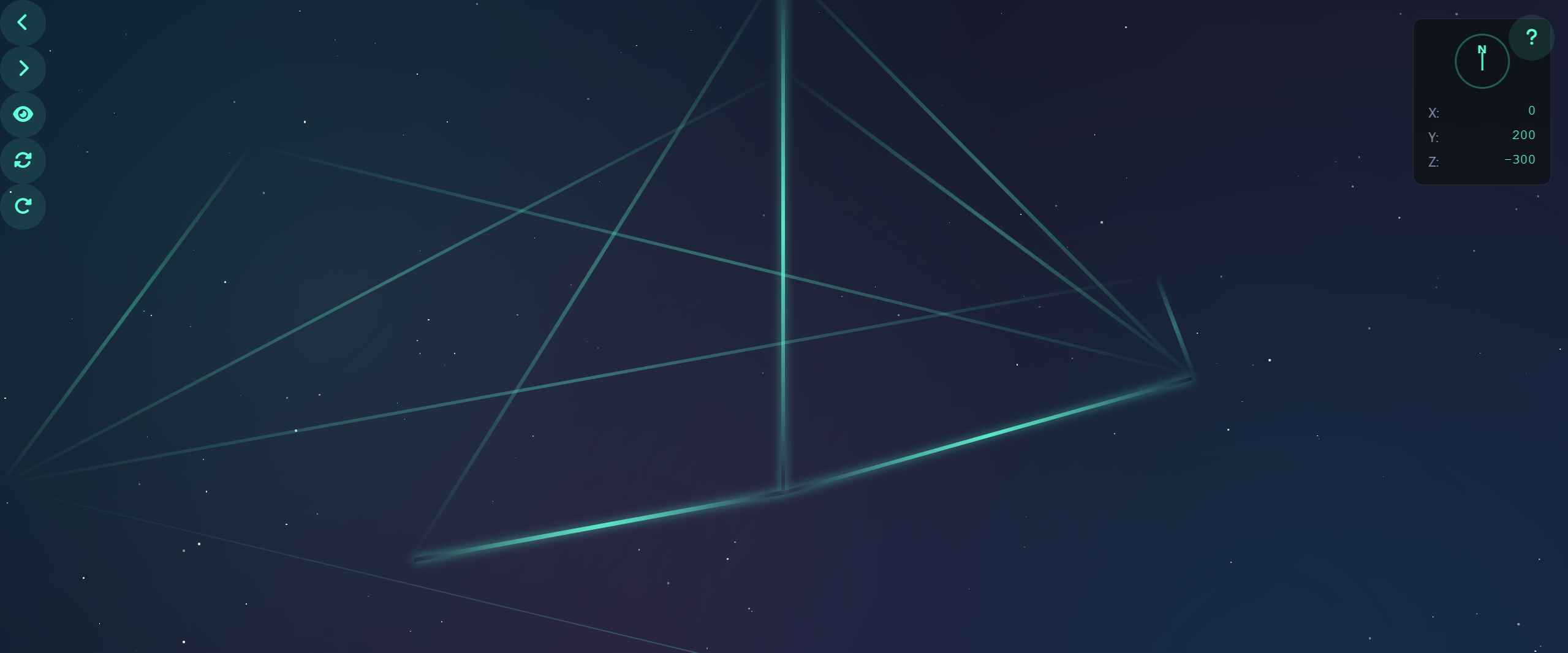
效果实现
第六部分:知识总结与提升
核心技术要点总结
通过开发这个3D概念地图项目,我们深入学习和实践了以下核心技术:
1. CSS 3D变换与动画:
-
掌握了
perspective、transform-style、backface-visibility等3D属性 -
理解了3D坐标系和变换顺序的重要性
-
学会了创建复杂的3D动画和过渡效果
-
掌握了性能优化的关键技巧,如GPU加速和will-change
2. Impress.js框架深入理解:
-
理解了Impress.js的核心原理和API设计
-
学会了如何扩展和定制Impress.js的功能
-
掌握了创建非线性3D导航系统的方法
-
理解了如何与其他JavaScript库和组件集成