第一题:
python
# 1.使用os和os.path以及函数的递归完成:
# 给出一个路径,遍历当前路径所有的文件及文件夹
# 打印输出所有的文件(遇到文件输出路径,遇到文件夹继续进文件夹)
import os
import os.path
def recursion_test(item):
    if os.path.isdir(item):
        for i in os.listdir(item):
            new_item = os.path.join(item,i)
            if os.path.isfile(new_item):
                print(new_item)
            elif os.path.isdir(new_item):
                print(new_item)
                recursion_test(new_item)
print(recursion_test("c:/Users/33019/Desktop/python/code/04python-module"))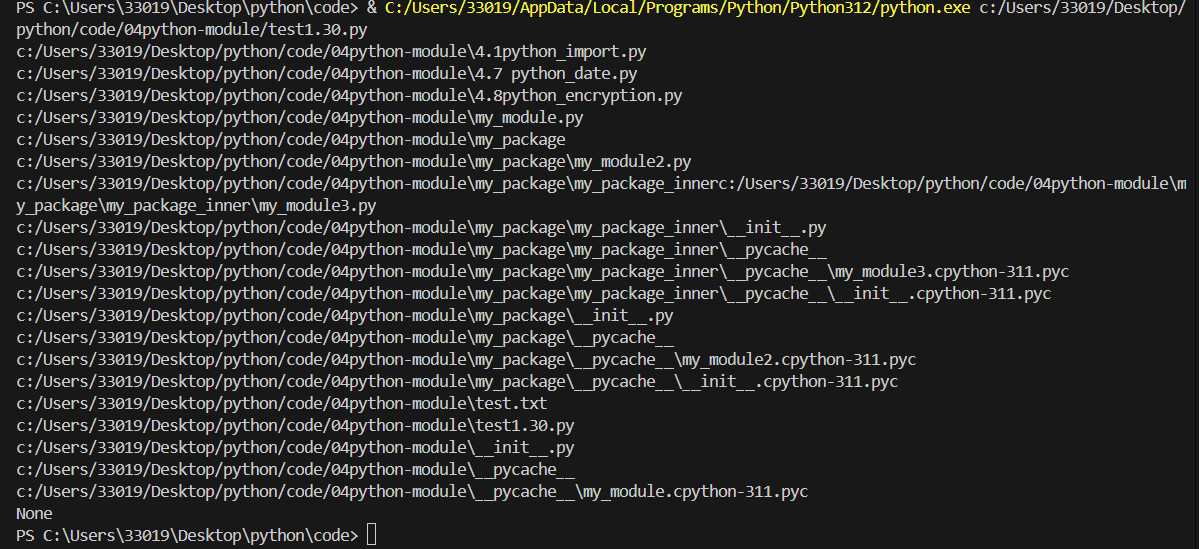
第二题:
python
#2.使用加密模块及IO模拟登录功能,要求使用文件模拟数据库存储用户名和密码。
import hmac
import io
def encryption_admin(str):
    slat = "*******!!!!!".encode("utf-8")
    return hmac.new(slat, str.encode("utf-8"), "md5").hexdigest()

user_input_name, user_input_pwd = input("请输入用户名和密码并使用空格隔开:").split(" ")
file_name = r"C:\Users\33019\Desktop\python\code\04python-module\admin.txt"


with io.open(file_name,"r",encoding="utf-8") as f:
    file_content = f.read().strip()
    f.seek(0)
    for line in f:
        file_user, file_pwd = line.strip().split(":")
        if encryption_admin(user_input_name) == file_pwd:
            print("登录成功")
            break
    else:
        print("登录失败")
第三题:
python
#3.使用面向对象编程完成学生信息录入功能,数据存储在本地文件txt中,并读取学生信息并按照成绩进行排序,学生其他属性自行规划

# 定义学生类
class Student:
    def __init__(self, name, stu_id, age, score):
        self.name = name
        self.stu_id = stu_id
        self.age = age
        self.score = score

    def to_str(self):
        return f"{self.name}|{self.stu_id}|{self.age}|{self.score}"

    @staticmethod
    def from_str(line):
        parts = [part.strip() for part in line.split("|")]
        name, stu_id = parts[0], parts[1]
        age = int(parts[2])
        score = float(parts[3])
        return Student(name, stu_id, age, score)

    def __repr__(self):
        return f"学生(姓名:{self.name}, 学号:{self.stu_id}, 年龄:{self.age}, 成绩:{self.score})"


# 学生管理类
class StudentManager:
    def __init__(self, file_path=r"C:\Users\33019\Desktop\python\code\04python-module\student_info.txt"):
        self.file_path = file_path

    def input_student(self):
        print("===== 开始录入学生信息 =====")
        name = input("请输入学生姓名:")
        stu_id = input("请输入学生学号:")
        age = input("请输入学生年龄:")
        score = input("请输入学生成绩:")
        return Student(name, stu_id, age, score)

    def save_to_file(self, student, append=True):
        mode = "a" if append else "w"
        with open(self.file_path, mode, encoding="utf-8") as f:
            f.write(student.to_str() + "\n")
        print(f"===== 学生{student.name}的信息已成功保存 =====")

    def read_from_file(self):
        student_list = []
        try:
            with open(self.file_path, "r", encoding="utf-8") as f:
                for line in f.readlines():
                    if line.strip():  # 跳过文件中的空行,避免解析报错
                        student_list.append(Student.from_str(line))
            print("===== 从本地文件读取学生信息成功 =====")
        except FileNotFoundError:
            print(f"【提示】{self.file_path}文件不存在,暂无已存储的学生信息!")
        return student_list

    def sort_by_score(self, student_list, reverse=True):
        if not student_list:
            print("暂无学生信息,无法执行排序操作!")
            return []
        sorted_student = sorted(student_list, key=lambda s: s.score, reverse=reverse)
        # print(f"===== 学生信息已按成绩{'降序' if reverse else '升序'}排序完成 =====")
        return sorted_student


stu_manager = StudentManager()


count = int(input("请输入要录入的学生数量:"))  # 录入的学生数量,按需修改
for _ in range(count):
    student = stu_manager.input_student()
    stu_manager.save_to_file(student)  # 追加写入本地txt

all_stu = stu_manager.read_from_file()


if all_stu:
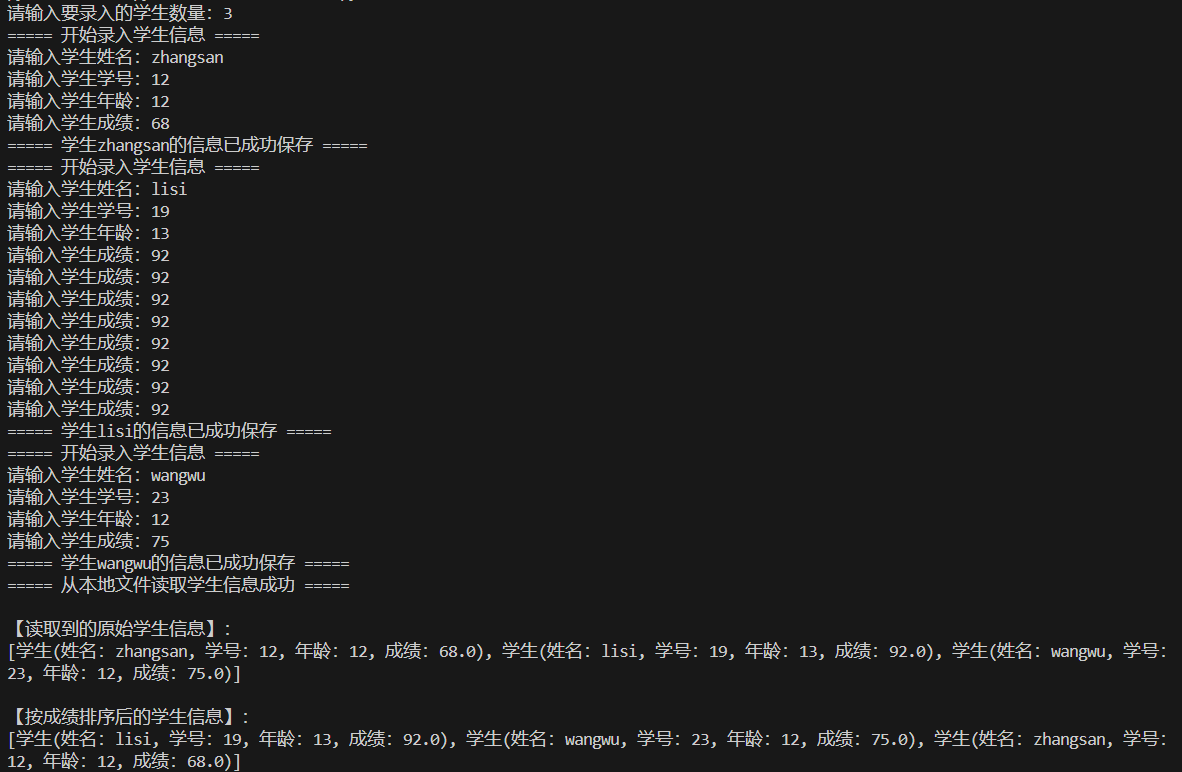
    print("\n【读取到的原始学生信息】:")
    print(all_stu)
    sorted_stu = stu_manager.sort_by_score(all_stu)
    print("\n【按成绩排序后的学生信息】:")
    print(sorted_stu)