System.Timers.Timer 是 .NET 框架中用于创建基于时间间隔的定时器类,它属于 System.Timers 命名空间。这个定时器类设计用于多线程环境中的服务器或服务组件,没有用户界面,在运行时不可见。
核心特性
事件驱动模型: System.Timers.Timer 通过 Elapsed 事件来通知定时器已经过了指定的时间间隔。当定时器到达设定的时间间隔时,会引发 Elapsed 事件。
多线程执行: 该定时器在 ThreadPool 线程上运行,适用于后台任务处理。它可以在一定时间间隔内重复执行任务。
自动重置功能: 通过 AutoReset 属性控制是否重复触发事件。当 AutoReset 设置为 true 时,定时器会持续重复执行;设置为 false 时,只在第一次时间间隔后触发一次。
主要属性
● Interval:设置定时器触发事件的时间间隔(单位为毫秒)
● AutoReset:控制定时器是否重复触发事件
● Enabled:控制定时器是否启用
使用示例
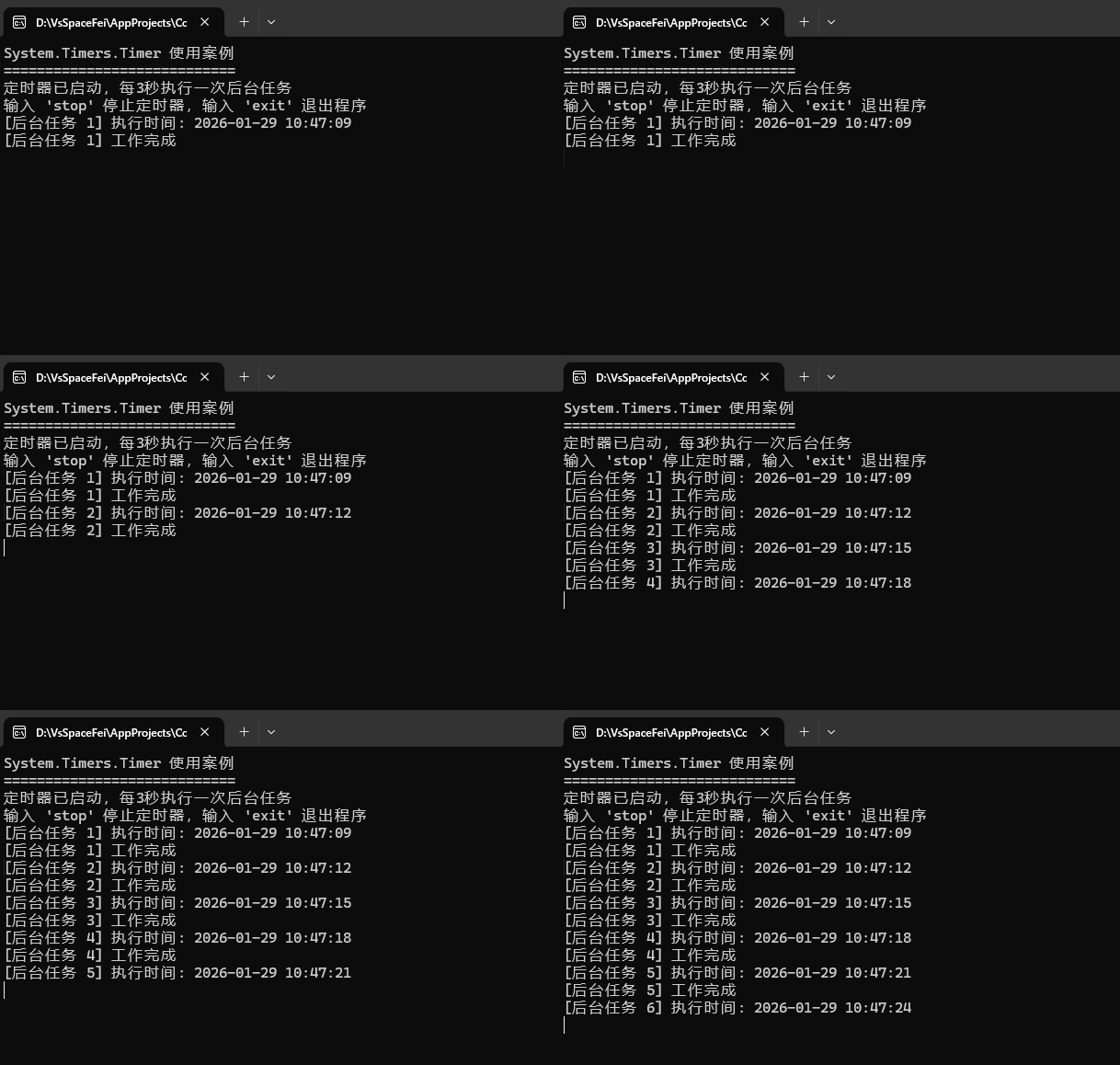
案例代码
csharp
using System;
using System.Collections.Generic;
using System.Linq;
using System.Text;
using System.Threading;
using System.Threading.Tasks;
using System.Timers;
using Timer = System.Timers.Timer;

namespace ConsoleTest
{
    internal class Program
    {
        private static Timer backgroundTimer;
        private static int taskCounter = 0;
        private static bool isRunning = false;

        static void Main(string[] args)
        {
            Console.WriteLine("System.Timers.Timer 使用案例");
            Console.WriteLine("============================");

            // 创建定时器,每3秒执行一次
            backgroundTimer = new Timer(3000);
            backgroundTimer.Elapsed += OnTimerElapsed;
            backgroundTimer.AutoReset = true;

            // 启动定时器
            backgroundTimer.Enabled = true;
            isRunning = true;

            Console.WriteLine("定时器已启动,每3秒执行一次后台任务");
            Console.WriteLine("输入 'stop' 停止定时器,输入 'exit' 退出程序");

            while (true)
            {
                string input = Console.ReadLine();
                if (input?.ToLower() == "stop")
                {
                    StopTimer();
                }
                else if (input?.ToLower() == "exit")
                {
                    break;
                }
            }

            // 清理资源
            StopTimer();
            backgroundTimer.Dispose();
            Console.WriteLine("程序结束");
        }

        private static void OnTimerElapsed(object source, ElapsedEventArgs e)
        {
            taskCounter++;
            Console.WriteLine($"[后台任务 {taskCounter}] 执行时间: {e.SignalTime:yyyy-MM-dd HH:mm:ss}");

            // 模拟一些后台工作
            PerformBackgroundWork();
        }

        private static void PerformBackgroundWork()
        {
            try
            {
                // 模拟耗时操作
                Thread.Sleep(1000);
                Console.WriteLine($"[后台任务 {taskCounter}] 工作完成");
            }
            catch (Exception ex)
            {
                Console.WriteLine($"[错误] 后台任务执行出错: {ex.Message}");
            }
        }

        private static void StopTimer()
        {
            if (isRunning)
            {
                backgroundTimer.Enabled = false;
                isRunning = false;
                Console.WriteLine("定时器已停止");
            }
        }
    }
}
与其他定时器的区别
System.Timers.Timer 与 System.Threading.Timer 和 System.Windows.Forms.Timer 相比,具有以下特点:
● System.Timers.Timer: 定期触发事件,类旨在用作多线程环境中的基于服务器或服务组件;它没有用户界面,在运行时不可见(不可以直接更新UI界面)
● System.Threading.Timer: 定期在线程池线程上执行单个回调方法(不可以直接更新UI界面)
● System.Windows.Forms.Timer: 一种 Windows 窗体组件,按固定时间间隔触发事件(可以直接更新UI界面)