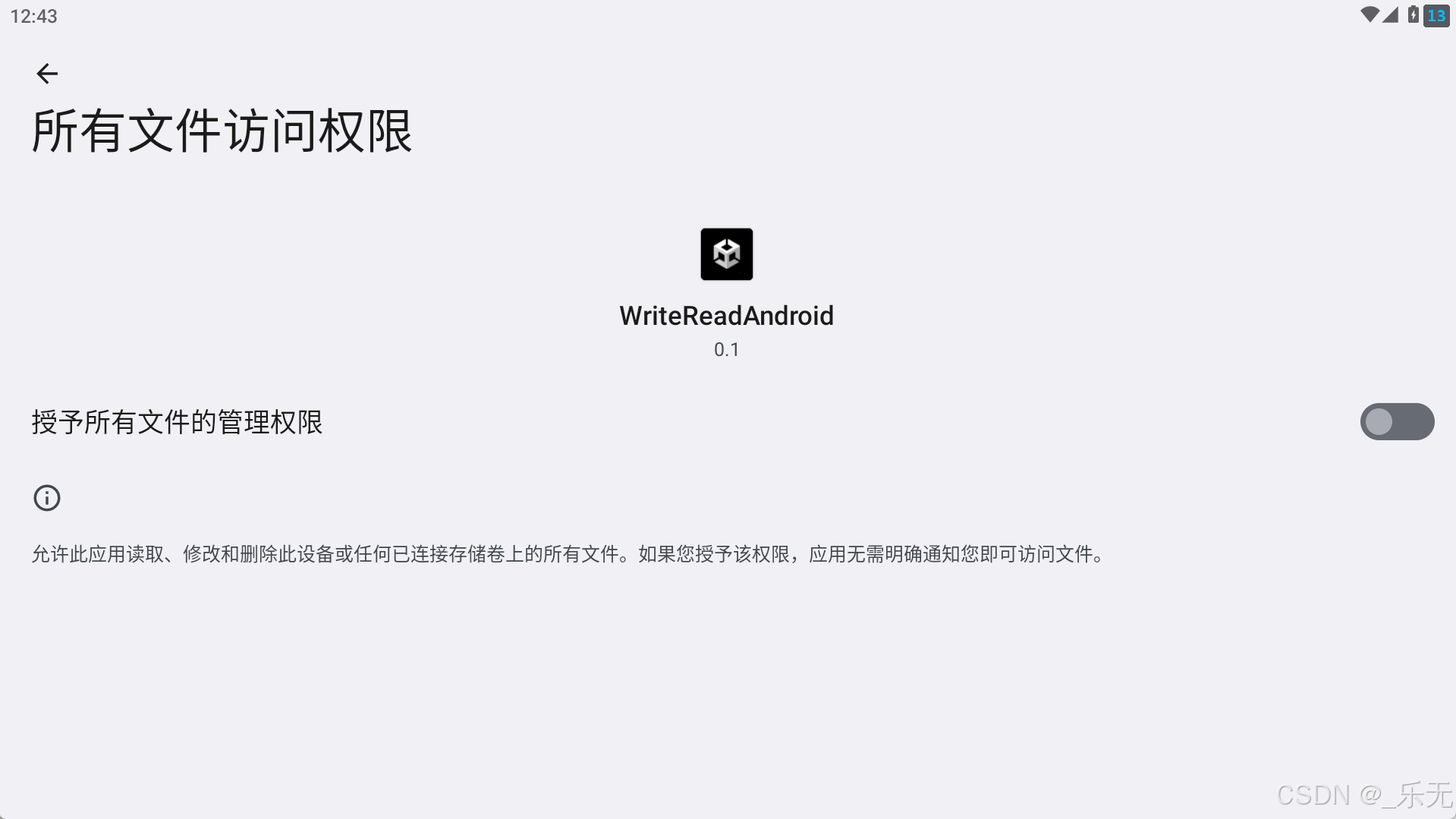
现在有个需求,读写安卓系统的根目录下的文档
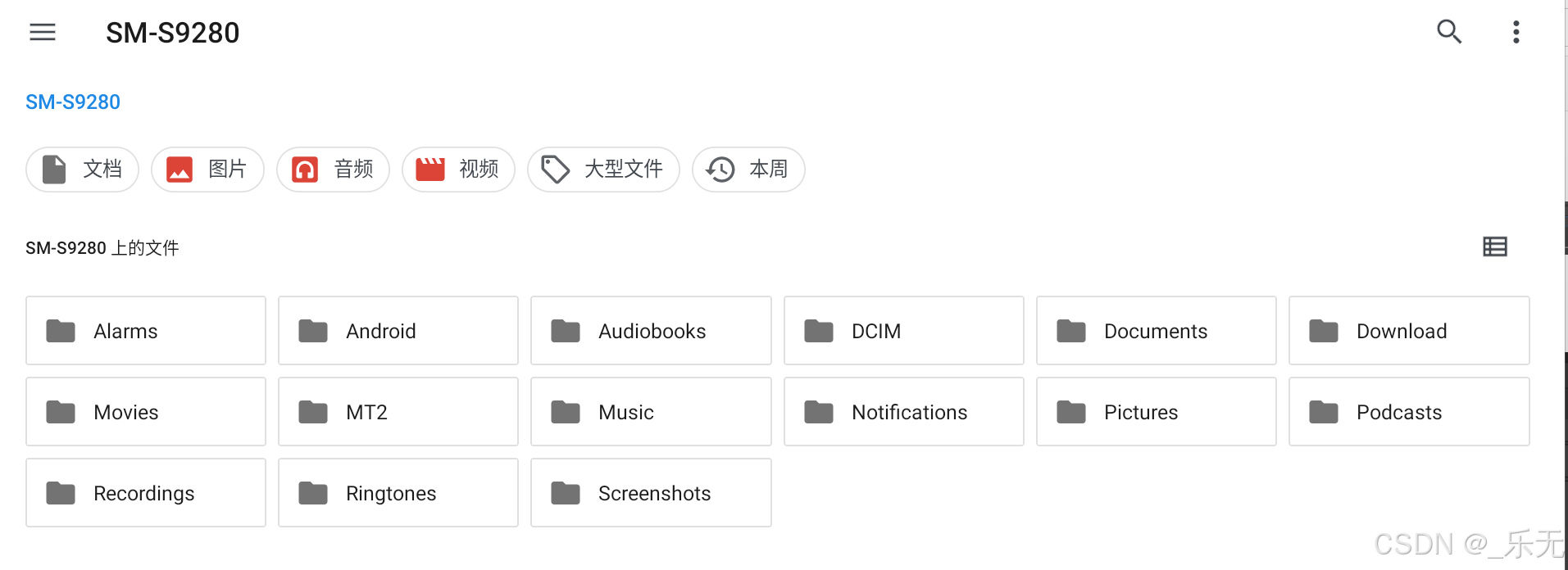
路径为
/storage/emulated/0/Documents/
在Unity PlayerSetting里有一个设置访问非持久化路径的设置

但是实际打包后发现还是访问不了。
解决方法
申请与配置方法
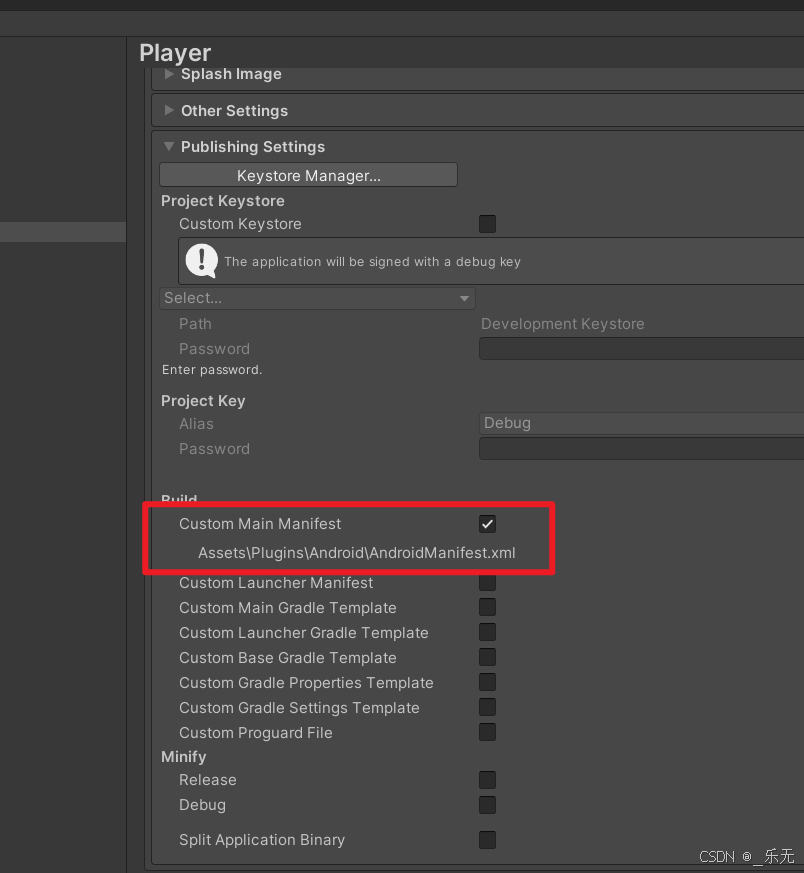
先自动生成一下AndroidManifest.xml,然后添加授权
csharp
<uses-permission android:name="android.permission.MANAGE_EXTERNAL_STORAGE" />MANAGE_EXTERNAL_STORAGE 是 Android 10(API 级别 29)引入的系统权限,允许应用访问和管理设备外部存储上的所有文件,但需用户显式授权。
授权方法
csharp
    /// <summary>
    /// 检查授权状态
    /// </summary>
    /// <returns></returns>
    private bool HasExternalStoragePermission()
    {
#if (!UNITY_EDITOR && UNITY_ANDROID)
        using (var version = new AndroidJavaClass("android.os.Build$VERSION"))
        {
            if (version.GetStatic<int>("SDK_INT") >= 30)
            {
                using (var environment = new AndroidJavaClass("android.os.Environment"))
                {
                    return environment.CallStatic<bool>("isExternalStorageManager");
                }
            }
        }
#endif
        return true;
    }
    /// <summary>
    /// 唤醒授权
    /// </summary>
    private void RequestExternalStoragePermission()
    {
#if (!UNITY_EDITOR && UNITY_ANDROID)
        using (var version = new AndroidJavaClass("android.os.Build$VERSION"))
        {
            if (version.GetStatic<int>("SDK_INT") >= 30)
            {
                using (var unityPlayer = new AndroidJavaClass("com.unity3d.player.UnityPlayer"))
                {
                    using (var currentActivity = unityPlayer.GetStatic<AndroidJavaObject>("currentActivity"))
                    {
                        using (var intent = new AndroidJavaObject("android.content.Intent"))
                        {
                            intent.Call<AndroidJavaObject>("setAction", "android.settings.MANAGE_APP_ALL_FILES_ACCESS_PERMISSION");
                            using (var uriClass = new AndroidJavaClass("android.net.Uri"))
                            {
                                using (var uri = uriClass.CallStatic<AndroidJavaObject>("parse", "package:" + currentActivity.Call<string>("getPackageName")))
                                {
                                    intent.Call<AndroidJavaObject>("setData", uri);
                                }
                            }
                            currentActivity.Call("startActivity", intent);
                        }
                    }
                }
            }
        }
#endif
    }
完整的测试代码
功能是要在安卓根目录的文档中,必须存在test.txt,没有就写入,有就读取。
(比如实现写入某个唯一密钥文件,用于激活软件)
csharp
public string path = "/storage/emulated/0/Documents/test.txt";
    public Text mt;

    void Start()
    {
        GetPermission();
        CheckFileAndProcess();
    }

    private void OnApplicationFocus(bool focus)
    {
        if (focus)
        {
            GetPermission();
        }
    }

    void GetPermission()
    {
        if (!HasExternalStoragePermission())
        {
            RequestExternalStoragePermission();
        }
        else
        {
            SceneManager.LoadSceneAsync(1);
        }
    }

    private bool HasExternalStoragePermission()
    {
#if (!UNITY_EDITOR && UNITY_ANDROID)
        using (var version = new AndroidJavaClass("android.os.Build$VERSION"))
        {
            if (version.GetStatic<int>("SDK_INT") >= 30)
            {
                using (var environment = new AndroidJavaClass("android.os.Environment"))
                {
                    return environment.CallStatic<bool>("isExternalStorageManager");
                }
            }
        }
#endif
        return true;
    }

    private void RequestExternalStoragePermission()
    {
#if (!UNITY_EDITOR && UNITY_ANDROID)
        using (var version = new AndroidJavaClass("android.os.Build$VERSION"))
        {
            if (version.GetStatic<int>("SDK_INT") >= 30)
            {
                using (var unityPlayer = new AndroidJavaClass("com.unity3d.player.UnityPlayer"))
                {
                    using (var currentActivity = unityPlayer.GetStatic<AndroidJavaObject>("currentActivity"))
                    {
                        using (var intent = new AndroidJavaObject("android.content.Intent"))
                        {
                            intent.Call<AndroidJavaObject>("setAction", "android.settings.MANAGE_APP_ALL_FILES_ACCESS_PERMISSION");
                            using (var uriClass = new AndroidJavaClass("android.net.Uri"))
                            {
                                using (var uri = uriClass.CallStatic<AndroidJavaObject>("parse", "package:" + currentActivity.Call<string>("getPackageName")))
                                {
                                    intent.Call<AndroidJavaObject>("setData", uri);
                                }
                            }
                            currentActivity.Call("startActivity", intent);
                        }
                    }
                }
            }
        }
#endif
    }

    private void CheckFileAndProcess()
    {
        if (!HasExternalStoragePermission())
        {
            SetTextSafe("无文件访问权限,无法执行文件操作!");
            RequestExternalStoragePermission();
            return;
        }

        while (!File.Exists(path))
        {
            try
            {
                string directoryPath = Path.GetDirectoryName(path);
                if (!Directory.Exists(directoryPath))
                {
                    Directory.CreateDirectory(directoryPath);
                    Debug.Log("自动创建目录:" + directoryPath);
                }
                string writeContent = "HelloWorld";
                File.WriteAllText(path, writeContent, System.Text.Encoding.UTF8);
                Debug.Log("文件不存在,已自动写入:" + path + " 内容:" + writeContent);
            }
            catch (Exception ex)
            {
                SetTextSafe("文件写入失败,重试中:" + ex.Message);
            }
        }

        try
        {
            string fileContent = File.ReadAllText(path, System.Text.Encoding.UTF8);
            SetTextSafe("程序启动检测到文件,内容:\n" + fileContent);
        }
        catch (Exception ex)
        {
            SetTextSafe("文件存在但读取失败:" + ex.Message);
            Debug.LogError("文件读取异常:" + ex.ToString());
        }
    }

    public void ReadFileContentToText()
    {
        if (!HasExternalStoragePermission())
        {
            SetTextSafe("请先授予文件访问权限!");
            RequestExternalStoragePermission();
            return;
        }

        if (mt == null)
        {
            Debug.LogError("请在Inspector面板为mt赋值Text组件!");
            return;
        }

        try
        {
            if (!File.Exists(path))
            {
                SetTextSafe("文件不存在:" + path);
                return;
            }

            string fileContent = File.ReadAllText(path, System.Text.Encoding.UTF8);
            SetTextSafe("文件内容:\n" + fileContent);
            Debug.Log("文件读取成功:" + path);
        }
        catch (Exception ex)
        {
            SetTextSafe("读取失败:" + ex.Message);
            Debug.LogError("文件读取异常:" + ex.ToString());
        }
    }
    public void WriteHelloWorldToFile()
    {
        if (!HasExternalStoragePermission())
        {
            SetTextSafe("请先授予文件访问权限!");
            RequestExternalStoragePermission();
            return;
        }

        try
        {
            string directoryPath = Path.GetDirectoryName(path);
            if (!Directory.Exists(directoryPath))
            {
                Directory.CreateDirectory(directoryPath);
                Debug.Log("目录已创建:" + directoryPath);
            }

            string writeContent = "HelloWorld";
            File.WriteAllText(path, writeContent, System.Text.Encoding.UTF8);

            if (mt != null)
            {
                SetTextSafe("写入成功!\n路径:" + path + "\n内容:" + writeContent);
            }
            Debug.Log("文件写入成功:" + path);
        }
        catch (Exception ex)
        {
            if (mt != null)
            {
                SetTextSafe("写入失败:" + ex.Message);
            }
            Debug.LogError("文件写入异常:" + ex.ToString());
        }
    }


    private void SetTextSafe(string content)
    {
        if (mt != null && !string.IsNullOrEmpty(content))
        {
            mt.text = content;
        }
    }
验证